
Turn every policy into automated workflows with built-in enforcement and audit-ready proof.



9 Kissflow Alternatives Compared for Running Real Processes

Updated October 2026. Prices were checked on each vendor’s public pricing page in October 2026.
Kissflow alternatives are worth comparing when the work has moved beyond simple forms and approvals. Kissflow helps teams build low-code and no-code apps and automate workflows. Many buyers need a different operating model: recurring process execution, stronger compliance proof, project coordination, enterprise orchestration, or a platform that fits a specific technology stack.
Summary
- Best overall for running real processes: Process Street. Process Street is the best Kissflow alternative when a process must run the same way every time and leave proof. It is an agentic process automation platform with AI, approvals, forms, an audit trail and 5,000+ integrations.
- Best for business-owned request workflows: Pipefy. Pipefy suits shared services teams that want no-code request pipelines, and it has a free Starter plan.
- Best for Microsoft-centered automation: Microsoft Power Automate. Power Automate fits companies that run on Microsoft and need cloud flows plus desktop automation.
- Best for enterprise process orchestration: Appian or Nintex. Appian and Nintex suit large automation programs with IT capacity behind them.
- Best for project coordination: monday.com, Asana or ClickUp. monday.com, Asana and ClickUp suit teams whose work is mostly projects, with lighter automation.
In this article, we cover:
- Kissflow alternatives at a glance
- What is Kissflow?
- How we evaluated these tools
- Why look for Kissflow alternatives?
- What should a Kissflow alternative do better?
- What are the best Kissflow alternatives?
- How do Kissflow alternatives compare on AI?
- When is Kissflow still the right choice?
- How do you switch from Kissflow to Process Street?
- How do you choose the right Kissflow alternative?
- Related comparisons
- FAQs
Kissflow alternatives at a glance
The table compares the 9 tools on this list. Kissflow is the baseline, so its own pricing sits in the next section. Starting prices are the lowest published paid plan, as listed by each vendor in October 2026.
| Tool | Best for | Free plan or trial | Starting price | How it runs work |
|---|---|---|---|---|
| Process Street | Recurring processes that must run correctly and leave proof | 14-day free trial of Pro, no card needed | Contact sales (see pricing) | Assigns steps, enforces task order and approvals, keeps an audit trail |
| Pipefy | No-code request and approval pipelines run by business teams | Yes, Starter plan (up to 5 processes, 10 users) | Business plan: contact sales | Request pipelines with forms and approvals |
| Nintex | Enterprise workflow, document automation and RPA programs | Not published | Contact sales | Enterprise workflows, documents, eSign and RPA |
| monday.com | Project and team coordination with simple automations | Yes, free plan for up to 2 seats | $9 per seat/month (Basic, billed annually) | Boards with code-free automations |
| Asana | Project workflows with forms, rules and templates | Yes, Personal plan | $10.99 per user/month (Starter, billed annually) | Projects with rules, forms and templates |
| ClickUp | Configurable task workspaces with docs and dashboards | Yes, Free Forever plan | $7 per user/month (Unlimited, billed yearly) | Tasks with triggers, conditions and actions |
| Microsoft Power Automate | Microsoft-centered system automation and RPA | 30-day free trial | $15 per user/month (Premium, paid yearly) | Cloud flows and desktop flows |
| Zoho Creator | Low-code custom web and mobile apps | Yes, Free edition (one app), plus a 15-day trial | US$8 per user/month (Standard, billed annually) | Custom low-code apps with workflows |
| Appian | Enterprise process orchestration across people, systems and AI agents | Yes, Community Edition for building | Standard: per user, per month, per app (on request) | Enterprise process orchestration |
What is Kissflow?
Kissflow describes itself as a low-code platform for IT and a no-code platform for business leaders. Teams use it to build internal apps, automate workflows and manage cases, with governance controls for IT.
Kissflow does not publish plan prices. Its pricing page asks buyers to set up a consultation or get a quote, and describes fixed annual agreements with no surcharges for AI or API usage. It also lists 25+ AI-powered automation features.
That makes Kissflow the baseline every tool below is measured against: a platform for building apps and workflows. The question is whether your team needs an app builder, or a system that runs the same process correctly every time.
How we evaluated these tools
We scored each tool on five weighted criteria. The weights reflect what goes wrong most often when teams replace a workflow tool: work gets skipped, nobody can prove what happened, and the new tool needs a specialist to change.
- Process execution (30%): does the tool assign the work, enforce the order of steps and route approvals, or does it only track status?
- Proof and governance (25%): is there an audit trail, version history and a clear record of who approved what?
- Ease of change (20%): can the process owner update the workflow without a developer or an IT ticket?
- Integrations and AI (15%): does it connect to the systems where work happens, and does its AI do real work inside the process?
- Pricing clarity (10%): is pricing published, and does it scale sensibly as more people take part?
Pricing, free plans and feature claims come from each vendor’s own website, checked in October 2026. We did not use paid placements. Process Street is our product, so we have tried to state plainly where another tool is the better fit.
Why look for Kissflow alternatives?
Kissflow positions itself as an enterprise no-code platform for building apps and automating workflows, with governance for IT and a drag-and-drop model for business teams. That is useful for teams that want business users to build internal applications without waiting for engineering. It is not the only pattern for workflow automation.
The right replacement depends on the kind of work you need to control. A compliance team may need approvals, versioned procedures, task history, and proof that steps happened. An operations team may need repeatable checklists and handoffs. A project team may need timelines and workload views. An IT team may need cloud flows, desktop automation, and system connectors. Those are different buying jobs, even when vendors all use the phrase workflow automation.
If your evaluation starts and ends with feature parity, every platform looks similar. A better test is whether the tool changes how work actually runs. Does it assign ownership automatically? Does it stop skipped steps? Does it give managers proof without manual chasing? Does it keep the process current when the business changes? A serious Kissflow alternative should answer those questions clearly.
For background on the category, Kissflow describes its own no-code platform as a way for CIOs and IT teams to build apps, automate workflows, and govern business-team development. That framing is useful, but it also shows why buyers should separate app-building needs from recurring process execution needs.
What should a Kissflow alternative do better?
A strong alternative should improve at least one of four areas: execution, governance, adoption, or integration. If it does not improve one of those, switching tools is usually just migration work without a better operating model.
- Execution: The platform should turn recurring procedures into assigned work with due dates, approvals, handoffs, and a visible activity history.
- Governance: The platform should make it clear which process is current, who approved it, and what evidence exists when auditors or managers ask.
- Adoption: Business teams should be able to run and improve workflows without turning every process change into an IT ticket.
- Integration: The tool should connect to the systems where work actually happens, without making the workflow owner maintain fragile workarounds.
The tradeoff is that no platform wins every job. Project management tools are often easier for broad teams to adopt, but weaker for compliance proof. Enterprise automation suites can orchestrate complex systems, but may require heavier implementation. Low-code app builders are flexible, but may push teams toward custom internal apps when a governed workflow would be simpler.
The reasons teams give for leaving Kissflow tend to fall into four groups: costs that grow as more people take part, apps that need specialist time to change, approvals and evidence that still live outside the tool, and a need to prove a process ran correctly. Each tool below solves a different one of these.
What are the best Kissflow alternatives?
The best Kissflow alternatives depend on the buyer. Use this list as a shortlisting guide. Each entry shows who it suits, its pros and cons, and its published pricing.
1. Process Street: Best for running recurring processes with proof
Best for compliance operations and recurring process execution
- Turns procedures into assigned, trackable workflows instead of static documents.
- Fits teams that need approvals, forms, task history, and audit-ready execution.
- A strong option when the workflow itself must enforce standards, not just remind people what to do.
Bottom line: Process Street is the best Kissflow alternative when your process has to run the same way every time and leave proof behind.
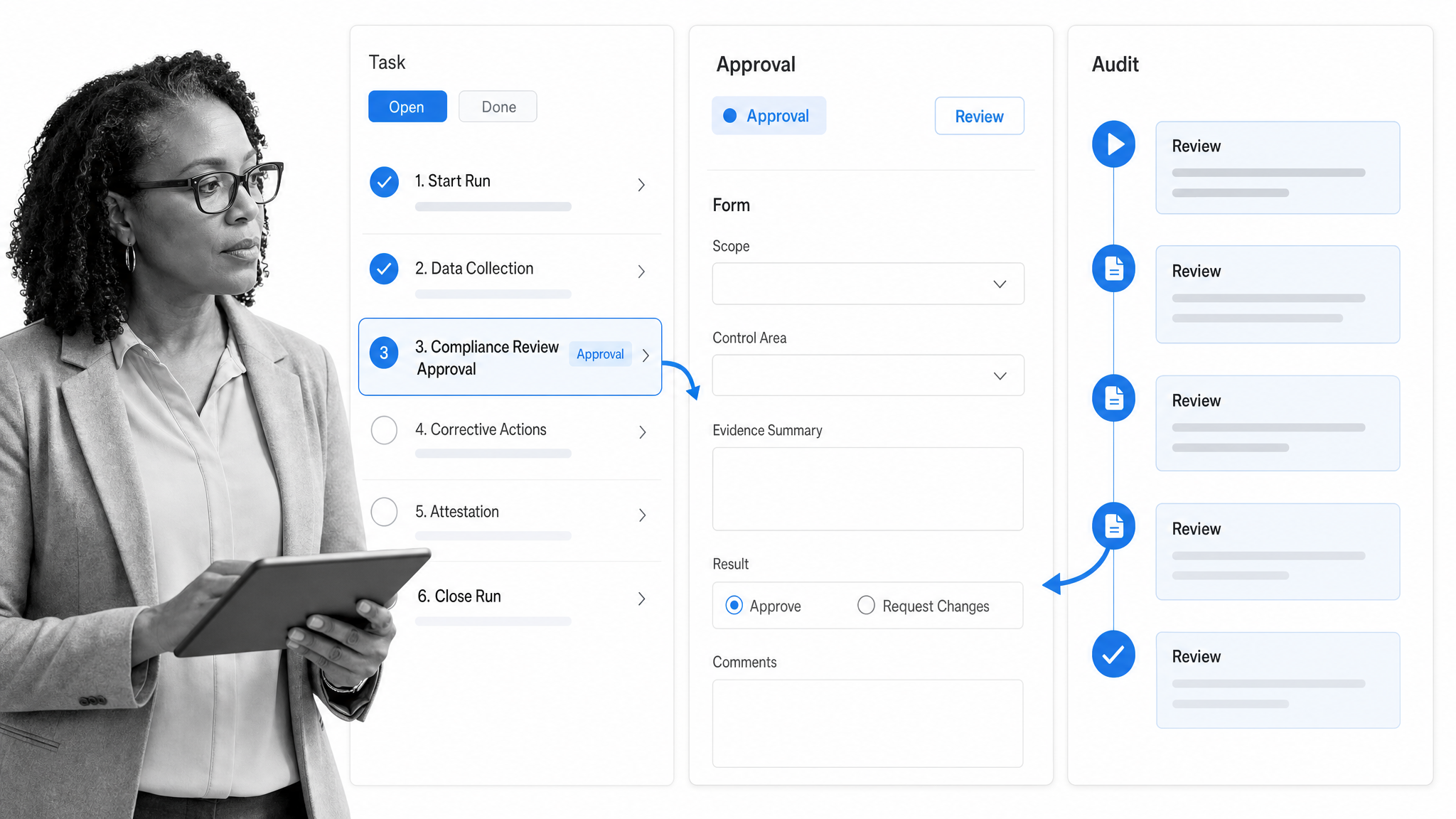
Process Street is an agentic process automation platform. It turns procedures into workflows that assign each step, enforce the order of tasks, route approvals and record who did what. Forms, pages, data sets, automations and Process AI sit in one platform, so teams document the standard and enforce it at the point of work. Process Street has 5,000+ integrations, so workflows connect to the systems teams already use.
That matters for onboarding, client handoffs, quality checks, compliance workflows, finance operations, and other recurring processes where missed steps create risk. Instead of building a custom app first, Process Street lets teams start with the procedure, assign the work, collect structured data, route approvals, and keep the record of what happened.
Choose Process Street if the problem is not just building apps. Choose it when the business needs a living process that people actually follow. See the Process Street workflow product and Process AI.
The Process Street team also builds Dash, an AI teammate that works inside Slack and Microsoft Teams. Dash connects to the tools your team already uses and asks for approval before it acts, so people can start and move processes from chat.
Pros
- Workflows enforce the order of steps, approvals and role assignments, not just reminders.
- Every run keeps a record of who did what and when, ready for audits.
- Process owners can change a workflow without a developer.
- The AI Workflow Generator drafts a custom workflow from a plain description.
- 5,000+ integrations, plus a public API, iOS and Android apps, and Slack and Microsoft Teams apps.
Cons
- It is not a custom app builder. If you need bespoke internal apps, Zoho Creator or Kissflow fits better.
- It is not a full project portfolio tool. Teams that plan in timelines may pair it with one.
Pricing: Plans are Startup, Pro and Enterprise, all priced through sales. Pro starts with a 14-day free trial with no credit card. See Process Street pricing.
2. Pipefy: Best for business-owned request workflows
Best for no-code workflow automation with business-team ownership
- No-code workflow automation for teams that want business users to build and adapt processes.
- Useful when requests, approvals, and service workflows need a visual process layer.
- A strong fit when the buyer wants workflow ownership closer to the business line.
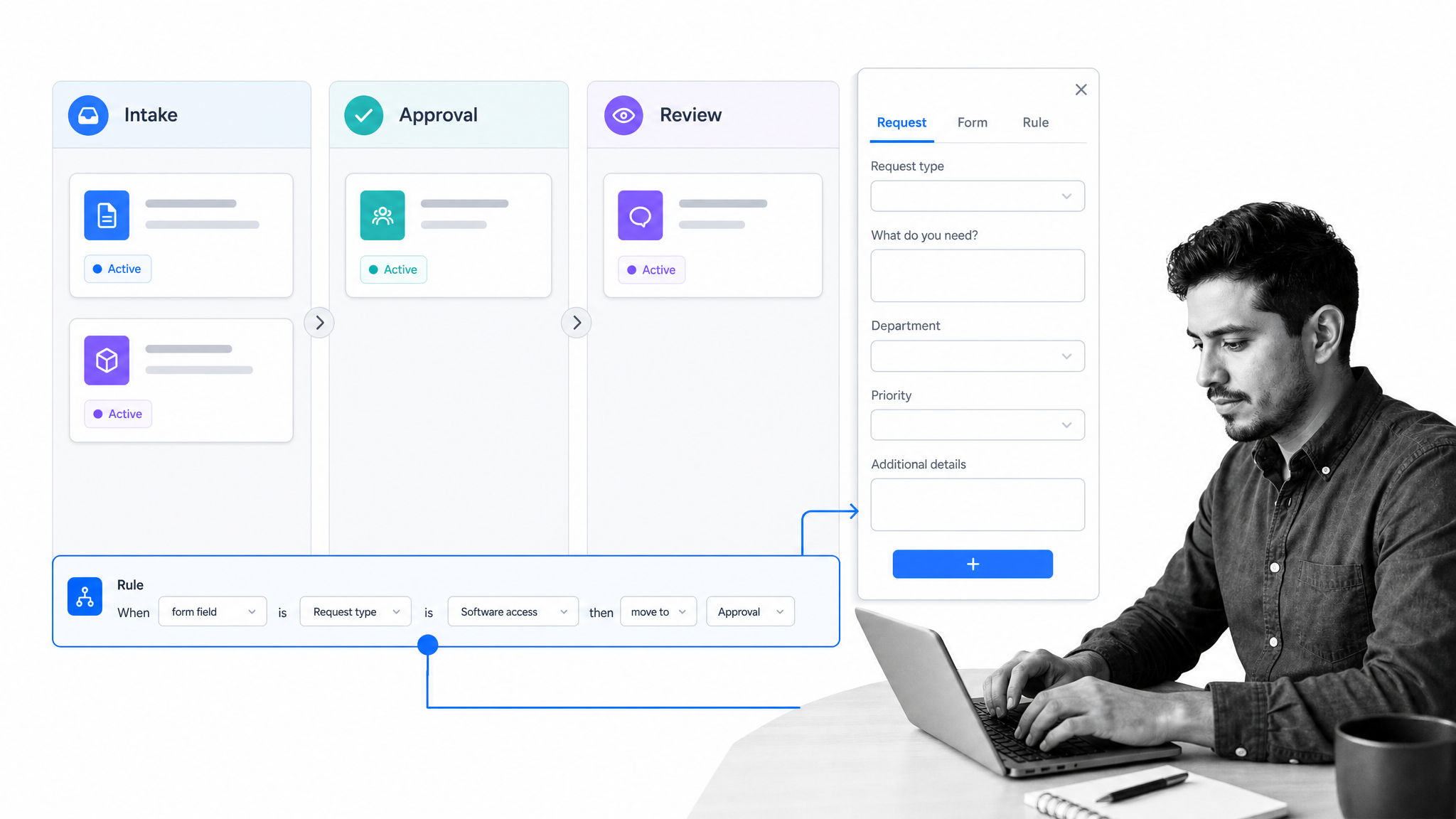
Pipefy is a direct Kissflow alternative for teams that want no-code process automation and faster workflow building. Its official workflow automation page emphasizes custom workflow management, no-code building, AI-assisted workflow creation, connectors, and governance features.
It is a practical shortlist option for shared services, procurement, HR, finance, and request-management teams that want structured intake and workflow routing. The strongest fit is a business operations team that wants autonomy without turning every process into a fully custom internal application.
Pick Pipefy when the main goal is business-owned workflow automation with a clear request pipeline. See Pipefy pricing.
Pros
- A free Starter plan for up to 5 processes and 10 users.
- Pipefy AI is listed on every plan.
- Business teams can build request pipelines without code.
Cons
- Paid plan prices are not published, so you need a sales conversation.
- Its strength is request intake and routing, less so complex recurring procedures with evidence.
Pricing: Starter is free for up to 5 processes and 10 users. Business and Enterprise are priced through sales, with per-user billing on Business.
3. Nintex: Best for enterprise workflow and document automation
Best for enterprise workflow automation and document-heavy processes
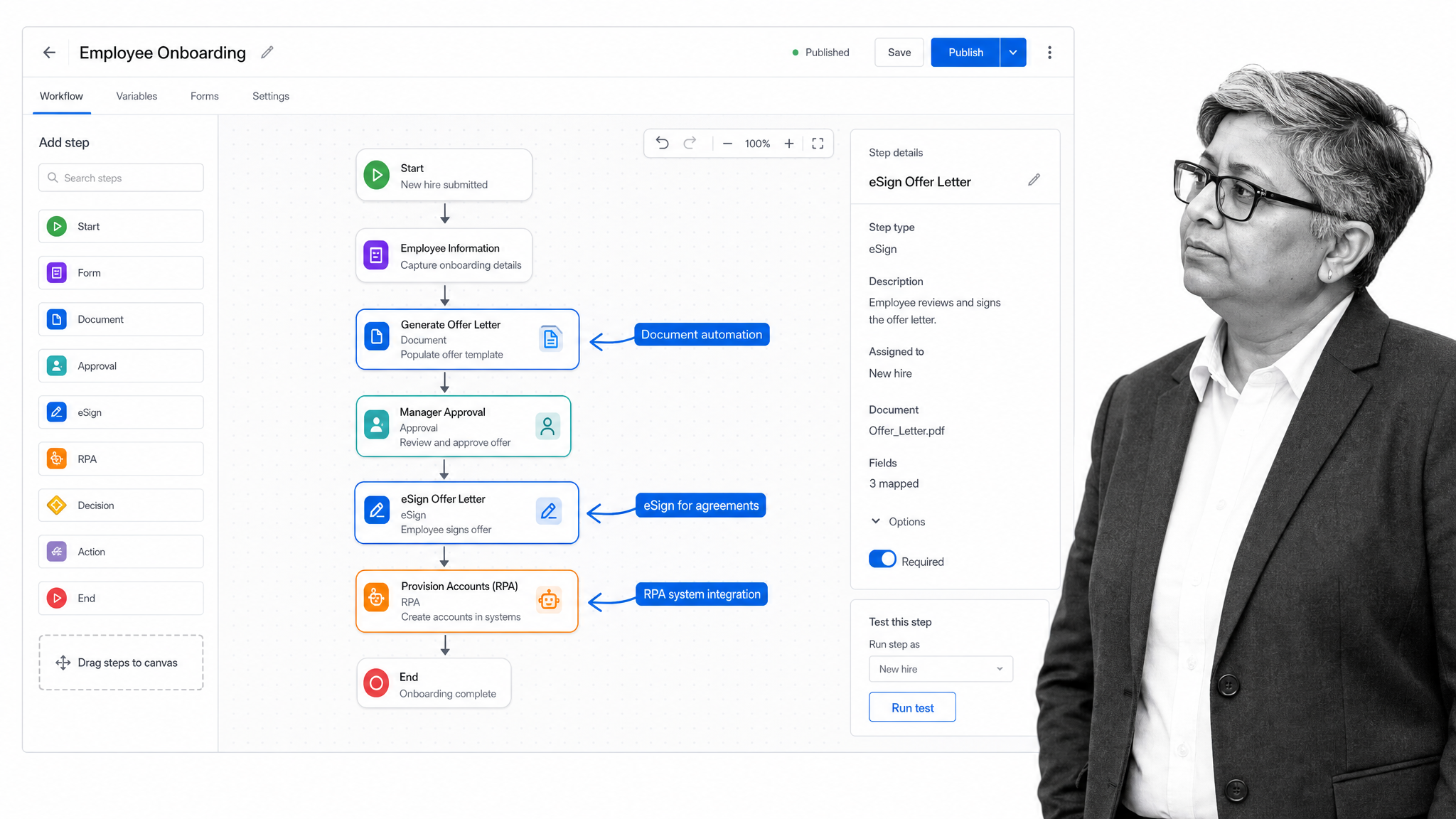
- Workflow automation, process management, application development, document automation, eSign, and RPA sit in the broader Nintex platform.
- Good fit for enterprises with complex approvals and system-heavy processes.
- Heavier than lightweight workflow tools, but stronger for broad automation programs.
Nintex is a better fit than Kissflow when the buyer needs enterprise workflow automation across documents, forms, approvals, and systems. Its cloud automation platform includes workflow, process management, application development, document automation, eSign, and robotic process automation.
That makes Nintex a serious candidate for larger organizations that already know they need an automation suite, not just a team-level workflow builder. It can be more implementation-heavy, so it fits best when the process portfolio is large enough to justify the platform depth.
Choose Nintex when the workflow program includes documents, approvals, and enterprise automation governance. Nintex workflow automation.
Pros
- One platform covers workflow, process management, document automation, eSign and RPA.
- Built for large, system-heavy automation programs.
- Suits organizations that already run an automation center of excellence.
Cons
- No public pricing page. Nintex routes pricing questions to sales.
- Heavier to implement than team-level workflow tools.
Pricing: Nintex does not publish prices. Its pricing link leads to a contact form for its sales team.
4. monday.com: Best for team work management with light automation

Best for team work management with light automation
- Code-free automations for notifications, reminders, task creation, assignment, and handoffs.
- Strong project and team visibility for cross-functional work.
- Better for work coordination than for strict compliance operations.
monday.com is a strong Kissflow alternative when the problem is team coordination. Its automations page focuses on code-free automations such as notifications, date reminders, task creation, auto-assignment, custom automations, and ready-made automations.
That makes monday.com useful when teams need boards, owners, timelines, and lightweight automation around project work. It is less specialized for recurring procedure enforcement, but it can be easier for broad departments to adopt when the work is flexible and collaborative.
Choose monday.com when the work is mostly projects, campaigns, requests, and team coordination rather than governed recurring process execution.
Pros
- Easy for broad teams to adopt.
- Code-free automations for reminders, assignments and handoffs.
- A free plan and a 14-day trial of Pro.
Cons
- Less suited to enforcing a strict order of steps or keeping compliance evidence.
- AI use is metered in monthly credits.
Pricing: Free for up to 2 seats. Basic is $9 per seat per month, billed annually. See monday.com pricing.
5. Asana: Best for project workflows and cross-functional planning
Best for project workflows and cross-functional planning
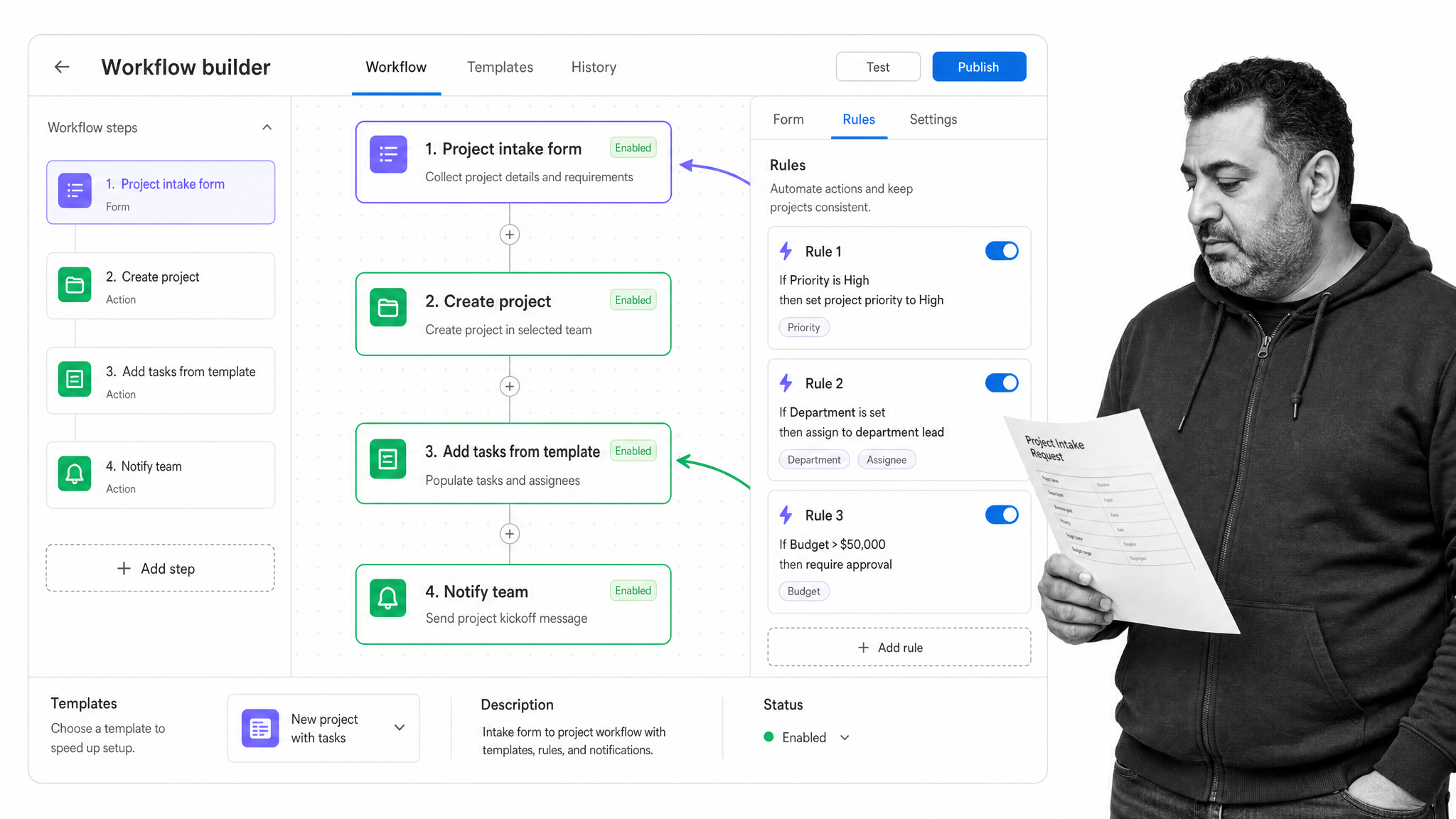
- Workflow automation around forms, rules, and templates.
- Strong for teams that already manage work in projects and portfolios.
- Works well when the workflow is tied to planning, ownership, and status reporting.
Asana belongs on the shortlist when the Kissflow alternative needs to live inside project management. Asana describes workflow automation around forms for intake, rules for routine work, and templates for standardizing projects and tasks.
It is strongest when the process is part of a broader project operating rhythm: campaigns, launches, requests, creative work, IT tasks, or cross-functional initiatives. It is weaker when the main requirement is formal procedure control, document governance, or audit evidence.
Choose Asana when the team already thinks in projects and needs workflow automation inside that planning surface. See Asana pricing.
Pros
- Strong for planning, ownership and status reporting across teams.
- Forms, rules and templates standardize intake and routine work.
- Asana AI with AI Teammates is included in its plans.
Cons
- Weaker for formal procedure control and audit evidence.
- Advanced workflow features sit on higher tiers.
Pricing: Personal is free. Starter is $10.99 per user per month billed annually, or $13.49 billed monthly. Advanced is $24.99 per user per month billed annually.
6. ClickUp: Best for customizable task workspaces with automations
Best for customizable task workspaces with automations
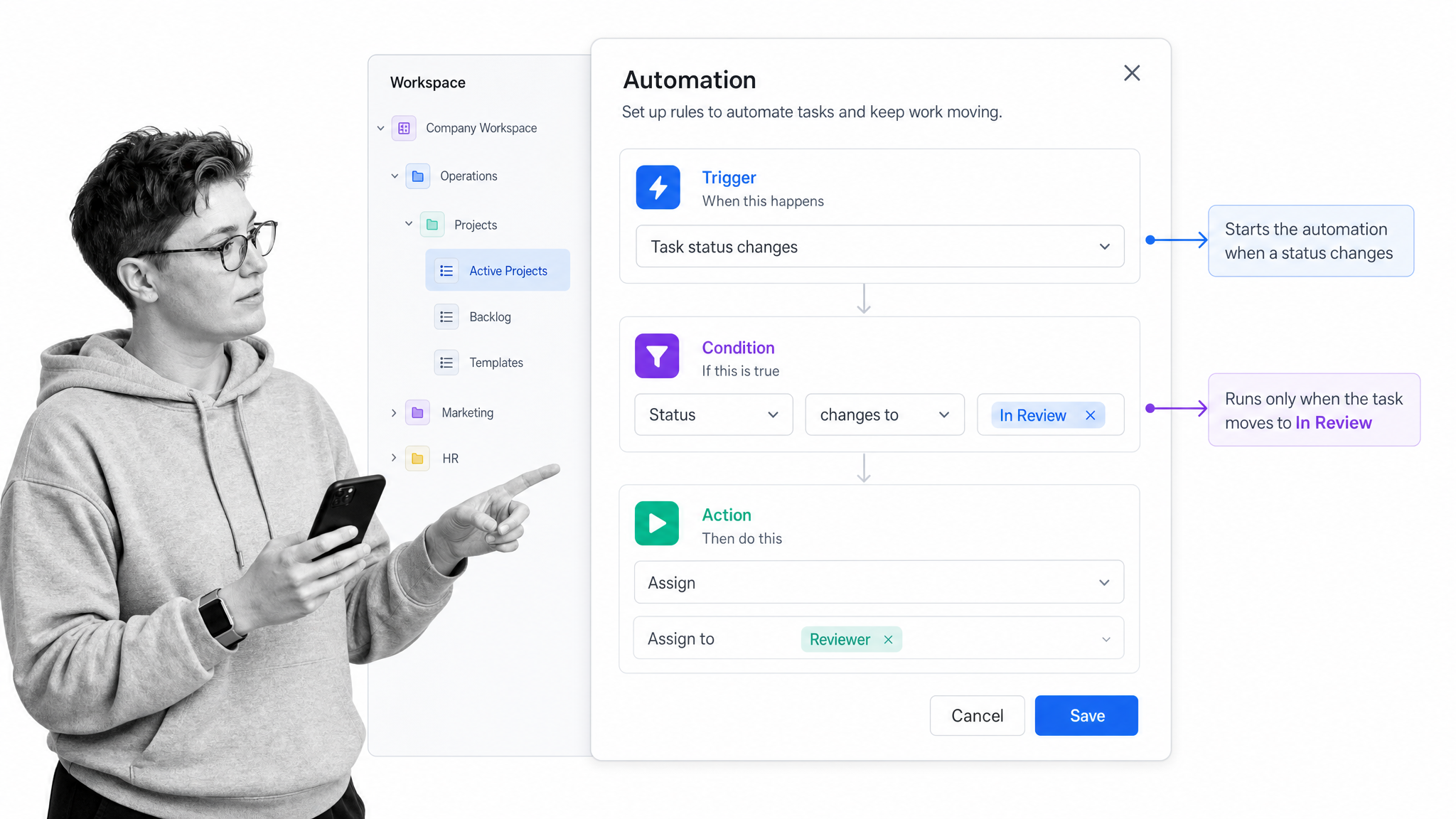
- Automations use triggers, conditions, and actions to handle task-related work.
- Flexible workspace structure for teams that want tasks, docs, goals, and dashboards close together.
- Better for adaptable workspaces than for formal compliance workflows.
ClickUp is a Kissflow alternative for teams that want a highly configurable workspace. ClickUp Help describes automations as task-related work built from triggers, conditions, and actions, with rules applying through the workspace hierarchy.
That structure is useful when teams want to automate status changes, assignments, templates, notifications, and handoffs inside a task system. It is less purpose-built for compliance operations, but it can be a strong fit for teams that value customization and workspace consolidation.
Choose ClickUp when the buyer wants task management, docs, dashboards, and flexible automation in one collaborative workspace.
Pros
- Highly configurable workspace for tasks, docs, goals and dashboards.
- Low starting price and a free plan.
- Automations built from triggers, conditions and actions.
Cons
- Flexibility can mean more setup and upkeep.
- Not purpose-built for compliance operations.
Pricing: Free Forever is free. Unlimited is $7 per user per month billed yearly, or $10 billed monthly. Business is $12 billed yearly, or $19 billed monthly. See ClickUp pricing.
7. Microsoft Power Automate: Best for Microsoft-centered automation and RPA
Best for Microsoft-centered automation and RPA
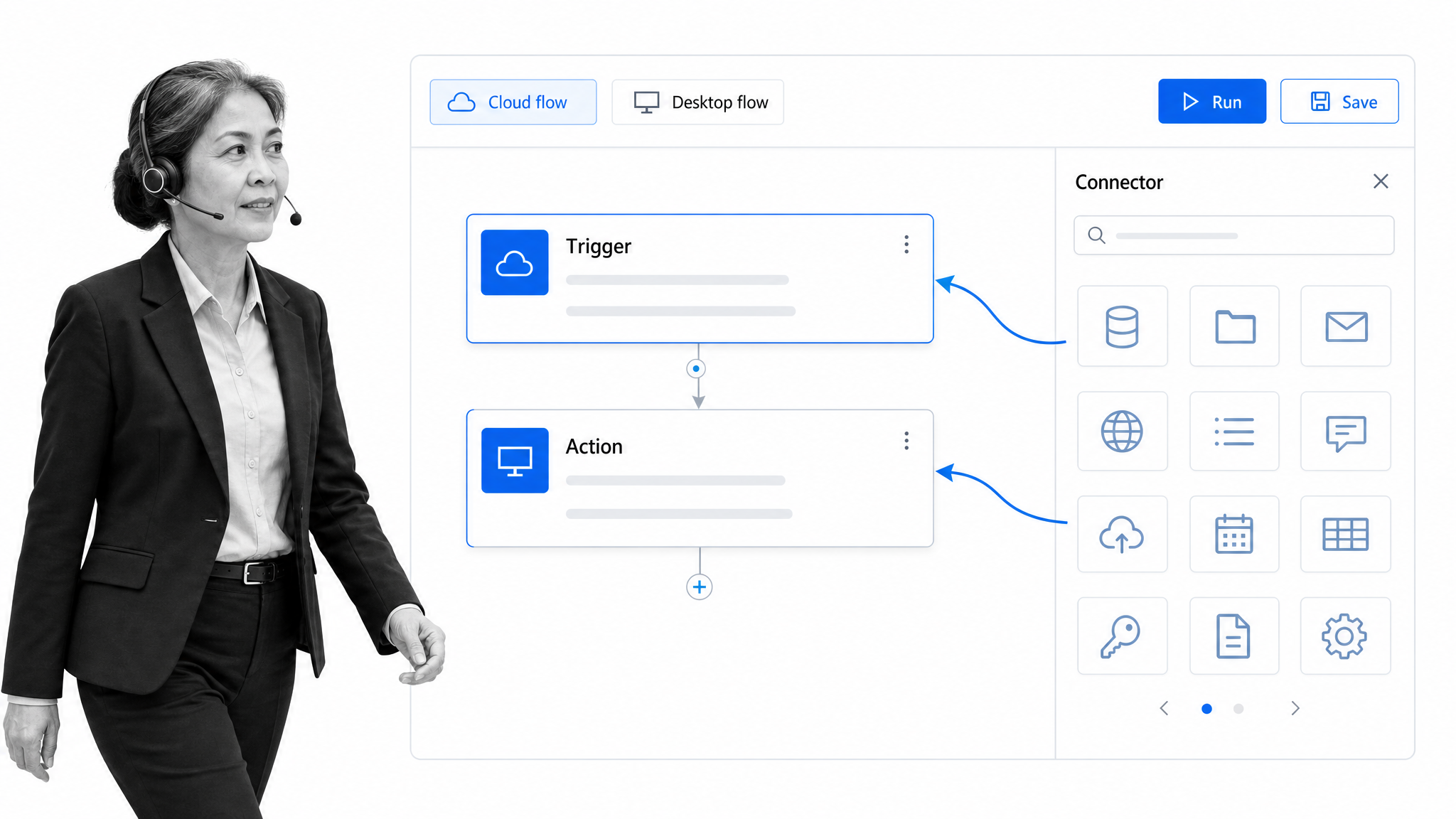
- Cloud flows for automatic, instant, or scheduled automation.
- Desktop flows for web and desktop tasks.
- Strongest when the company already runs on Microsoft systems.
Microsoft Power Automate is the strongest Kissflow alternative for companies centered on the Microsoft ecosystem. Microsoft Learn describes cloud flows for automated, instant, or scheduled triggers, desktop flows for web and desktop automation, and generative actions for intent-based flow steps.
This is a different category of choice from Process Street, Asana, or monday.com. Power Automate is often the right answer when IT needs system automation, RPA, and connector-driven flows across Microsoft-owned operations. Business teams may still need a clearer process layer on top for human procedure execution.
Choose Power Automate when the workflow problem is deeply tied to Microsoft systems, desktop automation, or IT-owned orchestration. See Power Automate pricing.
Pros
- Deep fit for companies that already run on Microsoft tools.
- Cloud flows plus desktop flows for RPA.
- Generative actions for intent-based flow steps.
Cons
- Business teams often need a clearer human process layer on top.
- Bot capacity is priced separately from user plans.
Pricing: Premium is $15 per user per month, paid yearly. Process is $150 per bot per month and Hosted Process is $215 per bot per month, both paid yearly. A 30-day free trial is available.
8. Zoho Creator: Best for low-code custom internal apps
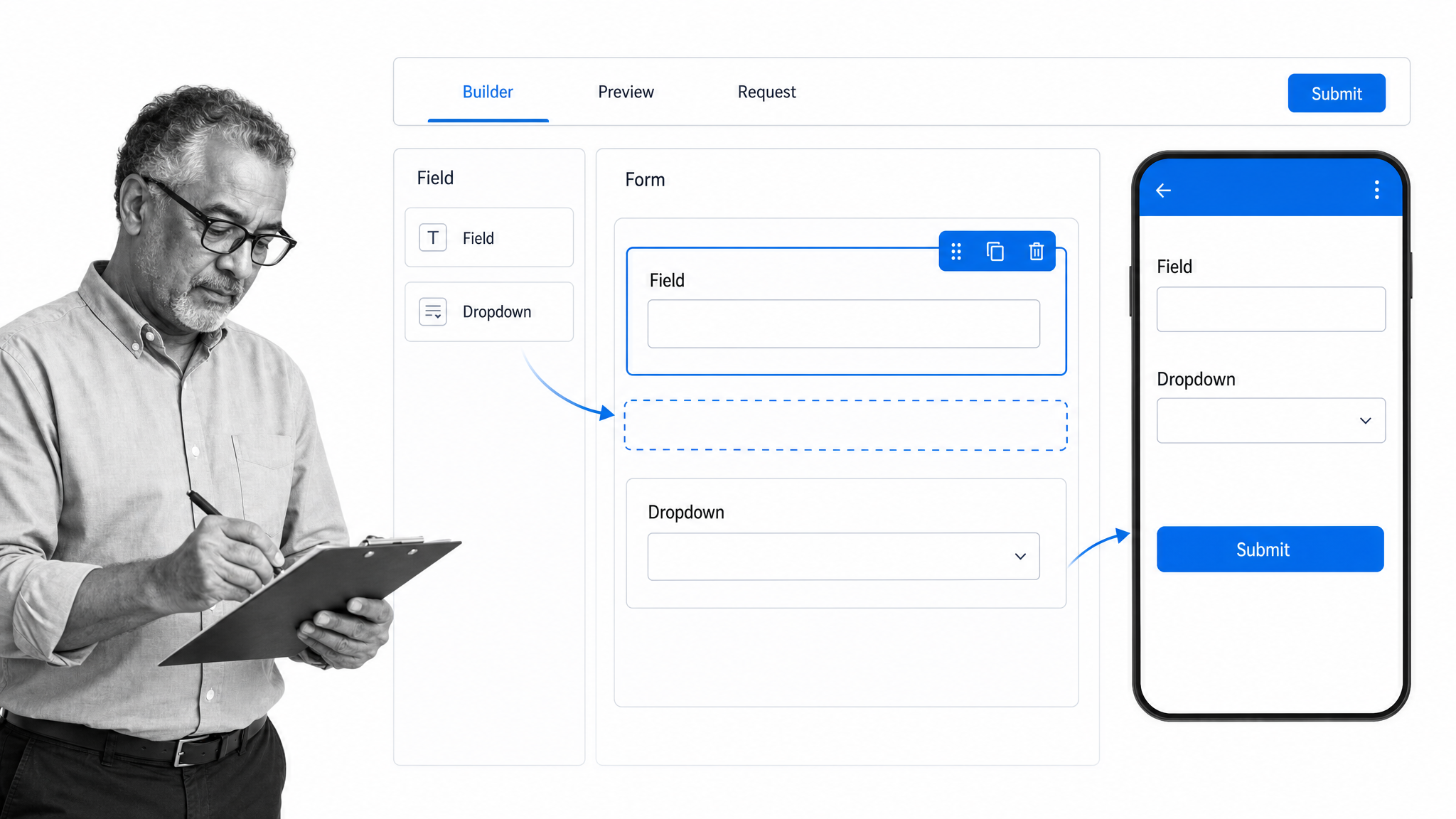
Best for low-code custom internal apps
- Low-code app development for custom web and mobile applications.
- Useful when the workflow needs a custom app surface rather than a process checklist.
- Fits teams already committed to the Zoho ecosystem.
Zoho Creator is a Kissflow alternative when the buyer wants to build custom internal applications. Zoho describes Creator as an AI-powered low-code application development platform for building web and mobile apps with minimal coding experience.
That makes it different from a pure workflow execution tool. It is a better fit when the business needs a custom app with data, forms, portals, roles, and application logic. If the process can be run as a governed checklist or workflow, an app builder may be more platform than the team needs.
Choose Zoho Creator when the work requires a custom application and the organization is comfortable owning low-code app design.
Pros
- Low-code builder for custom web and mobile apps.
- A free edition for one custom app.
- A natural fit for teams already on Zoho.
Cons
- You own app design, which is more platform than many processes need.
- Less focused on running recurring procedures with evidence.
Pricing: The Free edition covers one custom app. Standard is US$8, Professional US$20 and Enterprise US$25 per user per month, billed annually, as listed on Zoho’s Creator pricing page.
9. Appian: Best for complex enterprise process automation
Best for complex enterprise process automation
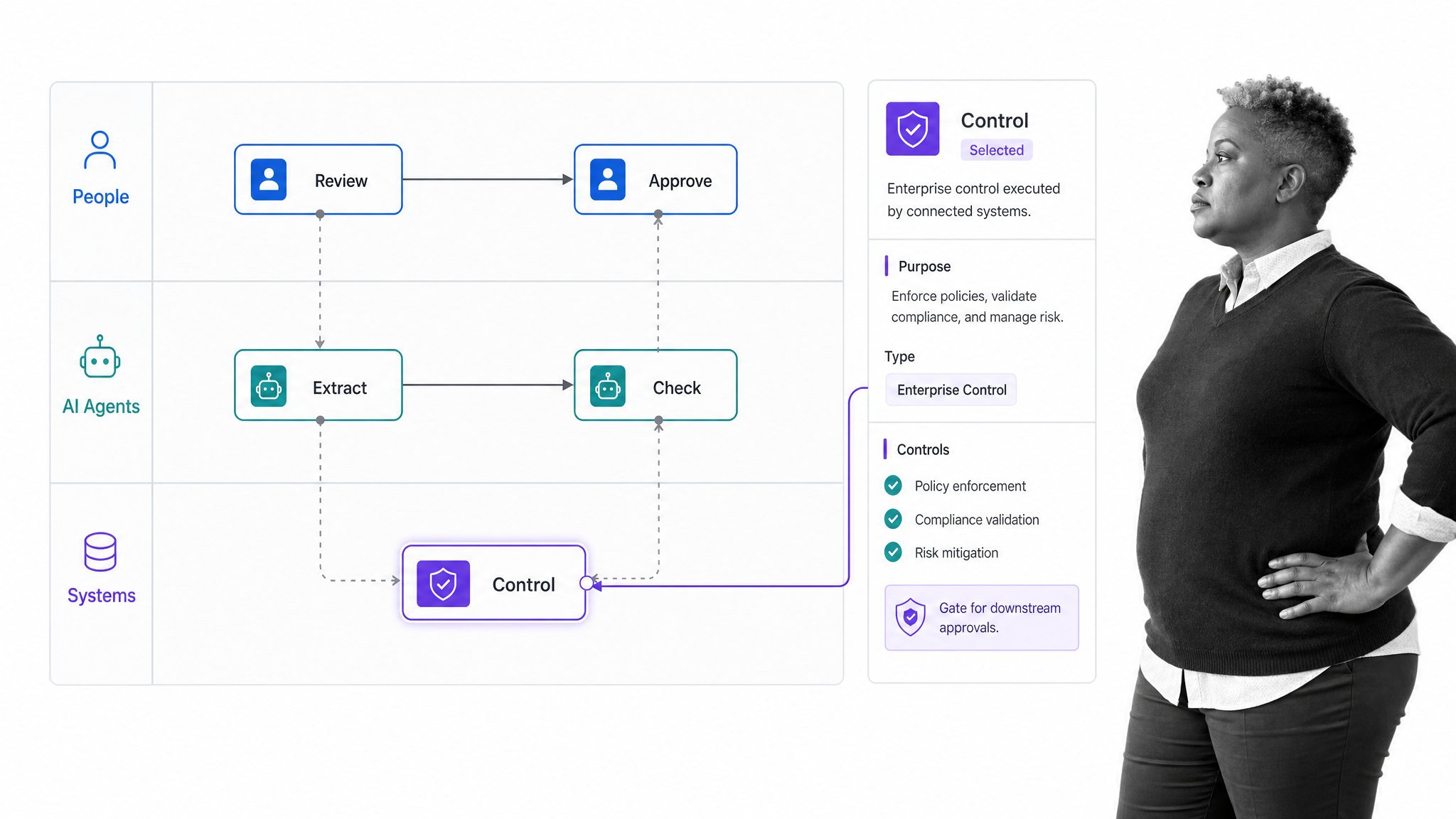
- AI process automation for complex processes across people, systems, and AI agents.
- Built for enterprises that need process orchestration, automation, and controls.
- Often a better fit for enterprise transformation than departmental workflow replacement.
Appian is a Kissflow alternative for complex enterprise process automation. Appian describes its platform as AI process automation that orchestrates agents, people, and systems, with process orchestration, automation, and intelligence.
It belongs on the shortlist when the buyer is not simply replacing a workflow app, but building an enterprise process automation program. That may include regulated processes, process intelligence, system orchestration, and larger governance needs.
Choose Appian when the organization needs enterprise-grade process orchestration and has the implementation capacity to support it.
Pros
- Built for complex, regulated enterprise processes.
- AI features include Agent Studio, AI Copilot and DocCenter.
- A free Community Edition lets builders explore the platform.
Cons
- Prices are not published as figures.
- Needs real implementation capacity to get value.
Pricing: Appian sells Standard, Advanced and Premium tiers, priced per user, per month, per app, as described on Appian’s pricing page. A free Community Edition is available for building and exploring.
How do Kissflow alternatives compare on AI?
Every vendor on this list now markets AI. The useful question is where the AI works: inside the running process, in a builder that drafts workflows, or in a separate assistant. Ask each vendor to show AI completing a real step in your process, with a person approving the result.
- Process Street: the AI Workflow Generator builds a custom workflow from your description in seconds, ready to run with approvals and an audit trail.
- Pipefy: Pipefy lists Pipefy AI on every plan, including the free Starter plan.
- Nintex: Nintex combines workflow, document automation and RPA. Ask its sales team which AI features your edition includes.
- monday.com: AI runs on monthly credits, which also cover its AI agents. The Basic plan includes 1,000 credits a month.
- Asana: Asana says its plans include Asana AI with AI Teammates, plus AI Studio for building AI automations.
- ClickUp: check ClickUp’s pricing page for which AI features each plan includes.
- Microsoft Power Automate: generative actions let a flow step act on intent, and Microsoft prices process bots separately from user plans.
- Zoho Creator: Zoho describes Creator as an AI-powered low-code platform for building custom apps.
- Appian: Appian lists Agent Studio, AI Copilot and DocCenter, with AI action limits by plan.
When is Kissflow still the right choice?
Kissflow can still be the right call. Stay with it if these points describe your team:
- IT wants one governed platform where business teams build their own apps and workflows.
- Your main need is custom internal apps with forms, data and views, more than recurring process execution.
- Your workflows are already built, adopted and working, and the cost of moving outweighs the gains.
- You need case management and app building in the same place, and your team has the time to own app design.
If the problem is that work still gets skipped, approvals live in email, or you cannot prove a process ran correctly, an execution-first platform such as Process Street is usually the better fit.
How do you switch from Kissflow to Process Street?
Most teams move one process at a time, starting with the one that causes the most risk or rework. A typical switch looks like this:
- List your live Kissflow workflows and pick the first one to move. Choose a recurring process with clear owners, such as onboarding or an approval.
- Start from a Process Street template or describe the process and let Process AI draft it. Then add the steps, forms, conditional logic and approvals.
- Export the open records you still need from Kissflow and load them into a Process Street data set, so history and reference data come with you.
- Connect the systems the process touches. Process Street has 5,000+ integrations, plus a public API for anything custom. See integrations.
- Run the new workflow alongside the old one for one cycle, compare results, then switch the process over and archive it in Kissflow.
Want help with the first one? Start a free trial or browse the employee onboarding, client onboarding and change management templates.
How do you choose the right Kissflow alternative?
Start with the operating model, not the vendor grid. Write down the process you are trying to improve, the systems it touches, the proof you need afterward, and the team that will own changes. That will usually narrow the field faster than comparing dozens of overlapping features.
- Choose Process Street when recurring work must be executed, approved, documented, and proved.
- Choose Pipefy when business teams need no-code request and workflow automation.
- Choose Nintex or Appian when the program is enterprise process automation with heavier governance and system orchestration.
- Choose monday.com, Asana, or ClickUp when project coordination and flexible work management matter most.
- Choose Power Automate when Microsoft-centered system automation and desktop automation are the core need.
- Choose Zoho Creator when the business needs custom internal apps more than workflow execution.
For compliance-heavy teams, the deciding question is simple: can the platform prove the work happened correctly? If the answer is no, the tool may still be useful for coordination, but it should not be the system of record for high-risk recurring processes.
For operations teams, the key question is whether the tool reduces handoffs or just stores them. Process Street is strongest when the workflow itself should assign tasks, collect information, enforce approvals, and leave a record. That is why it sits first on this list for teams replacing Kissflow because they need better execution, not just another place to design a workflow.
Related comparisons
Comparing more than one tool? These guides cover the same buying decision from other angles:
- Kissflow workflow alternatives
- Pipefy alternatives
- Nintex alternatives
- Microsoft Power Automate alternatives
- Appian alternatives
- monday.com alternatives
- Best workflow automation software
- Workflow approval software
- All software alternatives and comparisons
FAQs
What is the best Kissflow alternative?
Process Street is the best Kissflow alternative for teams that need recurring processes to run correctly and leave proof. It enforces task order and approvals, keeps an audit trail and has 5,000+ integrations. Pipefy, Power Automate, Appian and Nintex fit other needs, from request pipelines to enterprise automation.
Is Kissflow free?
No. Kissflow does not list a free plan. Its pricing page offers a consultation and a quote for fixed annual agreements. Pipefy, monday.com, Asana, ClickUp and Zoho Creator all list free plans, and Process Street offers a 14-day free trial of its Pro plan with no credit card.
How much does Kissflow cost?
Kissflow does not publish prices. Its pricing page asks buyers to set up a consultation or request a quote, and it describes fixed annual agreements with no surcharges for AI or API usage. To compare costs fairly, get a quote for your real user count and processes.
Is Kissflow low-code or no-code?
Both. Kissflow describes itself as a low-code platform for IT and a no-code platform for business leaders. IT teams can build and govern apps, while business teams build simpler workflows with drag-and-drop tools. If you mainly need to run processes rather than build apps, compare it with Process Street.
What is cheaper than Kissflow?
Kissflow does not publish prices, so an exact comparison needs a quote. Among the tools here with published prices, ClickUp Unlimited starts at $7 per user per month and Zoho Creator Standard at US$8, both billed annually. Pipefy, monday.com, Asana, ClickUp and Zoho Creator also have free plans.
Can I migrate from Kissflow to Process Street?
Yes. Most teams move one process at a time. Start from a template or let Process AI draft the workflow, export the records you still need from Kissflow into a data set, connect your systems, then run both tools for one cycle before you switch the process over.
Is Process Street a Kissflow alternative?
Yes. Process Street is a Kissflow alternative for teams that want workflow automation tied to approvals, forms, documents, task history and an audit trail. It is an agentic process automation platform, so it focuses on running processes correctly rather than building custom apps.
Which Kissflow alternative is best for project management?
monday.com, Asana and ClickUp fit best when the main need is project coordination, task views, ownership and team planning. All three list free plans. They are less suited to regulated recurring processes, where Process Street enforces task order and approvals and records evidence.
Which Kissflow alternative is best for enterprise process automation?
Appian, Nintex and Microsoft Power Automate fit large enterprise automation programs, especially where IT, system orchestration, RPA or process governance matter. Expect a sales-led buying process for Appian and Nintex. Process Street suits the human processes that sit on top of those systems.
Why do teams look for Kissflow alternatives?
Teams usually compare Kissflow alternatives when they need stronger recurring process execution, proof for audits, easier changes without specialists, published pricing, or a better fit for project work, Microsoft-centered automation or enterprise orchestration.