


Turn every policy into automated workflows with built-in enforcement and audit-ready proof.



10 Best Microsoft Power Automate Alternatives & Competitors in 2026

Microsoft Power Automate alternatives help teams automate work when Power Automate is too Microsoft-centered, too complex for business users, too limited for technical builders, or not controlled enough for recurring SOP and compliance workflows.
Power Automate is a serious automation platform. It makes the most sense when Microsoft 365, Teams, SharePoint, Outlook, Dataverse, desktop flows, and Power Platform governance already sit at the center of the organization. For that use case, it may remain the best fit.
This list is for teams that have a different operating reality. Some want faster app-to-app automation. Some want a visual scenario canvas. Some want developer control, self-hosting, or enterprise integration governance. Others need the workflow itself to enforce steps, collect evidence, route approvals, and show exactly what happened.
The evaluation criteria are practical: core capability fit, ease of ownership, governance, pricing model clarity, integration style, and how well each tool supports recurring operational work. Process Street ranks first for teams whose main need is enforceable, trackable, recurring process execution. For desktop RPA, Microsoft-native administration, developer APIs, or enterprise iPaaS, the relevant specialist may be the better fit.
In this article, we are going to cover:
- Microsoft Power Automate alternatives at a glance
- How to choose a Power Automate alternative
- Best Microsoft Power Automate alternatives and competitors
- Which Power Automate alternative fits your use case
- FAQs
Microsoft Power Automate alternatives at a glance
The table below gives the short version before the deep dives. The ranking is not a universal claim that one product beats every other product in every context. It is an ICP-based ranking for teams comparing Power Automate against tools that can run recurring business workflows, connect apps, and support operational ownership.
| Tool | Best for | Standout feature | Free plan | Starting price |
|---|---|---|---|---|
| Process Street | enforceable recurring SOP and compliance workflows | workflow runs with approvals, required fields, conditional logic, and audit trails | 14-day Pro trial | Contact sales |
| Zapier | fast no-code SaaS app automation | large app directory and simple trigger-action workflows | Free plan | Paid plans available |
| Make | visual scenario automation with branching | scenario canvas with routers, modules, and run monitoring | Free plan | Paid plans available |
| n8n | technical teams that want node-based automation control | node editor, code steps, execution logs, and self-hosting options | Self-host option | Paid cloud plans available |
| Workato | enterprise integration programs and governed automation | recipe builder with platform editions, usage pricing, and governance controls | No public free plan | Usage-based custom pricing |
| Tray.ai | AI-ready integration, MCP, and agent orchestration | agent gateway and governed integration platform | No public free plan | Contact sales |
| Pipedream | developer-first workflows and API automation | workflow builder with code, event sources, Connect, and credit-based billing | Free plan | Paid plans available |
| Kissflow | enterprise low-code apps and process orchestration | application development, workflow orchestration, governance, and form builder | No public free plan | Contact sales |
| UiPath | robotic process automation and agentic automation at scale | automation platform with RPA, agents, IDP, and orchestration | Free option shown | Paid plans available |
How to choose a Power Automate alternative
Start by deciding whether you are replacing Power Automate as an integration builder, an RPA tool, a low-code app platform, or a workflow management system. Those are different jobs. A product that is excellent for one can be the wrong surface for another.
If the process has required steps, owners, approvals, due dates, files, and proof, prioritize a workflow execution layer such as workflow automation software. If the process mostly moves records between SaaS apps, prioritize connector breadth and easy mapping. If technical teams own the workflow, prioritize code, logs, deployment control, and API handling. If the work sits between both patterns, compare the broader process platforms category before committing.
Use these decision questions before comparing vendor demos:
- Does the workflow need human accountability, or is it mostly machine-to-machine data movement?
- Does a compliance, finance, HR, IT, or customer team need proof that each step happened?
- Will business users maintain the workflow, or will developers and integration architects own it?
- Is Microsoft 365 the operating center, or does the workflow span a wider SaaS stack?
- Do you need desktop RPA, app integration, low-code apps, or recurring process execution?
A good shortlist can include more than one category. A company might use automated workflow tools to move data and a process platform to control the actual work. That division is healthy when the integration layer supports the process instead of hiding it.
Best Microsoft Power Automate alternatives and competitors
1. Process Street

Best for: enforceable recurring SOP and compliance workflows.
Process Street is the best Microsoft Power Automate alternative when the work is a recurring SOP, checklist, approval, or compliance-adjacent process that must be followed the same way every time. It is not trying to be a BPMN modeling suite or a desktop RPA control room. It is built for operators who need work to run correctly and leave a clear record.
That distinction matters. A Power Automate flow can send data from one Microsoft system to another. Process Street can make the person accountable for the next step, require the right form field, pause for an approval, branch based on conditional logic, and preserve the run history as operational proof. For onboarding, vendor reviews, quality checks, finance close tasks, and compliance workflows, that execution record is often the real requirement.
Process Street also connects around the workflow. Its pricing page lists workflow automations, public API access, and connectors for Zapier, Microsoft Power Automate, Tray.io, and Make. The product positioning is broader: Process Street has direct, universal integrations to 5,000+ systems. Need a new one? An AI agent builds it on the fly.
Use Process Street pricing for current plan details. The public pricing page shows Startup, Pro, and Enterprise plan tracks, a 14-day Pro trial, and sales-led pricing for current packages.
Process Street key features:
- Structured workflow runs with step order, owners, due dates, and conditional logic.
- Approval tasks that make review part of the workflow, not a separate inbox chase.
- Required fields, file collection, and task history for process evidence.
- Recurring schedules and workflow automations for repeatable operations.
- A compliance operations platform shape for teams that need control, not only connection.
Process Street pros:
- Strong fit for SOPs, recurring processes, onboarding, reviews, and compliance operations.
- Readable enough for non-technical operators to own and improve processes.
- Keeps people, tasks, approvals, evidence, and integrations in one workflow record.
- Works well when app automation needs to support controlled human work.
- Clear fit for operations, HR, compliance, finance, customer management, and IT process owners.
Process Street cons:
- Not the best fit when the core requirement is BPMN modeling, process simulation, or desktop RPA.
- Teams looking only for a simple two-app connector may prefer a lighter automation tool.
For current package details, see Process Street pricing. When you need BPMN modeling, desktop RPA, or Microsoft-native administration, a specialist tool can fit better.
2. Zapier
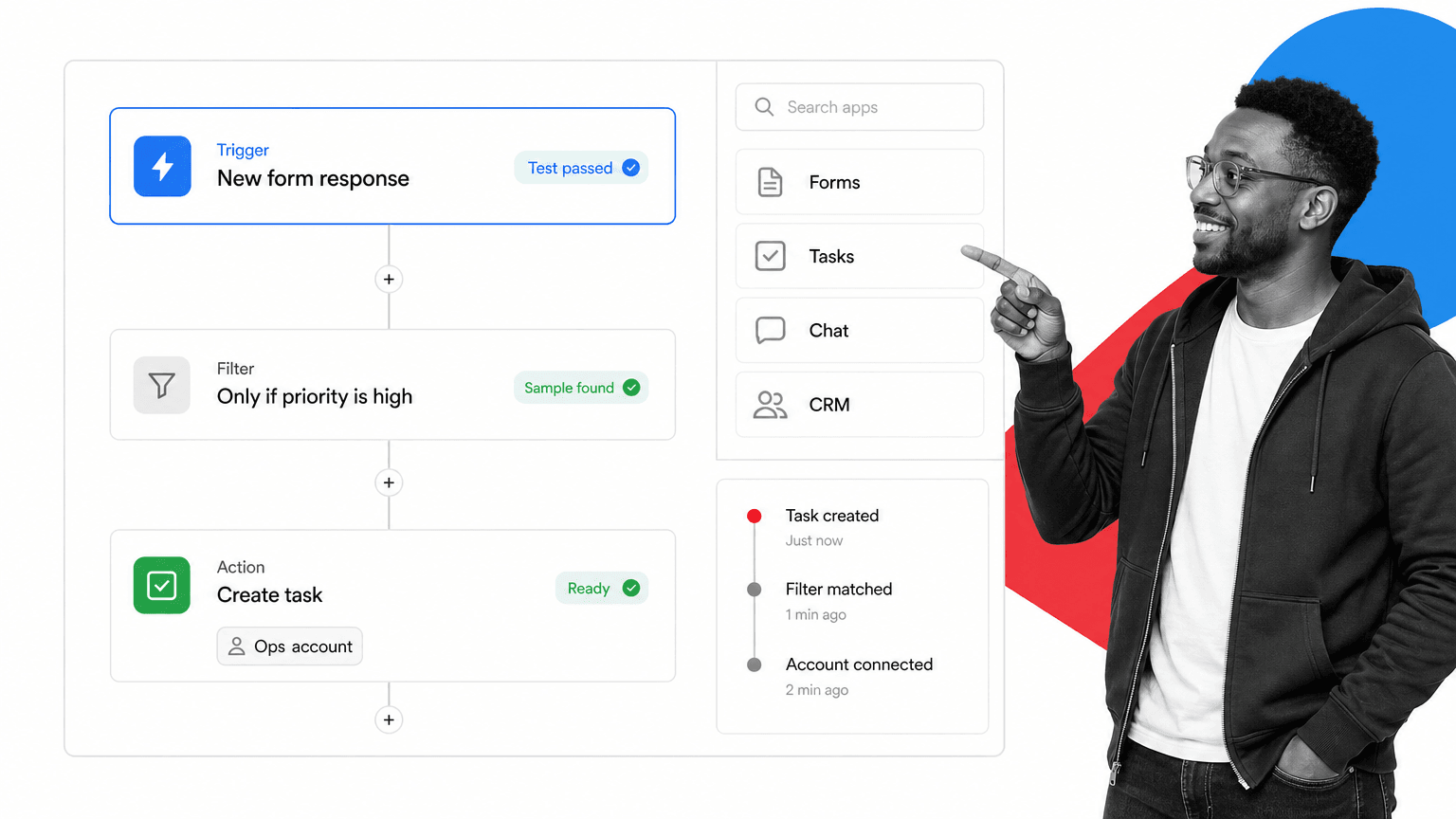
Best for: fast no-code SaaS app automation.
Zapier is the easiest comparison point for teams that want simple SaaS app automation outside the Microsoft ecosystem. Its pricing page and app directory position it around no-code automation, connected apps, and fast trigger-action setup.
It beats Process Street when the job is a lightweight data sync or notification flow that does not need a controlled workflow record. It is weaker when the process needs approvals, evidence, human accountability, or SOP enforcement.
Zapier key features:
- No-code trigger-action builder.
- App directory for broad SaaS connections.
- Tables, Forms, and Interfaces are included in current plan messaging.
- Task activity and step testing for automation maintenance.
Zapier pros:
- Fast for simple app connections.
- Accessible to non-technical builders.
- Strong ecosystem awareness among SaaS teams.
Zapier cons:
- Can become hard to govern as workflows multiply.
- Less suited to SOP execution and audit proof than a process-first platform.
For current package details, see Zapier pricing. Zapier can fit better when the job is a lightweight app connection, not a controlled recurring process.
3. Make
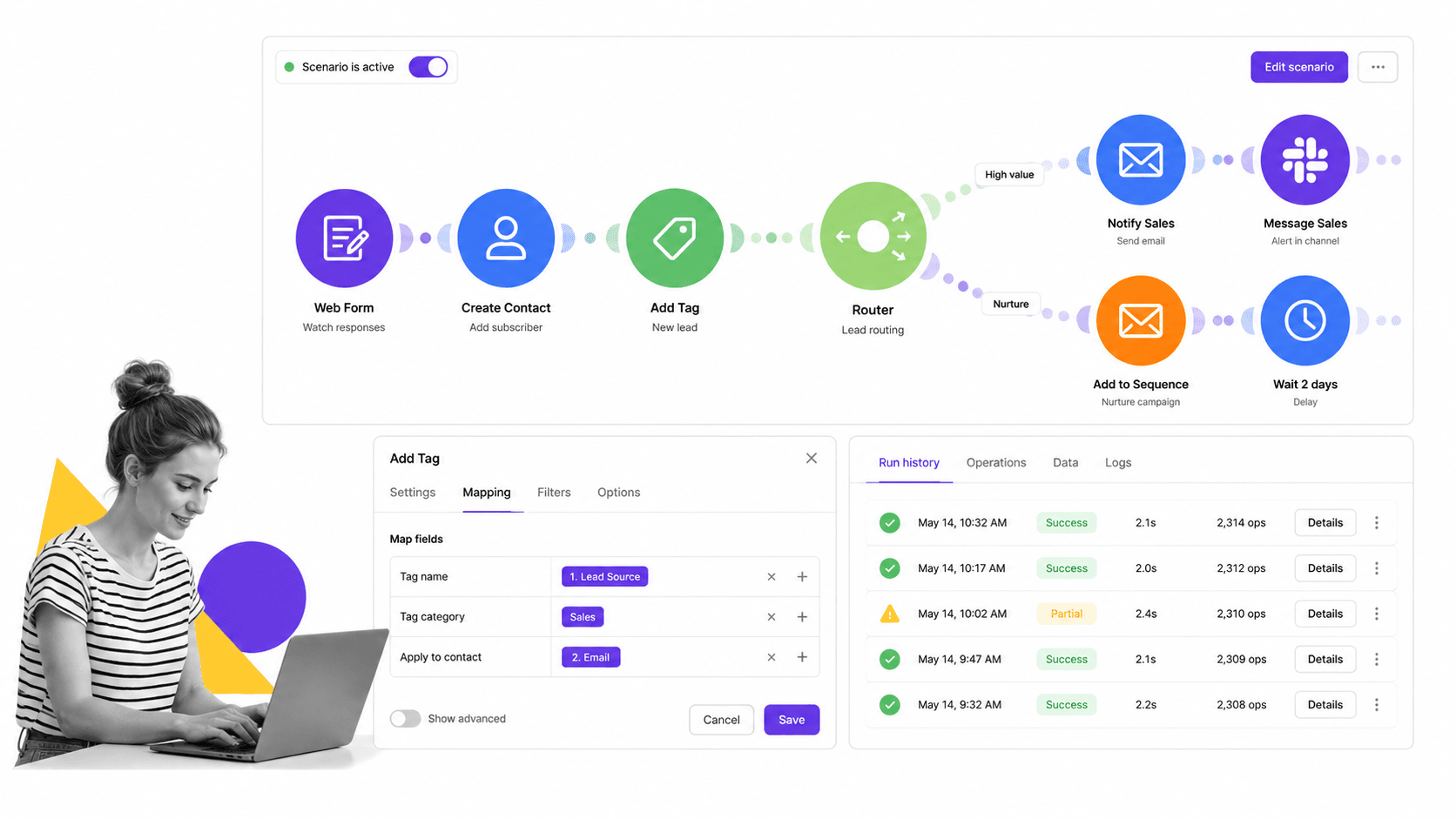
Best for: visual scenario automation with branching.
Make is a visual automation platform for teams that want to see scenarios on a canvas. Its pricing page shows a free plan and paid packages, while the product experience is built around modules, routers, mapping, and run inspection.
It beats Process Street when the problem is branch-heavy app automation and the builder wants visual control over data paths. It is weaker when the workflow needs people to complete required procedural steps with approvals and evidence.
Make key features:
- Visual scenario canvas.
- Routers for branching automation paths.
- Module-level mapping and run monitoring.
- Free plan and paid plan path.
Make pros:
- Good visual clarity for complex app automations.
- Strong fit for operations builders who dislike linear step lists.
- Useful for branching and transformation-heavy workflows.
Make cons:
- Not a dedicated SOP execution layer.
- Governance depends on how scenarios are owned and documented.
For current package details, see Make pricing. Make can fit better when builders need a visual canvas for branching data transformations.
4. n8n

Best for: technical teams that want node-based automation control.
n8n is a node-based automation platform for technical teams. Its pricing page emphasizes unlimited users, workflows, and integrations on paid plans, with monthly workflow executions as the pricing basis.
It beats Process Street when developers want node-level control, code steps, and self-hosting options. It is weaker for business-owned recurring processes where non-technical operators need a clear workflow run and task record.
n8n key features:
- Node-based workflow editor.
- Code steps and technical configuration.
- Execution logs for debugging.
- Cloud and self-host deployment paths.
n8n pros:
- Strong for API-heavy automations.
- Flexible for technical builders.
- Self-hosting can matter for teams with infrastructure requirements.
n8n cons:
- More technical than many business teams want to own.
- Does not replace a process checklist when human accountability is the center of the work.
For current package details, see n8n pricing. n8n can fit better when developers own the workflows and want code-level control.
5. Workato
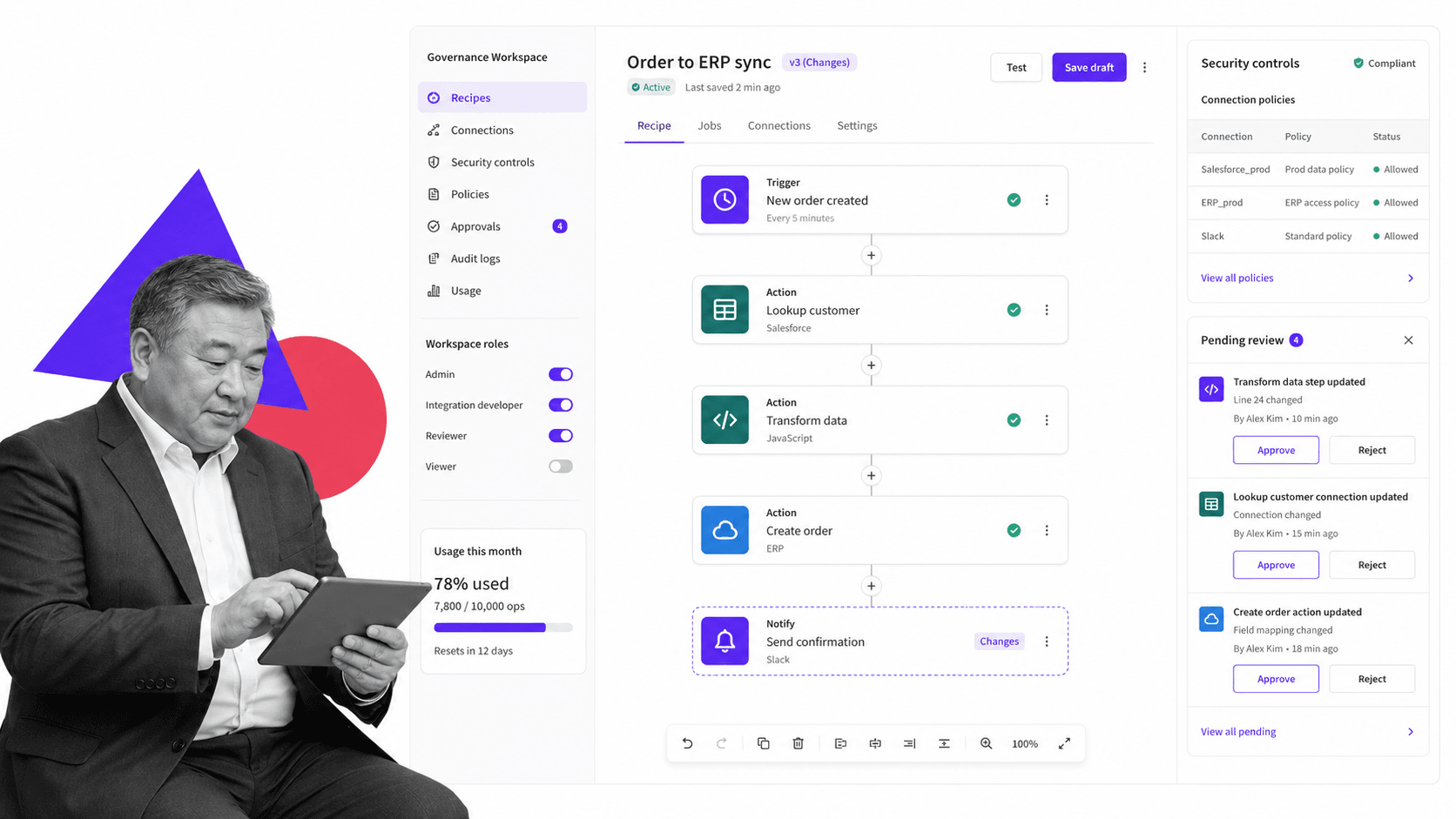
Best for: enterprise integration programs and governed automation.
Workato is an enterprise integration and automation platform. Its docs describe a usage-based pricing model for direct customers, with a platform edition fee and a usage fee.
It beats Process Street when an integration center of excellence needs governed recipes, shared connections, lifecycle controls, and cross-department integration architecture. It is usually heavier than necessary for a team that primarily needs SOP execution.
Workato key features:
- Recipe builder for enterprise automations.
- Platform editions and usage-based model.
- Governance and security controls.
- Support for enterprise integration programs.
Workato pros:
- Strong fit for IT-led integration governance.
- Designed for enterprise automation programs.
- Good match when many departments share integration infrastructure.
Workato cons:
- Can be more platform than a small operations team needs.
- Business users may need IT involvement for complex implementations.
For current package details, see Workato pricing. Workato can fit better when IT owns an enterprise integration center of excellence.
6. Tray.ai
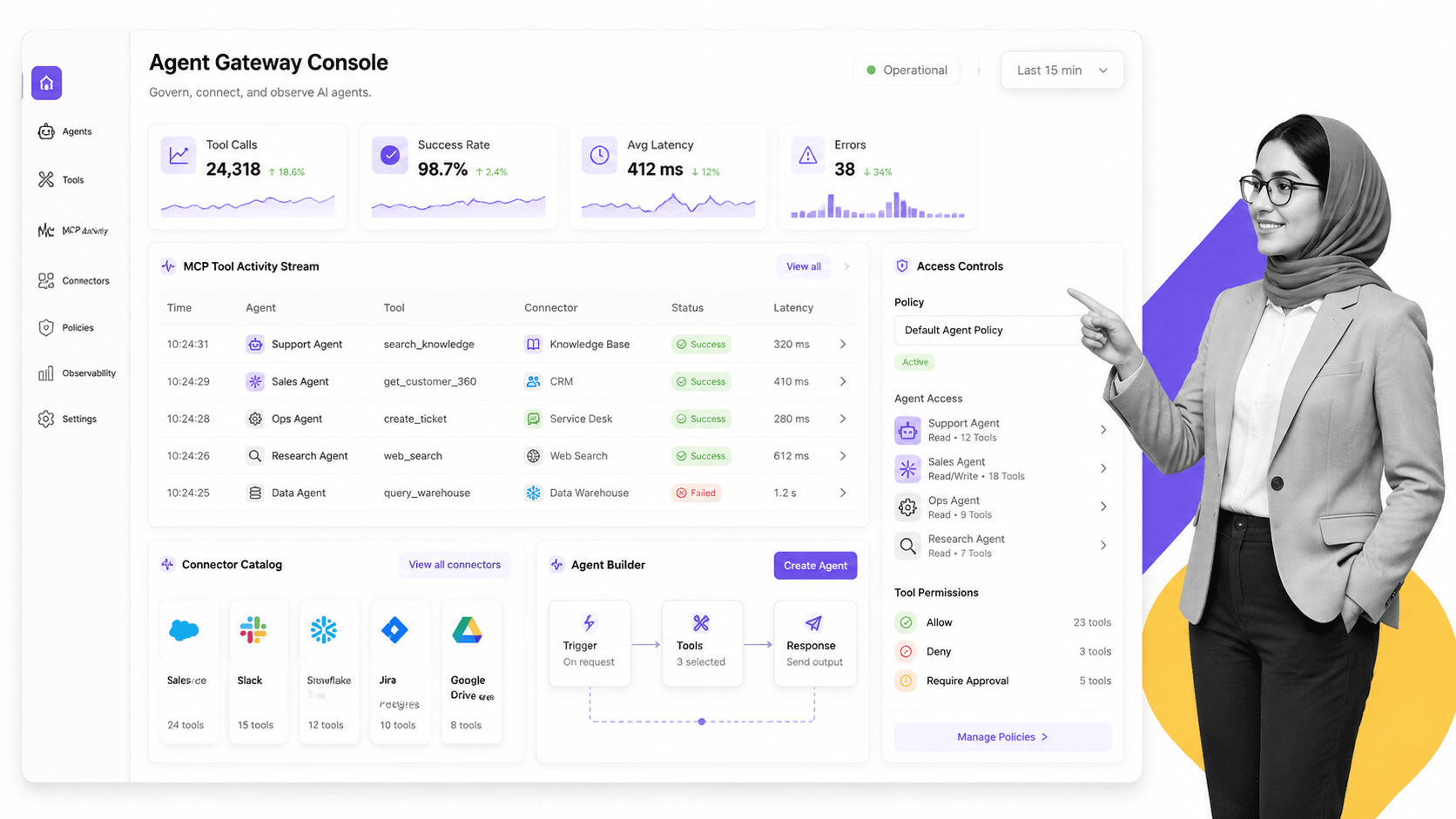
Best for: AI-ready integration, MCP, and agent orchestration.
Tray.ai positions itself as an AI-ready integration and automation platform. Its pricing page describes packaging around agents, MCP, intelligent automation, and integration.
It beats Process Street when teams are building governed tool access for AI agents and want integration architecture around that program. It is weaker when the immediate need is a readable recurring workflow for operators.
Tray.ai key features:
- Agent Gateway for governed tool access.
- Merlin Agent Builder positioning.
- Integration and automation platform surface.
- Access controls and observability for technical teams.
Tray.ai pros:
- Strong fit for AI-agent integration governance.
- Relevant for enterprise teams thinking beyond classic app automation.
- Connects integration and agent orchestration in one platform story.
Tray.ai cons:
- Can be too technical or enterprise-shaped for simple operational workflows.
- Not the clearest first choice when SOP execution is the core problem.
For current package details, see Tray.ai pricing. Tray.ai can fit better when the roadmap includes governed AI-agent tool access and enterprise integration.
7. Pipedream
Best for: developer-first workflows and API automation.
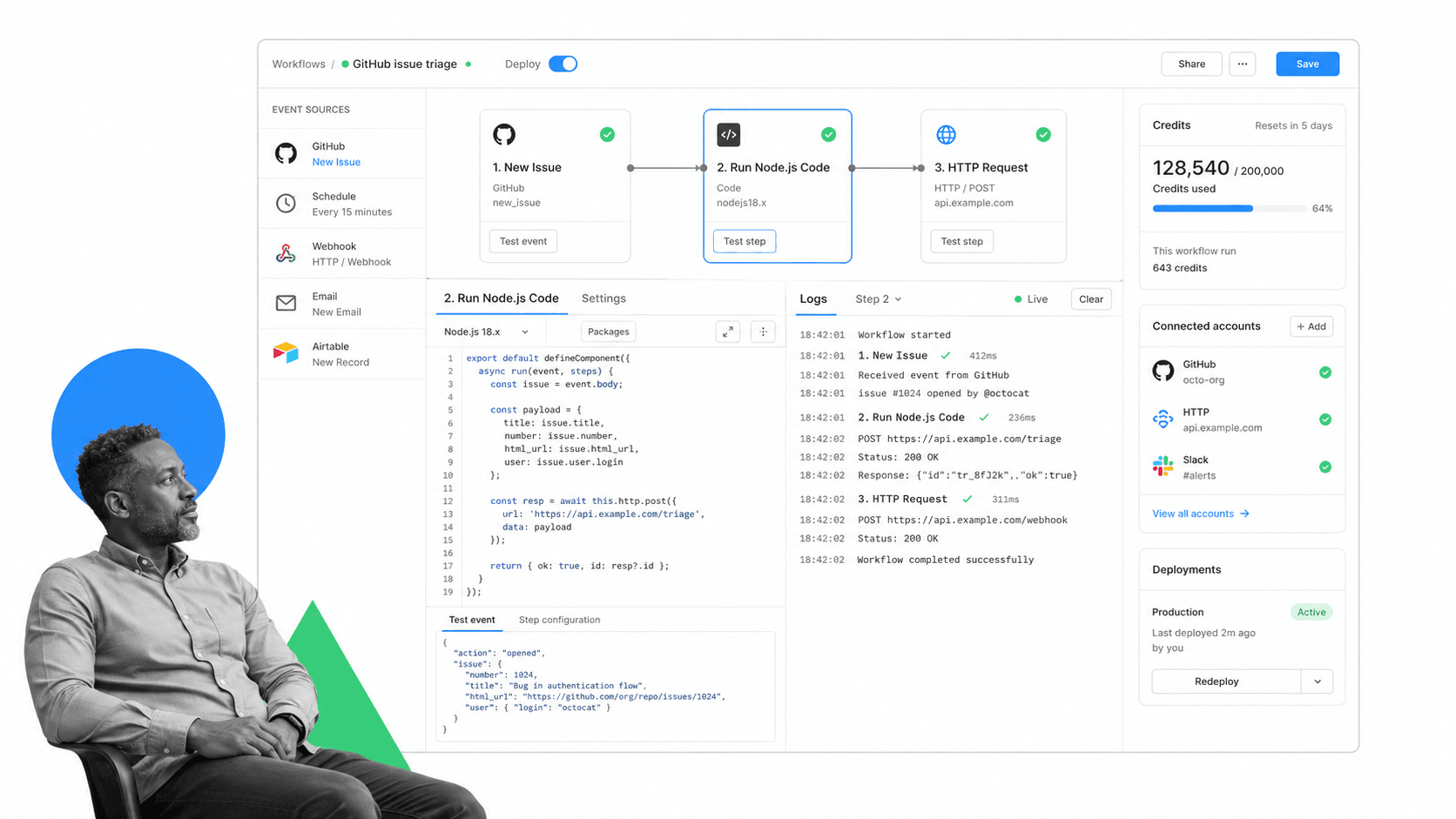
Pipedream is a developer-first workflow and integration platform. Its docs describe a free plan, Connect, workflows, event sources, code-centric automation, and credit-based billing for workflow execution.
It beats Process Street when engineers are building API automation, managed auth flows, or developer-owned event pipelines. It is weaker when non-technical teams need governed task execution and audit-ready process history.
Pipedream key features:
- Event sources and workflow builder.
- Code steps and API-focused automation.
- Pipedream Connect for adding integrations to apps or agents.
- Credit-based workflow pricing model.
Pipedream pros:
- Strong for technical automation builders.
- Good for APIs, events, and custom logic.
- Free development and testing paths are useful for prototyping.
Pipedream cons:
- Not intended as an SOP management system.
- Requires technical ownership for best results.
For current package details, see Pipedream pricing. Pipedream can fit better when engineers want code-centric API automation and managed auth.
8. Kissflow
Best for: enterprise low-code apps and process orchestration.
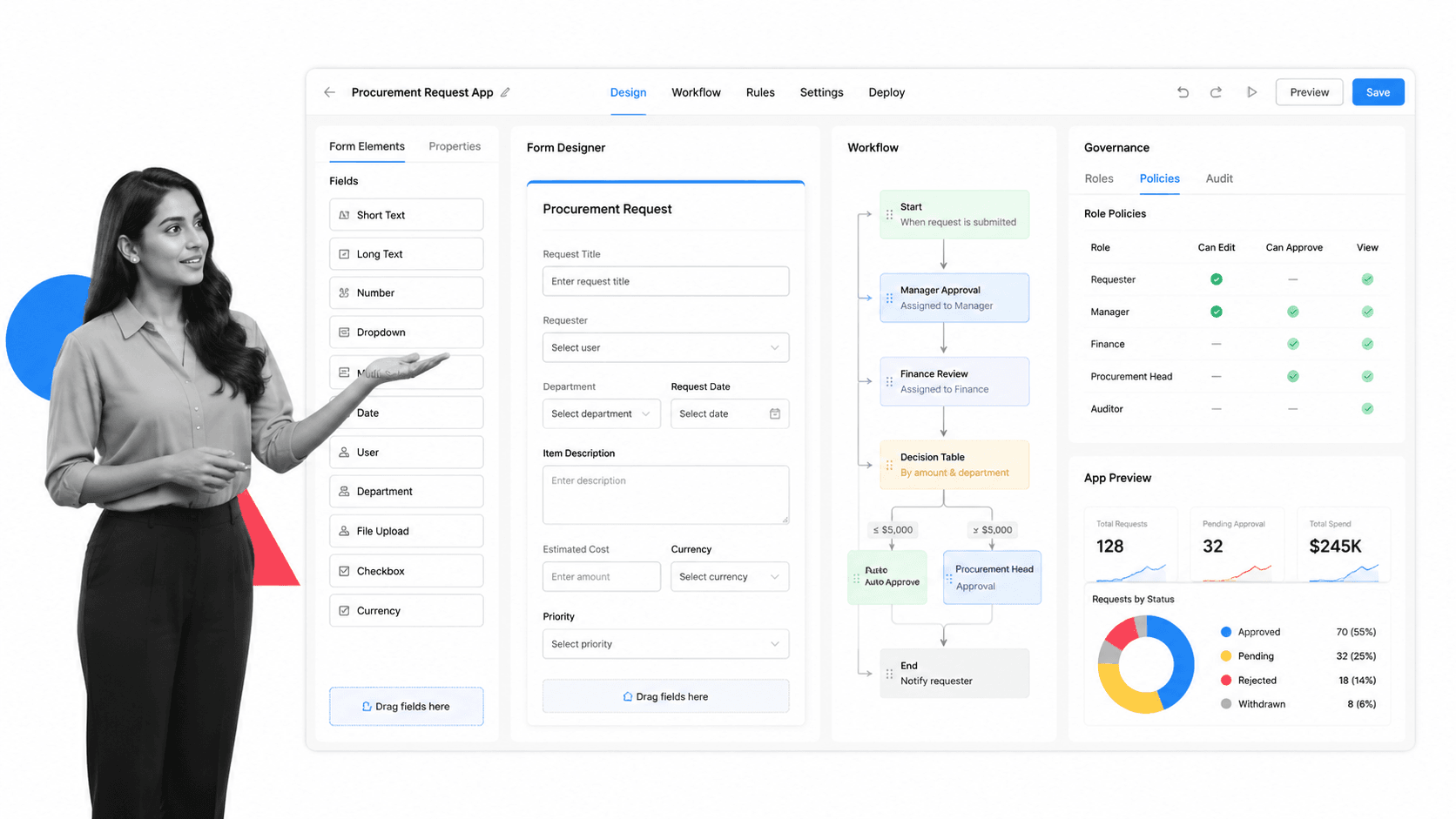
Kissflow is an enterprise low-code and no-code platform. Its pricing page positions the platform around application development, workflow orchestration, app builder, integrations, governance, and form builder.
It beats Process Street when the workflow needs a custom low-code application around it. It is weaker when a team wants fast SOP execution and compliance proof without building a broader app surface.
Kissflow key features:
- Low-code and no-code app builder.
- Workflow orchestration.
- Governance and form builder features.
- Enterprise consultation-led pricing motion.
Kissflow pros:
- Strong when workflows need app-like interfaces.
- Good fit for enterprise low-code programs.
- Broad platform surface around forms, apps, and governance.
Kissflow cons:
- May be more implementation than a straightforward recurring process needs.
- Pricing is sales-led rather than a simple self-serve path.
For current package details, see Kissflow pricing. Kissflow can fit better when the work requires low-code app development around workflows.
10. UiPath

Best for: robotic process automation and agentic automation at scale.
UiPath is an automation platform for RPA, agents, orchestration, and document processing. Its pricing page positions the product around scalable agentic automation solutions and shows a free option alongside paid plans.
It beats Process Street when robots need to operate desktop software, legacy systems, or document-heavy processes. It is weaker when the main requirement is business-owned SOP execution rather than RPA program management.
UiPath key features:
- Robotic process automation.
- Automation orchestration.
- Document processing and agentic automation surface.
- Free and paid plan path on the pricing page.
UiPath pros:
- Strong fit for desktop and legacy-system automation.
- Relevant for attended and unattended robot programs.
- Good choice when RPA is the requirement Power Automate was serving.
UiPath cons:
- RPA programs can require specialist ownership.
- Not the simplest tool for recurring checklist and approval workflows.
For current package details, see UiPath pricing. UiPath can fit better when desktop RPA and attended or unattended robots are the primary need.
Which Power Automate alternative fits your use case
The easiest way to avoid a bad Power Automate replacement is to name the job first.
- Choose Process Street when recurring human work needs required steps, owners, approvals, evidence, and audit trails.
- Choose Zapier when speed and simple SaaS app automation matter more than process governance.
- Choose Make when visual scenario design makes complex branching easier to understand.
- Choose n8n or Pipedream when developers own API-heavy workflow automation.
- Choose Workato or Tray.ai when IT needs enterprise integration governance and lifecycle control.
- Choose Kissflow when low-code app building around workflows is the center of the process.
- Choose UiPath when desktop RPA, attended robots, unattended robots, or document processing automation is the primary requirement.
For many teams, the stack is hybrid. You may keep Power Automate for Microsoft-native work, use a developer tool for API automation, and use Process Street as the governed process platform for recurring operations. Teams moving from ad hoc app connectors should also compare adjacent Zapier alternatives and Make alternatives when their buying question is broader than the Microsoft ecosystem. The point is to keep the process record clear. Automation should not make ownership harder to see.
If your main problem is missed steps, tribal knowledge, and inconsistent execution, start with a controlled process. If your main problem is moving data between apps, start with connectors. If your main problem is robots operating legacy desktop systems, start with RPA. The strongest workflow automation platforms decision is the one that matches the risk and owner of the work.
FAQs
What is the best Microsoft Power Automate alternative?
The best Microsoft Power Automate alternative depends on the workflow. Process Street is best for recurring SOP and compliance workflows, Zapier and Make are strong for app automation, n8n and Pipedream fit technical teams, Workato and Tray.ai fit enterprise integration programs, and UiPath fits RPA-heavy work.
Is there a free Microsoft Power Automate alternative?
Yes, several Microsoft Power Automate alternatives offer a free plan or free option. Zapier, Make, Pipedream, and UiPath publish free options, while n8n offers self-hosting options. Always check the vendor pricing page because limits change.
Why is Process Street ranked first?
Process Street is ranked first for the ICP this page is judging: teams that need enforceable, trackable, recurring process and SOP workflows. It is not ranked first for every automation use case. For Microsoft-native flows, desktop RPA, or enterprise iPaaS, a specialist may be the better fit.
What is the closest alternative to Microsoft Power Automate?
The closest alternative depends on which part of Power Automate you use. Zapier and Make are closer for SaaS app automation, UiPath is closer for RPA, Workato and Tray.ai are closer for enterprise integration, and Process Street is closer for controlled human workflow execution.
Which Microsoft Power Automate alternative is best for small teams?
Small teams usually shortlist Process Street, Zapier, Make, n8n, or Pipedream. The best choice depends on ownership. Non-technical operations teams often need readable workflows, while technical teams may prefer node or code-based builders.
Which Microsoft Power Automate alternative is best for enterprise teams?
Enterprise teams should compare Process Street, Workato, Tray.ai, UiPath, and Kissflow based on the job. Process Street fits governed recurring workflows, Workato and Tray.ai fit integration governance, UiPath fits RPA, and Kissflow can fit low-code process apps.
Can I migrate from Microsoft Power Automate to Process Street?
You can migrate the process logic by mapping each flow to a workflow: trigger, owner, task sequence, required fields, approvals, evidence, integrations, and exception paths. Process Street is strongest when the migrated work needs human accountability and proof, not just background data movement.
If Power Automate is not giving your team the control, ownership, and proof you need, start with Process Street. Build the recurring workflow first, then connect the apps around it.
Comparing something else? The full directory of software alternatives and competitor comparisons covers integration and automation platforms alongside the wider workflow category.
