


Turn every policy into automated workflows with built-in enforcement and audit-ready proof.



The Best Business Process Management Tools
Every company runs on processes, whether or not anyone has written them down. Onboarding a new hire, approving an invoice, closing a support ticket, releasing a product: each is a chain of steps that either runs smoothly or quietly leaks time, money, and consistency. Business process management tools exist to make those chains visible, repeatable, and continuously improvable.
Business process management (BPM) is a discipline for discovering, modeling, analyzing, improving, and optimizing the work an organization does, as Gartner defines it. The right tooling turns that discipline into daily practice, and the market now spans everything from lightweight no-code workflow apps to enterprise orchestration suites that coordinate people, systems, and AI agents.
This guide explains what BPM tools actually do, how they map to the process lifecycle, what to look for when you choose one, and which platforms are worth a serious look for a modern operations stack.
- What are business process management tools?
- How do BPM tools support the process lifecycle?
- What should you look for in a BPM tool?
- The best business process management tools
- Are open-source BPM tools worth it?
- Building a BPM framework: best practices
- BPM tools vs. business process automation
- Frequently asked questions
What are business process management tools?
A business process management tool is software that helps a team design, run, monitor, and improve the repeatable processes that keep the business moving. Instead of tribal knowledge living in someone’s head or a stale document, the process becomes a living asset: a defined flow with clear owners, inputs, decision points, and outputs. IBM frames BPM as a structured approach to improving the processes organizations use to get work done.
Good BPM tools usually combine a few core capabilities:
- Process modeling: a visual way to map each step, branch, and handoff so the whole flow is easy to see and reason about.
- Workflow automation: routing tasks to the right person, triggering actions, and removing manual copy-paste work.
- Execution and tracking: running live instances of a process and showing exactly where each one stands.
- Analytics and optimization: surfacing bottlenecks, cycle times, and exceptions so the process keeps getting better.
- Governance and compliance: enforcing standards, capturing an audit trail, and controlling who can do what.
The payoff is consistency. When a process is modeled and automated, the tenth run looks like the first, new team members ramp faster, and leaders get real visibility instead of status-meeting guesswork. Done well, BPM raises efficiency, lowers cost, and improves the quality of what customers actually receive.
How do BPM tools support the process lifecycle?
BPM is usually described as a continuous loop rather than a one-time project. TechTarget breaks the lifecycle into design, model, execute, monitor, and optimize, and a capable tool supports every stage:
- Design: capture how the work happens today and sketch a better version, standardizing steps and deciding what to automate.
- Model: lay the process out visually and test how it behaves across different scenarios and edge cases before it goes live.
- Execute: run the process with real work flowing through it, with tasks assigned, deadlines tracked, and rules enforced.
- Monitor: watch live instances, measure cycle time and throughput, and get alerted when something stalls or breaks an SLA.
- Optimize: use what the data shows to remove friction, then feed the improvements back into the model and start the loop again.
The reason this loop matters is that processes drift. Regulations change, teams reorganize, and quick fixes pile up. A BPM tool keeps the process honest by making every stage observable and editable in one place, so improvement becomes routine instead of a heroic annual cleanup.
What should you look for in a BPM tool?
The best tool is the one that fits how your team actually works. A few criteria separate a platform you will still love in three years from one you will fight against:
- Ease of use: can the people who own the process build and edit it without waiting on a developer? Drag-and-drop modeling and no-code logic matter here.
- Automation depth: does it handle conditional branching, approvals, scheduled tasks, and integrations, or does it stop at simple checklists?
- Integrations: a process rarely lives in one app, so the tool should connect cleanly to the systems your work already touches.
- AI assistance: modern platforms can draft a workflow from a prompt, summarize progress, and flag risk, which shortens the distance from idea to running process.
- Visibility and reporting: real-time dashboards and clear analytics turn the tool into a management surface, not just a task list.
- Governance and scale: role-based permissions, an audit trail, and reliability under load become non-negotiable as you grow.
Weigh those against the complexity of your workflows and the size of your team. A ten-person operations group and a global enterprise both need BPM, but they rarely need the same platform.
The best business process management tools
These platforms each earn a place in a modern operations stack, from approachable no-code tools to heavyweight enterprise orchestration. They are grouped by strength, not ranked by a single score, because the right pick depends on your team and your processes.
Process Street
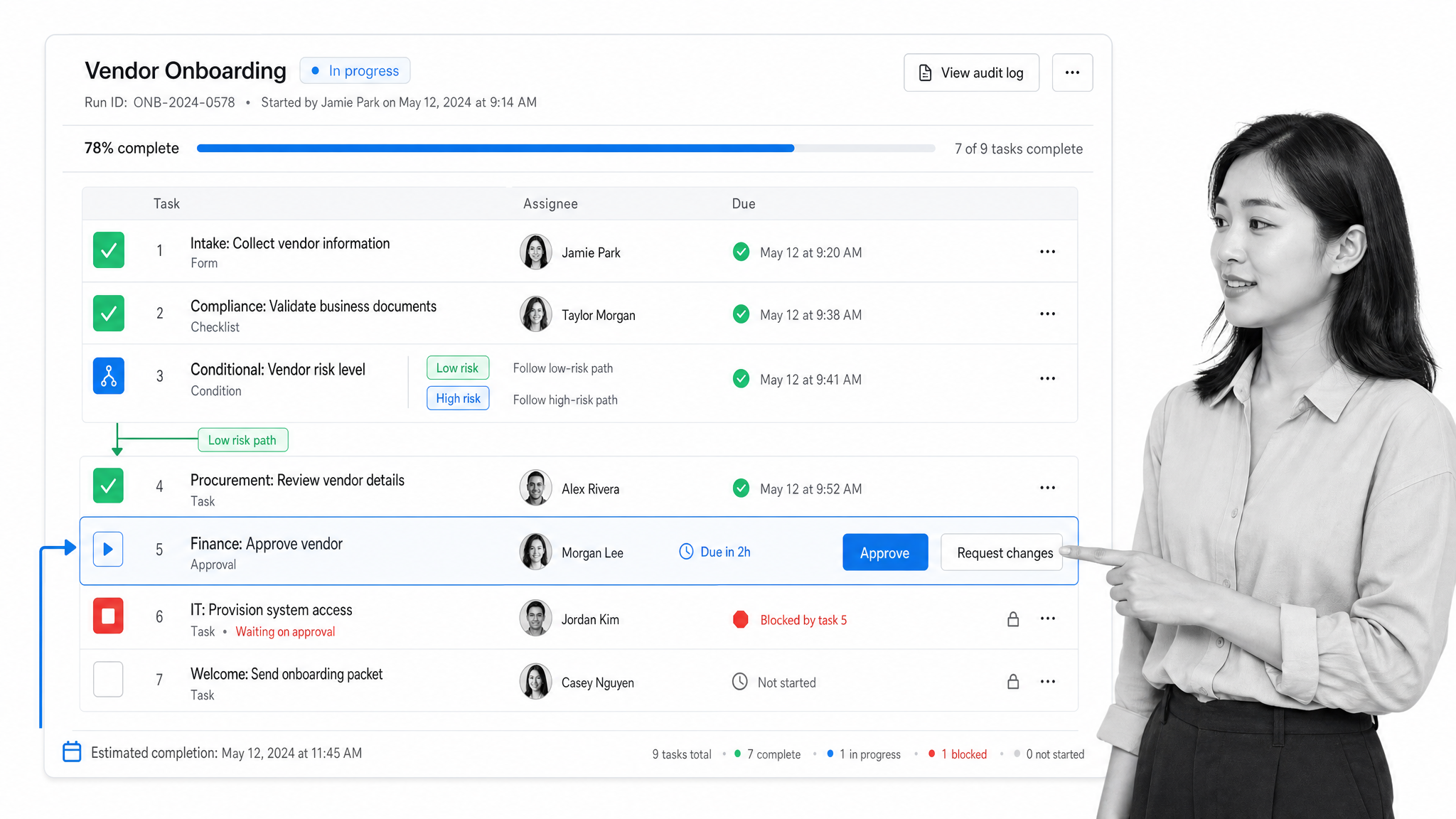
Process Street is an AI-powered process and workflow management platform built to systemize execution and prove compliance. Teams turn recurring work into structured workflows with conditional logic, approvals, task assignments, and stop tasks that keep people from skipping critical steps. Its AI can draft a workflow in seconds, and real-time dashboards show exactly where every running process stands. The combination of an approachable, no-code builder with serious governance and audit-readiness makes it a strong default for operations, compliance, and quality teams that want power without a heavy implementation. For a deeper look at how this plays out in practice, see the Process Street business process management service.
Appian
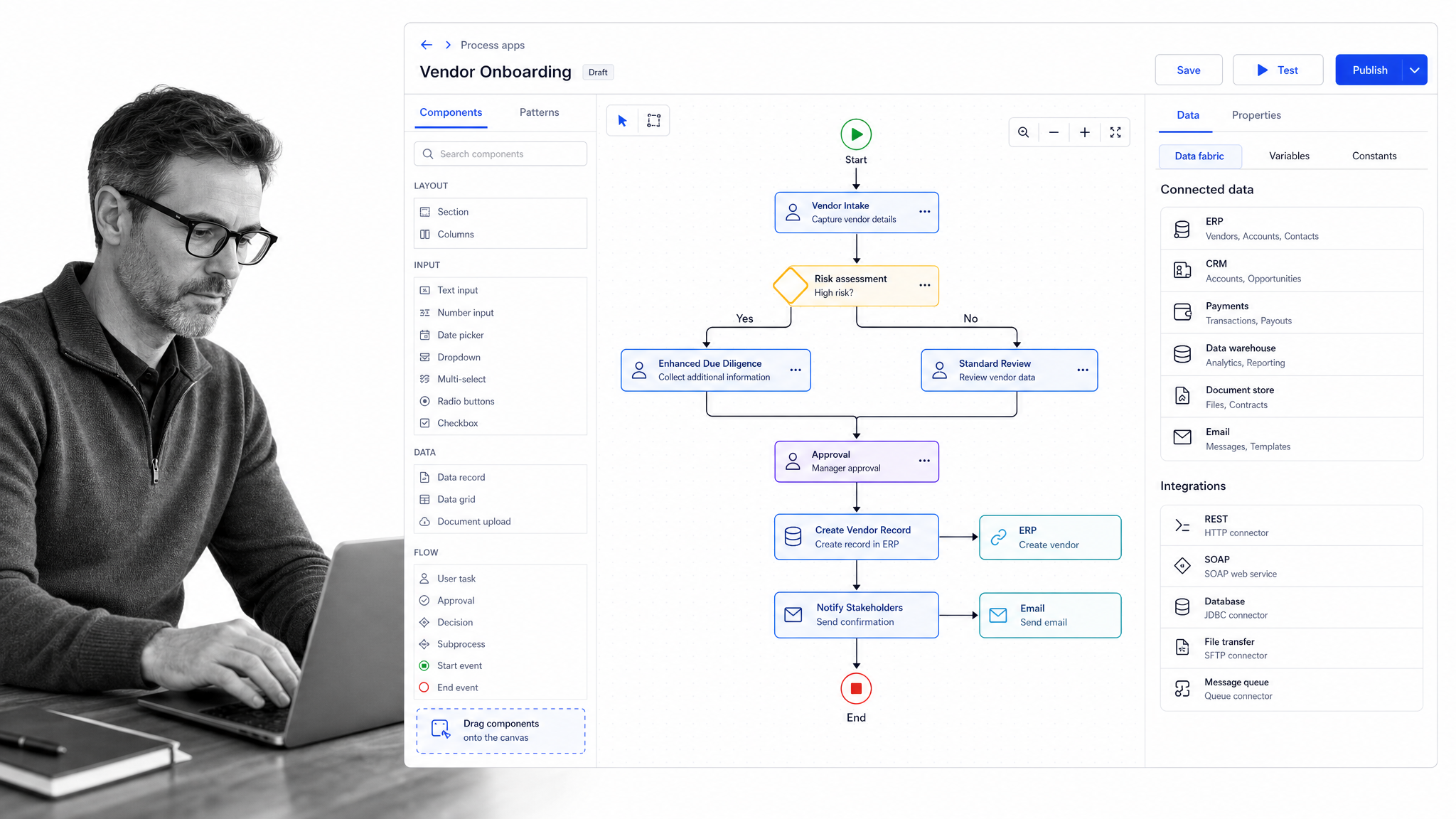
Appian positions its platform as AI-powered process orchestration, pairing low-code application development with enterprise business process management. It is built for organizations that need to automate complex, mission-critical workflows end to end, unifying data, integrations, RPA, and AI agents under one governed process layer. Appian tends to fit larger teams with dedicated development resources that want to build custom process applications quickly.
Pega Platform
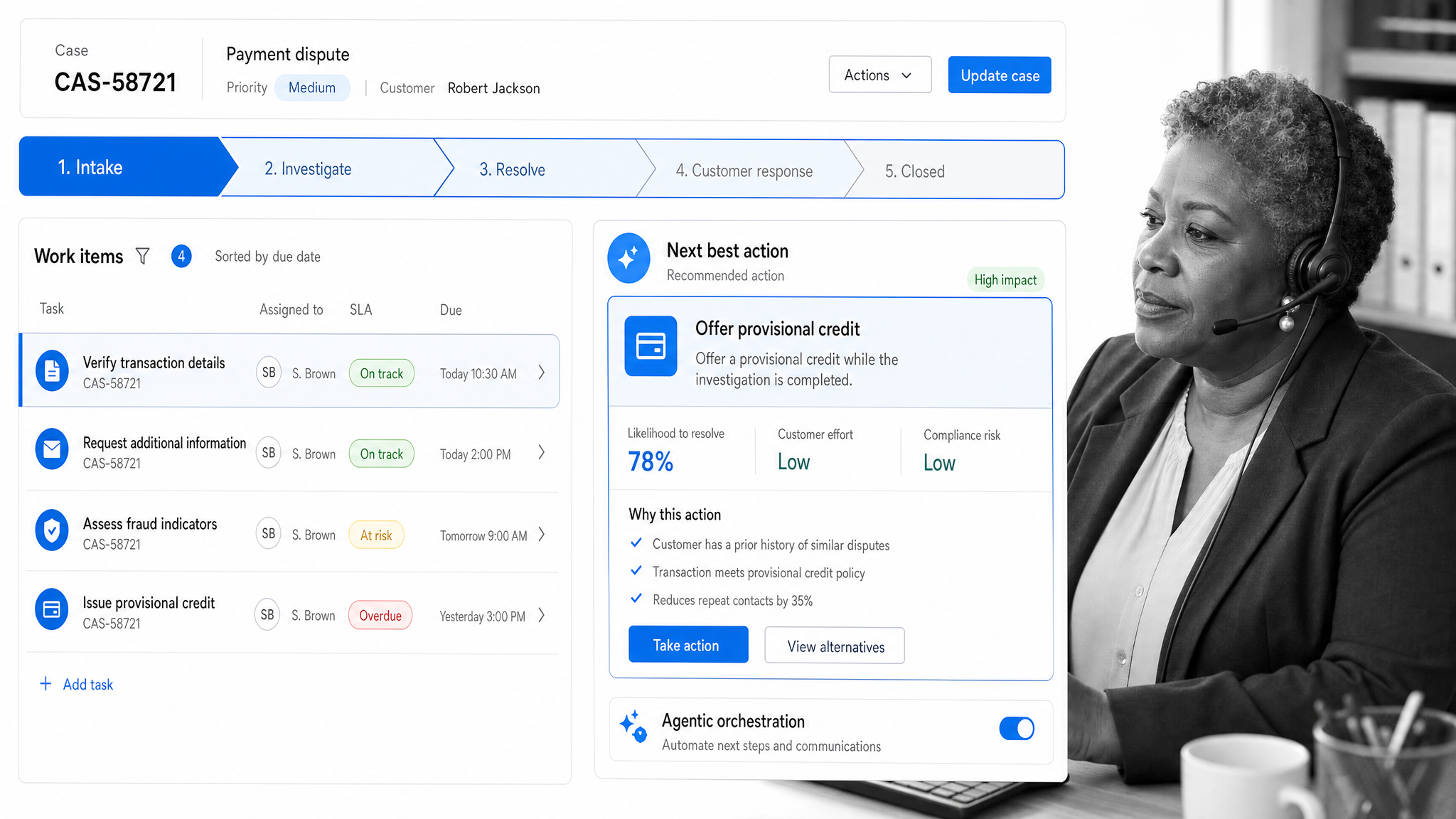
Pega Platform brings together workflow automation, decisioning, and agentic orchestration, with deep roots in mission-critical decision automation. It is aimed squarely at large enterprises in regulated, high-volume environments that need to orchestrate agents, people, and systems with strong governance and auditability. Pega rewards investment: it is powerful and highly configurable, which suits organizations with the scale and expertise to use it fully.
Camunda
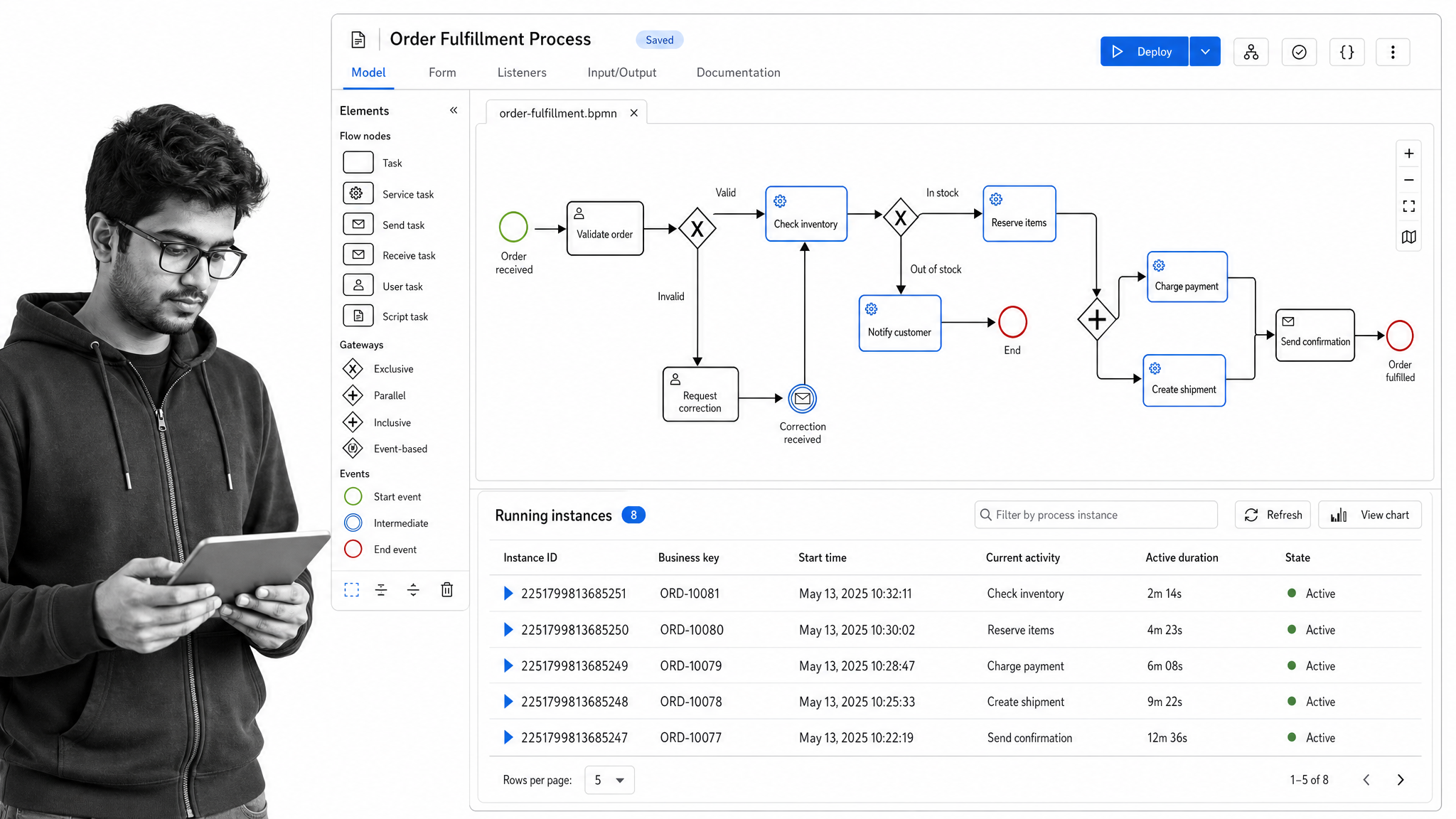
Camunda is an open platform for process and agentic orchestration that models workflows with BPMN, the open standard for business process modeling. It is a favorite of developer-led teams that want to orchestrate services, microservices, and AI agents with code-friendly tooling and open standards rather than a closed suite. If your processes are technical and you value portability and control, Camunda is a natural fit.
IBM Cloud Pak for Business Automation
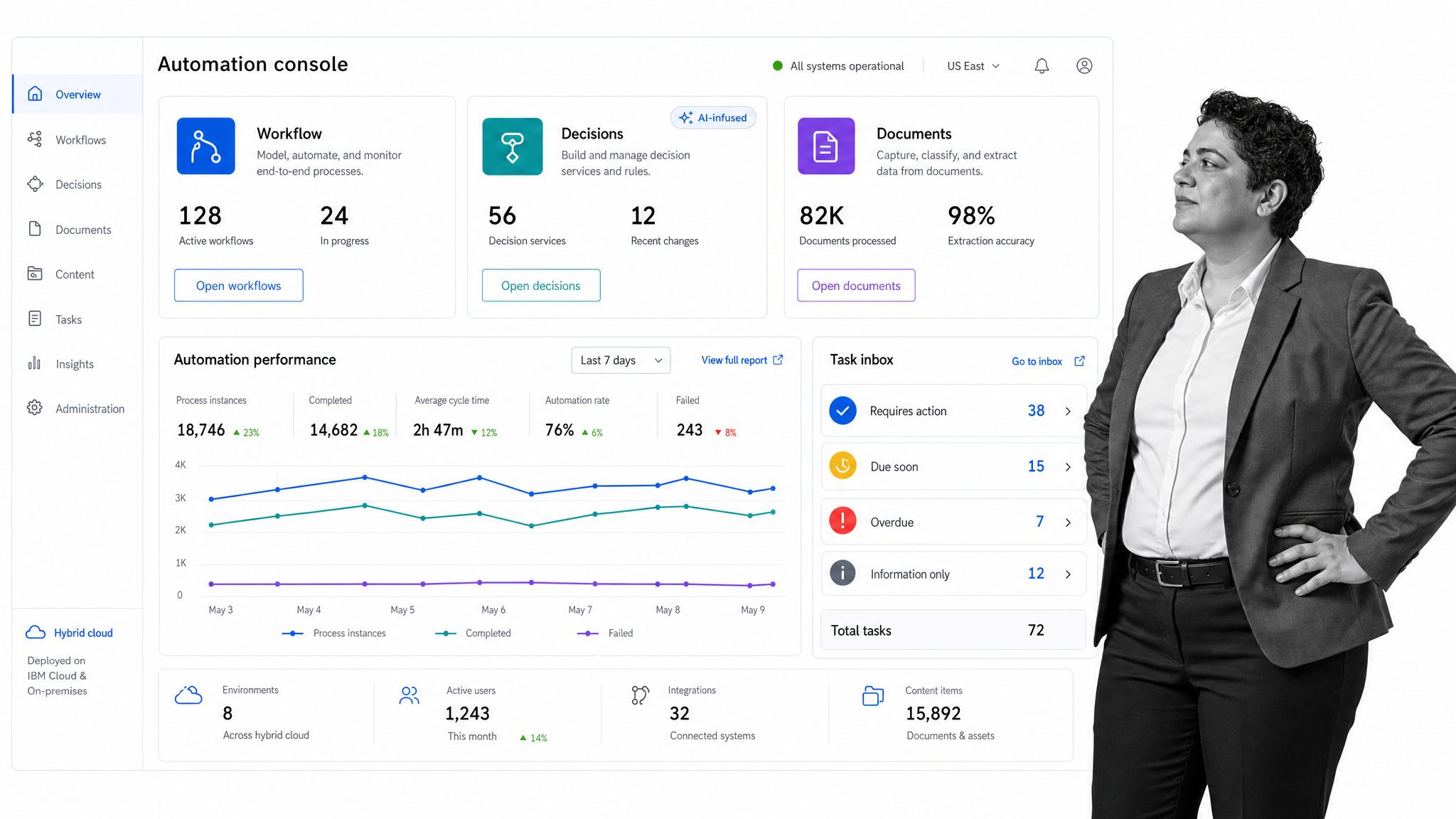
IBM Cloud Pak for Business Automation is IBM’s modular business automation suite, which now houses the capabilities formerly delivered as Business Automation Workflow. It combines workflow automation, decision modeling, document processing, and low-code and no-code tooling across hybrid cloud environments, with AI-infused automation and workplace assistants. It suits large organizations already invested in IBM infrastructure that need broad, enterprise-grade automation under one umbrella.
Bizagi
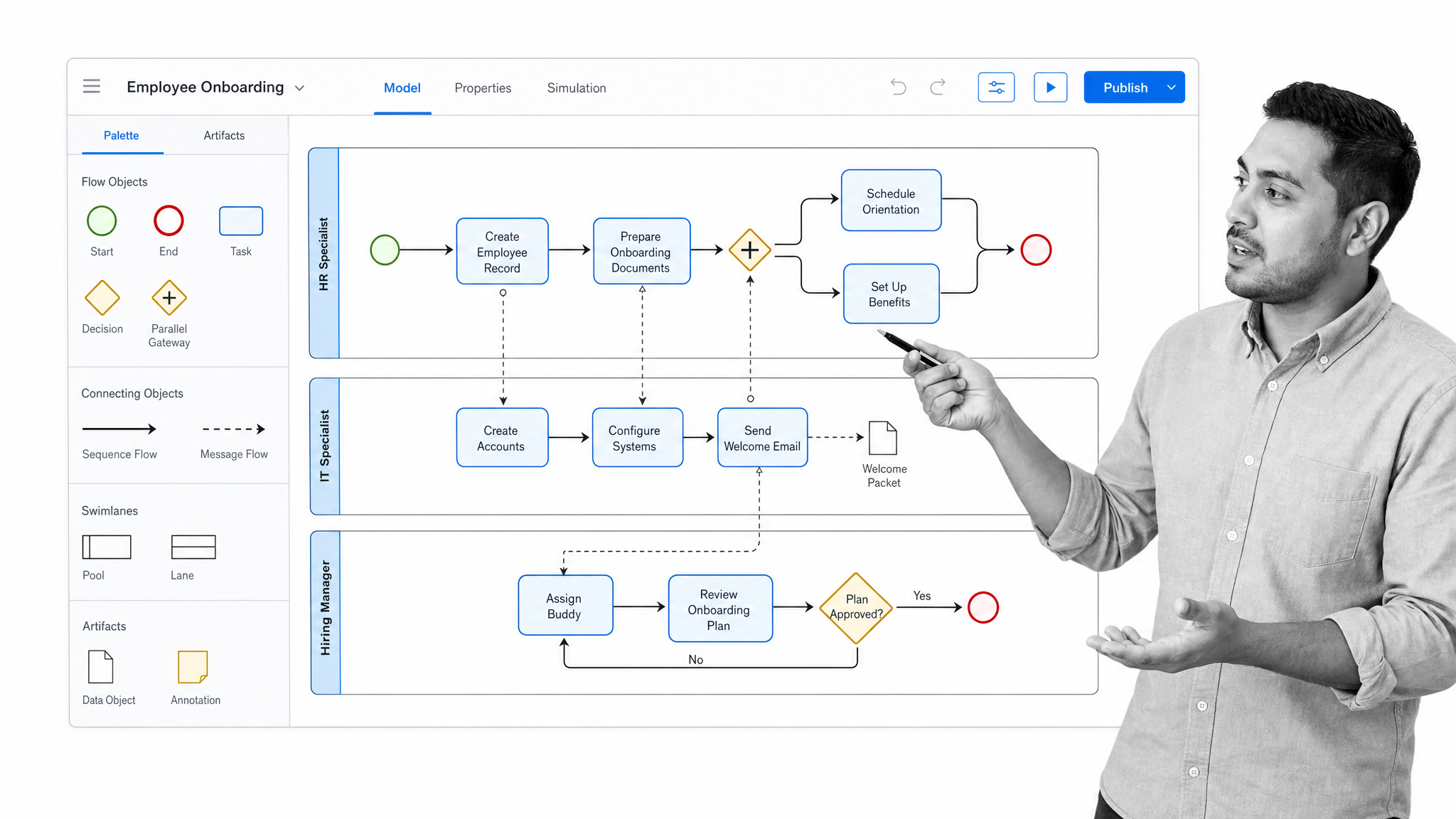
Bizagi is a low-code process orchestration platform that lets business analysts model end-to-end workflows visually using BPMN, then automate them across connected systems. It is known for a friendly modeling experience and a large practitioner community, making it a good bridge between the people who understand the process and the systems that execute it. Bizagi works well for enterprises that want business-led process design without heavy hand-coding.
Nintex
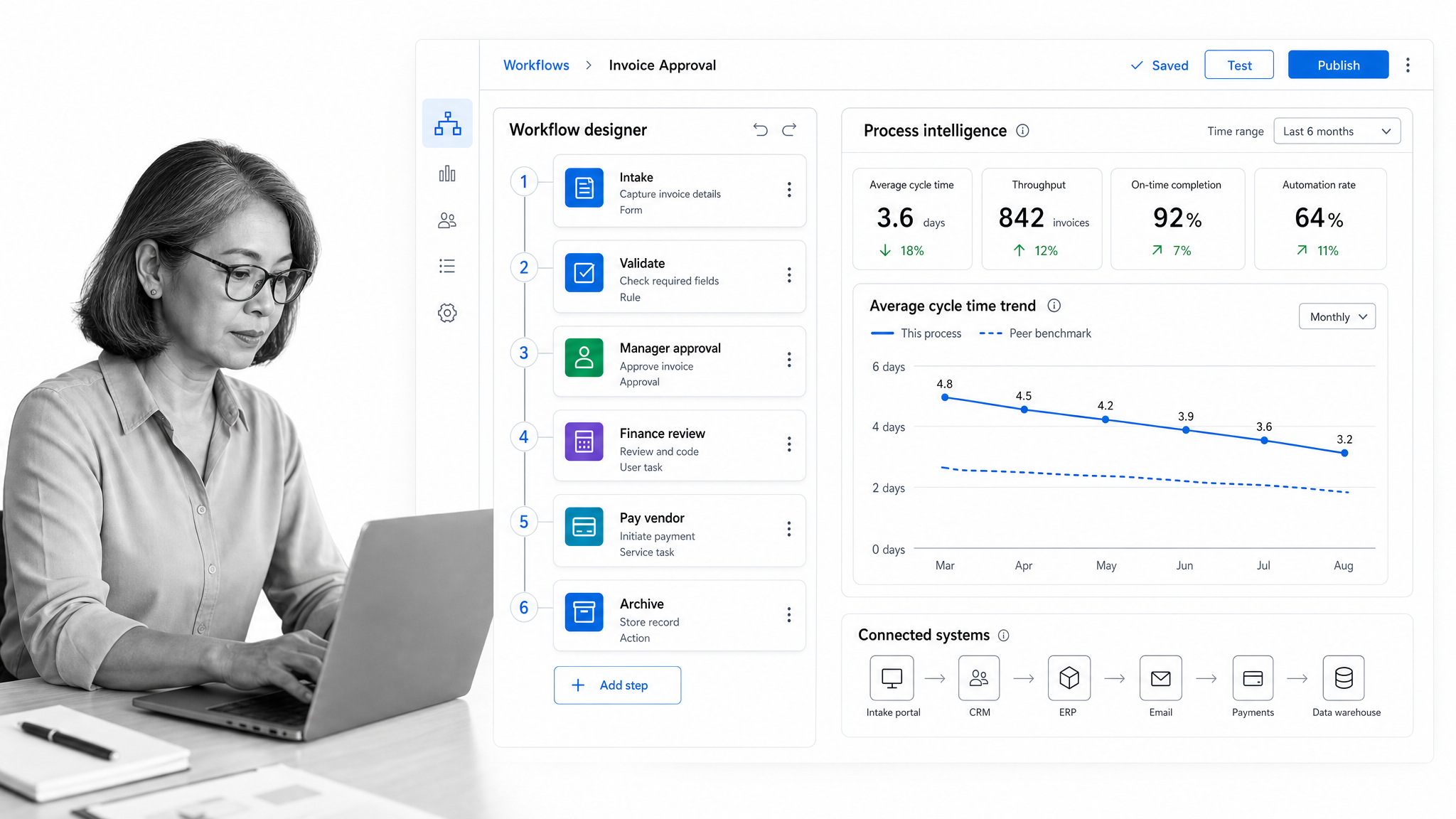
Nintex spans workflow automation, process management, and process intelligence, and has been evolving toward agentic business orchestration that coordinates people, systems, and AI agents. It connects tightly to common enterprise systems and is often chosen by teams that want to document, automate, and optimize processes across a broad Microsoft and SaaS landscape. Nintex is a solid pick for mid-market and enterprise operations teams standardizing many processes at once.
Kissflow
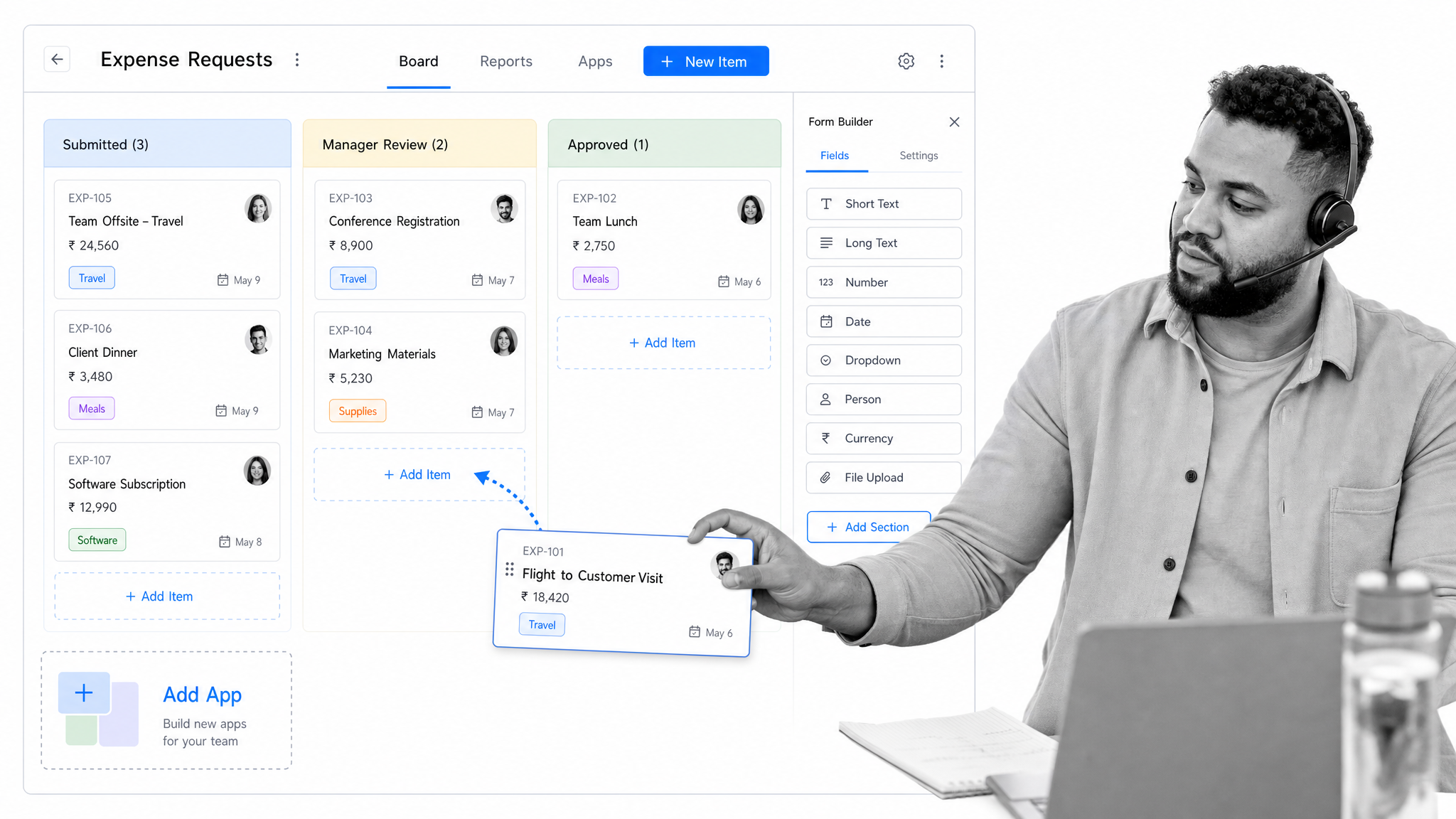
Kissflow is a low-code and no-code platform for building enterprise apps and automating workflows, with AI-assisted app generation. It leans toward empowering business teams and citizen developers to launch process apps quickly without deep engineering support. Kissflow fits organizations that want to put process building into the hands of the people closest to the work while keeping IT in a governing role.
Are open-source BPM tools worth it?
Open-source BPM tools can be a strong choice for technical teams that want maximum control. Because the code is open, you can tailor the engine to your exact needs, integrate deeply with other systems, and audit the platform for security rather than trusting a vendor’s word. Active communities also provide guidance, connectors, and a steady stream of contributions.
The trade-offs are real, though. Self-hosting means you own maintenance, security patching, and scaling, and the total cost of ownership is rarely zero even when the license is free. Camunda is a widely used option for developer-led orchestration built on open standards, and Bonita remains available as an open-source process automation engine, now offered by Ofelia following Bonitasoft’s 2026 rebrand. For most operations teams without dedicated platform engineers, a well-supported commercial tool is faster to value; for engineering-heavy organizations that need to own the stack, open source can be exactly right.
Building a BPM framework: best practices
A tool is only as good as the framework around it. These practices keep a BPM program from stalling after the first burst of enthusiasm:
Define the scope
Before modeling anything, decide which processes you are managing and what success looks like. A clear scope keeps the effort focused on the workflows that actually move the business rather than boiling the ocean.
Map your processes
Create a visual map of each process and its dependencies. Mapping exposes the inefficiencies, redundant steps, and bottlenecks that are invisible when the work lives only in people’s heads, and it gives everyone a shared picture to improve.
Standardize the work
Define consistent flows, roles, responsibilities, and inputs and outputs for each process. Standardization is what makes results repeatable and reduces the errors that creep in when everyone does the same job a slightly different way.
Automate the repetitive steps
Once a process is standardized, automate the manual, rule-based steps. Automation cuts cycle time, removes copy-paste errors, and frees people to focus on the judgment work that software cannot do.
Measure and optimize
Set clear performance indicators, track them over time, and use what you learn to refine the process. Continuous measurement turns BPM into a habit of steady improvement instead of a project that ends.
Collaborate and communicate
Involve the stakeholders who live inside the process, explain why the framework exists, and make sure everyone understands their role. Adoption, not software, is what determines whether a BPM program sticks.
BPM tools vs. business process automation
It is easy to conflate business process management with business process automation, but they are complementary rather than identical. BPM is the broader discipline of understanding, designing, and continuously improving processes. Automation is one of the levers BPM uses to make a process faster and more reliable. McKinsey research indicates roughly seven in ten organizations are at least piloting automation, which is exactly why automation should sit inside a managed process rather than as scattered one-off scripts.
Automating a broken process just makes the mess happen faster. The strongest results come from modeling and standardizing a process first, then automating the repetitive steps, then monitoring and refining the whole thing. A good BPM tool holds all of that in one place, so automation stays governed, visible, and easy to change as the business evolves.
The takeaway is simple: a business process management tool that fits your team gives you real-time visibility, automates the manual work, and enables continuous improvement, which together help you run operations more effectively and consistently over time.
Frequently asked questions
What is a business process management tool?
A business process management (BPM) tool is software that helps organizations design, model, execute, monitor, and optimize their business processes. It turns repeatable work into a structured, automated, and measurable flow, which improves efficiency, reduces errors, and keeps operations aligned with business goals.
How do I choose the best BPM tool for my business?
Match the tool to your team’s size and the complexity of your workflows. Evaluate ease of use, automation depth, integrations with your existing systems, AI assistance, reporting, and governance. Prioritize visual process modeling and real-time analytics so you can keep improving processes rather than just running them.
What are the benefits of using BPM software for workflow automation?
BPM software automates repetitive manual tasks, which reduces human error and speeds up execution. It gives visibility into bottlenecks, enforces consistency across teams, and frees people to focus on higher-value work. Automated workflows also make it easier to scale operations without adding headcount at the same rate.
What is the difference between BPM tools and project management tools?
BPM tools optimize and automate repeatable processes that run continuously, while project management tools handle one-time initiatives with a defined start and end. BPM emphasizes standardization and long-term efficiency, whereas project management focuses on scheduling tasks and allocating resources for specific deliverables.
Are open-source BPM tools suitable for enterprise use?
Yes, many open-source BPM tools are robust enough for enterprise environments and offer customization flexibility, strong communities, and no license fee. Enterprises should still weigh the cost of self-hosting, security patching, and long-term maintenance, and confirm they have the engineering resources to support the platform at scale.
Do BPM tools use AI?
Increasingly, yes. Modern BPM platforms can draft a workflow from a natural-language prompt, summarize the status of running processes, suggest improvements, and coordinate AI agents alongside people and systems. AI shortens the path from designing a process to running it, though the underlying discipline of modeling and governing processes still matters most.
