





Continuous improvement without data collection is like driving cross country without signs or a map.
Data collection is vital to making improvements because without it there is no real proof of any problem existing to begin with.
Why are you making improvements? Is it really a problem, or are you just distorted by frustration in the moment?
Your frustration can give you clues about the root problem, but relying on feelings alone will not give you accurate results in the long run.
Process Street helps teams turn that evidence into action. Reports and Analytics show how workflow runs are moving, where bottlenecks appear, and whether a change actually improves the process. Docs and Ops keep the procedure governed and executable, while built-in AI helps spot risk, missed steps, and opportunities to improve.
These 5 continuous improvement steps work alongside familiar methods like PDCA, Kaizen, and Lean. The goal is not to pick a methodology for its own sake. The goal is to identify the work that needs attention, improve it carefully, and use data to prove the change worked. For more context, see these continuous improvement principles.
Let us walk through the 5 continuous improvement steps for process optimization:
- Step 1: Identify the process to be improved
- Step 2: Assess efficacy and determine improvements
- Step 3: Implement process improvements
- Step 4: Test and track the updated process
- Step 5: Optimize the process with automation
Step 1: Identify the process to be improved
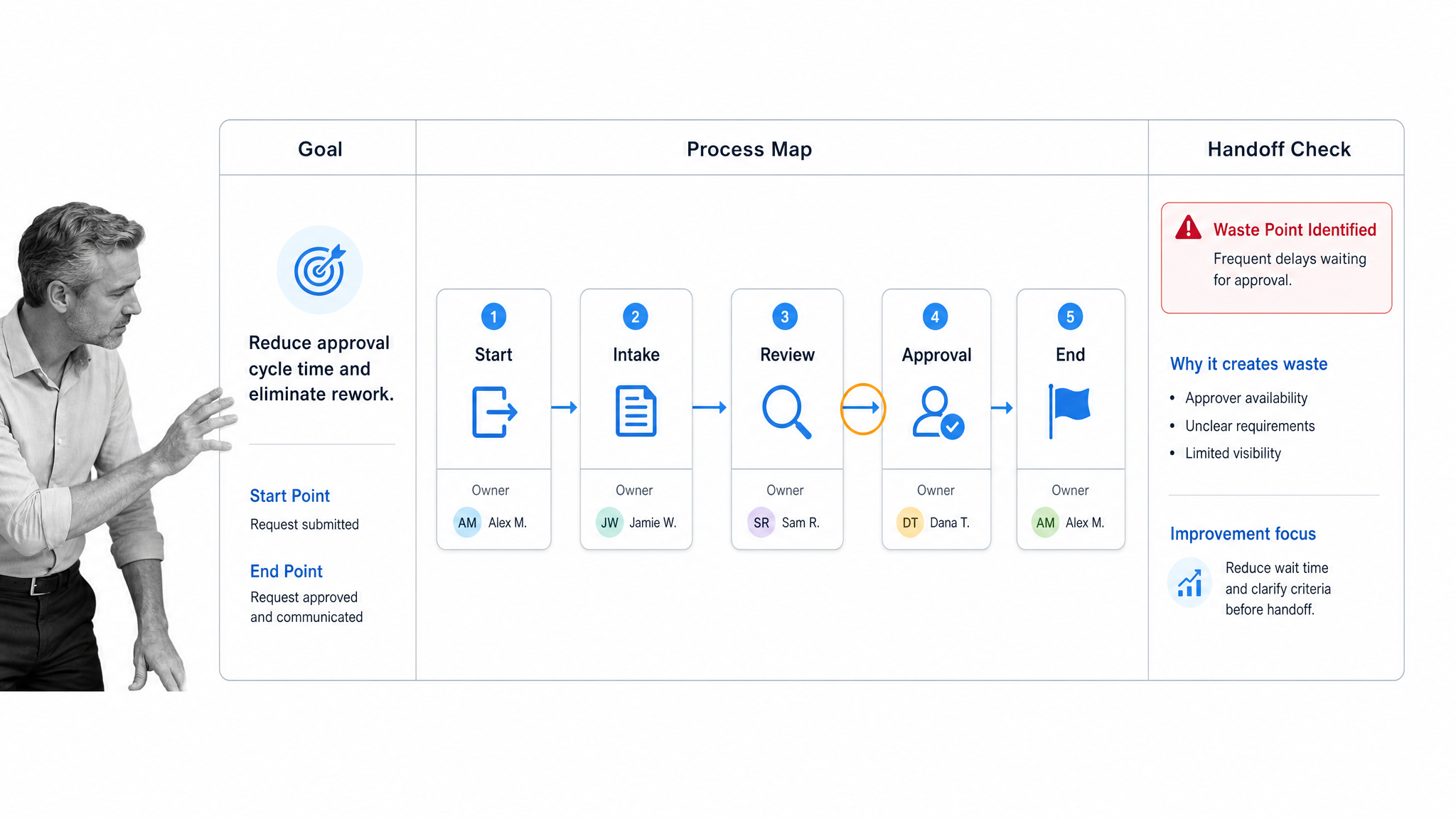
No process is perfect, but there are some that may be consistently causing you problems. That is where you should start.
Note down the process most often wasting you and your team’s time and resources.
Then you need to fully understand that process by answering the following questions:
- What is the goal of the process?
- When does it start and end?
- What are the individual activities within the process?
- Which departments or employees are involved?
- What information is carried over between steps?
The answers to these questions should highlight the elements that make up the process and clarify how to approach optimizing it, starting with the specific goals this process is trying to reach.
Why you should document your processes
Before we move on, ask yourself: How good is my process documentation?
You might know which processes need to be updated, but unless you have clear process documentation, continuous improvement is essentially impossible.
Continuous improvement only works if you can look at how something worked before and compare it to the changes you have made. Clear, accessible documentation is the baseline that lets you compare versions, explain decisions, and keep improvements from turning into tribal knowledge.
Step 2: Assess efficacy & determine improvements
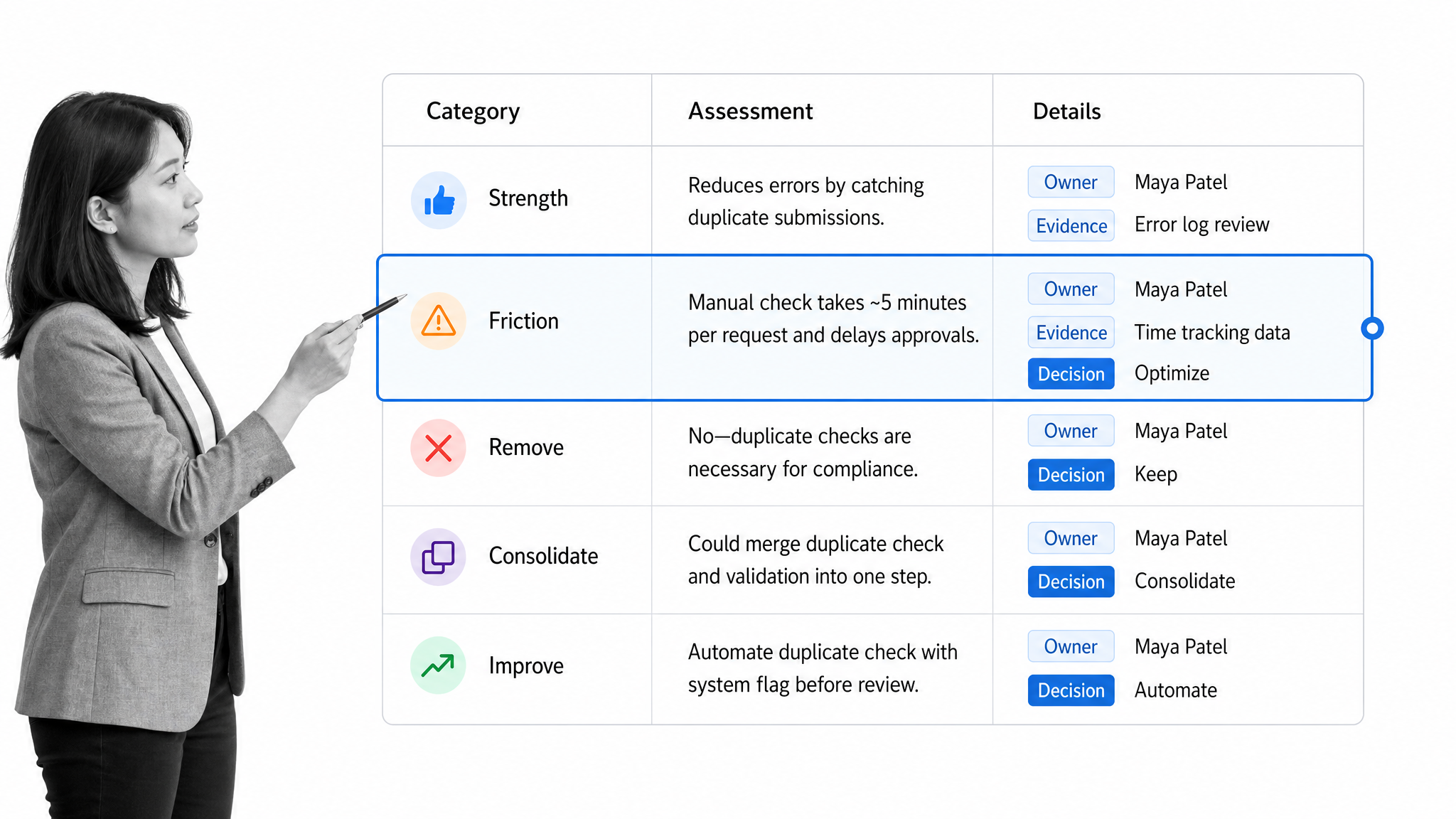
Now that you have your process laid out, it is time to assess its effectiveness and determine what improvements would be most useful.
Start by recording the process’ strengths and weaknesses. This will help you understand what is working, what is slowing the team down, and where improvements could be made.
You may find that some tasks are not necessary to meet the final goal. If that happens, consider consolidating those tasks or removing them outright. A concise process is easier to run, measure, audit, and improve than one that has accumulated extra steps over time.
A practical way to do this is to mark each step as keep, improve, automate, or remove. That gives you a decision record before implementation begins and keeps the improvement effort tied to evidence, not preference.
Step 3: Implement process improvements
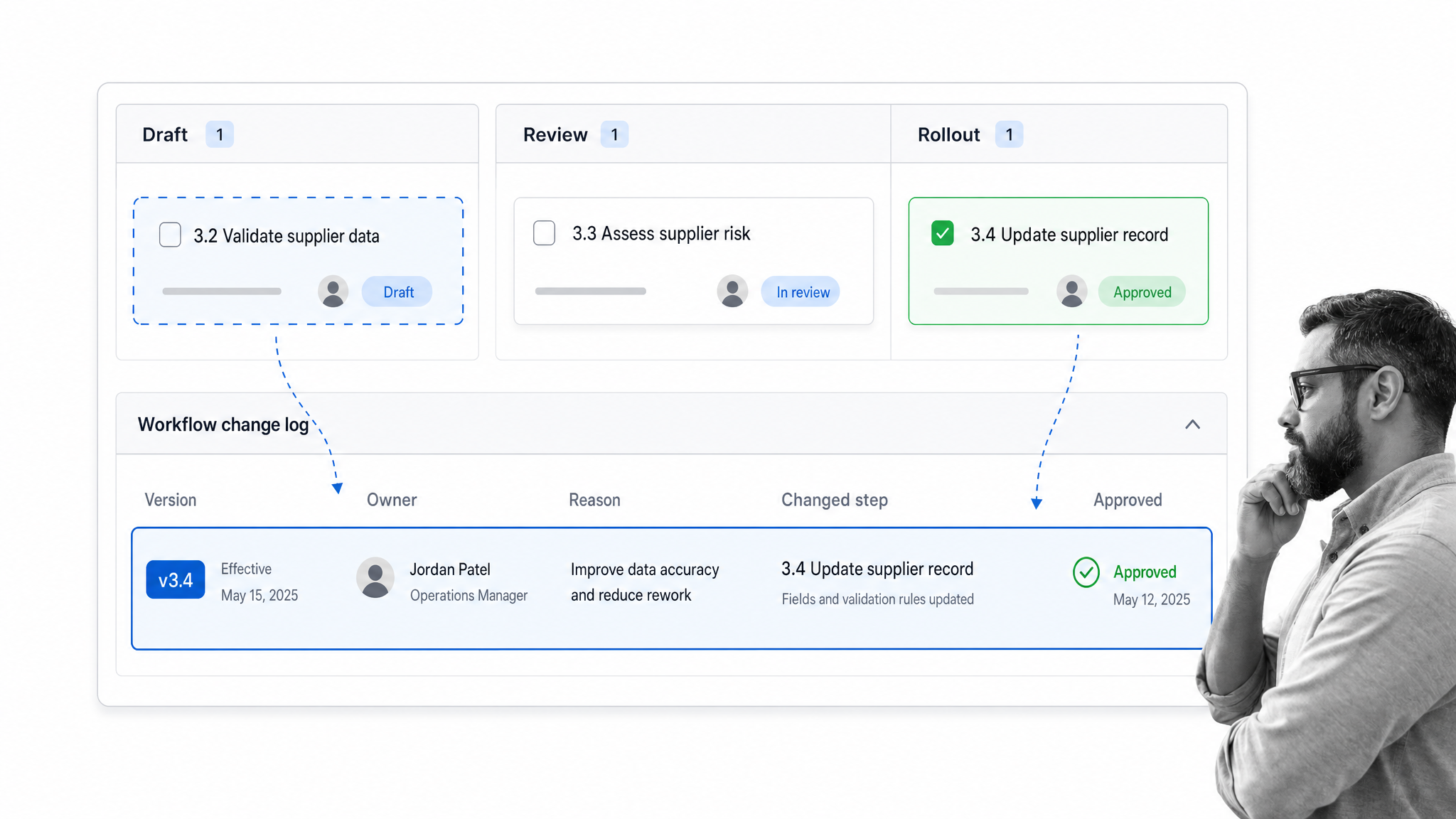
If you have your process well documented, or better yet, you are using process management software, this task should be as easy as walking through your process step by step and making changes as you go.
A best practice for continuous improvement is to create a new version of a process whenever you make changes. This helps prevent breakage and makes it easier to track and compare data between different versions of a process, so you can accurately determine whether changes are truly improvements.
Another tip is to keep a simple log of any changes you make across each iteration, so it is easier to share knowledge and ensure that everyone understands what changed, who made the change, and why.
Step 4: Test & track the updated process
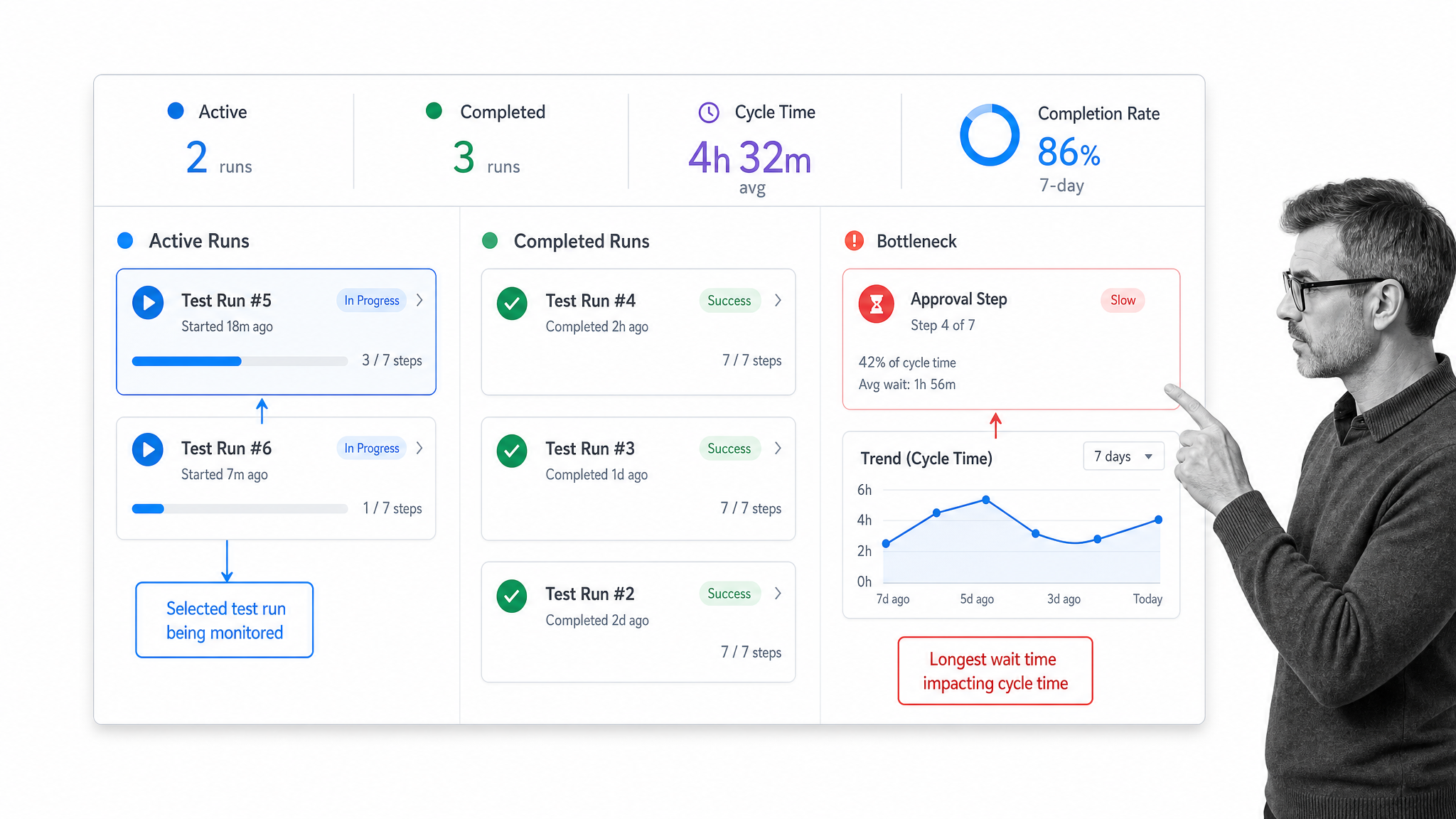
Testing is important, first to make sure you have not broken anything. Run through the process, ideally in conditions as close to real work as possible, and make sure that everything behaves as expected.
Consider the final goal of the process. Is this still being achieved?
Once you have established that the process improvements are functional, you can begin collecting data to assess the success of any changes.
Using Process Street Reports and Analytics
Being able to view the performance of your processes, your team, or clients is critical to understanding whether the changes you have made are actually more effective.
Information like task progress, active workflow runs, completed runs, and cycle time can help you locate bottlenecks and see how your team is responding to the change.
Learn more about Process Street Reports and Analytics.
Step 5: Optimize the process with automation
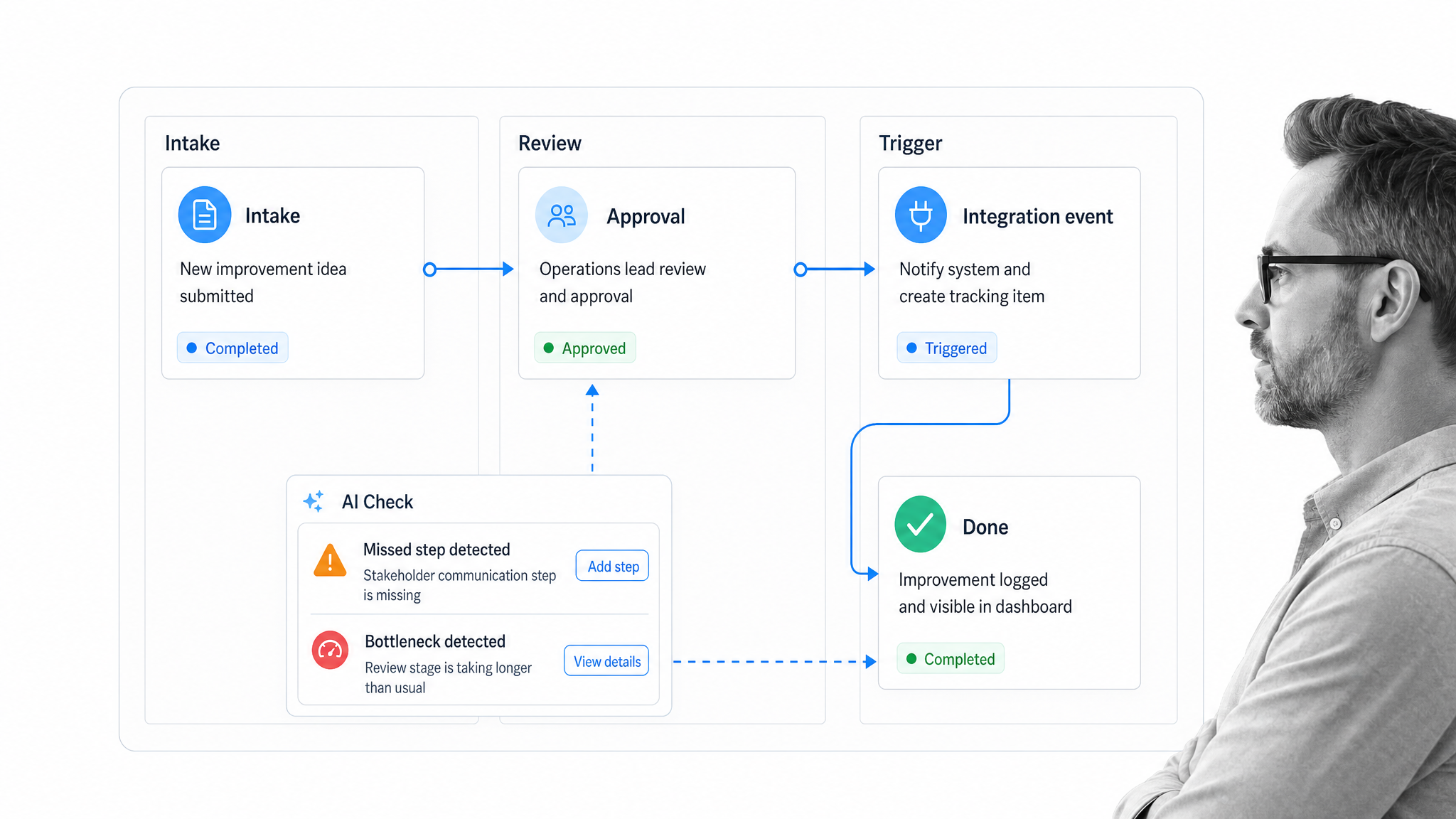
At this point, you have identified and implemented improvements, and you should be able to track those changes over time to assess success.
But if you want to go the extra mile and get the most out of your workflow management platform, consider which tasks can be automated and where human review still needs to stay in the workflow.
Process Street is a Compliance Operations Platform that brings Docs, Ops, and built-in AI into one product. That means your updated procedure can become an executable workflow with assigned owners, approvals, audit trails, automations, and AI checks that flag missed steps or bottlenecks before they become recurring problems.
Process Street has direct, universal integrations to 5,000+ systems. Need a new one? An AI agent builds it on the fly. Native Automations can handle recurring handoffs inside the process, while Zapier, Power Automate, and Make remain useful integration options when they fit the job.
The strongest continuous improvement process is repeatable. Pick the process, assess it honestly, implement changes carefully, test the result, and automate the pieces that should not depend on memory.