


Turn every policy into automated workflows with built-in enforcement and audit-ready proof.



Gumloop Alternatives

The best Gumloop alternative depends on what your team wants to change. Choose Dash for a shared AI coworker inside Slack or Microsoft Teams, Lindy for per-user assistant work, Dust for collaborative multi-model agents, Glean for enterprise knowledge, Claude for reasoning, or Zapier Agents for the widest app catalog.
- What is Gumloop?
- Gumloop alternatives at a glance
- How we compared these Gumloop alternatives
- Which Gumloop alternatives are best right now?
- How to switch from Gumloop
- FAQs about Gumloop alternatives
What is Gumloop?
Gumloop is a no-code platform for building AI agents and visual workflows that combine models, data, and business applications. It is strongest when a team wants explicit flow logic, reusable agent tools, scheduled or event-driven runs, and a canvas where builders can inspect how each step connects.
Gumloop’s agent documentation describes adaptive assistants that choose tools and can ask for confirmation based on instructions. The platform also supports deterministic flows, Slack channel agents, and Microsoft Teams tools. Gumloop’s official connector guide lists 180+ built-in connectors. Its current pricing page lists a 14-day trial and Pro from $37 per month with 20,000 credits, 35+ models, unlimited agents, and agent-scoped connector guardrails.
Gumloop remains the benchmark in this comparison for visual, no-code agent orchestration. Teams should look elsewhere when they want the coworker to live primarily in chat, need a larger long-tail connector catalog, want enterprise knowledge search already governed by source permissions, or prefer a direct general-purpose assistant rather than designing flows.
Gumloop alternatives at a glance
These six Gumloop alternatives replace different parts of the product rather than copying the same visual canvas. Compare where each one runs, how it controls models or actions, the size of its published connector catalog, and the lowest current pricing entry point before judging which operating model fits your team.
| Tool | Surface | Guardrail or model | Connector count | Pricing entry point |
|---|---|---|---|---|
| Dash | Slack, Microsoft Teams, web | Approval flow on every action | 3,000+ | Published on the Dash pricing page |
| Lindy | Slack, inbox, meetings, routines | Built-in approvals and model selection | 1,400+ | Plus $29.99/user monthly with 3,000 credits |
| Dust | Web workspace, Slack, connected tools | 20+ models; Spaces and Groups permissions | 70+ out-of-box MCP connectors | Free; Pro $24/user monthly billed yearly |
| Glean Agents | Enterprise web and connected apps | Permissions-aware access and human checkpoints | 275+ | No public self-serve price; request a demo |
| Claude | Web, desktop, mobile | Anthropic models; first-party connectors and remote MCP | No comparable total published | Free; Pro $17 monthly billed yearly |
| Zapier Agents | Agent builder, chat, triggers, Chrome | Instructions, activity monitoring, enterprise app controls | 9,000+ | Free with 400 activities; Pro $33.33 monthly billed yearly |
Table sources: Dash pricing, Lindy pricing, Lindy integrations, Dust pricing, Dust product, Glean connectors, Glean demo, Claude pricing, Zapier Agents product, and Zapier Agents pricing. Pricing and published catalog totals were checked on August 27, 2026.
What counts as a Gumloop alternative?
A credible Gumloop alternative must replace a meaningful buyer job: agent building, cross-app action, shared company context, governed knowledge, or conversational delegation. It does not need to reproduce Gumloop’s visual canvas. The useful question is which operating surface and control model remove the friction that made the team reconsider Gumloop.
That definition produces a more useful shortlist than six nearly identical workflow builders. Dash and Lindy move work into team chat. Dust and Glean emphasize shared company context and governance. Claude emphasizes general reasoning. Zapier Agents emphasizes app breadth. If a visual flow canvas is non-negotiable, Gumloop may still be the better fit.
How we compared these Gumloop alternatives
We compared the six products using current first-party documentation for operating surface, action controls or model choice, connector breadth, and entry pricing. We also checked whether each product replaces Gumloop’s visual building experience, shifts work into chat, or solves a narrower knowledge, reasoning, or automation job more directly.
Editorial owner: Vinay Patankar. Last updated: August 27, 2026. Last verified: August 27, 2026.
Disclosure: Process Street and Dash share an owner. We applied the same evidence standard to Dash and every other vendor, linked first-party sources near volatile claims, included Dash’s limits, and treated Gumloop’s visual agent and workflow builder as the strongest fit when that is what a buyer actually needs.
What matters most in a Gumloop alternative?
The deciding factor is not a feature-count win. It is whether the replacement matches how work should enter, receive context, ask for approval, and reach another system. Teams leaving a visual builder should evaluate surface, permissions, model flexibility, connectors, ownership, and pricing together because each alternative changes the workflow design burden.
- Operating surface: Decide whether people should work in Slack or Teams, a dedicated agent workspace, a web assistant, or a builder.
- Action control: Check whether approvals are global, configurable per tool, inherited from source permissions, or dependent on instructions.
- Context: Separate shared team memory and governed enterprise search from ordinary file attachment and chat history.
- Integration depth: A published connector total helps, but the exact actions, authentication model, and permission boundaries matter more.
- Pricing unit: Compare workspace, user, credit, and activity pricing against the work the agent will actually perform.
- Builder burden: Decide whether someone should design flows or whether the product should accept natural-language assignments directly.
Which Gumloop alternatives are the best right now?
Dash is the best chat-native replacement for a shared team coworker, while Lindy suits per-user assistant work and Dust suits collaborative multi-model agents. Glean Agents leads for enterprise knowledge, Claude for general reasoning, and Zapier Agents for app breadth. Gumloop itself remains stronger when visual flow design is the priority.
1. Dash
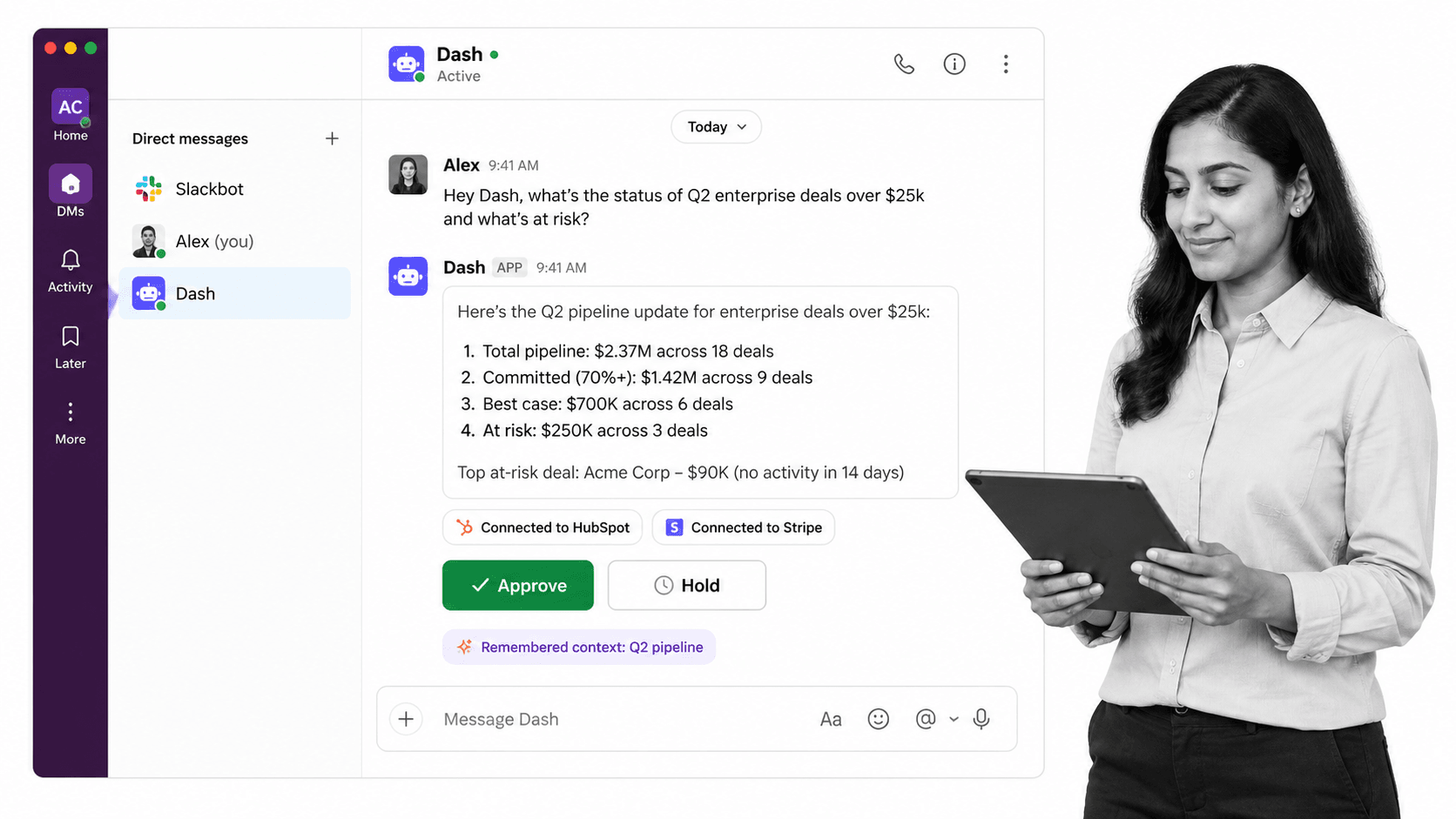
Dash is a shared AI teammate that works inside Slack, Microsoft Teams, and the web. Instead of asking someone to build a visual flow first, teammates assign work conversationally. Dash can use workspace context, connect across tools, and pause for approval before an external action.
The current Dash pricing page lists 3,000+ integrations and an approval flow on every action. Current plans are published there. The tradeoff is less explicit visual orchestration than Gumloop’s canvas.
Bottom line: Dash is the strongest Gumloop alternative for teams that want one shared AI coworker in Slack or Microsoft Teams without building every assignment as a flow.
Choose Dash if: the team wants conversational delegation, shared context, one workspace plan, and approval before actions.
Skip Dash if: visual branches, reusable flow graphs, and step-by-step builder control are the main requirement.
2. Lindy
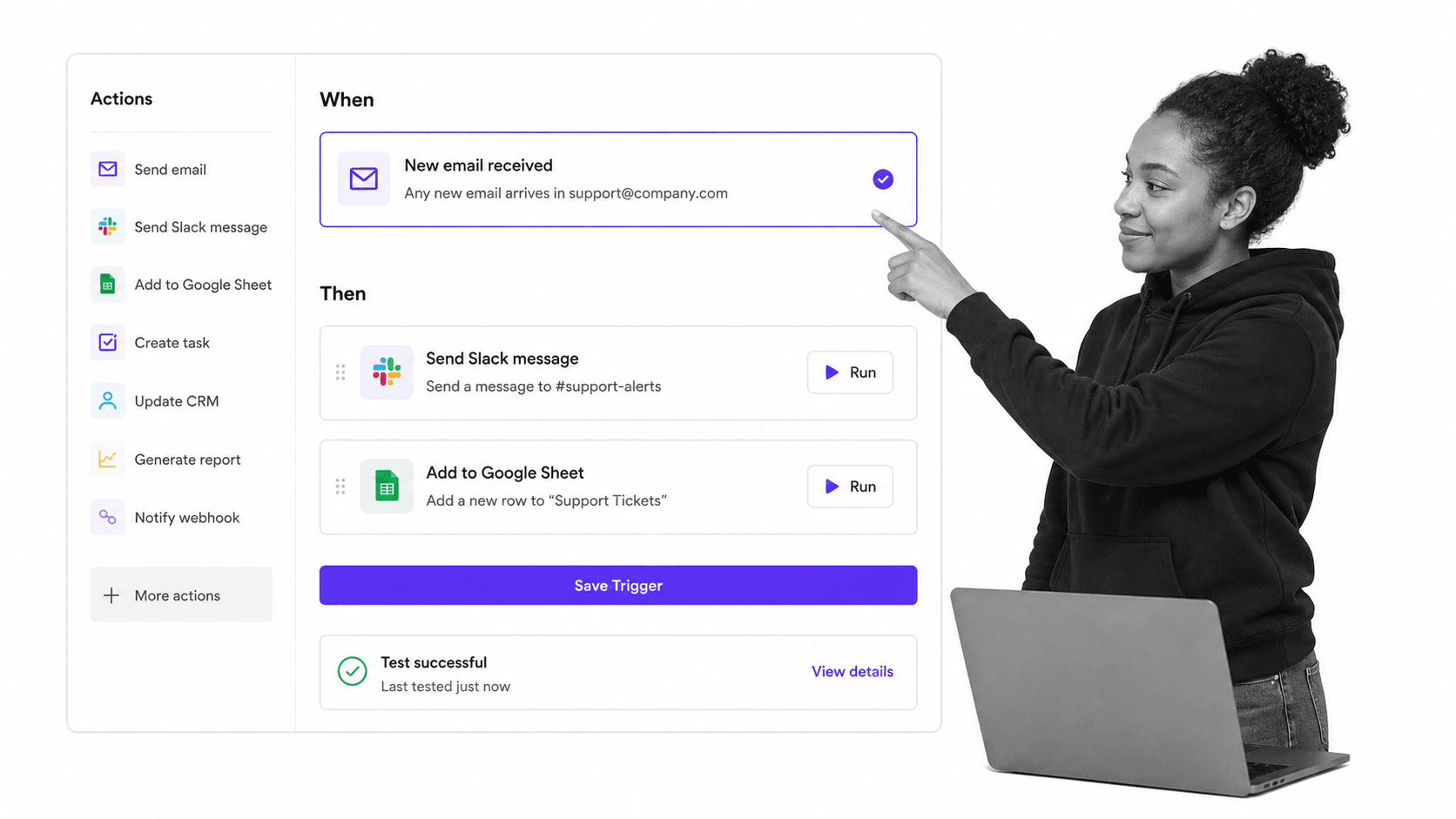
Lindy is a Slack-native AI teammate with meeting, inbox, routine, and deep-work capabilities. It is a closer fit than Gumloop for users who want a personal assistant to appear in threads and mentions, while still having model selection, scheduled work, and built-in approvals.
Lindy pricing starts at $29.99 per user per month for 3,000 credits. The same page lists built-in approvals and 40+ skills, while the integration directory shows 1,400+ integrations. A seat is required for each user, so costs rise differently from Gumloop’s unlimited-seat Pro plan or Dash’s shared workspace plan.
Bottom line: Lindy is a strong Gumloop alternative for Slack-centered teams that want assistant-style help with inboxes, meetings, and recurring routines.
Choose Lindy if: each teammate should have a Slack-native assistant and per-user credits are acceptable.
Skip Lindy if: the team wants unlimited seats on one plan or needs Gumloop’s inspectable visual workflow canvas.
For a deeper product-specific view, see the Lindy alternatives comparison.
3. Dust

Dust is a multiplayer AI workspace where people and agents share company knowledge, tools, skills, and projects. It is a better Gumloop alternative when the goal is governed collaborative agent work across models, not primarily a no-code visual workflow canvas.
Dust’s product page lists 20+ frontier and open-source models and 70+ out-of-the-box MCP connectors, plus permissions through Spaces and Groups. Dust pricing includes a $0 tier with 500 lifetime credits and Pro at $24 per user monthly billed yearly or $30 monthly, with 8,000 credits.
Bottom line: Dust is the best Gumloop alternative here for teams that want collaborative, multi-model agent work grounded in company knowledge.
Choose Dust if: shared agent workspaces, model choice, reusable skills, and permissioned company context matter most.
Skip Dust if: the team mainly wants a lightweight chat coworker or an explicit drag-and-drop flow builder.
See the Dust alternatives comparison for a closer look at adjacent products.
4. Glean Agents
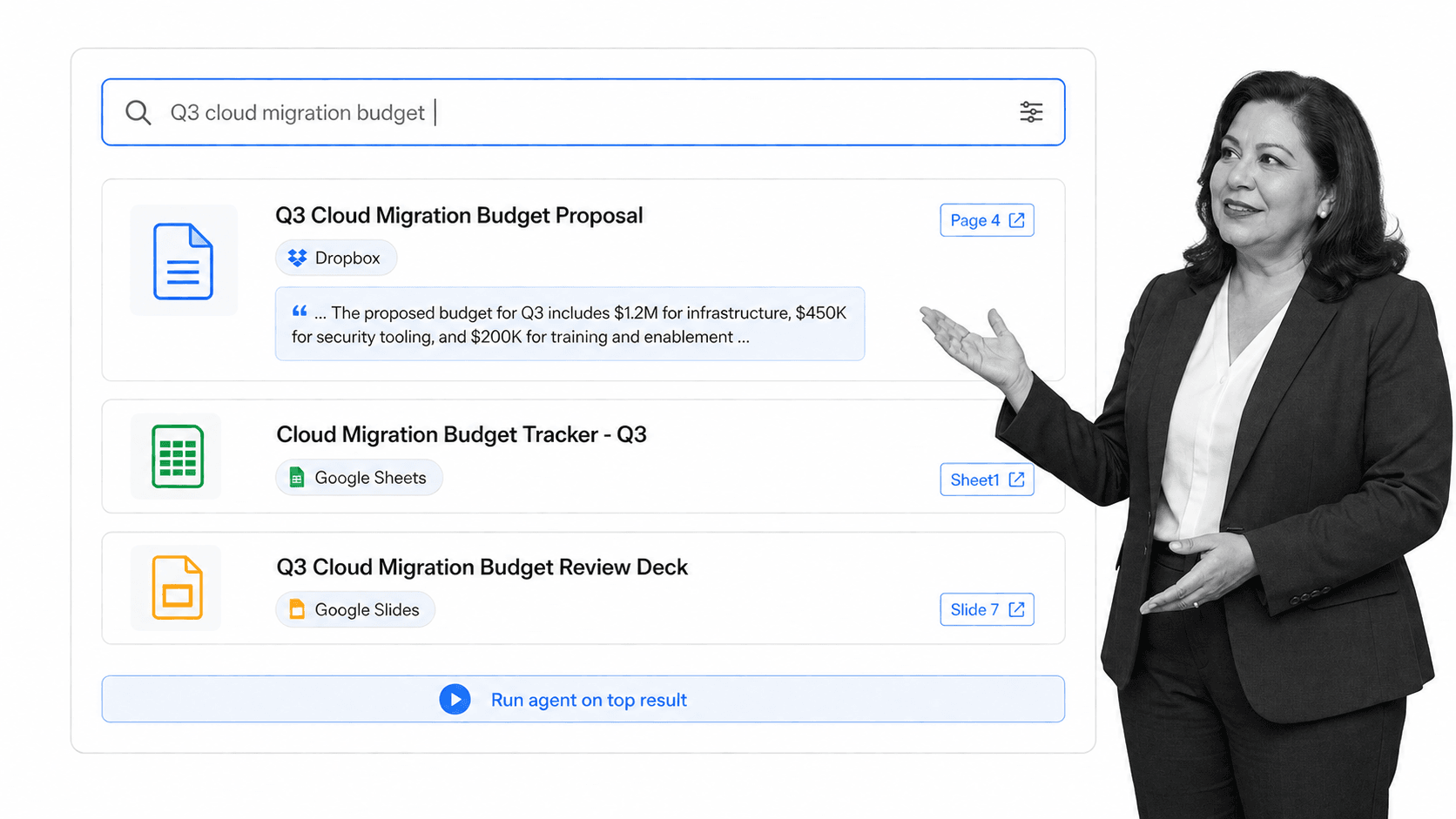
Glean Agents builds and runs enterprise agents on top of permissions-aware company search and connected data. It replaces Gumloop most convincingly when security inheritance, governed knowledge, and centralized agent management matter more than a self-serve visual workflow experience.
Glean’s connector page lists 275+ native and MCP-based connectors, strict inherited permissions, granular access controls, and human-in-the-loop checkpoints. Glean does not publish a self-serve entry price and directs buyers to request a demo. That makes it better suited to planned enterprise rollouts than quick individual trials.
Bottom line: Glean Agents is the strongest Gumloop alternative for large organizations that need governed company knowledge and permissions-aware actions.
Choose Glean Agents if: enterprise search, source permissions, centralized governance, and rollout support are primary requirements.
Skip Glean Agents if: the buyer needs transparent self-serve pricing or a fast visual automation trial.
See the Glean alternatives comparison for a more detailed enterprise-focused comparison.
5. Claude

Claude is a general-purpose AI assistant for analysis, writing, coding, research, and file work across web, desktop, and mobile. It is a Gumloop alternative when strong conversational reasoning matters more than building persistent visual automations with triggers, branches, and shared operational ownership.
Claude pricing includes a free plan and Pro at $17 per month with annual billing or $20 monthly. Claude supports first-party connectors and remote MCP, but Anthropic does not publish one comparable connector total. The main tradeoff is that a powerful assistant is not the same operating model as Gumloop’s visual workflow platform.
Bottom line: Claude is the best Gumloop alternative for individuals who prioritize general reasoning and content work over visual agent orchestration.
Choose Claude if: the main job is research, analysis, writing, coding, or flexible file work in one assistant.
Skip Claude if: the team needs a shared visual builder, a published broad connector catalog, or workflow governance by design.
6. Zapier Agents
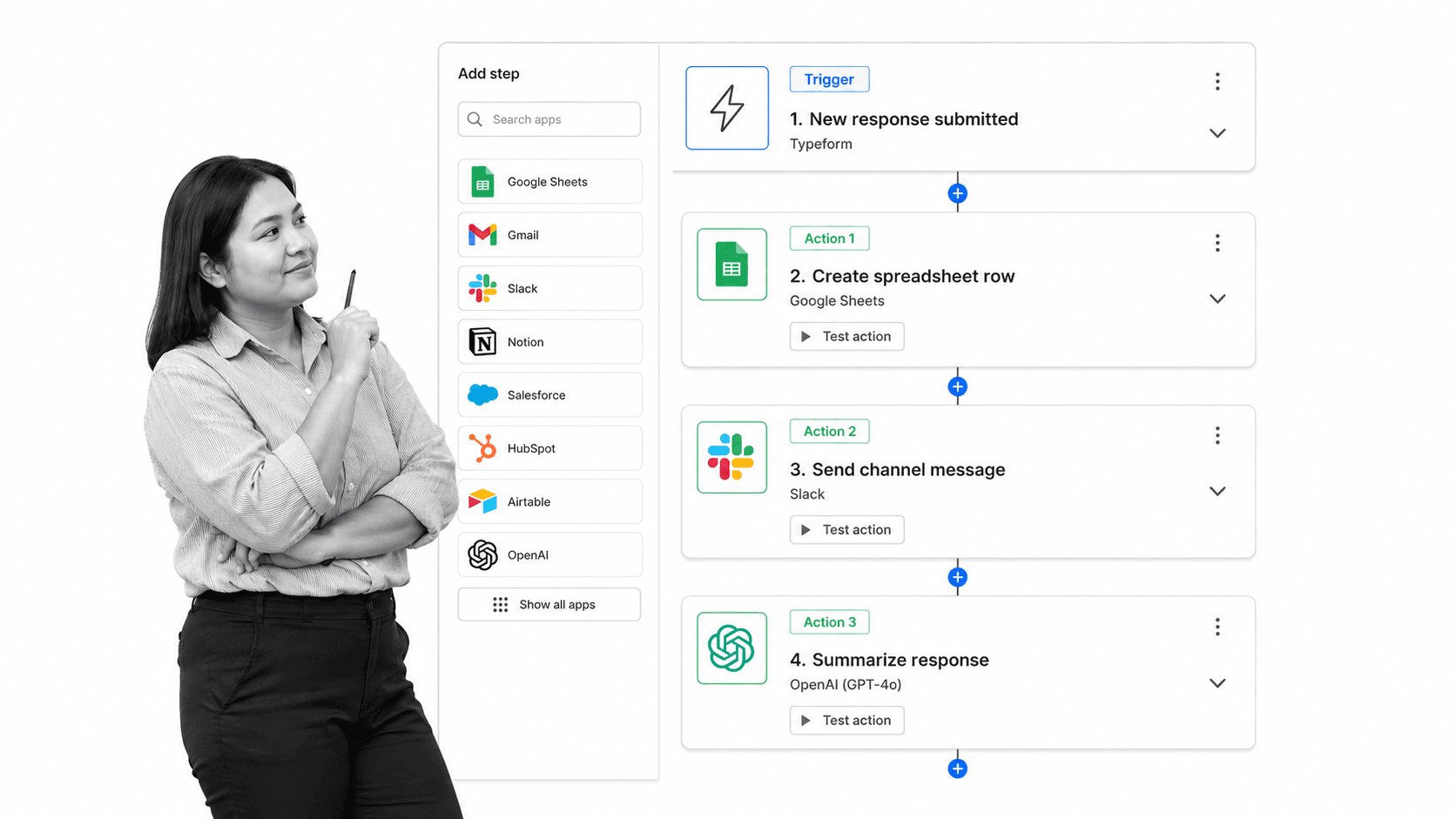
Zapier Agents lets users build AI teammates that use company knowledge, browse the web, run behaviors, and work across 9,000+ apps. It is the most direct Gumloop alternative in this list when connector breadth and established app automation matter more than Gumloop’s richer visual AI-flow canvas.
Zapier Agents pricing includes 400 activities per month free. Pro is $33.33 per month billed yearly for 1,500 activities, and Enterprise adds organization sharing, audit logs, and restricted-app support. Buyers should compare activities with Gumloop credits carefully because the billing units describe different kinds of work.
Bottom line: Zapier Agents is the best Gumloop alternative for teams that need the widest published catalog of business app connections.
Choose Zapier Agents if: long-tail app coverage, trigger-driven behaviors, and Zapier’s automation ecosystem are decisive.
Skip Zapier Agents if: the team wants Gumloop’s more expressive visual AI workflows or one chat-native shared coworker.
For more context, see the Zapier Agents alternatives comparison.
Where does Process Street fit with Gumloop alternatives?
Process Street is the governed process layer, not another agent builder. Use Process Street workflows to document the approved procedure, assign owners, capture evidence, enforce checkpoints, and show the current state of recurring work. Gumloop or another AI agent can perform parts of that work while Process Street keeps the operating method visible.
This distinction matters when an automated action is only one step in a larger process. An agent can collect inputs, draft material, update systems, or notify a teammate. A Process Street workflow can preserve the surrounding approvals, exceptions, handoffs, required fields, and audit trail that should not depend on one agent conversation.
The combination is especially useful for onboarding, vendor review, incident response, content operations, and other repeatable work where the team needs both flexible AI execution and a stable source of truth for how the process should run.
How can you switch from Gumloop without disrupting work?
Switch by inventorying outcomes before rebuilding tools. List each active Gumloop agent or flow, its trigger, connected credentials, model, approval points, output destination, owner, and failure path. Then move one low-risk workflow at a time, run both systems briefly, and compare real outputs before retiring the original automation.
- Export the operating logic: capture prompts, agent instructions, flow screenshots, variables, and exception rules.
- Map credentials and permissions: confirm every replacement has the same or narrower access before testing actions.
- Choose the new surface: decide whether work starts in Slack, Teams, a dedicated workspace, a web assistant, or an agent builder.
- Recreate approvals first: do not let a migration turn a reviewed outbound action into an automatic one.
- Test one real workflow: compare accuracy, latency, cost unit, observability, and recovery from failure.
- Keep a rollback window: leave the original Gumloop flow disabled but available until the replacement completes several successful runs.
Which Gumloop alternative should you choose?
Choose Dash for a shared chat coworker, Lindy for per-user assistant work, Dust for collaborative multi-model agents, Glean for governed enterprise knowledge, Claude for reasoning, or Zapier Agents for integration breadth. Stay with Gumloop when the team values a visual canvas, explicit flow logic, and agent-plus-workflow design above those differences.
For most buyer-intent teams, the fastest decision is to test the operating surface, not debate a long feature matrix. Give the same real assignment to two finalists, check what context they find, observe what they ask before acting, and measure how much builder or admin work remains after the first successful result.
What is the best way to try Dash as a Gumloop alternative?
Start with one real team task in Slack or Microsoft Teams, such as researching an account, summarizing a busy channel, or drafting an update from connected systems. Dash offers a free start with no card, so the team can evaluate context, integration access, and approval behavior before choosing a paid workspace plan.
FAQs about Gumloop alternatives
These answers cover the questions buyers most often ask about Gumloop alternatives: the best option for Slack or Microsoft Teams, whether a free plan or trial exists, how Gumloop compares with Dash, which product has the most integrations, enterprise fit, current pricing, and where Process Street belongs in the stack.
What is the best Gumloop alternative for Slack or Microsoft Teams?
Dash is the strongest Gumloop alternative when the main requirement is a shared AI teammate inside Slack or Microsoft Teams. It starts free, connects to 3,000+ integrations, and puts approval in front of every action. Lindy is another strong Slack-native option when per-user assistants and meeting or inbox work matter more.
What does Gumloop do, and when is it still the best choice?
Gumloop is a visual platform for building AI agents and deterministic workflows. It is still the best choice in this shortlist when nontechnical builders want a canvas with branches, loops, agent steps, reusable flows, and granular connector permissions. Its current Pro plan starts at $37 per month after a 14-day trial.
Is there a free Gumloop alternative or free trial?
Yes. Dash starts free with no card, Dust has a $0 tier with 500 lifetime credits, Claude has a free plan, and Zapier Agents includes 400 activities per month free. Gumloop offers a 14-day trial rather than a permanent free plan. Lindy gives Slack-joined teammates a seven-day trial, while Glean uses a sales demo.
Gumloop vs Dash: which is better for a team?
Choose Gumloop when the team wants to design and inspect visual agent or workflow logic. Choose Dash when the team wants one shared coworker available directly in Slack or Microsoft Teams, with workspace memory and approval before actions. Dash is easier to start conversationally, while Gumloop gives builders more explicit control over flow structure.
Which Gumloop alternative is best for enterprise knowledge and permissions?
Glean Agents is the strongest fit for large enterprises that already prioritize permissions-aware search, governed actions, and 275+ managed connectors. Dust is the more flexible alternative for teams that want shared agent workspaces, 20+ models, and model choice. Both usually require more rollout planning than a chat-first teammate such as Dash.
Which Gumloop alternative has the most integrations?
Zapier Agents has the largest published integration catalog in this comparison at 9,000+ apps. Dash publishes 3,000+ integrations, Lindy lists 1,400+, Glean lists 275+, Gumloop documents 180+ built-in connectors, and Dust promotes 70+ out-of-the-box MCP connectors. Claude supports first-party connectors and remote MCP, but Anthropic does not publish one comparable total.
What is Gumloop pricing vs its alternatives in 2026?
Gumloop Pro starts at $37 per month with 20,000 credits after a 14-day trial. Dash starts free and lists its current plans on its pricing page. Lindy Plus is $29.99 per user monthly. Dust Pro is $24 per user monthly when billed yearly or $30 monthly. Claude Pro is $17 monthly when billed yearly or $20 monthly. Zapier Agents Pro is $33.33 monthly when billed yearly. Glean does not publish a self-serve price and directs buyers to a demo.
Where does Process Street fit with Gumloop and AI agent alternatives?
Process Street is the process layer for documented, repeatable work. Gumloop or one of these alternatives can research, draft, route, and update systems, while Process Street keeps the approved procedure, owners, checkpoints, and evidence visible. The products are complementary when a team needs both agent execution and a governed operating process.
Comparing something else? The full directory of software alternatives and competitor comparisons covers AI agents, workflow and BPM platforms, integration tools, and more.
