


Turn every policy into automated workflows with built-in enforcement and audit-ready proof.



Lindy Alternatives

Lindy alternatives are AI teammates, agent builders, and enterprise assistants that replace or extend Lindy’s Slack-native delegation, meeting, inbox, and cross-app work. Dash is the closest fit for shared execution in Slack or Microsoft Teams, while Gumloop, Dust, Glean Agents, Claude, and Zapier Agents suit different builder, knowledge, reasoning, and automation needs.
In this comparison, we cover everything you need to pick the right Lindy alternative, including:
- What is Lindy?
- Lindy alternatives at a glance
- What counts as a Lindy alternative?
- How we compared these Lindy alternatives
- What matters most in an AI coworker for Slack?
- Which Lindy alternatives are the best right now?
- Where does Process Street fit with Lindy alternatives?
- How can you switch from Lindy without disrupting work?
- Final recommendation
- Try Dash free in Slack
- FAQs about Lindy alternatives
What is Lindy?
Lindy is a Slack-native AI teammate for inbox management, meeting scheduling and notes, recurring routines, files, and connected-tool work. It offers persistent workspace context, built-in approvals for outside-impact actions, model selection, and 1,000+ integrations and any MCP. Plus costs $29.99 per user monthly with 3,000 credits.
The tools below are the strongest alternatives when you want a different balance of chat-native execution, approvals, visual building, or enterprise knowledge.
Lindy alternatives at a glance
Dash is the closest Lindy alternative for teams that want one shared AI coworker across Slack, Microsoft Teams, and the web with approval before every mutating action. Gumloop is stronger for visual agent building, Dust for multi-model collaboration, Glean Agents for governed enterprise knowledge, Claude for reasoning, and Zapier Agents for broad app automation.
| Tool | Surface | Guardrail or model | Connector count | Pricing entry point |
|---|---|---|---|---|
| Dash | Slack, Microsoft Teams, and web | Approval on every mutating action | 3,000+ integrations | Published on the Dash pricing page |
| Gumloop | Web agent builder; deploys to Slack, Microsoft Teams, and Gmail | Agent tool restrictions and App Rules; 35+ models | 300+ connectors | 14-day trial; Pro from $37/month with 20,000 credits |
| Dust | Web, Slack, Microsoft Teams, and email | 20+ model choice; spaces, groups, and audit controls | 70+ out-of-box MCP connectors | Free with 500 lifetime credits; Pro $24/user/month annually |
| Glean Agents | Web and connected enterprise apps | Inherited permissions and agent governance | 275+ connectors | Contact sales; no public list price |
| Claude | Web, desktop, and mobile | Anthropic models; source permissions inherited by connectors | Connector directory; no published total | Free; Pro $17/month annually or $20 monthly |
| Zapier Agents | Web, Chrome, and app-triggered runs | Instruction approvals and Human in the Loop steps | 9,000+ apps | Free with 400 activities; Pro $33.33/month annually |
Table sources: Dash pricing; Gumloop pricing and agent controls; Dust pricing and product; Glean Agents and connectors; Claude pricing and connectors; Zapier Agents, pricing, and approval guidance.
For nearby comparisons, review Viktor alternatives, Claude Tag alternatives, and Claude Cowork alternatives for chat-native teammates, or Dust alternatives for multi-model company agents.
What counts as a Lindy alternative?
A credible Lindy alternative must handle meaningful delegated work, not only answer questions. It should share Lindy’s assistant jobs, move them into team chat, add a visual builder, ground agents in company knowledge, or extend action across business apps. This comparison therefore includes teammate, builder, knowledge, reasoning, and automation products.
The tools worth comparing fall into a few shapes. Some are AI teammates that live in chat and act across your stack, like Dash. Some are visual agent builders, like Gumloop. Some are collaboration platforms, like Dust. Some are enterprise search and agent platforms, like Glean Agents. And some are general assistants, like Claude, or agent layers on a broad automation platform, like Zapier Agents. The right pick depends on where your team works, how many people need the assistant, and how much control you want before it does anything on your behalf.
How we compared these Lindy alternatives
We compared each tool with Lindy’s current Slack-native teammate experience, then verified surface coverage, action guardrails, connector breadth, pricing entry point, and operational fit against first-party product, pricing, integration, and help pages. Rankings favor the closest shared-team replacement before narrower builder, knowledge, reasoning, or automation options.
Dash is a Process Street product, so we disclose that relationship and apply the same evidence standard to Dash as every other vendor. Product capabilities and prices can change; the linked first-party sources remain the authority for purchasing decisions.
Editorial owner: Vinay Patankar. Last updated: August 27, 2026. Last verified: August 27, 2026.
What matters most in an AI coworker for Slack?
The most important criteria are where the coworker runs, what it can reach, and what happens before it changes an external system. Slack and Teams coverage affects adoption; model choice and connector breadth affect capability; approvals, shared context, and finished outputs determine whether teams can trust the assistant with real work.
- Where it works: a tool that lives in Slack and Microsoft Teams reaches the whole team where they already talk. An email-only or browser-only assistant helps one person at a time.
- Model neutrality: some assistants are locked to one model. Others can use whichever model fits the task, which matters as models keep changing.
- Connections: the assistant is only as useful as the tools it reaches. Count the integrations that matter to you, not the raw total.
- Finished output: does it hand back a real draft, report, or updated record, or just a chat answer you still have to act on?
- Shared context: a team-wide memory means everyone benefits when one person teaches the assistant something. Per-user memory does not.
- Control: the safest assistants ask for approval before they send, post, write, or spend, so a mistake is caught before it leaves the building.
Lindy scores well when one operator wants broad personal assistant help. The alternatives that beat it for chat-first team work are the ones that spread context across people, tools, and approvals without keeping the assistant scoped to one person’s inbox and calendar.
Which Lindy alternatives are the best right now?
These six Lindy alternatives cover the strongest replacement paths for shared team work. Dash leads for approval-first execution in chat, Gumloop for visual building, Dust for multi-model collaboration, Glean Agents for governed enterprise knowledge, Claude for reasoning and writing, and Zapier Agents for broad automation. Lindy remains the benchmark, not a ranked alternative.
1. Dash
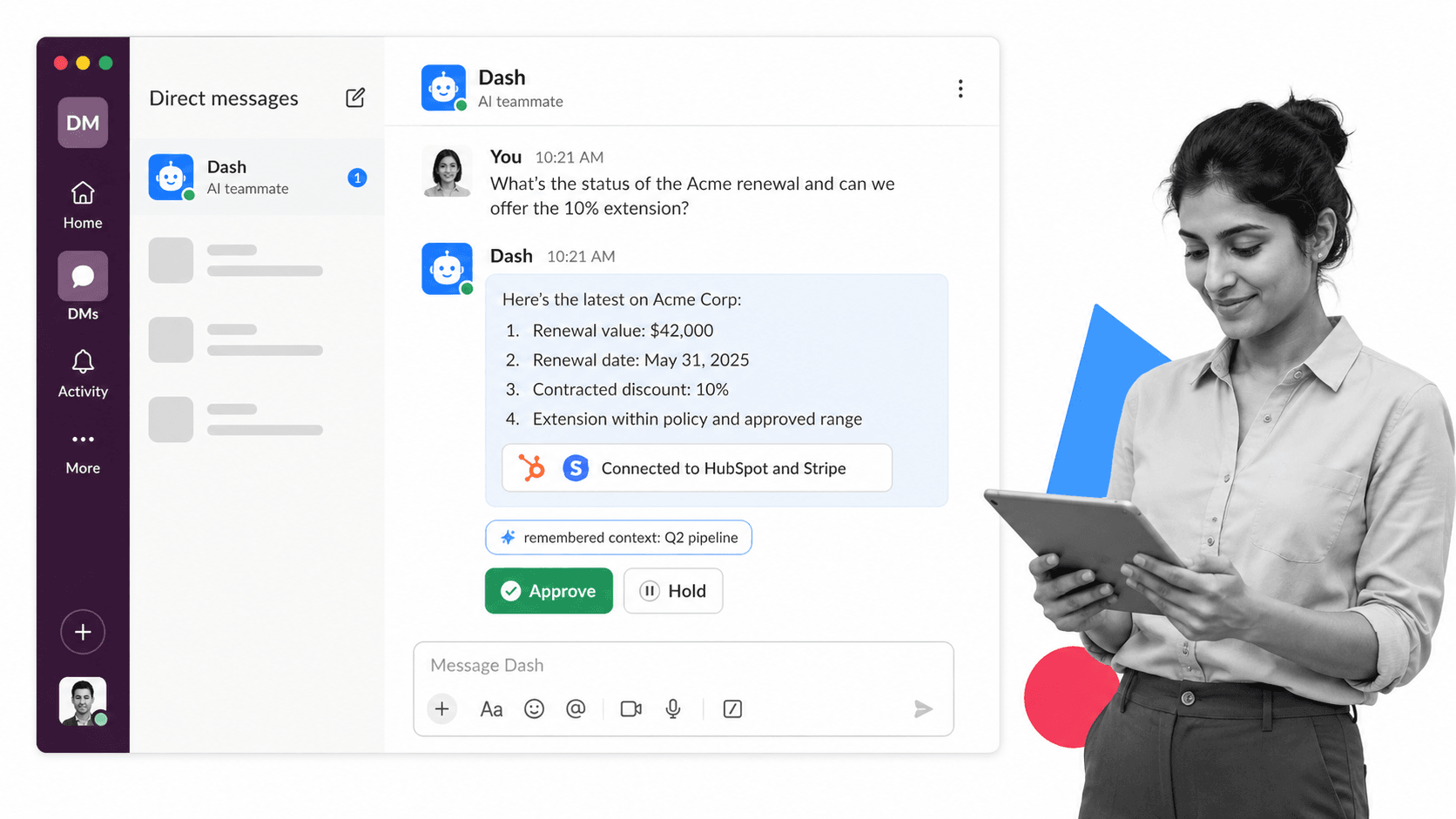
Best for: teams that live in Slack or Microsoft Teams and want an AI coworker that acts with guardrails.
Dash is a shared AI teammate in Slack, Microsoft Teams, and the web. It connects to 3,000+ integrations, and requires approval before every mutating action. Current plans are published on the Dash pricing page.
Dash is strongest when work begins in team chat and must continue across connected systems with a clear approval step. Lindy is stronger for one person’s inbox, calendar, meeting, and follow-up routines, so teams focused on executive-assistant work should compare that specialist fit before switching.
- Bottom line: Dash is the closest Lindy alternative for approval-first shared execution in Slack or Microsoft Teams.
- Choose Dash if: the whole team needs one coworker, shared context, and approval before external changes.
- Skip Dash if: personal inbox, calendar, and meeting assistance is the primary job.
2. Gumloop
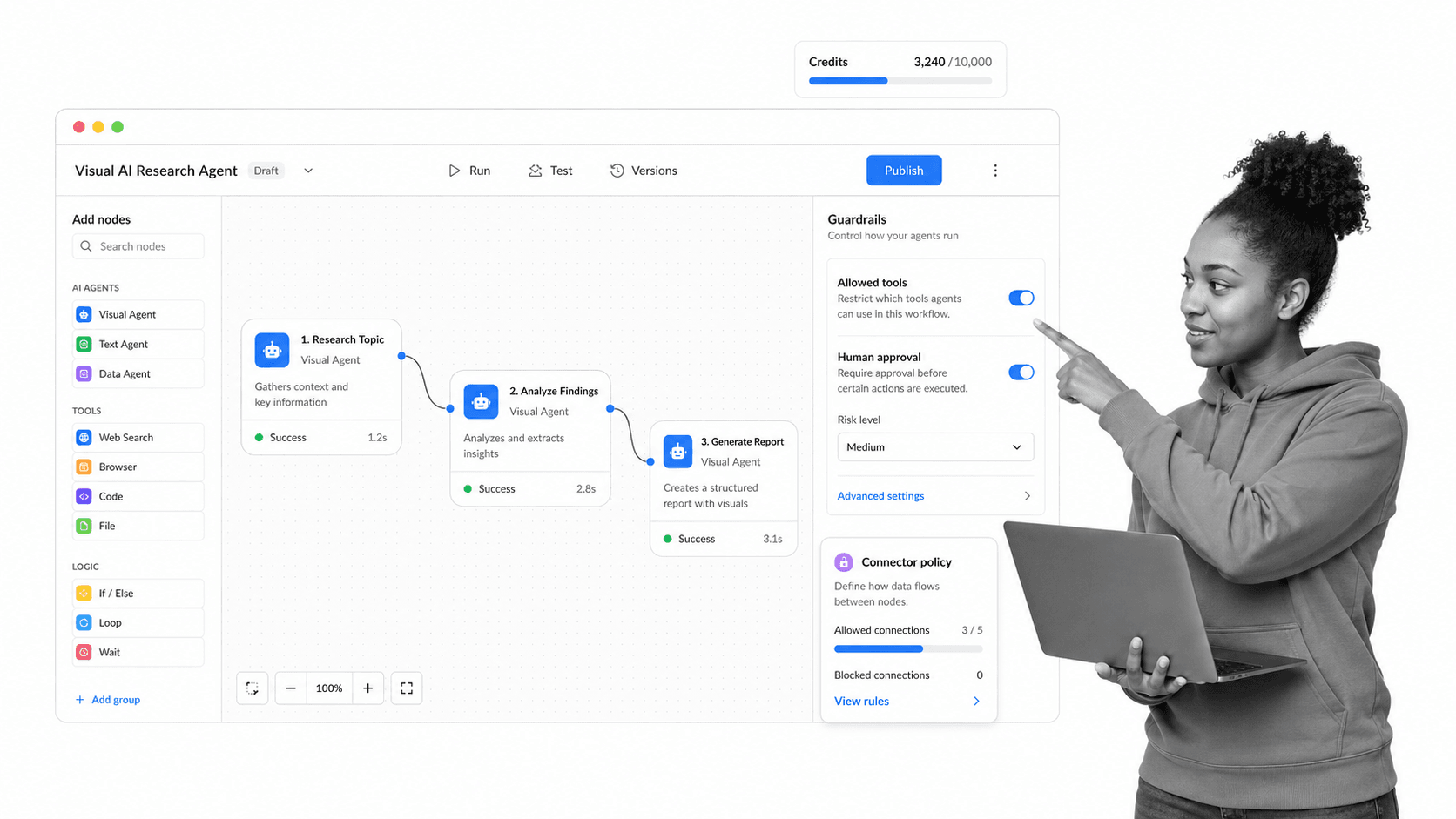
Best for: operators who want a visual canvas for AI workflows and agent flows.
Gumloop combines visual workflows with unlimited agents, 35+ models, custom MCP support, and 300+ connectors. Pro starts at $37 per month with 20,000 credits, unlimited seats, and a 14-day trial. Its agent controls can restrict specific tools and apply agent-level App Rules.
Gumloop gives builders more control over orchestration than a teammate-style product, but that flexibility creates design and maintenance work. Lindy is quicker for assistant routines in Slack; Gumloop is the better fit when operators want a visible canvas, reusable flows, and precise tool restrictions.
- Bottom line: Gumloop is the strongest Lindy alternative for teams that want to design agent behavior visually.
- Choose Gumloop if: visual orchestration, model choice, and tool-level restrictions matter most.
- Skip Gumloop if: teammates should delegate work directly in Slack without maintaining flows.
3. Dust
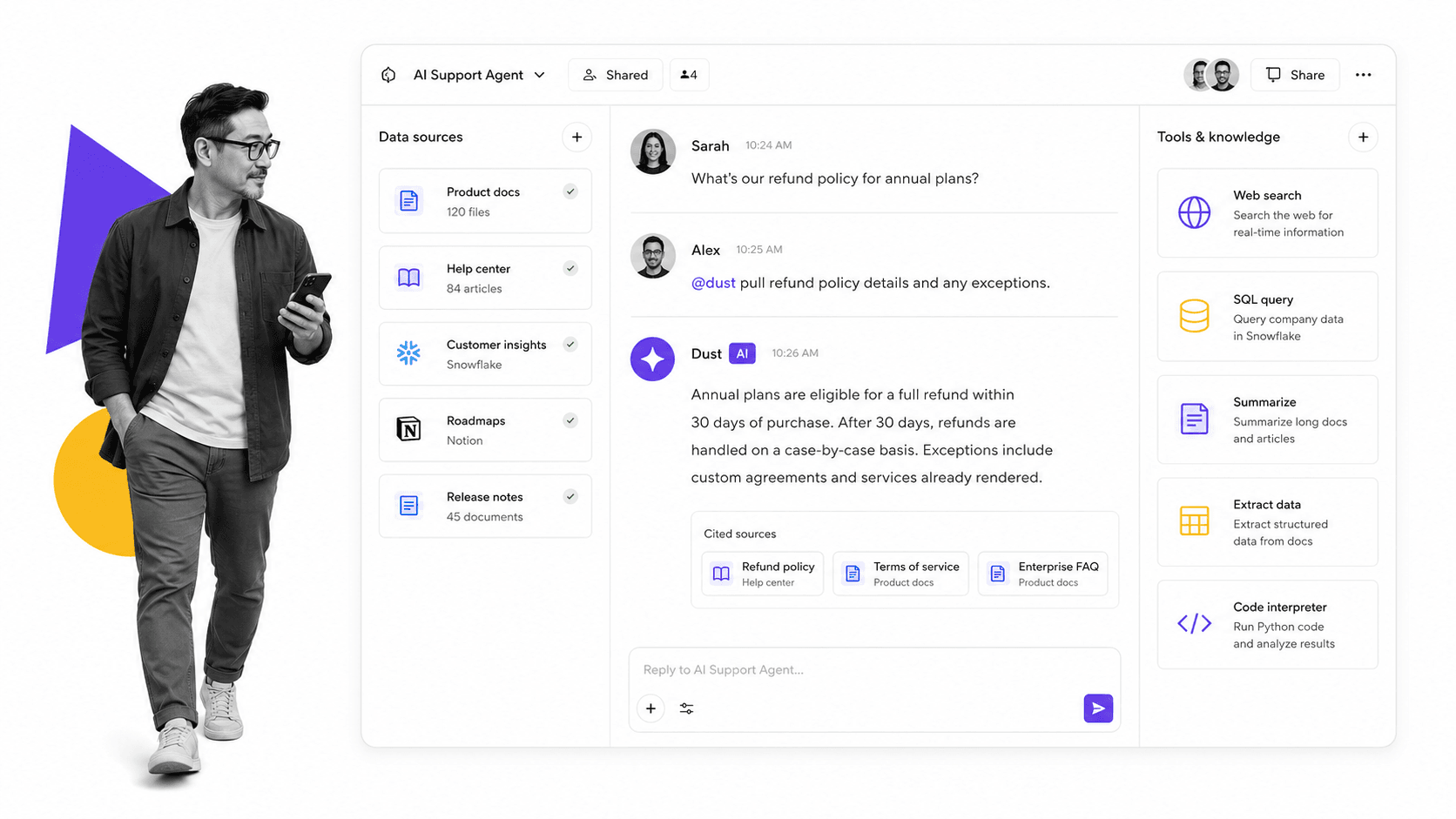
Best for: teams building shared agents on company data.
Dust is a multi-model workspace for people and agents across the web, Slack, Microsoft Teams, and email. Business plans include 20+ models, custom agents, and more than 20 connected data sources, while Dust’s product overview lists 70+ out-of-box MCP connectors. Free includes 500 lifetime credits; Pro costs $24 per user monthly when billed annually.
Dust is stronger when teams want shared multi-model agents, company knowledge, collaborative Pods, and configurable workspaces. Lindy is more direct for scheduled assistant routines and personal delegation. Dust’s seat-based credits and builder surface also require more capacity planning than a simple assistant rollout.
- Bottom line: Dust is the best Lindy alternative for multi-model collaboration grounded in company knowledge.
- Choose Dust if: teams need shared agents, model choice, knowledge connectors, and collaborative workspaces.
- Skip Dust if: a lightweight Slack assistant for inbox and meeting routines is enough.
4. Glean Agents
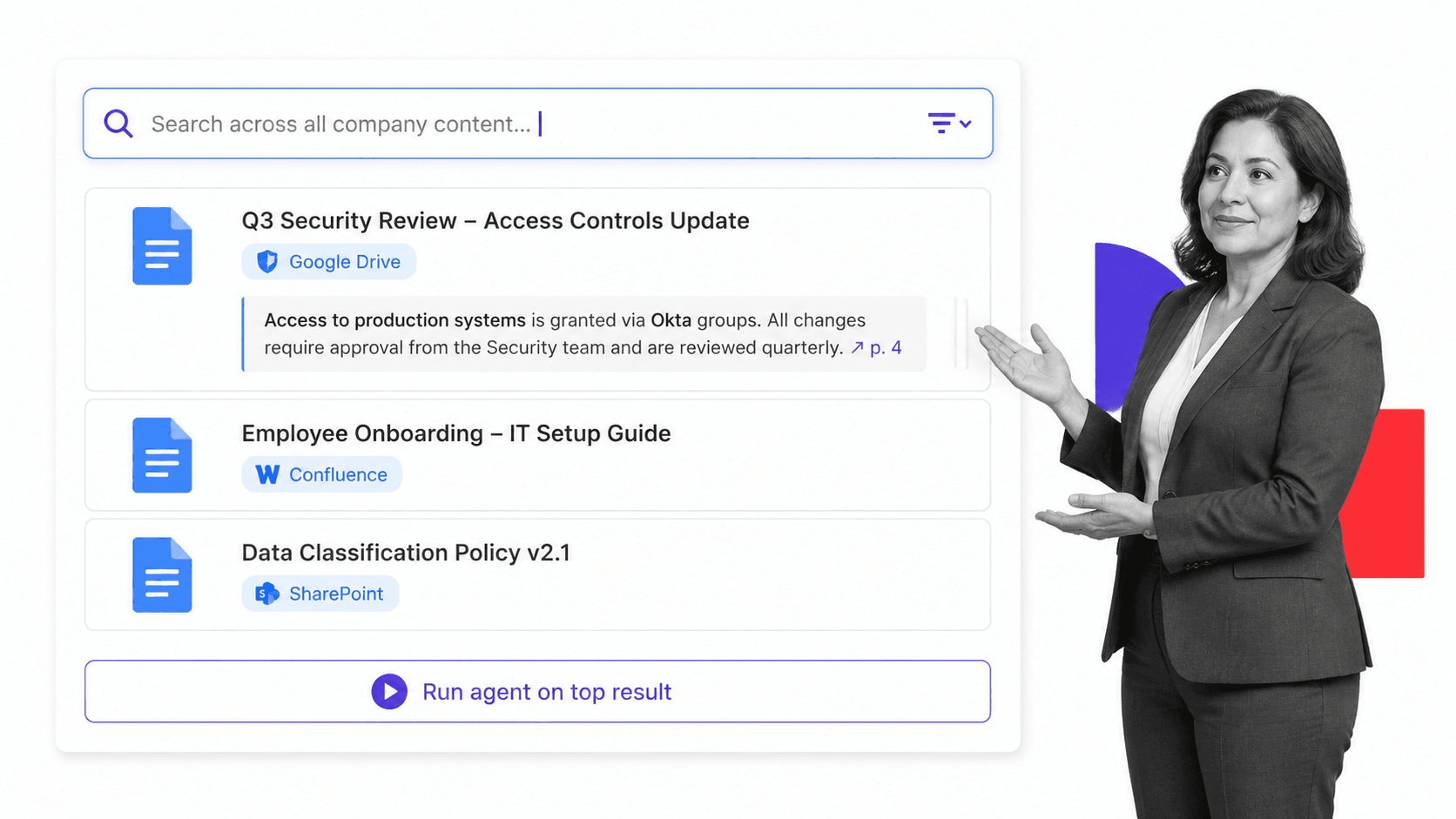
Best for: enterprises with large internal knowledge bases.
Glean Agents combines enterprise context with agent building, orchestration, deployment, observability, and governance. Glean lists 275+ connectors, inherited source permissions, granular access controls, and permissions-aware oversight. Public list pricing is unavailable, so evaluation starts with a demo and sales conversation.
Glean is stronger for large enterprises that need governed search and agents across many knowledge silos. Lindy is easier to evaluate for Slack-native assistant work and publishes self-serve pricing. Teams should not treat Glean’s enterprise deployment or sales process as interchangeable with a per-user assistant subscription.
- Bottom line: Glean Agents is the strongest Lindy alternative for governed enterprise knowledge and agent deployment.
- Choose Glean Agents if: permissions-aware enterprise context and centralized governance are mandatory.
- Skip Glean Agents if: you need transparent self-serve pricing and a lightweight team rollout.
5. Claude
Best for: reasoning, writing, and analysis.
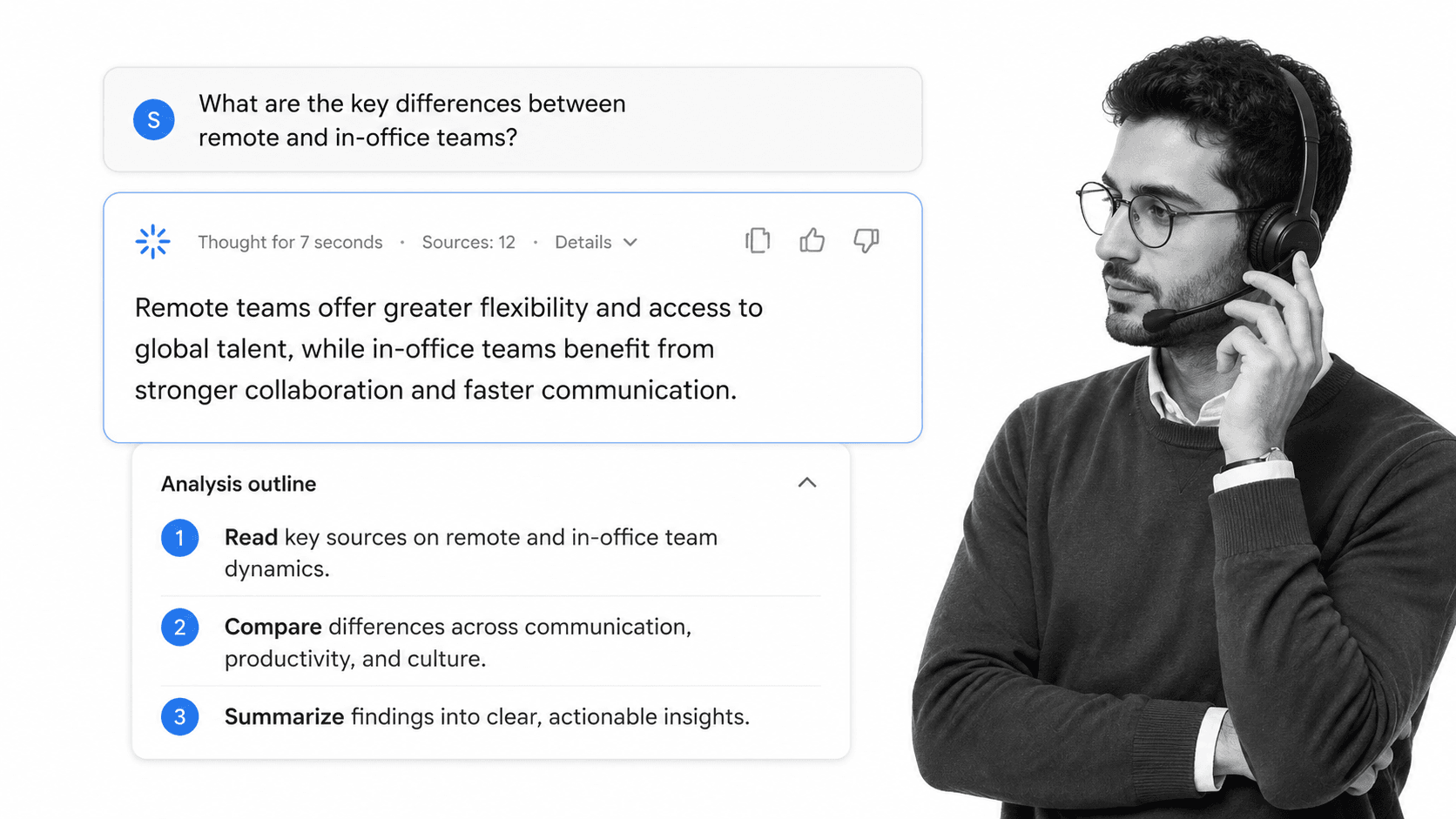
Claude is Anthropic’s general AI assistant for reasoning, writing, analysis, research, and agentic work across web, desktop, and mobile. A free plan is available. Pro costs $17 per month with annual billing ($200 upfront) or $20 monthly, and the connector directory supports first-party and MCP integrations without publishing a fixed total.
Claude is stronger when answer quality, long-form reasoning, and flexible knowledge work matter more than a shared assistant routine. Lindy is more directly packaged around Slack, inbox, meetings, recurring work, and approvals. Connector permissions also depend on each connected source, so teams should test the exact write actions they require.
- Bottom line: Claude is the best Lindy alternative for reasoning-heavy writing, research, and analysis.
- Choose Claude if: reasoning quality and cross-device knowledge work are the main priorities.
- Skip Claude if: the buyer wants a Slack-native teammate built around scheduled assistant routines.
6. Zapier Agents
Best for: broad cross-app automation across many tools.
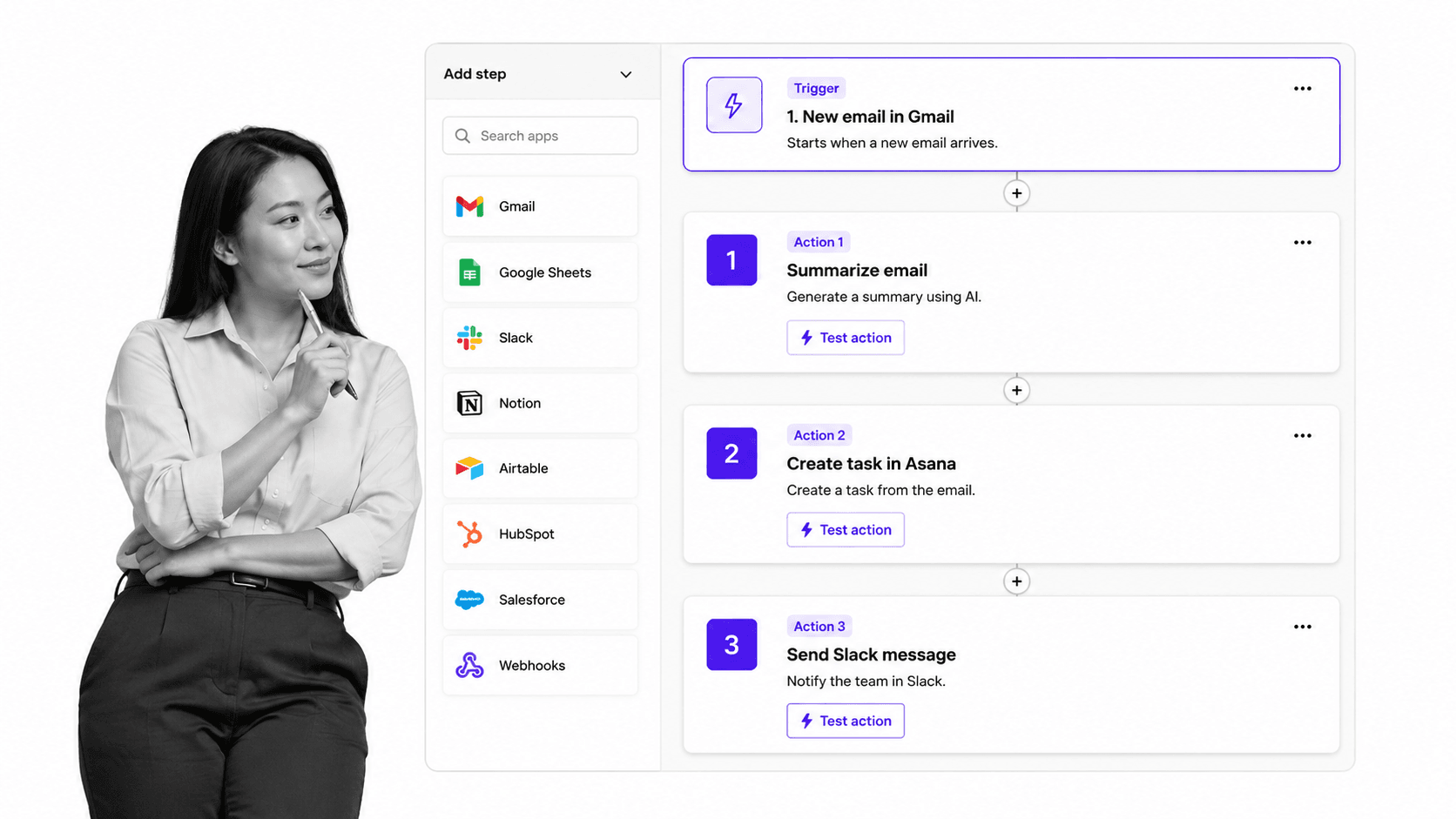
Zapier Agents can use company knowledge, browse the web, and act across 9,000+ apps. Agents Free includes 400 activities per month. Pro costs $33.33 per month when billed as $400 annually and includes 1,500 monthly activities, live data sources, web browsing, and Chrome access.
Zapier documents approval steps that can be added to an agent’s instructions or placed in a Human in the Loop Zap step. That provides flexibility, but approval is something builders configure rather than an automatic checkpoint on every mutating action.
- Bottom line: Zapier Agents is the broadest app-action alternative to Lindy, with configurable rather than automatic approvals.
- Choose Zapier Agents if: 9,000+ app connections and an existing Zapier stack matter most.
- Skip Zapier Agents if: approval must be automatic on every external change.
Where does Process Street fit with Lindy alternatives?
Process Street is not a Lindy alternative and is not ranked as one. It provides the operational layer beneath AI coworkers: required steps, owners, approvals, due dates, policies, and audit records. Use an assistant to initiate or complete work, then use Process Street to make that work repeatable, governed, and visible.
- Ops for workflow automation and orchestration. Process Street Ops turns recurring procedures into automated, auditable workflows, so the work an AI coworker starts becomes a repeatable process with owners and steps rather than a one-off chat.
- Docs for document and policy control. Process Street Docs is the governed home for SOPs and policies, so the assistant and the team are always acting on the current, approved version.
- Built-in AI and automations. The automation layer connects those workflows to the rest of your stack, and pricing scales with the team on the pricing page.
The pattern that works well is simple: let the AI coworker act in chat, and let Process Street hold the process underneath so the same work runs the same way every time. Common shapes that benefit from the pairing include a customer onboarding workflow, an employee onboarding checklist, a standard operating procedure template, and a clear approval process for anything that needs a sign-off.
For teams going deeper on this topic, useful starting points are a guide to building a workflow management system, a plain-English explainer on what AI agents are, a roundup of the best AI ops tools, and a broader overview of customer onboarding.
How can you switch from Lindy without disrupting work?
Switch from Lindy in a controlled pilot rather than a hard cutover. Keep Lindy running, choose one shared workflow, connect only the required systems, and compare the same real tasks for two weeks. Measure output quality, approval behavior, connector reliability, credit use, and the clarity of the handoff into your operating process.
- Keep Lindy for personal assistant work: if inbox, calendar, meeting notes, and follow-up help is working, leave that in place and add a team coworker for chat questions and cross-tool actions.
- Pilot Dash in Slack: install it as a separate app, connect the two or three tools the team uses most, and run a real ask in the first hour. Compare the finished output, not the demo.
- From an assistant tool: keep the Lindy routines you already trust, and let a chat coworker handle the shared team asks that do not belong in one person’s inbox or calendar.
- From an enterprise platform: Glean’s search is hard to replace, so keep it for retrieval and bring a coworker in for action. They serve different layers.
- Anchor the process: whichever assistant you keep, put the recurring work into a Process Street workflow so the steps, owners, and approvals stay consistent no matter which tool starts the task.
Final recommendation
Dash is the best default Lindy alternative for teams that want a shared AI coworker in Slack or Microsoft Teams with approval before every mutating action. Choose another tool when its specialist lane matters more: visual building with Gumloop, multi-model collaboration with Dust, enterprise knowledge with Glean, reasoning with Claude, or app breadth with Zapier.
Choose a different tool when its lane is your priority. See the What is Lindy section above if personal assistant work across inbox, meetings, and follow-ups is still the core job. Pick Gumloop for visual AI workflow construction, Dust for shared company-data agents, Glean Agents if you are an enterprise with a huge governed knowledge base, Claude if you mainly want a reasoning and writing assistant, and Zapier Agents if raw breadth across thousands of apps matters most. The real question is where you want work to become controlled and repeatable, and for a team in chat, that is where an approval-first coworker earns its place.
Try Dash free in Slack
If Dash sounds like the right Lindy alternative for your team, the setup is quick. Install Dash in Slack free, point it at the tools your team uses, and have it run a real ask in the first hour, with an approval step on anything it sends.
FAQs about Lindy alternatives
These FAQs answer common buying questions about Lindy alternatives, including the best AI coworker for Slack or Microsoft Teams, Lindy vs Dash, free trials, enterprise knowledge, pricing, and whether an AI coworker should replace workflow software. Use them to narrow the shortlist before testing the same real tasks in each product.
What is the best AI coworker like Lindy for Slack or Microsoft Teams?
Dash is the closest fit for shared team work in Slack or Microsoft Teams. It connects to 3,000+ integrations, maintains workspace context, and requires approval before every mutating action. Lindy remains stronger when one person’s inbox, calendar, meetings, and recurring assistant routines are the main job.
What does Lindy actually do?
Lindy is an AI assistant for personal delegation across inbox, calendar, meetings, notes, and follow-ups. Its pricing page lists assistant work such as inbox management, meeting scheduling, meeting note taking, meeting prep, and follow-up. It is best when one operator wants help coordinating daily work.
Is there a free AI coworker alternative to Lindy?
Yes. Dash offers a free start, Dust includes 500 lifetime credits, and Claude and Zapier Agents offer free plans. Gumloop offers a 14-day Pro trial. Lindy gives teammates who join through Slack a seven-day trial, while direct signups are billed immediately.
Lindy vs Dash: which AI coworker is better for shared team work?
Dash is better for a shared AI coworker across Slack, Microsoft Teams, and the web with workspace context and approval before every mutating action. Lindy is better for Slack-native assistant routines spanning inbox, calendar, meetings, files, and scheduled work. The right choice depends on whether the buyer prioritizes team execution or personal delegation.
Can I run a Lindy alternative alongside Lindy?
Yes. These tools are separate apps, so you can keep Lindy for inbox and meeting assistance while adding a team coworker like Dash for shared chat questions and cross-tool actions. Running both for a two-week pilot on the same real tasks is the simplest way to compare them.
Which Lindy alternative is best for enterprise knowledge search?
Glean Agents. They build on Glean’s enterprise search and agent platform, which fits large companies that need governed search and action across a huge internal knowledge base. Pricing is contact-sales rather than self-serve.
How does pricing compare across the best Lindy alternatives?
Entry pricing ranges from free credits to enterprise quotes. Dash lists its current plans on its pricing page. Gumloop Pro starts at $37 monthly, Dust Pro at $24 per user monthly with annual billing, Claude Pro at $17 monthly with annual billing, and Zapier Agents Pro at $33.33 monthly when billed annually. Glean requires a sales conversation.
Where does Process Street fit if I use one of these tools?
Process Street is not one of these alternatives; it is the operational system underneath them. Ops turns the work an AI coworker starts into repeatable, auditable workflows, and Docs keeps the SOPs and policies governed, so the same work runs the same way no matter which assistant kicks it off.
Comparing something else? The full directory of software alternatives and competitor comparisons covers AI agents, workflow and BPM platforms, integration tools, and more.
