


Turn every policy into automated workflows with built-in enforcement and audit-ready proof.



Glean Alternatives

Glean alternatives include chat-native AI coworkers, personal assistants, visual agent builders, collaborative workspaces, reasoning assistants, and automation agents. Dash is the strongest fit for approval-first work in Slack or Microsoft Teams, while Lindy, Gumloop, Dust, Claude, and Zapier Agents serve personal coordination, visual building, internal-agent, reasoning, and broad automation needs.
In this comparison, we cover everything you need to choose the right Glean alternative, including:
- What is Glean?
- Glean alternatives at a glance
- What counts as a Glean alternative?
- How we compared these Glean alternatives
- What matters most in an AI coworker for Slack?
- Which Glean alternatives are the best right now?
- Where does Process Street fit with Glean alternatives?
- How can you switch from Glean without disrupting work?
- Final recommendation
- Try Dash in Slack or Teams
- FAQs about Glean alternatives
What is Glean?
Glean is an enterprise Work AI platform that combines permissions-aware company context, search, an assistant, agent building, orchestration, governance, and action controls. It is strongest when a large organization needs AI grounded across many internal systems, with inherited permissions, centralized rollout, and oversight rather than a lightweight coworker centered on one team chat.
Glean Agents can reason, act, and orchestrate work using enterprise context. Glean’s connector catalog lists 275-plus native and MCP-based connectors, permissions-enforced access, and human-in-the-loop checkpoints for actions. Glean does not publish a list price; buyers are directed to its official demo request.
Glean is the benchmark in this comparison, not a ranked alternative. Its clearest advantage is governed enterprise context across a large data estate. The alternatives below trade some of that breadth or centralized governance for faster chat adoption, personal assistance, explicit visual flow building, model choice, collaborative agent workspaces, or wider general automation coverage.
Glean alternatives at a glance
Dash is the closest Glean alternative for teams that want an approval-first coworker in Slack or Microsoft Teams. Lindy is stronger for personal assistant routines, Gumloop for visual agent building, Dust for collaborative internal agents, Claude for reasoning and writing, and Zapier Agents for actions across the broadest published app catalog in this group.
| Tool | Surface | Guardrail or model | Connector count | Pricing entry point |
|---|---|---|---|---|
| Dash | Slack, Microsoft Teams, and web | Approval flow on every action | 3,000+ integrations | Published on the Dash pricing page |
| Lindy | Slack-native teammate with inbox, meetings, and routines | Built-in approvals and model selection | 1,000+ integrations and any MCP | Plus from $29.99 per user monthly with 3,000 credits |
| Gumloop | Web builder; deploy to Slack and Microsoft Teams | Per-tool approvals, restrictions, and 35+ models | 300+ connectors | 14-day trial; Pro from $37 monthly with 20,000 credits |
| Dust | Web workspace with Slack and connected tools | 20+ models; Spaces, Groups, and enterprise controls | connectors plus custom MCP | Free; Pro $24 per user monthly with annual billing or $30 month to month |
| Claude | Web, desktop, and mobile | Anthropic models; first-party and MCP connectors | Connector directory; no published total | Free; Pro $17 per month with annual billing or $20 month to month |
| Zapier Agents | Standalone agent builder with chat and triggers | Instruction-based and Human in the Loop approvals | 9,000+ apps | Free with 400 activities; Pro $33.33 monthly with annual billing for 1,500 activities |
Table sources: Dash pricing, Lindy pricing and integrations, Gumloop pricing and agent documentation, Dust product and pricing, Claude pricing and connectors, and Zapier Agents, pricing, and approval guidance. Prices and catalog counts were verified on August 26, 2026.
For nearby comparisons, review Viktor alternatives, Dust alternatives, Lindy alternatives, and Zapier Agents alternatives. These sibling pages use the same surface, controls, connectors, and pricing framework.
What counts as a Glean alternative?
A Glean alternative is an AI coworker, assistant, agent builder, or shared workspace that can use trusted knowledge, connected tools, or both to answer questions and complete work. Credible alternatives may replace Glean’s enterprise context layer, or they may solve a narrower job better through chat collaboration, visual building, model choice, personal delegation, or automation breadth.
This shortlist therefore includes chat-native teammates, personal assistants, visual builders, multiplayer agent workspaces, general reasoning assistants, and automation agents. It excludes ordinary search products that cannot move from an answer to useful work. Glean remains the benchmark because it combines company context, permissions-aware retrieval, agent governance, and action controls in one enterprise platform.
How we compared these Glean alternatives
We compared each tool with Glean’s current enterprise search, assistant, agent, governance, connector, and action experience, then verified surface, controls, connector breadth, pricing entry point, and team fit against first-party product, pricing, and help pages. Rankings favor credible alternatives for distinct buyer jobs rather than claiming every product replaces Glean’s complete enterprise context layer.
Dash is a Process Street product, so we disclose that relationship and apply the same evidence standard to Dash as every other vendor. Product capabilities, catalogs, and prices can change; the linked first-party sources are the authority for purchasing decisions.
Editorial owner: Vinay Patankar. Last updated: August 27, 2026. Last verified: August 27, 2026.
What matters most in an AI coworker for Slack?
The most important criteria are where the assistant runs, how it reaches company knowledge and tools, and what happens before it changes an external system. Surface affects adoption; connector coverage affects usefulness; permissions, shared context, model options, approvals, finished outputs, and operational handoff determine whether a team can trust the assistant with real work.
- Where it works: Slack and Microsoft Teams matter when the whole team should use the coworker where work already happens.
- Knowledge controls: permissions should follow the source system so users only retrieve information they are allowed to see.
- Connector reach: count the business systems the assistant can read from and act in, not only the headline total.
- Approval flow: high-impact actions should pause for review before they change an external system.
- Shared context: team memory or governed enterprise context prevents repeated setup and inconsistent answers.
- Finished output: the assistant should create the report, draft, update, or handoff rather than only offer advice.
Glean is strongest when enterprise knowledge, inherited permissions, and centralized agent governance are decisive. Dash is strongest when shared work begins in Slack or Microsoft Teams and external actions should pause for approval. The remaining alternatives make different tradeoffs around personal delegation, visual building, model choice, multiplayer workspaces, and app-catalog breadth.
Which Glean alternatives are the best right now?
These six Glean alternatives cover the strongest replacement paths for AI-assisted work. Dash leads for approval-first execution in team chat, Lindy for personal assistance, Gumloop for visual building, Dust for collaborative internal agents, Claude for reasoning and writing, and Zapier Agents for broad cross-app automation. Glean remains the enterprise context benchmark, not a ranked alternative.
1. Dash
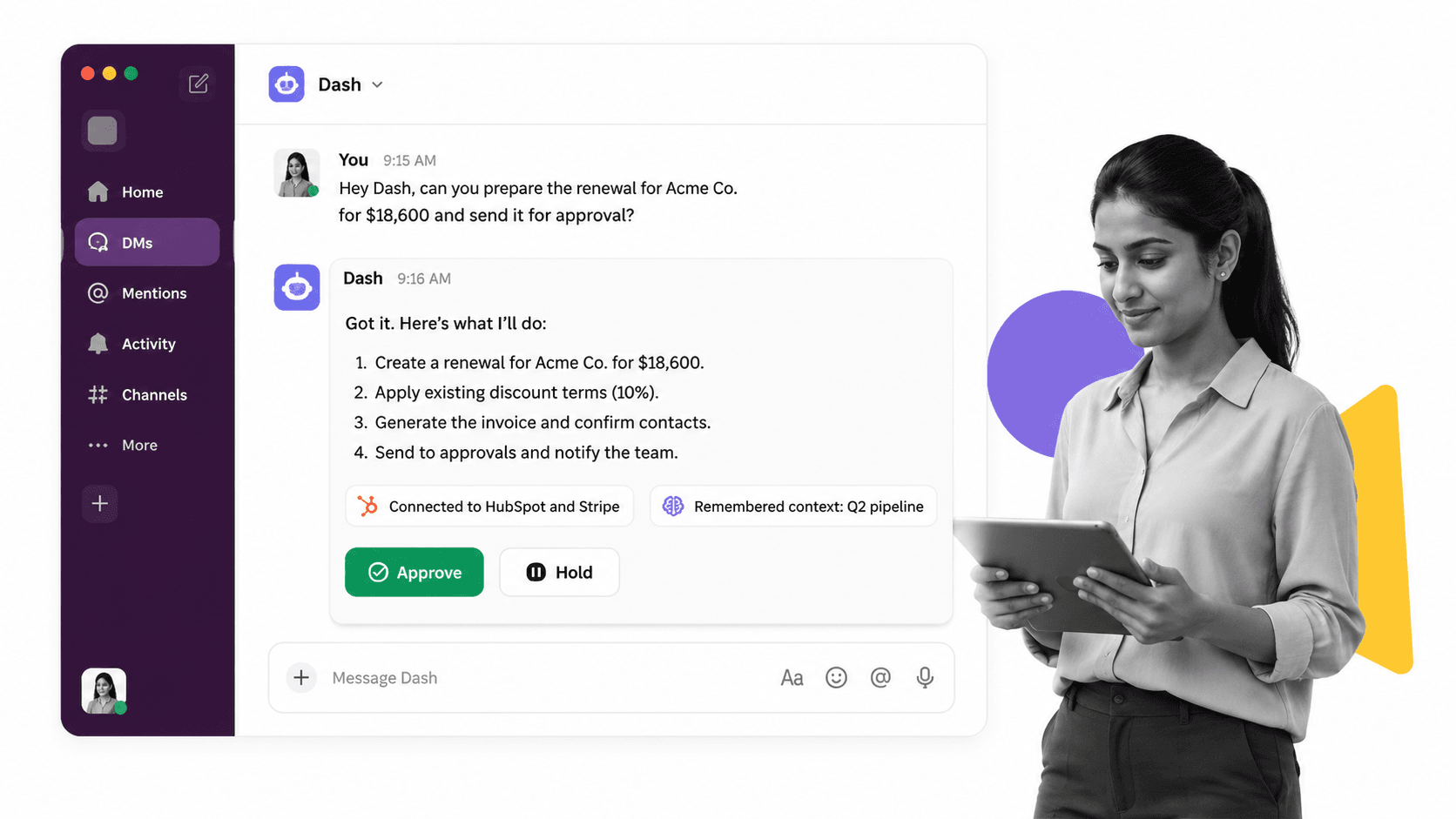
Best for: teams that want a shared AI coworker in Slack or Microsoft Teams with approval-first execution.
Dash lives in Slack, Microsoft Teams, and the web, connects to more than 3,000 integrations, and includes an approval flow on every action. Current plans are published on the Dash pricing page.
Dash is the closest replacement when work begins as a shared request in chat and should finish across connected systems. Glean is stronger for enterprise-wide search, permissions-aware retrieval, and governed agent rollout. Dash has a smaller published connector catalog, but its workspace pricing and approval-first chat experience are easier to test with one team.
- Bottom line: Dash is the best Glean alternative for approval-first team execution in Slack or Microsoft Teams.
- Choose Dash if: the team wants one shared coworker that acts from chat and pauses before every external action.
- Skip Dash if: enterprise-wide permissions-aware search and centralized agent governance are the deciding requirements.
2. Lindy
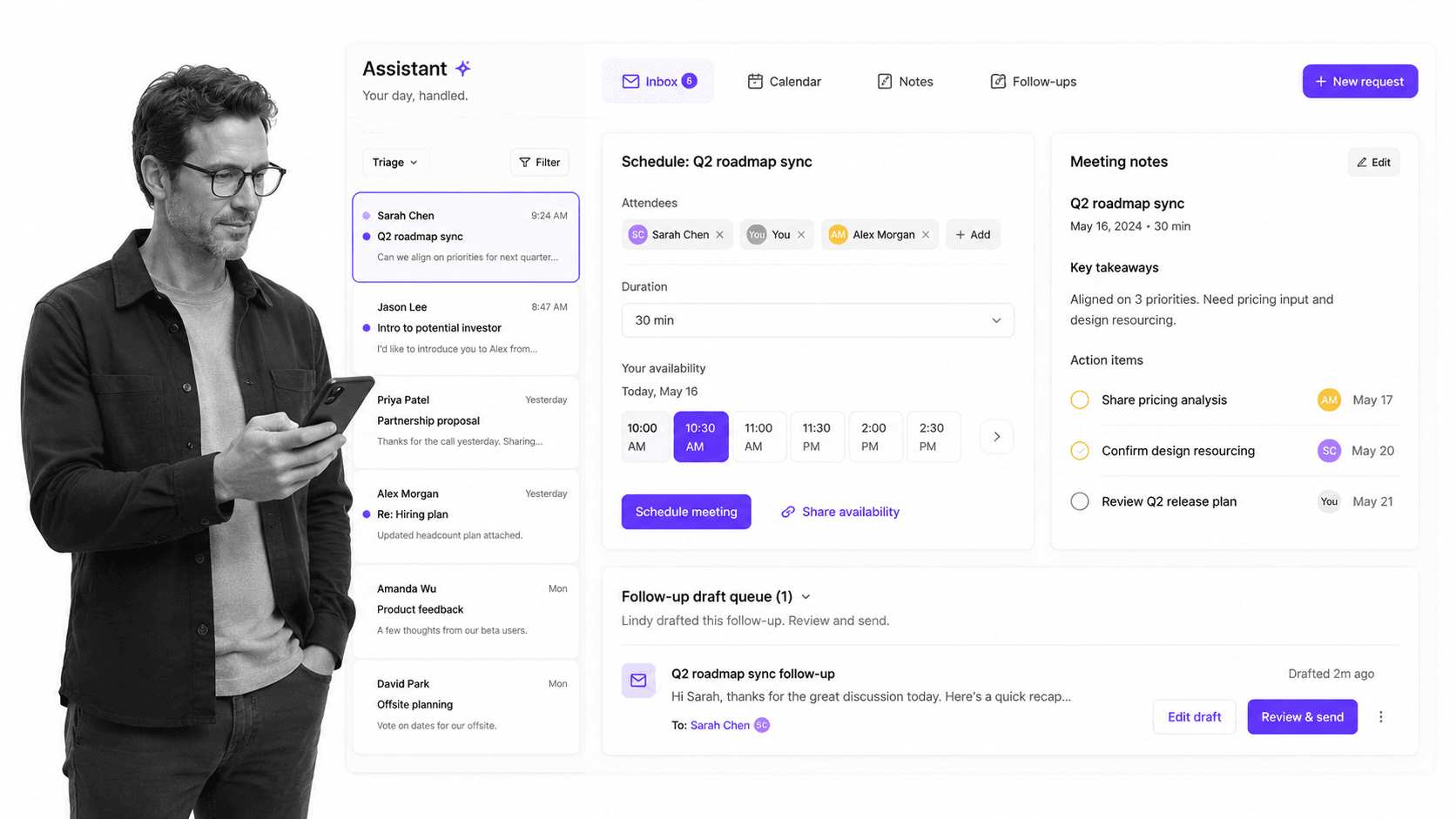
Best for: personal assistant routines across Slack, inbox, meetings, calendar, and follow-ups.
Lindy is a Slack-native teammate with scheduled routines, persistent workspace context, built-in approvals, model selection, and more than 40 skills. Its integration directory lists 1,000+ apps and any MCP server. Plus starts at $29.99 per user monthly with 3,000 credits, and new teammates joining through Slack receive a seven-day trial.
Lindy is stronger when the central problem is personal coordination, meeting follow-up, inbox management, or scheduled routines. Its per-user pricing can become more expensive as a team grows. Glean remains stronger when many employees need governed access to company knowledge across inherited permissions and a centrally managed agent platform.
- Bottom line: Lindy is the best Glean alternative for personal assistant routines across communication and scheduling.
- Choose Lindy if: one person needs an assistant for inbox, calendar, meetings, and recurring follow-up.
- Skip Lindy if: the priority is enterprise knowledge governance or one workspace plan for a larger team.
3. Gumloop
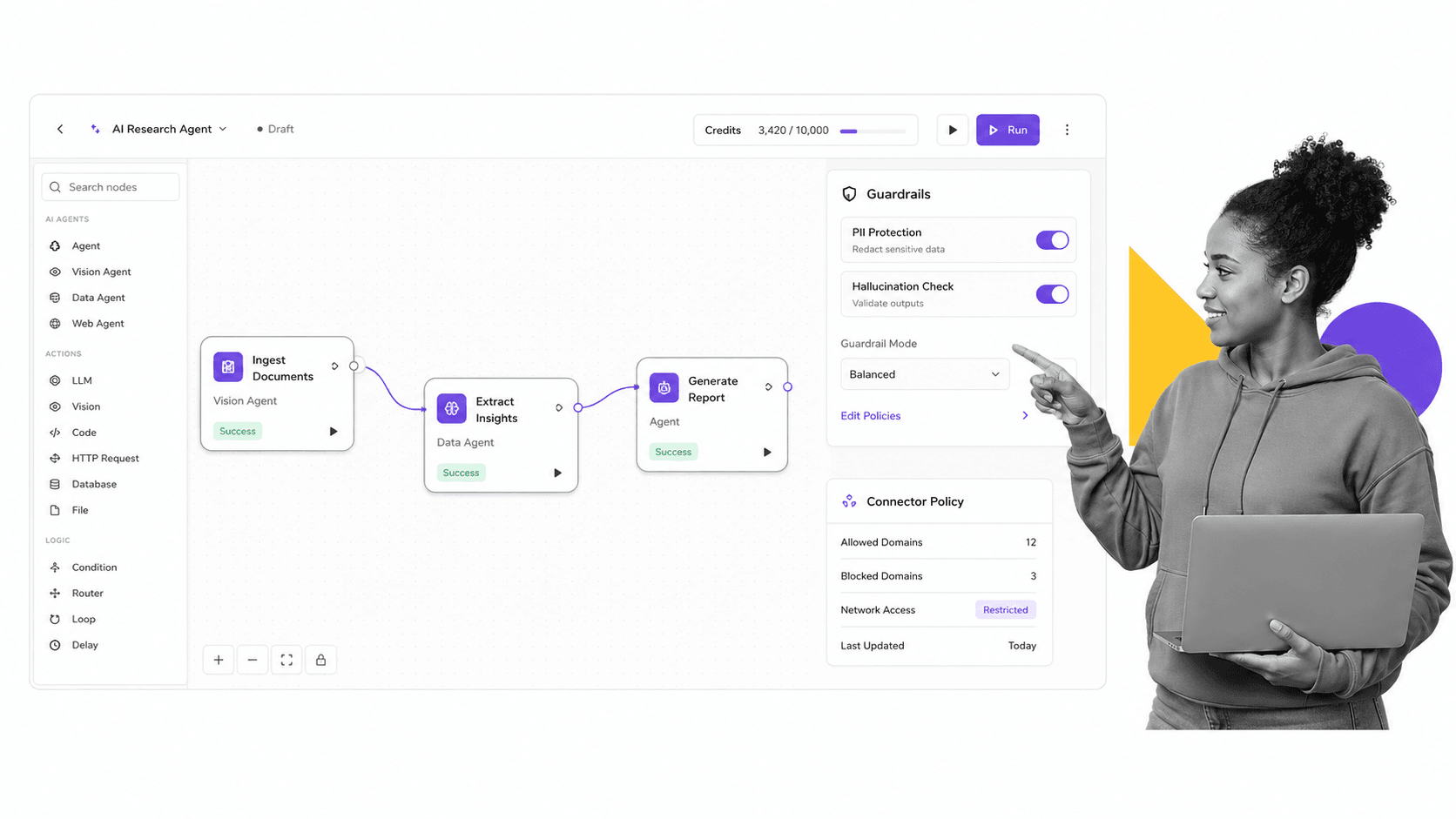
Best for: operators who want to design and deploy AI agents through a visual workflow canvas.
Gumloop is a visual agent and workflow builder with 300+ connectors, more than 35 models, and deployment to Slack or Microsoft Teams. Its connector documentation describes per-tool approvals and restrictions. Pro starts at $37 monthly with 20,000 credits after a 14-day trial.
Gumloop is stronger when operators want explicit control over flow logic, tools, and model selection in a canvas. Glean is stronger when the platform must inherit enterprise permissions, index company knowledge, and govern agents centrally. Gumloop requires more deliberate building, while Glean offers a broader enterprise context layer.
- Bottom line: Gumloop is the best Glean alternative for visually building controlled AI agent workflows.
- Choose Gumloop if: the team wants to design flow logic, tool access, approvals, and models on a visual canvas.
- Skip Gumloop if: the primary need is turnkey permissions-aware enterprise search across company systems.
4. Dust
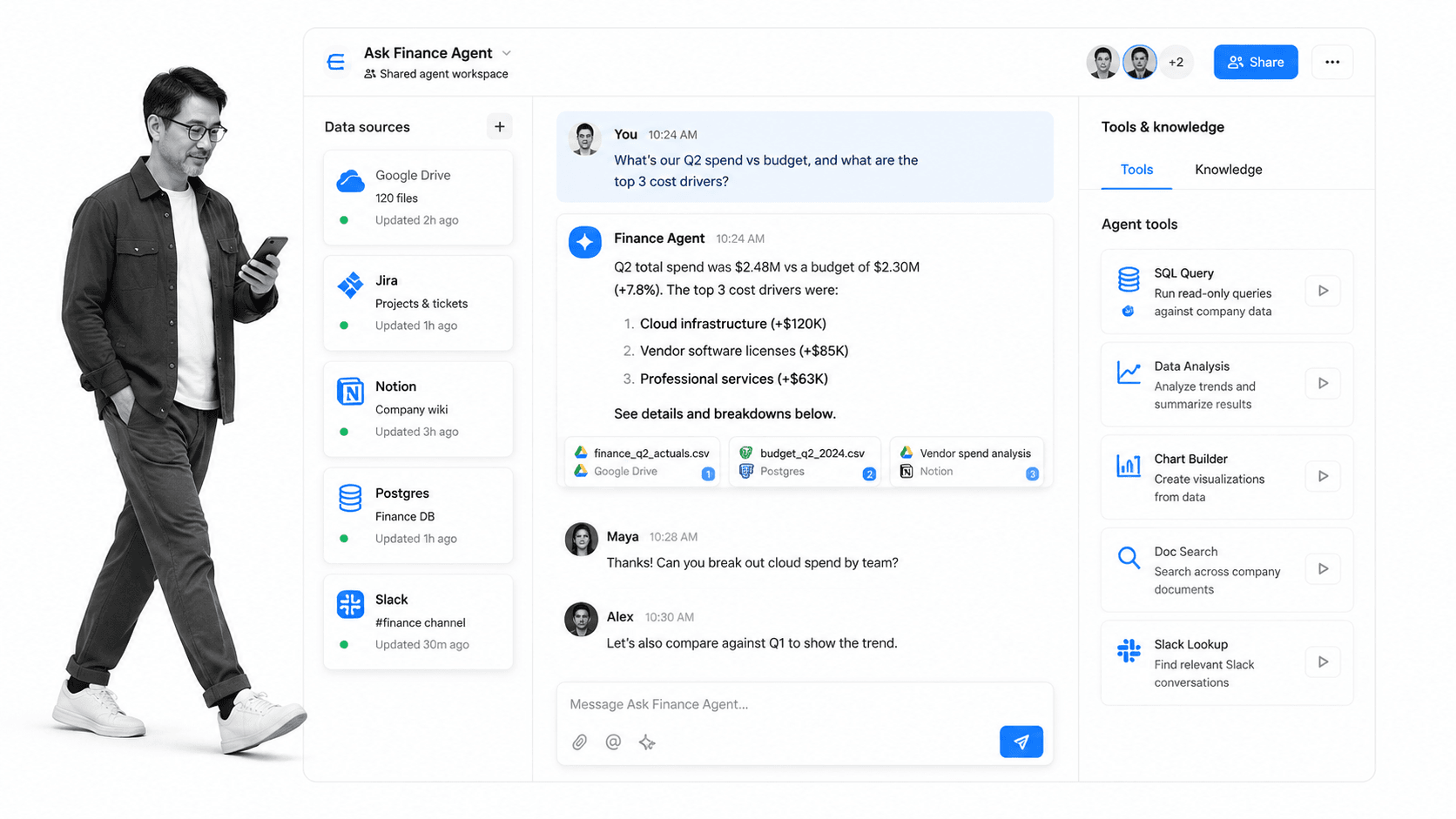
Best for: teams building collaborative internal agents around shared knowledge, models, and tools.
Dust is a multiplayer AI workspace for people and agents. Its pricing page lists more than 20 frontier models, more than 20 business data sources plus MCP, and Business and Enterprise plans, with Free, Pro, and Max seat types inside Business. Pro costs $24 per user monthly with annual billing or $30 month to month.
Dust is stronger when a team wants a shared internal agent workspace with multiple models, company knowledge, collaborative Pods, and governed Spaces and Groups. Glean has a much broader published connector catalog and a deeper enterprise search position. Dust offers clearer self-serve entry pricing for teams that want to begin with a smaller workspace.
- Bottom line: Dust is the best Glean alternative for collaborative internal agents across shared company knowledge.
- Choose Dust if: teams need multiple models, shared agent workspaces, and governed company context with self-serve pricing.
- Skip Dust if: the deciding requirement is a 275-plus connector enterprise search and governance platform.
5. Claude
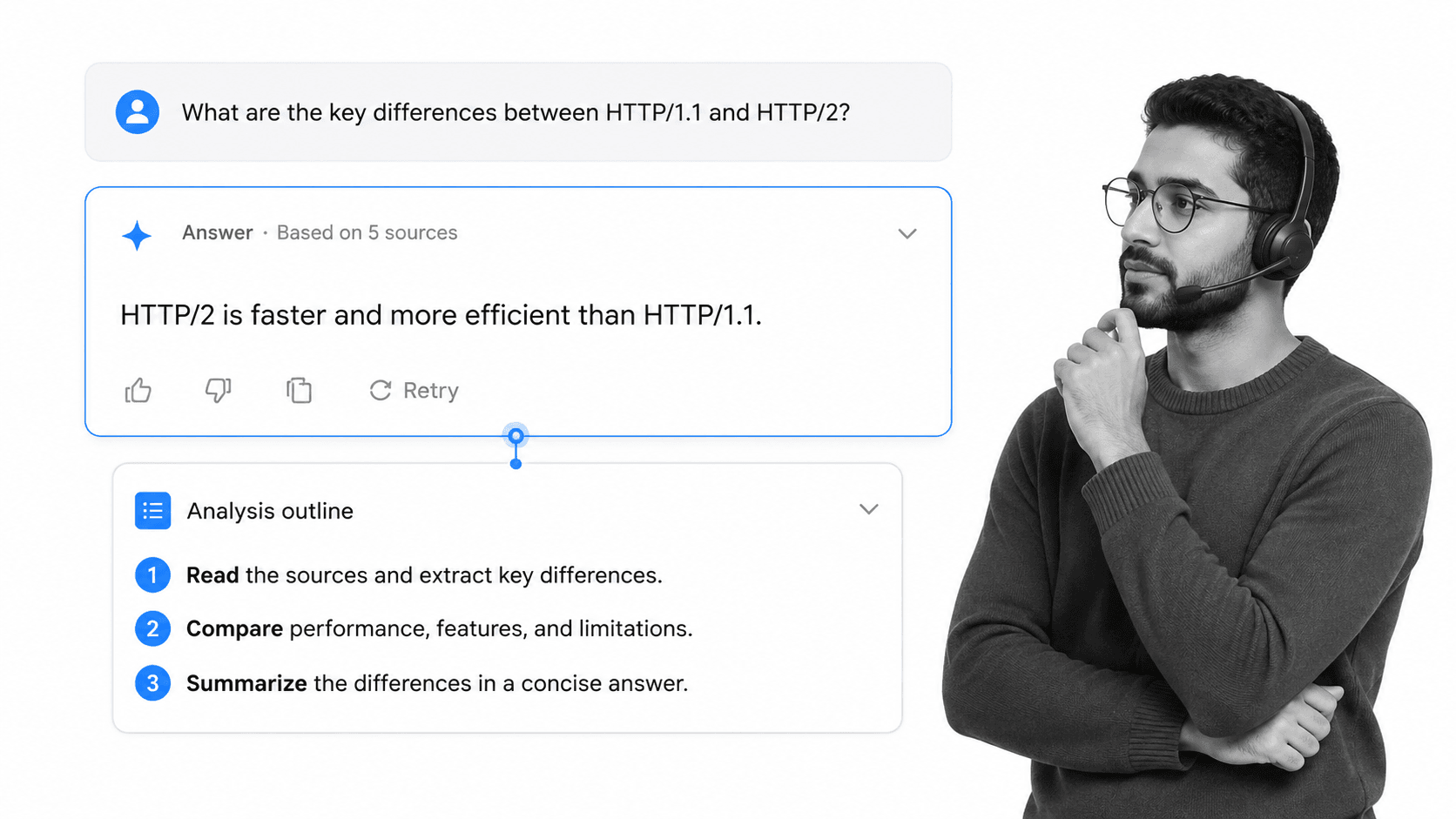
Best for: reasoning, document analysis, research, and careful writing.
Claude is Anthropic’s general assistant across web, desktop, and mobile. The Free plan covers basic use, while Pro costs $17 per month with annual billing or $20 month to month. Its connector system includes first-party integrations plus remote and local MCP connectors, but Anthropic publishes no comparable total.
Claude is stronger when the main job is reading, reasoning, analysis, or careful writing. It is less centered on enterprise-wide search, permissions inheritance, and governed agent rollout than Glean. Many teams use Claude alongside a search, automation, or coworker platform instead of treating it as a complete replacement for Glean.
- Bottom line: Claude is the best Glean alternative for reasoning and writing rather than enterprise knowledge governance.
- Choose Claude if: document analysis, research, and careful drafting matter more than connector breadth or centralized rollout.
- Skip Claude if: the assistant must search permissions-aware company data across hundreds of connected systems.
6. Zapier Agents
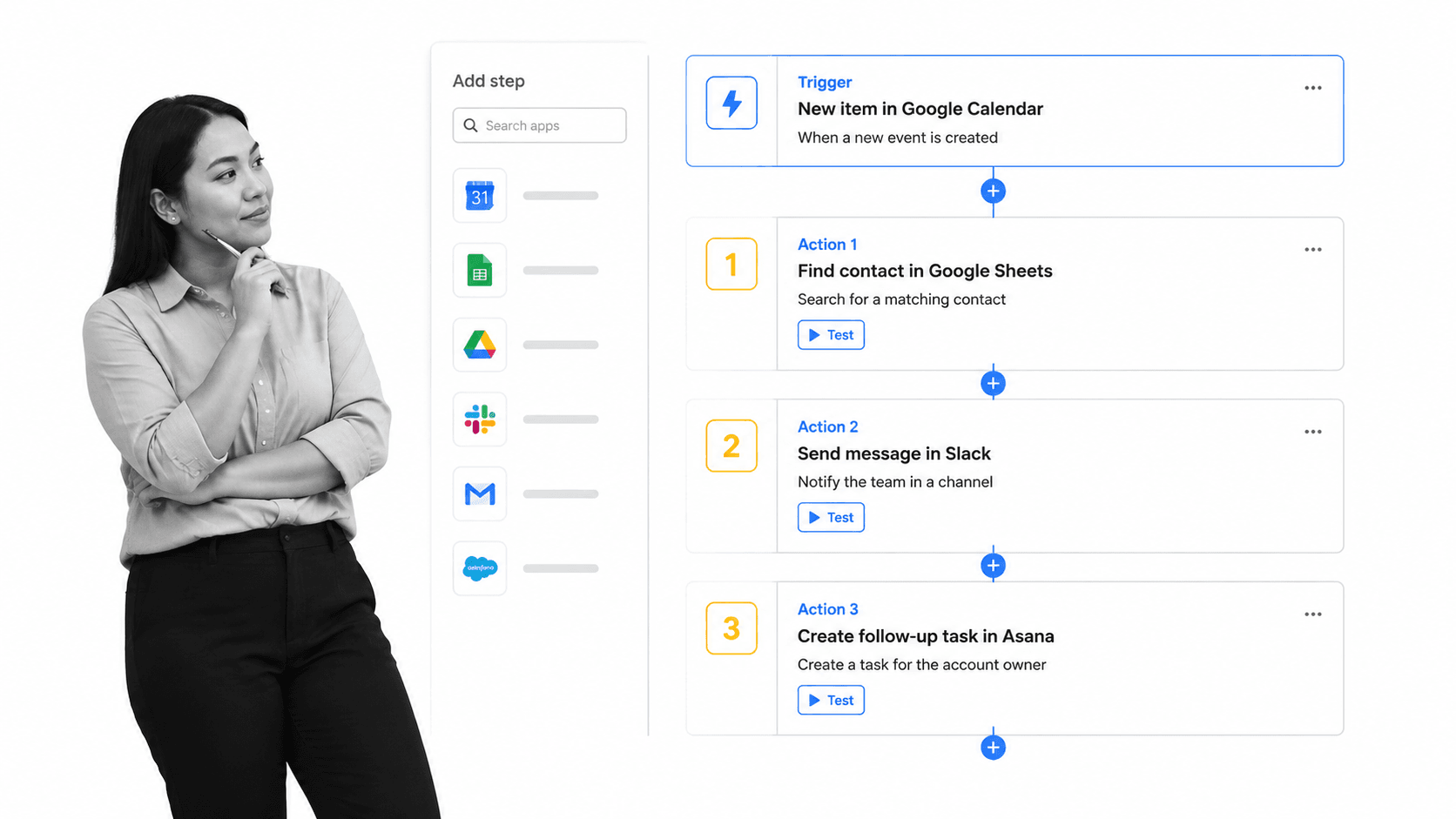
Best for: broad cross-app automation across Zapier’s large application catalog.
Zapier Agents combines instructions, knowledge, web browsing, triggers, and actions across more than 9,000 apps. The pricing page lists 400 monthly activities on Free and Pro at $33.33 per month with annual billing for 1,500 activities. Zapier also documents instruction-based and Human in the Loop approvals.
Zapier Agents is stronger when the key requirement is app breadth and automation inside an existing Zapier stack. Glean is stronger for permissions-aware enterprise search, company context, and centralized agent governance. Teams should choose based on whether the job begins with trusted internal knowledge or cross-app action coverage.
- Bottom line: Zapier Agents is the best Glean alternative for broad cross-app automation across thousands of applications.
- Choose Zapier Agents if: the team already uses Zapier and app-catalog breadth is the deciding factor.
- Skip Zapier Agents if: permissions-aware enterprise search and governed company context are the main requirements.
Where does Process Street fit with Glean alternatives?
Process Street is not a Glean alternative and does not belong in the ranking. It is the operational system underneath an AI assistant: the place where repeatable work becomes a checklist, owner assignment, approval, risk note, evidence record, and governed policy. Glean or another assistant can surface context, while Process Street keeps execution controlled and auditable.
- Ops for workflow automation and orchestration. Process Street Ops turns recurring work into automated, auditable workflows.
- Docs for document and policy control. Process Street Docs keeps SOPs and policies governed, reviewed, and usable.
- Automation around the process. The automation layer connects work to the rest of the stack, and the pricing page shows how teams scale the platform.
The pairing is practical: an AI assistant retrieves knowledge or starts work, then Process Street holds the repeatable procedure. That could be a customer onboarding workflow, an employee onboarding checklist, a standard operating procedure template, or a controlled approval process.
For deeper context, see Process Street resources on workflow management systems, what AI agents are, the best AI ops tools, and customer onboarding.
How can you switch from Glean without disrupting work?
Do not replace a working enterprise search layer all at once. Run a two-week pilot with one team, one Slack or Microsoft Teams channel, and five real requests. Keep Glean for knowledge retrieval and governance where it already works, then test an alternative only on the narrower job it is expected to improve.
- Keep governed search stable: leave working Glean retrieval and permissions in place during the pilot.
- Pilot Dash for shared team requests: compare chat-to-action work that needs approval before an external change.
- Use Lindy for personal coordination: test calendar, inbox, meeting, and follow-up routines separately.
- Use Gumloop for explicit flow design: keep visually built agent flows where tool logic and model choice need to be inspectable.
- Capture repeatable work in Process Street: move durable steps, owners, approvals, and evidence into a governed workflow.
Final recommendation
Dash is the best default Glean alternative for teams that want a shared AI coworker in Slack or Microsoft Teams with approval before every action. Choose Lindy for personal assistance, Gumloop for visual building, Dust for collaborative internal agents, Claude for reasoning, or Zapier Agents for app breadth. Keep Glean when governed enterprise context is decisive.
The strongest setup is not always one winner for every job. Glean can remain the knowledge and governance layer while a chat-native coworker handles shared requests, a builder manages specialized flows, and Process Street holds repeatable procedures so owners, approvals, policy, and evidence remain controlled.
Try Dash in Slack or Teams
Start Dash free, then test one real request in Slack or Microsoft Teams: a customer update, weekly report, pipeline follow-up, or operations question. Review the approval step and compare the finished output with Glean and another finalist. This keeps the trial focused on work your team already understands rather than an abstract platform checklist.
FAQs about Glean alternatives
These FAQs answer common buying questions about Glean alternatives, including the best option for Slack or Microsoft Teams, Glean versus Dash, free plans, enterprise knowledge, pricing, and whether two tools can run together. Use them to narrow the shortlist before testing the same real tasks in each product.
What is the best Glean alternative for Slack or Microsoft Teams?
Dash is the best overall fit for teams that want one shared AI coworker in Slack or Microsoft Teams with connected actions and approval before every action. Lindy is stronger for personal assistant routines, while Gumloop suits teams that want to build agents visually.
What does Glean do?
Glean combines permissions-aware enterprise search, company context, an AI assistant, agent building, orchestration, governance, and actions. It connects to more than 275 native and MCP-based systems and is strongest when a large organization needs centralized AI grounded in trusted internal data.
Is there a free Glean alternative or trial?
Yes. Dash offers a free start, Claude, Dust, and Zapier Agents offer free plans, Gumloop offers a 14-day trial, and new Lindy teammates joining through Slack receive seven days free. Glean itself uses a demo and sales process rather than publishing self-serve pricing.
Glean vs Dash: which is better for shared team work?
Choose Glean when permissions-aware enterprise search, centralized governance, and broad company context are the deciding factors. Choose Dash when the team wants one shared coworker in Slack or Microsoft Teams with workspace pricing and an approval step before every connected action.
Which Glean alternative is best for enterprise knowledge?
Dust is the closest alternative here for teams that want collaborative internal agents around governed company knowledge and multiple models. However, Glean remains stronger when the requirement is enterprise search across more than 275 connectors with inherited permissions and centralized agent governance.
Can I use Dash and Glean together?
Yes. Keep Glean for enterprise search, permissions-aware retrieval, and centralized agent governance, then use Dash for shared requests that begin in Slack or Microsoft Teams. Process Street can hold the repeatable workflow, approvals, owners, and evidence around both tools.
How does pricing compare across the best Glean alternatives?
Dash lists its current plans on its pricing page. Lindy Plus starts at $29.99 per user monthly, Gumloop Pro at $37 monthly, Dust Pro at $24 per user monthly with annual billing, and Claude Pro at $17 per month with annual billing. Glean uses demo-based pricing.
Where does Process Street fit if I use Glean or another alternative?
Process Street is the governed workflow layer around the AI assistant. The assistant can retrieve, research, draft, summarize, or act across tools, while Process Street stores the repeatable procedure, assigns owners, enforces approvals, records evidence, and keeps policy-controlled work auditable.
Comparing something else? The full directory of software alternatives and competitor comparisons covers AI agents, workflow and BPM platforms, integration tools, and more.
