


Turn every policy into automated workflows with built-in enforcement and audit-ready proof.



9 Best Jira Alternatives & Competitors in 2026

The best Jira alternatives are Process Street for enforceable recurring SOP and compliance workflows, Linear for modern engineering issue tracking, Azure DevOps for Microsoft-centered software delivery, and Asana for cross-functional project and goal management. Five more are compared below: monday.com, ClickUp, Trello, Notion and Smartsheet.
Jira is worth replacing when a tool built for software delivery starts carrying every kind of work: onboarding, approvals, operational checklists, customer handoffs, portfolio plans, and internal requests. Jira is strong for agile software teams, with boards, backlogs, timelines, reports, dashboards, automation, and integrations. The problem is fit. Not every recurring business process should become an issue.
This page is maintained by the Process Street team, but the ranking is intentionally use-case based. Process Street ranks first for teams whose real problem is enforceable, trackable, recurring process execution. If you are replacing Jira for pure engineering issue tracking, Linear or Azure DevOps may be stronger. If you need docs, databases, spreadsheets, or visual boards, another tool may fit better.
The evaluation criteria are practical: core capability fit, ease of ownership for non-technical teams, pricing clarity, reporting and governance, and whether the product helps people do the work correctly instead of only showing that work exists.
In this article, we are going to cover:
- Jira alternatives at a glance
- How to choose Jira alternatives
- Best Jira alternatives and competitors
- Jira alternatives by use case
- FAQs
Jira alternatives at a glance
Use this table as the short version before the deeper reviews. The right Jira replacement depends on whether Jira is being used as an issue tracker, a project plan, a wiki, a database, a spreadsheet, or a workaround for recurring operations.
| Tool | Best for | Standout feature | Free plan | Starting price |
|---|---|---|---|---|
| Process Street | enforceable recurring SOP and compliance workflows | workflow runs with required fields, approvals, conditional logic, evidence, and audit history | 14-day Pro trial | Contact sales |
| Linear | modern engineering issue tracking | issues, projects, teams, triage, insights, support integrations, and agent features | Yes | $10 per user/month billed yearly |
| Azure DevOps | Microsoft-centered software delivery | Azure Boards, Azure Repos, Azure Pipelines, Azure Test Plans, and Azure Artifacts | First 5 Basic users free | $6 per user/month after the first 5 Basic users |
| Asana | cross-functional project and goal management | projects, goals, portfolios, workflows, automations, forms, reporting, and Gantt views | Yes, Personal plan | $10.99 per user/month billed annually |
| monday.com | visual work management across departments | boards, dashboards, automations, templates, workflow views, and monday dev plans | Yes, up to 2 seats | $9 per seat/month billed annually |
| ClickUp | broad task, docs, and project workspace | tasks, docs, goals, dashboards, time tracking, chat, forms, and Gantt charts | Yes, Free Forever | $7 per user/month billed yearly |
| Trello | lightweight Kanban planning | boards, cards, checklists, Power-Ups, command runs, and workspace views | Yes, up to 10 collaborators per Workspace | $5 per user/month billed annually |
| Notion | docs, wiki, databases, and task-light team workspaces | pages, databases, forms, sites, calendar, mail, charts, and workspace AI features | Yes | $10 per member/month |
| Smartsheet | spreadsheet-style project and program management | sheets, forms, reports, dashboards, Gantt, board, calendar, and automation | Free trial | $9 per member/month billed yearly |
How to choose Jira alternatives
Start by identifying the job Jira is doing today. If Jira is your software backlog, compare developer-first issue trackers. If Jira is your department work board, compare project management software and best project management tools. If Jira is where recurring work gets tracked because no one trusts static docs, compare workflow management system and project management software.
The most common mistake is treating every Jira pain as a project management problem. Sometimes the actual problem is process control. A card says the vendor review is done, but it does not prove who reviewed it, which fields were required, whether approval happened, or what evidence was attached. In that case, a workflow run is more useful than another board.
A useful replacement plan separates three layers of work. The first layer is engineering execution: bugs, stories, sprint planning, release work, and technical triage. The second layer is coordination: projects, timelines, owners, dependencies, and status reporting. The third layer is operating control: recurring procedures, required data capture, approvals, evidence, and audit history. Jira can be configured to touch all three, but that does not mean one Jira alternative should replace all three.
This matters because teams often blame Jira for problems caused by work shape. A heavyweight Jira project may feel painful for HR because HR needs guided onboarding runs, not issue types. A product team may dislike a general work management board because it lacks engineering triage. A portfolio team may need reports and capacity views more than sprint ceremonies. The right shortlist comes from naming the work pattern before comparing feature lists.
Ask these questions before you shortlist tools:
- Is the work primarily software delivery, or is Jira being stretched into general operations?
- Do tasks need required fields, evidence uploads, approvals, and audit history?
- Does the team need sprint planning, code delivery, and engineering triage?
- Would a wiki, database, spreadsheet, or visual board represent the work more naturally?
- Can non-technical owners maintain the process without depending on a Jira admin?
A healthy operating stack can keep Jira where it belongs and move recurring business processes into a governed process platform. The goal is not to replace one tool with another at random. The goal is to put each type of work into the system that matches its risk and shape.
For many companies, the answer is a split stack rather than a single winner. Engineering can keep an issue tracker. Program managers can use a work management surface. Knowledge owners can maintain docs and databases. Operations teams can run SOPs in Process Street. That split is cleaner than forcing every department into software-delivery language or asking engineers to maintain business process configuration they do not own.
Best Jira alternatives and competitors
1. Process Street
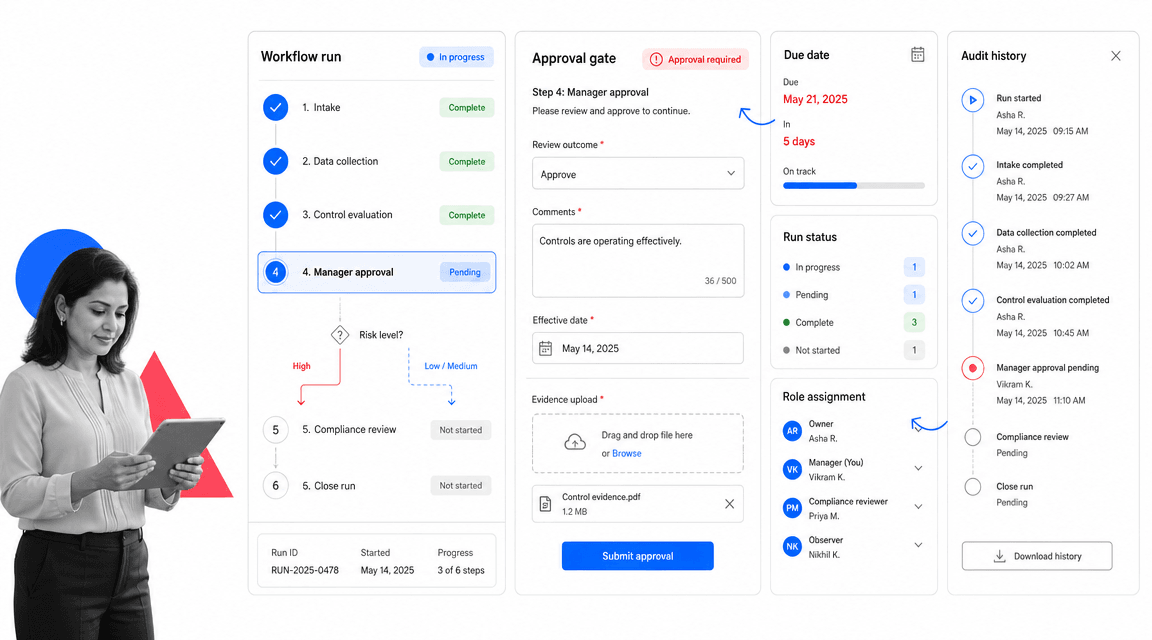
Best for: enforceable recurring SOP and compliance workflows.
Process Street is the strongest Jira alternative when Jira is being used to coordinate recurring SOPs, approvals, onboarding, audits, quality checks, finance close, vendor reviews, customer handoffs, or compliance-adjacent operations. Jira can track an issue. Process Street can run the process behind the issue.
That distinction matters. A Process Street workflow run gives the team a controlled sequence of tasks, required form fields, role assignments, due dates, conditional paths, file uploads, approvals, and run history. Instead of asking people to remember the policy behind a ticket, the workflow embeds the policy into the work.
For operations, HR, finance, customer success, IT, quality, and compliance teams, Process Street is usually easier to own than a heavily customized Jira project. Non-technical owners can build and update workflows without turning every process change into a Jira configuration request.
Use Process Street pricing for current package details. The public pricing page lists a 14-day Pro trial, Startup, Pro, and Enterprise tracks, and features such as unlimited workflows and tasks, conditional logic, approvals, enforced task order, role assignments, scheduled workflows, analytics, and integrations. Process Street also links directly to Process Street for the product overview.
The easiest Jira-to-Process Street migration starts by separating tickets from procedures. Keep one-off engineering issues in an issue tracker, then convert recurring business patterns into named workflows with a clear trigger, owner, approval rule, and evidence requirement. That prevents a migration from copying Jira complexity into a new tool.
Process Street is also useful when a Jira card has become a weak proxy for a larger procedure. A ticket can say that onboarding, vendor review, or access approval happened. A Process Street workflow run can show the exact steps, form answers, files, approver, dates, and execution path for that instance of work.
Process Street key features:
- Workflow runs with task owners, due dates, and conditional logic.
- approval tasks that keep review inside the workflow.
- Required form fields, file uploads, and run history for operational proof.
- Recurring schedules and project managements for repeatable work.
- A compliance operations platform shape for teams that need control, not only visibility.
Process Street pros:
- Strong fit for SOPs, recurring operations, onboarding, reviews, and compliance work.
- Readable enough for non-technical teams to build and maintain.
- Keeps people, tasks, approvals, evidence, and integrations in one workflow record.
- Better than a ticket when missed steps create operational or audit risk.
- Works well beside engineering tools, project boards, databases, and docs.
Process Street cons:
- Not a replacement for pure software issue tracking, sprint boards, or code delivery pipelines.
- Not the right choice when the work is a one-off project with no repeatable operating pattern.
2. Linear
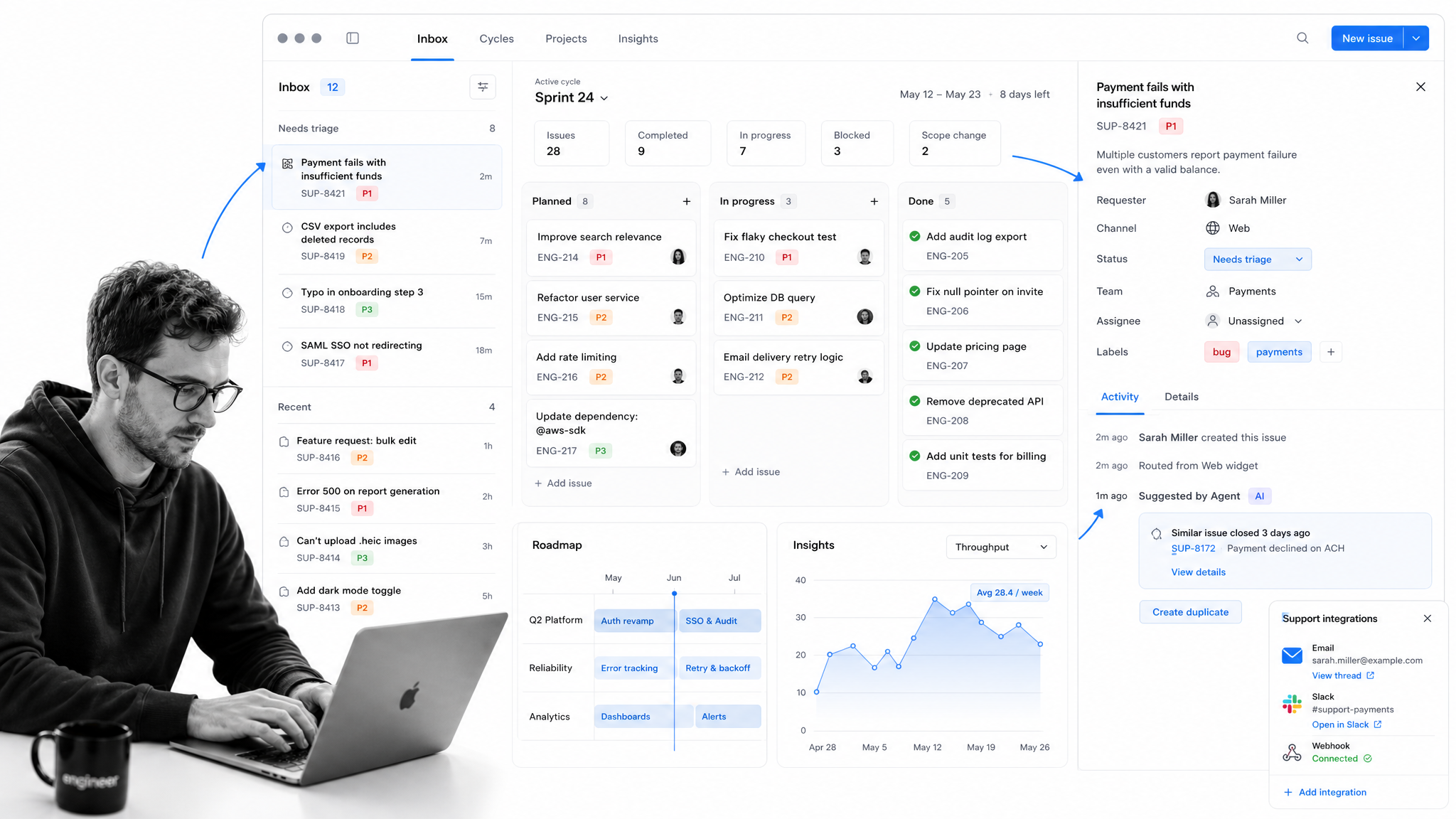
Best for: modern engineering issue tracking.
Linear is an engineering issue tracking workspace for teams that want a focused alternative to Jira. Its pricing page publishes Free, Basic, Business, and Enterprise plans, with issue limits and team limits changing by tier.
It beats Process Street when the core work is product engineering: issue triage, cycles, projects, support intake, insights, and engineering team coordination. It is weaker when the work is a recurring business process that needs required evidence and approval gates.
Use Linear when Jira’s issue model is blocking modern engineering issue tracking rather than helping it. In migration planning, keep the source Jira project available as a reference, then rebuild the work shape intentionally: owners, views, fields, reporting, and handoffs. Do not copy every custom field unless it still serves the new operating model.
Linear is not the automatic answer for recurring SOPs. If the same checklist has to run every week, every month, or every customer handoff, keep Linear around the project surface and use Process Street for the controlled workflow run that needs required steps, approvals, and evidence.
Linear key features:
- Issues, teams, projects, and cycle-style planning.
- Triage, insights, asks, and support integrations on paid tiers.
- Agent platform and Linear Agent features listed on the pricing page.
- Business and Enterprise controls for larger organizations.
Linear pros:
- Fast, focused product for software teams.
- Good fit for teams that find Jira too heavy.
- Useful support and triage surfaces for engineering intake.
Linear cons:
- Less natural for non-technical SOP owners.
- Not designed as a compliance or audit-proof workflow run system.
For current package details, see Linear pricing. Linear is a better fit when software teams want a fast, engineering-native issue tracker.
3. Azure DevOps
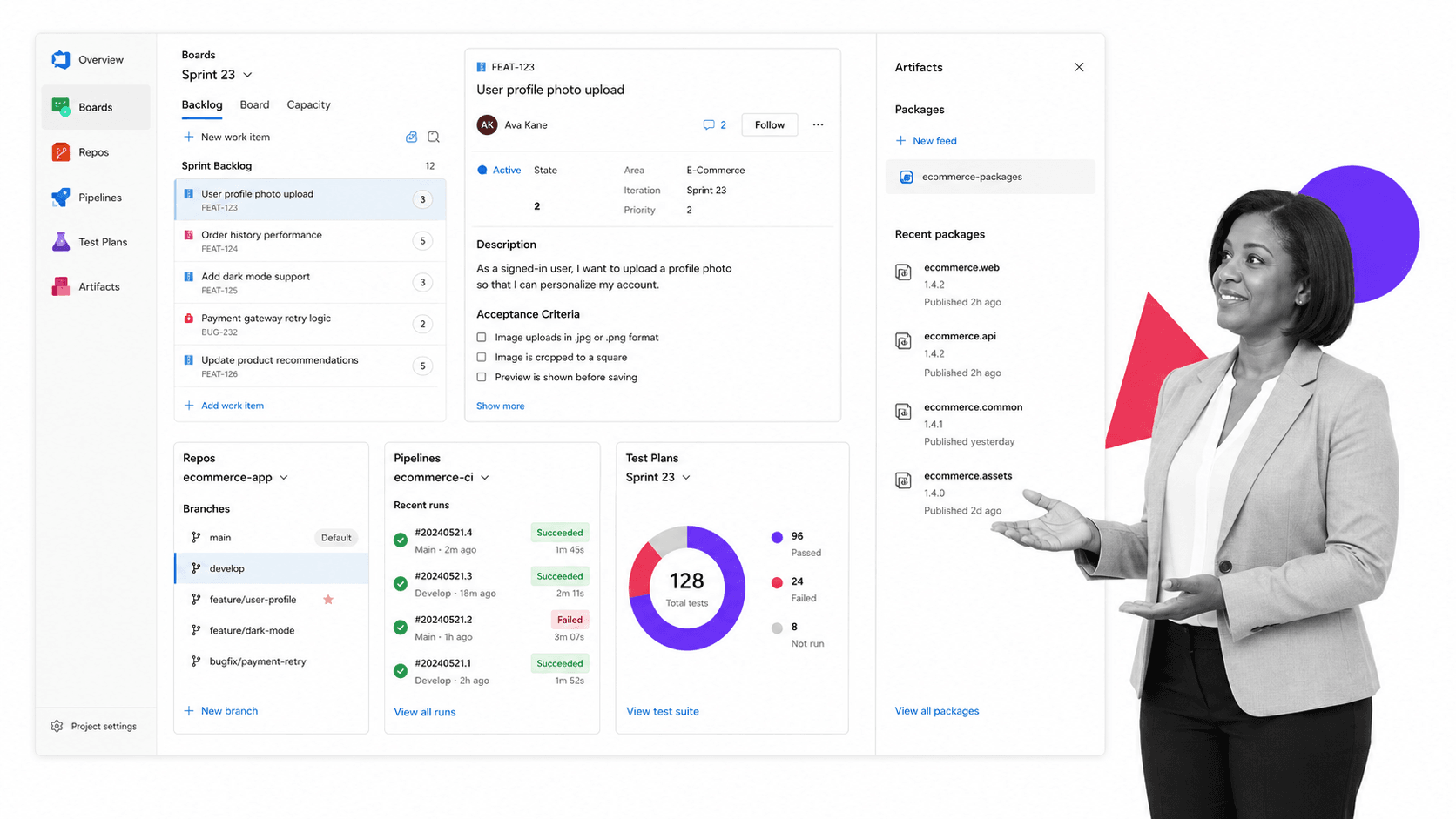
Best for: Microsoft-centered software delivery.
Azure DevOps is Microsoft’s software delivery suite. The official pricing page lists Azure Boards, Azure Repos, Azure Pipelines, Azure Test Plans, and Azure Artifacts, with the first 5 Basic users free and paid Basic users after that.
It beats Process Street when a Microsoft-centered software organization wants planning, source control, pipelines, testing, and package management in one suite. It is weaker for business teams that just need recurring work to happen correctly.
Use Azure DevOps when Jira’s issue model is blocking Microsoft-centered software delivery rather than helping it. In migration planning, keep the source Jira project available as a reference, then rebuild the work shape intentionally: owners, views, fields, reporting, and handoffs. Do not copy every custom field unless it still serves the new operating model.
Azure DevOps is not the automatic answer for recurring SOPs. If the same checklist has to run every week, every month, or every customer handoff, keep Azure DevOps around the project surface and use Process Street for the controlled workflow run that needs required steps, approvals, and evidence.
Azure DevOps key features:
- Azure Boards for work item tracking and Kanban boards.
- Azure Repos for private Git repos.
- Azure Pipelines for continuous integration and deployment.
- Azure Test Plans and Azure Artifacts for test and package workflows.
Azure DevOps pros:
- Strong fit for Microsoft and Azure delivery teams.
- Connects planning, code, builds, tests, and packages.
- Clear free Basic-user allowance on the pricing page.
Azure DevOps cons:
- Too software-delivery oriented for many operations teams.
- May be heavier than needed for SOPs, onboarding, reviews, and approvals.
For current package details, see Azure DevOps pricing. Azure DevOps is a better fit when the team already runs on Microsoft, GitHub Enterprise, or Azure delivery workflows.
4. Asana
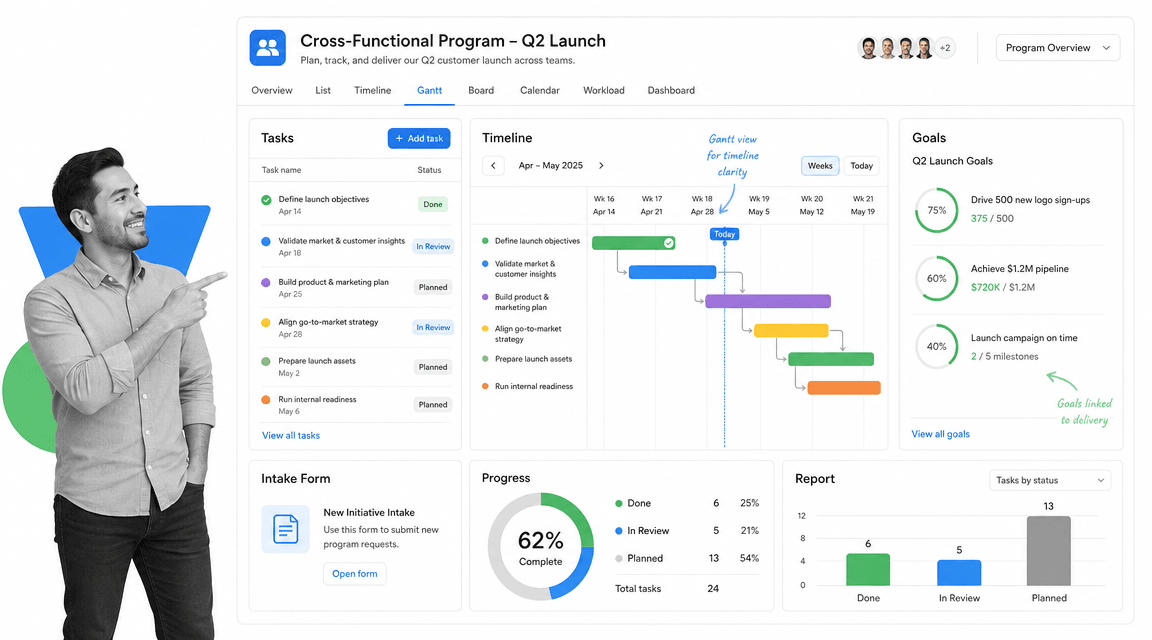
Best for: cross-functional project and goal management.
Asana is a work management platform for projects, goals, workflows, automations, forms, reporting, and planning views. Its pricing page publishes a free Personal plan and paid tiers for growing teams and companies.
It beats Process Street when the main problem is project coordination across departments, goals, timelines, and portfolios. It is weaker when the work must follow a strict recurring SOP with required evidence and approval gates.
Use Asana when Jira’s issue model is blocking cross-functional project and goal management rather than helping it. In migration planning, keep the source Jira project available as a reference, then rebuild the work shape intentionally: owners, views, fields, reporting, and handoffs. Do not copy every custom field unless it still serves the new operating model.
Asana is not the automatic answer for recurring SOPs. If the same checklist has to run every week, every month, or every customer handoff, keep Asana around the project surface and use Process Street for the controlled workflow run that needs required steps, approvals, and evidence.
Asana key features:
- Projects and tasks with multiple planning views.
- Goals, portfolios, workflows, forms, and reporting.
- AI Studio credits on paid plans as listed by Asana.
- Gantt and timeline-style planning for team projects.
Asana pros:
- Clean project coordination surface.
- Good fit for teams moving away from Jira admin overhead.
- Strong for goal-linked work management.
Asana cons:
- Can still feel task-centric for controlled SOP execution.
- Not designed primarily as an audit-proof workflow run system.
For current package details, see Asana pricing. Asana is a better fit when business teams need project clarity without Jira-style issue administration.
5. monday.com
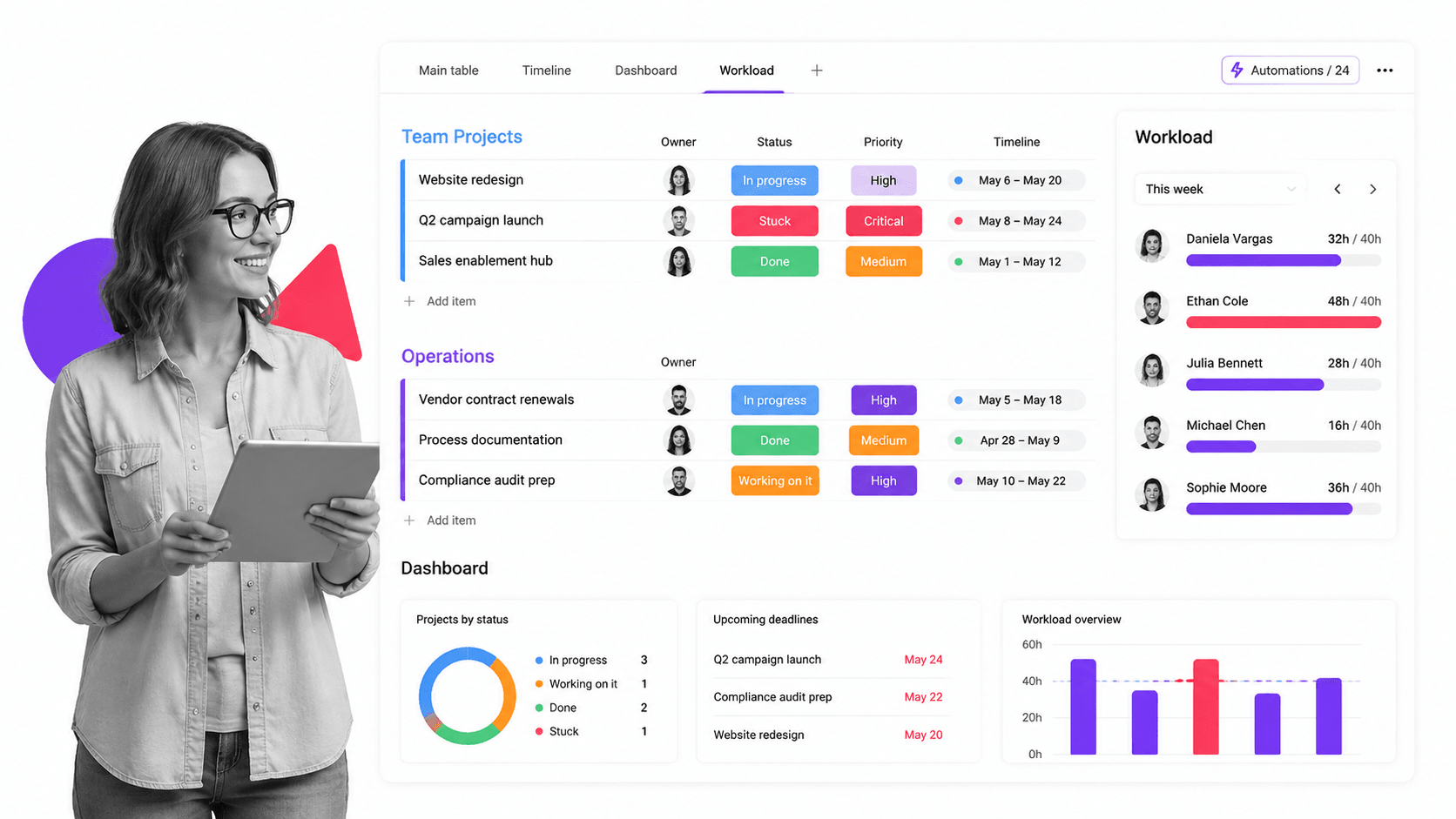
Best for: visual work management across departments.
monday.com is a visual work management platform built around boards, columns, dashboards, automations, templates, and workflow views. Its pricing page shows a free plan for very small teams and paid per-seat plans.
It beats Process Street when teams want a colorful work operating surface for departments, portfolios, dashboards, and flexible project boards. It is weaker when the process needs stricter procedural enforcement and run-level evidence.
Use monday.com when Jira’s issue model is blocking visual work management across departments rather than helping it. In migration planning, keep the source Jira project available as a reference, then rebuild the work shape intentionally: owners, views, fields, reporting, and handoffs. Do not copy every custom field unless it still serves the new operating model.
monday.com is not the automatic answer for recurring SOPs. If the same checklist has to run every week, every month, or every customer handoff, keep monday.com around the project surface and use Process Street for the controlled workflow run that needs required steps, approvals, and evidence.
monday.com key features:
- Boards with configurable columns.
- Dashboards and multiple work views.
- Automations, templates, and integrations.
- monday dev plans for software-oriented workflows.
monday.com pros:
- Strong visual planning experience.
- Flexible for many departments.
- Useful for leaders who want dashboards and board-based work tracking.
monday.com cons:
- Flexibility can create inconsistent operating patterns.
- Boards do not automatically enforce SOP evidence and approval discipline.
For current package details, see monday.com pricing. monday.com is a better fit when teams want visual boards and dashboards more than strict software issue workflows.
6. ClickUp
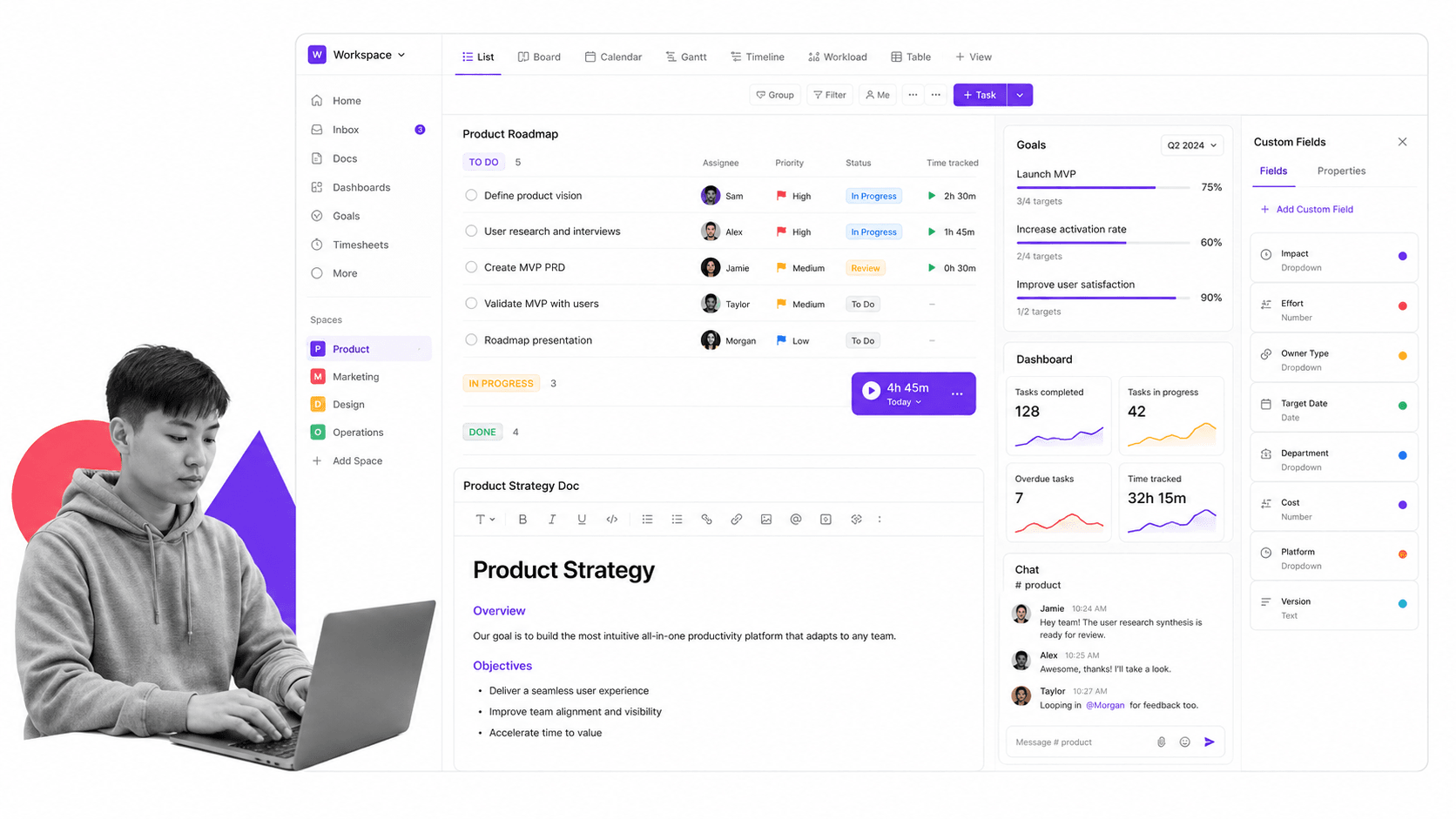
Best for: broad task, docs, and project workspace.
ClickUp is an all-in-one productivity workspace that combines tasks, docs, goals, dashboards, chat, time tracking, forms, Gantt charts, and many views. Its pricing page shows a Free Forever plan and paid team plans.
It beats Process Street when a team wants one broad workspace for tasks, docs, chat, goals, and project views. It is weaker when the core risk is people skipping required procedural steps or failing to leave evidence.
Use ClickUp when Jira’s issue model is blocking broad task, docs, and project workspace rather than helping it. In migration planning, keep the source Jira project available as a reference, then rebuild the work shape intentionally: owners, views, fields, reporting, and handoffs. Do not copy every custom field unless it still serves the new operating model.
ClickUp is not the automatic answer for recurring SOPs. If the same checklist has to run every week, every month, or every customer handoff, keep ClickUp around the project surface and use Process Street for the controlled workflow run that needs required steps, approvals, and evidence.
ClickUp key features:
- Tasks with many views.
- Docs, goals, dashboards, chat, forms, and time tracking.
- Gantt charts and custom fields.
- Integrations and storage expansion on paid plans.
ClickUp pros:
- Very broad workspace surface.
- Useful when teams want many views in one tool.
- Free plan makes evaluation easy.
ClickUp cons:
- Breadth can make administration feel heavy.
- Project flexibility is not the same as workflow enforcement.
For current package details, see ClickUp pricing. ClickUp is a better fit when a team wants a wide productivity workspace with many project views.
7. Trello
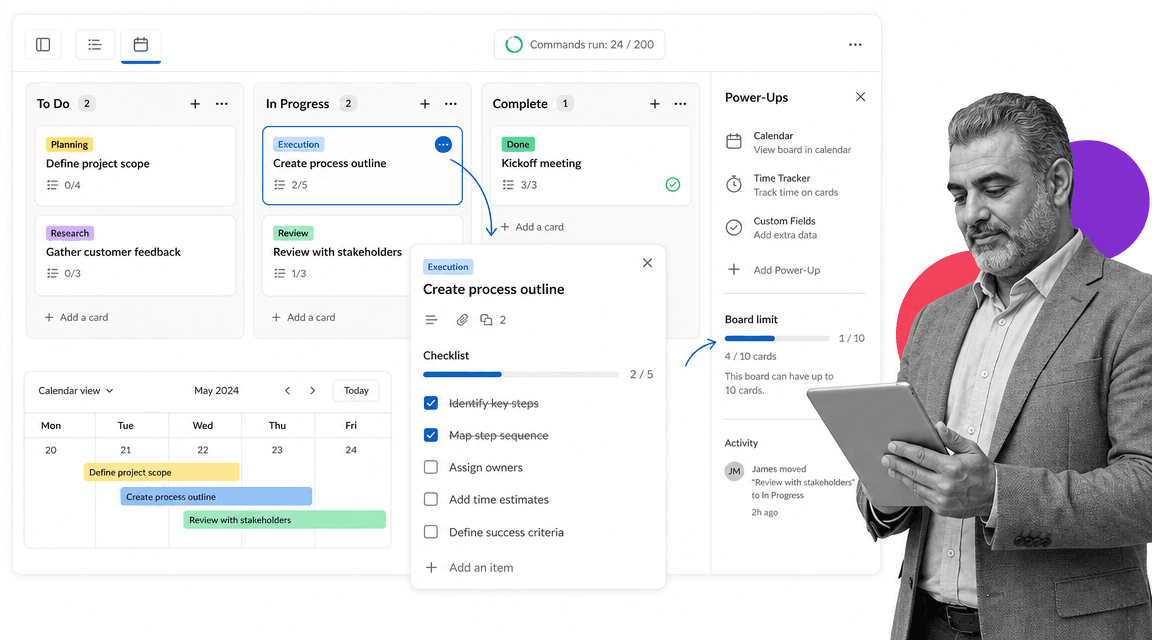
Best for: lightweight Kanban planning.
Trello is a lightweight Kanban work management tool with boards, lists, cards, checklists, Power-Ups, workspace command runs, and paid views. Atlassian’s Trello pricing page publishes a free plan and paid Standard, Premium, and Enterprise tiers.
It beats Process Street when the team simply wants a lightweight visual board and does not need strict process control. It is weaker when the work needs required fields, approvals, evidence, reporting, or repeatable execution proof.
Use Trello when Jira’s issue model is blocking lightweight Kanban planning rather than helping it. In migration planning, keep the source Jira project available as a reference, then rebuild the work shape intentionally: owners, views, fields, reporting, and handoffs. Do not copy every custom field unless it still serves the new operating model.
Trello is not the automatic answer for recurring SOPs. If the same checklist has to run every week, every month, or every customer handoff, keep Trello around the project surface and use Process Street for the controlled workflow run that needs required steps, approvals, and evidence.
Trello key features:
- Boards, lists, cards, and checklists.
- Power-Ups and workspace command runs.
- Calendar, timeline, table, dashboard, and map views on Premium.
- Enterprise controls in higher tiers.
Trello pros:
- Simple and familiar Kanban experience.
- Good for small teams and lightweight planning.
- Easy to adopt when Jira feels too heavy.
Trello cons:
- Can become too loose for recurring business procedures.
- Not a strong fit for audit-ready process execution.
For current package details, see Trello pricing. Trello is a better fit when the team wants a simple board rather than a configurable issue system.
8. Notion
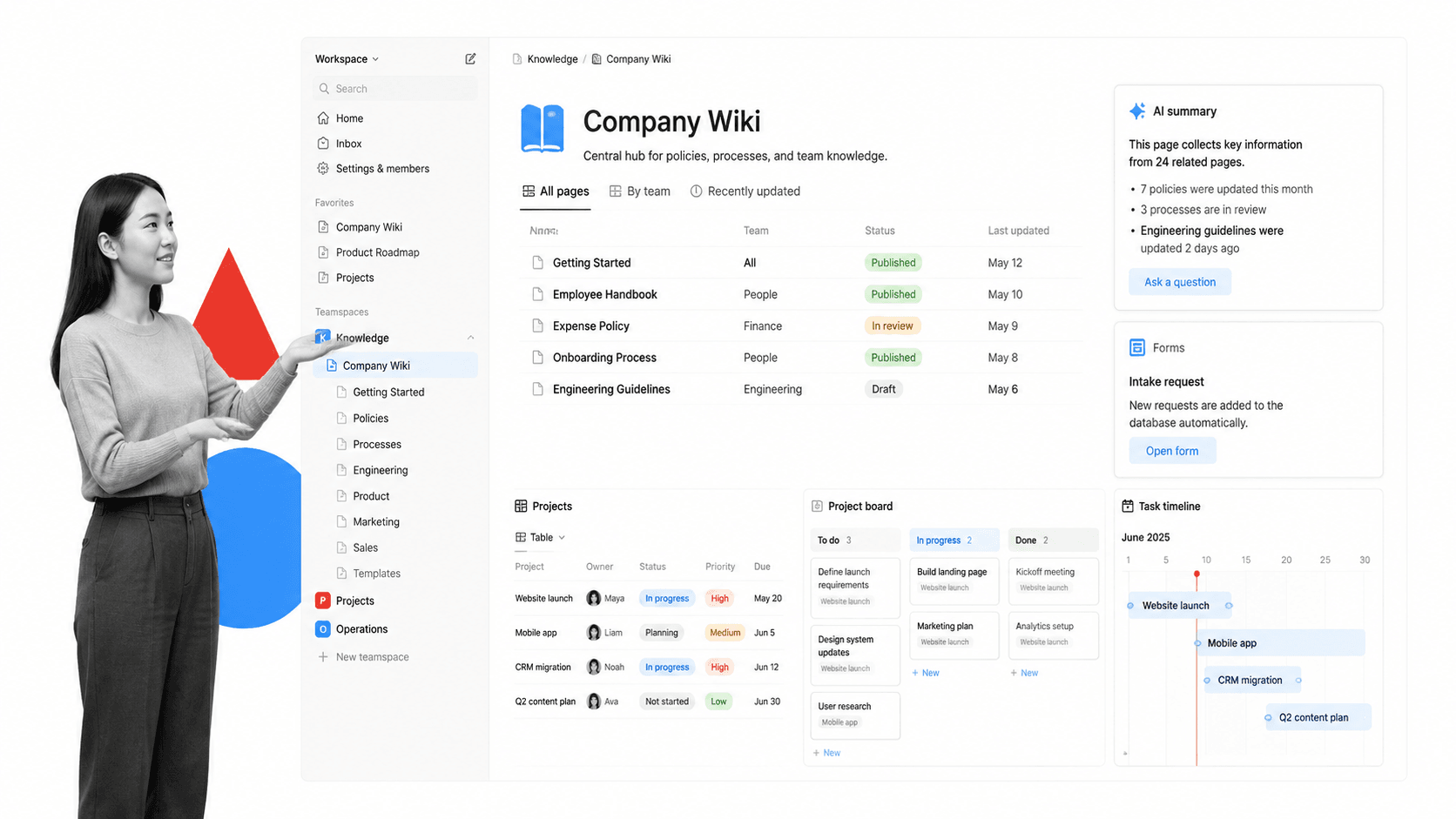
Best for: docs, wiki, databases, and task-light team workspaces.
Notion is a connected workspace for docs, pages, databases, basic forms, sites, calendar, mail, charts, and AI-assisted work. Its pricing page shows a free plan, Plus, Business, and Enterprise tracks.
It beats Process Street when the main problem is documentation, team knowledge, flexible pages, and lightweight project databases. It is weaker when the workflow must enforce task order, approvals, and evidence collection during execution.
Use Notion when Jira’s issue model is blocking docs, wiki, databases, and task-light team workspaces rather than helping it. In migration planning, keep the source Jira project available as a reference, then rebuild the work shape intentionally: owners, views, fields, reporting, and handoffs. Do not copy every custom field unless it still serves the new operating model.
Notion is not the automatic answer for recurring SOPs. If the same checklist has to run every week, every month, or every customer handoff, keep Notion around the project surface and use Process Street for the controlled workflow run that needs required steps, approvals, and evidence.
Notion key features:
- Pages, docs, and wiki structure.
- Databases with subtasks, dependencies, and custom properties.
- Forms, sites, calendar, mail, and charts.
- Business and Enterprise features for AI, SSO, permissions, and advanced connections.
Notion pros:
- Strong for documentation and knowledge management.
- Flexible page and database model.
- Good fit for teams that want docs and light projects together.
Notion cons:
- Flexibility can leave process execution unenforced.
- Not ideal when proof of completed steps is the primary requirement.
For current package details, see Notion pricing. Notion is a better fit when Jira is being used as a messy wiki or planning database.
9. Smartsheet
Best for: spreadsheet-style project and program management.
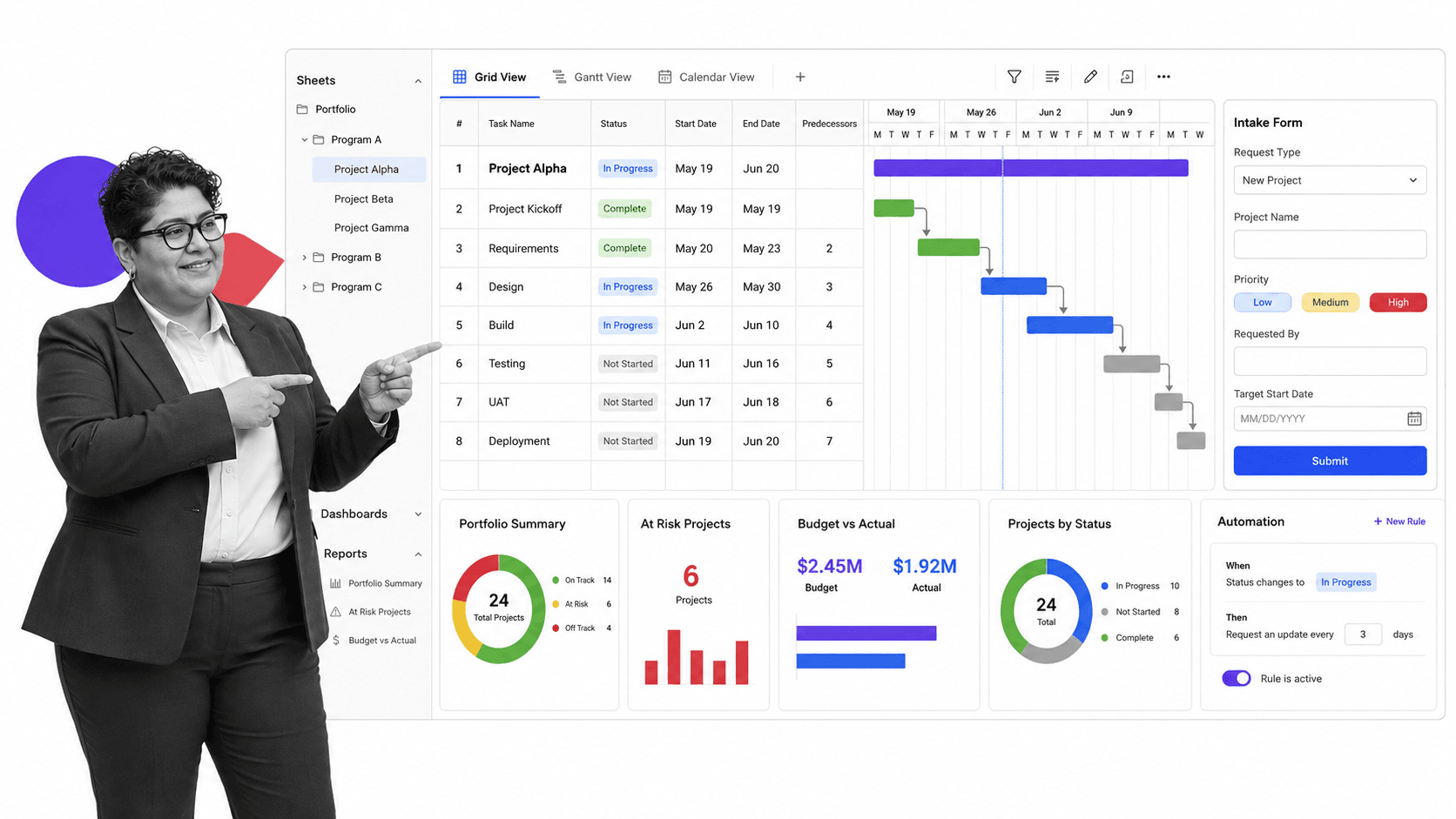
Smartsheet gives teams a spreadsheet-style way to manage projects, programs, forms, reports, dashboards, Gantt, board, calendar, and automation. Its pricing page positions Pro, Business, Enterprise, and Advanced Work Management plans.
It beats Process Street when the team naturally works in sheets, grids, reports, and portfolio-level structures. It is weaker when work needs a guided checklist experience for operators rather than a row-based control surface.
Use Smartsheet when Jira’s issue model is blocking spreadsheet-style project and program management rather than helping it. In migration planning, keep the source Jira project available as a reference, then rebuild the work shape intentionally: owners, views, fields, reporting, and handoffs. Do not copy every custom field unless it still serves the new operating model.
Smartsheet is not the automatic answer for recurring SOPs. If the same checklist has to run every week, every month, or every customer handoff, keep Smartsheet around the project surface and use Process Street for the controlled workflow run that needs required steps, approvals, and evidence.
Smartsheet key features:
- Grid, Gantt, board, calendar, and table views.
- Forms, reports, dashboards, formulas, and templates.
- Automations, reminders, update requests, and approval requests.
- Enterprise and Advanced Work Management controls for larger programs.
Smartsheet pros:
- Familiar for spreadsheet-heavy teams.
- Strong reporting and program management surface.
- Good for structured project and portfolio data.
Smartsheet cons:
- Rows and sheets can still feel indirect for frontline execution.
- Advanced work management may require added configuration.
For current package details, see Smartsheet pricing. Smartsheet is a better fit when teams want spreadsheet familiarity with project and portfolio controls.
Jira alternatives by use case
The practical shortlist depends on the work pattern you are moving out of Jira today operationally.
Use the following as a quick routing model. If a Jira project has a backlog, sprint cadence, and engineering owner, evaluate an engineering tracker first. If it has milestones, dependencies, and executive reporting, evaluate project and portfolio tools. If it has knowledge pages, meeting notes, or lightweight databases, evaluate a connected workspace. If it has repeatable steps that must be performed the same way every time, evaluate Process Street before another board.
- Choose Process Street when recurring work needs required steps, owners, approvals, evidence, and audit history.
- Choose Linear when engineering teams want fast issue tracking, triage, cycles, projects, and insights.
- Choose Azure DevOps when Microsoft-centered teams want Boards, Repos, Pipelines, Test Plans, and Artifacts together.
- Choose Asana or monday.com when the work is cross-functional project coordination.
- Choose ClickUp when you want tasks, docs, dashboards, chat, and many views in one workspace.
- Choose Trello when Jira is too heavy and a simple Kanban board is enough.
- Choose Notion when work tracking belongs beside documentation and team knowledge.
- Choose Smartsheet when portfolio reporting, Gantt planning, spreadsheet-style project data, and structured reports matter.
If Jira has become the place where business teams try to enforce a recurring procedure, start with automated workflow tools instead of another issue tracker. If Jira is still doing true software delivery, pick an engineering tool. The best migration is not a lift-and-shift. It is a split: tickets to issue tracking, projects to work management, docs to a workspace, records to a database, and recurring SOPs to controlled workflow runs.
A practical migration can begin with one Jira project. Export or review the issue types, fields, workflow statuses, automations, reports, and permissions. Mark each item as engineering, project coordination, documentation, structured record, or recurring SOP. Then rebuild only the parts that still have a clear owner and business reason. This keeps the new tool from inheriting the configuration debt that made Jira frustrating in the first place.
Teams comparing adjacent options should also review free project management tools, free task management software, project tracker, and process platforms if budget, adoption, or process ownership is the main constraint.
FAQs
What is the best Jira alternative?
The best Jira alternative depends on the job. Process Street is best for recurring SOP and compliance workflows, Linear and Azure DevOps are strong for software teams, Asana and monday.com fit cross-functional projects, ClickUp is broad, Trello is lightweight, Notion fits docs, and Smartsheet fits structured project planning.
Is there a free Jira alternative?
Yes. Several Jira alternatives publish free plans, including Linear, Azure DevOps, Asana, monday.com, ClickUp, Trello, and Notion. Smartsheet publishes trial-led pricing rather than positioning a permanent free plan in the same way. Always check vendor pricing pages because limits change.
Why is Process Street ranked first?
Process Street is ranked first for the ICP this page is judging: teams that need enforceable, trackable, recurring process and SOP workflows. It is not ranked first for every use case. For pure software delivery, Linear or Azure DevOps may fit better.
What is the closest alternative to Jira for software teams?
Linear and Azure DevOps are the closest Jira alternatives for software delivery in this list. Linear is focused and fast for modern engineering teams. Azure DevOps is broader for Microsoft-centered teams that want boards, repos, pipelines, test plans, and artifacts in one suite.
What Jira alternative is best for non-technical teams?
Process Street, Asana, monday.com, ClickUp, Trello, Notion, and Smartsheet can all fit non-technical teams depending on the work. Process Street is strongest when the team needs a repeatable workflow with required fields, approvals, and evidence.
Can Process Street replace Jira?
Process Street can replace Jira for recurring business workflows, SOPs, onboarding, approvals, reviews, audits, and operations. It should not replace Jira for software issue tracking when engineers need backlogs, sprint boards, release planning, and deep development workflows.
How should I migrate work out of Jira?
Separate the work by type before migrating. Keep software issues in an engineering tracker, move projects into project management, move docs into a workspace, move records into a database, and move repeatable SOPs into Process Street workflow runs with owners, required fields, approvals, and evidence.
If Jira is being stretched into recurring operations, start with Process Street. Build the workflow that controls the work, then connect the surrounding tools around it.
Comparing something else? The full directory of software alternatives and competitor comparisons covers AI agents, workflow and BPM platforms, integration tools, and more.
