


Turn every policy into automated workflows with built-in enforcement and audit-ready proof.



8 Best Claude Tag Alternatives & Competitors in 2026
The best Claude Tag alternatives are Dash for approval-first work in Slack or Microsoft Teams, Viktor for a close chat-native AI employee, Slack AI and Slackbot for native Slack intelligence, Microsoft 365 Copilot for Teams-first organizations, Glean Agents and Dust for enterprise knowledge, Lindy for assistant workflows, and Zapier Agents for broad app automation.
This comparison treats Claude Tag as the incumbent, not as one of its own alternatives. Process Street is also excluded from the ranking because it manages governed workflows rather than acting as a general chat-based AI teammate.
We compared official product and pricing information, where each tool runs, how it controls actions, connector breadth, and the practical cost of getting started. Use the table for a fast shortlist, then read the tool sections for tradeoffs and a clear choose-if or skip-if recommendation.
In this guide:
- What is Claude Tag?
- Best Claude Tag alternatives at a glance
- Methodology and last verified date
- Eight best alternatives
- Where Process Street fits
- How to choose
- FAQs
What is Claude Tag for Slack and Microsoft Teams?
Claude Tag is Anthropic’s team agent for Slack, available in beta to Claude Team and Enterprise customers. Teams can tag Claude into a thread, give it standing instructions, connect API-capable tools through Agent Identity, and restrict tool access by channel. Microsoft Teams support is listed as coming soon.
Anthropic positions Claude Tag as a shared teammate that can work from conversation context and company tools. That makes it the baseline for this comparison: each alternative below is assessed against chat availability, permission-aware execution, connected work, and administrative control.
Best Claude Tag alternatives for Slack and Teams at a glance
Use this table to match each Claude Tag alternative to its strongest operating model. Dash leads for approval-gated execution across Slack and Microsoft Teams, Viktor offers another chat-native AI-employee model, Slackbot stays native to Slack, and the remaining products specialize in Microsoft productivity, enterprise knowledge, assistant workflows, or app automation.
How we evaluated these Claude Tag alternatives
We reviewed current official product, pricing, integration, and help pages for every listed tool. Rankings prioritize credible replacements for Claude Tag’s shared Slack work, then consider Microsoft Teams coverage, permission-aware execution, connector breadth, approval controls, pricing clarity, and rollout effort.
Dash is a Process Street product, so we disclose that relationship and apply the same evidence standard to Dash as every other vendor. Product capabilities and prices can change; linked first-party sources are the authority for purchasing decisions.
Editorial owner: Vinay Patankar. Last updated: August 27, 2026. Last verified: August 27, 2026.
Which Claude Tag alternatives are best for Slack, Teams, and connected work?
The eight strongest Claude Tag alternatives solve different parts of the same buying decision. Dash is the leading cross-tool AI coworker here, Viktor offers another Slack and Teams AI-employee approach, Slackbot is the native Slack option, Microsoft 365 Copilot leads for Teams-first companies, Glean Agents and Dust center on company knowledge, Lindy handles assistant workflows, and Zapier Agents emphasizes app automation.
1. Dash
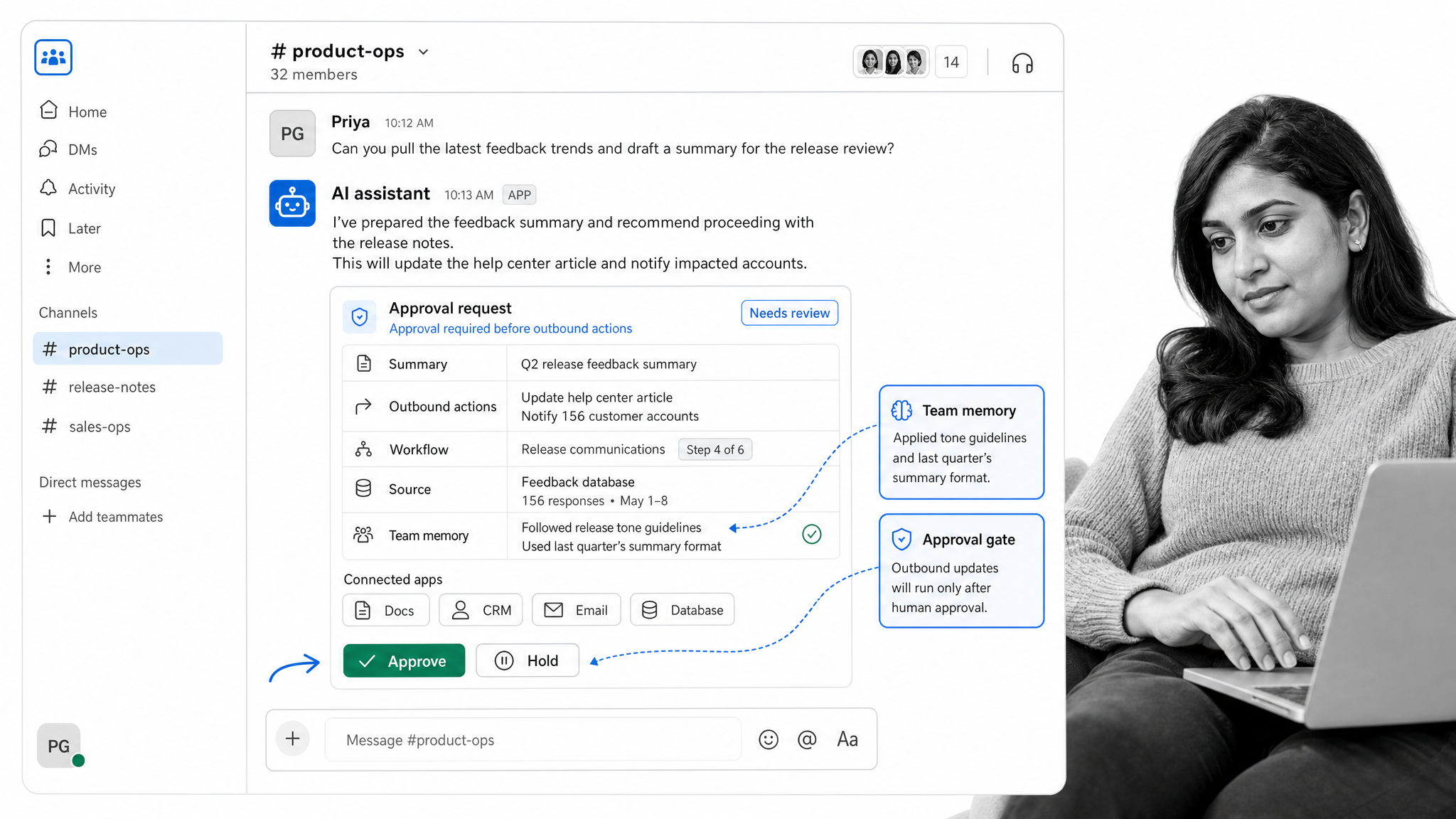
Dash is the best overall Claude Tag alternative for teams that want one AI coworker available in both Slack and Microsoft Teams. It connects to 3,000+ tools, works within a dedicated workspace, and asks for approval before every mutating action instead of acting silently.
Dash offers a free start, and its current plans are published on the Dash pricing page. That workspace pricing can be easier to test than a per-seat product, but usage credits still need monitoring. Teams comparing the broader category can also review AI agent orchestration.
Bottom line: Dash is the strongest fit for approval-first, cross-tool execution from Slack or Microsoft Teams.
- Choose Dash if: you want a shared AI coworker with broad integrations and an explicit approval step before actions.
- Skip Dash if: you need a fully self-hosted deployment or want a product centered primarily on enterprise search.
2. Viktor
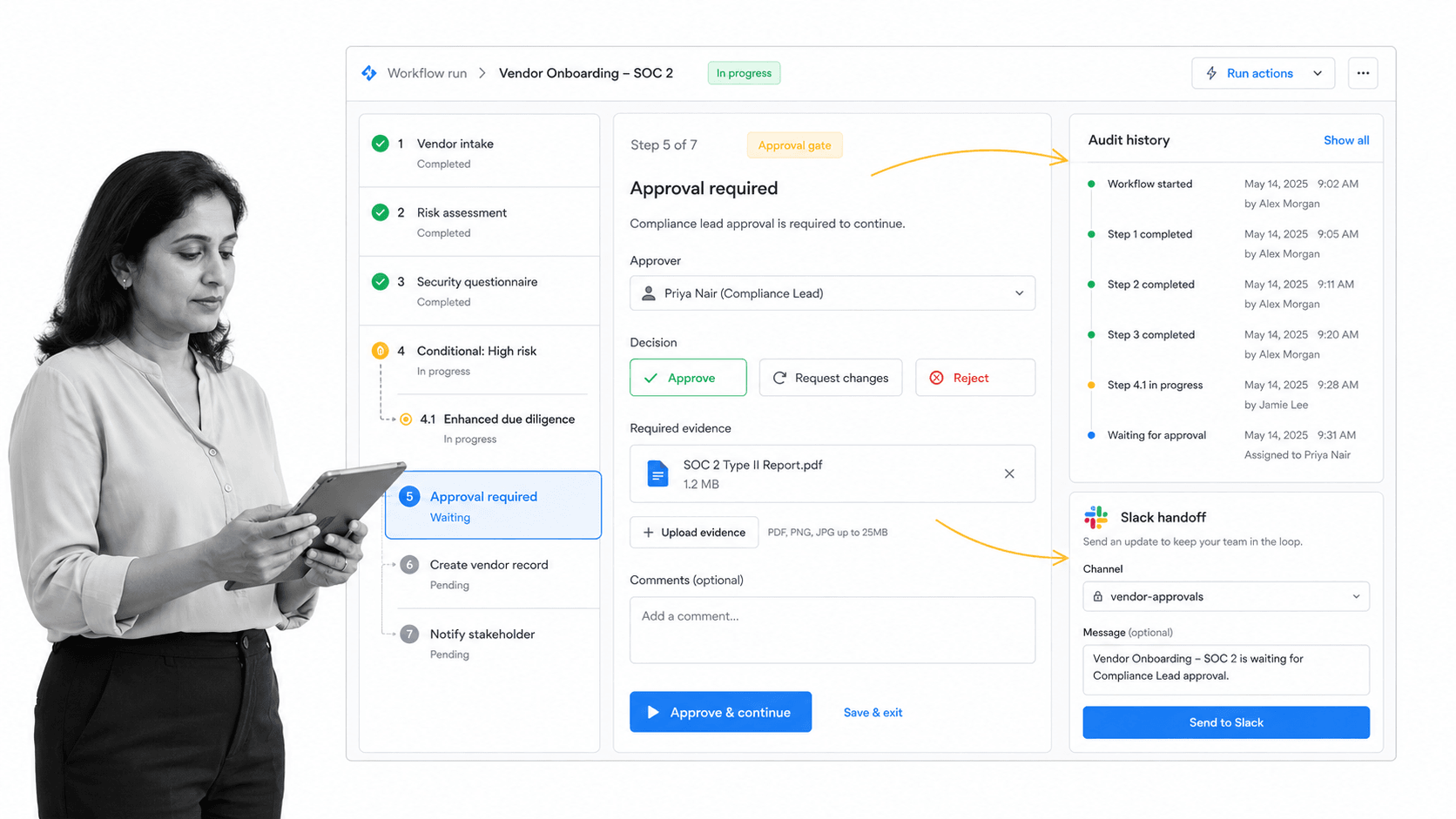
Viktor is a direct alternative for teams that specifically want per-person permissions and confirmation before irreversible work inside Slack or Microsoft Teams. It connects to 3,200+ tools, uses each person’s access rights, and asks before irreversible actions. Viktor offers $100 in starting credits, and the Team plan is $100 per month.
Viktor is a credible fit for chat-native execution and a fair head-to-head benchmark for Dash. The main decision is which product’s setup, approval experience, and credit economics suit the team. See the full Viktor alternatives comparison for a wider shortlist.
Bottom line: Viktor is a strong option for teams that prioritise per-person permissions and confirmation before irreversible work in Slack or Microsoft Teams.
- Choose Viktor if: you want Slack and Teams coverage with per-person permissions and confirmation before irreversible work.
- Skip Viktor if: you prefer a native platform assistant or need public enterprise pricing before evaluation.
3. Slack AI and Slackbot
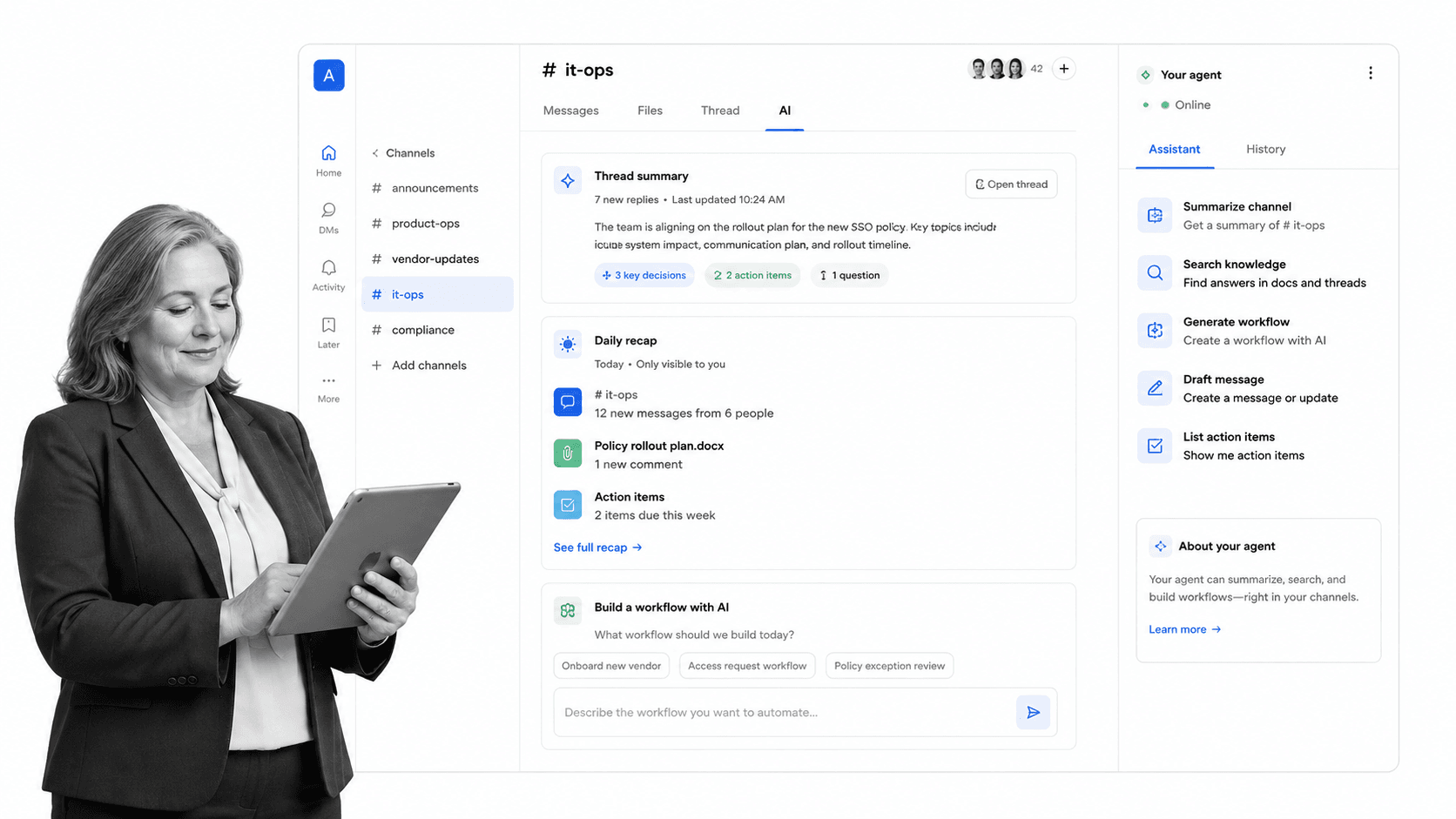
Slackbot is the native option for teams that want AI grounded in Slack conversations without adding a separate chat surface. It can answer questions, summarize context, and help with work in Slack while inheriting Slack permissions and administrative controls.
Slack’s current plan guidance offers a limited Slackbot trial on Free and Pro, with ongoing access on Business+ or Enterprise+ plans. That native fit is convenient, but Slackbot is not a cross-platform teammate for organizations that also need Microsoft Teams.
Bottom line: Slackbot is the cleanest native choice when Slack itself is the main system of work.
- Choose Slack AI and Slackbot if: your priority is native Slack context, familiar administration, and minimal platform change.
- Skip Slack AI and Slackbot if: you need Microsoft Teams coverage or a neutral agent layer that spans multiple chat platforms.
4. Microsoft 365 Copilot
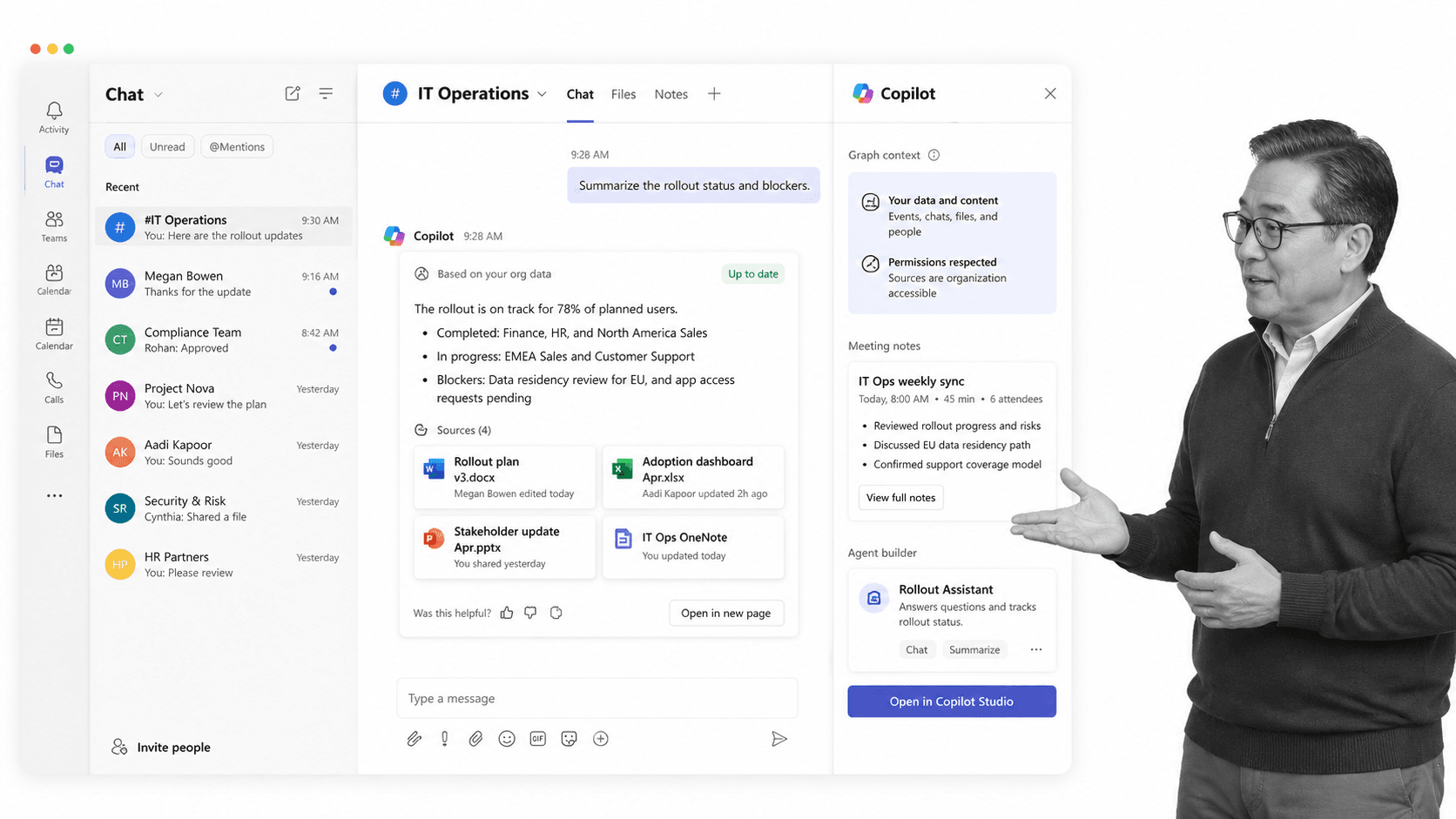
Microsoft 365 Copilot is the strongest Claude Tag alternative for organizations centered on Teams, Outlook, Word, Excel, and PowerPoint. It combines current large language models with Work IQ and enterprise data protection across Microsoft’s productivity stack.
Copilot Chat is included for eligible Microsoft 365 users, while Microsoft 365 Copilot is listed at $30 per user per month, paid yearly, and requires a qualifying plan. The fit is weaker for teams whose core work and knowledge live outside Microsoft.
Bottom line: Microsoft 365 Copilot is the best Teams-first option when Microsoft 365 is already the operating environment.
- Choose Microsoft 365 Copilot if: your people, files, meetings, and permissions already live primarily in Microsoft 365.
- Skip Microsoft 365 Copilot if: you need vendor-neutral orchestration across a broader mix of non-Microsoft systems.
5. Glean Agents
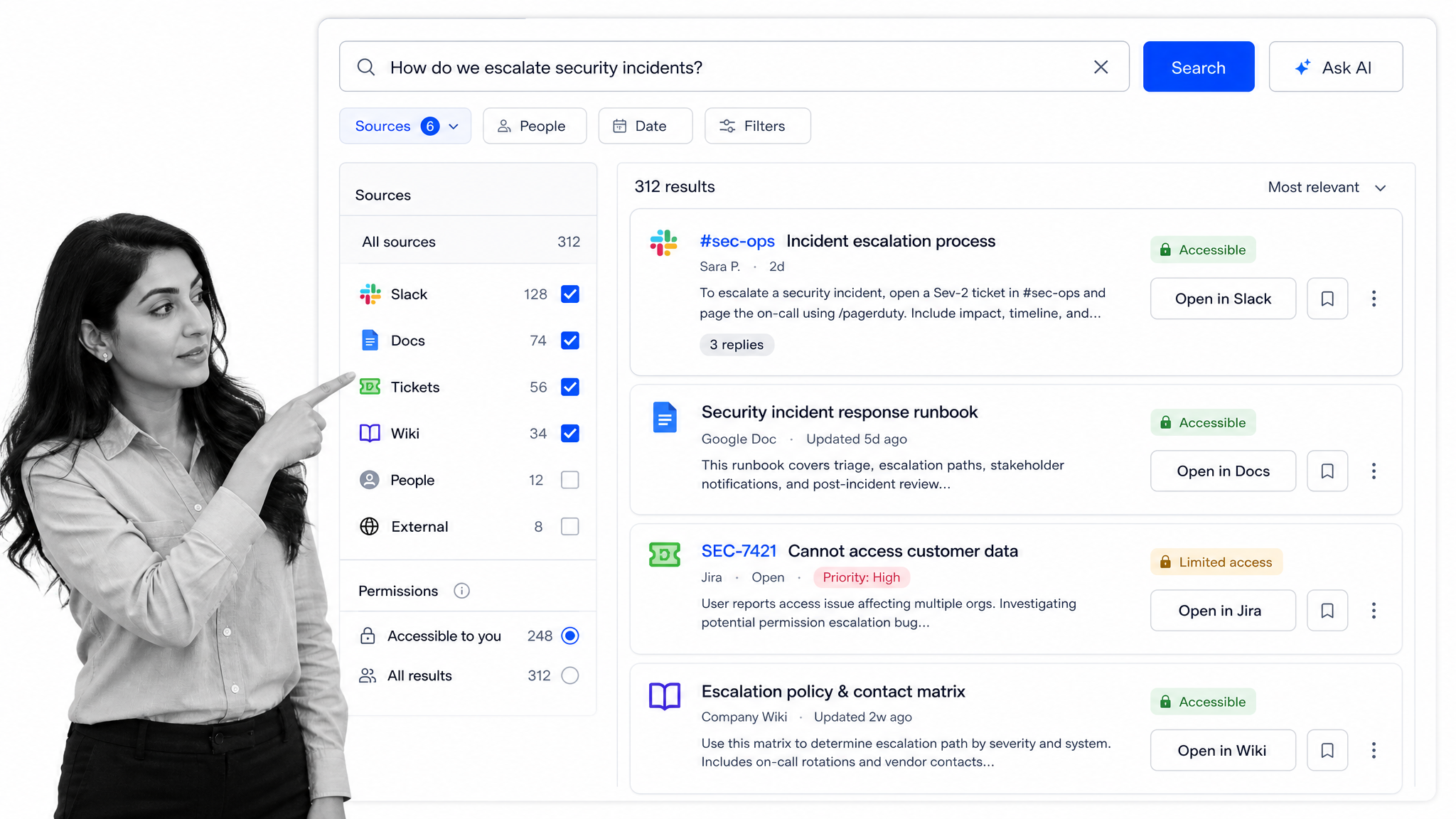
Glean Agents is built for enterprises that want agents grounded in permission-aware company knowledge. Glean supports Slack and Microsoft Teams, connects to 275+ systems, and emphasizes governance over the context and actions agents can use.
Glean does not publish a standard list price, so evaluation normally begins with a demo and enterprise scoping. It is a strong knowledge and search-centered option, but may be more platform than a smaller team needs. See the broader Glean alternatives comparison.
Bottom line: Glean Agents is strongest when governed enterprise knowledge is more important than a lightweight chat teammate.
- Choose Glean Agents if: you need permission-enforced search and agent context across many enterprise repositories.
- Skip Glean Agents if: you need transparent self-serve pricing or a quick deployment for a small team.
6. Dust
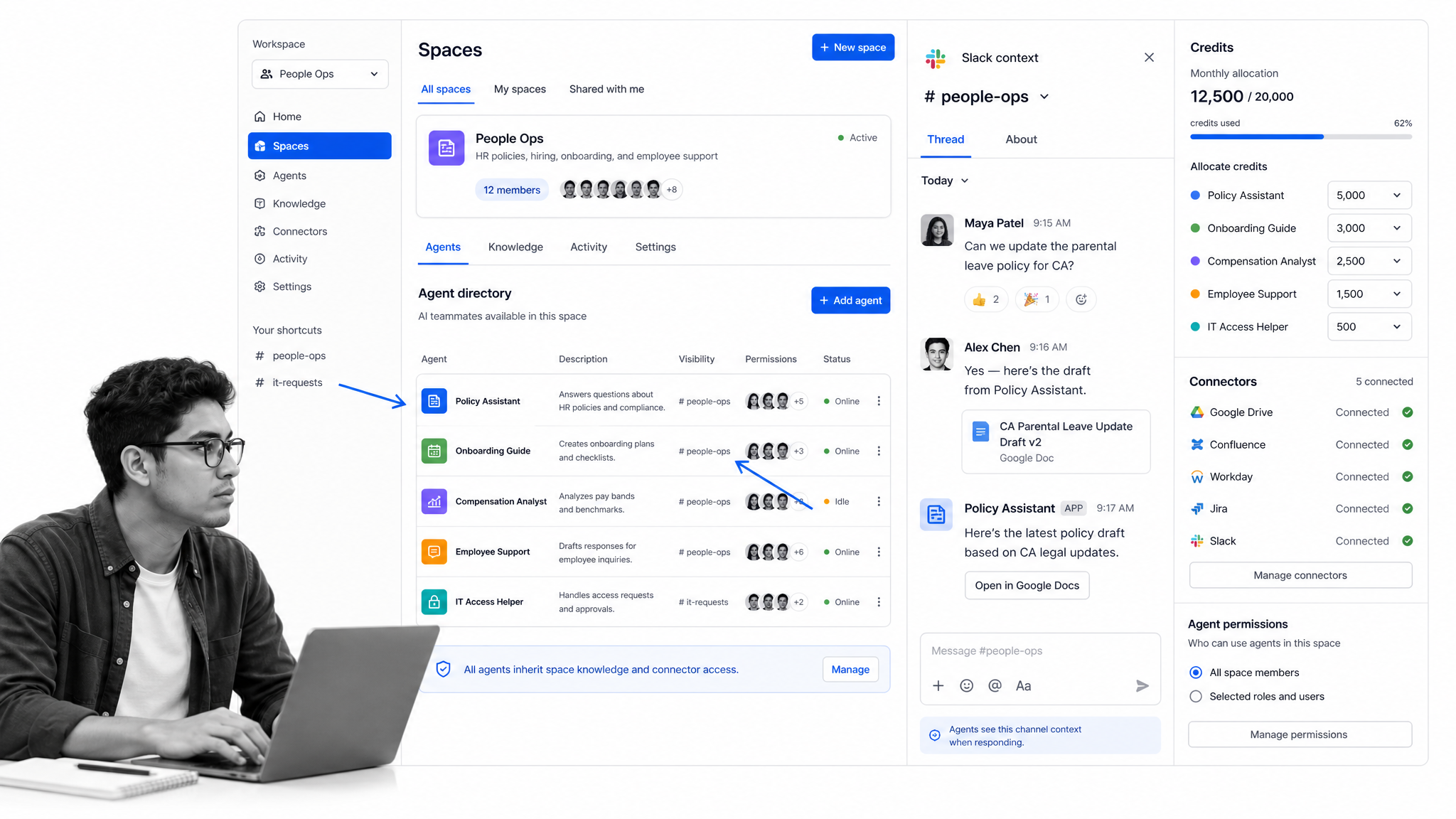
Dust gives teams a workspace for assistants that combine company knowledge, selected models, tools, and skills. It also supports Slack, making it useful for organizations that want more control over assistant construction than a single packaged teammate provides.
Dust Pro starts at $24 per user per month when billed annually and includes 8,000 credits per user. Dust lists more than 20 model choices and supports named data connectors plus MCP, though per-seat pricing can scale quickly. Compare more Dust alternatives.
Bottom line: Dust is a strong choice for teams that want configurable assistants grounded in company knowledge and available in Slack.
- Choose Dust if: you want model choice, reusable assistants, and controlled access to internal knowledge.
- Skip Dust if: you want one cross-platform AI employee with simple workspace pricing.
7. Lindy
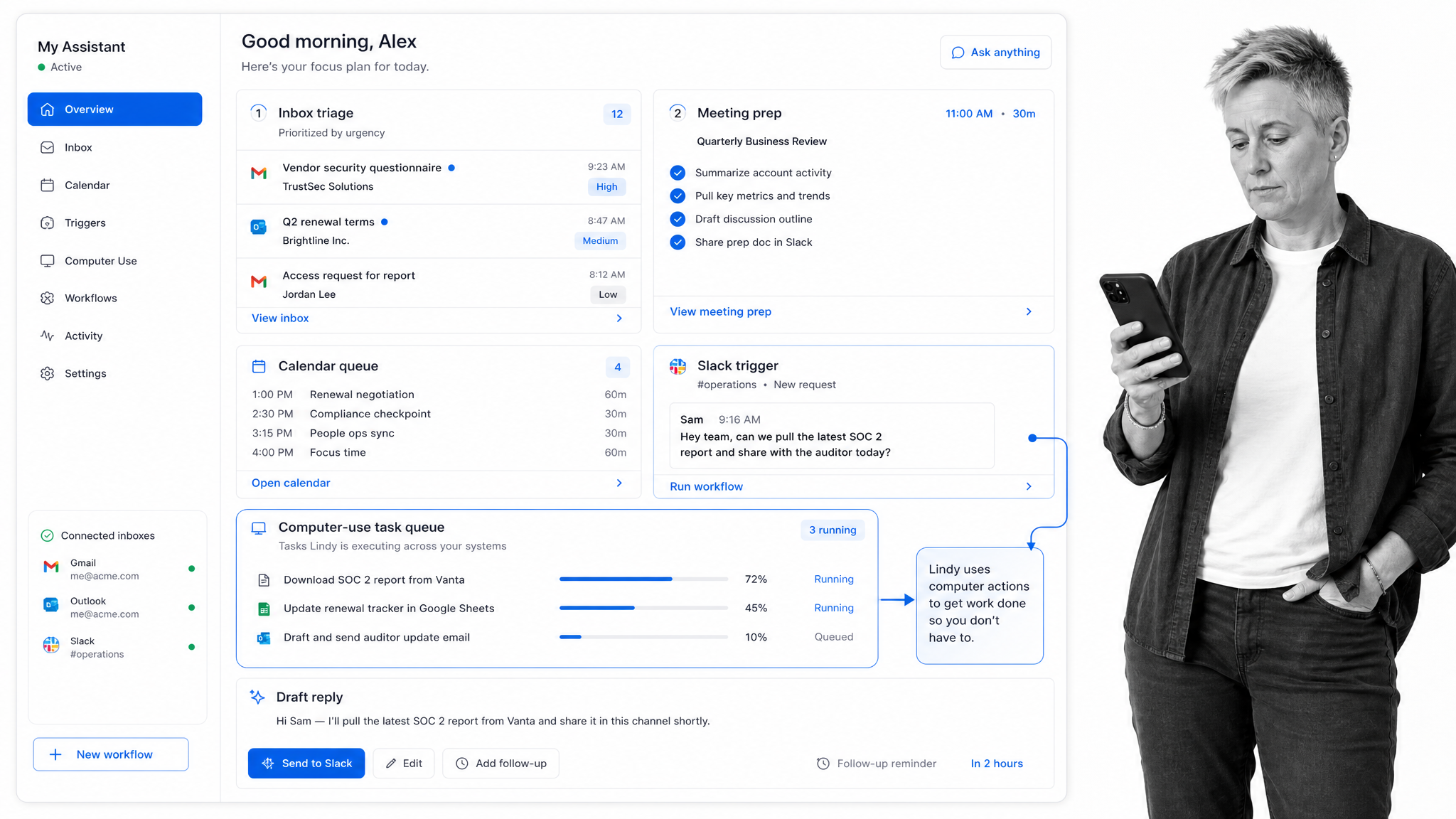
Lindy is an AI assistant platform for workflows across Slack, email, meetings, calendars, and connected business apps. It supports model selection, approval steps, and more than 1,400 integrations, giving teams flexibility beyond a single chat agent.
Lindy Plus starts at $29.99 per user per month with 3,000 monthly credits. That breadth is useful for assistant-style automation, although teams should model credit use and decide whether they need a builder platform or a more opinionated teammate. See the full Lindy alternatives comparison.
Bottom line: Lindy is best for teams that want flexible assistant workflows across communications and productivity tools.
- Choose Lindy if: you want to build several assistant workflows with approvals and broad integrations.
- Skip Lindy if: you want a packaged replacement for tagging one shared teammate in Slack or Teams.
8. Zapier Agents
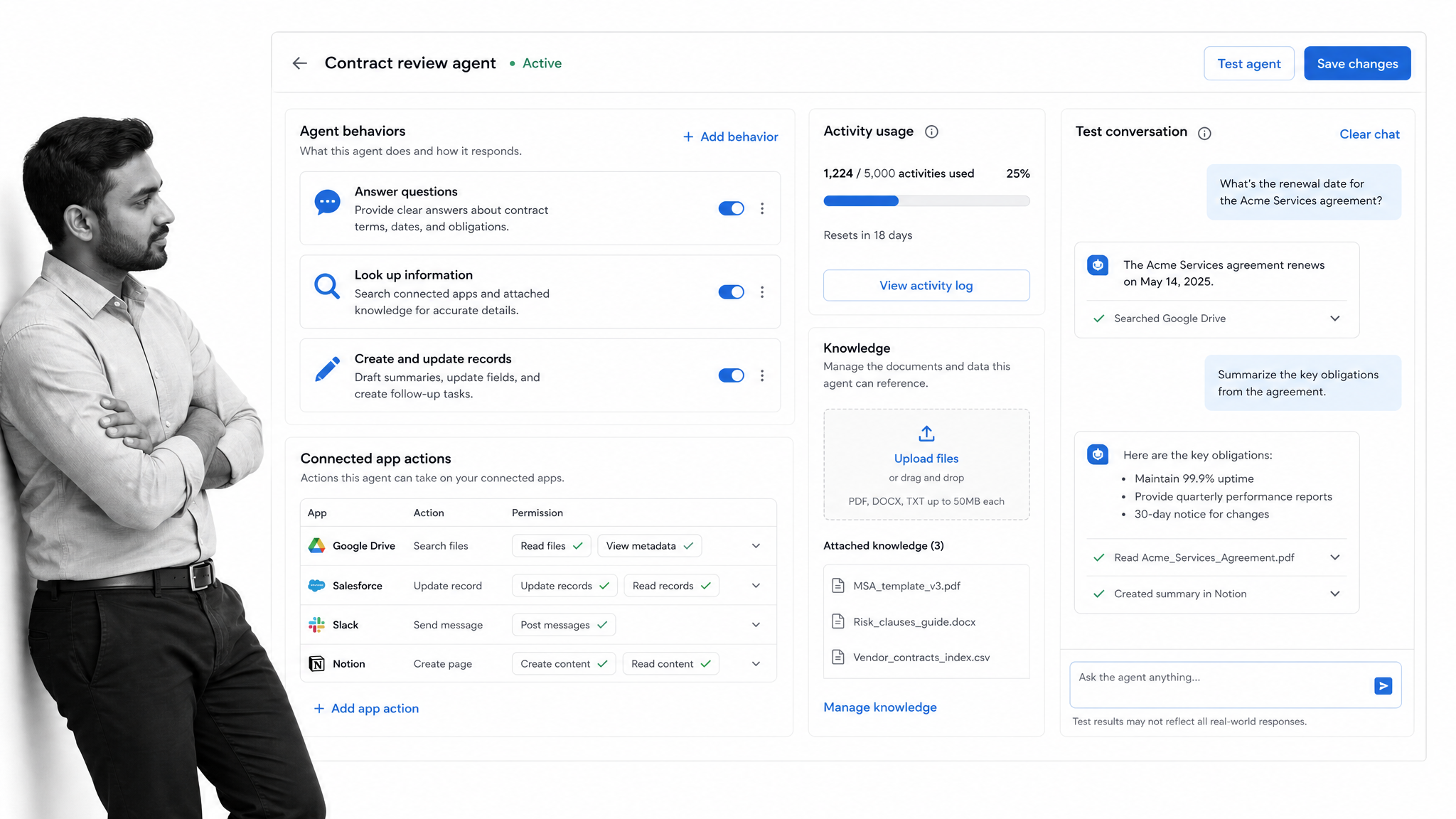
Zapier Agents lets teams create agents that work across more than 9,000 apps. It is attractive when the main requirement is broad application coverage and the organization already uses Zapier for automation.
Zapier Agents Free includes up to 400 activities per month. Agents Pro is $400 billed annually, equivalent to $33.33 per month, and includes up to 1,500 activities. Enterprise adds organization-wide sharing, audit logs, and restricted-app support. Zapier notes that Agents does not currently honor existing Enterprise app and action restrictions. See more Zapier Agents alternatives.
Bottom line: Zapier Agents is best when maximum app coverage matters more than a deeply native team-chat experience.
- Choose Zapier Agents if: you already use Zapier or need an agent to operate across a very large app catalog.
- Skip Zapier Agents if: you require existing Zapier Enterprise app and action restrictions to apply unchanged to Agents.
Where does Process Street fit with Claude Tag alternatives?
Process Street complements Claude Tag alternatives by turning requests from Slack or Microsoft Teams into governed workflows with owners, approvals, required evidence, and audit history. The AI teammate can gather context or perform connected work, while Process Street holds the repeatable procedure and control points. It is the operational system of record, not another alternative in this ranking.
Use Process Street workflow management software when the outcome needs assigned work, required fields, decision logic, approvals, deadlines, and an auditable record. A Claude Tag alternative can remain the conversational entry point while Process Street governs how the work is completed.
Teams can also compare Process Street AI capabilities, AI agent builder options, and Process Street for operations before choosing how much execution should live in chat versus a managed process.
How should you choose the best Claude Tag alternative for Slack or Teams?
Choose a Claude Tag alternative by matching the product to where work begins, what systems it may change, and how much control the organization needs. Slack-first teams should prioritize thread context and channel permissions; Teams-first organizations should test Microsoft integration depth; every buyer should define approval, evidence, and audit requirements before deployment.
- For a cross-platform AI coworker: shortlist Dash and Viktor, then compare approval behavior, permissions, setup, and credit economics.
- For native Slack intelligence: test Slackbot with real channels, documents, and administrative policies.
- For Microsoft 365 work: test Copilot in Teams, Outlook, Word, Excel, and the exact repositories employees use.
- For enterprise knowledge: compare Glean Agents and Dust on permission fidelity, source freshness, model control, and answer traceability.
- For assistant workflows or app breadth: compare Lindy and Zapier Agents on builder effort, task limits, credits, and failure handling.
- For governed repeatable work: pair the selected teammate with an automated workflow system that owns steps, approvals, evidence, and audit history.
Run a short pilot with one read-only task and one write action. Record answer quality, permission failures, approval friction, time saved, and the cost per completed outcome. A product that demos well but cannot explain, constrain, or audit its actions should not advance to a wider rollout.
Start Dash free, then test the same controlled Slack or Microsoft Teams request against another Claude Tag alternative.
Claude Tag alternatives FAQ: best tools, pricing, and use cases
The most common Claude Tag alternatives questions concern the best option for Slack or Microsoft Teams, Dash versus Claude Tag, pricing, native Slackbot access, enterprise knowledge, and Process Street integration. The answers below use current official product and pricing information while separating broad recommendations from narrower product strengths.
What is the best Claude Tag alternative for Slack in 2026?
Dash is the best overall Slack alternative when a team wants connected work with approval before every mutating action. Viktor is another direct AI-employee comparison with per-person access controls, while Slackbot is the best native option when the work and context stay inside Slack. The right choice depends on cross-platform needs, connector coverage, governance, and pricing.
What is the best Claude Tag alternative for Microsoft Teams?
Microsoft 365 Copilot is the strongest choice for organizations centered on Teams and Microsoft 365. Dash is stronger when the goal is a neutral AI coworker that also works in Slack and connects across many business tools. Viktor is another direct cross-platform option for teams comparing AI-employee products.
Dash vs Claude Tag: which is better for Slack and Teams?
Dash is better for teams that need both Slack and Microsoft Teams today, 3,000+ integrations, a dedicated workspace, and approval before every mutating action. Claude Tag is a better fit for Claude Team or Enterprise customers who want Anthropic’s shared agent experience in Slack and can wait for the listed Microsoft Teams support.
How does Claude Tag pricing compare with Dash and Viktor?
Claude Team Standard is listed at $25 per member monthly or $20 per member monthly on an annual plan, with a two-member minimum. Dash offers a free start and lists current plans on its pricing page. Viktor starts with $100 in credits and shows its Team plan at $100 monthly. Check current vendor pricing before purchase.
Can Slackbot replace Claude Tag for Slack teams?
Slackbot can replace part of the Claude Tag use case when the priority is native Slack questions, summaries, and assistance under Slack permissions. It is less suitable when the team needs Microsoft Teams coverage or a vendor-neutral agent that spans many external systems. Ongoing Slackbot access currently requires Business+ or Enterprise+ after limited lower-plan trials.
Which Claude Tag alternative is best for enterprise knowledge?
Glean Agents is the strongest fit for permission-aware search and agents across a large enterprise knowledge estate. Dust is a strong alternative when teams want configurable assistants, model choice, and governed internal knowledge. Buyers should test source freshness, permission fidelity, citations, and administrative controls with their own data.
Which Claude Tag alternative works best with Process Street?
Dash is the most direct companion because it is a Process Street product and can act as the chat-based teammate while Process Street governs the repeatable workflow. The other tools can also complement Process Street. The key is to keep owners, required steps, approvals, evidence, and audit history in the process layer.
Is there a free Claude Tag alternative?
Zapier Agents has a Free plan, Dash offers a free start, Viktor provides $100 in starting credits, Slackbot offers limited trials on Free and Pro, and Copilot Chat is included for eligible Microsoft 365 users. These offers have different limits and are not equivalent, so compare the cost of the real workflow rather than the word free alone.
If chat is becoming the front door for work, keep the underlying outcome visible and governed. Use Process Street when work needs to be assigned, enforced, approved, and proven, regardless of which AI teammate starts the request.
