


Turn every policy into automated workflows with built-in enforcement and audit-ready proof.



User Onboarding Software
User onboarding software helps a new software user move from signup to a meaningful first result. It can guide actions inside a product, coordinate the people and systems behind the experience, measure progress, and trigger help when a user stalls.
The category is broader than product tours. A tooltip may explain a button, but it cannot by itself coordinate account setup, data migration, security review, training, customer success intervention, or a high-touch implementation. Strong onboarding combines the visible guidance layer with an operational layer that keeps every handoff accountable.
This guide explains the software types, buying criteria, workflow design, and measurements that matter. It also shows how Process Street can run the cross-functional work behind a consistent onboarding experience.
In this guide, you will learn:
- What is user onboarding software?
- What onboarding platforms do
- Types of user onboarding tools
- User onboarding software features to prioritize
- How to build a user onboarding workflow
- How to evaluate an onboarding platform
- How to measure user onboarding
- Build the operational layer with Process Street
- User onboarding FAQs
What is user onboarding software?
An onboarding platform helps new users understand a digital product, complete the setup that matters, and reach an early success milestone. The software may deliver in-app checklists, contextual prompts, walkthroughs, lifecycle messages, help content, analytics, or human-assisted workflows.
The goal is first value, not feature exposure
Good onboarding does not try to teach the whole product. It identifies the smallest outcome that proves the product can solve the user’s problem, then removes friction between signup and that outcome. A project tool might guide a user to create and assign a first project. An automation product might guide a user to publish a working automation.
User onboarding is not the same as employee onboarding
Employee onboarding integrates a new hire into an organization. User onboarding helps a person become effective with a product. The two can overlap when an organization rolls out internal software, but their outcomes differ. Teams focused on hiring should use an employee onboarding process; product teams need an activation path tied to product value.
User onboarding is part of customer onboarding
Customer onboarding covers the broader commercial relationship, including goals, implementation, stakeholders, training, and handoff. User onboarding is the product-use layer inside that program. A structured customer onboarding process connects the product experience to the people responsible for customer outcomes.
What onboarding platforms do
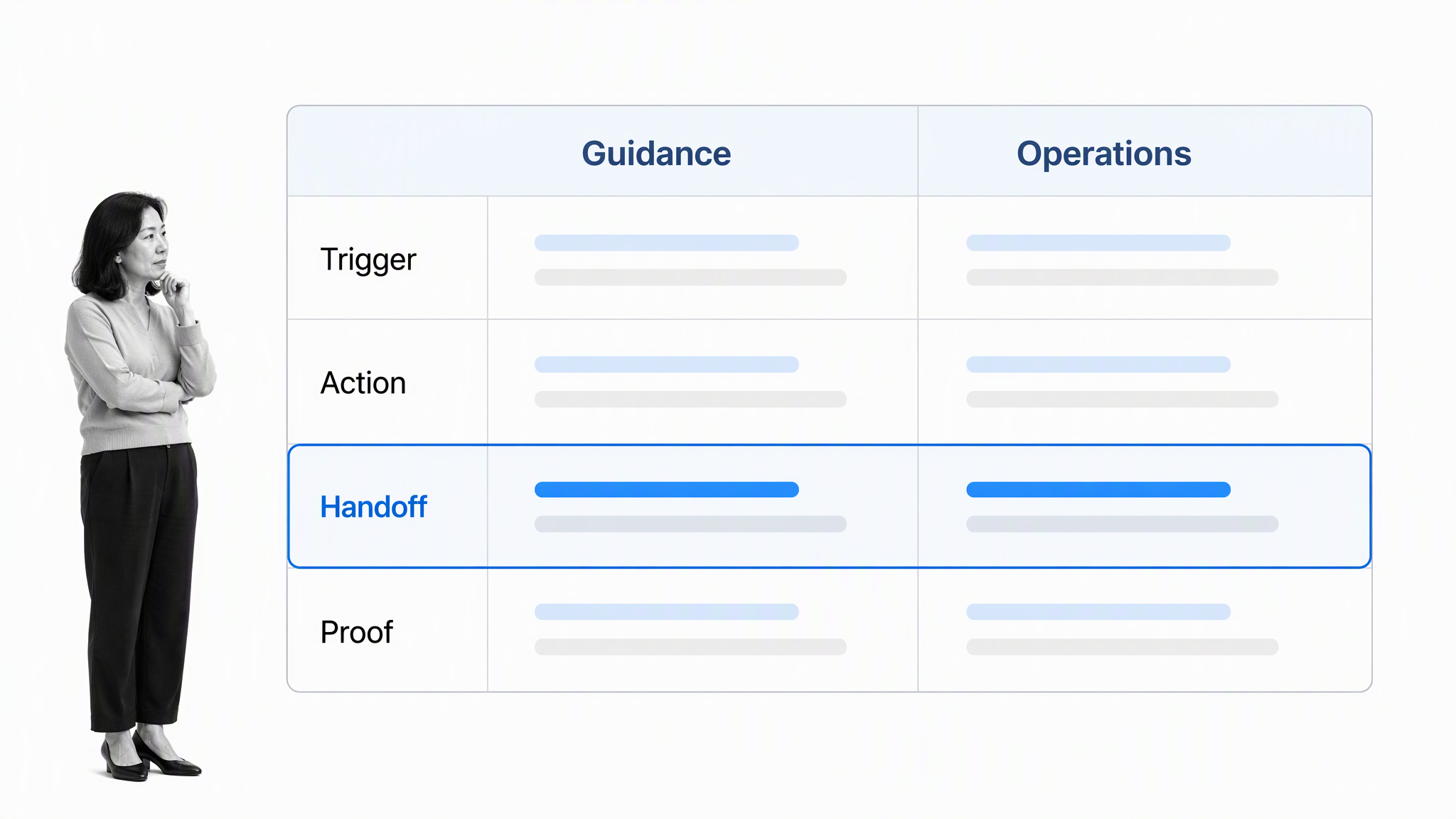
Most teams need two connected software layers. The first shapes what the user sees. The second coordinates the work required to deliver the promise. Buying only one layer can create a polished surface with unreliable execution, or a strong internal process with a confusing product experience.
The in-product guidance layer
In-product guidance appears inside the application. It can include welcome screens, checklists, tooltips, hotspots, interactive walkthroughs, resource centers, and messages triggered by user behavior. Its job is to give the right nudge at the moment a user can act.
The operational orchestration layer
Operational orchestration runs behind the interface. It assigns implementation tasks, requests data, coordinates specialists, routes risk reviews, tracks training, schedules interventions, and confirms handoff readiness. This layer matters most when onboarding crosses teams or cannot be completed through self-service alone.
The layers should share milestones
Both layers need the same definition of progress. If the product marks onboarding complete after a tour while the implementation team still lacks required data, the metric is misleading. Define milestones such as account configured, data connected, first workflow published, invited teammate active, or approval completed. Then let each system update the same onboarding state.
Choose the lightest useful experience
Not every user needs a tour. Experienced users may prefer a checklist or searchable help. Complex accounts may need a guided implementation. Segment by goal, role, product maturity, risk, and expected assistance. The experience should respond to what a user is trying to achieve, not force everyone through the same sequence.
Types of user onboarding tools
Different tools solve different pieces of the onboarding journey. A clear category map prevents feature shopping from replacing process design.
Digital adoption platforms
Digital adoption platforms place guidance over an application. They are useful when users need contextual help, role-specific walkthroughs, or support across complex interfaces. Evaluate how reliably targeting rules work when the underlying product changes.
Product experience and analytics platforms
These platforms combine guidance with behavior data. They help teams find drop-off points, segment users, test interventions, and connect onboarding events to activation or retention. Their value depends on a clean event model and a shared definition of success.
Lifecycle messaging tools
Email, push, and in-app messaging tools bring users back when the next action should happen outside the current session. Messages should respond to behavior. A reminder to complete setup is useful; a generic sequence sent after the user already finished setup is noise.
Customer onboarding and implementation platforms
High-touch accounts often need plans, shared milestones, document exchange, meeting coordination, and stakeholder visibility. A client onboarding process is a good reference for the handoffs that sit outside the application itself.
Workflow automation platforms
Workflow software coordinates internal work and exceptions. It is the right layer when onboarding requires several teams, evidence, approval, or system updates. It can trigger the visible experience, respond to product events, and make stalled cases actionable for an owner. A broader workflow management system is useful when the same operating layer must support onboarding and other recurring customer processes.
User onboarding software features to prioritize
A long feature list does not guarantee better onboarding. Prioritize the capabilities that help users reach value, help operators intervene, and keep the system maintainable.
Segmentation and targeting
The tool should select an experience using reliable attributes and behavior. Useful inputs include role, plan, use case, account maturity, permissions, completed events, and declared goals. Ask how the platform handles missing or conflicting data.
Event triggers and state
Onboarding should respond to what the user has done, not only to time since signup. Look for event-based triggers, persistent progress, and rules that prevent completed steps from reappearing. The state model should work across sessions and devices.
Content creation and maintenance
Operators need to create and update guidance without a release cycle for every wording change. At the same time, governance matters. Review permissions, version control, approval, testing, and the process for finding experiences that no longer match the product interface.
Analytics tied to outcomes
Completion rates are only useful when tied to a meaningful milestone. The platform should show who started, who progressed, where users stalled, which segment saw the experience, and whether the user reached first value afterward.
Accessibility and interruption control
Guidance should not trap focus, obscure important controls, or rely only on color. Use the W3C accessibility quick reference when evaluating keyboard access, focus order, contrast, motion, and dismissible overlays.
Integrations and operational triggers
The product layer should exchange events with your analytics, CRM, support, messaging, data, and workflow systems. The important question is not the connector count. Ask whether the integration can carry the fields and state needed to trigger the right action, update ownership, and close the loop.
Identity and permission controls
Onboarding often creates an account, assigns a role, or grants access to customer data. Evaluate authentication options, least-privilege roles, administrative controls, session handling, and the way external participants see workflow information. The NIST Digital Identity Guidelines give teams a durable foundation for identity assurance, while the OWASP Authentication Cheat Sheet provides practical implementation considerations. Security should be part of the path design, not a review added after the experience is built.
How to build a user onboarding workflow
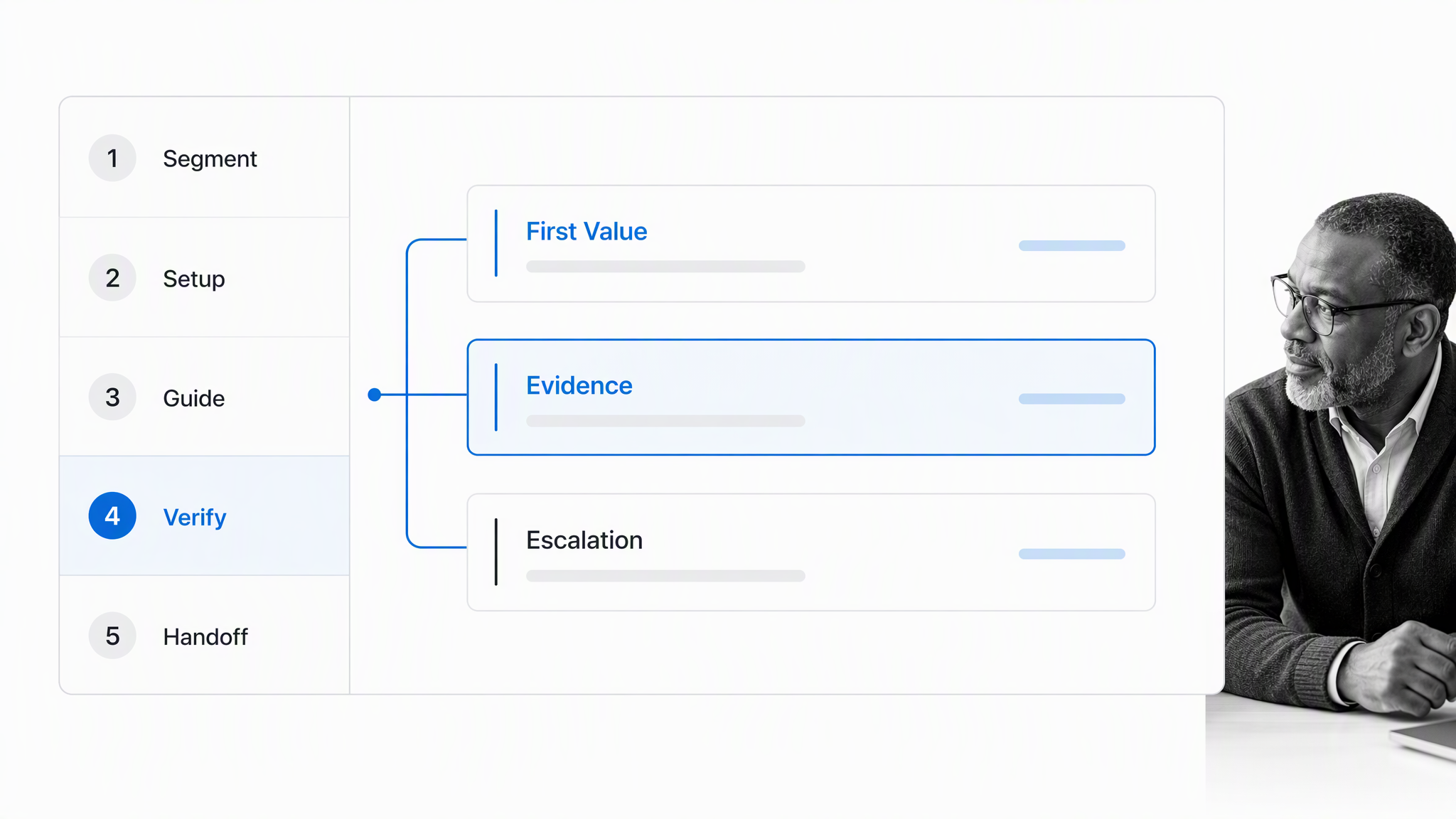
Build the workflow before choosing every surface. The workflow defines what success means, who owns each step, and what happens when a user cannot follow the standard path.
1. Define the first-value event
Choose one observable outcome that demonstrates value. It should be specific enough to measure and important enough to predict continued use. Avoid weak proxies such as tour viewed or video played unless the content itself is the product outcome.
2. Segment by goal and complexity
Group users by the path they need, not by every available attribute. Start with two or three meaningful segments, such as self-service, guided, and high-touch. Add a segment only when it changes the work or the experience.
3. Map the minimum path
List the actions required to reach first value. Remove optional education from the critical path. Sequence dependencies, allow independent work to run in parallel, and give users a clear sense of progress without turning the product into a course.
4. Connect product and human help
Define the signal that should trigger human intervention. It might be a failed integration, an overdue setup step, a high-value account with no activity, a security requirement, or repeated help searches. Route the signal to an owner with enough context to act.
5. Verify readiness and hand off
A completed checklist is not always a successful onboarding. Confirm that the user achieved the milestone, required data is present, permissions are correct, unresolved risk has an owner, and the next relationship owner is clear.
6. Test the exceptions
Run the workflow with a new user, an experienced user, a user who skips guidance, a stalled account, and a complex account. Check triggers, duplicate messages, reassignment, permissions, evidence, and the handoff. The exception path often reveals more than the happy path.
How to evaluate an onboarding platform
Evaluate software against your operating model. A polished demonstration can hide weak targeting, brittle maintenance, poor data flow, or no clear path for human intervention.
Bring a representative use case
Use one real onboarding journey in the evaluation. Ask the vendor or trial team to build a segment, trigger an experience, update state from an event, route a stalled case, and show the completed record. Generic demonstrations rarely expose implementation friction.
Test resilience to product changes
Change a button label, move an element, alter a route, and change a user role. Confirm what breaks, how administrators detect the problem, and how quickly they can repair it. Onboarding content becomes debt when nobody knows which experience depends on which interface element.
Inspect data handling
Review the data the system collects, where it is stored, how long it is retained, and who can access it. The GDPR data-processing principles provide a useful design standard even when a specific implementation is outside EU scope.
Check governance and ownership
Ask who can publish guidance, approve changes, view sensitive fields, and modify targeting rules. Confirm there is a routine for reviewing stale experiences, failed triggers, and orphaned content after team changes.
Calculate total operating effort
Include implementation, instrumentation, content creation, QA, maintenance, training, and analytics work. Software that looks inexpensive can be costly if every experience needs engineering support or if broken guidance is hard to detect.
Confirm the software can support a complete run
Ask the evaluation team to take one case from signup through handoff, including one stalled step and one reassignment. The completed record should show the selected path, user state, owner, intervention, evidence, and outcome. A reusable client onboarding workflow can help you list the operational handoffs the test must cover, while the SaaS workflow template library gives product teams adjacent scenarios for a realistic pilot.
How to measure user onboarding
Measure the journey as a system. One metric cannot distinguish a fast success from a rushed or incomplete setup.
Activation rate
Activation rate is the share of eligible users who reach the defined first-value event within a chosen window. Segment it by use case, acquisition source, plan, role, and assistance model so the average does not hide a weak path.
Time to first value
Measure elapsed time from the meaningful start event to first value. Separate waiting time from active work where possible. A long delay caused by a security review needs a different fix from a confusing product step.
Step and handoff completion
Track where users stop, where internal tasks become overdue, and where ownership changes. Product events show the user path; workflow data shows the operating path. Compare both before deciding what to change.
Intervention and exception rate
Count the cases that need human help, why they need it, and whether intervention changes the outcome. A rising intervention rate may signal poor self-service design, but it can also show that the system is correctly identifying complex accounts.
Downstream outcome
Connect onboarding to continued use, customer health, support load, expansion, or the next meaningful product milestone. The objective is not merely to finish onboarding. It is to establish the behavior and configuration that make future success more likely.
Build the operational layer with Process Street
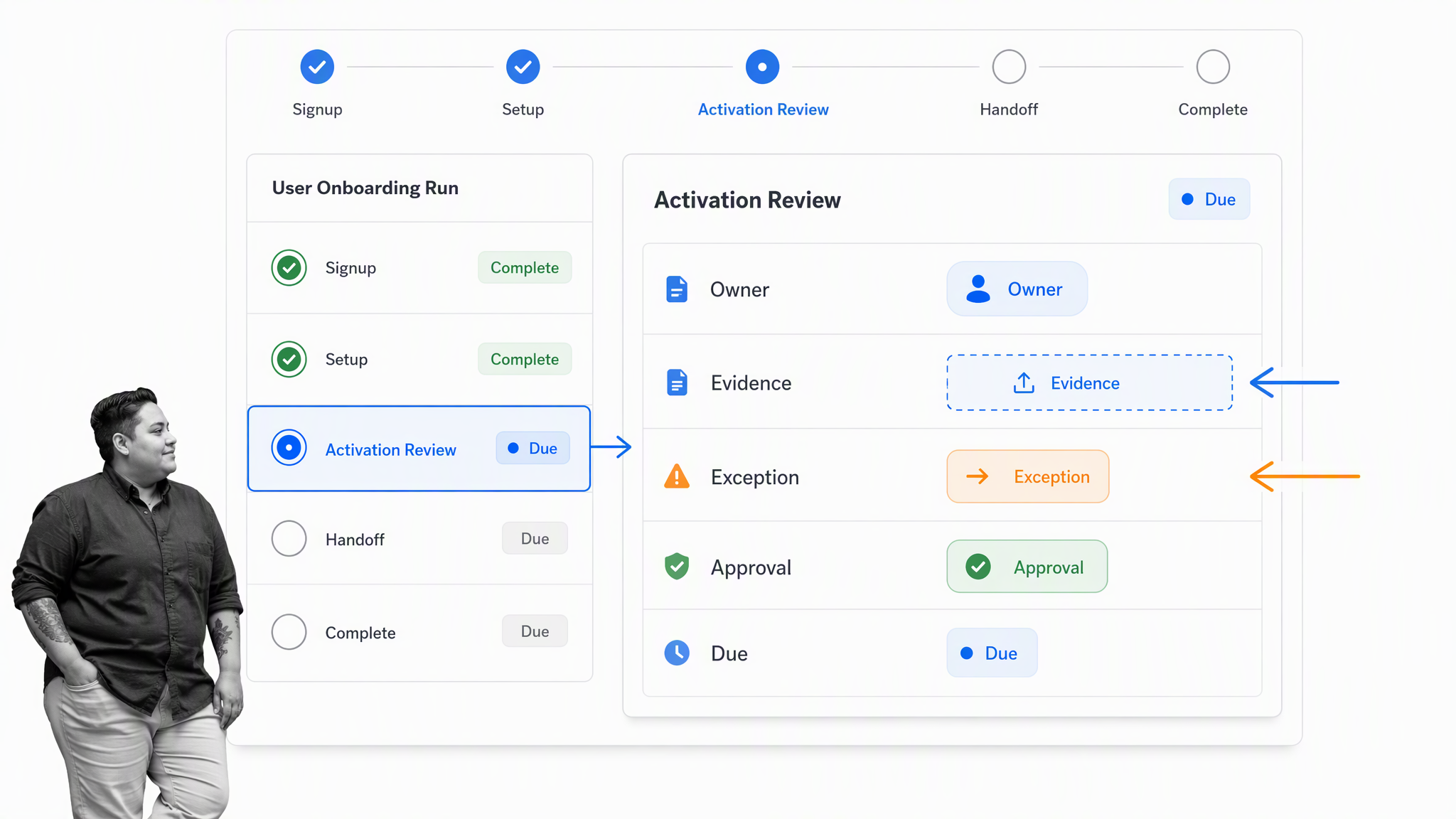
Process Street runs the operational layer behind user onboarding. Product events can start or update a workflow, then the workflow assigns work, gathers evidence, routes exceptions, controls approvals, and records the final handoff.
Turn onboarding rules into executable work
Start with a customer onboarding quick-start workflow or a high-touch SaaS onboarding workflow. Replace generic steps with your first-value milestone, roles, systems, escalation rules, and evidence requirements.
Route the right path
Use conditional logic to reveal work according to segment, risk, product, or implementation complexity. The workflow can keep a simple common spine while specialists see the tasks that apply to their case.
Coordinate people and systems
Process Street has direct, universal integrations to 5,000+ systems. Need a new one? An AI agent builds it on the fly. Product analytics, CRM, support, data, and messaging events can move the workflow forward without hiding accountability in side channels.
Stop incomplete handoffs
Use approval tasks when a security, compliance, implementation, or customer success owner must verify readiness. Keep the decision, evidence, owner, and exception history with the onboarding run.
Improve from run data
Every run creates evidence about delays, rework, exceptions, and ownership. Pair that operating record with the broader user onboarding framework and customer onboarding guide to refine both the product experience and the process behind it.
User onboarding FAQs
What is user onboarding software?
It helps new users understand a digital product, complete required setup, and reach an early success milestone. It can include in-product guidance, messaging, analytics, and operational workflows that coordinate help and handoffs.
What is the difference between user onboarding and customer onboarding software?
The user layer focuses on helping an individual become effective with a product. Customer onboarding software covers the broader relationship, including goals, implementation, stakeholders, training, documents, and the handoff to ongoing success.
Which features matter most in an onboarding platform?
Prioritize reliable segmentation, event triggers, persistent progress, maintainable content, outcome analytics, accessibility, integrations, and a clear way to route stalled or complex users to an owner. The right mix depends on whether your journey is self-service, guided, or high-touch.
How do you choose a user onboarding tool?
Define your first-value event and representative user paths before comparing tools. Test one real segment, trigger, experience, exception, and handoff, then inspect maintenance effort, data handling, governance, and the completed record.
How do you measure user onboarding success?
Measure activation rate, time to first value, step completion, handoff delays, exception volume, intervention outcomes, and a downstream behavior such as continued use. Segment the results so a healthy average does not hide a broken path.
How does Process Street support user onboarding?
Process Street runs the operational workflow behind user onboarding. Teams can assign work, apply conditional paths, route exceptions, gather evidence, control approvals, connect systems, and keep a complete record from signup through handoff.
