


Turn every policy into automated workflows with built-in enforcement and audit-ready proof.



Customer Journey Mapping Tools
Customer journey mapping tools help teams visualize what customers do, think, and feel across every interaction with a business. The strongest tools do more than produce a polished map. They connect research, ownership, decisions, and follow-through so the map improves the experience it describes.
This guide compares five useful options across a practical spectrum: operational execution, dedicated journey management, collaborative whiteboarding, structured experience design, and connected diagramming. Process Street leads when the priority is turning a journey map into repeatable work with owners, approvals, evidence, and a clear record of what changed.
The right choice depends on what happens after your workshop. If you need a visual artifact, choose for mapping depth and collaboration. If you need teams to act on pain points consistently, choose a platform that can convert decisions into a live workflow.
Use the sections below to compare the tools and build a journey-mapping system that does not stop at documentation:
- Customer journey mapping tools at a glance
- How to choose customer journey mapping software
- 1. Process Street
- 2. Smaply
- 3. Miro
- 4. UXPressia
- 5. Lucidchart
- How to turn a journey map into action
- Customer journey mapping tools FAQs
Customer journey mapping tools at a glance
A useful shortlist covers two distinct jobs. The first is sense-making: gathering customer evidence and arranging it into stages, touchpoints, emotions, pain points, and opportunities. The second is execution: assigning improvements, controlling handoffs, checking outcomes, and preserving the evidence that the work happened.
| Tool | Best for | Standout feature | Pricing |
|---|---|---|---|
| Process Street | Turning journey insights into assigned, controlled workflows | Runnable workflows with approvals and audit history | Custom quote |
| Smaply | Dedicated journey mapping and journey management | Journey hierarchy, persona, metrics, and opportunity surfaces | Free plan; paid editor plans |
| Miro | Collaborative workshops and flexible visual mapping | Infinite canvas, templates, facilitation, and AI synthesis | Free plan; paid member plans |
| UXPressia | Structured maps, personas, and impact maps | Rich journey sections, filtering, and reusable templates | Free plan; paid user plans |
| Lucidchart | Diagramming that connects journey maps to broader process visuals | Data linking, layers, conditional formatting, and collaboration | Free plan; paid plans |
None of these tools removes the need for customer research. A map built from assumptions is still an assumption, however attractive the canvas looks. Start with interviews, support conversations, surveys, behavioral data, and input from teams that speak with customers every day.
For broader operating context, connect the map to a user experience map, customer engagement software, and the workflows that deliver each touchpoint.
How to choose customer journey mapping software
Decide whether you need mapping, management, or execution
A whiteboard is often enough for a one-time workshop. A purpose-built journey management tool helps when you need connected maps, personas, metrics, and a shared repository. An operational platform matters when each identified problem must become assigned work with a decision gate and proof of completion. Name the job before you compare feature lists.
Test the structure against a real journey
Use one customer segment and one bounded scenario, such as trial-to-paid conversion or support escalation. Your test should include stages, touchpoints, customer actions, emotions, evidence, owners, and improvement ideas. A customer journey map template gives the team a repeatable research structure before the tool evaluation becomes a design exercise.
Check how insight becomes accountable work
Ask what happens when the team identifies a serious pain point. Can someone own it? Can the team define a due date, approval criterion, supporting evidence, and a follow-up measure? If the answer is no, you will need a second system for execution. The handoff between map and action is where journey programs usually lose momentum.
Evaluate collaboration and governance together
Real-time editing and comments help teams build a shared view. Governance keeps that view dependable after the workshop. Look for permissions, revision history, reusable templates, consistent naming, and a way to keep current-state and future-state maps separate. For operational changes, a workflow approval process makes decision criteria explicit.
Run a short proof of concept before you commit
Give the same small team the same research packet and a fixed time box in each shortlisted tool. Ask them to create one current-state map, identify three pain points, choose one priority, and hand the improvement to an owner. This reveals how much setup, facilitation, cleanup, and training the platform really requires. It also exposes whether the tool supports your natural working style or forces the team to maintain the artifact for its own sake.
Score the proof of concept on research traceability, map readability, collaboration, template consistency, permissions, version control, exports, integrations, action ownership, and reporting. Include the people who will maintain the map after launch, not only the people who enjoy workshops. A tool can perform beautifully during facilitation and still fail when a new stakeholder tries to understand the journey three months later.
Plan the operating cadence
Decide who owns each journey, what evidence triggers an update, how frequently the team reviews performance, and where improvement work is tracked. Define a naming convention for personas, scenarios, channels, and map versions. Separate current-state evidence from future-state proposals so the team never mistakes an aspiration for the experience customers receive today. These rules matter more than decorative flexibility because they keep the journey dependable as contributors and priorities change.
1. Process Street
Best for: Teams that need to turn customer journey insights into repeatable, cross-functional execution with ownership and proof.
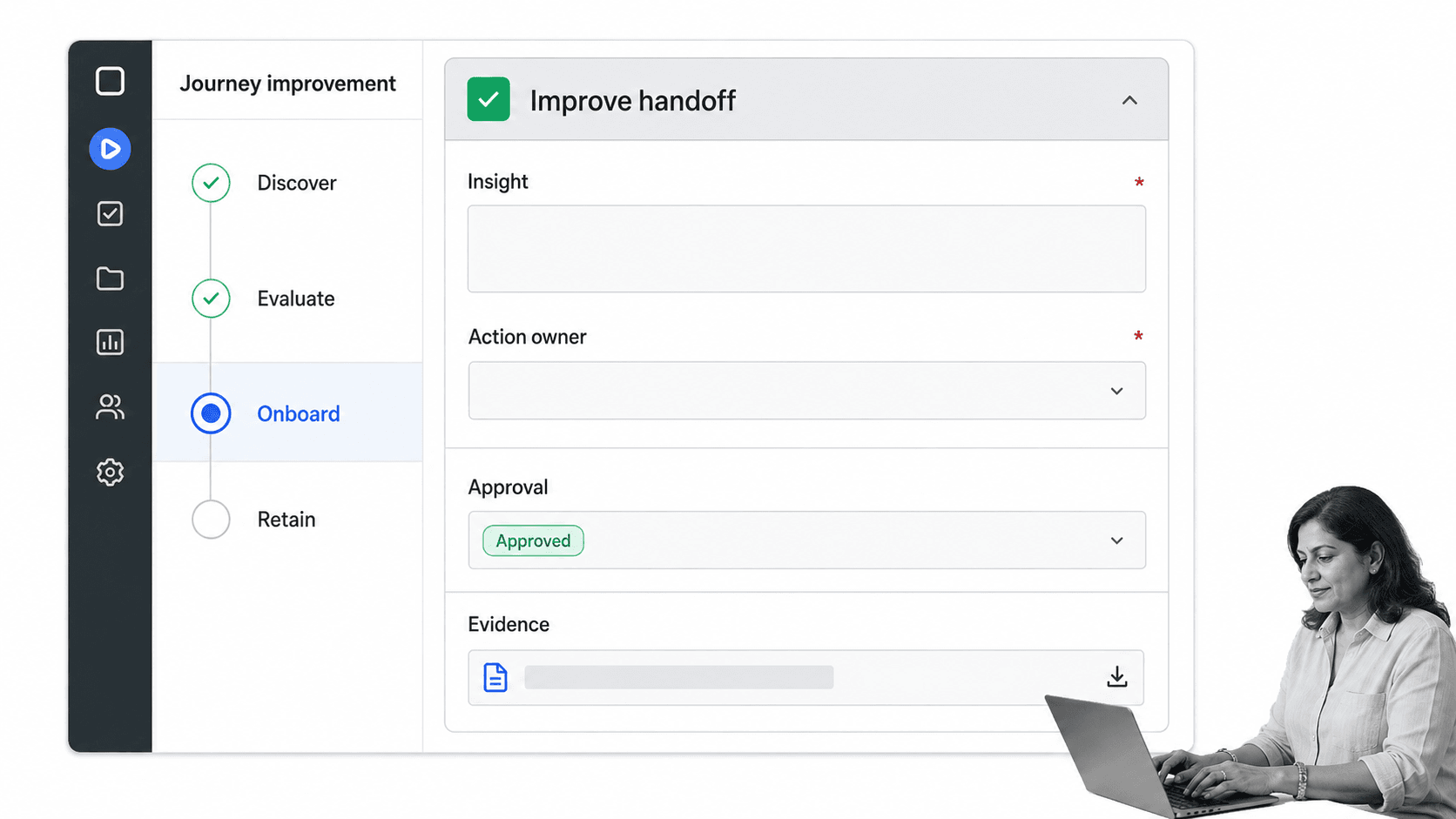
Process Street is a Compliance Operations Platform, so its advantage begins where a static journey map often ends. Teams can structure customer research, route reviews, assign improvement work, require evidence, and preserve an audit history inside a runnable workflow. That makes it useful for journeys where sales, onboarding, support, product, finance, and compliance all own different moments.
Why it stands out
The official Customer Journey Map Template breaks the work into persona research, awareness, engagement, adoption, post-adoption, stakeholder approval, and review. Conditional logic can route different tasks based on customer segment or journey finding, while approvals keep key decisions inside the workflow. The result is not merely a visual. It is an operating record.
Where it fits in the tool stack
Process Street complements a visual canvas when a team wants to brainstorm in one place and execute in another. Convert stable journey stages and improvement actions into workflow tasks, then add owners, required fields, due dates, approvals, evidence, and follow-up measures. The customer onboarding process is a natural downstream use case because handoffs and skipped steps directly affect the experience.
Potential limitation
If your only goal is free-form visual facilitation on an infinite canvas, a dedicated whiteboard will feel more natural. Process Street is strongest when the map must drive action, not when the visual artifact itself is the final deliverable. Pricing is custom quoted through the official pricing page.
2. Smaply
Best for: Customer experience teams that want a purpose-built environment for journey mapping and ongoing journey management.
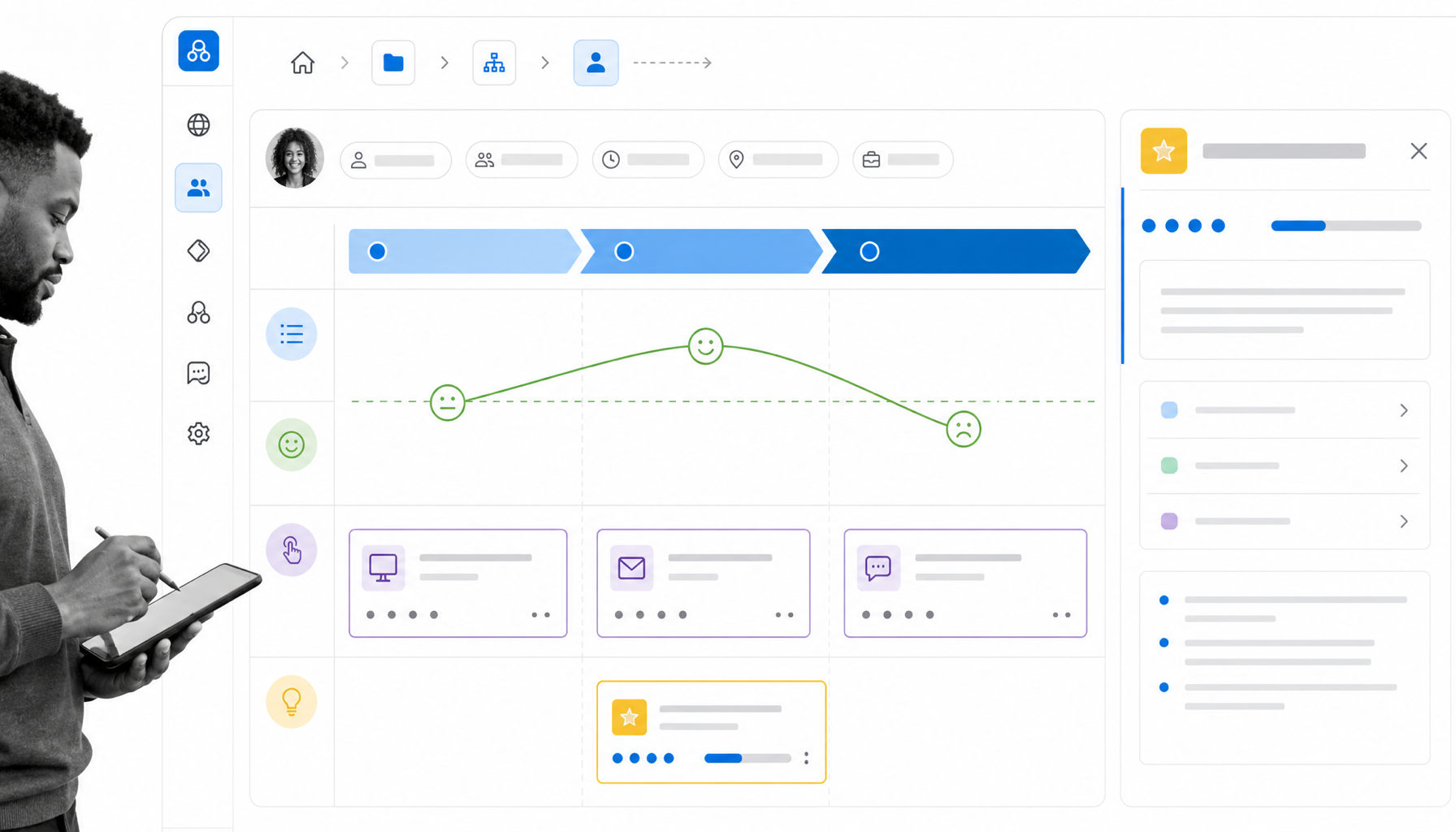
Smaply centers its product around customer journeys rather than general diagramming. Its official product page describes a drag-and-drop Journey Map Editor, connected journey hierarchies, a Persona Builder, metrics, research insights, and portfolio-style prioritization. That focus helps CX teams keep maps, personas, evidence, and improvement opportunities connected.
Why it stands out
Journey hierarchy is the clearest differentiator. Teams can link maps and keep an overview while different owners work at a more detailed level. The editor also supports journey stages, emotion curves, touchpoints, cards, and collaborative updates. That makes Smaply a strong choice when mapping is a continuing discipline rather than a quarterly workshop.
Where it fits
Use Smaply when a CX practice needs a shared source of truth for maps and personas. Pair it with an execution system when high-priority opportunities need assigned tasks, approval gates, or operational evidence. A customer feedback system can supply recurring evidence that keeps maps grounded in current customer signals.
Potential limitation
A specialized platform asks the organization to adopt journey-management conventions. Teams that need only occasional diagrams may prefer a broader visual collaboration tool. Smaply offers a free plan and paid editor plans on its current pricing page.
3. Miro
Best for: Cross-functional workshops that need a flexible shared canvas, facilitation tools, templates, and fast synthesis.
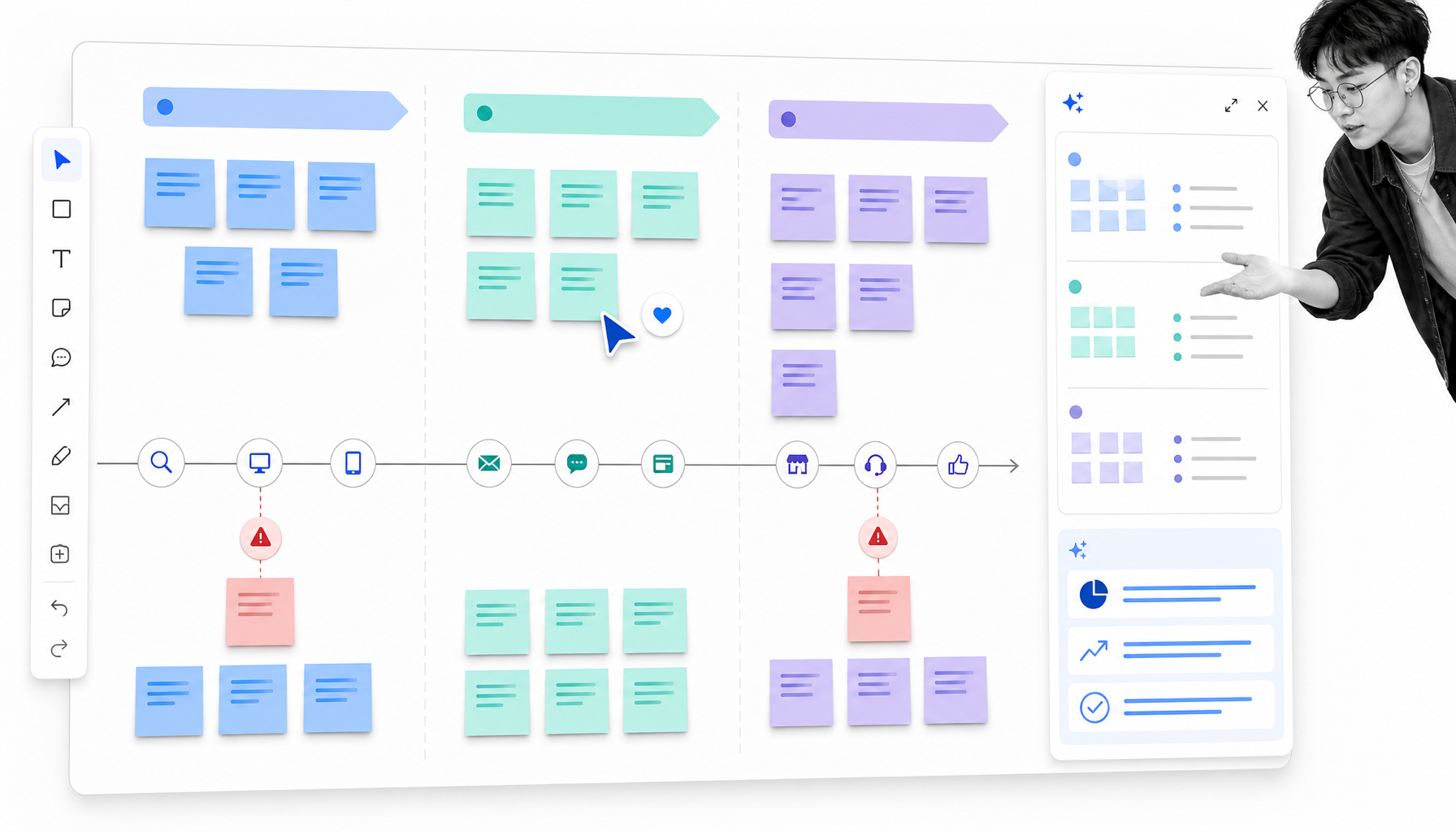
Miro treats the customer journey as one of many collaborative visual workflows. Its official customer journey product page highlights templates, shared boards, touchpoint mapping, comments, workshop facilitation, and AI features that can cluster notes, summarize research, and suggest structures. That breadth is useful when journey mapping sits beside discovery, planning, and product work.
Why it stands out
The infinite canvas makes it easy to combine interview notes, screenshots, affinity clusters, journey stages, pain points, and opportunity ideas in one working space. Multiple contributors can add context without forcing the map into a rigid schema too early. For distributed teams, the workshop experience is a major part of the value.
Where it fits
Choose Miro when alignment and ideation are the immediate priorities. Once the team agrees on improvements, move decisions into a controlled workflow. A process mapping guide helps separate the customer-facing journey from the internal process that produces each touchpoint.
Potential limitation
Flexibility can create inconsistency across teams. Without naming standards, templates, owners, and review routines, boards multiply and maps age quietly. Miro offers a free plan and paid member plans, with current details on its official journey-mapping pricing page.
4. UXPressia
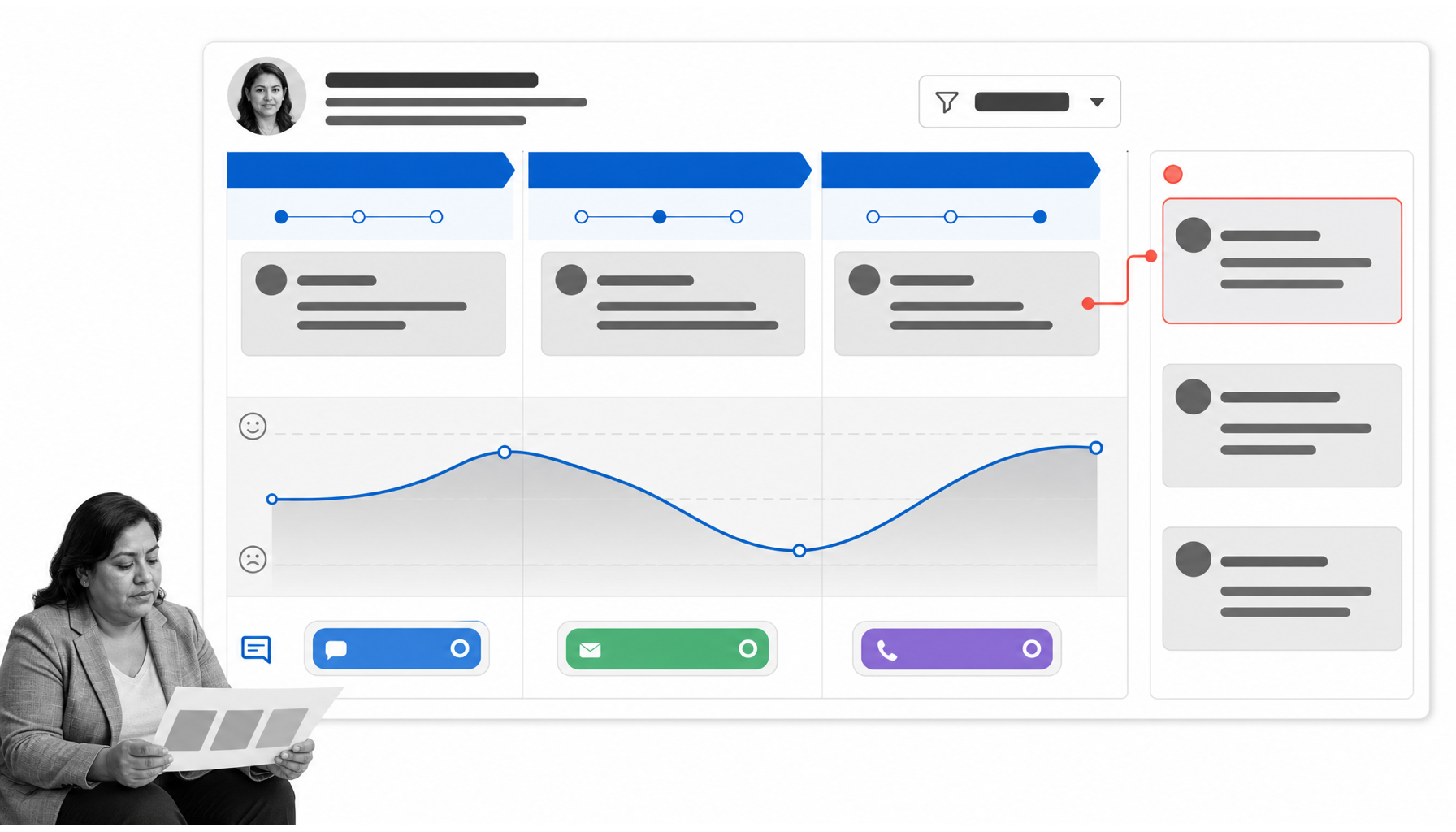
Best for: Teams that want structured customer journey maps, personas, impact maps, and presentation-ready outputs in one platform.
UXPressia offers a dedicated customer journey mapping surface with templates, collaborative editing, comments, persona work, and rich map sections. Its official help center says the map can use more than 20 section types, which gives teams room to capture touchpoints, emotions, channels, evidence, metrics, ownership, and opportunities without rebuilding the structure from scratch.
Why it stands out
The platform balances structure with visual presentation. Teams can use filtering to focus on a persona or touchpoint, embed supporting content, and reuse templates across projects. That is helpful for consultants or internal CX teams that need maps to be both analytical and easy to present.
Where it fits
UXPressia works well when personas and journey maps need to stay tightly linked. Connect the output to recurring customer operations such as a customer onboarding checklist, support escalation, or voice-of-customer review so recommendations become observable changes.
Potential limitation
As with other dedicated mapping tools, execution may live elsewhere. Decide how opportunities will move from a map into owned work before rollout. UXPressia offers a free plan and paid user plans on its official pricing page.
5. Lucidchart
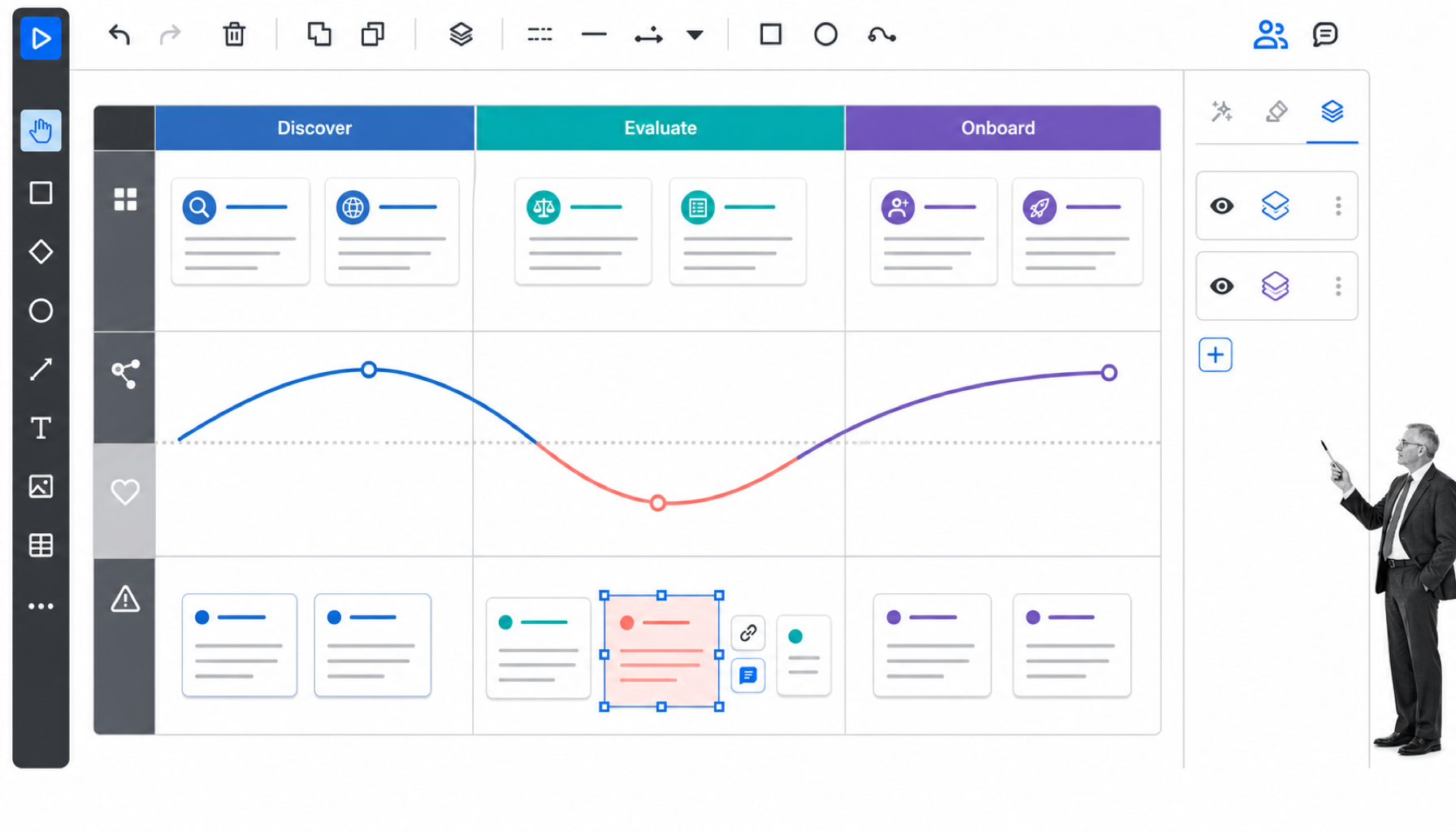
Best for: Teams that want journey maps alongside process diagrams, service blueprints, system maps, and other structured visuals.
Lucidchart is a general diagramming and visual collaboration platform with customer journey templates. Its official journey-mapping page highlights real-time collaboration, data linking, conditional formatting, layers, revision history, and shape libraries. Those capabilities are useful when the journey must connect to service blueprints, internal processes, systems, or data sources.
Why it stands out
Lucidchart can move from a customer-facing journey into backstage operational detail without changing visual platforms. Data linking and conditional formatting can help a map reflect supporting measures, while layers let teams separate current-state, future-state, or audience-specific views.
Where it fits
Use Lucidchart when journey mapping is part of a wider business architecture practice. It pairs naturally with a process mapping tools evaluation or a service-blueprint program. Move approved actions into an execution workflow so the diagram does not become the only record of accountability.
Potential limitation
A broad diagramming platform does not impose a journey-management method. Teams must define their own map standards, research requirements, and improvement cadence. Lucid offers a free plan and paid plans, including an Individual plan listed on its official trial page.
How to turn a journey map into action
Validate the map with real evidence
Mark every claim as observed, measured, reported, or assumed. Interview customers from the target segment, review support conversations, and compare the map with behavioral data. Do not merge multiple personas into one average journey. A focused map makes ownership and measurement clearer.
Support teams can standardize evidence capture with customer support templates, while cross-functional owners can reuse customer management templates for recurring touchpoint work.
Rank pain points by impact and confidence
Score opportunities using customer impact, frequency, business impact, evidence strength, effort, and risk. Keep the scoring simple enough that stakeholders can challenge it. The point is not mathematical certainty. It is a visible decision rule that prevents the loudest opinion from taking over.
Convert the priority into a controlled workflow
Turn the selected improvement into tasks with owners, due dates, required inputs, dependencies, approval criteria, and proof. Conditional paths can adapt work by customer segment, channel, product, or risk. For cross-functional changes, a customer success workflow can coordinate the recurring handoffs around adoption and retention.
Measure the touchpoint after the change
Define the outcome before implementation. Depending on the problem, that might be completion, time to resolution, customer effort, conversion, rework, escalation, or satisfaction. Review the evidence at a fixed interval, update the map, and record what the team learned. This creates a closed loop between customer insight and operating practice.
Keep the map and workflow synchronized
Assign an owner for the journey, not just the project. Schedule reviews when products, channels, policies, or customer behaviors change. Use version history for the map and revision control for the workflow. The map explains the experience. The workflow ensures the organization delivers the intended change consistently.
Teams implementing the operating layer can use the Process Street getting started guide and the documentation for conditional logic to route journey work by segment, channel, or finding.
Customer journey mapping tools FAQs
What are customer journey mapping tools?
Customer journey mapping tools are software platforms that help teams document customer stages, touchpoints, actions, emotions, pain points, evidence, owners, and improvement opportunities. Some focus on visual mapping, while others add journey management or operational execution.
What should a customer journey mapping tool include?
Look for flexible journey stages, persona support, touchpoint and emotion fields, evidence links, collaboration, templates, version history, exports, and a clear path from insight to owned action. The best feature set depends on whether you need a workshop canvas, an ongoing journey repository, or a workflow that executes improvements.
Can I create a customer journey map for free?
Yes. Several tools in this guide offer free plans or free journey-map templates. Free options work well for testing a method, but teams should also check collaboration limits, map limits, export options, permissions, and how the work will be maintained.
What is the difference between customer journey mapping and journey management?
Journey mapping creates a visual model of the customer experience. Journey management keeps multiple maps, evidence, metrics, owners, and improvement priorities current over time. Management turns the map from a workshop output into an ongoing operating practice.
How often should a customer journey map be updated?
Update the map whenever a major channel, product, policy, or customer behavior changes, and review important journeys on a fixed cadence. High-change journeys may need monthly review, while stable journeys can be reviewed quarterly or after a significant operational event.
How does Process Street support customer journey mapping?
Process Street helps teams structure journey research and turn findings into runnable workflows with assignments, conditional logic, required fields, approvals, evidence, and audit history. It is especially useful when a pain point must become accountable cross-functional work rather than remain a note on a map.
