


Turn every policy into automated workflows with built-in enforcement and audit-ready proof.


Compliance Management Tools
Last updated:
Compliance management tools are systems that turn policies, controls, obligations, audits, and corrective actions into assigned, traceable work. They help your team know what must happen, who owns it, which evidence proves completion, and where an exception needs review.
The category includes broad compliance platforms and focused tools for policy governance, control testing, risk assessment, evidence collection, monitoring, training, reporting, and audit preparation. The right choice is not the product with the longest feature list. It is the system that fits your obligations and carries the work from requirement to proof.
This guide explains how compliance management tools work, which capabilities matter, how to evaluate the category, and how Process Street helps teams operationalize compliance through controlled workflows.
We will cover:
- What compliance management tools are
- Why compliance management tools matter
- Core capabilities of compliance management tools
- Types of compliance management tools
- How to choose compliance management tools
- How to implement compliance management tools
- How to measure compliance tool performance
- How Process Street works as a compliance management tool
- FAQs
What compliance management tools are
Compliance management tools provide a structured place to translate requirements into policies, controls, tasks, evidence, reviews, findings, and corrective actions. The software may focus on one part of that chain or coordinate the full operating cycle. What matters is whether the tool helps the organization move from an obligation to verifiable execution.
The tool is not the compliance program
A tool cannot decide your risk appetite, interpret every obligation, or create accountable leadership. It supports the program by making work repeatable and visible. Your policies, owners, controls, training, and oversight still define the program. The software should carry those decisions into daily execution.
A compliance system connects policy to proof
Static documents explain what should happen. Compliance software records what did happen. A strong system links the policy to the relevant control, assigns the work, requires evidence, routes review, records approval, and preserves the history needed for an audit or investigation.
The category overlaps with several disciplines
Compliance tools overlap with internal controls, compliance audits, risk management, policy management, training, quality management, and incident response. That overlap is useful, but it also explains why two products in the same category can solve very different problems.
The operational layer matters most
A repository can store a policy, a dashboard can display status, and a scanner can detect a technical condition. The operational layer determines who acts next. It assigns work, enforces required inputs, manages approvals, escalates exceptions, and records closure. Without that layer, people still coordinate compliance through email and spreadsheets.
Why compliance management tools matter
Compliance risk grows when requirements are scattered, ownership is informal, and evidence is created only when an audit begins. DOJ compliance guidance asks whether a program is well designed, adequately resourced and empowered, and working in practice. Compliance technology should help your team answer those questions with operating evidence.
They reduce preventable misses
Many failures begin with ordinary coordination problems: an owner changes, a review is late, a policy version is unclear, an approval is skipped, or evidence is saved in the wrong place. A tool reduces those misses when it makes the required path explicit and blocks closure until the necessary work is complete.
They make ownership enforceable
A responsibility matrix is useful, but ownership becomes real only when the named person receives work, sees a due date, knows the acceptance criteria, and faces an escalation if the task stalls. Compliance management software should turn nominal ownership into an active operating commitment.
They make audit readiness continuous
Audit preparation should be a result of normal operations, not a separate evidence hunt. The compliance audit checklist gives teams a repeatable structure for scope, evidence requests, findings, and follow-up. A tool makes that structure reusable across every review cycle.
They help the program adapt
New products, systems, vendors, markets, and regulatory changes create new obligations. A configurable platform lets the team update workflows, owners, evidence rules, and reporting without rebuilding the whole program. Adaptability matters because compliance requirements and business operations change at different speeds.
Sector guidance can shape the operating model. For example, HHS OIG general compliance program guidance gives health care stakeholders a structured reference for program infrastructure and risk. The tool should let your team translate that guidance into owned processes rather than treating it as a static reading list.
Core capabilities of compliance management tools
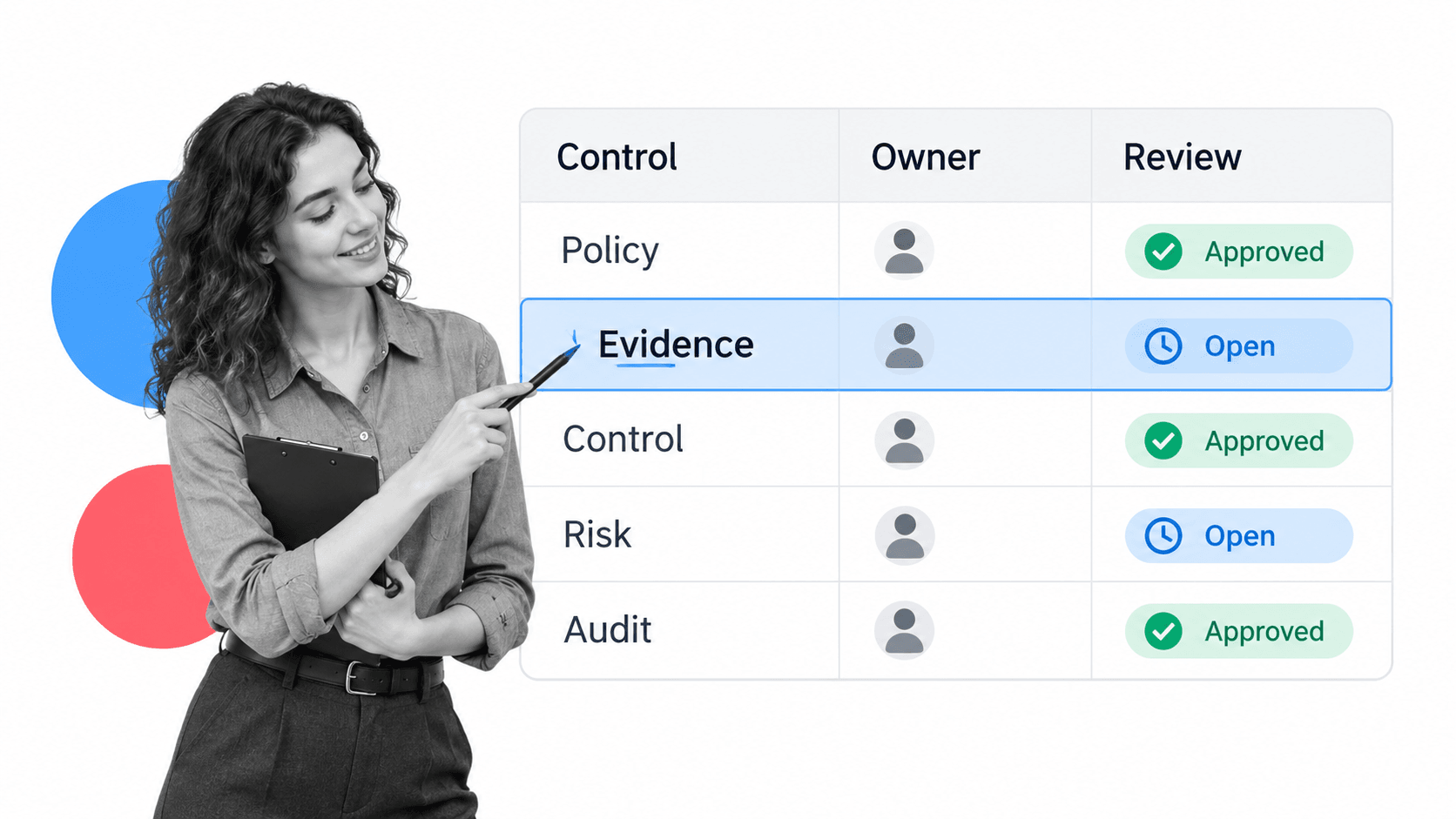
The strongest compliance management tools connect governance with execution. Feature names vary, but the practical capabilities are consistent: define the rule, assign the work, collect proof, review results, manage exceptions, and improve the control.
Policy and document governance
The system should control policy authorship, approval, publication, access, acknowledgement, review cycles, and version history. Policies should be easy to find and clearly connected to the procedures and controls that implement them. A current policy with no execution path is still incomplete.
Risk and obligation mapping
Teams need to map obligations to risks, controls, owners, processes, systems, and evidence. The NIST Risk Management Framework illustrates the value of a repeatable risk process with ongoing monitoring. Your tool should support the relationships that matter without forcing every team into the same taxonomy.
Control and workflow management
Controls need owners, frequency, procedure, evidence requirements, review criteria, and an exception path. Workflow capability should handle recurring tests, attestations, access reviews, vendor checks, policy reviews, incident follow-up, training acknowledgements, and corrective actions. Each run should preserve the operating record.
Evidence collection and traceability
Evidence should show source, scope, owner, period, related control, review state, and approval history. File storage alone is not enough. The system should keep evidence attached to the work that created or validated it, so reviewers can reconstruct the decision without chasing context across several tools.
Monitoring, alerts, and exceptions
Monitoring should identify overdue work, failed controls, stale policies, missing evidence, unresolved findings, and repeated exceptions. Alerts need routing rules, not noise. A useful alert reaches the person who can act, includes the relevant context, and stays open until the risk is accepted or corrected.
Audit and reporting support
Reporting should answer operational questions as well as executive ones. Control owners need their open work. Compliance leaders need program health and exceptions. Auditors need traceable evidence and review history. Executives need material risks, overdue remediation, and decisions that require attention.
Security and access control
Compliance data can include investigations, employee information, customer records, security evidence, and privileged findings. Evaluate role-based access, authentication, audit logging, data handling, retention, exports, and the vendor security review. The tool itself must not create an unmanaged compliance risk.
- Requirement: the external or internal rule the organization must satisfy.
- Control: the action or safeguard used to reduce risk.
- Owner: the person accountable for execution and review.
- Evidence: the proof that the control operated as intended.
- Exception: a departure from the expected path that needs review.
- Corrective action: the assigned fix, verification, and proof of closure.
Types of compliance management tools
The category is broad because compliance work has several layers. Start by identifying which layer causes the most risk or administrative load. Then decide whether you need a focused product for that layer or a platform that coordinates several layers together.
Compliance workflow tools
Workflow tools operationalize recurring compliance work. They are useful when the main problem is missed steps, manual follow-up, unclear ownership, inconsistent evidence, or weak approvals. Common use cases include access reviews, vendor due diligence, policy review, complaint intake, incident response, control testing, and remediation.
Policy management tools
Policy systems focus on drafting, approval, publication, attestation, search, review cycles, and version history. They fit teams whose first priority is document governance. Check whether the system also links policies to tasks and controls, or whether execution will remain in a separate tool.
Risk and control management tools
Risk and control tools structure registers, assessments, control libraries, testing, issues, and remediation. They fit programs that need formal relationships between obligations, risks, controls, entities, and evidence. Configuration depth can be valuable, but it also creates implementation and maintenance work.
Audit management tools
Audit tools coordinate planning, scope, requests, testing, workpapers, findings, review, and reporting. They are useful for internal audit teams and recurring assurance work. If external audit preparation is the main pain, examine compliance audit preparation software as a more specific category.
Monitoring and evidence automation tools
Monitoring tools collect signals from business and technical systems, test conditions, and alert owners when a control drifts. Evidence automation can reduce repetitive collection, especially for technical controls. It does not remove the need for manual evidence, judgment, approvals, and corrective action in human processes.
Training and attestation tools
Training systems deliver learning, track completion, test understanding, and record attestations. They support the communication layer of a compliance program. The key question is whether training results connect to role changes, policy updates, incidents, and workflows, or remain isolated completion records.
A team that needs a vendor shortlist can use the compliance management software comparison. This guide stays focused on the capability and selection model so you can evaluate any shortlist against the same operating requirements.
How to choose compliance management tools
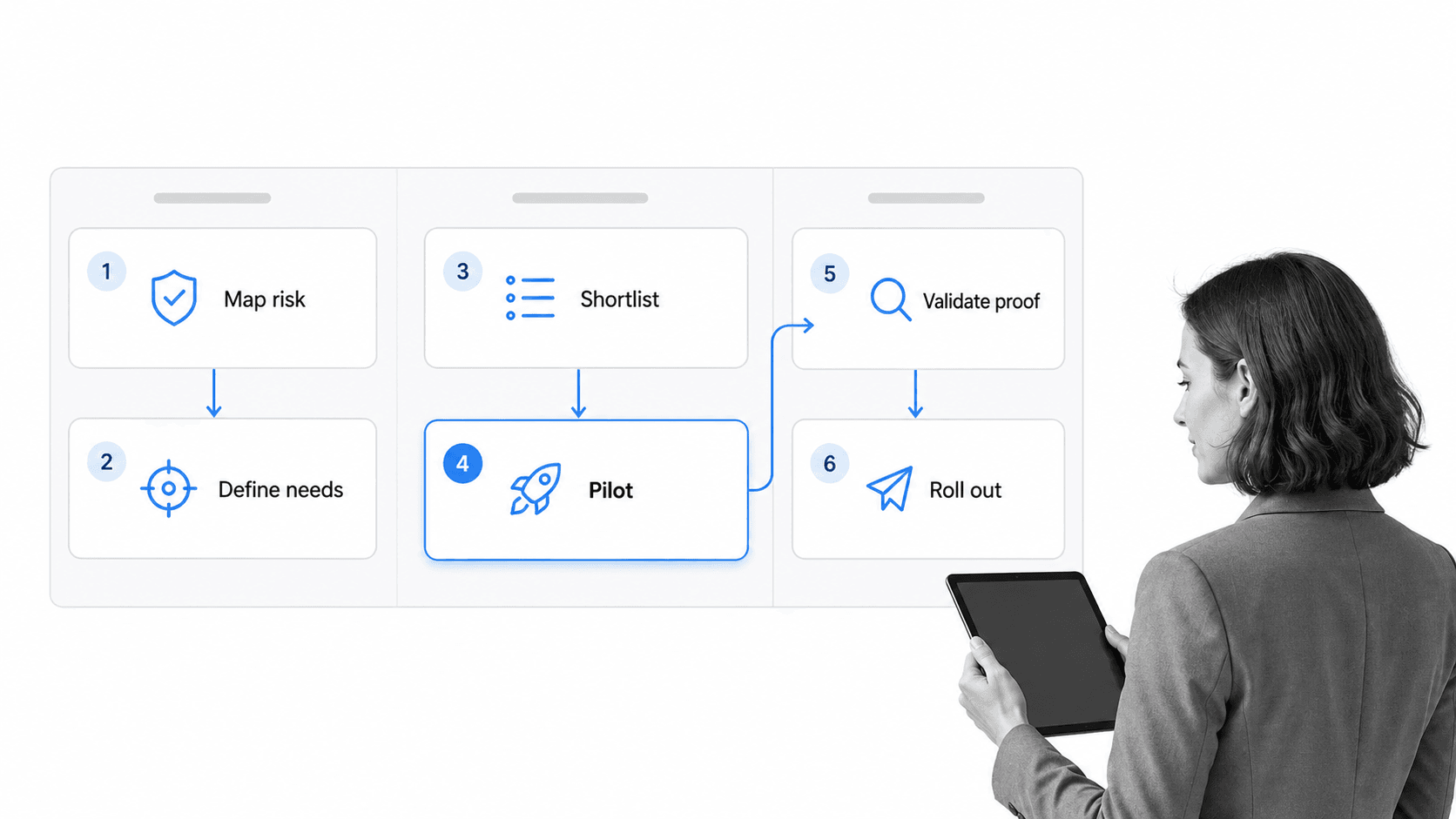
Choose the tool from the work backward. A polished demo can hide the fact that owners still need side spreadsheets, evidence still lacks context, or routine changes require a specialist. Use a real compliance process to test the full path from trigger to approved proof.
Map obligations and operating problems
List the requirements in scope, the processes that satisfy them, the systems that create evidence, and the owners who do the work. Then identify the failure modes: overdue tasks, weak evidence, stale policies, manual reminders, repeat findings, fragmented reporting, or slow remediation.
Separate must-haves from preferences
Turn the highest-risk needs into pass or fail requirements. If a tool cannot support required approvals, access controls, evidence traceability, or retention, a strong dashboard does not compensate. Preferences such as layout, minor reporting options, and visual customization can be weighted after the hard gates.
Test one real workflow
Run a pilot with actual owners and realistic evidence. A risk assessment process, control test, vendor review, or audit request is better than a generic sandbox. Include a late task, missing evidence, failed control, reassignment, exception, approval, and export.
Evaluate usability for every role
Compliance administrators may tolerate configuration complexity that occasional control owners will not. Test the experience for the person who completes one task each quarter, the reviewer who approves evidence, the manager who sees an exception, and the auditor who needs a traceable record.
Verify integration and data ownership
Identify where employee data, tickets, documents, access logs, incidents, training results, vendor records, and approvals live. Test how data enters and leaves the platform. Confirm export formats, API access, retention behavior, identity controls, and what happens if you later change systems.
Model implementation and operating cost
Subscription price is only one cost. Include configuration, migration, training, integration work, premium support, specialist administration, and the ongoing effort required to update controls and workflows. A platform is economical when process owners can safely maintain the system and retire parallel manual work.
Use a defensible decision record
Document requirements, scores, pilot results, security review, risks, assumptions, and the final decision. This record helps procurement and leadership understand the tradeoffs. It also gives the implementation team a clear definition of what success should look like after launch.
How to implement compliance management tools
Implementation succeeds when the new platform becomes the normal path for compliance work. Loading a control library or importing policies is only the beginning. Owners, triggers, evidence, approvals, exceptions, reporting, and improvement cycles must all work in the new system.
Start with one meaningful process
Choose a process with clear pain, visible owners, and measurable outcomes. Good candidates include access review, policy review, vendor due diligence, audit evidence collection, incident follow-up, complaint handling, or corrective action. Avoid starting with the entire program at once.
Design the operating record
Define the fields and evidence that prove completion. Decide which inputs are required, which responses create exceptions, who approves closure, and what history must remain available. The operating record should be useful to the next reviewer without an explanatory meeting.
Migrate active work carefully
Separate current, authoritative information from old files and duplicate trackers. Move open findings, active controls, current policies, owners, and necessary evidence first. Preserve required historical records, but do not reproduce every obsolete spreadsheet merely because it exists.
Train people in the workflow
Role-based training should use the exact tasks people will complete. Show owners how to attach evidence, reviewers how to approve or reject, managers how to handle escalations, and administrators how to update the process. Training should end with a completed real workflow, not a tour of menus.
Connect systems after the core path works
Integrations should remove proven manual handoffs. First make the workflow correct, then automate data movement, task creation, evidence collection, and notifications. This sequencing prevents the team from automating a broken process and makes failures easier to diagnose.
Govern changes
Assign a platform owner and define how workflow, policy, control, permission, and reporting changes are requested, tested, approved, and released. A compliance system should be configurable, but uncontrolled configuration can create a new version problem inside the tool.
The compliance template library can shorten setup by providing structured starting points. Adapt each template to your obligations, evidence model, owners, systems, and approval rules before making it the official path.
How to measure compliance tool performance
Measure whether the tool improves operating effectiveness, not merely whether users logged in. A successful implementation reduces manual coordination, strengthens evidence, speeds remediation, and gives leaders a more reliable view of risk.
Adoption and process coverage
Track which in-scope processes run through the system and whether owners complete work there instead of in side channels. Low adoption can mean weak training, poor workflow design, missing integrations, or a tool that does not fit the operator experience.
Timeliness and ownership
Measure overdue controls, late reviews, reassignment volume, escalation frequency, and time to acknowledge high-risk exceptions. The goal is not zero alerts. The goal is predictable ownership and fast attention where delay increases risk.
Evidence quality
Sample evidence for completeness, relevance, traceability, review status, and period coverage. If reviewers still ask what a file proves or which control it supports, the platform may be storing evidence without creating a reliable evidence model.
Findings and corrective action
Track time from finding to owner assignment, remediation, verification, and closure. Watch for repeat findings and reopened issues. Faster closure is useful only when the fix is verified and the underlying process has changed.
Audit effort and confidence
Compare the time spent finding records, answering requests, reconciling status, and rebuilding timelines before and after implementation. Ask auditors and reviewers whether evidence is easier to trace and whether fewer requests require manual explanation.
Program responsiveness
Measure how quickly the team can update a policy, control, workflow, owner, evidence rule, or report when requirements change. ISO 37301 treats compliance management as a management system, so review and improvement are part of the operating model, not optional cleanup.
Related operating models include compliance monitoring software, compliance risk management, and compliance operations. The measurement system should show how those layers reinforce one another.
How Process Street works as a compliance management tool
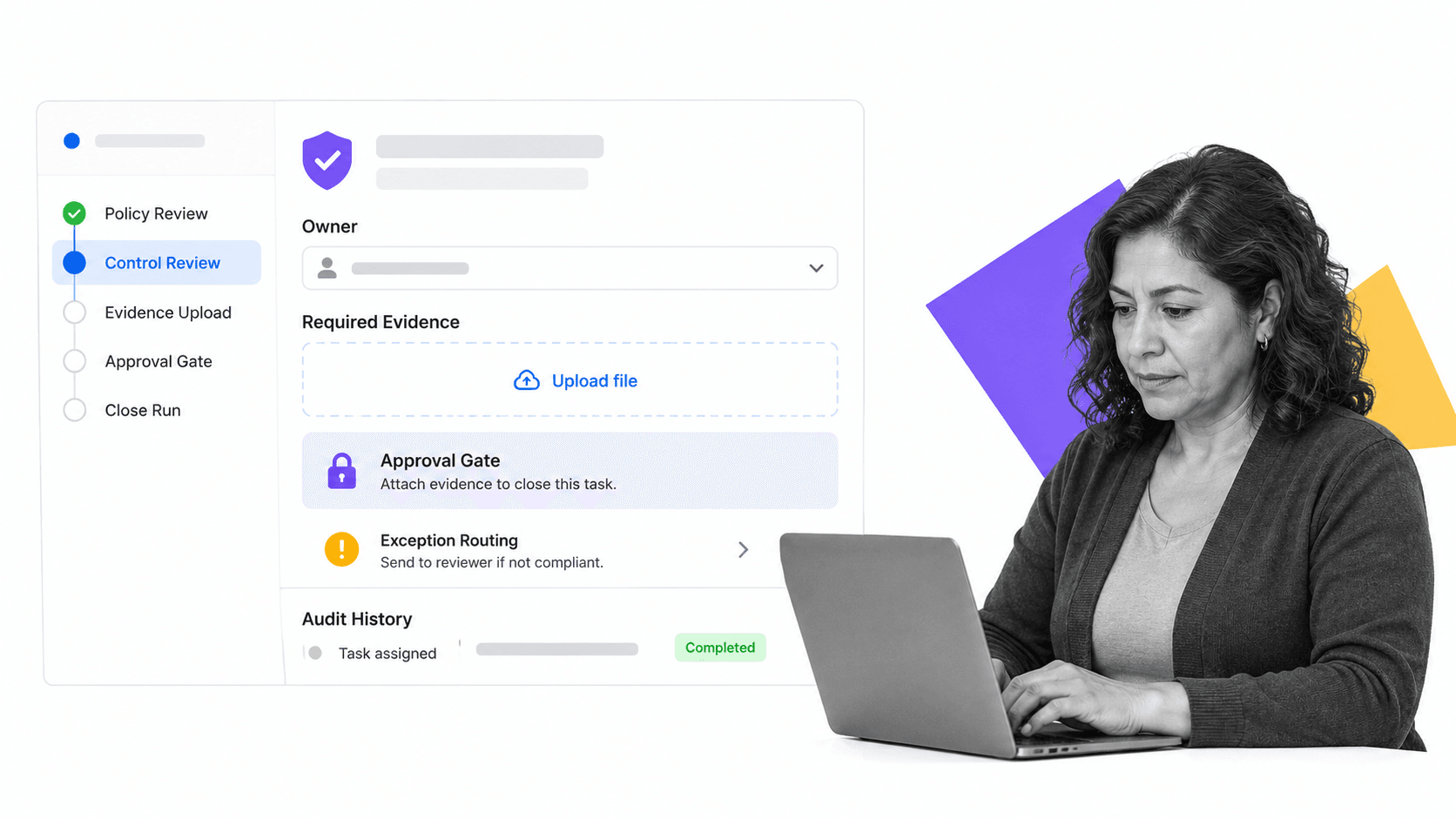
Process Street works as a compliance management tool by turning policies, controls, reviews, approvals, evidence requests, exceptions, and corrective actions into recurring workflows. Compliance becomes assigned work with proof, not a collection of documents and status meetings.
Turn requirements into controlled workflows
Teams can build workflows for policy review, risk assessment, access review, vendor due diligence, incident response, complaint intake, control testing, audit preparation, and remediation. Each run can define owners, required inputs, due dates, decision points, and closure criteria.
Require evidence before completion
Required fields, file uploads, form responses, and task instructions help ensure the record contains the proof a reviewer needs. The system can keep the evidence beside the task, owner, decision, and workflow history rather than separating files from context.
Route approvals and exceptions
Built-in approvals can hold work for review before closure. conditional logic can route high-risk answers, failed controls, missing evidence, or unusual cases to the appropriate reviewer.
Connect compliance work across systems
Process Street supports direct and universal integrations. Compliance workflows can connect with the systems where records, tickets, documents, employee data, customer information, and approvals already live, reducing manual copying and keeping the operating path connected.
Create a traceable audit record
Workflow history can preserve assignments, completion, evidence, comments, decisions, and approvals. That supports compliance audit readiness and gives reviewers a direct path from obligation to control activity and proof.
Improve the system when risk changes
When the same gap appears repeatedly, teams can update the policy, workflow, review gate, required evidence, owner model, or escalation. This is the practical operating logic behind AI-driven compliance and the digital compliance officer model.
FAQs
What are compliance management tools?
Compliance management tools are systems that organize policies, controls, risks, tasks, evidence, audits, findings, and corrective actions. They help teams turn requirements into assigned work and preserve proof that the work was completed and reviewed.
What features should compliance management tools include?
Look for policy governance, risk and control mapping, workflow automation, evidence traceability, approvals, exception handling, monitoring, reporting, access controls, audit history, exports, and integrations. The exact mix should match your obligations and operating model.
How do you choose a compliance management tool?
Map your obligations and failure points, define pass or fail requirements, and test a real workflow with actual owners and evidence. Evaluate usability, security, integrations, data ownership, implementation effort, and the ongoing cost of maintaining the system.
What is the difference between compliance tools and GRC software?
Compliance tools can focus on one function, such as policy management, training, evidence, or audit workflow. GRC software usually connects governance, risk, and compliance through a broader data model, but the boundary varies by vendor and product scope.
How do compliance management tools support audits?
They support audits by keeping controls, owners, evidence, tests, approvals, findings, and remediation in a traceable record. Strong tools reduce the time spent reconstructing activity and make it easier for reviewers to follow the path from requirement to proof.
How does Process Street support compliance management?
Process Street turns compliance work into assigned workflows with required evidence, approvals, conditional routing, automations, integrations, and history. It helps teams run policies, controls, reviews, audits, and corrective actions as repeatable operating work.
