





Onboarding remote employees is the process of giving new hires the access, context, relationships, and clear expectations they need to contribute from anywhere. The work starts before day one and continues through the employee’s first 30, 60, and 90 days.
A strong remote onboarding process makes progress visible without forcing people into constant meetings. This guide gives People Operations leaders and managers a practical checklist for secure access, role clarity, early feedback, and genuine connection.
- The complete onboarding checklist for remote employees
- Embracing the remote work model
- Why is onboarding for remote employees important?
- Onboarding for remote employees: Best practices
- Staying connected in a remote work environment
The complete onboarding checklist for remote employees
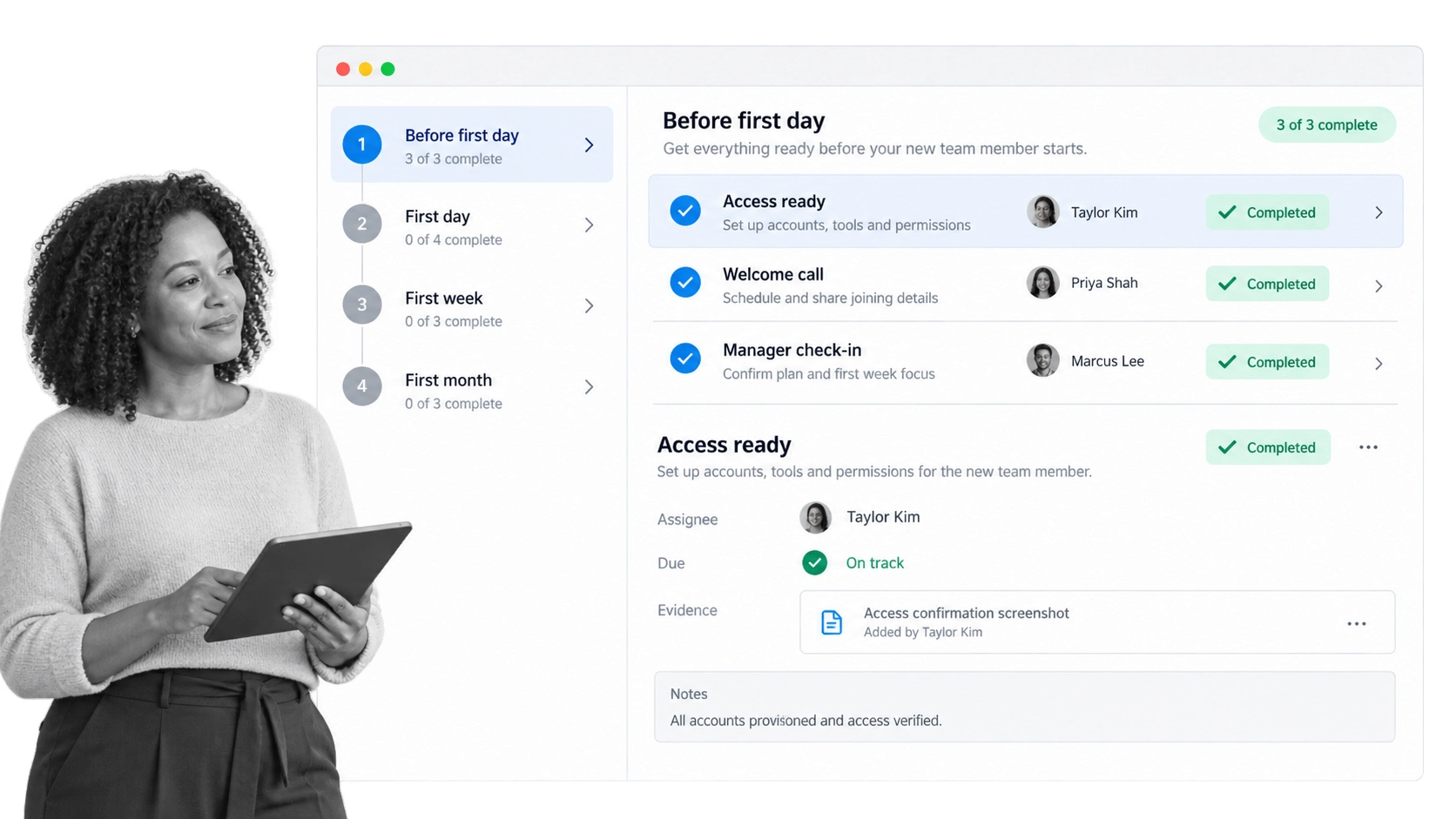
A remote employee should never spend their first morning waiting for a laptop, guessing which account to use, or wondering who can unblock them. Start with a shared plan that names every task, owner, due point, and source of evidence. You can use the Onboarding Remote Employees template as a practical starting point, then adapt it to your policies, systems, and roles.
To help you streamline the process, the template includes tasks and checkpoints designed to guide the onboarding experience from before your new hire’s first day all the way through their first month. Add the template to your library and edit what you need so the onboarding process is specifically tailored for your remote employees.
Before the first day
- Confirm the offer, start date, legal paperwork, payroll information, and required policy acknowledgments.
- Ship the approved equipment early and provide a clear contact for delivery or setup problems.
- Create the employee’s email and work accounts using your identity and access process. Never send passwords in plain text. Use a secure activation or password-management flow instead.
- Grant only the permissions required for the role, and record who approved access to sensitive systems.
- Share a short first-week schedule, role summary, team directory, and instructions for getting help.
- Assign a manager, onboarding coordinator, and mentor so each relationship has a clear purpose.
On the first day
- Hold a warm welcome call and introduce the people the new hire will work with most often.
- Verify that essential equipment, multifactor authentication, and account access work before training begins.
- Explain communication norms, including which channel to use for urgent questions, routine updates, decisions, and social conversation.
- Walk through the first 30-day outcomes and show how the employee’s work supports the team.
- Leave open time for setup, reading, and questions. A packed calendar is not the same as a productive first day.
During the first week and first month
- Provide a role-specific reading list and short practice tasks with examples of good work.
- Schedule manager and mentor check-ins before the employee needs them.
- Introduce important cross-functional partners and explain how handoffs work.
- Collect feedback after the first day, first week, and first month, then assign improvements to an owner.
- Review access after the employee understands the role, removing anything unnecessary and adding approved tools that were missed.
- Agree on 30, 60, and 90-day outcomes, including what evidence will show progress.
In Process Street, task assignments make ownership explicit, dynamic due dates keep handoffs moving, and approval steps create a record of sensitive decisions. Run the workflow for each new hire and improve the template as the team learns. For a deeper implementation guide, see this remote onboarding process.
When running the workflow template, include tasks to help your new hire access the necessary tools, a reading list, a welcome meeting with the team, an assigned mentor, and a list of team members who can help them start building valuable relationships. These tasks set a new hire up for success from their first day.
Embracing the remote work model
Remote work is no longer an unusual arrangement. The US Bureau of Labor Statistics reports that 34.5% of employed people worked at home on days they worked in 2025. That figure includes many arrangements, from fully remote roles to occasional work-from-home days, which is why onboarding should define the actual operating model instead of assuming everyone shares the same expectations.
The Process Street team has been working remotely since the beginning. For many other organizations, in-office work was the norm until the pandemic forced an immediate transition and employees needed to adapt to working remotely. That transition created real challenges, but it also showed leaders and workers that a remote work model can support flexibility, work-life balance, job satisfaction, motivation, productivity, and engagement when the operating environment is designed well.
The evidence also argues against treating location as a proxy for performance. A randomized trial involving 1,612 employees found that hybrid work reduced attrition by one-third without harming performance. The practical lesson is not that every company needs the same policy. It is that employees need documented norms, usable systems, and managers who judge outcomes clearly.
- State expected working hours, overlap windows, and response-time norms.
- Document where decisions live so knowledge is not trapped in meetings or private messages.
- Define which work is synchronous and which can be completed asynchronously.
- Make security, privacy, and equipment responsibilities explicit.
- Train managers to look for evidence of progress, not online presence.
Onboarding is where those agreements become real. A new hire should finish the process knowing what good work looks like, where to find trustworthy guidance, when to ask for help, and how the company makes decisions.
To have a successful remote work model, educate employees on the policies and processes they need to follow when performing their work. Effective remote onboarding can do just that while still giving employees the autonomy to decide the best course of action within clear standards.
Why is onboarding for remote employees important?
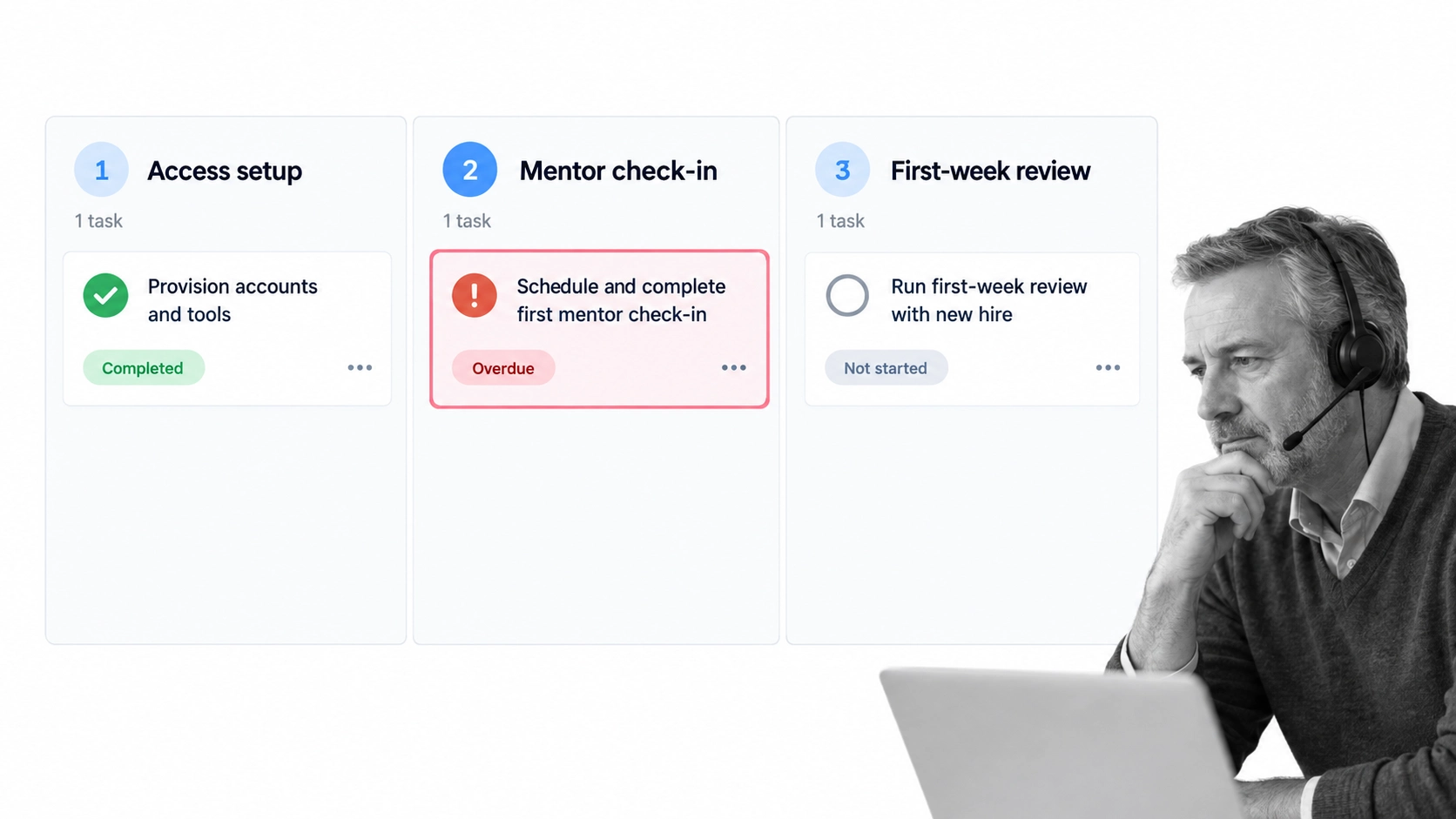
In an office, a manager may notice that a new employee cannot log in, has missed an introduction, or has been stuck for an hour. Remote work removes many of those visual cues. A structured onboarding workflow replaces accidental visibility with intentional checkpoints.
Remote onboarding gives new hires a taste of what it is like to work in this type of environment. It sets expectations for what they need to do in their role and establishes a standard they can follow. If communication is weak and onboarding is unclear, that is also the example they are given to follow.
The quality bar is still low in many organizations. Gallup reports that only 23% of employees strongly agree their organization does a great job onboarding. Gallup also found that employees with exceptional onboarding experiences are 2.6 times as likely to be extremely satisfied with their workplace.
Remote onboarding matters because it makes four forms of uncertainty manageable:
- Operational uncertainty: The employee knows which systems, documents, and processes to use.
- Role uncertainty: The manager defines priorities, decision rights, and measurable outcomes.
- Social uncertainty: The new hire knows who can answer questions and how to approach them.
- Compliance uncertainty: The organization can show that required access, training, acknowledgments, and approvals happened.
A checklist alone is not enough. Each checkpoint needs an owner, a due point, and a clear completion standard. If a mentor introduction is overdue or an account request is blocked, the manager should see it early enough to act.
One of the biggest issues with onboarding is that it can become confusing and fragmented, focusing on the process rather than the new hire. Those problems can arise in office, hybrid, and remote onboarding, but they are especially problematic when communication channels are ineffective and a new hire becomes confused about what they need to do or how they should be doing it.
A lack of clear guidance, collaboration, and communication can lead to dissatisfaction, reduced engagement, and heightened turnover. A comprehensive onboarding process is vital because it empowers people to think remotely while giving them the information they need to perform their jobs effectively.
Onboarding for remote employees: Best practices
The best remote onboarding programs balance structure with human judgment. They remove avoidable friction while giving managers room to respond to the new hire in front of them.
- Start before day one. Finish paperwork, equipment, and approved access early so the first day can focus on people and purpose.
- Use secure access practices. Provision accounts through controlled systems, require multifactor authentication, and avoid sending passwords through email or chat.
- Give every task an owner. People Operations, IT, Security, the hiring manager, and the mentor should know exactly what they own.
- Design communication. Name the right channel for each kind of question and explain expected response times.
- Make learning active. Combine concise documentation with demonstrations, small practice tasks, and feedback on real work.
- Build social connection on purpose. Use small introductions, mentor conversations, and team rituals instead of relying on large video calls.
- Review progress at 30, 60, and 90 days. Compare outcomes with expectations, surface blockers, and adjust support.
- Improve the process. Ask the new hire and manager what was unclear, then record and assign the change.
Onboarding for remote employees vs. office employees: What’s the difference?
Remote onboarding is not inherently self-guided. It does, however, require more deliberate guidance because managers cannot rely on physical proximity. An office employee may get an answer by turning to a colleague. A remote employee needs a visible support route, well-structured documentation, and scheduled moments when someone asks what is blocked.
When remote onboarding becomes self-guided, a lot of things can slip through the cracks and go completely unnoticed by managers and team members. You will not see whether a new employee is struggling at their desk for hours trying to understand how something works because you do not share the same office space. New hires are not expected to know everything, and details can be lost in translation between onboarding documentation and the new hire. A clear communication channel is necessary.
The original author, Grace Donaldson, described this distinction through her own Process Street onboarding. When she was unsure about something, she knew she could message her colleague Leks in Slack, get the answer she needed, and continue with her day. The lesson is not the tool itself. It is the confidence that a known person will respond.
Office onboarding can fail for the same reasons as remote onboarding: missing access, unclear expectations, weak documentation, or an unavailable manager. The difference is that remote problems are easier to miss. A visible workflow and reliable check-ins make those problems explicit.
Staying connected in a remote work environment
Connection is an operating practice, not a first-week event. New employees need enough structured contact to build trust without spending every hour on video. Start with consistent manager one-to-ones, a named mentor, small cross-functional introductions, and a team channel where asking basic questions is normal.
Remote employees can quickly feel disconnected from their colleagues and the company as a whole, especially when they are starting a new role. Providing a clear set of expected outcomes and responsibilities helps a remote employee plan and prioritize their work. Clarity and good communication from the start create an invaluable foundation for new hire success.
Managers should look for three signals: whether the employee understands priorities, whether they can get help quickly, and whether they are building the relationships their role depends on. Ask specific questions such as, “Which decision is still unclear?” or “Where did you wait for access this week?” Specific prompts reveal friction that a general “How is it going?” can miss.
Process Street is a single Compliance Operations Platform with Docs and Ops capability areas plus built-in AI. Teams use Docs to govern onboarding policies, role guides, security requirements, and working agreements. They use Ops to run repeatable onboarding workflows with owners, due dates, approvals, and evidence. Built-in AI can help employees find relevant knowledge, summarize submitted information, and support controlled workflow steps without replacing accountable human decisions.
That combination gives People Operations leaders a consistent process and gives each new hire a clear path through it. Managers can see where work is blocked, reviewers can confirm required controls, and the organization can improve onboarding from evidence rather than anecdotes.
A good remote onboarding process sheds light on the uncertainties remote workers face. Effective communication channels turn uncertainty into clear understanding and help new hires become productive sooner. Onboarding is the first point of contact, but connection is ongoing. It continues strengthening employee performance, relationships across departments, and cultural alignment with the organization.
Remote onboarding FAQs
How long should remote onboarding last?
Plan remote onboarding across the first 90 days. Complete equipment, access, and essential policies before or during the first week, then use 30, 60, and 90-day outcomes to guide role learning, relationships, and performance conversations.
What should happen before a remote employee’s first day?
Confirm paperwork, ship equipment, provision approved accounts securely, share the first-week plan, and introduce the manager and mentor. Test critical access before the first scheduled training session.
How do you keep remote onboarding personal?
Use small, purposeful conversations. A manager welcome, mentor check-in, and a few relevant introductions create more trust than a calendar filled with large meetings. Personalize examples and early work to the employee’s role.
How do you measure remote onboarding success?
Track access readiness, required training and acknowledgment completion, time to first meaningful contribution, progress against 30, 60, and 90-day outcomes, early employee feedback, and manager confidence. Review both completion data and the quality of the employee’s experience.