





Managing PPC campaigns is not a one-time setup job. Budgets shift, search terms drift, conversion tracking breaks, and automated recommendations can push campaigns in the wrong direction if nobody is checking the work.
These six PPC management checklists give you a practical operating rhythm for paid ads: audit the account, review campaigns daily, dig deeper weekly, report monthly, analyze keyword competition, and launch Facebook ads without relying on memory.
PPC remains one of the most profitable customer acquisition methods for many businesses because Google, Facebook, Instagram, and other paid channels can reach massive audiences quickly. The tradeoff is that a weak PPC management process can dramatically impact managed campaigns’ ROI, customer acquisition cost, and the quality of the leads or purchases that come through.
A strong process needs to be clear enough for the account owner and structured enough that someone else can step in, understand each step, and run the same review without guesswork. That matters for agencies managing multiple accounts under management and for in-house teams where responsibilities shift between acquisition managers, analysts, creative owners, and stakeholders.
Process Street turns those recurring checks into workflows your team can run, assign, approve, and audit. You can use form fields to capture campaign data, conditional logic to route follow-up tasks, automations to notify owners, and direct integrations to 5,000+ systems when campaign data needs to move across your stack.
Jump straight to the checklist you need:
- PPC Audit Checklist
- PPC Daily Campaign Review Checklist
- PPC Weekly Campaign Review Checklist
- PPC Monthly Campaign Review Checklist
- Performance Marketing (PPC) Keyword Competition Analysis Checklist
- New Facebook Ads Creation Checklist
PPC Audit Checklist
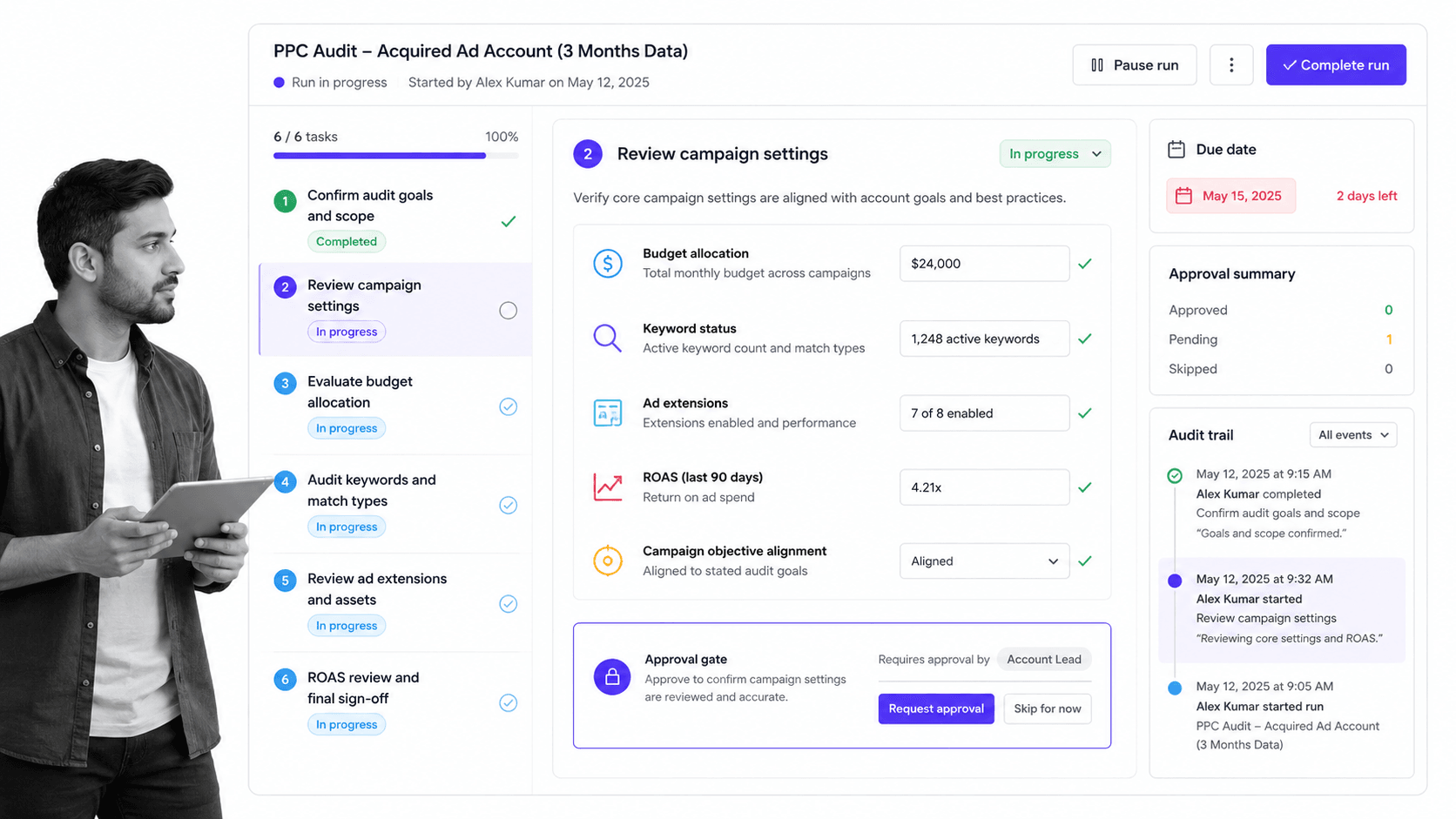
One of the most important duties of a PPC professional is figuring out how to get more return on ad spend. That starts with understanding the goals behind the account and reviewing whether the campaign structure, tracking, budget allocation, keywords, match types, assets, and extensions are set up to support those goals.
This checklist is designed for two main triggers. Run it when a new account is acquired, because you need to understand what has already been built before you can improve it. Run it again after at least three months of data has accumulated, when the account should have enough history to show what is working, what is not, and which campaign settings need deeper review.
The PPC audit checklist walks through goals, campaign settings, budget allocation, keyword review, ad extensions, conversion tracking, and optimization notes so the account has a clear baseline before changes are made. Click here to get the PPC audit checklist.
PPC Daily Campaign Review Checklist
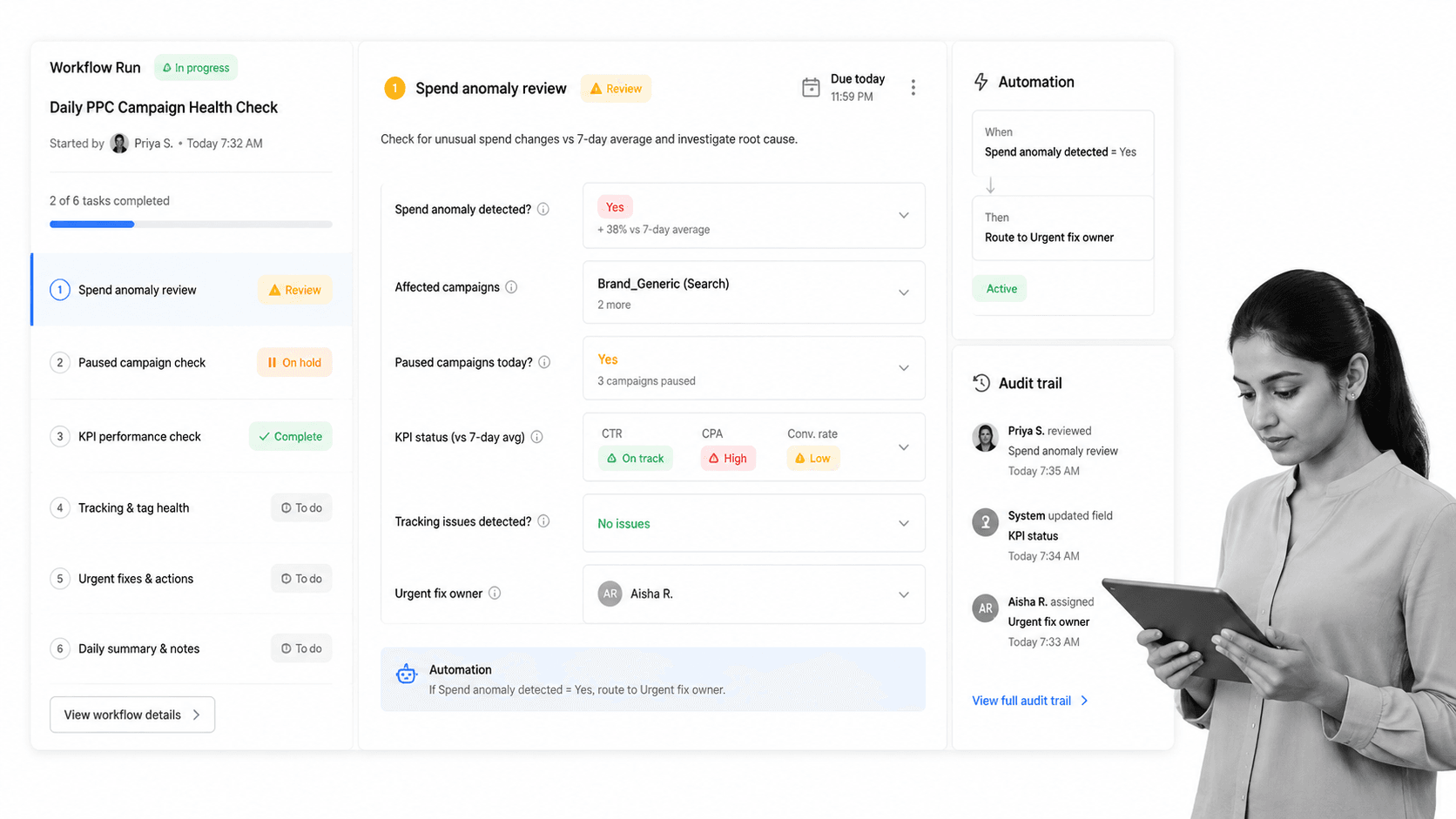
Technology is better than it used to be, but live ad accounts still break. A tracking snippet gets changed by another department, a landing page goes down, a server error affects a form, a campaign pauses unexpectedly, or spend spikes before anyone notices. If you only review accounts under management weekly, a small issue can become multiple days of zero performance, wasted budget, or missing conversions.
A daily PPC review should be fast. Check spend pacing, campaign status, conversion tracking, major KPI movement, obvious errors, and anything that needs same-day action. The goal is not to rebuild the account every morning. The goal is to catch the problems that cannot wait.
This daily campaign review checklist helps you spot the most important issues in under five minutes once the habit is established. It gives the team a repeatable workflow for campaign health, notes, and follow-up tasks. Click here to get the PPC daily campaign review checklist.
PPC Weekly Campaign Review Checklist
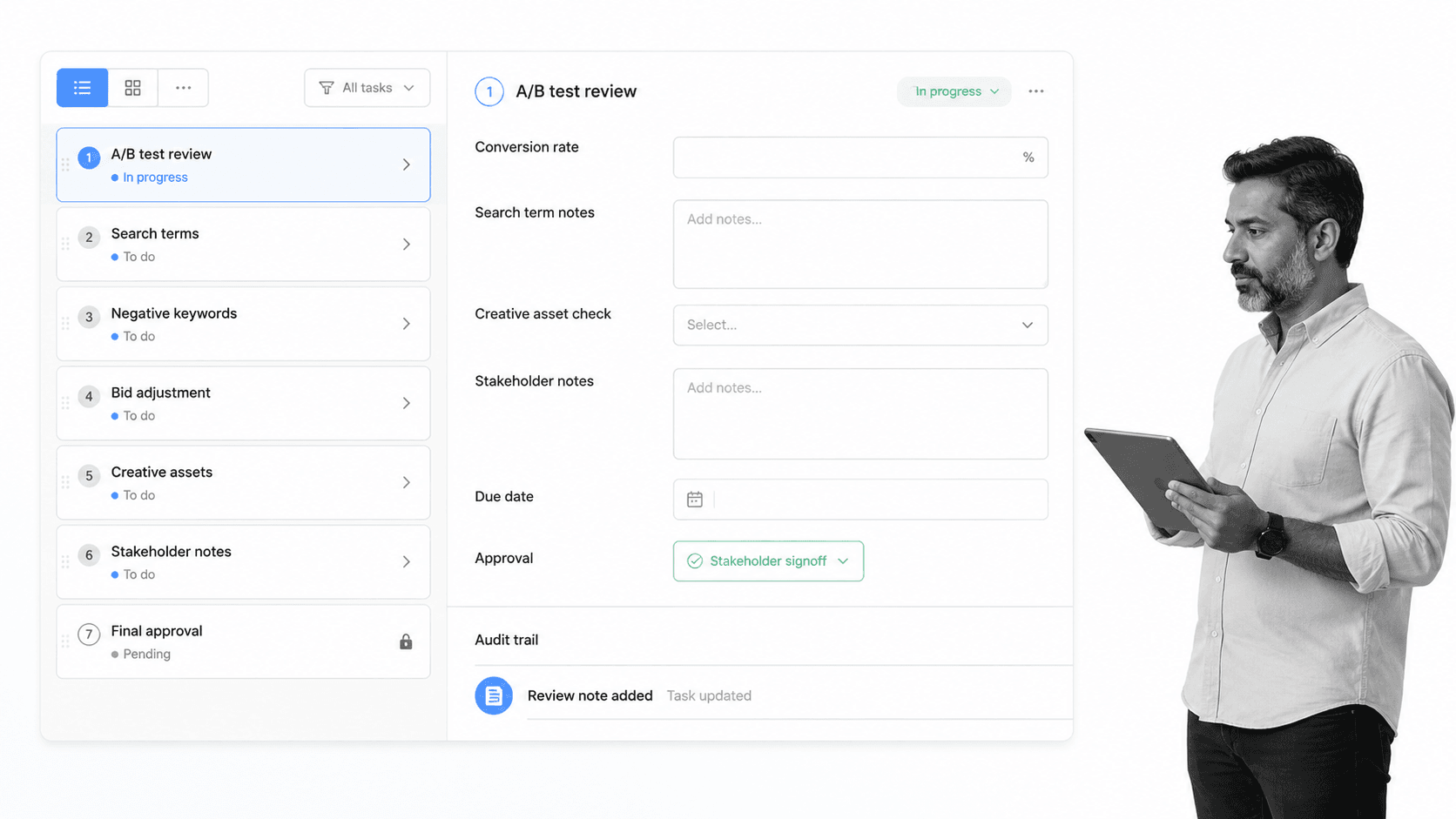
After a week of campaign activity, you can start to see whether ad conversion rates, creative, bidding, audiences, search terms, and A/B tests are moving in the right direction. Weekly reviews are where you can slow down enough to look for patterns without waiting until the month is already gone.
“A mistake that some companies make is to start moving a bunch of levers around without clear planning upfront for what they’re trying to optimize and what will be impacted by those changes.” Dan Siroker
The weekly PPC campaign checklist focuses on key performance metrics, search terms, negative keywords, bid adjustments, creative tests, and documented insights. The output can feed a weekly stakeholder note or internal action plan without forcing the team to recreate the review from scratch. Click here to get the PPC weekly campaign review checklist.
PPC Monthly Campaign Review Checklist
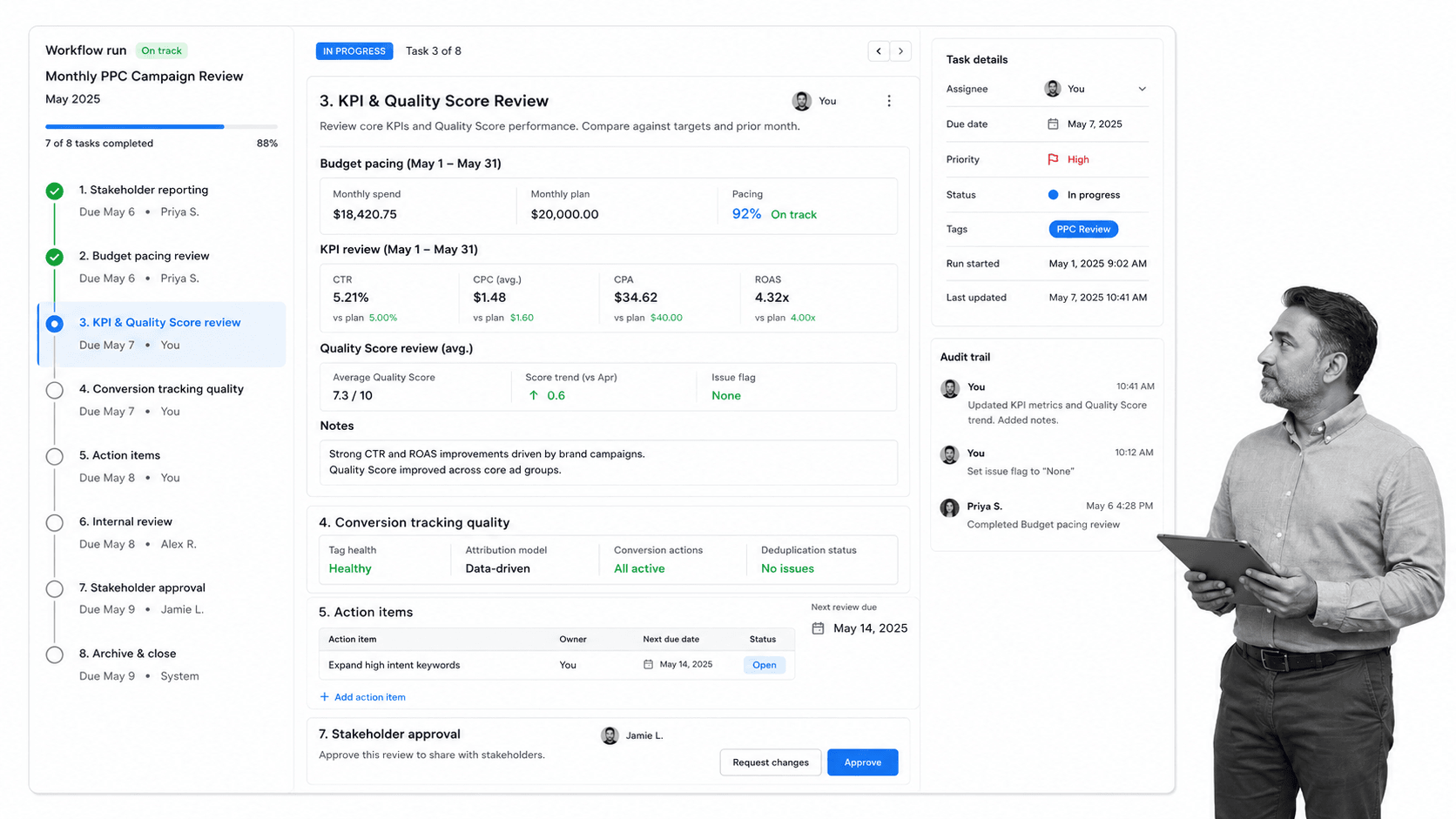
Before you know it, a month of campaign data has already passed. When a client has trusted you to run PPC campaigns on their behalf, the monthly review is where you show what happened and what needs to happen next. Most teams and clients need a report that summarizes wins, losses, spend, budget pacing, conversion quality, Quality Score movement, and the action items for the next cycle.
This checklist keeps the review focused. Instead of randomly sorting through a month of overwhelming data, the team works through the account areas that matter most: campaign settings, keywords, search terms, KPIs, Quality Score, conversion tracking, and next-step recommendations.
The monthly PPC checklist is especially useful when several people touch the same account, because it creates a shared record of what was reviewed, what changed, and what still needs attention. Click here to get the PPC monthly campaign review checklist.
Performance Marketing (PPC) Keyword Competition Analysis Checklist
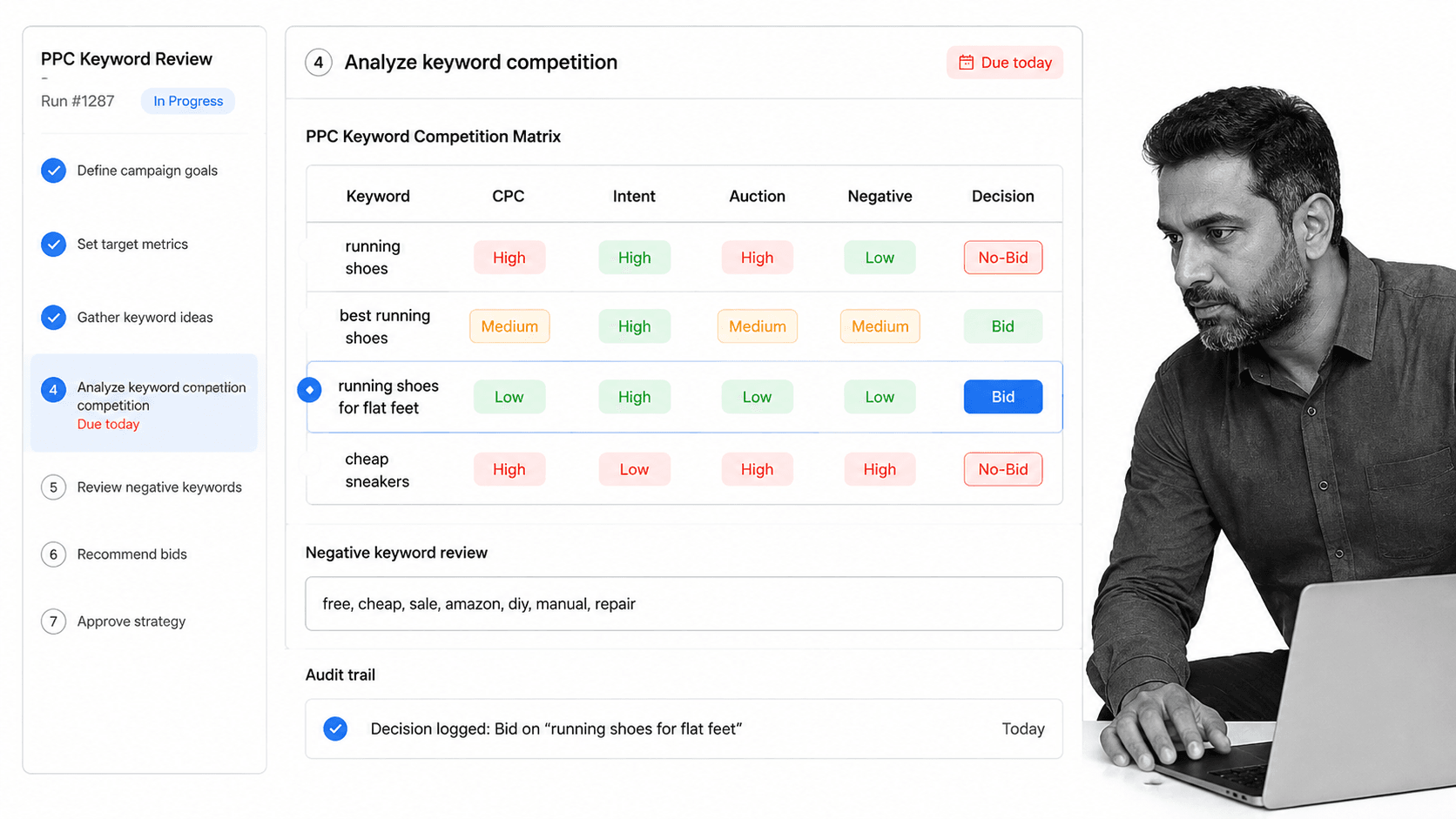
Every PPC expert has built a list of keywords that looked perfect at first glance. The term matches the offer, the intent looks strong, and the ad copy almost writes itself. Keyword competition analysis is an important process because it protects the account from bidding into a market before the team understands the likely return.
Then the auction reality hits. Competition is high, CPCs climb, and customer acquisition cost can rise fast if the team bids before checking the market. A keyword that looks attractive in a planning doc can become expensive once budget meets the auction.
This checklist helps you evaluate keyword competition before you commit spend. Use it to review search intent, CPC pressure, competitive density, negative keyword risks, landing page fit, and whether the term deserves a test budget. For broader keyword planning context, Backlinko’s guide to choosing keywords is still a useful reference. Click here to get the performance marketing (PPC) keyword competition analysis checklist.
New Facebook Ads Creation Checklist
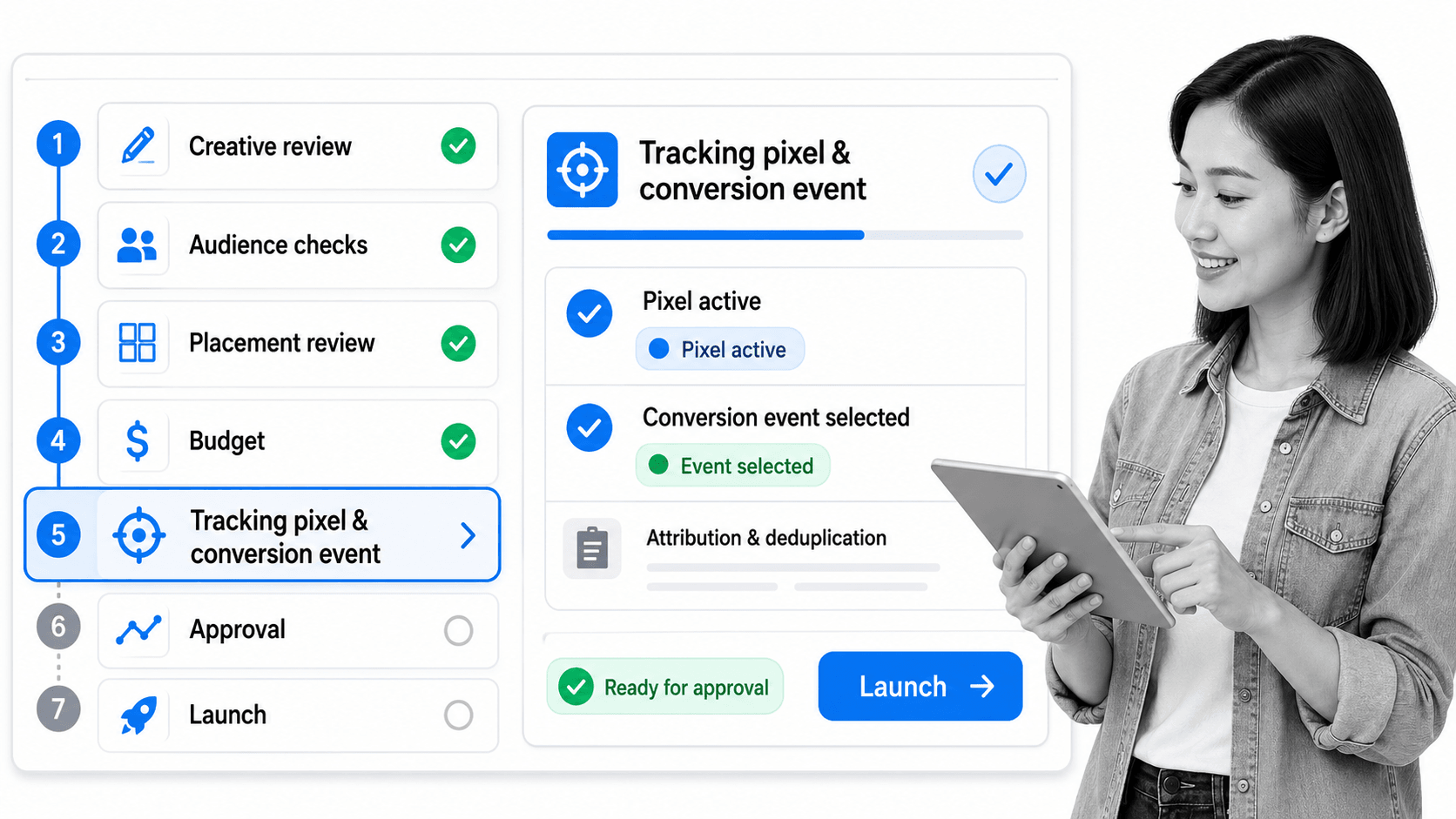
Meta campaigns can move quickly across Facebook, Instagram, placements, audiences, creative assets, and automated delivery systems. That speed is useful, but it also makes missed setup steps expensive. A campaign can launch with the wrong audience, weak tracking, missing creative checks, or budget settings that do not match the goal.
This checklist is designed to be run every time a new Facebook ad campaign needs to be built from scratch. Typical use cases include a marketing agency onboarding a new client, a team testing a new offer, or an internal marketer launching a campaign that needs review before spend begins.
The workflow walks through campaign objective, audience, placement, creative, tracking, budget, approvals, and launch readiness. Click here to get the new Facebook Ads creation checklist.
Final thoughts
The best way to use these checklists is to run them as Process Street workflows. You can assign owners, collect campaign details with form fields, route steps with conditional logic, trigger notifications, and keep an audit trail of what was checked before changes went live.
If you are building a repeatable PPC operating system, start with the checklist that matches your immediate need, then connect it to your broader workflow automation stack so campaign checks happen the same way every time.
For additional resources, the links below cover the marketing process, marketing client onboarding, keyword research, and the basics of how Google Ads works. They are useful companion workflows when your team needs to crush the competition, onboard new marketing clients, or conduct deeper keyword research before the next campaign cycle.