






Get Ready to Swat Those Bugs and Up Your Development!
Every programmer and developer makes mistakes. That is not a criticism by any means; mistakes are a vital part of improving in your field, and the freedom to take risks and leave errors also allows the best of the best to flex their muscles and get creative.
I mean, just so long as it does not almost cause World War 3.
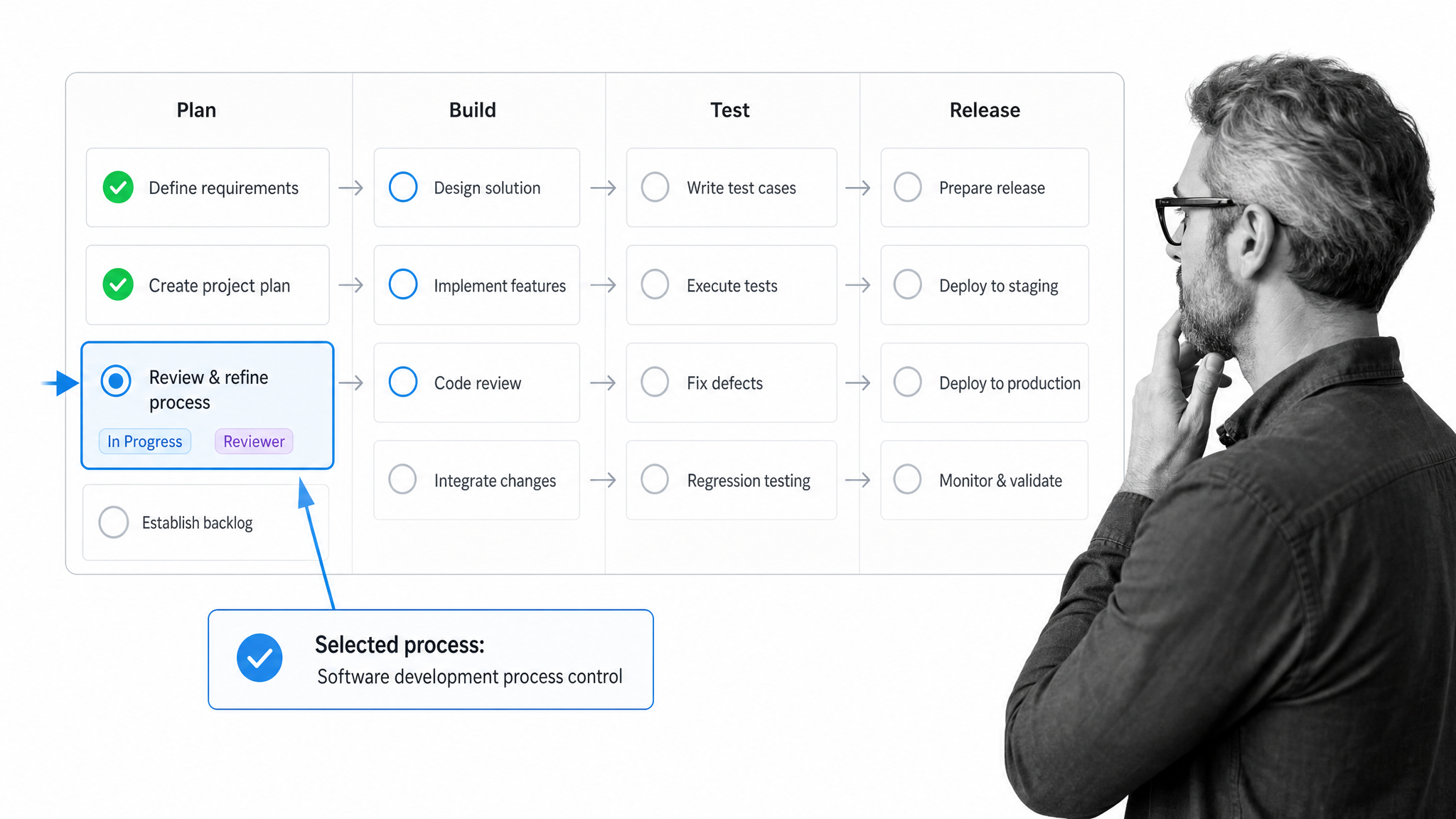
“The necessity of selecting and following a formal process for software development is to… avoid wastage of time, money, demoralization in developers, etc.” – Harisha K R
That is where your software development processes come in. Here at Process Street, we have helped to show how processes can boost productivity, save money, and all-around improve your business. Process Street is a single Compliance Operations Platform with Docs, Ops, and built-in AI for governed workflow execution, so teams can document process knowledge, run recurring work, and prove that critical steps were completed.
So, after showing how to ace your IT processes, here is another round to give you the run down on software development processes. Take your pick from any of these ready-to-use checklists to easily execute your debugging, sprint planning, user story grooming, and more. The wild world of software development awaits.
How the software development process steps fit together
A software development process is the repeatable way a team moves work from idea to shipped product. It covers planning, user stories, build steps, reviews, testing, deployment, and debugging, so the software development lifecycle is not left to memory or heroic last-minute effort.
Use these templates to make each step easier to run, measure, and improve. The goal is clearer ownership, cleaner handoffs, realistic commitments, and proof that critical steps were completed across the SDLC workflow.
Git Workflow
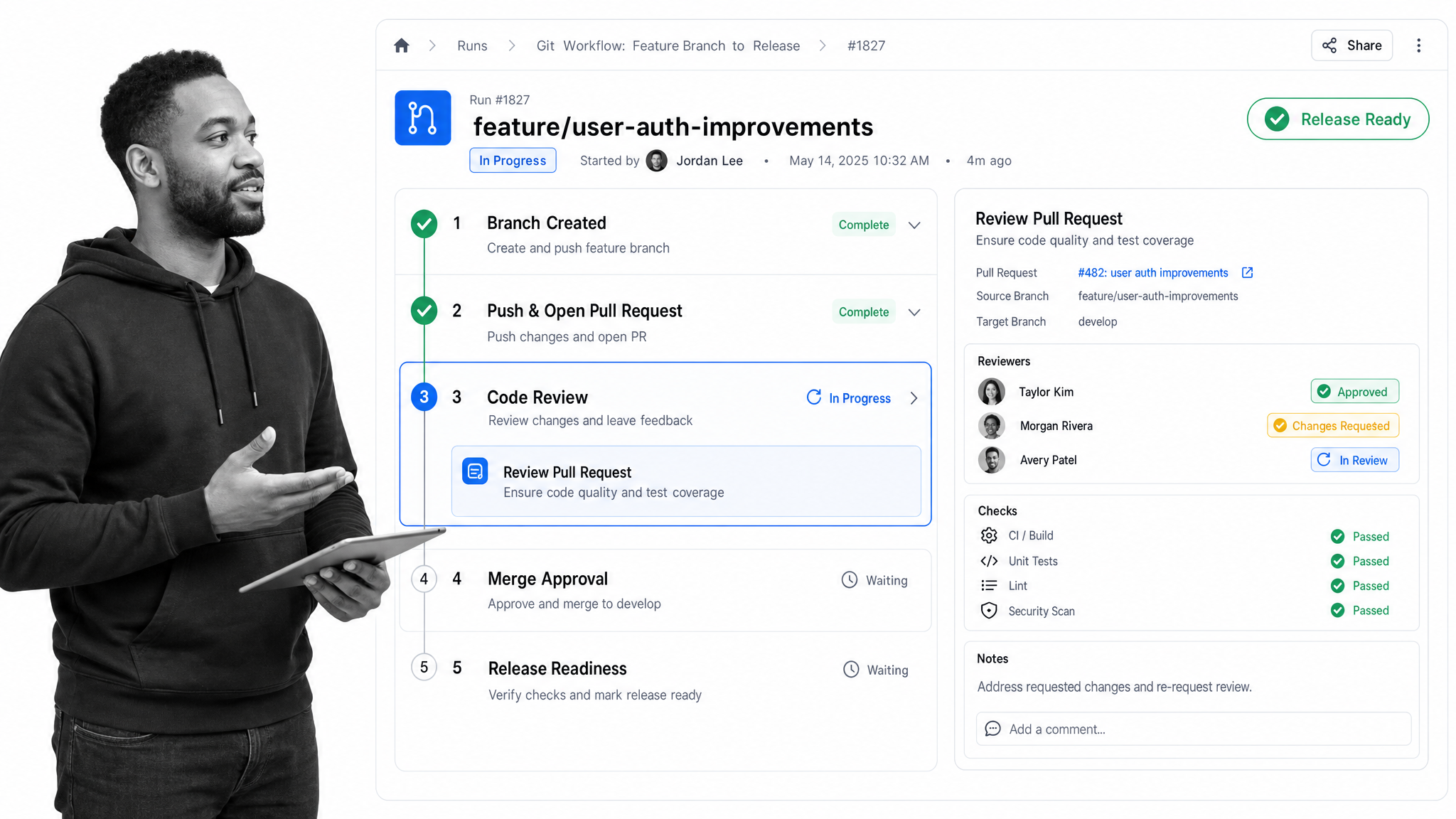
Tackling the problems posed by your user stories can be testing, pardon the pun, at the best of times. In fact, ensuring that all of them are completed to a good standard can be harder when there are multiple, easier issues to solve; the more often your software development processes are run, the greater the chance that something will go catastrophically wrong.
So, to combat the fatigue of developing countless code updates, we are kicking things off with an essential part of any self-respecting software engineering team: a rock solid git workflow. There is no need to worry about remembering every step of your software development by heart when the workflow is captured in a checklist.
From analyzing the problems posed by your user stories to forking your code repository and coding the solution, this checklist will guide anybody through everything required during the development of software updates. Run the Git Workflow template to keep consistently high standards in your coding practices.
User Story Template
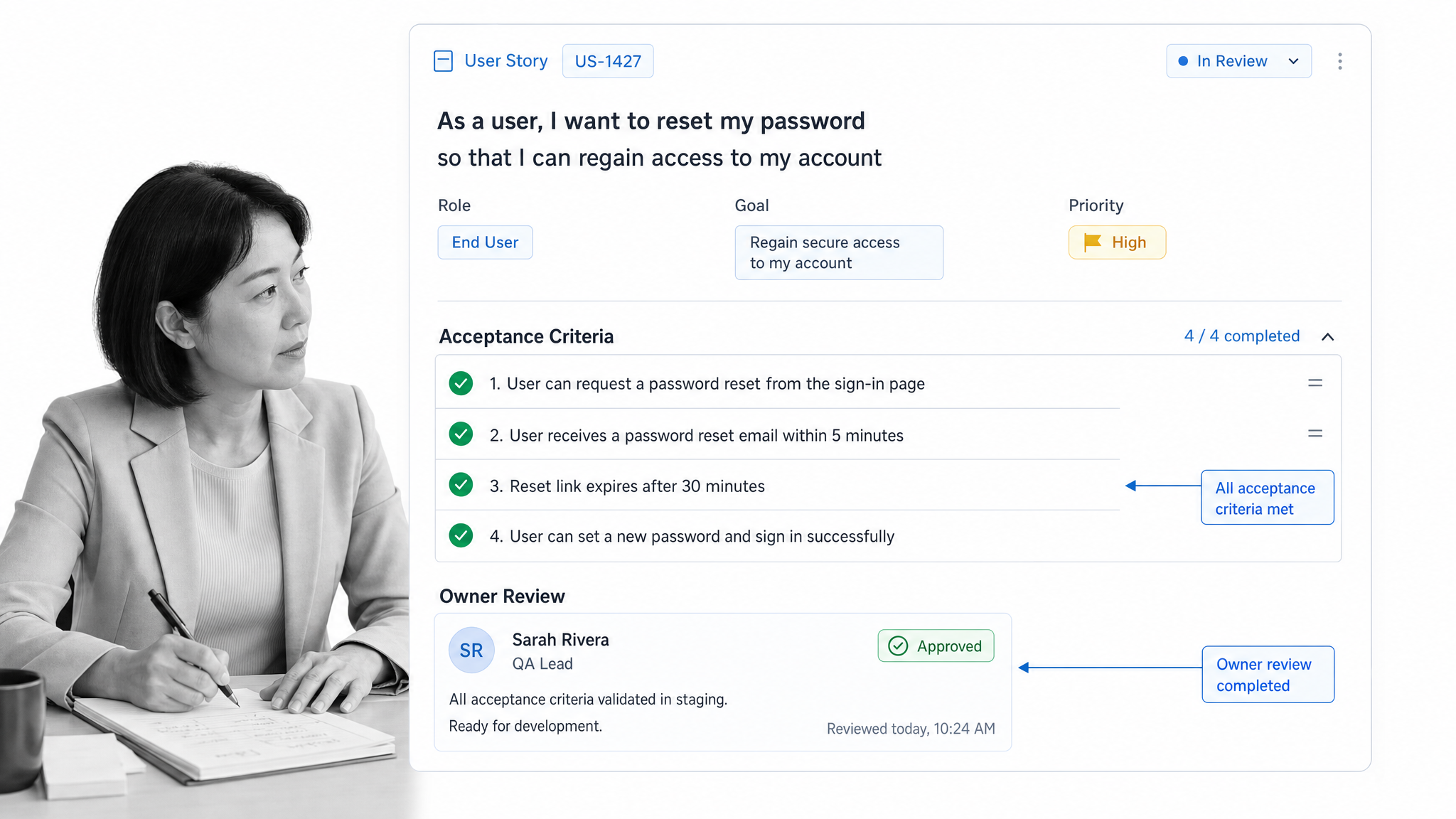
Speaking of user stories, have you ever had the absolute pleasure of coming to your sprint planning call before realizing that your backlog of suggested updates, new features, and reported bugs is akin to a demolished china shop?
“Getting the details right seems to be a battle the product owner can only lose.” – Roman Pichler
Not only is the process of grooming your user stories into a consistent format vital to keeping up productivity, but as Roman Pichler states, the standardization itself is fraught with difficulties.
Enter the user story template. This checklist guides you through the process of taking original reports and writing them up into a standard Agile format. Labels, categories, due dates, point assessments, you name it; it is still short enough to run for each user story you have.
Sprint Planning
Sprint planning turns a prioritized backlog into a realistic commitment. The goal is to select the right work, confirm team capacity, agree on a sprint goal, and expose dependencies before the sprint begins.
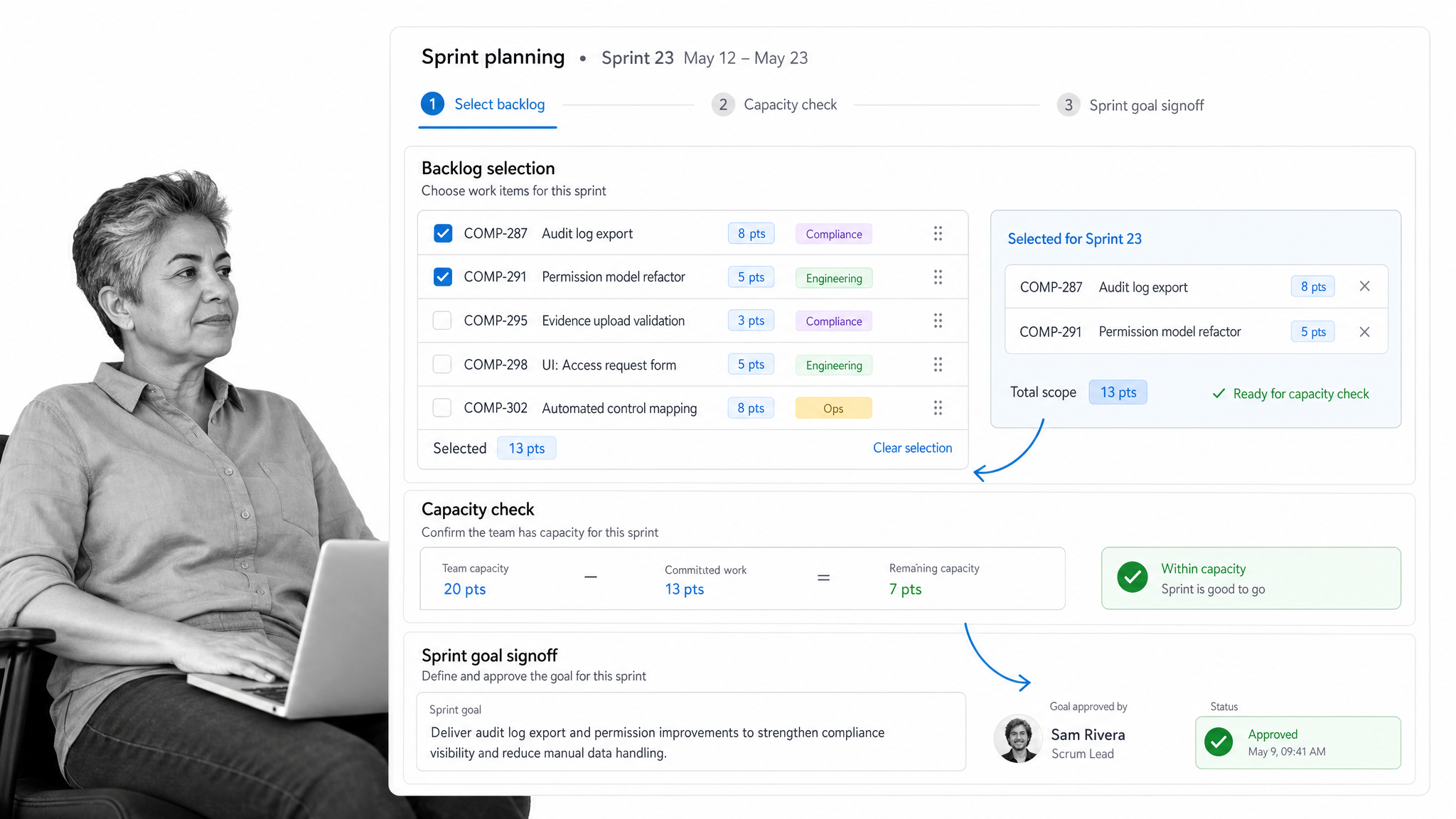
So, your user stories are groomed, your git workflow is up and running, and your devs are chomping at the bit to be let loose on the code. It is time to sprint.
Except, you know, they currently have no idea who is meant to be doing which tasks and do not have vital context on the product. To that end, it is time to get sprint planning.
Designed to be ticked off over the course of two meetings, running this checklist will ensure that every aspect of your backlog is given proper context, such as what the most common user complaints are, then assigned to the correct sprint and developer. With tips on points distribution and crucial reminders of what to prioritize, this is one of the software development processes our own team uses.
Run the Sprint Planning template to get planning your sprints quickly and concisely.
Scrum Project Management
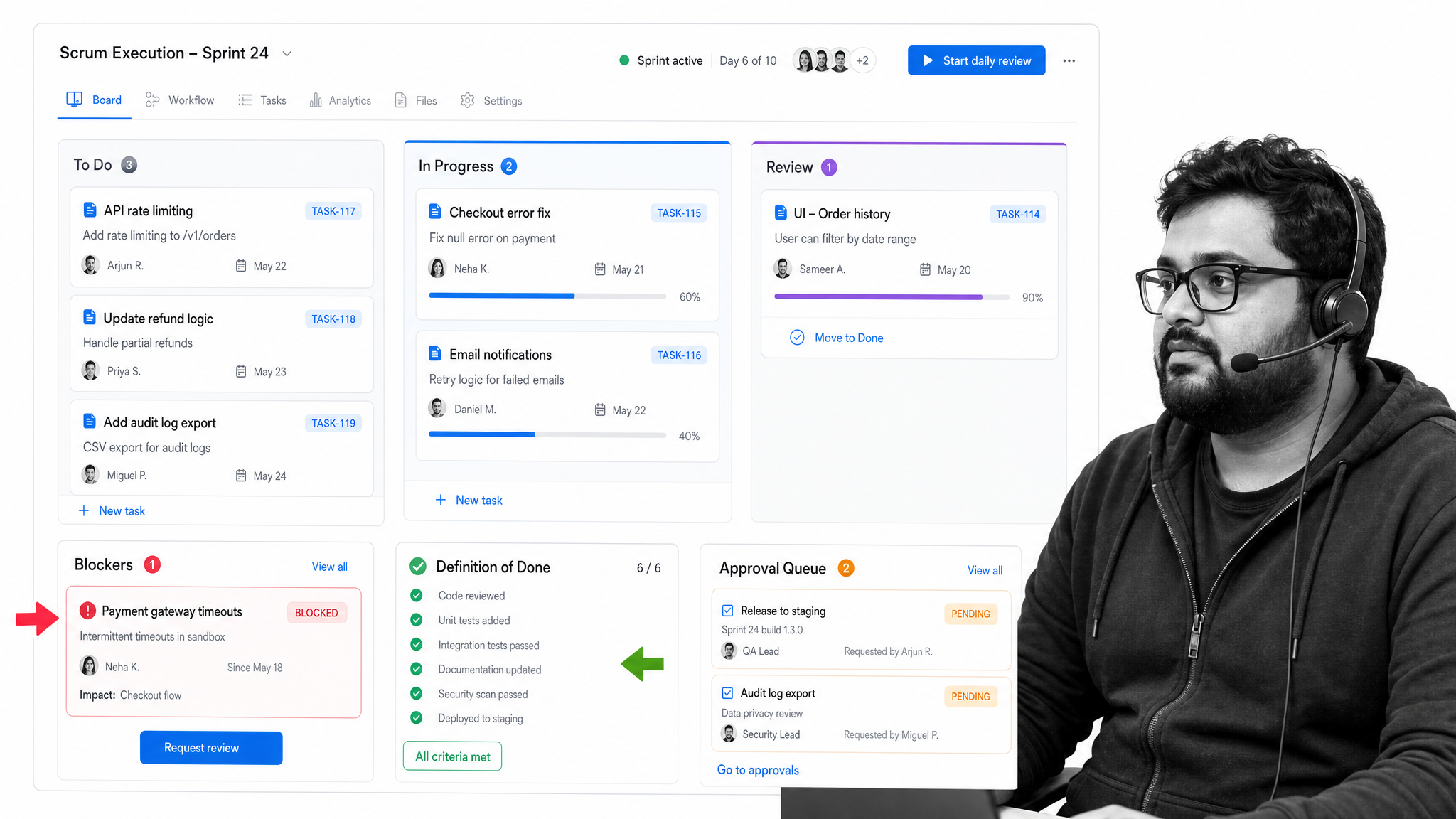
So far we have tackled the processes of grooming your user stories, planning your sprints, and coding your updates; now it is time to tie them all together into a scrum project management checklist.
This handy workflow guides you through the pre-sprint preparations, testing processes, and post-sprint checks that are so vital in maintaining an awesome product. Blast those bugs, polish those features, and ensure a high level of customer success by executing this checklist alongside each of your sprints.
After all, who would not want to watch their team productivity shoot through the roof while guided by practical hints that accompany each stage? Run the Scrum Project Management template to get started.
Software Deployment
Deployment is where small process gaps become customer-facing issues. A reliable software deployment process confirms release notes, environment readiness, approval gates, rollback plans, monitoring, and post-release checks before production changes go live.
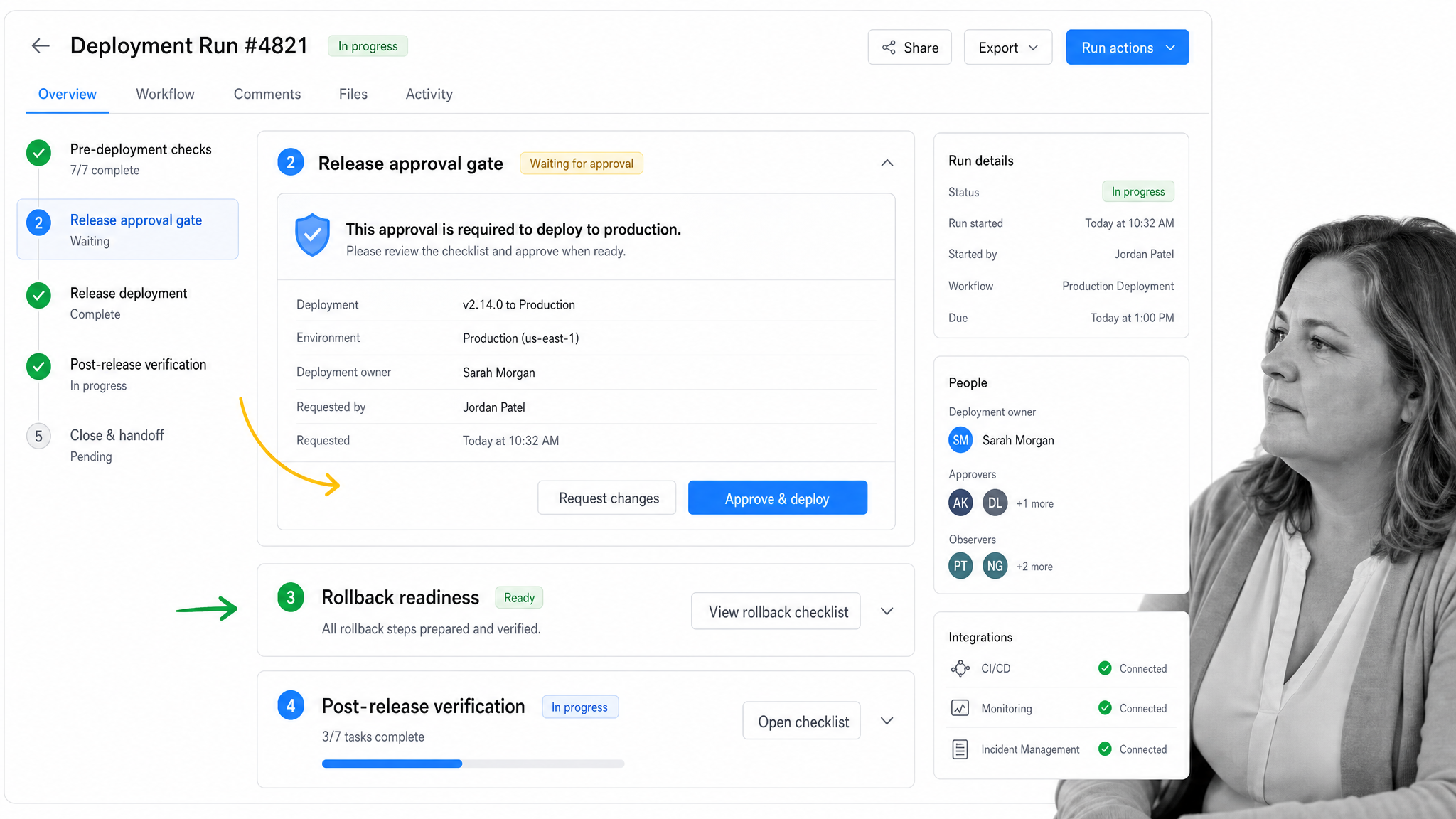
As the expectations of users continue to rise, software deployment practices must be carried out ever-more-frequently to keep up with demand. Bugs need to be fixed, features added or updated, and all of this must maintain the highest level of security in order to protect your, and your customers, sensitive information.
Then again, it is not like companies are suffering large-scale data breaches as a result of weaknesses in their security measures, right? Right?
“Now we deploy software weekly, daily, even continuously. And that means that a software push needs to become a non-event, notable only for the exceptional disaster.” – Josh Berkus
Do not be one of those exceptions. Ensure that every instance of deployment your team undertakes is as secure and thorough as possible by running this checklist for each update; sit safe in the knowledge that everything is going through your staging and production environments while being tested thoroughly.
Run the Software Deployment template to deploy your code safely and securely.
Software Testing Tutorial
Testing is not one event at the end of development. A durable software development process builds in test planning, test case execution, regression checks, failed-test triage, defect ownership, and retesting.
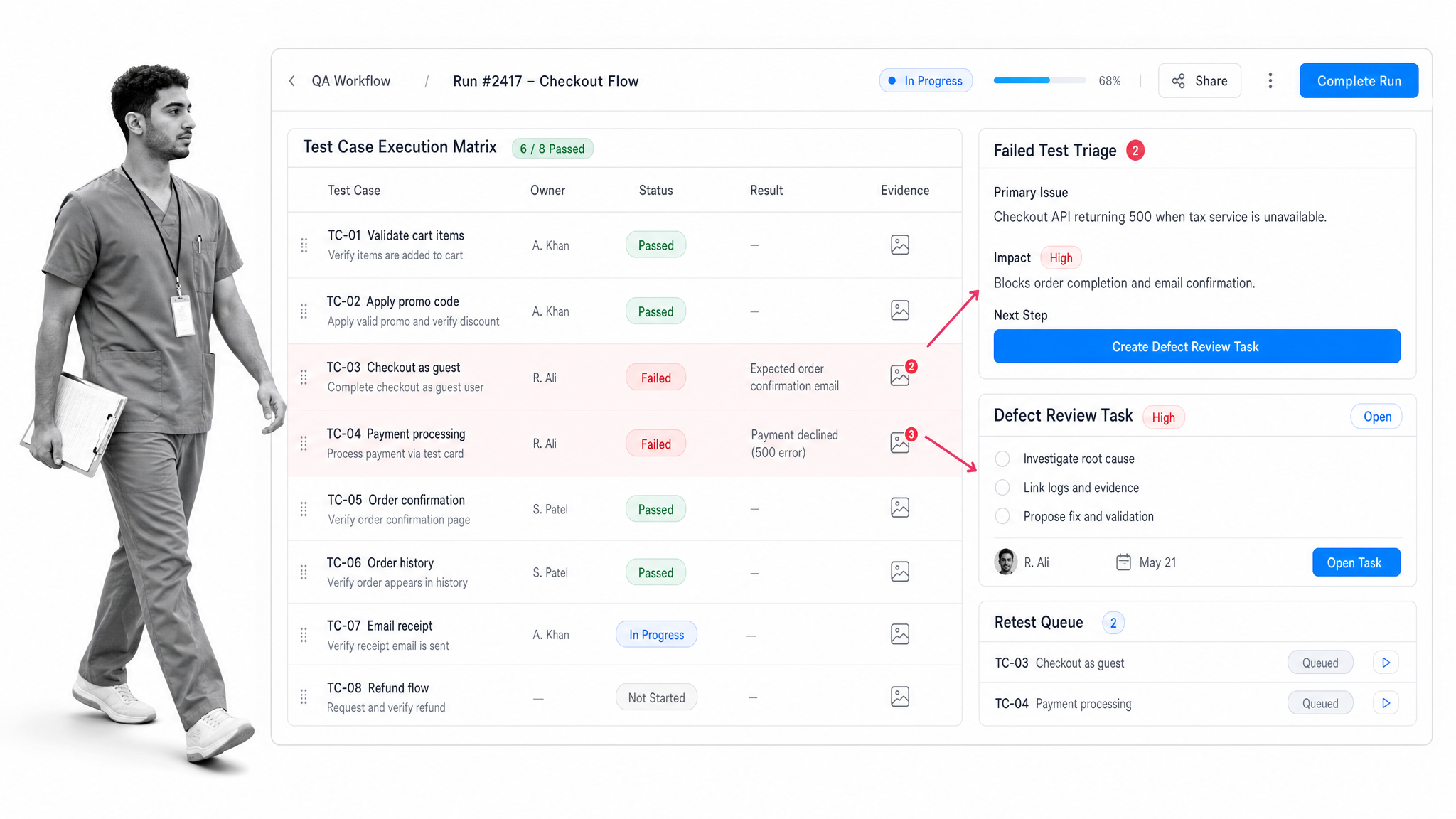
You would think that, due to their very nature, any tests carried out, be they on software or in school exam halls, would be checked and double-checked to the point of infallibility. Sadly, in both offshore software development processes and academic settings, that is just not the case.
Publishing updates to your software without testing for fear of mistakes is not an option either. The solution to your doubts? You guessed it: the software testing tutorial.
Running this checklist will guide any fresh face through the basic tests to run on code updates before they are even submitted to the test environment; use it to check both the validity of your tests and code at the same time. Run the Software Testing Tutorial template to avoid preventable test gaps.
Software Debugging Process
Debugging works best when the team treats defects as evidence to investigate, not interruptions to swat blindly. A repeatable debugging process captures reproduction steps, environment details, logs, suspected root cause, fix ownership, and verification.
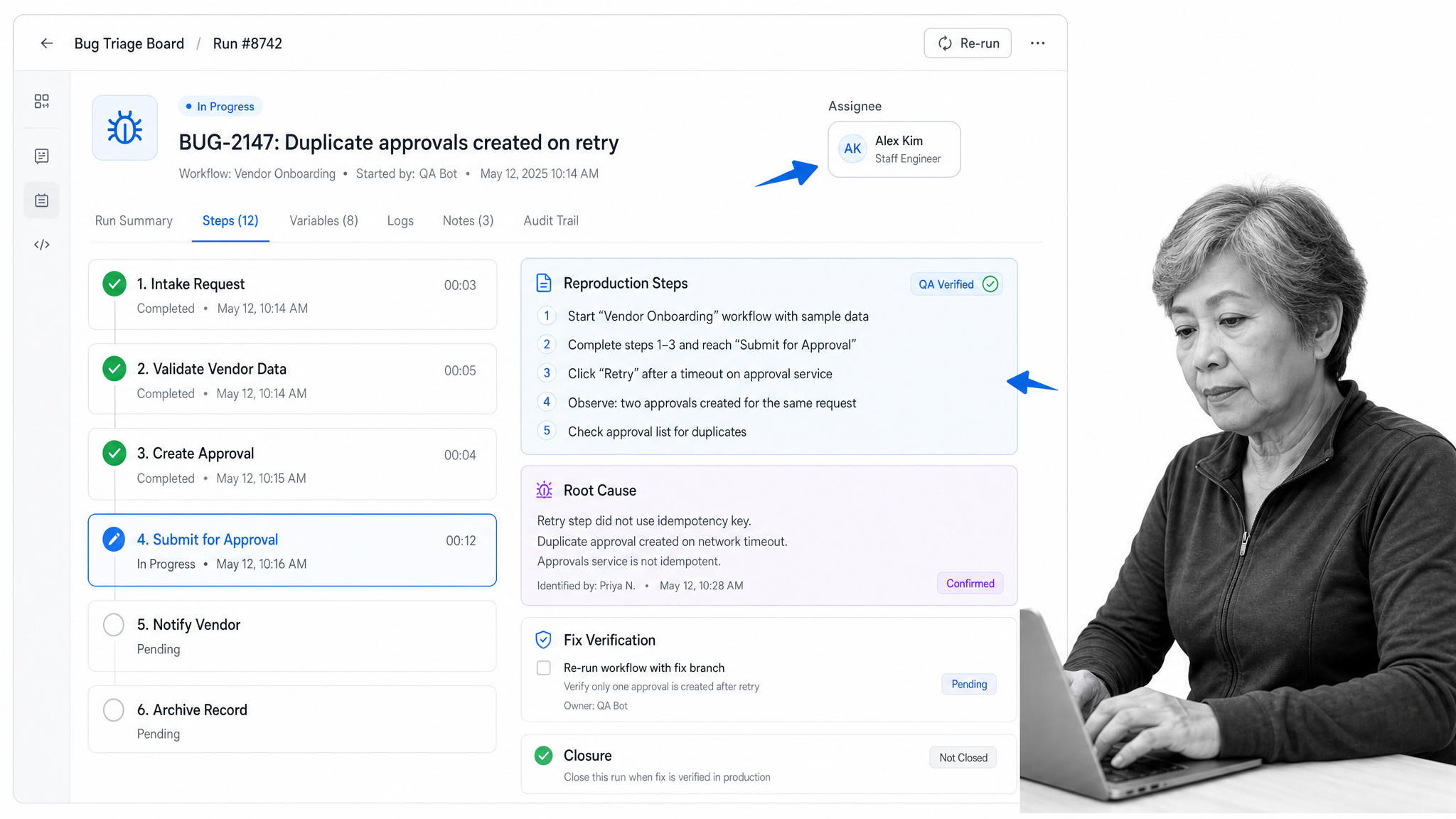
To round off our foray into the wide world of software development processes, we have a cheat sheet to what can be both the most rewarding and frustrating of all: the complex, yet humble, software debugging process.
This template stands at the core of any software engineering team, serving to guide both new and experienced employees alike through the never-ending process of fixing the inevitable errors uncovered by both your team and users.
From replicating your issues to simplifying, isolating, and solving them, this slick little bug swatter has you covered in blasting away those unintended or broken aspects of your product.
Run the Software Debugging Process template, then capture any feedback or suggestions for new templates so the process keeps improving.
Each template can stand alone, but the real value comes from connecting them. When planning, stories, Git, scrum, deployment, testing, and debugging all follow documented workflows, the team gets a software development process that is easier to run, measure, and improve.