


Turn every policy into automated workflows with built-in enforcement and audit-ready proof.



Anthropic AI Employee Alternatives
The best Anthropic AI employee alternatives are Dash, Lindy, Gumloop, Glean Agents, Zapier Agents, and Dust. They cover approval-first team chat, personal delegation, visual agent building, enterprise knowledge, broad app automation, and shared AI workspaces. The right choice depends on where work starts, what systems it touches, and how people approve actions.
In this article, we cover:
- What is the Anthropic AI employee?
- Anthropic AI employee alternatives at a glance
- What counts as an Anthropic AI employee alternative?
- How we compared the best Anthropic AI employee alternatives
- What matters when comparing Anthropic AI employee alternatives?
- Which alternatives are strongest right now?
- Where does Process Street fit?
- How can you switch without disrupting work?
- Which Anthropic AI employee alternative should you choose?
- Best alternative for Slack or Microsoft Teams
- Anthropic AI employee alternatives FAQs
What is the Anthropic AI employee?
The Anthropic AI employee in this guide is @Claude, Anthropic’s beta AI teammate for Slack. Team and Enterprise customers can tag it into threads, give it standing instructions, connect approved tools, and let it work under an agent identity. Microsoft Teams support is still listed as coming soon, so @Claude is the benchmark rather than an alternative.
Anthropic says @Claude can read shared thread context, run scheduled or long tasks, use channel-specific skills, and act through administrator-configured tools. Credentials belong to Claude’s agent identity, their use is logged, and administrators decide which tools are available in each channel.
The current Claude pricing page lists Team standard seats at $20 per seat per month with annual billing or $25 when billed monthly. @Claude remains labeled beta and is available to Team and Enterprise customers in Slack.
Anthropic AI employee alternatives at a glance
Anthropic AI employee alternatives differ most in where they work and how they control actions. Dash and Lindy are closest to chat-native coworkers. Gumloop and Zapier Agents favor configurable agent building. Glean Agents emphasizes enterprise context and governance. Dust provides a shared AI workspace with model choice, custom agents, and team collaboration.
| Tool | Surface | Guardrail or model | Connector count | Pricing entry point |
|---|---|---|---|---|
| Dash | Slack, Microsoft Teams, web | Approval flow on every action | 3,000+ integrations | Published on the Dash pricing page |
| Lindy | Slack, inbox, meetings, web | Outside-impact actions await approval; model selection | 1,000+ integrations and any MCP | Plus $29.99 per user per month |
| Gumloop | Web agent builder, Slack deployment, API | Per-tool Always allow, Ask, or Disable; 35+ models | 300+ connectors; custom MCP | Pro $37 per month; 14-day trial |
| Glean Agents | Enterprise web platform and connected apps | Permissions-aware governance; human checkpoints | 275+ connectors | No public price; request a demo |
| Zapier Agents | Web agent builder and app automations | Configured apps and actions; Human in the Loop steps | 9,000+ apps | Free with 400 activities; Agents Pro $33.33 per month with annual billing |
| Dust | Web workspace, Slack, API | 20+ model choices; spaces and permission controls | connectors plus custom MCP | Free seat; Pro $24 per seat per month with annual billing |
Table sources: Dash pricing and integrations; Lindy pricing and integrations; Gumloop pricing and connector controls; Glean Agents, connectors, and demo request; Zapier Agents and pricing; Dust pricing.
What counts as an Anthropic AI employee alternative?
A useful Anthropic AI employee alternative must replace either @Claude’s team-chat role or the connected work around it. Chat-native products should understand shared conversations and hand work across tools. Agent builders qualify when teams can configure instructions, permissions, triggers, and actions. Enterprise options must preserve identity, company context, governance, and observable human control.
This definition includes different operating models because buyers are solving different problems. Some want a teammate inside Slack or Microsoft Teams. Others want a visual builder, an enterprise agent platform, or a dedicated workspace where people and agents collaborate. Products are compared on practical fit, not on a claim that every option behaves identically.
How we compared the best Anthropic AI employee alternatives
We compared six alternatives using current first-party product, pricing, integration, and help pages. The review covers primary work surface, approval or permission model, published connector footprint, pricing entry point, and fit for shared team work. A large app catalog was not treated as proof of stronger reasoning, governance, or chat-native collaboration.
Each vendor received the same evidence standard. Public pricing is quoted with its billing cadence, while Glean is marked as contact sales because it does not publish an entry price on the sourced pages.
Editorial owner: Vinay Patankar.
Disclosure: Process Street and Dash share ownership. Dash was evaluated against the same first-party evidence standard as every other vendor.
Last updated: August 27, 2026.
Last verified: August 27, 2026.
What matters when comparing Anthropic AI employee alternatives?
Start with where the AI employee receives work and what it may change. Compare Slack, Microsoft Teams, web, and builder surfaces alongside identity, permissions, approval checkpoints, connected systems, persistent context, scheduling, observability, and billing cadence. The strongest choice matches the team’s real risk boundary, not merely the largest model or integration count.
- Surface: Confirm whether the product is genuinely usable in Slack, Microsoft Teams, a web workspace, or an agent builder.
- Guardrails: Separate read-only retrieval from actions that send, publish, update, delete, or spend.
- Connections: Count usable integrations, but also check authentication, action coverage, and permission inheritance.
- Context: Decide whether the agent needs channel history, enterprise search, shared files, or a dedicated knowledge layer.
- Operations: Require a clear owner, approval step, execution record, and fallback when the agent cannot finish.
- Pricing: Compare workspace, seat, credit, task, and contact-sales models against expected usage.
Which Anthropic AI employee alternatives are strongest right now?
Dash is strongest for approval-first work across Slack and Microsoft Teams, while Lindy suits communication-heavy Slack teams. Gumloop and Zapier Agents are better for configurable agents and automations. Glean Agents leads on enterprise context and governance. Dust fits teams that want a shared AI workspace, model choice, custom agents, and collaborative knowledge work.
1. Dash
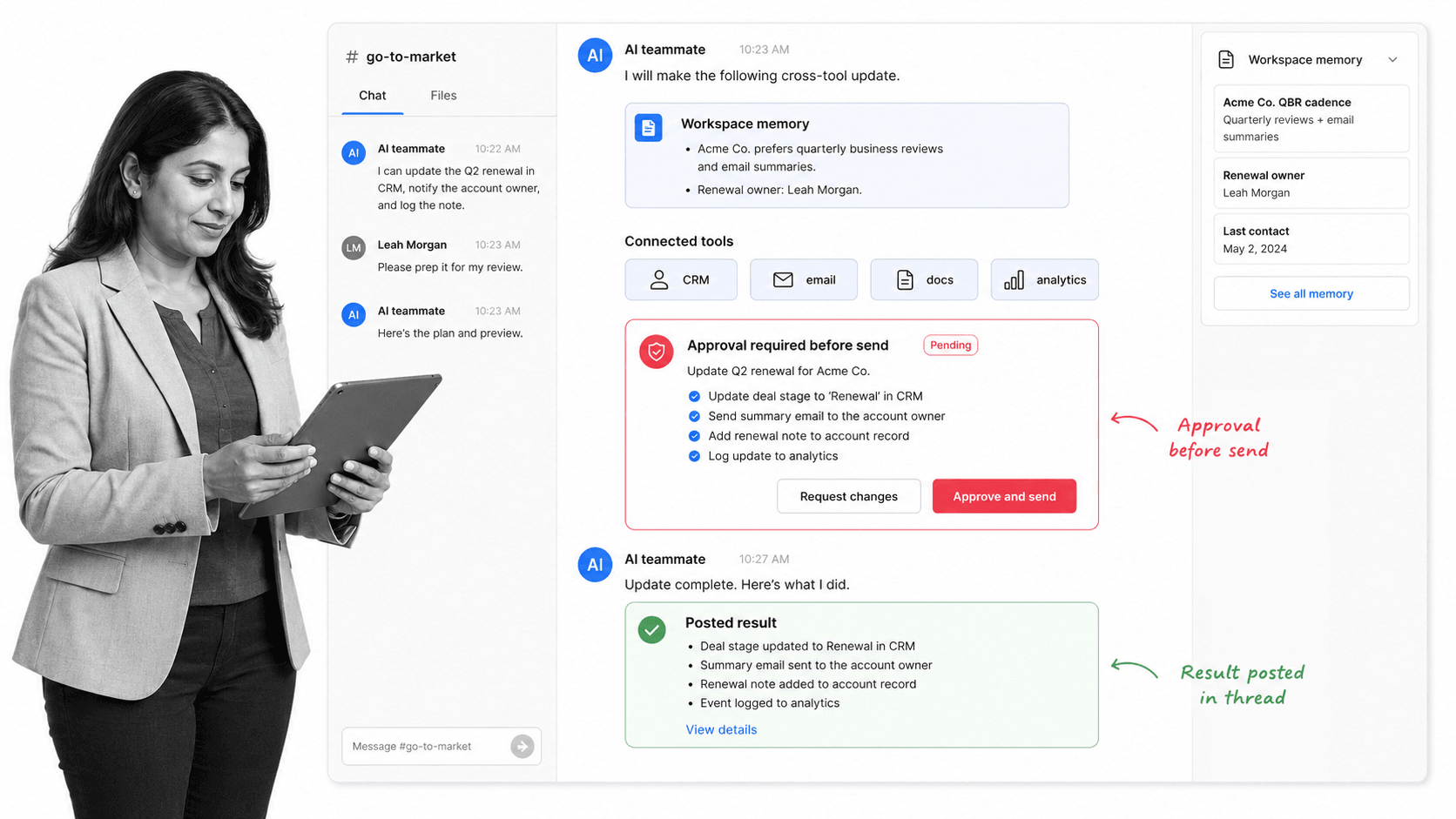
Dash is an AI coworker for Slack, Microsoft Teams, and the web. It is designed to receive work in team conversation, use workspace context, connect to business systems, and ask for approval before an external action. The workspace plan avoids per-seat pricing, which can suit teams that want broad access without licensing every user separately.
Dash lists more than 3,000 integrations and says it works in Slack or Microsoft Teams. Its pricing page describes a free start with no card, an approval flow on every action, and the current Team plan.
- Best fit: teams that want one approval-first coworker across Slack and Microsoft Teams.
- Tradeoff: Dash is teammate-shaped, not a visual node-by-node automation canvas.
- Pricing: published on the Dash pricing page.
Bottom line: Dash is the closest alternative for teams that want chat-native execution across Slack and Microsoft Teams with approval before every external action.
Choose Dash if: you want a shared AI coworker with workspace pricing, team context, and more than 3,000 integrations.
Skip Dash if: your main requirement is a visual workflow canvas or enterprise-wide knowledge search.
2. Lindy
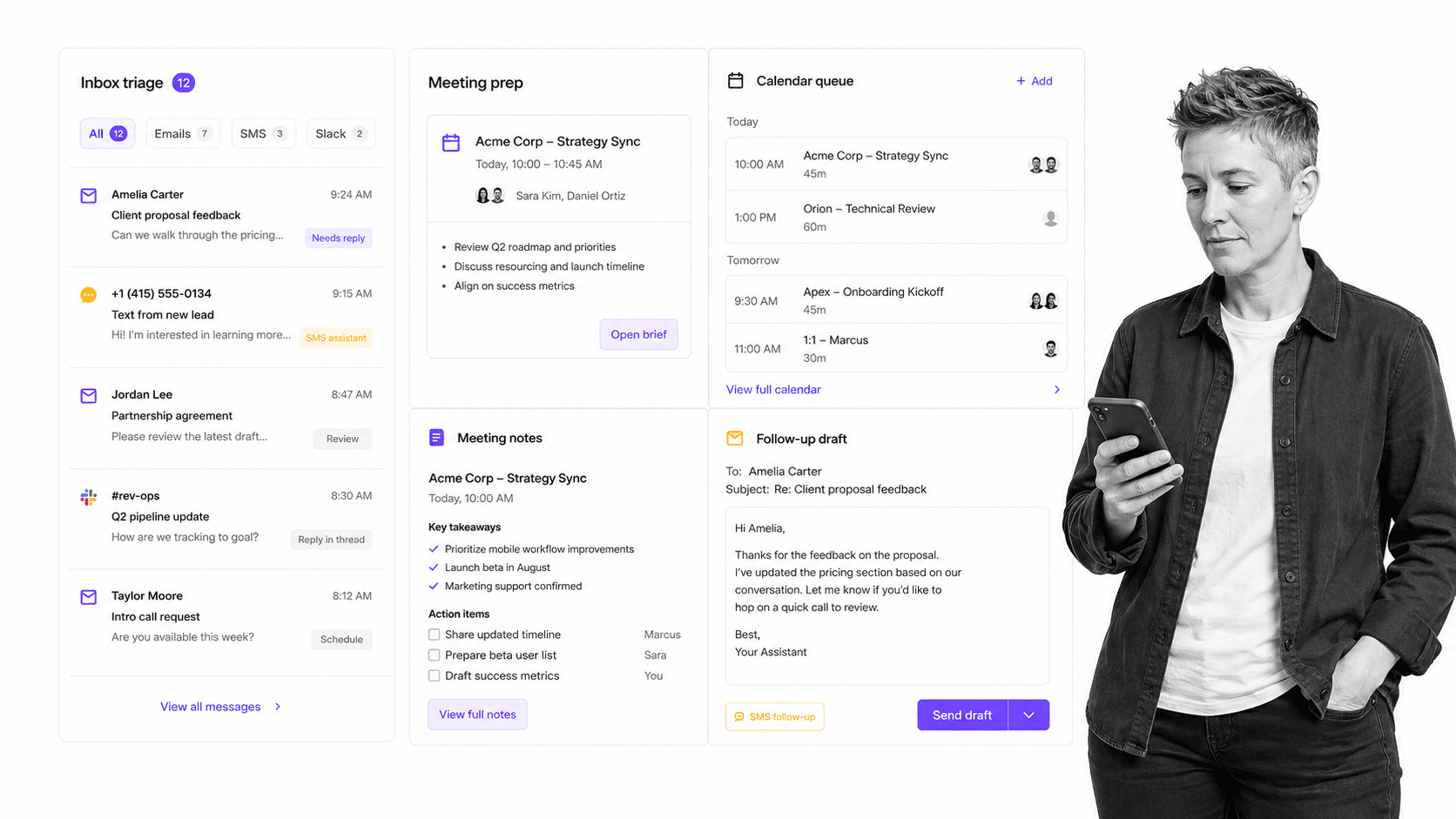
Lindy is a Slack-native teammate that also covers inboxes, meetings, calendars, files, scheduled routines, and computer use. It is a stronger fit than a general chat assistant when communication and follow-up work dominate. Lindy also lets teams select models and requires approval for actions with outside impact.
The Lindy pricing page lists Plus at $29.99 per user per month with 3,000 credits per user. It says outside-impact actions wait for approval. New teammates who join through Slack receive a seven-day trial, while direct signups are billed immediately. Its integration directory lists 1,000+ apps and any MCP server.
- Best fit: Slack teams handling inbox, meeting, calendar, and follow-up work.
- Tradeoff: per-user pricing can rise as more teammates interact with Lindy.
- Pricing: Plus at $29.99 per user per month.
Bottom line: Lindy is a strong Anthropic AI employee alternative for Slack teams that center work on messages, meetings, inboxes, and personal delegation.
Choose Lindy if: communication-heavy work and assistant-style delegation matter more than a cross-platform team-chat footprint.
Skip Lindy if: you need one workspace price across a large team or Microsoft Teams as the main coworker surface.
3. Gumloop
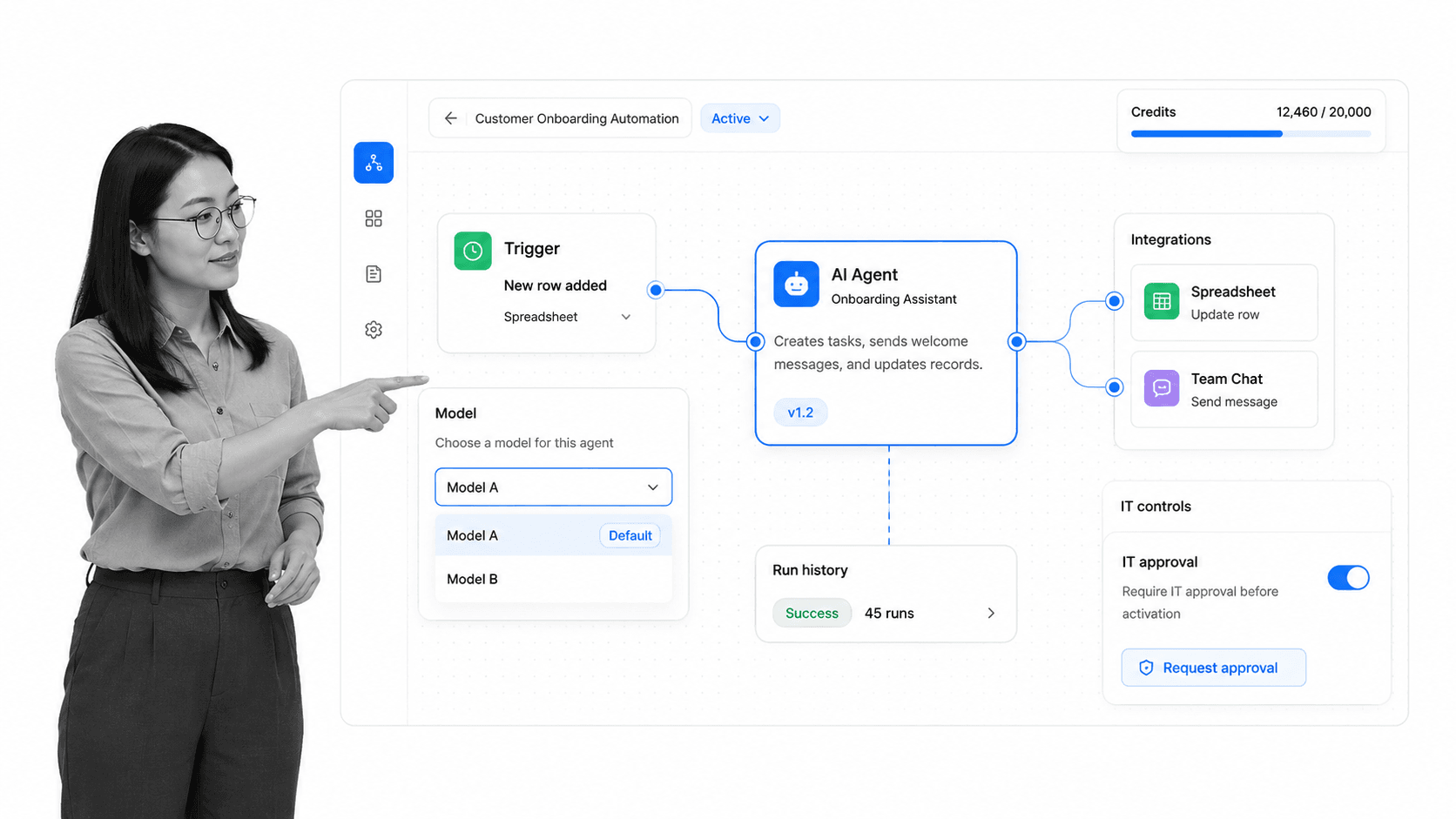
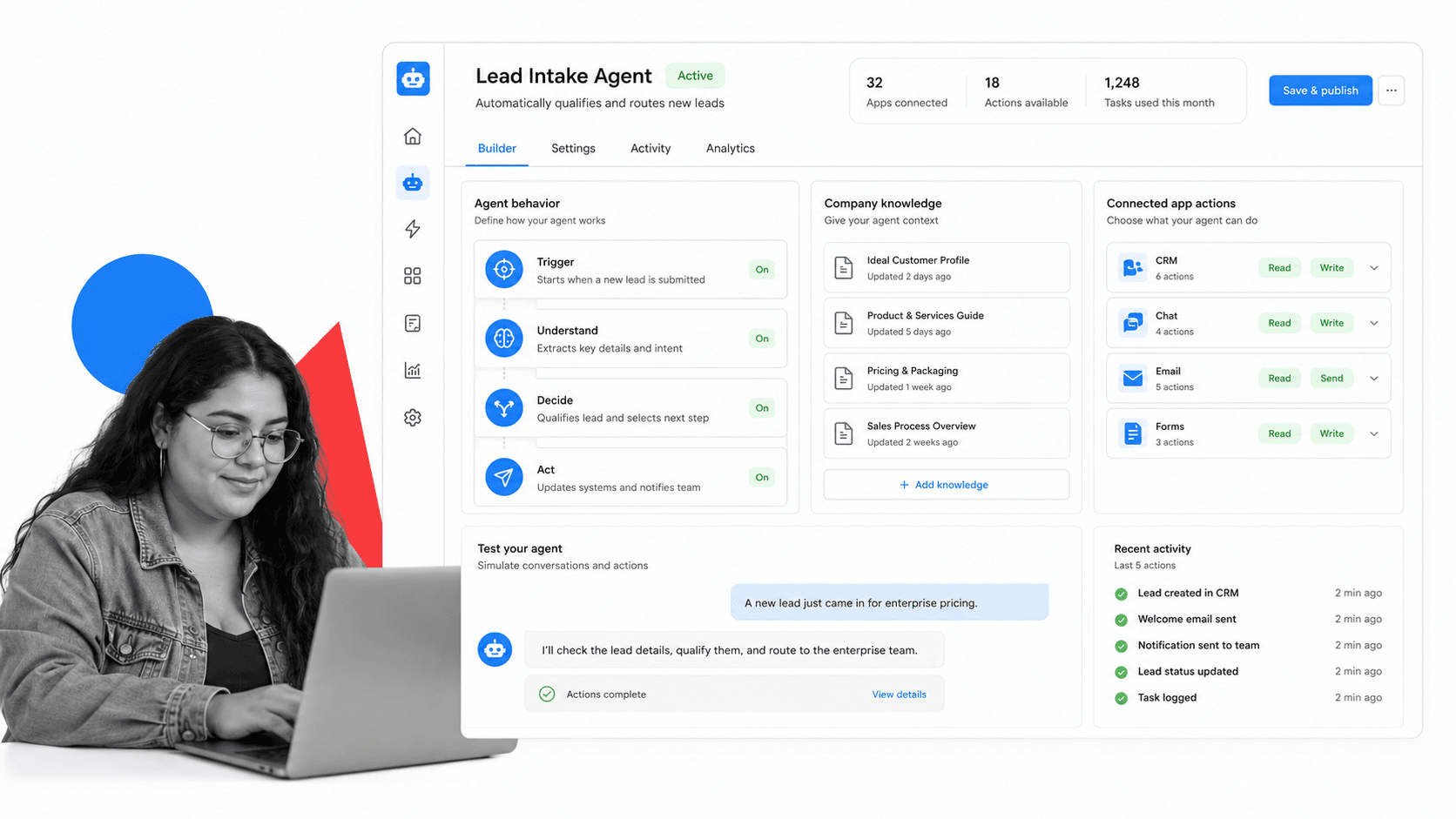
Gumloop is a web-based agent and workflow builder for teams that want to design how work runs. Custom agents can be shared, deployed to Slack, triggered by events, and exposed through an API. The product provides explicit tool selection, model choice, connectors, code execution, and reusable workflows rather than behaving only as a ready-made chat coworker.
Gumloop Pro starts at $37 per month with a 14-day trial, 20,000 monthly credits, unlimited agents and seats, and access to more than 35 models. Gumloop documents 300+ connectors plus custom MCP. Each tool can be set to Always allow, Ask, or Disable.
- Best fit: operations teams building purpose-specific agents and repeatable automations.
- Tradeoff: teams must design, test, and maintain the agent’s logic and permissions.
- Pricing: Pro from $37 per month with a 14-day trial.
Bottom line: Gumloop is the better fit when the buyer wants a configurable agent-building environment with granular tool controls and Slack deployment.
Choose Gumloop if: you want to build and govern specialist agents instead of adopting one general-purpose coworker.
Skip Gumloop if: your team wants an immediately available teammate without maintaining agent configuration.
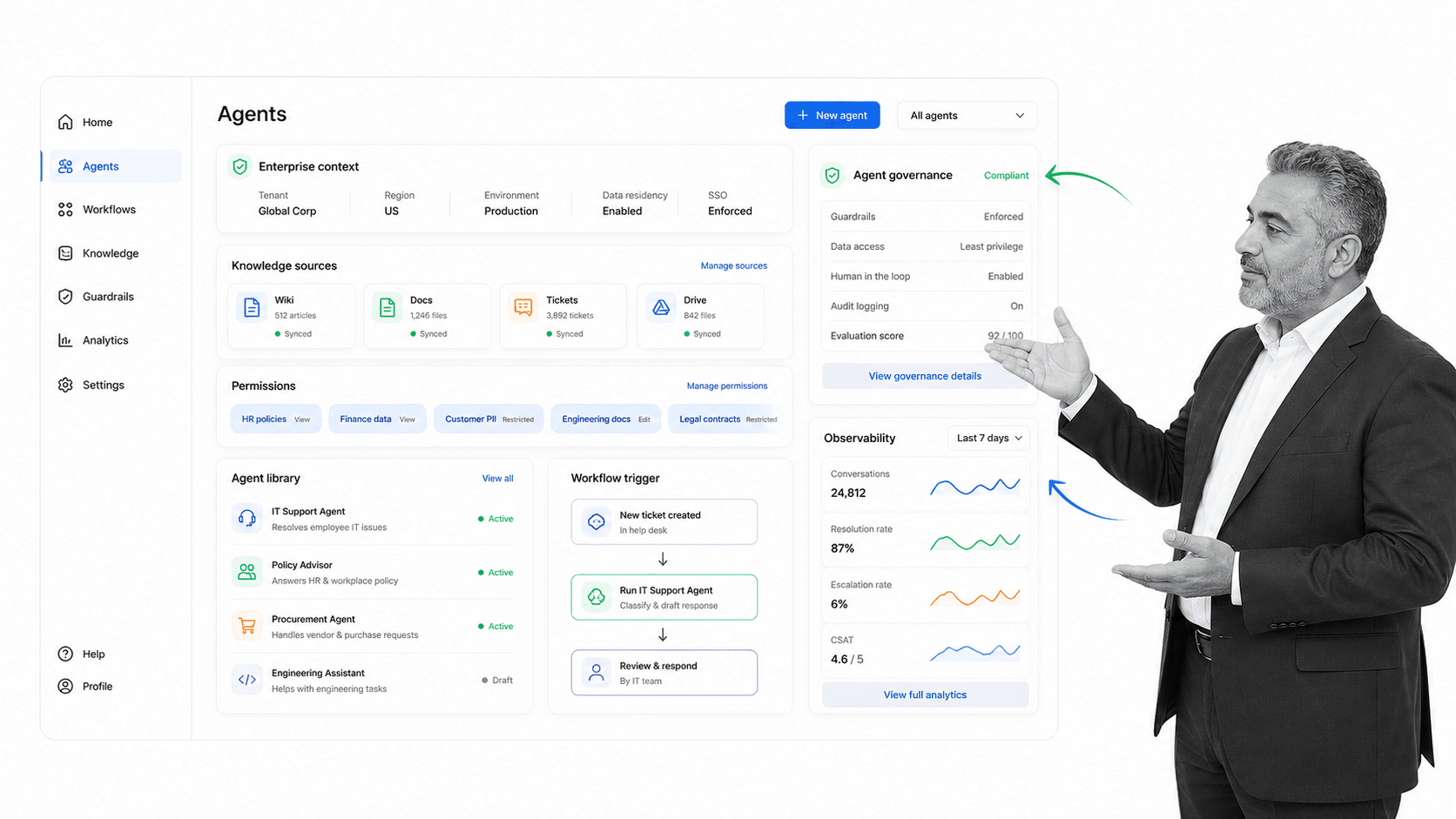
4. Glean Agents
Glean Agents is an enterprise platform for building, deploying, orchestrating, governing, and monitoring agents grounded in company context. It is designed for organizations where permissions, data access, certification, observability, and adoption matter as much as the agent’s output. This makes it materially different from a lightweight chat teammate.
Glean describes permissions-aware governance, real-time oversight, enterprise context, agent orchestration, deployment, and observability. Its connector page lists more than 275 connectors, inherited data permissions, granular access controls, and human-in-the-loop checkpoints. Glean does not publish an entry price on these pages; buyers must request a demo.
- Best fit: enterprises that need agents grounded in company knowledge and governed across many teams.
- Tradeoff: the buying and rollout motion is heavier, and public entry pricing is unavailable.
- Pricing: no public price; request a demo.
Bottom line: Glean Agents is the enterprise choice when permissions-aware context, governance, orchestration, and observability are the central requirements.
Choose Glean Agents if: your organization needs a managed agent platform tied to enterprise data permissions.
Skip Glean Agents if: you need a lightweight, self-serve chat coworker with transparent entry pricing.
5. Zapier Agents
Zapier Agents lets teams create specialized AI teammates that use company knowledge and perform work across Zapier’s app ecosystem. It is strongest for buyers who already think in triggers, actions, tasks, and configured automations. The agent builder, monitoring surface, and broad action network make it flexible, but teams still need to define its allowed tools and operating boundaries.
Zapier says Agents can work across more than 9,000 apps. The current Zapier pricing page lists an Agents Free plan with 400 activities per month and Agents Pro at $33.33 per month with annual billing for 1,500 activities. The current Agents Enterprise tier uses contact-sales pricing.
- Best fit: automation builders who want agents connected to a very large app-action network.
- Tradeoff: usage is activity-based, and the team must configure tools, knowledge, and governance.
- Pricing: Free with 400 activities, then Agents Pro at $33.33 per month with annual billing.
Bottom line: Zapier Agents is strongest when app-action breadth and configurable automation matter more than a Slack-native coworker experience.
Choose Zapier Agents if: your team already uses Zapier and wants agents inside that automation ecosystem.
Skip Zapier Agents if: you want one persistent coworker whose primary home is Slack or Microsoft Teams.
6. Dust
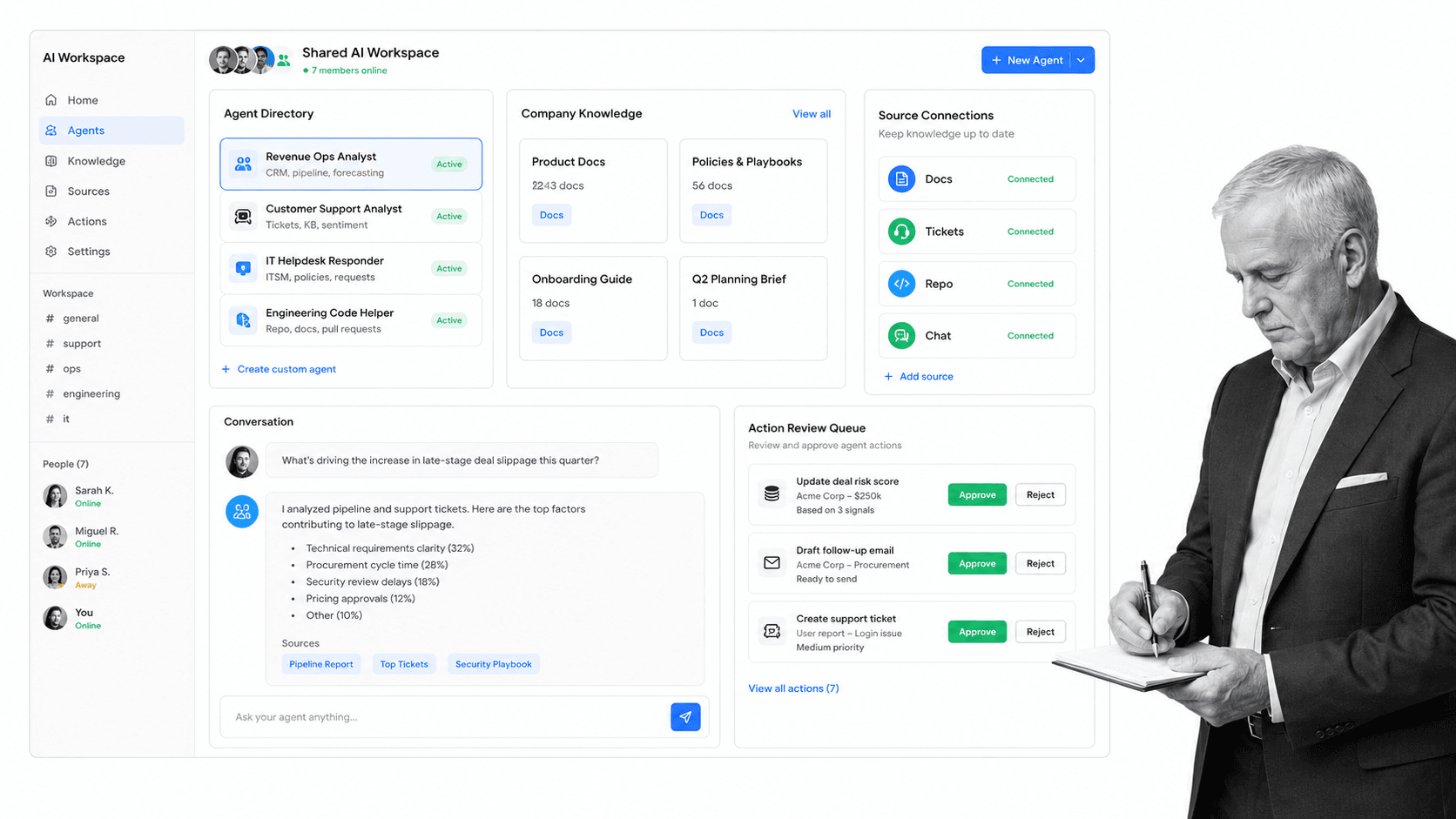
Dust is a shared AI workspace for custom agents, company knowledge, team collaboration, and multi-agent workflows. It supports many frontier models, reusable skills, connected data, Slack, and APIs. Dust is a stronger match when the team is willing to adopt a dedicated AI workspace instead of keeping every interaction inside its existing chat platform.
The current Dust pricing page lists more than 20 frontier models, connections to more than 20 data sources, MCP support, team workspaces, and Slack. A Free seat includes 500 lifetime credits. Pro costs $24 per seat per month with annual billing or $30 when billed monthly and includes 8,000 monthly credits.
- Best fit: teams that want a shared AI workspace with custom agents, model choice, and company knowledge.
- Tradeoff: the dedicated workspace adds another surface, and Business limits connected data sources by plan configuration.
- Pricing: Free seat; Pro $24 per seat per month with annual billing or $30 monthly.
Bottom line: Dust is a credible alternative for teams that prioritize a collaborative AI workspace, custom agents, and model choice.
Choose Dust if: your team wants people and agents collaborating around shared context in a dedicated workspace.
Skip Dust if: you want the primary experience to remain entirely inside Slack or Microsoft Teams.
Where does Process Street fit with Anthropic AI employee alternatives?
Process Street is the controlled process layer around Anthropic AI employees and their alternatives. Its workflows capture required steps, owners, due dates, approvals, evidence, and exception paths after an agent starts work. It standardizes recurring execution instead of competing as another chat coworker, agent builder, enterprise search platform, or AI workspace.
Use Process Street workflows when an agent-triggered task needs ownership, approvals, required evidence, and an execution record. The broader Process Street process platform helps teams standardize recurring operations after work leaves chat.
Related cluster guides include AI agent orchestration, Claude Tag alternatives, Claude Agent alternatives, Dust alternatives, Glean alternatives, and Zapier Agents alternatives.
How can you switch from an Anthropic AI employee without disrupting work?
Switching safely starts by documenting where @Claude receives instructions, which channels and tools it can reach, how its agent identity is governed, and where humans review results. Pilot one repeatable workflow in the replacement, compare permissions and outputs, and keep the original available until the new path reproduces required context, controls, records, and handoffs.
- Inventory Slack channels, standing instructions, connected tools, credentials, schedules, and review points.
- Separate read-only retrieval from actions that send, publish, update, delete, or spend.
- Pilot one bounded workflow with representative data and a named human owner.
- Compare output quality, permission scope, approval behavior, failure handling, and cost.
- Move additional workflows only after the replacement produces the required record and handoff.
Which Anthropic AI employee alternative should you choose?
Choose Dash for approval-first execution across Slack and Microsoft Teams, Lindy for Slack plus inbox and meeting delegation, Gumloop for configurable agent building, Glean Agents for enterprise context and governance, Zapier Agents for broad app-action automation, or Dust for a shared AI workspace. The best replacement matches your surface, permission boundary, connector needs, operating model, and budget.
No single option wins every category. A chat-native coworker reduces adoption friction, while a builder offers more configuration. Enterprise platforms add governance and context at the cost of a heavier buying motion. Dedicated AI workspaces can support richer collaboration, but they introduce another surface for teams to adopt.
What is the best Anthropic AI employee alternative for Slack or Microsoft Teams?
Dash is the strongest fit in this list when a team wants one approval-first coworker across Slack or Microsoft Teams, connected to thousands of tools, with every external action routed through approval. Lindy is also strong for Slack-centered communication work. Buyers prioritizing visual building, enterprise governance, broad app automation, or a dedicated AI workspace should choose a specialist.
If that surface and control model matches your team, start Dash free.
Anthropic AI employee alternatives FAQs
These answers cover common buying questions about Anthropic AI employee alternatives, including the best option for Slack or Microsoft Teams, direct comparisons with Dash, free access, pricing, enterprise governance, and Process Street’s role. Product limits, billing terms, availability, and connector totals can change, so verify the linked first-party sources before purchasing or expanding agent permissions.
What is the best Anthropic AI employee alternative?
Dash is the strongest overall fit for teams that want an approval-first coworker across Slack and Microsoft Teams. Lindy fits communication-heavy Slack work, Gumloop fits configurable agent building, Glean Agents fits enterprise context and governance, Zapier Agents fits broad app automation, and Dust fits shared AI workspace adoption.
What is the best Anthropic AI employee alternative for Slack?
Dash and Lindy are the closest Slack-native alternatives. Choose Dash for a workspace-priced teammate with approval before every external action and more than 3,000 integrations. Choose Lindy when inbox, meeting, calendar, and follow-up work is central. Gumloop can also deploy custom agents into Slack.
What is the best Anthropic AI employee alternative for Microsoft Teams?
Dash is the clearest fit in this list for an AI coworker whose primary surface includes Microsoft Teams. Anthropic still lists @Claude for Microsoft Teams as coming soon. Buyers should verify current availability, administrative controls, and integration coverage before committing to any Teams-centered rollout.
Anthropic AI employee vs Dash: which is better?
Choose @Claude when you specifically want Anthropic’s beta teammate in Slack, its agent identity model, and Anthropic’s reasoning environment. Choose Dash when you need one approval-first coworker across both Slack and Microsoft Teams, workspace pricing, and more than 3,000 integrations. Neither is universally better outside those requirements.
Is there a free Anthropic AI employee alternative?
Dash offers a free start without a credit card. Zapier Agents offers a Free plan with up to 400 activities per month, Dust offers a Free seat with 500 lifetime credits, and Gumloop offers a 14-day Pro trial. Lindy’s seven-day trial applies to new teammates who join through Slack; direct signups are billed immediately.
How much do Anthropic AI employee alternatives cost in 2026?
Published entry prices range from free access to starter credits, and Dash publishes its current plans on its pricing page. Lindy starts at $29.99 per user per month, Gumloop at $37 per month, Zapier Agents Pro at $33.33 per month with annual billing, and Dust Pro at $24 per seat per month with annual billing. Glean requires a demo request.
Which Anthropic AI employee alternative is best for enterprise teams?
Glean Agents is the strongest enterprise specialist in this list because it emphasizes permissions-aware company context, agent governance, orchestration, deployment, observability, and human checkpoints. Large organizations should still compare data scope, identity, auditability, security review, implementation effort, connector coverage, and total contract cost.
Where does Process Street fit with Anthropic AI employee alternatives?
Process Street is not another Anthropic AI employee alternative. It is the process layer that turns agent-triggered work into repeatable workflows with owners, required steps, approvals, evidence, due dates, and exception paths. Use it when finished work must be controlled, repeatable, and auditable.
Comparing something else? The full directory of software alternatives and competitor comparisons covers AI agents, workflow and BPM platforms, integration tools, and more.
