


Turn every policy into automated workflows with built-in enforcement and audit-ready proof.



10 Best Inventory Software for Small Business
The best inventory software for small business keeps stock counts accurate, connects purchasing to sales, and gives your team a reliable way to receive, move, count, and reorder products. The right choice depends less on the longest feature list and more on how your inventory actually moves.
A neighborhood retailer needs fast point-of-sale updates. An ecommerce brand needs channel synchronization and fulfillment. A manufacturer needs raw-material, assembly, and production controls. Most teams also need a repeatable process around the software so approvals, discrepancy reviews, and cycle counts happen consistently.
This guide compares ten current options across those jobs. It puts Process Street first because inventory accuracy is not only a database problem. It is an execution problem involving people, approvals, exceptions, and proof that required work happened.
Inventory software for small business: the shortlist
- The ten best inventory software options
- How to choose the right system
- When to replace spreadsheets
- Frequently asked questions
Use this quick map before reading the full reviews:
- Best for controlled inventory workflows: Process Street
- Best broad inventory suite for growing sellers: Zoho Inventory
- Best for small in-person retailers: Square for Retail
- Best for unified ecommerce and retail: Shopify POS
- Best for barcode-led wholesale operations: inFlow Inventory
- Best for simple mobile item tracking: Sortly
- Best for small manufacturers: Katana
- Best for complex multichannel inventory: Cin7 Core
- Best for specialty retail catalogs: Lightspeed Retail
- Best for inventory tied closely to accounting: Fishbowl
What is the best inventory software for small business?
There is no universal winner for every small business. The strongest choice is the one that matches your operating model, sales channels, item complexity, and control requirements. The rankings below favor clear use-case fit, current product capability, and the ability to support a growing operation without forcing every business into the same stack.
1. Process Street
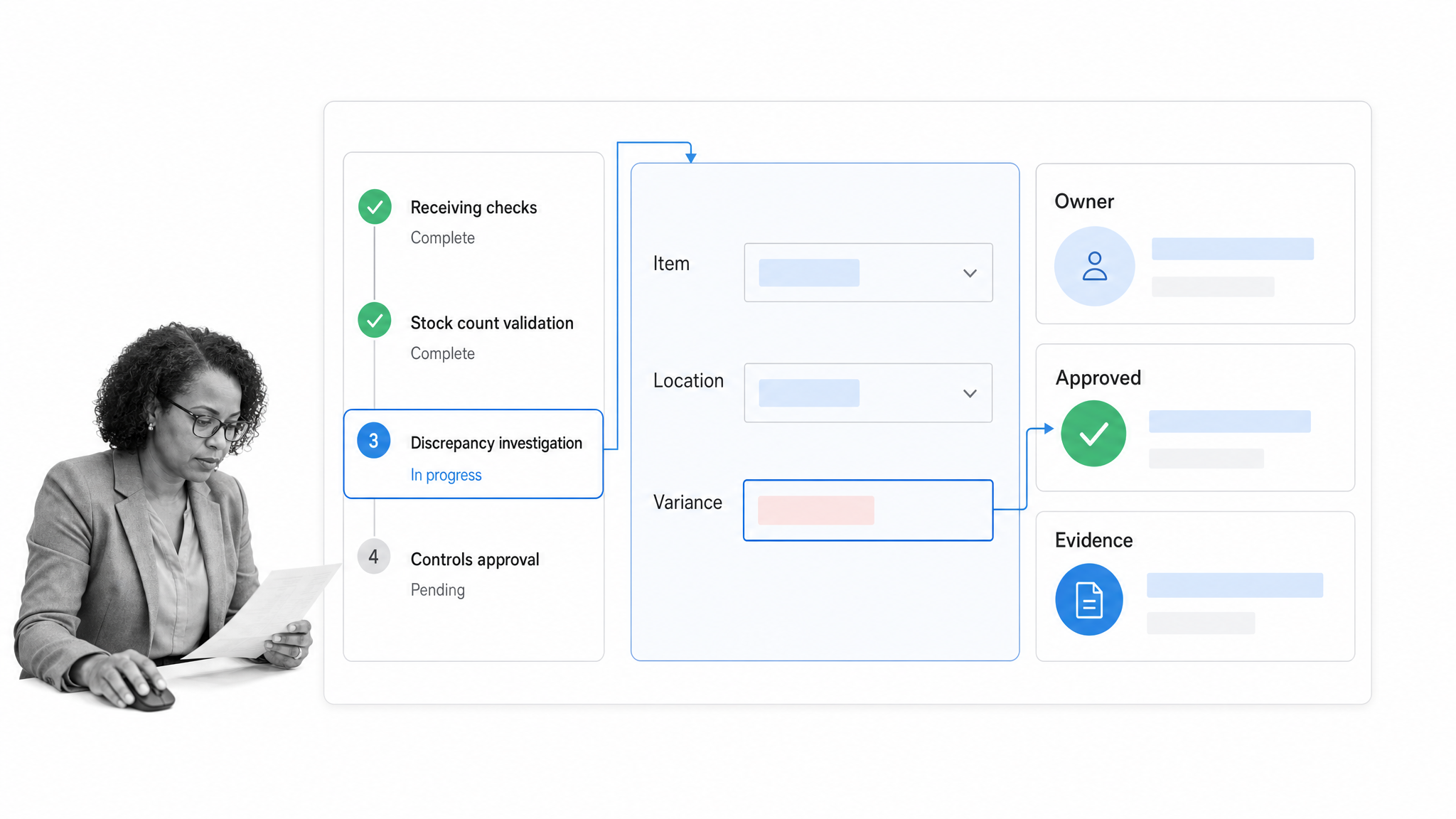
Process Street is the best choice when the main risk sits in the work around inventory: purchase approvals, receiving checks, discrepancy investigations, stock counts, reorder reviews, and documented handoffs. It is a Compliance Operations Platform, not a stock ledger or point-of-sale system. That distinction matters. Your inventory database may know the quantity on hand while the operating process still fails because someone skipped a check, approved the wrong adjustment, or never followed up on a variance.
A Process Street inventory control workflow can assign owners, collect item and location data, route approvals, require verification, and preserve a traceable record of each run. Use it beside the system that stores SKU quantities. This pairing gives small businesses both an inventory source of truth and an execution layer that makes the surrounding controls happen.
- Best for: Teams that need repeatable inventory procedures, approvals, exception handling, and audit-ready execution.
- Watch for: Process Street complements dedicated stock-tracking software rather than replacing a barcode, POS, or warehouse inventory database.
2. Zoho Inventory
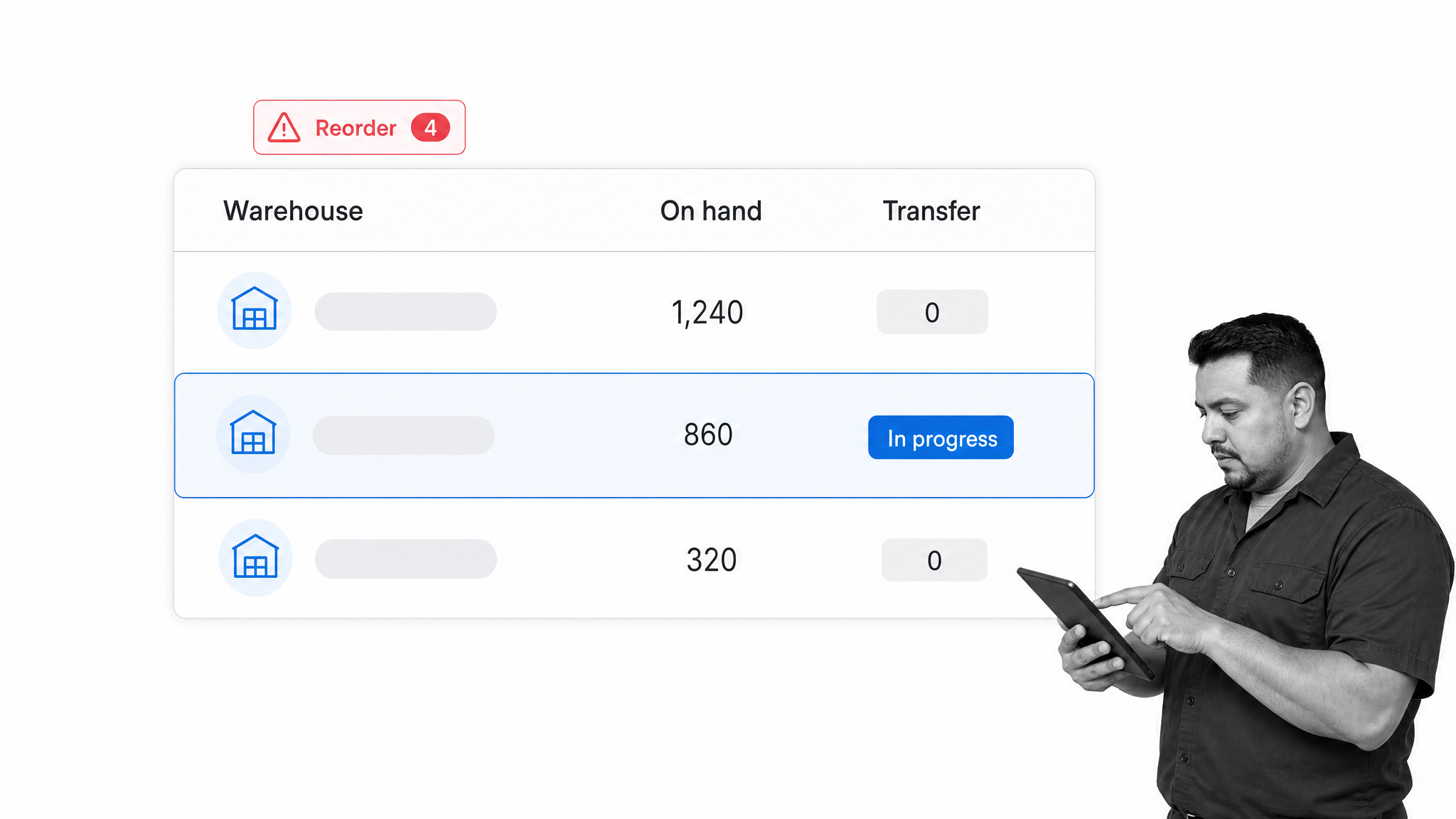
Zoho Inventory is a strong general-purpose option for product businesses that need purchasing, warehousing, order fulfillment, and stock control in one application. Its official feature set includes purchase orders, multi-warehouse management, transfer orders, picklists, bin locations, serial and batch tracking, barcode generation and scanning, sales orders, invoicing, and reorder points.
That breadth makes it a practical shortlist candidate for wholesalers, ecommerce sellers, and mixed-channel businesses that have outgrown a simple item list. The interface covers more operational territory than lightweight mobile inventory apps, so implementation should begin with clean SKUs, location rules, and a defined receiving process. Review the current Zoho Inventory feature list against your required workflows before choosing a plan.
- Best for: Growing sellers that want broad inventory and order-management capability.
- Watch for: More capability also creates more setup decisions around warehouses, item structure, and fulfillment.
3. Square for Retail
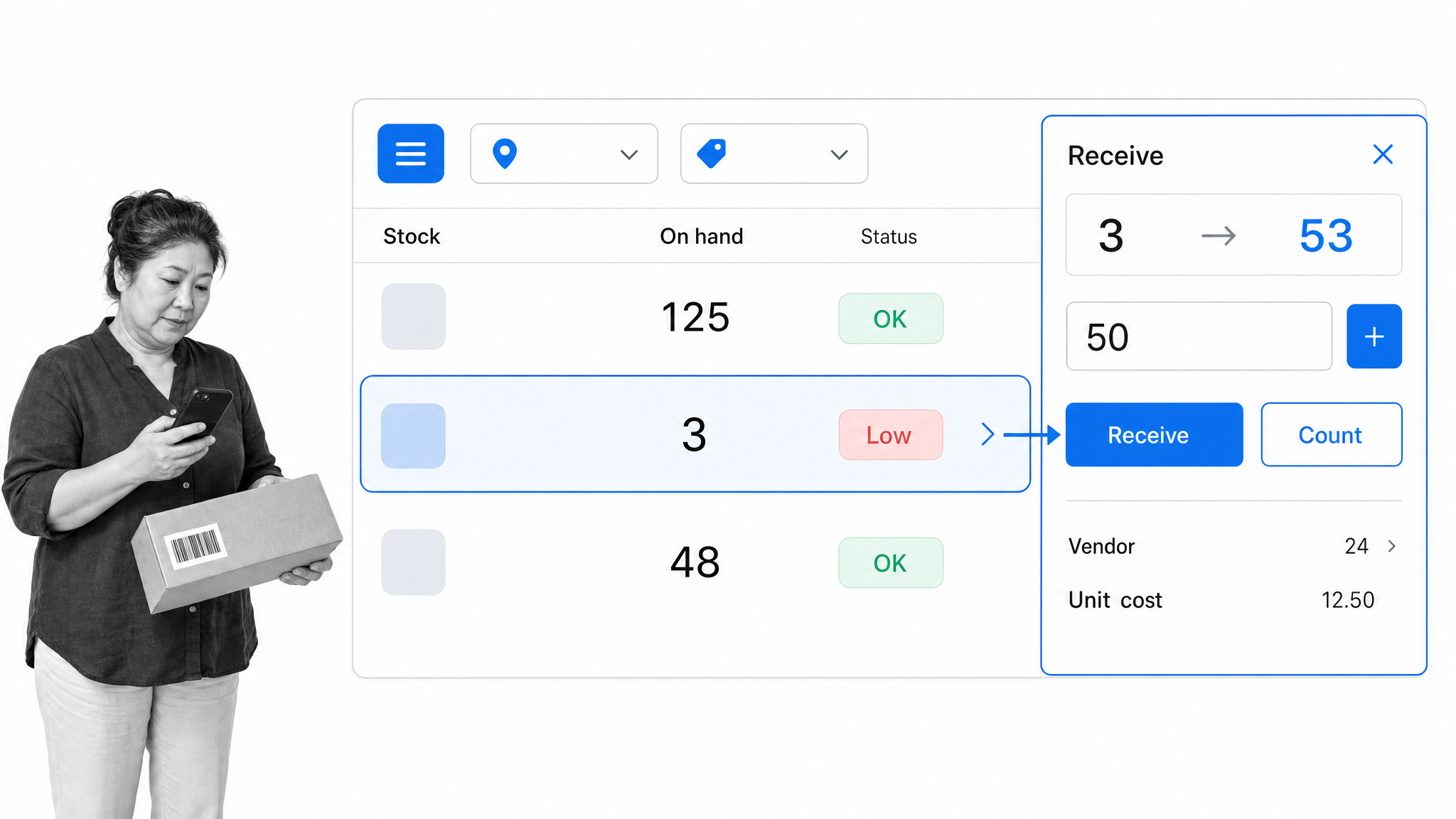
Square for Retail fits small stores that want inventory management closely connected to checkout. Square lets authorized users view current stock, receive goods, adjust quantities, count inventory, filter by category or location, and work from its dashboard or supported point-of-sale devices. Its retail tools also support low-stock alerts, vendor information, purchase orders, barcode labels, and inventory reporting.
The appeal is operational simplicity. A sale, return, stock receipt, or count belongs in the same retail environment instead of passing through disconnected systems. That makes Square particularly useful for boutiques, specialty shops, and other sellers whose physical checkout is the center of the inventory flow. See Square’s inventory management documentation for the current receiving and adjustment workflow.
- Best for: Small brick-and-mortar retailers already centered on Square point of sale.
- Watch for: Complex manufacturing, deep warehouse logic, or advanced multichannel requirements may call for a dedicated inventory platform.
4. Shopify POS
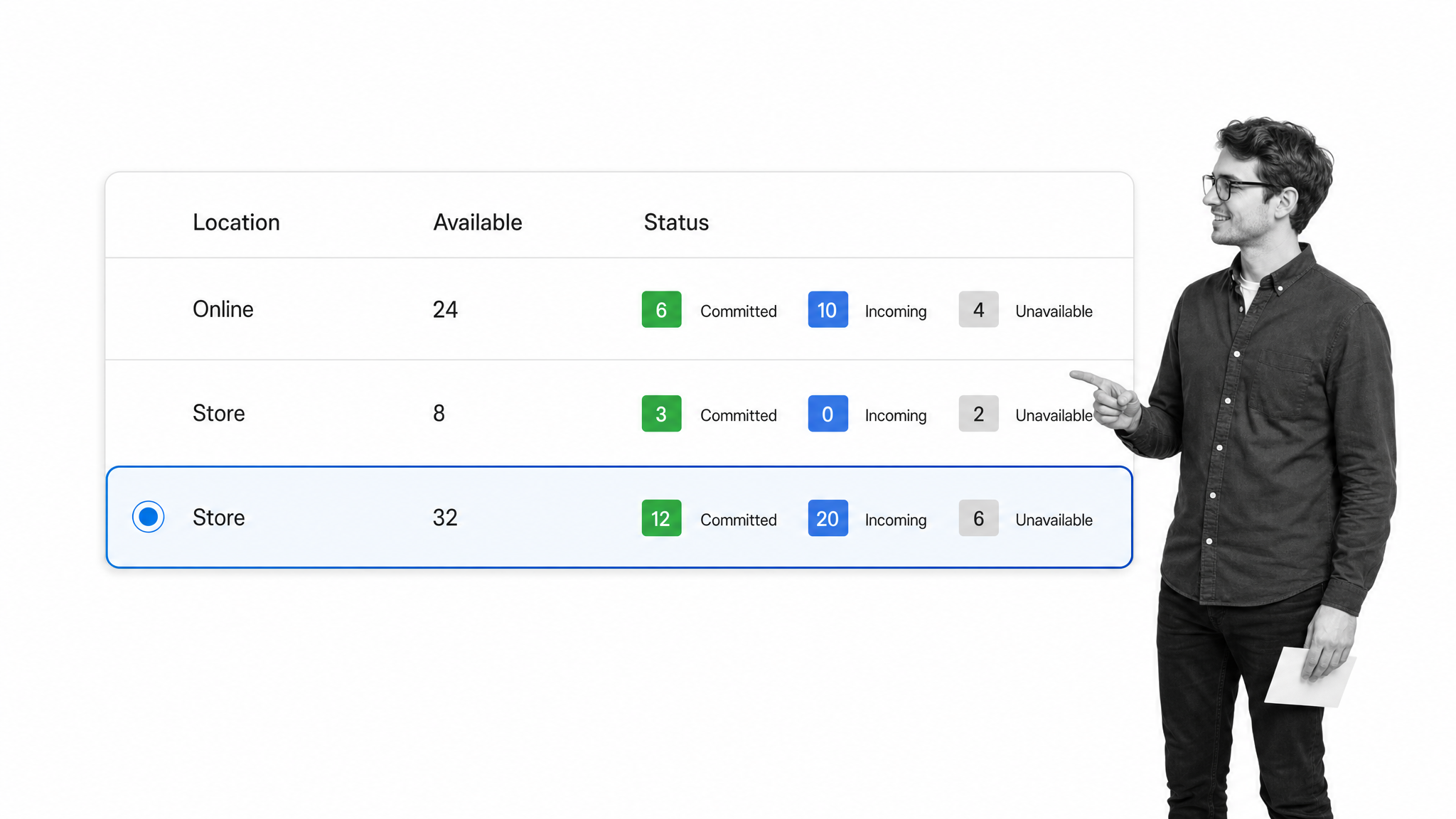
Shopify POS is a natural inventory choice for businesses that already sell through a Shopify store and also operate in person. Shopify tracks inventory by product and location, lets teams adjust counts and create transfers in the admin, and updates the selected location when an item is sold or restocked through POS. The product screen distinguishes available, committed, unavailable, and incoming quantities.
The main advantage is one commerce backbone for online and physical sales. It reduces the need to reconcile two catalogs and two sets of stock quantities. It is most compelling when Shopify is already the primary selling platform. Businesses with manufacturing, advanced warehouse routing, or highly specialized replenishment may still need an inventory application that connects to Shopify.
- Best for: Shopify merchants adding pop-ups, markets, or permanent retail locations.
- Watch for: Inventory depth depends on the broader Shopify setup and any specialized apps used around it.
5. inFlow Inventory
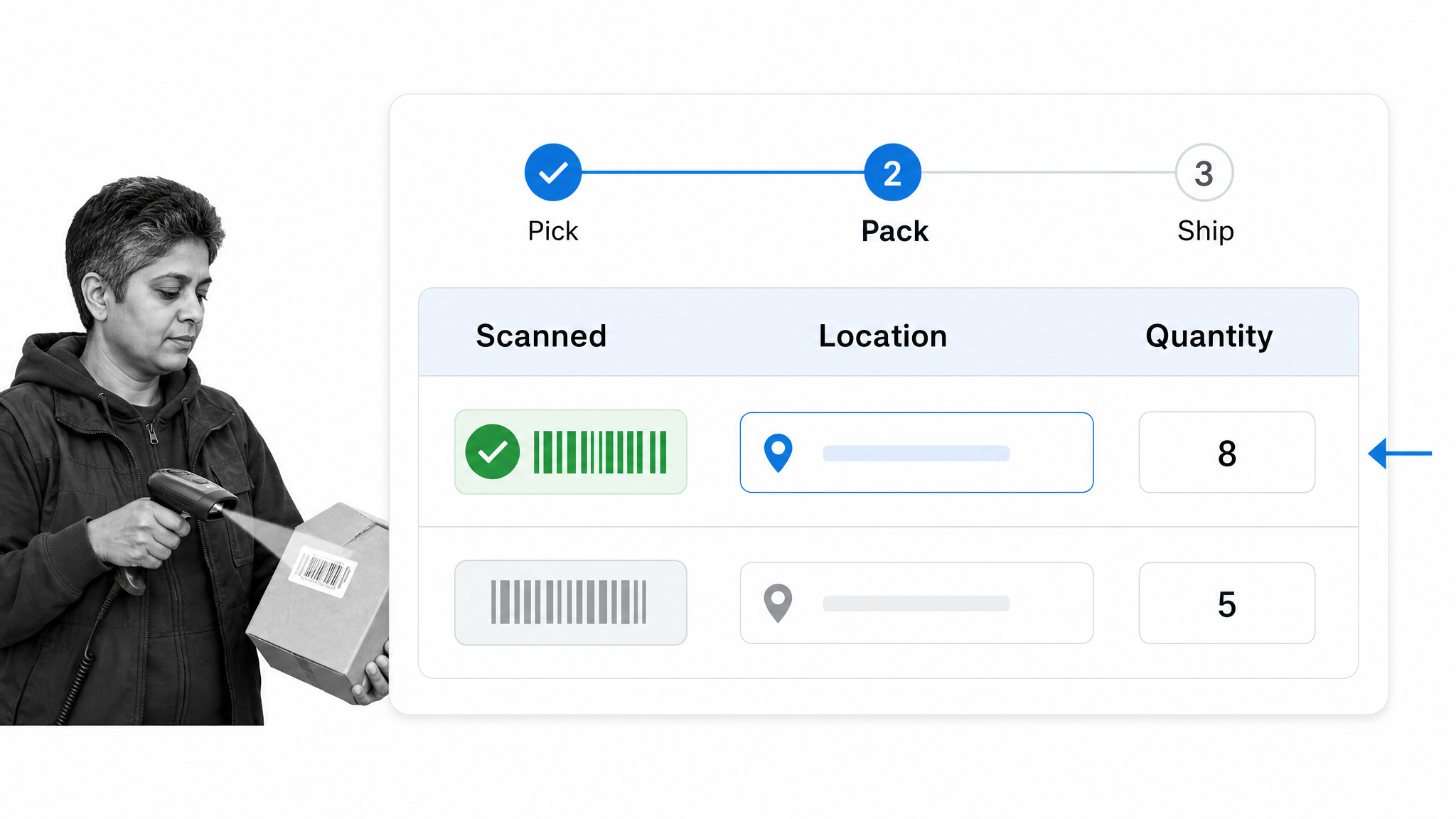
inFlow Inventory is designed for product businesses that need tighter control over purchasing, sales orders, fulfillment, locations, and barcodes without adopting a full enterprise resource planning system. Its barcode tools can generate labels, scan receipts and picks, check stock, adjust quantities, transfer inventory, and look up orders. The platform also supports stock counts, reorder control, sales and purchase workflows, and a B2B ordering portal.
This combination makes inFlow especially relevant for wholesalers, distributors, and warehouse-led ecommerce teams. Its product focus is narrower than an ERP, which can make the operational model easier to understand. The tradeoff is that adjacent functions such as full accounting or human resources remain in other systems. Explore the official inFlow feature table to confirm the exact workflow coverage you need.
- Best for: Wholesale and product teams that rely on barcode receiving, picking, and fulfillment.
- Watch for: Decide whether you need inventory software or a broader ERP before implementation.
6. Sortly
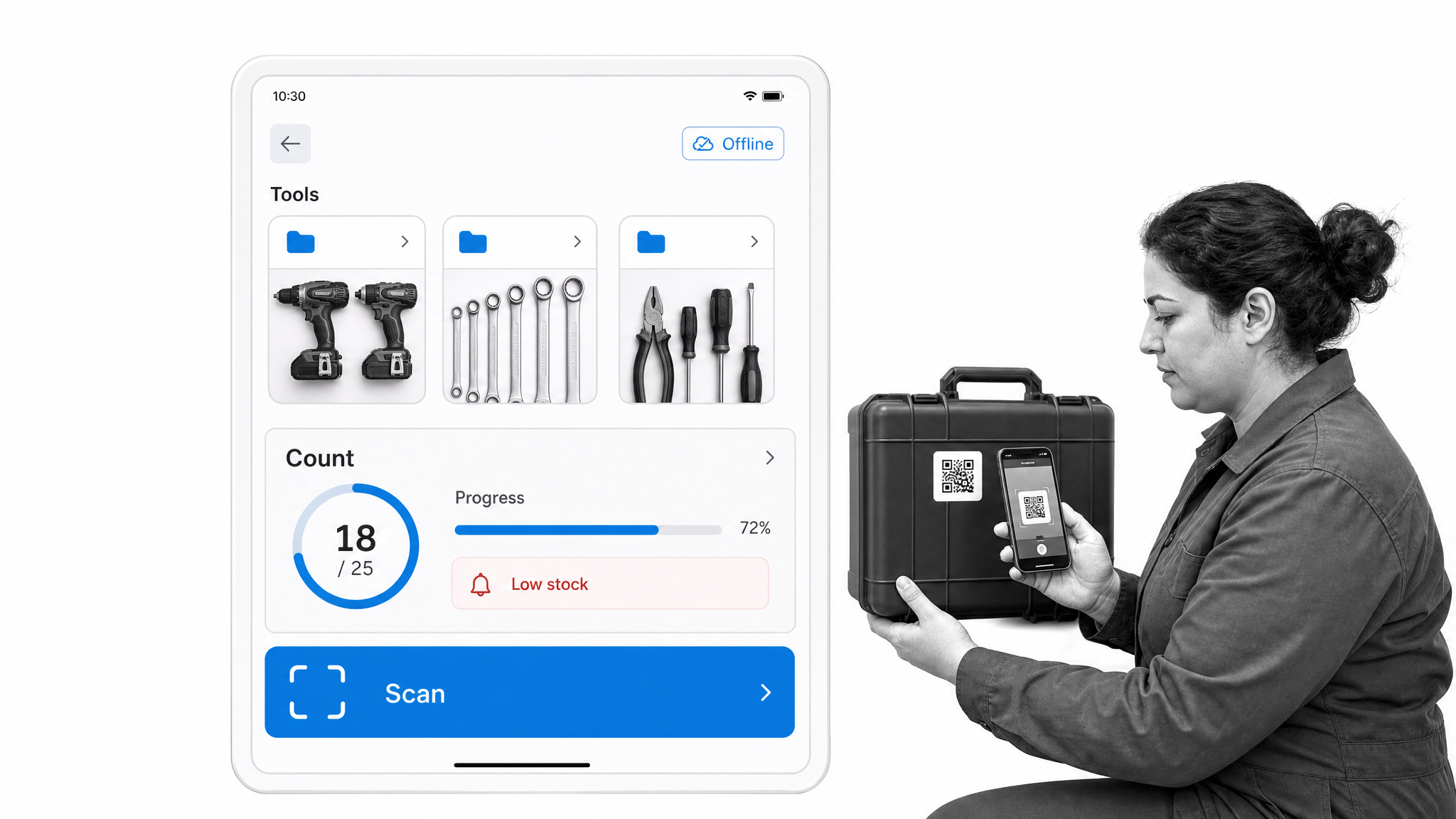
Sortly prioritizes simple, visual inventory tracking across phones, tablets, and computers. It supports item photos, folders and custom fields, low-stock alerts, barcode and QR scanning, label generation, purchase orders, pick lists, stock counts, user access controls, and reporting. Mobile and offline access make it useful when the work happens in a storeroom, workshop, vehicle, job site, or equipment cage rather than at a fixed desk.
The product is well suited to teams that need to know what they have, where it is, and who can update it. Visual item records also help when a name or SKU alone is not enough. Businesses with complex sales-order, manufacturing, or warehouse automation needs should compare Sortly’s lighter operating model with a more specialized platform. The Sortly inventory feature overview shows its mobile, alerting, scanning, and stock-count capabilities.
- Best for: Small teams tracking supplies, tools, equipment, parts, or straightforward product inventory.
- Watch for: Confirm that its order and production depth matches your business before treating it as a full operations system.
7. Katana
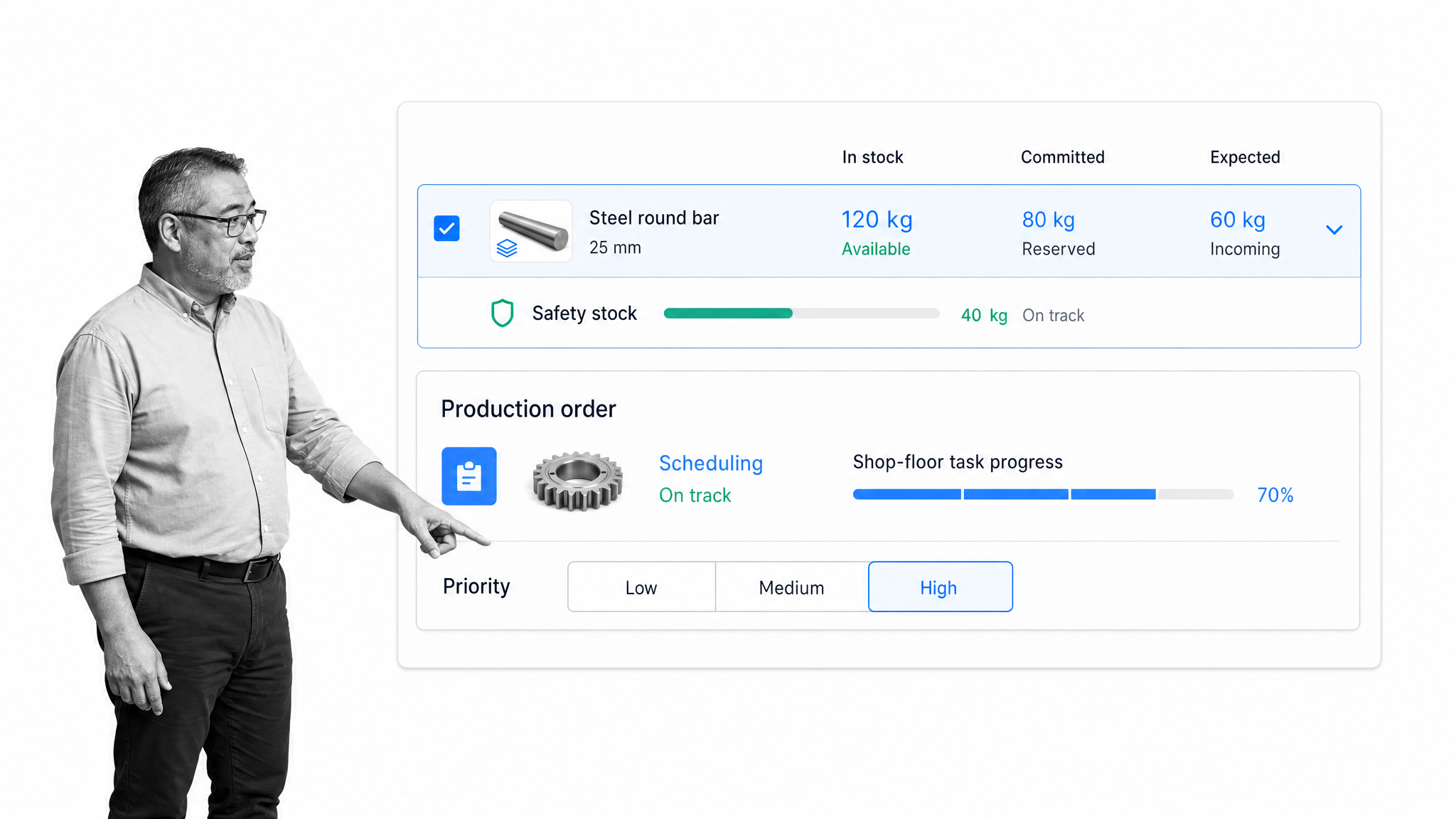
Katana is built for businesses that make products. Its Stock screen shows inventory that is in stock, committed to sales or manufacturing orders, expected from suppliers or production, and above or below safety-stock levels. Manufacturing capabilities add production orders, scheduling, task management, and shop-floor execution. Locations can be managed independently for stock, manufacturing, and fulfillment.
That makes Katana a more natural fit for makers and small manufacturers than retail-first inventory apps. It helps connect material availability to what the team plans to produce and sell. A business that only buys and resells finished goods may not need the production layer. A manufacturer should also define bills of materials, item variants, locations, and order priorities before migration so the system reflects the real production model.
- Best for: Small manufacturers managing raw materials, finished goods, and production work.
- Watch for: Some manufacturing workflows depend on the relevant add-on, so verify the current package before buying.
8. Cin7 Core
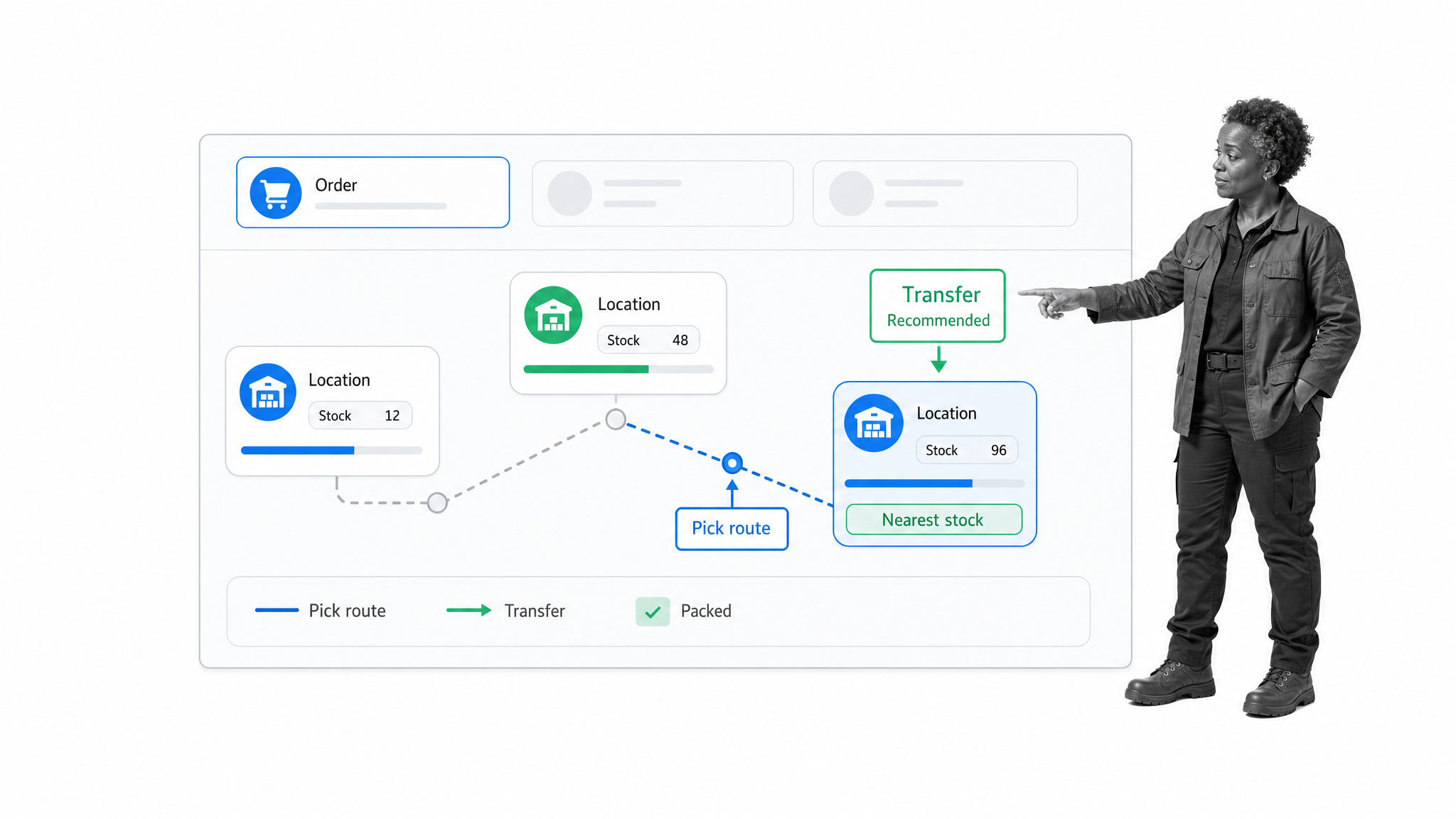
Cin7 Core serves product businesses with more operational complexity across sales channels, warehouses, purchasing, fulfillment, and manufacturing. Its current inventory capabilities include multichannel order management, barcode scanning, automated reorder points, warehouse management, multi-warehouse visibility, stock transfers, and bill-of-materials support. Cin7 also offers tools for guided picking and production control.
It belongs on the shortlist when a growing business is starting to feel the limits of a simple POS inventory module or single-location tracker. The system can cover more of the supply chain, but that breadth raises the implementation bar. Teams should map item data, locations, channel ownership, purchasing rules, and accounting connections before configuration. Cin7 Core is best evaluated as an operational platform, not as a quick spreadsheet substitute.
- Best for: Growing retailers, wholesalers, ecommerce brands, and manufacturers with multichannel or multi-warehouse complexity.
- Watch for: More advanced workflows require disciplined setup, data migration, and process ownership.
9. Lightspeed Retail
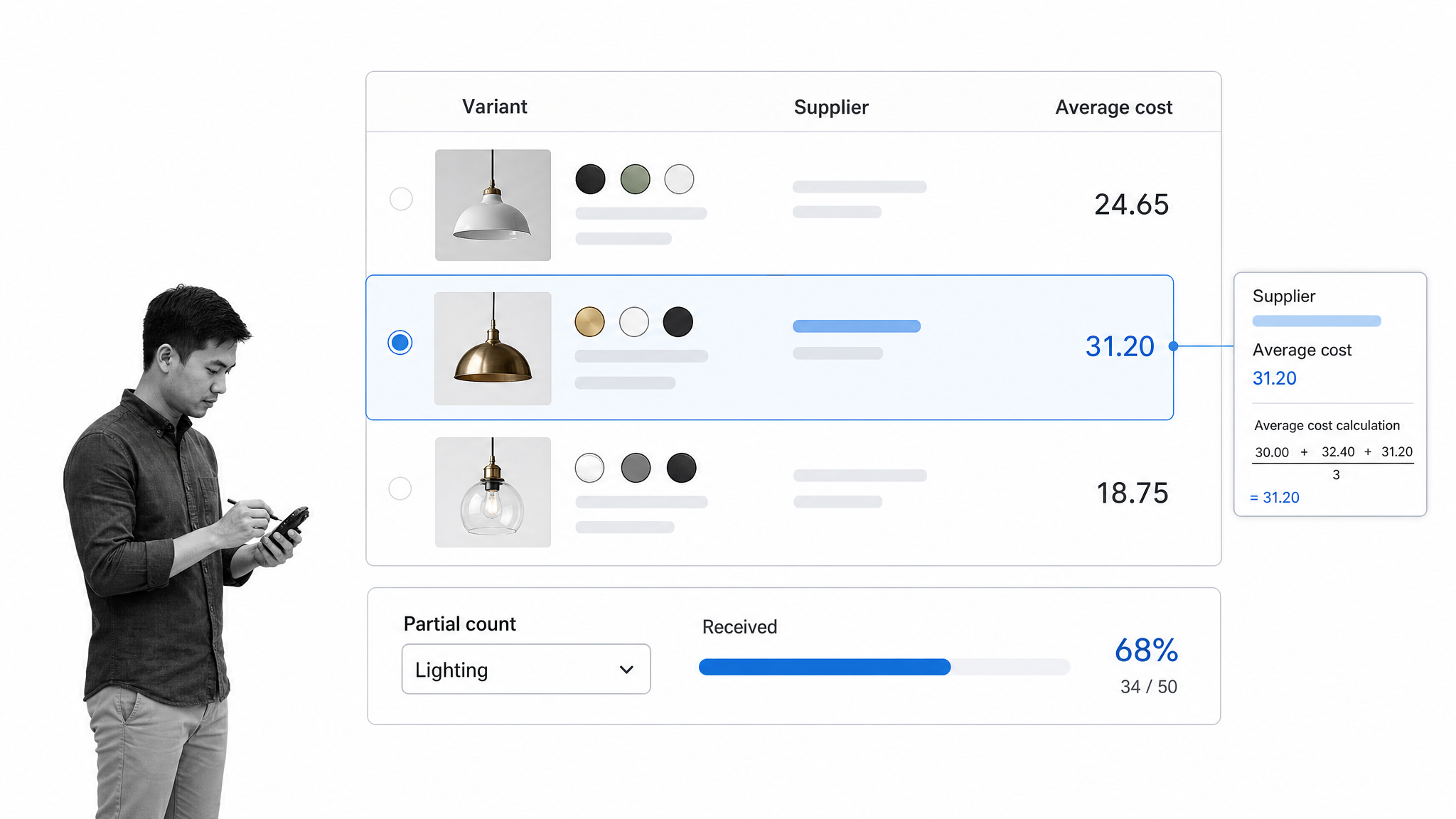
Lightspeed Retail combines point of sale with catalog and inventory controls for specialty retailers. Retail POS maintains stock levels as sales occur, tracks item costs, supports purchase-order receiving, and provides inventory reporting. Its counting workflow supports full counts and partial spot counts, with barcode scanning or spreadsheet input depending on the size and layout of the count.
The product is a good fit when a retailer needs more catalog structure and inventory discipline around a physical store. Departments, categories, suppliers, variants, counts, and cost data can all affect reporting quality, so the initial catalog design deserves care. Ecommerce-first businesses or manufacturers should compare Lightspeed against tools built around their primary operating model rather than assuming every POS inventory system covers the same jobs.
- Best for: Specialty retailers that need point of sale, structured catalogs, purchasing, and stock counts together.
- Watch for: Clean supplier, cost, category, and variant data is essential for useful inventory reporting.
10. Fishbowl
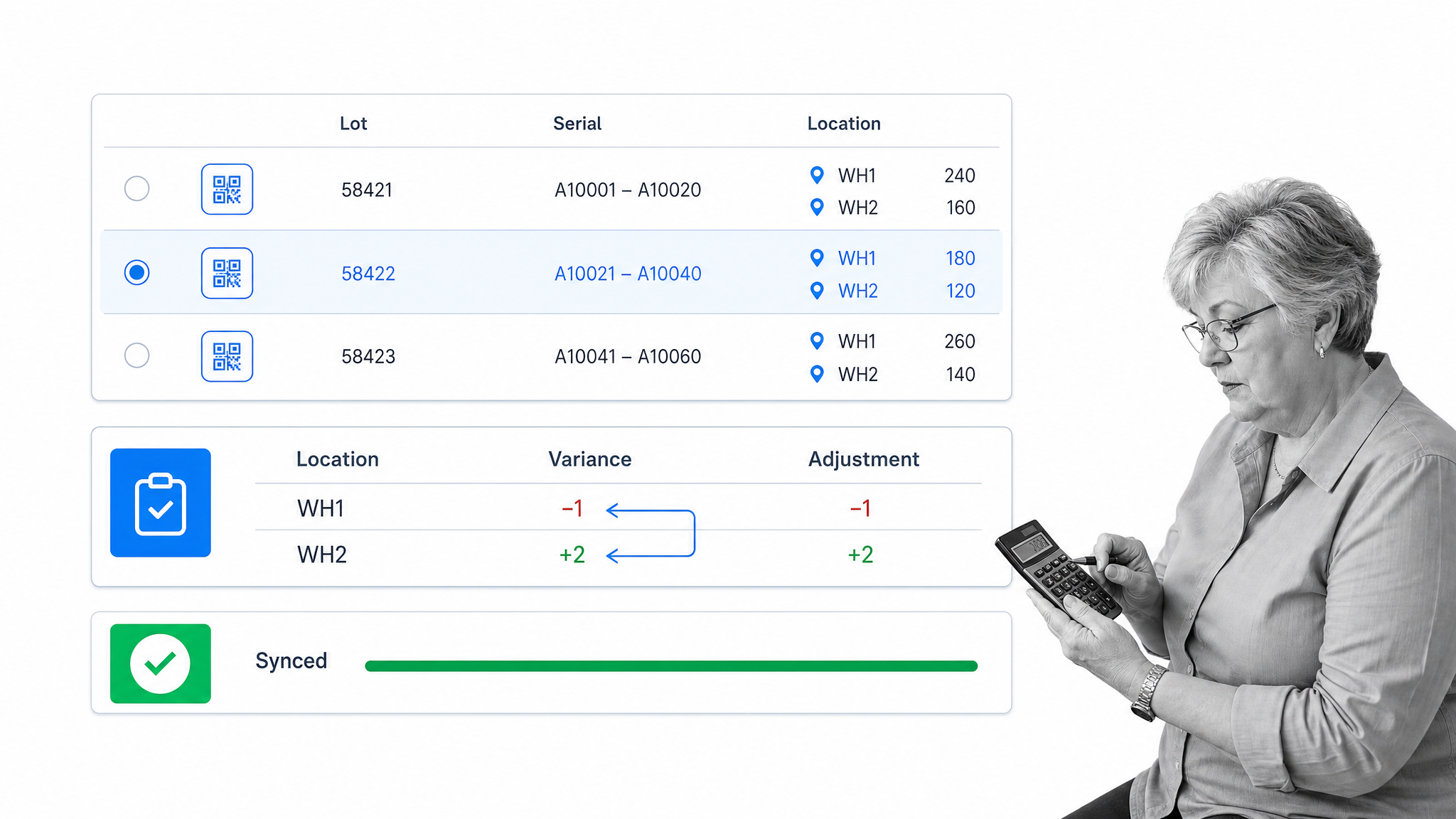
Fishbowl supports inventory control across locations, with barcode scanning, cycle counting, reordering, lot and serial tracking, and connections to accounting systems. Its retail inventory tools cover stock and sales tracking, while broader capabilities address warehouse and manufacturing use cases. Fishbowl is especially relevant when inventory detail needs to remain closely aligned with financial records.
The product offers more operational depth than a basic item tracker, so teams should approach it as an implementation rather than a casual app install. Define how receiving, transfers, adjustments, counts, and accounting synchronization will work before launch. Businesses with straightforward retail needs may prefer a simpler POS-centered system. Those with traceability, warehouse, or manufacturing requirements may value the additional structure.
- Best for: Product businesses that want detailed inventory operations connected to accounting.
- Watch for: The depth of the system can require more configuration and training than lightweight inventory apps.
How should a small business choose inventory software?
Start with the inventory movement, not the vendor list. Write down how an item enters the business, where it can be stored, what changes its quantity, who can approve an adjustment, how it is sold or consumed, and what evidence must remain afterward. That map separates must-have controls from attractive extras.
- Match the business model. Retail, ecommerce, wholesale, manufacturing, equipment tracking, and internal supplies create different inventory jobs.
- Define the source of truth. Decide which system owns SKUs, quantities, costs, orders, suppliers, and locations.
- Test real exceptions. Trial a damaged receipt, partial shipment, return, transfer, recount, and disputed adjustment, not only a clean sale.
- Check field usability. Warehouse and store teams need fast scanning, counting, and receiving on the devices they actually use.
- Plan the workflow around the database. Use workflow automation to assign recurring counts, route approvals, escalate discrepancies, and record completion.
- Protect data quality. Agree on SKU rules, location names, units of measure, variants, and adjustment reasons before migration.
A useful pilot follows one product family from purchase through receipt, storage, sale or consumption, return, count, and reconciliation. Include the people who do each step. If the pilot needs side spreadsheets or repeated manual workarounds, document why before expanding the system.
Before the pilot begins, define a small set of acceptance tests. A received item should increase the correct location, a sale should reduce the correct quantity, a transfer should preserve the total while changing location balances, and a recount should leave a clear adjustment history. Test permissions by asking whether a warehouse user can perform routine work without gaining authority to change financial or catalog data. Test recovery by reversing a mistaken receipt or adjustment. Finally, export the records your accountant or operations lead will need. These checks reveal workflow gaps that a polished product demo can hide.
Implementation also needs an owner. One person should control item standards, location structure, approved adjustment reasons, and the process for requesting changes. Without that ownership, even capable software fills with duplicate SKUs, inconsistent names, and unexplained corrections. The technology should make good inventory practice easier, while the operating process keeps the data trustworthy.
When should you replace an inventory spreadsheet?
A spreadsheet can work for a small, stable inventory controlled by one person. It becomes risky when several people edit quantities, sales happen across channels, stock sits in multiple locations, or the business needs barcode scans and immediate updates. The signal is not a particular number of SKUs. It is loss of control.
Move to dedicated inventory software when your team regularly sees unexplained discrepancies, overselling, duplicate item records, missed reorders, delayed receiving updates, or uncertainty about which file is current. Spreadsheets can still support analysis and imports, but they should not remain the operational source of truth once the process requires permissions, transaction history, synchronized channels, and reliable handoffs.
Inventory software for small business FAQs
What is inventory software for small business?
Inventory software for small business tracks items, quantities, locations, purchases, sales, transfers, and adjustments. Different products specialize in retail, ecommerce, manufacturing, warehouse operations, asset tracking, or the workflows that control inventory work.
Which inventory software is easiest for a small business?
The easiest option depends on the job. Square is approachable for POS-centered retailers, Shopify POS for existing Shopify sellers, and Sortly for simple mobile item tracking. Ease should be tested with real receiving, counting, return, and adjustment scenarios.
Can a small business use Excel for inventory?
Yes, for a small and stable inventory managed by one person. Dedicated software becomes safer when several people update stock, multiple locations or channels are involved, or the business needs barcode scanning, permissions, transaction history, and synchronized quantities.
What features matter most in inventory software?
Core features usually include item and location tracking, receiving, adjustments, low-stock controls, counting, reports, and an accurate transaction history. Retailers may need POS, ecommerce teams channel synchronization, and manufacturers bills of materials and production control.
How do inventory software and workflow software work together?
Inventory software stores stock records and transactions. Workflow software coordinates the people and controls around those records, such as purchase approvals, receiving checks, cycle counts, discrepancy investigations, escalations, and evidence that required steps were completed.
