


Turn every policy into automated workflows with built-in enforcement and audit-ready proof.



Process Solution
A process solution is a complete operating approach for making recurring work reliable. It combines the workflow with the people, rules, information, technology, controls, and feedback needed to produce a consistent outcome. The process tells you what should happen. The solution makes it happen in real work.
That distinction matters. A flowchart can describe an ideal path while requests still arrive through scattered channels, approvals disappear in email, and nobody owns exceptions. A working process solution closes those gaps. It creates one path from trigger to result, then records enough evidence to manage performance and risk.
This guide explains how to define, evaluate, design, implement, and improve a business process solution. It also shows how Process Street turns procedures into governed workflows that teams can run every day.
In this guide, we are going to cover:
- What is a process solution?
- Why process solutions fail
- Core components of a process solution
- Types of process solutions
- How a process solution works
- How to evaluate a process solution
- How to implement a process solution
- Process solution examples
- Build a process solution with Process Street
- Process solution FAQs
What is a process solution?
A process solution solves an operational problem by coordinating repeatable work from an agreed trigger to a measurable result. It includes the process design, but it also includes the operating conditions around that design: who can start the work, who owns each decision, what information is required, which systems are updated, how exceptions are routed, and how performance is reviewed.
Process design is only one layer
A useful design shows activities, decisions, handoffs, and outcomes. The BPMN standard provides a common notation for describing business processes, which helps analysts and technical teams discuss the same flow. The diagram is still not the solution. People need an executable way to run it, and owners need controls that keep the real work aligned with the model.
The solution is measured by the outcome
A process solution should be framed around the result it must produce, not the software it happens to use. Customer onboarding should move a signed customer to an agreed activation state. Vendor approval should produce an authorized supplier with completed checks. Incident response should restore service, preserve evidence, and assign follow-up action.
Starting from the outcome prevents tool-led design. It forces the team to define success, acceptable variation, proof requirements, and the point at which the work is genuinely complete.
A business process solution has boundaries
The boundary defines what the solution owns and what remains in another system or team. It should include every handoff that determines the outcome, but it should not expand into a map of the entire company. A clear boundary makes ownership, reporting, and change manageable.
A process inventory gives that boundary context. The APQC Process Classification Framework organizes business processes into a common hierarchy, which can help a team name the processes that feed or consume the solution. The inventory is not the executable design. It is a map for deciding where the solution begins, where it ends, and which adjacent owners must be involved when it changes.
Why process solutions fail
Most failed process initiatives do not fail because the team forgot to draw a step. They fail because the design never became an operating system. The workflow looks complete on paper, but the supporting conditions are missing.
The process lives in a document
Static process documentation can explain a standard, but it does not assign the next task, validate required data, escalate late work, or preserve a complete execution record. When the document and the work live in different places, the procedure gradually stops describing reality.
The happy path ignores exceptions
Real work includes incomplete inputs, conflicting approvals, high-risk cases, unavailable owners, and system failures. A brittle solution treats those cases as surprises. A resilient one defines the exceptions that matter, routes them to the right decision maker, and records why the normal path changed.
Ownership disappears at handoffs
A handoff without a named owner creates a queue. The sender assumes the receiver has the work. The receiver may not know it exists. Good solutions make ownership visible at every state and define who can unblock work when the normal owner is absent.
Measurement arrives too late
Monthly reporting cannot rescue a case that has already missed its deadline. The solution needs operational signals inside the flow: overdue tasks, repeated rework, rejected approvals, missing evidence, and recurring exceptions. Those signals let owners intervene before the outcome fails.
Core components of a process solution
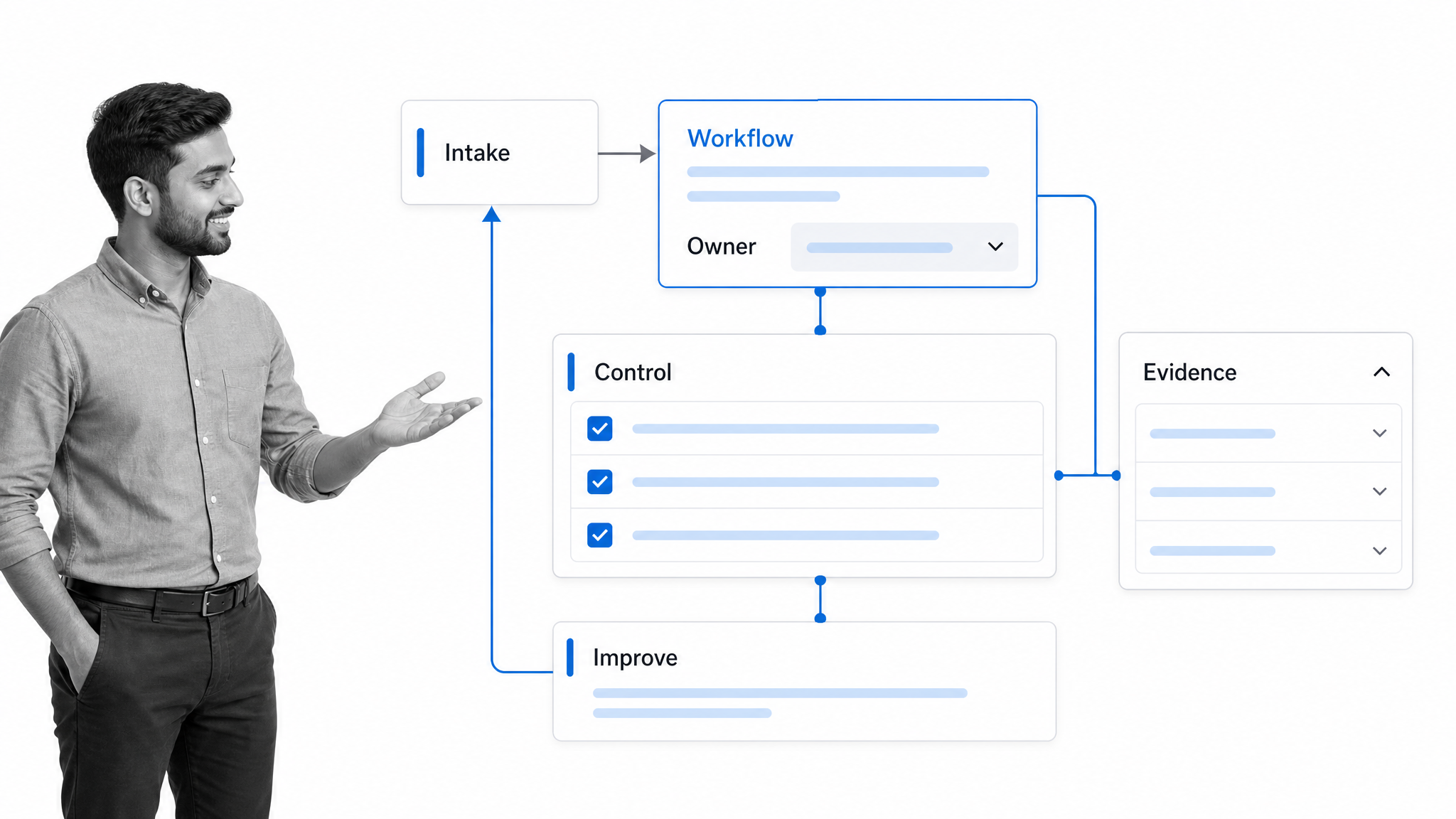
ISO describes a process-oriented approach as part of managing quality and improving results. In practice, a complete process solution connects six operating components so they function as one system.
Trigger and input
Every run starts with an event and enough information to act. The trigger may be a form submission, contract signature, scheduled date, failed control, status change, or request from another system. Entry rules keep incomplete or inappropriate cases from contaminating the workflow.
Owner and decision rights
The solution needs a process owner, task owners, reviewers, and clear escalation authority. Decision rights explain who may approve an exception, change a rule, release an output, or close a failed case.
Workflow and handoffs
The workflow defines the ordered work and the state of each case. A workflow becomes operational when tasks are assigned, due dates are active, conditions control routing, and each handoff has a visible owner.
Rules and controls
Rules choose the path. Controls prevent, detect, or correct important failures. Required fields, approvals, segregation of duties, evidence checks, and exception routes should protect the outcome without turning routine work into a maze.
Evidence and systems
The solution should capture the information needed to complete the work and prove what happened. It should also define which system is authoritative for each record, where updates occur, and how the workflow responds when an integration is unavailable.
Measurement and improvement
Cycle time, wait time, first-pass quality, rework, exceptions, and outcome measures show whether the solution works. Each measure needs an owner, a review cadence, and a decision it can trigger. Data without a response path is only reporting.
Types of process solutions
Document-centered solutions
These organize policies, procedures, and reference material. They are useful when the main problem is fragmented knowledge, but they remain incomplete when the outcome depends on assigned execution, approvals, evidence, or system updates.
Workflow automation solutions
These route tasks, data, and decisions through a repeatable path. They are a strong fit for onboarding, approvals, reviews, and recurring service delivery. The best design combines process automation with clear exception handling and human judgment.
Business process management solutions
A business process management solution adds lifecycle management across modeling, execution, monitoring, and improvement. It fits teams coordinating several related processes or governing an end-to-end value stream.
Compliance operations solutions
These connect controlled documentation with enforced execution and proof. They are designed for work where a missed step, unapproved change, or incomplete record creates material risk. The goal is not a separate audit layer. The control is built into how the work runs.
How a process solution works
Design layer
The design layer defines the outcome, trigger, boundary, roles, data, paths, controls, and measures. A process map helps expose handoffs and decisions, while a process inventory shows where the solution connects to adjacent work.
Execution layer
Each new case becomes a controlled run with a current state, assigned work, due dates, decisions, and evidence. Automation handles predictable movement. People handle judgment, relationships, and unusual conditions.
Control layer
Controls test the moments where failure matters. They can require evidence, block a release, route a risk review, or separate the person doing the work from the person approving it. Control design should match the consequence of failure.
Learning layer
The learning layer turns execution data into changes. The Plan-Do-Check-Act cycle provides a simple structure: design a change, test it, evaluate the result, and standardize or adjust. The solution improves when this loop is owned and repeated.
How to evaluate a process solution
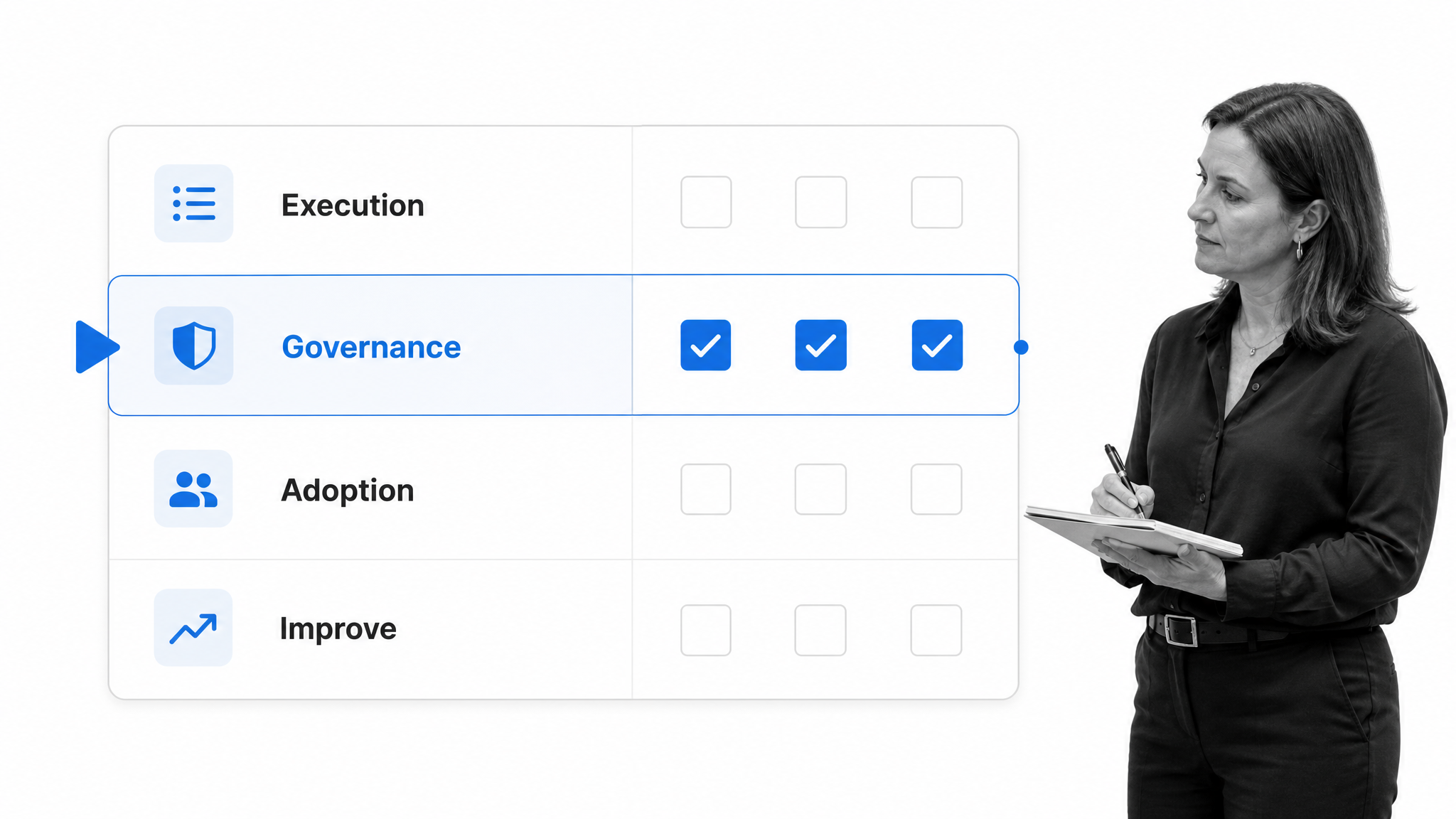
Evaluate the operating model before comparing feature lists. A strong process solution fits the work, the risk, and the people who will run it. The following criteria keep the decision grounded.
Build the evaluation around representative scenarios, not a polished demo. Give each option the same trigger, required information, decision rule, exception, and completed-state test. Ask an operator to run the normal case, then interrupt it with a missing input or rejected approval. Ask the process owner to inspect the evidence and change one rule. This exposes whether the solution supports real execution or only presents an attractive model.
Execution fit
Test the most common path and the hardest representative exception. Confirm that the solution can assign work, preserve state, route decisions, and complete the outcome without forcing operators into a parallel spreadsheet or inbox.
Governance fit
Check version control, access, approval design, evidence requirements, activity history, and change ownership. Teams in high-stakes environments need proof that the current procedure was followed and a clear record when it was not.
Adoption fit
The people doing the work should understand what is required without becoming process experts. Run a usability test with real operators. Watch for unclear instructions, unnecessary fields, hidden dependencies, and steps that require knowledge outside the workflow.
Integration fit
Identify the systems of record, the events that start work, the data that must move, and the failure behavior for each connection. Integration should support the process design. It should not become the design.
Improvement fit
Confirm that owners can find bottlenecks, inspect individual evidence, and change the workflow without rebuilding the solution. A practical process analytics loop connects performance signals to assigned improvement work.
Score evidence, not promises. Record what the test proved, what required a workaround, which controls were unavailable, and who would own each remaining gap. A lower-feature solution that handles the critical path cleanly may be a better fit than a broad platform that forces operators to maintain shadow systems. The final decision should state the outcome the solution owns, the risks it controls, and the conditions that would trigger a re-evaluation.
How to implement a process solution
1. Define the outcome
Write the trigger, completed state, customer of the result, quality standard, and consequence of failure. This creates a decision filter for every later design choice.
2. Observe the current work
Interview the people doing the work, review real cases, and trace where information changes hands. Capture the unofficial workarounds. They often reveal missing data, unrealistic rules, or tools that do not support the job.
3. Design the target process
Remove unnecessary handoffs, define the standard path, and isolate meaningful exceptions. Assign ownership at each state. Decide which controls protect the outcome and which would only add delay.
4. Build a working pilot
Create the workflow, instructions, forms, decisions, and evidence requirements. A reusable process creation template can structure the build while the pilot remains narrow enough to change quickly.
5. Test representative cases
Run normal, urgent, incomplete, rejected, and high-risk cases. Confirm that every case ends in a controlled state. Record where users hesitate, duplicate work, or leave the system.
6. Establish governance
Name the process owner, change approver, review cadence, performance measures, and escalation path. Define how updates are tested and how operators learn what changed.
7. Roll out and improve
Launch in manageable stages, monitor early exceptions, and use a process improvement plan to turn evidence into controlled changes. Expand only after the core outcome is stable.
Treat the first weeks as an operating test, not the end of implementation. Review abandoned runs, manual workarounds, repeated questions, delayed approvals, and cases reopened after completion. Separate training problems from design problems. Fix unclear instructions quickly, but route changes to controls, decision rights, or system interfaces through the agreed governance process.
Once the core path is stable, expand deliberately. Add another case type, business unit, region, or upstream trigger, then repeat the representative-case test. Preserve one accountable owner for the end-to-end outcome even when local teams manage variations. Controlled expansion keeps a successful pilot from turning into a collection of incompatible versions.
Process solution examples
Customer onboarding
A customer onboarding solution connects sales handoff, risk review, implementation planning, data collection, training, launch approval, and early adoption. A structured client onboarding checklist supplies the repeatable core, while conditions adapt the path to customer risk and complexity.
Vendor approval
A vendor solution captures the request, business need, security and compliance reviews, commercial approval, contract evidence, and final authorization. A vendor onboarding workflow can then carry the approved supplier into setup and ongoing review.
Employee onboarding
An employee onboarding process coordinates HR data, access, equipment, training, policy acknowledgment, manager preparation, and role-specific work. The solution needs clear ownership across departments because no single team controls the full outcome.
Corrective action
A corrective action solution receives an issue, contains immediate risk, investigates root cause, assigns action, verifies completion, and checks effectiveness. Evidence remains attached to the case so quality and compliance teams can review the entire decision trail.
Build a process solution with Process Street
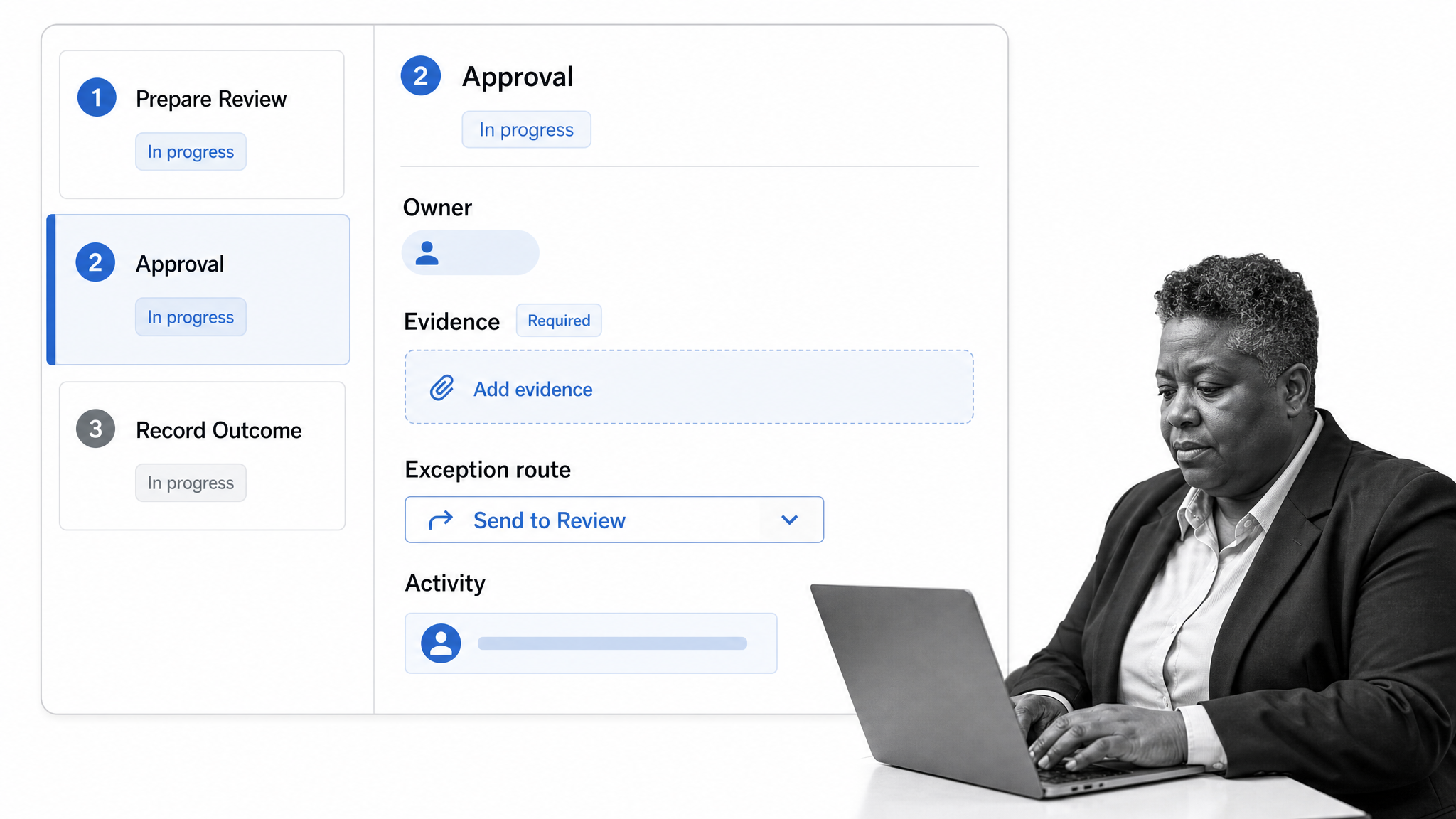
Process Street is a Compliance Operations Platform that connects governed procedures with assigned execution and proof. Teams can build one operating path for recurring work instead of maintaining separate documents, task trackers, approval threads, and audit folders.
Turn procedures into live workflows
Workflow runs give every case a state and history. Task assignments route work to the responsible person or group, while instructions and required fields keep the standard close to execution.
Route decisions and exceptions
With conditional logic, answers and risk conditions can change the path. Structured approvals create explicit decision points without burying authorization in email or chat.
Keep proof inside the work
Required information, files, owners, decisions, timestamps, and activity history stay associated with the workflow run. Managers can inspect the current state, while reviewers can trace how the outcome was produced.
Improve the solution from execution data
The workflow dashboard helps owners monitor active runs and identify delays. The process solution becomes a living operating system: documented, executable, controlled, and ready to improve when the evidence changes.
Process solution FAQs
What is a process solution?
A process solution is a complete operating approach for recurring work. It combines workflow design with people, rules, data, technology, controls, evidence, and improvement so the process produces a reliable result.
What is the difference between a process and a process solution?
A process describes the activities that move an input to an output. A process solution adds the operating system around that flow, including ownership, routing, tools, controls, evidence, and measurement.
What are the main components of a process solution?
The main components are a trigger, clear ownership, an executable workflow, decision rules, controls, required information, connected systems, evidence, and an improvement loop. The components must work together around one defined outcome.
How do you choose a process solution?
Start with execution, governance, adoption, integration, and improvement fit. Test the normal path and a difficult exception with real users before committing to a broad rollout.
How do you implement a process solution?
Define the outcome, observe current work, design the target process, build a pilot, test representative cases, establish governance, and roll out in stages. Use execution evidence to improve the design after launch.
How does Process Street support a process solution?
Process Street connects procedures with assigned workflows, conditional routing, approvals, evidence, activity history, and operational monitoring. That lets teams run and improve recurring work in one governed system.
