


Turn every policy into automated workflows with built-in enforcement and audit-ready proof.



Project Management AI: What It Is and How to Use It
Project management AI is the use of artificial intelligence to help plan, route, monitor, and improve project work. The useful version is not a chatbot sitting beside a project board. It is a governed operating layer that can read project signals, draft the next step, route work to the right owner, flag risk, and keep a record of what happened.
The mistake is treating AI as a shortcut around project discipline. AI only helps when the team has enough structure for the model to understand the work. Tasks need owners. Workflows need states. Decisions need evidence. Approvals need a record. Without that structure, AI adds faster summaries to the same messy system.
This guide explains how project management AI works, where it helps, where it needs controls, and how to connect it with project workflow management and repeatable workflows instead of letting important work drift across chat, spreadsheets, and memory.
- What is project management AI?
- Why does project management AI matter now?
- How does project management AI work?
- Project management AI use cases
- Where should human judgment stay in the loop?
- How to implement project management AI
- What should you look for in project management AI tools?
- How Process Street supports project management AI
- Project management AI FAQs
What is project management AI?
Project management AI applies artificial intelligence to the planning, coordination, execution, and review of project work. IBM defines AI in project management as applying artificial intelligence to support project planning activities, automate repetitive work, and analyze project data for useful insights. See IBM’s AI in project management guide for a clear category definition.
In practical terms, project management AI helps teams answer questions like: What work is blocked? Which tasks need follow up? What changed since the last status meeting? Which approvals are overdue? What risks are visible in the project record? What workflow should run next?
That makes project management AI different from generic productivity AI. A generic assistant can draft an update. Project management AI has to understand the shape of the project: milestones, owners, due dates, dependencies, requirements, approvals, risks, and evidence. The better the project system is structured, the more useful the AI becomes.
The short definition
Project management AI is software intelligence that helps teams make project work easier to plan, easier to execute, and easier to govern. It can assist with task creation, scheduling, resource planning, status reporting, risk detection, workflow routing, knowledge retrieval, and continuous improvement.
The important boundary
AI can recommend, summarize, classify, draft, and route. It should not silently replace accountable project ownership. A project manager, operations lead, or workflow owner still decides what matters, which risk is acceptable, and when an exception needs escalation.
Why does project management AI matter now?
AI has moved from isolated productivity experiments into the operating model of work. TechTarget’s analysis of AI in project management highlights practical uses such as prioritization, scheduling, project tracking, and resource planning. Those use cases only create value when the team redesigns how work is structured around them.
That is why AI project management should be treated as operating design, not a feature toggle. The team needs structured inputs, reliable project records, review gates, and escalation paths before AI can safely route or recommend work. Project teams feel that gap quickly because projects are where strategy turns into assigned work.
Project teams are especially exposed to coordination drag. They manage updates, dependencies, documents, meetings, handoffs, reviews, and exceptions. AI can reduce that drag, but only when it is connected to a reliable workflow record. Otherwise it can produce polished summaries that hide incomplete work.
The shift from tracking to orchestration
Traditional project management tools help teams see tasks and deadlines. Project management AI should go further. It should help convert signals into action: assign the owner, prepare the brief, request missing information, route the approval, update the status, and flag the risk before the next meeting.
The shift from reports to live evidence
Status reports are often late summaries of stale information. AI becomes more valuable when it works from live workflow data: completed tasks, pending approvals, submitted forms, required evidence, exceptions, comments, and handoff history. The record lets AI explain why it suggested an action instead of guessing from incomplete context.
How does project management AI work?
Most project management AI falls into a few core patterns. The labels matter less than the job each pattern performs.
Turn project updates into structured signals
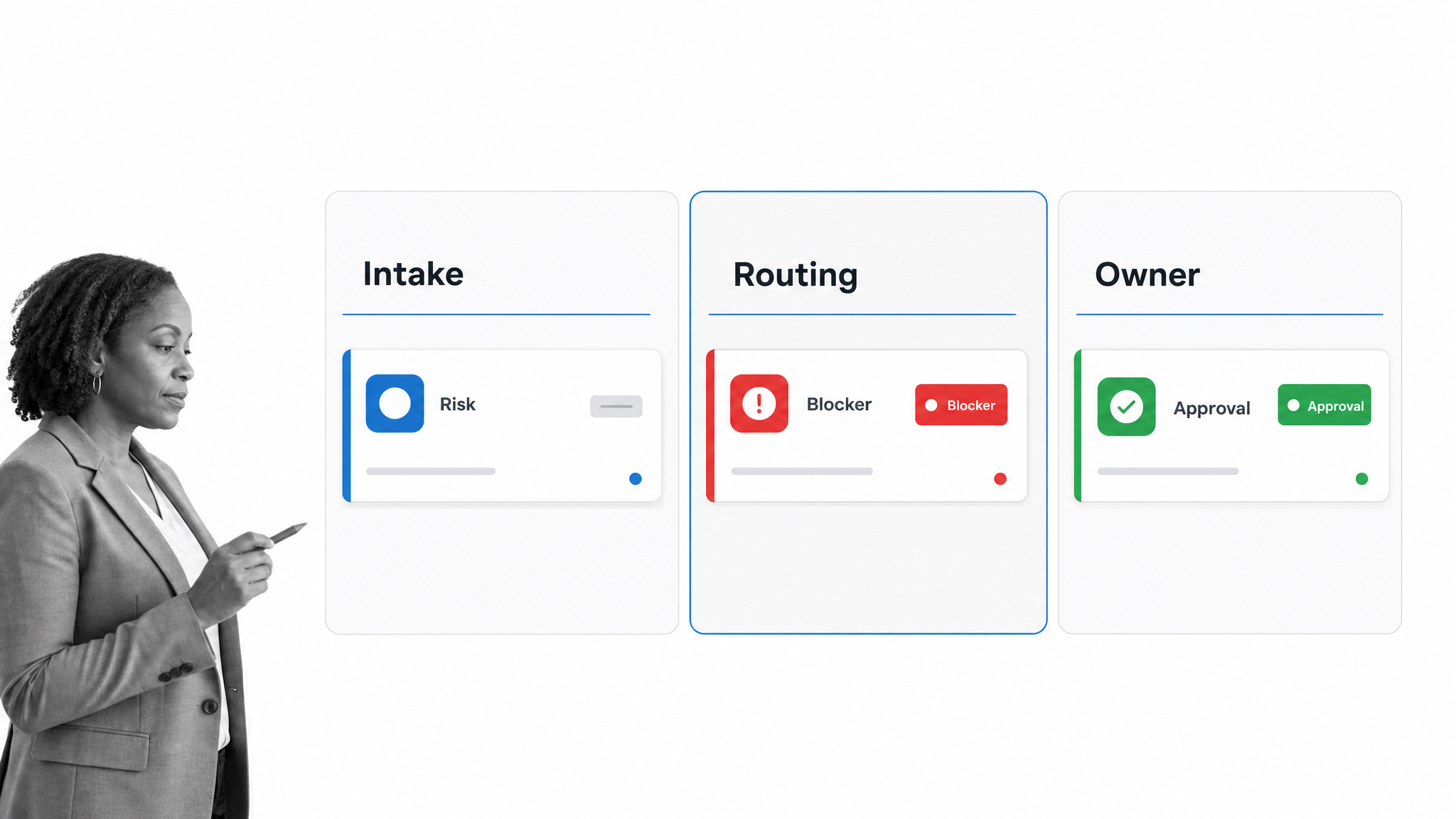
AI can summarize meetings, emails, chat threads, and documents into project signals: decisions, blockers, risks, owners, dates, and open questions. The output should not stop as a summary. It should become assigned work with a due date and a completion record.
Predict risk from the work record
AI can look for weak signals in project data: overdue approvals, repeated reopenings, missing evidence, workload conflicts, dependency pileups, or delayed handoffs. The goal is not a magic prediction. The goal is earlier escalation from patterns the team would otherwise notice too late.
Draft plans and workflows from messy inputs
A project often begins as a brief, a recording, a customer request, a compliance requirement, or a collection of past examples. AI can turn those inputs into a first project plan or workflow draft. The human then edits the steps, owners, rules, and approval points before the workflow runs.
Route work through rules and context
AI can classify a request, choose the relevant path, draft the next task, or recommend an owner. The routing should happen inside a workflow that records the decision and makes exceptions visible. If the routing logic is invisible, the team cannot improve it or defend it later.
Generate project communication
AI can draft status updates, stakeholder summaries, risk notes, handoff emails, and meeting briefs. The safest pattern is to generate from the project record, then require human review before anything external or high stakes leaves the system.
Project management AI use cases
The strongest use cases are repeatable, context heavy, and expensive when steps are missed. Project management AI is less useful for a one time personal to do list and more useful when the work needs coordination, controls, and proof.
Project intake and scoping
AI can read an intake form or brief, identify missing requirements, classify the project type, and start the right workflow. For example, a customer implementation request might trigger a workflow with discovery, security review, data setup, training, launch, and handoff steps.
Resource and workload planning
AI can help compare project demand against available skills, current workload, and deadlines. It can suggest where work is likely to bottleneck, but the final staffing call still belongs to a manager who understands priorities and tradeoffs.
Dependency and blocker management
AI can scan for handoffs that depend on another team, missing approvals, incomplete documents, or tasks reopened after review. This is where structured workflow data matters. A model cannot reliably detect a blocker if the blocker only exists in someone’s memory.
Approval and evidence workflows
Many projects need approvals, signoffs, attachments, review notes, or compliance evidence. AI can prepare a review package, summarize what changed, and route the approval. The workflow should preserve who approved what, when, and based on which evidence.
Post project review
AI can compare a completed project against the planned workflow, summarize delays, identify repeated exceptions, and suggest process improvements. That turns project closeout from a meeting into an improvement loop.
Where should human judgment stay in the loop?
AI governance matters because AI recommendations can affect budgets, dates, customers, compliance obligations, and team priorities. The IBM definition of AI governance describes governance as processes, standards, and guardrails that help AI systems stay safe and ethical. The NIST AI Risk Management Framework gives teams a standards body reference for managing AI risk and trustworthiness. In project work, those guardrails need to live where decisions and handoffs happen.
Keep humans responsible for priority calls, exception handling, customer commitments, budget tradeoffs, hiring or staffing decisions, compliance interpretations, and anything that leaves the company as an official statement. Let AI prepare the work, find patterns, and reduce manual coordination. Do not let it become an unreviewed authority.
Use AI for preparation, not silent approval
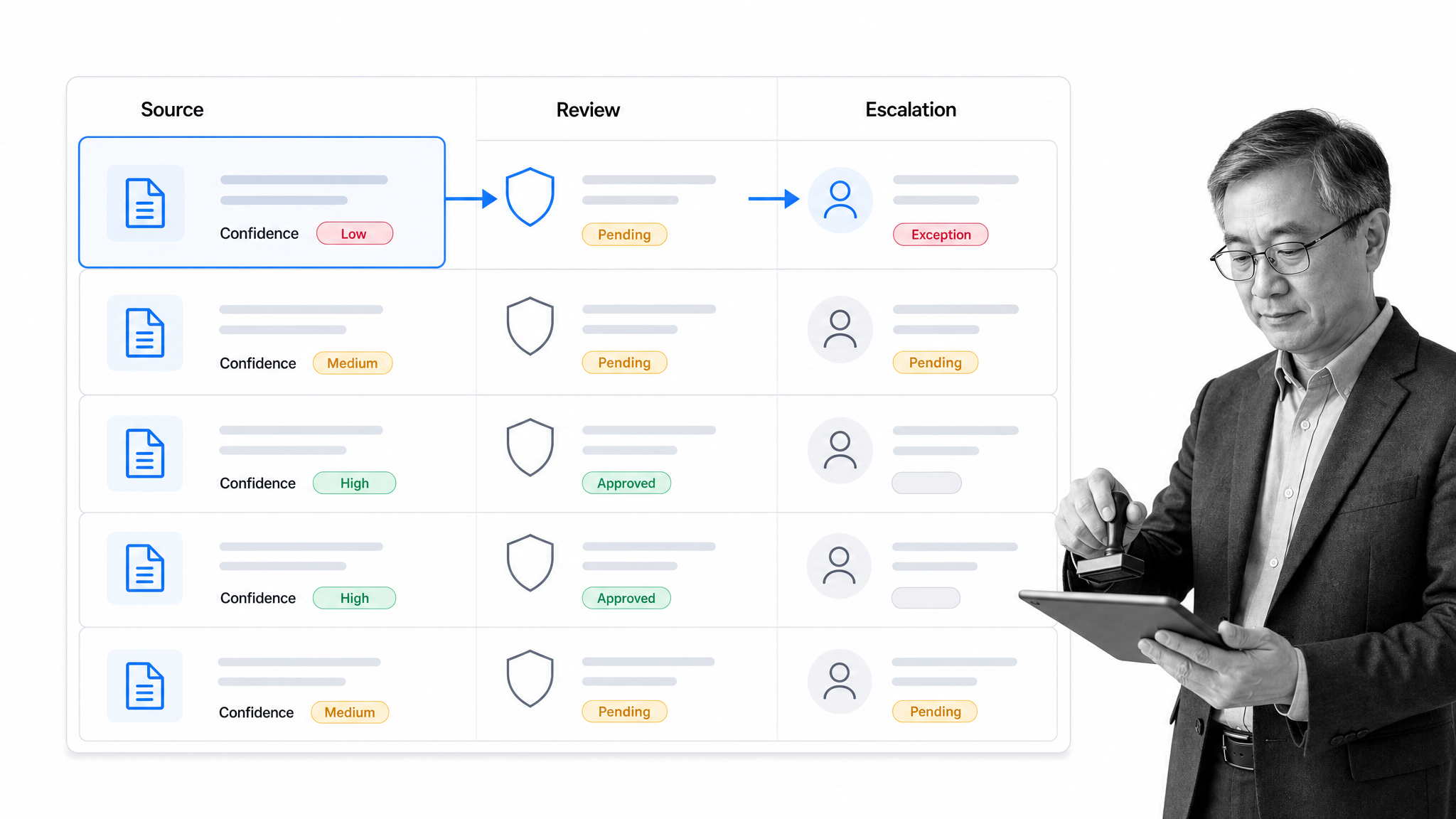
AI can assemble the review packet, summarize the change, check missing fields, and recommend the path. Approval still needs an accountable owner, especially when the decision creates risk or commits the business.
Keep the source record visible
Every AI generated status update or recommendation should be traceable back to tasks, comments, forms, evidence, or documents. If the team cannot inspect the source record, it cannot trust the output.
Design for escalation
A good AI workflow has a path for uncertainty. Low confidence, missing data, conflicting inputs, or policy exceptions should route to a person instead of producing a forced answer.
How to implement project management AI
The best implementation path starts small and structured. Do not begin by asking AI to manage the entire portfolio. Pick a repeatable project workflow where coordination is painful and where the work record can be improved.
- Choose one repeatable project type, such as customer onboarding, vendor review, finance close, policy rollout, product launch, or implementation handoff.
- Map the current workflow: triggers, steps, owners, due dates, approvals, evidence, handoffs, exceptions, and final output.
- Identify the AI jobs that are safe and useful: summarize intake, draft tasks, classify risk, prepare a review note, suggest routing, or generate a status update.
- Add human review where the AI output affects a commitment, risk decision, customer communication, or compliance record.
- Run the workflow, measure where work stalls, and improve the steps based on real execution data.
Start with one workflow, not a tool rollout
A broad tool rollout can hide whether AI is improving the work. A workflow rollout shows exactly where AI helps. The team can test intake, routing, approvals, and reporting in one controlled process before expanding into other project types. For broader examples, see these AI automation use cases.
Standardize the inputs
Project management AI works better when inputs are structured. Use forms, required fields, templates, workflow states, and clear approval rules. The more reliable the input, the less cleanup the AI has to do.
Create a project AI policy before automating
Write down which AI uses are allowed, which require review, and which are off limits. A practical policy can be short: approved inputs, sensitive data rules, review requirements, escalation triggers, and the owner responsible for changing the workflow. The policy should live near the workflow, not in a forgotten document, so the team sees the rule when the work is happening.
For example, the team might allow AI to summarize a meeting, draft follow up tasks, and suggest a risk note. The same policy might require manager review before AI generated language is sent to a customer, used in a compliance response, or used to change a delivery date. That boundary keeps the system useful without letting convenience erase accountability.
Measure the operational result
Do not measure AI adoption by how many prompts the team writes. Measure whether status updates are faster, approvals move sooner, blockers surface earlier, handoffs have fewer missing fields, and completed work has a better record.
What should you look for in project management AI tools?
The right AI project management tool depends on the kind of work you manage. A lightweight team may only need summaries, task drafting, and status updates. A regulated operations team needs workflow routing, approvals, evidence capture, access controls, and audit history.
Workflow structure
Look for a system that turns AI output into assigned work. A generated task list is useful, but it is not enough. The system should support owners, due dates, forms, approvals, conditional paths, comments, attachments, and repeatable workflow runs.
Governance and review
Look for review steps, approval controls, permissioning, and visible source records. AI should help prepare and route decisions, while the workflow records the accountable human decision.
Context quality
AI needs access to the right context: project briefs, tasks, documents, workflow history, policies, customer information, and prior decisions. If context is scattered, the model will spend too much effort reconstructing what the system should already know.
Automation depth
The tool should do more than summarize. It should be able to trigger a workflow, route a step, send a task, request data, prepare an approval, update a record, or notify the right owner when work changes state.
Change management
AI project management fails when teams experience it as another reporting burden. Make the workflow easier than the workaround. If a project manager has to copy updates from chat into the project system, the system will decay. If the workflow captures the update, routes the task, drafts the summary, and asks for review in one place, adoption has a reason to stick.
Training should focus on decisions, not prompts. Show the team when to accept a suggestion, when to edit it, when to reject it, and when to escalate. That builds shared judgment around AI assisted work instead of leaving every project manager to invent their own rules.
Auditability
For important projects, every recommendation, approval, exception, and handoff should have a record. That record is what lets teams learn from the project and prove what happened.
How Process Street supports project management AI
Process Street supports project management AI by turning repeatable project work into controlled workflows. The Process AI help documentation describes Process AI as the set of AI capabilities within Process Street. The workflow automation guide describes how Process Street turns recurring processes into workflow runs with assigned tasks, forms, conditional logic, approvals, automations, and audit history.
That matters because project management AI needs somewhere to act. A model can classify, summarize, draft, or recommend. Process Street gives that output a workflow home: an owner, a due date, a status, an approval path, and a record of completion.
Run recurring project work as controlled workflows
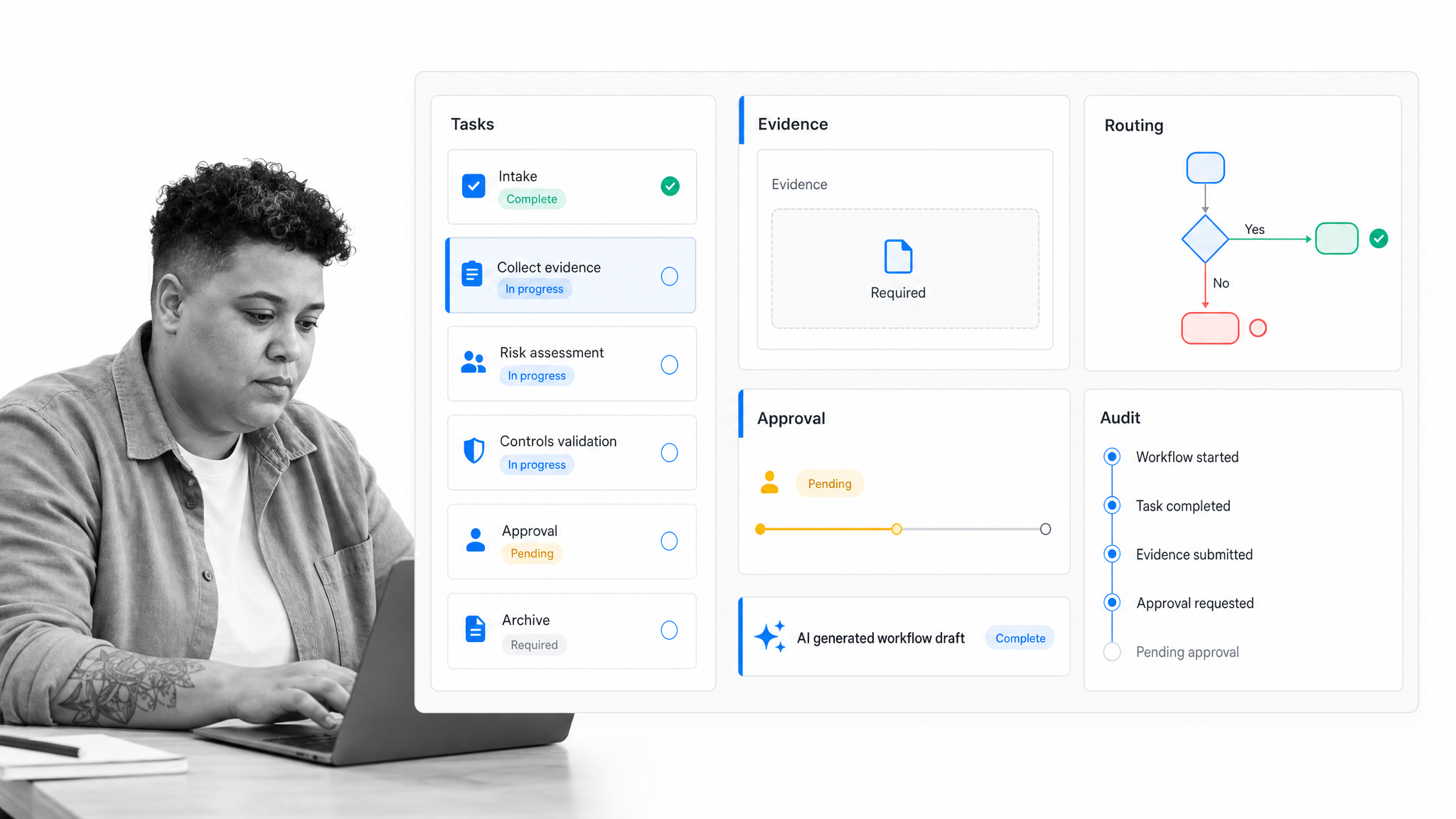
Use Process Street when a project repeats and the steps matter. Customer onboarding, vendor reviews, finance close, policy rollouts, compliance reviews, employee onboarding, security questionnaires, and implementation handoffs all benefit from a workflow that can be run again with the same controls.
Use AI to create and improve workflows
Process AI can help create workflows and generate workflow content from instructions or documents. The value is not just faster drafting. The value is turning messy project knowledge into a process the team can run, review, and improve.
Keep project execution auditable
Process Street workflows preserve the operational record: tasks, form fields, approvals, comments, attachments, and completion history. That makes AI supported project work easier to inspect than a project plan spread across chat and meetings. For a broader product view, see the Process Street product overview.
Project management AI FAQs
What is project management AI?
Project management AI is the use of artificial intelligence to help plan, assign, route, monitor, and improve project work. It can summarize updates, draft tasks, flag risks, prepare reports, and trigger workflow actions.
How is AI used in project management?
AI is used to process intake, create draft plans, summarize meetings, detect blockers, recommend routing, generate status updates, support resource planning, and analyze completed projects for improvement opportunities.
Can AI replace project managers?
AI should not replace accountable project managers. It can reduce administrative work and surface useful signals, but people still own priorities, tradeoffs, stakeholder communication, risk decisions, and approvals.
What are the risks of project management AI?
The main risks are poor source data, hidden assumptions, unreviewed recommendations, unclear ownership, privacy exposure, and project records that cannot explain why an AI suggestion was made.
What data does project management AI need?
It needs structured project context: tasks, owners, due dates, workflow states, approvals, documents, forms, comments, evidence, policies, and historical project outcomes.
How do you start using project management AI?
Start with one repeatable workflow. Map the steps, add structured inputs, choose a narrow AI job, require human review for decisions, and measure whether the workflow becomes faster, clearer, or easier to govern.
