


Turn every policy into automated workflows with built-in enforcement and audit-ready proof.



10 Best Document360 Alternatives & Competitors in 2026

Comparing Document360 alternatives starts with respect for what Document360 does well. It is a capable knowledge base platform for customer-facing and product documentation, giving teams a portal, a structured editor, category management, review workflows, search, analytics, and generative AI for the documentation lifecycle. If your core job is publishing and governing a polished help center or product docs, Document360 can be an excellent fit.
Teams usually start comparing Document360 alternatives for practical reasons. Some want transparent pricing or a permanent free plan rather than a quote and a trial. Some find it heavier than they need for a small internal wiki. Some want an all-in-one workspace that mixes docs with databases and projects. And many realize their real problem is not documentation at all. It is execution: getting people to actually follow the procedure, prove they did, and leave a record behind.
This list covers the strongest Document360 alternatives across five jobs: enforceable internal workflows, connected team wikis, flexible workspaces, developer documentation, and customer help centers. The right pick depends on which job you are really hiring the tool to do.
The evaluation criteria are practical: core capability fit, ease of ownership, pricing model clarity, knowledge governance, workflow enforcement, and how well each tool supports the actual work. This list is maintained by the Process Street team. Process Street ranks first for teams whose main need is enforceable, trackable, recurring process and SOP execution rather than static documentation. For external product docs, published help centers, or Microsoft-centered document governance, the relevant specialist may be the better fit. Where a competitor is the honest choice, we say so, and where process documentation needs to become real execution, we explain why.
In this article, we are going to cover:
- Document360 alternatives at a glance
- How to choose a Document360 alternative
- Best Document360 alternatives and competitors
- Which Document360 alternative fits your use case
- FAQs
Document360 alternatives at a glance
The table below gives the short version before the deep dives. The ranking is not a universal claim that one product beats every other product in every context. It is an ICP-based ranking for teams comparing Document360 against tools that can govern knowledge, publish documentation, and run recurring operational work.
| Tool | Best for | Standout feature | Free plan | Starting price |
|---|---|---|---|---|
| Process Street | enforceable recurring SOP and compliance workflows | workflow runs with required fields, approvals, conditional logic, and audit trails | 14-day Pro trial | See pricing page |
| Confluence | Atlassian-centered team knowledge and connected docs | spaces, pages, whiteboards, databases, templates, and Rovo AI | Yes | See pricing page |
| Notion | flexible docs, wikis, and databases in one workspace | docs, wikis, databases, projects, and AI in one connected workspace | Yes | See pricing page |
| GitBook | product and developer documentation sites | Git-synced docs-as-code with branded published documentation sites | Yes | See pricing page |
| Zendesk | customer-facing help centers tied to support | AI-powered help center connected directly to support tickets | 14-day trial | See pricing page |
| Helpjuice | standalone internal and customer knowledge bases | dedicated knowledge base with deep customization and AI search | 14-day trial | See pricing page |
| Guru | AI-assisted answers inside the flow of work | AI enterprise search grounded in governed, verified knowledge | Contact sales | See pricing page |
| Slab | clean internal wikis for growing teams | Unified Search and Topics across a clean team wiki | Yes | See pricing page |
| Slite | verified team knowledge bases for lean teams | team knowledge base with doc verification and Ask AI search | 14-day trial | See pricing page |
How to choose a Document360 alternative
Start by deciding what you are really replacing. Document360 is a documentation portal, so ask whether you actually need a customer-facing help center, an internal team wiki, a developer docs site, an AI answer layer, or a workflow management system. Those are different jobs, and a product that is excellent for one can be the wrong surface for another.
If the process has required steps, owners, approvals, due dates, files, and proof, prioritize a workflow execution layer such as workflow management software rather than a documentation tool. If the work is mostly knowledge management, prioritize page governance, permissions, search, verification, and ownership. If the work is mostly published content for customers, prioritize the help center and documentation experience. If the work sits between those patterns, compare the broader process platforms category before committing.
Use these decision questions before comparing vendor demos:
- Is the documentation for customers, for the internal team, or for developers?
- Does a compliance, finance, HR, IT, or operations team need proof that each step happened?
- Will business users maintain the content, or will developers own it in a repository?
- Do you need static reference articles, or recurring workflow runs that enforce the procedure?
- Which surface will people actually keep updated: portal, wiki, doc, database, or workflow?
A good shortlist can include more than one category. A company might keep a documentation portal for its customer help center and use automated workflow tools or a process platform to control recurring internal work. That division is healthy, as long as the process record stays clear and ownership is easy to see. Strong document control best practices start with knowing which surface owns which job.
Best Document360 alternatives and competitors
1. Process Street

Best for: enforceable recurring SOP and compliance workflows.
Process Street is the best Document360 alternative when the content you care about is really a recurring SOP, checklist, approval, or compliance process that must be followed the same way every time. It is not trying to be a customer help center or a published documentation portal. It is built for operators who need work to run correctly and leave a clear record.
That distinction matters. Document360 can document a procedure as a beautifully organized article, and that article can even carry a review workflow. Process Street can make a person accountable for the next step, require the right form field, pause for an approval, branch based on conditional logic, and preserve the run history as operational proof. For onboarding, vendor reviews, quality checks, finance close tasks, and compliance workflows, that execution record is often the real requirement, not another static page.
Process Street also connects around the workflow. It has direct, universal integrations to 5,000+ systems, and when you need a new one, an AI agent can build it on the fly. Its automations and approval tasks keep the work moving without email chases, and conditional logic adapts each run to the situation.
Use Process Street pricing for current plan details. The public pricing page shows Startup, Pro, and Enterprise plan tracks and a 14-day Pro trial, with sales-led pricing for current packages. Many teams pair a documentation tool for reference content with Process Street as the governed process platform for recurring operations.
Process Street key features:
- Structured workflow runs with step order, owners, due dates, and conditional logic.
- Approval tasks that make review part of the workflow, not a separate inbox chase.
- Required fields, file collection, and task history for process evidence.
- Recurring schedules and automations for repeatable operations.
- A compliance operations platform shape for teams that need control, not only content.
Process Street pros:
- Strong fit for SOPs, recurring processes, onboarding, reviews, and compliance operations.
- Readable enough for non-technical operators to own and improve processes.
- Keeps people, tasks, approvals, evidence, and integrations in one workflow record.
- Turns process documentation into enforced execution, not just reference reading.
- Clear fit for operations, HR, compliance, finance, customer management, and IT process owners.
Process Street cons:
- Not built to be a public customer help center or a branded documentation portal.
- Teams that only need to publish reference articles may prefer a dedicated knowledge base.
For current package details, see Process Street pricing. If you only need an external customer-facing help center, a dedicated documentation platform may fit better.
2. Confluence

Best for: Atlassian-centered team knowledge and connected docs.
Confluence is Atlassian’s team knowledge workspace for spaces, pages, whiteboards, databases, templates, and Rovo AI. It is designed to be a single connected home for documentation, planning, and collaboration, especially for teams already living in Jira and the wider Atlassian ecosystem.
Confluence beats Process Street when the job is a connected internal wiki with rich page editing, whiteboards, and tight Jira links. It is weaker when a recurring process needs required steps, approvals, evidence capture, and a durable run history rather than a static page.
Confluence key features:
- Spaces and pages for structured team documentation.
- Whiteboards, databases, and a large template gallery.
- Rovo AI for search, answers, and content help.
- Deep integration with Jira and Atlassian tools.
Confluence pros:
- Strong fit for Atlassian-centered teams.
- Rich editing, whiteboards, and templates in one place.
- Mature ecosystem and marketplace of add-ons.
Confluence cons:
- Pages document work but do not enforce execution.
- Can feel heavy for a simple documentation portal.
For current package details, see Confluence pricing. Confluence is a better fit when the job is a connected team wiki inside the Atlassian ecosystem.
3. Notion

Best for: flexible docs, wikis, and databases in one workspace.
Notion is a connected workspace for docs, wikis, databases, projects, and AI-assisted knowledge work. Its official pricing page is the right place to check current package details because plan names, limits, and AI packaging change over time.
Notion beats Process Street when the main job is flexible documentation, wiki structure, lightweight databases, and workspace design. It is weaker when a recurring process needs required evidence, approvals, task history, and a durable execution record.
Notion key features:
- Pages, docs, and wiki structure.
- Databases, projects, calendar, and forms.
- AI assistant and connected search features.
- Team collaboration and administration on paid plans.
Notion pros:
- Flexible workspace for knowledge and planning.
- Strong fit for teams that want docs and databases together.
- Fast to start and easy to shape to a team.
Notion cons:
- Flexibility can leave process execution unenforced.
- Not ideal when proof of completed steps is the primary need.
For current package details, see Notion pricing. Notion is a better fit when flexible docs and databases matter more than governed workflow execution.
4. GitBook

Best for: product and developer documentation sites.
GitBook is a documentation platform for product and developer docs, with a block-based editor, Git sync, published documentation sites, and AI features. Its model centers on branded, versioned documentation that stays close to a code repository.
GitBook beats Process Street when you need public, developer-facing documentation synced to GitHub or GitLab with change requests and a polished published site. It is weaker when the priority is running an internal operational process with owners, approvals, and evidence.
GitBook key features:
- Block-based editor for technical documentation.
- Git sync for a docs-as-code workflow.
- Branded, SEO-friendly published documentation sites.
- AI assistant, AI search, and change request reviews.
GitBook pros:
- Excellent for product and API documentation.
- Docs-as-code workflow fits engineering teams.
- Clean, fast published documentation sites.
GitBook cons:
- Not built for internal SOP execution.
- Less useful outside developer and product docs.
For current package details, see GitBook pricing. GitBook is a better fit when you need branded, versioned, developer-facing documentation synced to a code repository.
5. Zendesk

Best for: customer-facing help centers tied to support.
Zendesk help center, also called Guide, is an AI-powered knowledge base built into Zendesk’s customer service platform. It helps customers and agents find answers, turns support history into content, and surfaces knowledge inside the agent workspace.
Zendesk beats Process Street when the knowledge base has to live inside a customer support suite, connected to tickets, agents, and self-service journeys. It is weaker when the need is an internal operations workflow that enforces steps and captures proof.
Zendesk key features:
- AI-powered help center and self-service content.
- Knowledge surfaced inside the agent workspace.
- Content creation from historical support tickets.
- Analytics on content performance and self-service.
Zendesk pros:
- Strong fit for customer support knowledge.
- Tightly connected to tickets and agents.
- AI helps generate and maintain articles.
Zendesk cons:
- Oriented to customer support, not internal SOPs.
- Most valuable when paired with the broader Zendesk suite.
For current package details, see Zendesk pricing. Zendesk is a better fit when the knowledge base must live inside a customer support suite.
6. Helpjuice

Best for: standalone internal and customer knowledge bases.
Helpjuice is dedicated knowledge base software for internal and customer-facing documentation, with a focus on deep customization, authoring, AI search, and analytics. It positions itself as a purpose-built knowledge base rather than a broad workspace.
Helpjuice beats Process Street when you want a standalone, heavily branded knowledge base with strong authoring and search. It is weaker when the real requirement is running a recurring workflow with approvals, required fields, and audit history.
Helpjuice key features:
- Article authoring with real-time collaboration.
- Deep theme and branding customization.
- AI writer, AI search, and AI chatbot features.
- Analytics on content impact and search behavior.
Helpjuice pros:
- Purpose-built, customizable knowledge base.
- Good authoring and search for support content.
- Works for both internal and customer knowledge.
Helpjuice cons:
- Focused on documentation, not workflow execution.
- Less useful when the job is enforced operational process.
For current package details, see Helpjuice pricing. Helpjuice is a better fit when you want a dedicated, deeply customizable standalone knowledge base.
7. Guru

Best for: AI-assisted answers inside the flow of work.
Guru is an AI knowledge platform for workplace answers, knowledge agents, enterprise search, verification, and analytics. Its product positioning centers on trusted, cited answers grounded in governed company knowledge and surfaced inside the tools people already use.
Guru beats Process Street when the main pain is finding trusted answers across work systems. It is weaker when knowledge needs to become a step-by-step operating workflow with required owners, approvals, evidence, and run history.
Guru key features:
- AI enterprise search grounded in governed knowledge.
- Knowledge agents that give cited, permission-aware answers.
- Verification workflows that keep content accurate.
- Analytics and integrations for knowledge operations.
Guru pros:
- Strong fit for enablement and support knowledge.
- Verification helps teams trust answers.
- Answers surface inside the flow of work.
Guru cons:
- Answer retrieval is not workflow execution.
- Teams may still need another layer to run controlled SOPs.
For current package details, see Guru pricing. Guru is a better fit when the main job is trusted, cited answers surfaced inside the tools people already use.
8. Slab
Best for: clean internal wikis for growing teams.
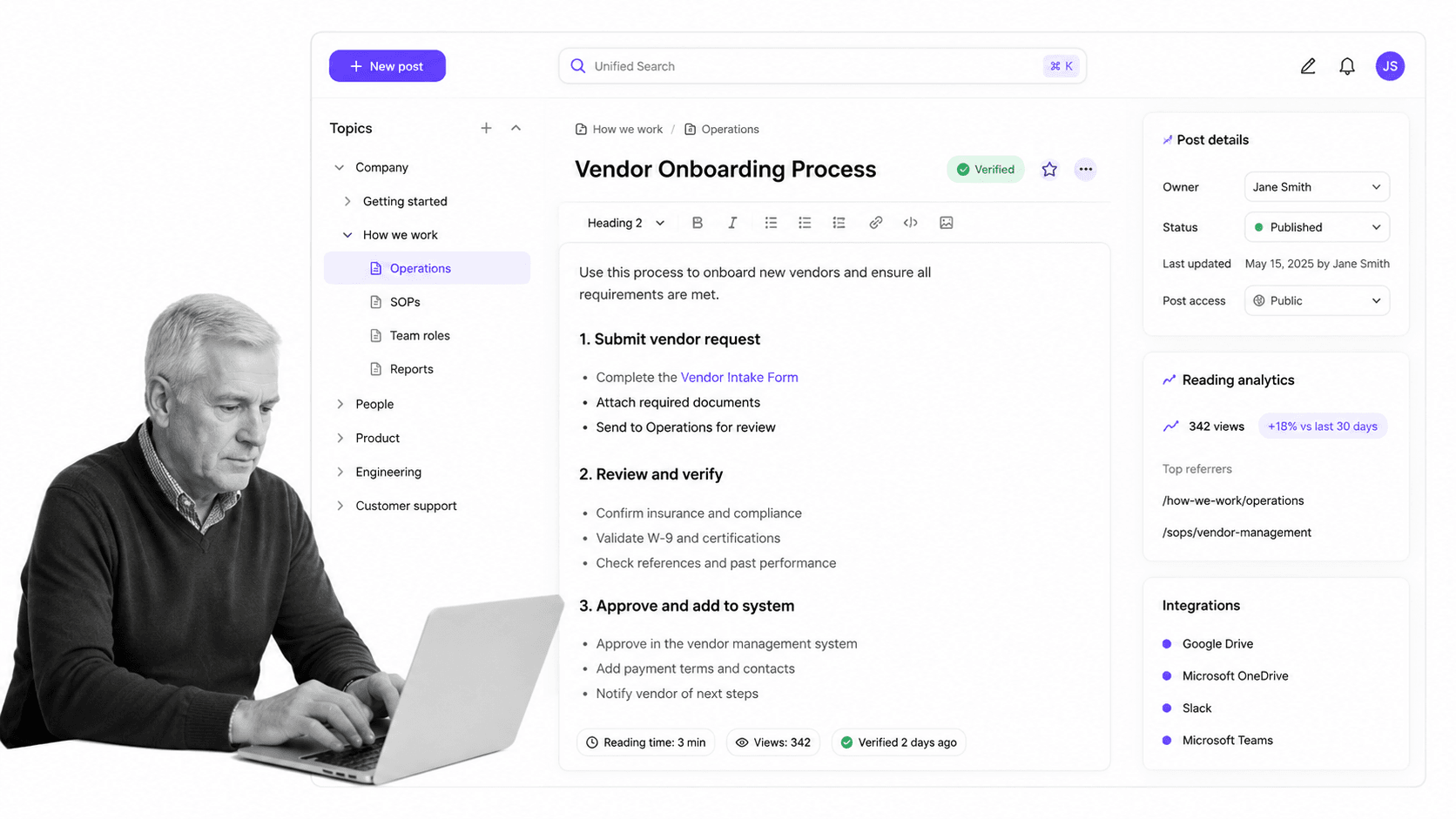
Slab is a team knowledge base and wiki built for clarity and search, with Unified Search, Topics, a clean editor, content verification, and integrations. It aims to be a simple, well-organized home for internal knowledge as a team grows.
Slab beats Process Street when a growing team wants a clean internal wiki with strong search and simple organization. It is weaker when the knowledge needs to trigger recurring assigned work with approvals and evidence capture.
Slab key features:
- Unified Search across connected tools.
- Topics for organizing related content.
- Clean editor with templates and verification.
- Integrations with Slack, Google, GitHub, and more.
Slab pros:
- Simple, readable wiki for growing teams.
- Strong search and clear organization.
- Verification keeps content trustworthy.
Slab cons:
- Focused on knowledge, not controlled SOP execution.
- Workflow proof and approval routing need another layer.
For current package details, see Slab pricing. Slab is a better fit when a growing team wants a clean, simple internal wiki with strong search.
9. Slite

Best for: verified team knowledge bases for lean teams.
Slite is a team knowledge base with collaborative docs, an Ask AI search agent, document verification, a knowledge management panel, and integrations. It is built to keep a lean team’s knowledge searchable and trustworthy.
Slite beats Process Street when a team wants a simpler knowledge base than a heavy portal, with verification and AI search around docs. It is weaker when the knowledge needs to become recurring assigned work with approvals and evidence in each run.
Slite key features:
- Collaborative editor with AI built in.
- Ask AI search and answers across connected tools.
- Document verification and knowledge management.
- Workspace analytics plus integrations.
Slite pros:
- Good fit for lean team knowledge bases.
- Verification helps keep docs from going stale.
- Ask search connects across work tools.
Slite cons:
- Focused on knowledge management, not SOP execution.
- Workflow proof and approval routing need another layer.
For current package details, see Slite pricing. Slite is a better fit when a lean team wants a simpler knowledge base with verification and AI search.
Which Document360 alternative fits your use case
The easiest way to avoid a bad Document360 replacement is to name the job first.
- Choose Process Street when recurring internal work needs required steps, owners, approvals, evidence, and audit trails.
- Choose Confluence or Notion when teams want a flexible internal wiki with docs, databases, and collaboration.
- Choose GitBook when the priority is developer and product documentation synced to a code repository.
- Choose Zendesk when the knowledge base must live inside a customer support workflow.
- Choose Helpjuice, Slab, or Slite when you want a focused, well-organized knowledge base with strong search.
- Choose Guru when the main requirement is trusted, cited AI answers surfaced inside the tools people already use.
For many teams, the stack is hybrid. You may keep a documentation portal for the customer help center, use a wiki for internal reference, and use Process Street as the governed process platform for recurring operations. Teams moving from static documentation into controlled execution should also compare adjacent workflow management software and workflow document management software when the buying question is broader than a documentation swap. The point is to keep the process record clear so ownership is easy to see.
If your main problem is missed steps, tribal knowledge, and inconsistent execution, start with a controlled process. If your main problem is scattered reference content, start with a wiki or knowledge base. If your main problem is customer self-service, start with a help center. The strongest choice matches the risk and the owner of the work, and it often sits closer to policy management software than to any single documentation feature.
FAQs
What is the best Document360 alternative?
The best Document360 alternative depends on the job. Process Street is best for enforceable recurring SOP and compliance workflows, Confluence and Notion are strong for flexible internal wikis, GitBook fits developer documentation, Zendesk fits customer help centers, and Guru is strong for trusted AI answers. Match the tool to the work rather than picking a single winner.
Is there a free Document360 alternative?
Yes, several Document360 alternatives offer a free plan. Confluence, Notion, GitBook, and Slab publish free options. Others, such as Helpjuice, Zendesk, and Slite, offer trials instead of a permanent free plan. Always check the vendor pricing page because limits and packaging change.
Why is Process Street ranked first?
Process Street is ranked first for the ICP this page is judging: teams that need enforceable, trackable, recurring process and SOP workflows. It is not ranked first for every documentation use case. For customer-facing help centers or developer docs, a dedicated documentation tool is the better fit, and we say so.
What is the closest alternative to Document360?
The closest alternative depends on how you use Document360. For a customer help center, Zendesk and Helpjuice are close. For product and developer docs, GitBook is close. For an internal wiki, Confluence, Notion, Slab, and Slite are close. For turning documentation into enforced workflows, Process Street is the closer fit.
Which Document360 alternative is best for small teams?
Small teams usually shortlist Process Street, Notion, Slab, or Slite. The best choice depends on the job. Non-technical operations teams often need readable, enforceable workflows, while knowledge-heavy teams may prefer a simple wiki or knowledge base with good search.
Which Document360 alternative is best for customer-facing documentation?
For customer-facing documentation, compare Zendesk, GitBook, and Helpjuice. Zendesk fits help centers tied to support, GitBook fits developer and product docs, and Helpjuice fits a dedicated, customizable customer knowledge base. Process Street is the better fit for the internal workflows behind that content, not the public portal itself.
Can I migrate from Document360 to Process Street?
You can migrate the process logic by mapping each documented procedure to a workflow: trigger, owner, task sequence, required fields, approvals, evidence, integrations, and exception paths. Process Street is strongest when the migrated work needs human accountability and proof, not just a set of reference articles.
If Document360 is giving you great documentation but not the control, ownership, and proof your operations need, start with Process Street. Build the recurring workflow first with a standard operating procedure template, then connect the documentation and apps around it.
