





Free small business software is software with a permanent no-cost plan, a genuinely useful open-source edition, or a time-limited trial that lets a small team test a real business job before paying. The best choice is the one whose limits match your team, data, and operating risk.
A free plan is not automatically a bargain. Check user caps, storage, contacts, monthly usage, integrations, export options, security controls, and the point at which the work becomes too important for an unmanaged account. This guide covers 34 current tools across a complete small-business software stack.
Use the table as a shortlist, then read the category sections for the tradeoffs. Plan limits change, so verify the current vendor terms before moving customer, employee, payroll, financial, or regulated data into any service.
| Tool | Category | Free reality | Best fit |
|---|---|---|---|
| Google Workspace | office suites | Business administration and custom email on paid Workspace plans | Choose the no-cost Google apps when a small team can collaborate with personal accounts and straightforward sharing |
| ONLYOFFICE Desktop Editors | office suites | Connections to common self-hosted and cloud platforms | It is a practical fit when format compatibility matters but a business does not want every file to live in a vendor cloud |
| LibreOffice | office suites | Windows, macOS, and Linux support | LibreOffice is strongest for offline work, local control, and teams that value open formats |
| Dropbox Paper | office suites | Dropbox file previews | Paper works well for project briefs, meeting notes, and simple coordination when files already live in Dropbox |
| Process Street | workflow tools | Built-in AI for monitoring and continuous improvement | Process Street offers a free trial rather than a permanent free plan |
| Zapier | workflow tools | AI-assisted automation building | Zapier is useful when the job is moving information between existing tools |
| diagrams.net | workflow tools | Export to common image and document formats | Use diagrams |
| Gmail | business email tools | No-cost personal tier | Gmail is the sensible replacement for the discontinued Inbox by Gmail |
| Boomerang | business email tools | Calendar scheduling assistance | Boomerang is an optional specialist rather than a default email platform |
| Streak | business email tools | Paid shared CRM pipelines | Streak is useful for a solo founder who wants lightweight follow-up inside the inbox |
| Trello | project management tools | Simple automation allowances | Trello is easy to understand and quick to adopt |
| MeisterTask | project management tools | Limited AI credits | MeisterTask is a good fit when a small team wants polished task boards without configuring a large work-management system |
| Avaza | project management tools | Client collaboration | Avaza preserves a strong niche in this list because it follows client work through to billing |
| Mailchimp | email marketing tools | 250 contacts and 500 monthly sends on the free plan | Mailchimp remains durable, but its free tier is much smaller than it once was |
| Brevo | email marketing tools | Up to 100,000 stored contacts | Brevo is attractive when a business has a large contact database but sends at a modest daily volume |
| Slack | team communication tools | 90 days of visible history on the free plan | Slack is a strong default when real-time communication and a broad integration ecosystem matter |
| Pumble | team communication tools | File sharing | Pumble is a credible Slack alternative for teams that care more about retained history than a large marketplace |
| Microsoft Teams Free | team communication tools | Five GB of file storage for one free user | Teams Free works for a very small operation that needs meetings and chat in one place |
| ZipBooks | accounting software | Customer and vendor records | ZipBooks is useful for a small US service business that wants invoicing and bookkeeping in one simple system |
| Wave | accounting software | Optional payments and payroll services | Wave is a durable starting point for freelancers and small service businesses |
| Pandle | accounting software | A free Basic version | Pandle adds useful regional diversity to the list |
| Payroll4Free | payroll tools | Optional paid services | Payroll errors can create legal and employee harm |
| HMRC Basic PAYE Tools | payroll tools | Official HMRC software | This is a strong, specific option for a very small UK employer |
| Google Drive | cloud storage | Native collaboration with Google apps | Drive is the natural choice when the team already uses Google tools |
| Dropbox | cloud storage | Basic recovery and activity features | Dropbox is useful when dependable file sync matters more than a built-in office suite |
| pCloud | cloud storage | Optional encrypted storage | pCloud is an optional specialist for teams comparing storage models outside Google and Dropbox |
| Agile CRM | CRMs | Email and service features | Agile CRM can fit a small team that wants several customer functions in one tool |
| HubSpot CRM | CRMs | Email and meeting tools | HubSpot is a durable choice when a business expects marketing, sales, and service needs to converge |
| Capsule | CRMs | Tasks and interaction history | Capsule works well for a small relationship-driven business that values simplicity |
| Airtable | database management tools | 1,000 records per base on the free plan | Airtable is a strong bridge between a spreadsheet and a purpose-built internal application |
| Baserow | database management tools | Open-source self-hosting option | Baserow is attractive when open-source control or a generous small-team database matters |
| Phoenix Code | software development tools | Browser and desktop versions | Phoenix Code preserves the approachable web-development role once held by Brackets |
| Cloudflare Workers | software development tools | Connections to Cloudflare storage and data services | Workers is not a drop-in Heroku clone, but it is a durable no-cost way to deploy focused APIs, web functions, and automation endpoints |
| GitHub | software development tools | GitHub Actions allowances | GitHub is the durable default for version control and collaborative software work |
Free office suites
At the heart of every business toolkit is an office suite. Documents, spreadsheets, and presentations are everyday necessities, so the right tools must handle creation, formulas, comments, and review without creating a file-format trap. Decide whether real-time cloud collaboration or local control matters more. A locally installed, free and open-source suite can provide a word processor, spreadsheet, presentation tool, database tool, formula editor, and extensions, while a cloud-based office toolkit makes collaborative documents easier to share.
Google Workspace
Google offers Docs, Sheets, Slides, Drive, and Gmail at no cost for personal Google accounts. The managed business edition of Google Workspace adds custom-domain email, admin controls, and business storage after a free trial, so treat the no-cost apps and the paid business service as different offers.
Key features
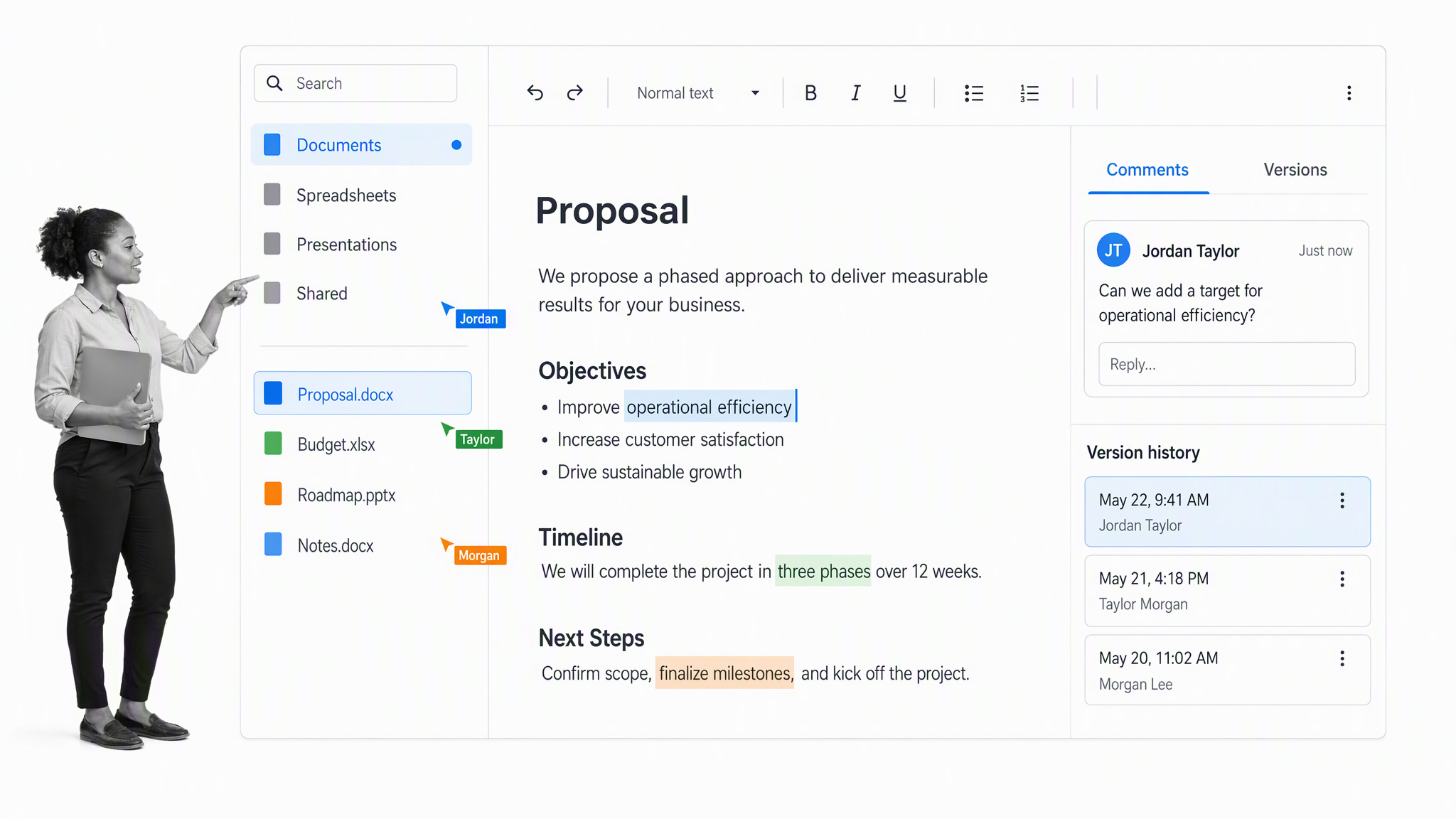
- Browser-based documents, spreadsheets, and presentations
- Real-time comments and co-editing
- 15 GB shared storage on a no-cost Google account
- Business administration and custom email on paid Workspace plans
Why Google Workspace?
Choose the no-cost Google apps when a small team can collaborate with personal accounts and straightforward sharing. Move to a managed Workspace plan when identity, offboarding, security controls, and a company email domain become operational requirements.
ONLYOFFICE Desktop Editors
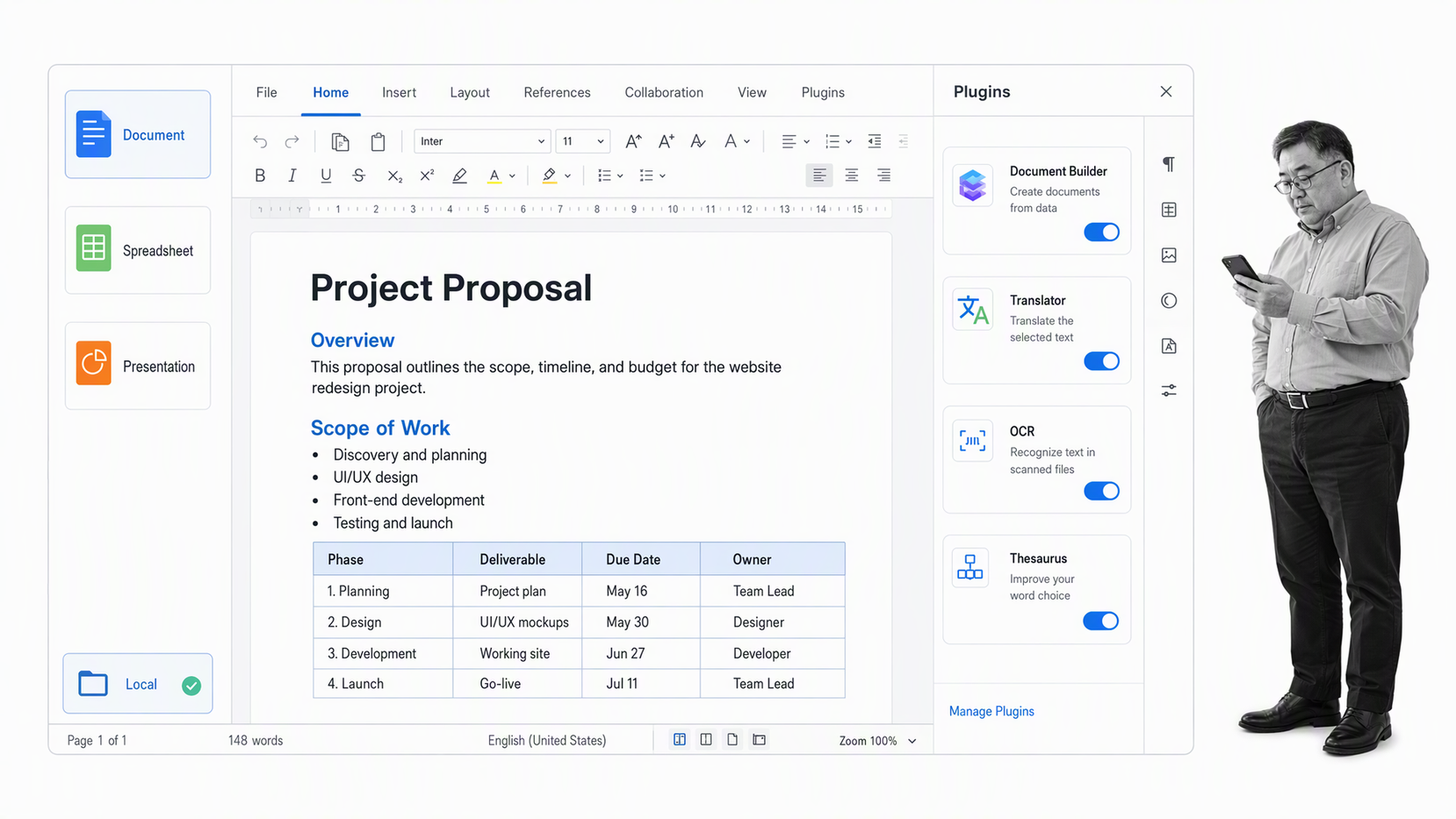
ONLYOFFICE Desktop Editors is a free, open-source suite for documents, spreadsheets, presentations, forms, and PDFs. It runs locally and can connect to services such as Nextcloud, ownCloud, and supported cloud storage.
Key features
- Free desktop editors
- Microsoft Office format compatibility
- Offline work
- Connections to common self-hosted and cloud platforms
Why ONLYOFFICE Desktop Editors?
It is a practical fit when format compatibility matters but a business does not want every file to live in a vendor cloud. Test complex templates and macros before standardizing because compatibility varies at the edges.
LibreOffice
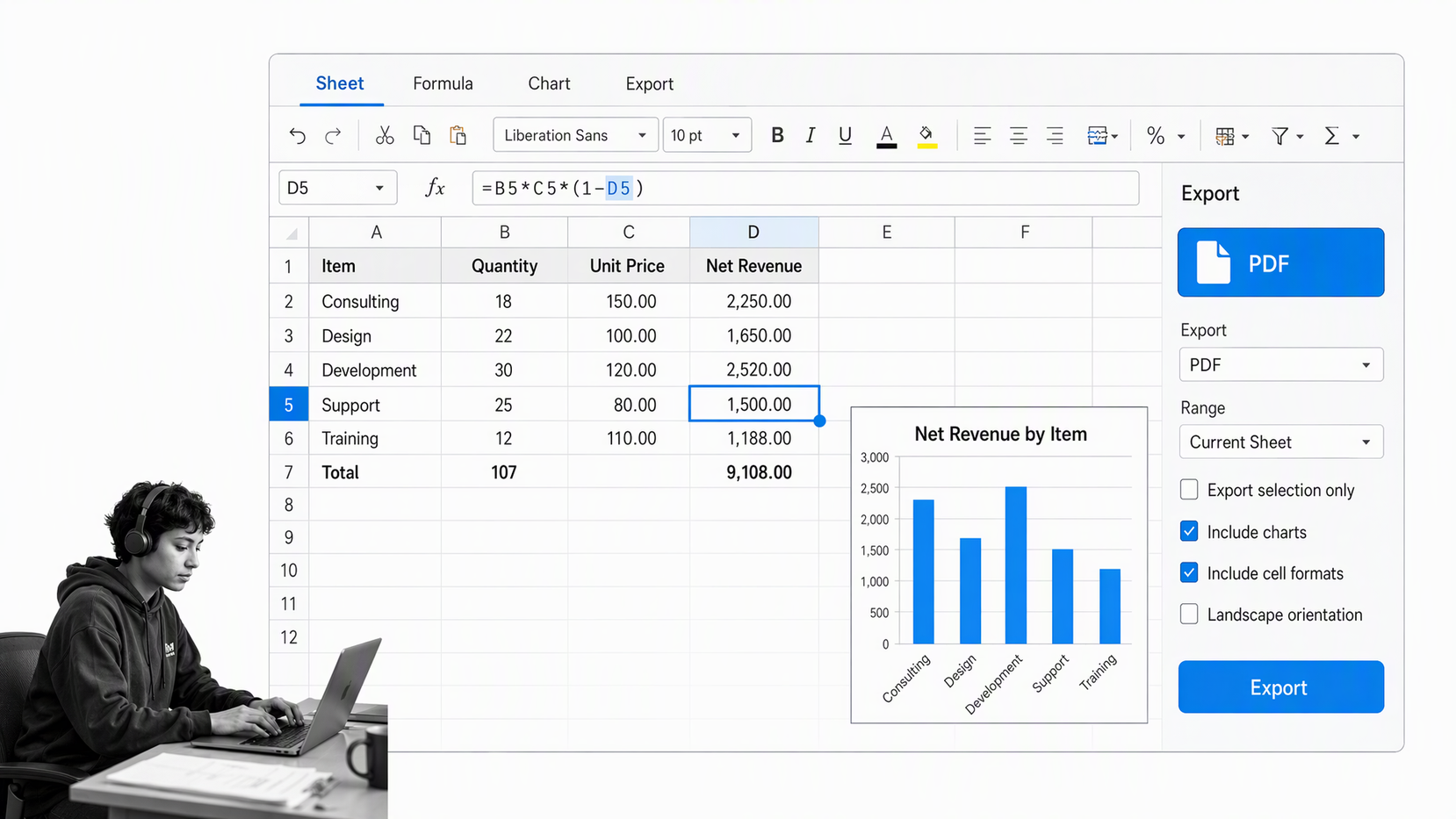
LibreOffice remains a durable free and open-source desktop suite. Writer, Calc, Impress, Draw, Base, and Math cover the core office jobs without a subscription or required cloud account.
Key features
- Local document and spreadsheet editing
- Open document formats
- PDF export
- Windows, macOS, and Linux support
Why LibreOffice?
LibreOffice is strongest for offline work, local control, and teams that value open formats. It is less natural than cloud suites for simultaneous co-editing, so match the tool to the way files are reviewed and approved.
Dropbox Paper
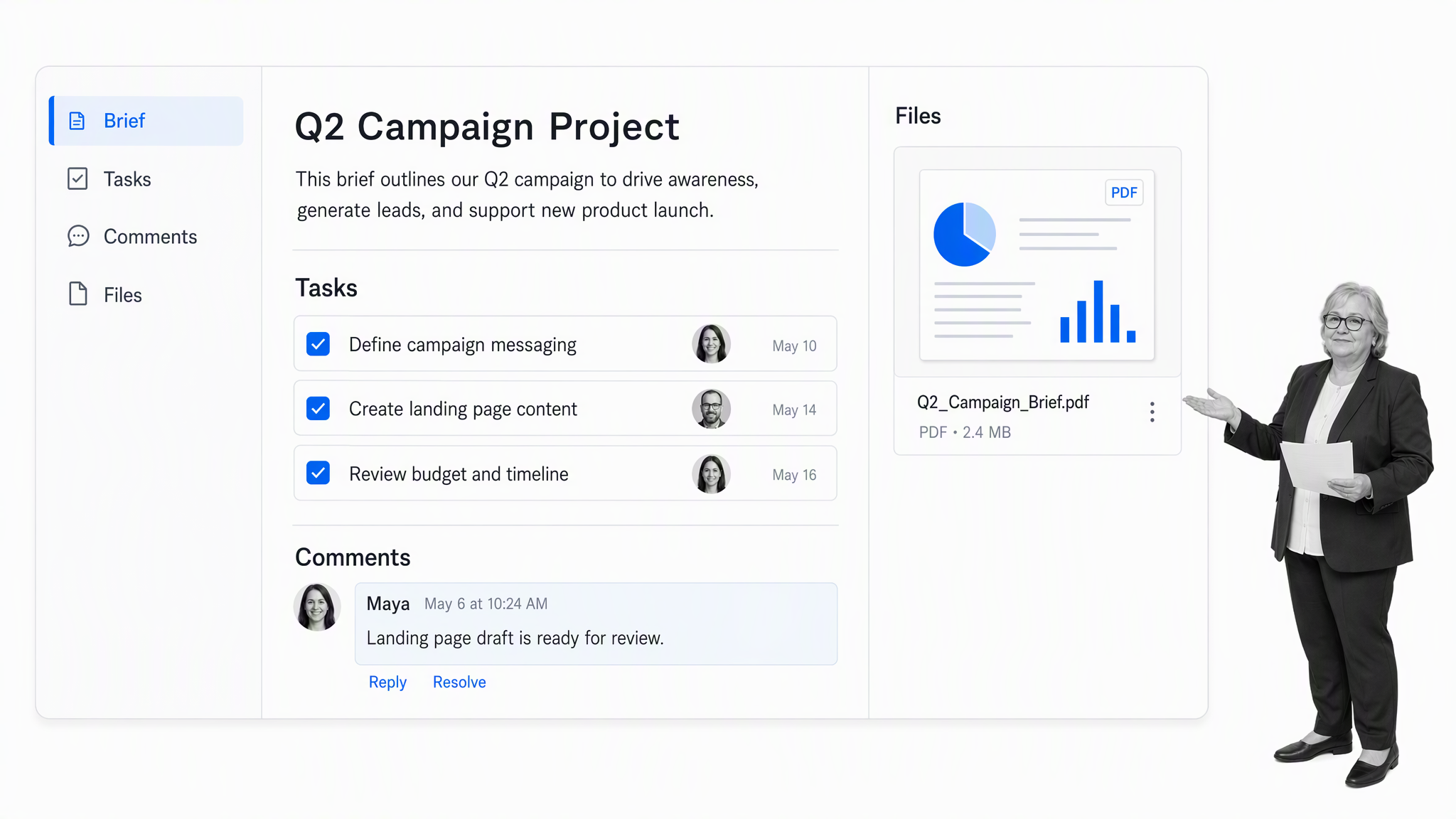
Dropbox Paper is a collaborative document surface tied to Dropbox accounts. Teams can combine notes, tasks, comments, and file previews in a lightweight shared workspace.
Key features
- Collaborative documents
- Task assignments and due dates
- Comments and mentions
- Dropbox file previews
Why Dropbox Paper?
Paper works well for project briefs, meeting notes, and simple coordination when files already live in Dropbox. It is not a full office suite, so keep LibreOffice or another editor available for advanced documents and spreadsheets.
Free workflow tools
Creating workflow diagrams, automations, and dependable business systems is possible without a large software budget. Workflow tools serve different layers: some document and track recurring work, some connect applications with simple rules, and some create flowchart maps with globally recognized business process notation. Start with the job you need to control rather than the largest feature list, then make assignments, approvals, evidence, and version history explicit.
Process Street
Process Street is a single Compliance Operations Platform with Docs and Ops capability areas plus built-in AI. Docs governs policies and procedures, Ops turns them into repeatable workflows, and AI helps teams monitor execution, surface risk, and improve the way work is done.
Key features
- Governed policies and procedures
- Auditable workflow execution
- Approvals, assignments, forms, and conditional logic
- Built-in AI for monitoring and continuous improvement
Why Process Street?
Process Street offers a free trial rather than a permanent free plan. Use it to test a real recurring process, such as onboarding, approvals, or compliance evidence collection. For a deeper evaluation path, see this guide to workflow free software. Process Street also has direct, universal integrations to 5,000+ systems. Need a new one? An AI agent builds it on the fly.
Zapier
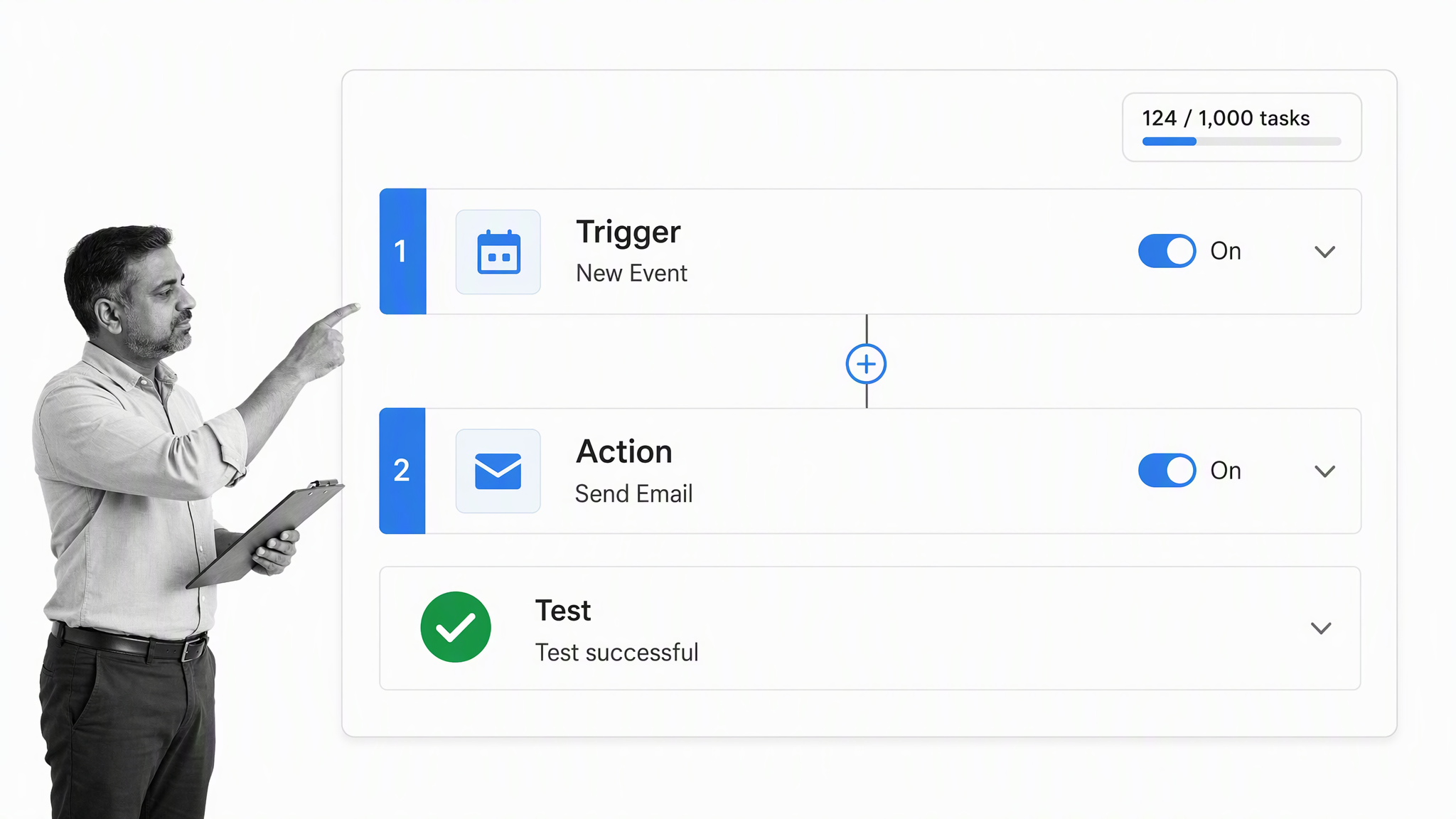
Zapier connects apps through trigger-and-action automations. Its free plan supports a small task allowance and two-step workflows, which is enough to test focused handoffs such as copying a form response into a tracker or notifying a channel.
Key features
- Trigger-and-action automation
- Two-step workflows on the free plan
- A broad app catalog
- AI-assisted automation building
Why Zapier?
Zapier is useful when the job is moving information between existing tools. Keep the first automation narrow and measure task usage, error handling, and ownership before building a large web of dependencies.
diagrams.net
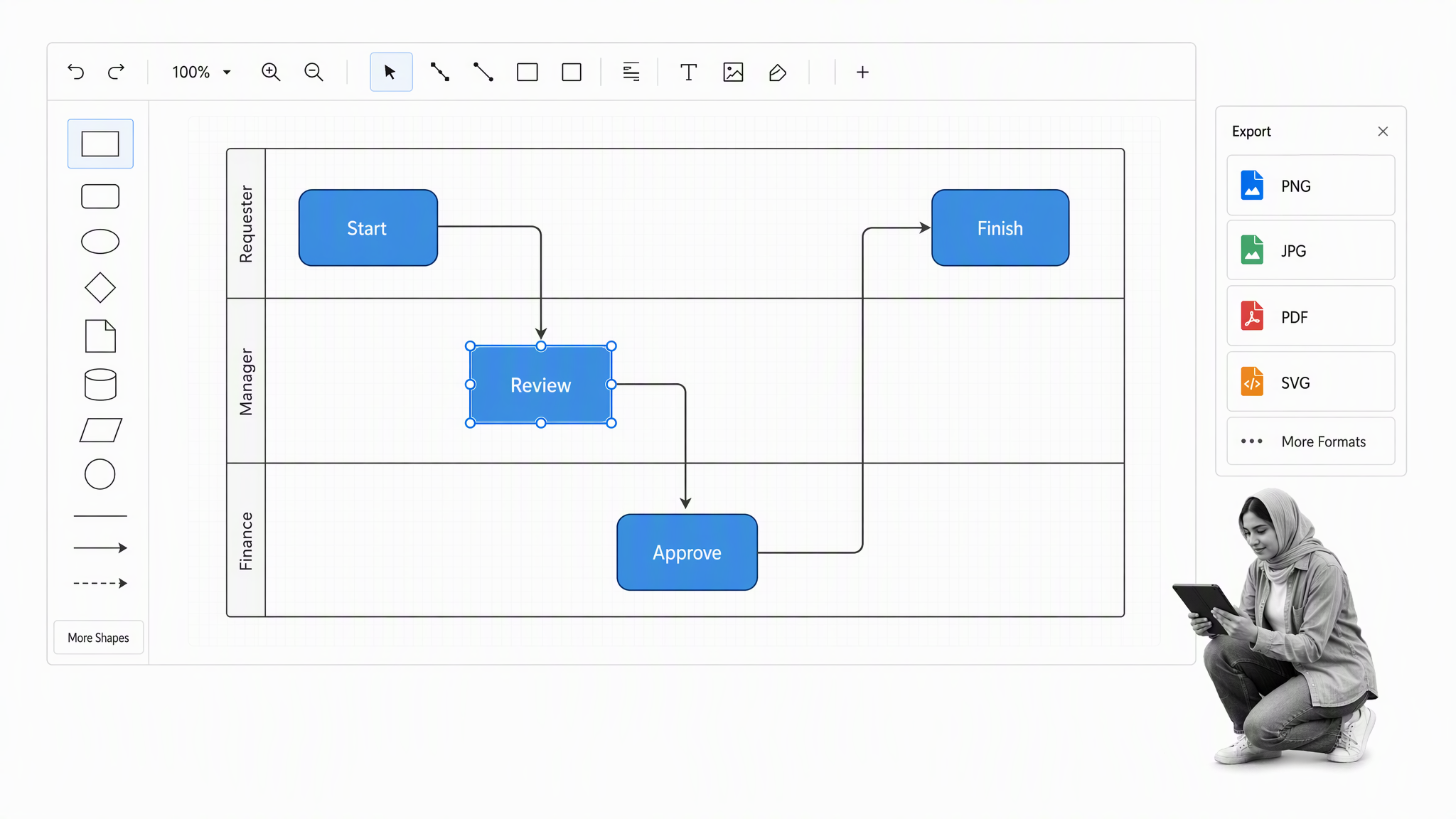
diagrams.net, formerly draw.io, is a free diagramming application for flowcharts, network diagrams, BPMN-style maps, and other visual models. It can store files locally or connect to common cloud drives.
Key features
- Flowcharts and swimlanes
- BPMN and technical diagram shapes
- Local or cloud file storage
- Export to common image and document formats
Why diagrams.net?
Use diagrams.net to make a process understandable before automating it. A diagram clarifies scope and decision paths, while the workflow system should own live assignments, evidence, deadlines, and audit history.
Free business email tools
On a business scale, it can be difficult to manage internal and external email with everyday tools. Staying at inbox zero is useful, but organizing messages as they arrive matters more. The best email tools add the ability to send emails later, surface messages awaiting a reply, and prevent a buildup of drafts, unreads, and messages saved for later. They reduce follow-up friction without hiding important work inside one person’s inbox.
Gmail
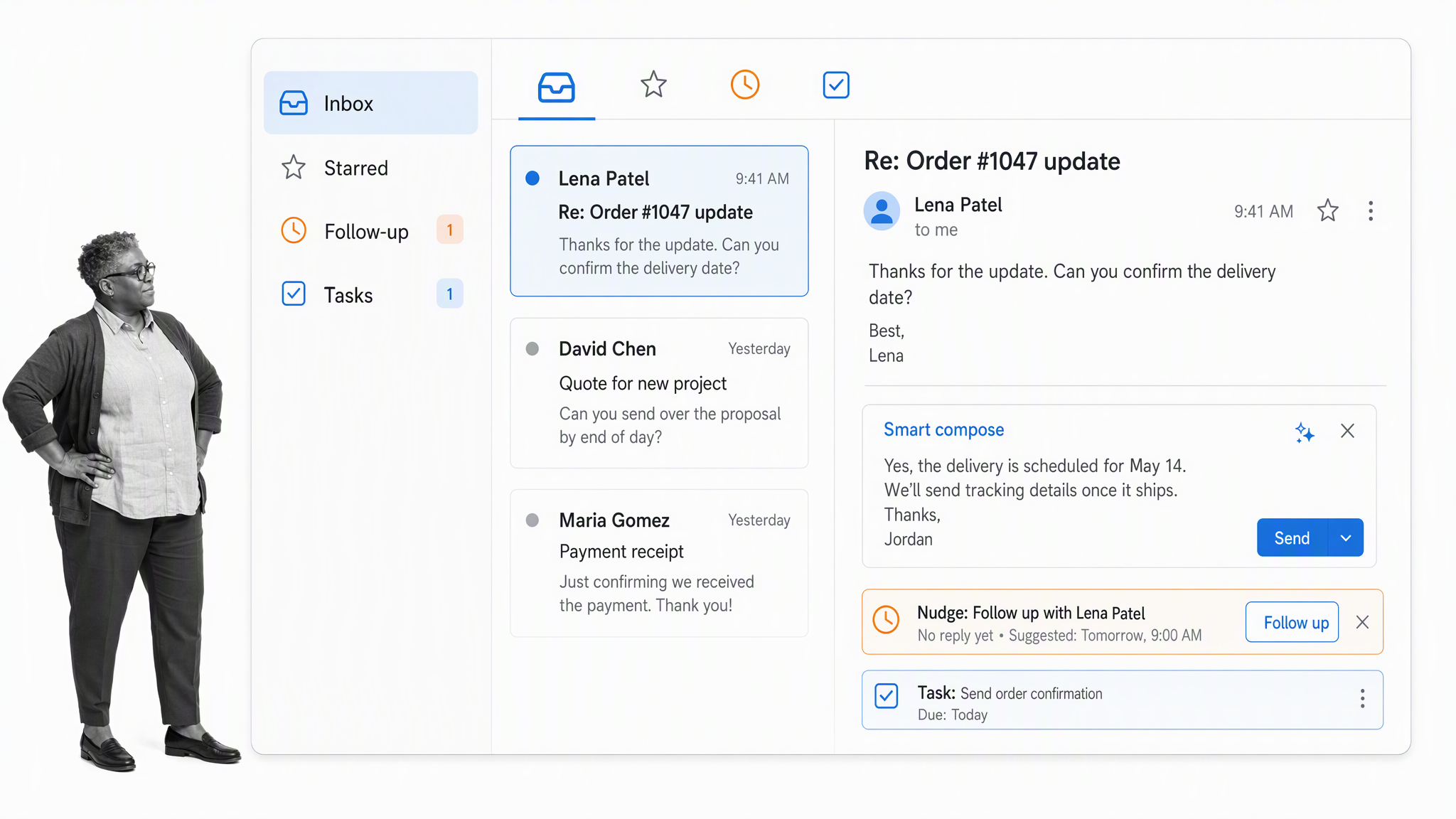
Gmail provides a no-cost personal email service with 15 GB of shared Google storage, spam protection, smart compose, follow-up nudges, and connections to Calendar, Meet, Chat, and Tasks. Custom-domain business email requires a paid Google Workspace plan after its trial.
Key features
- Priority inbox and search
- Smart replies and nudges
- Calendar, Meet, Chat, and Tasks integration
- No-cost personal tier
Why Gmail?
Gmail is the sensible replacement for the discontinued Inbox by Gmail. It is useful for a solo operator or early team, but a growing business should budget for managed identities and a company domain rather than building critical operations around personal accounts.
Boomerang
Boomerang adds scheduling, reminders, follow-up support, and inbox controls to Gmail and Outlook. A limited Basic plan remains available for light use.
Key features
- Send later
- Return-to-inbox reminders
- Follow-up prompts
- Calendar scheduling assistance
Why Boomerang?
Boomerang is an optional specialist rather than a default email platform. It earns a place when follow-up discipline is the real bottleneck and the free allowance covers the team’s most important messages.
Streak
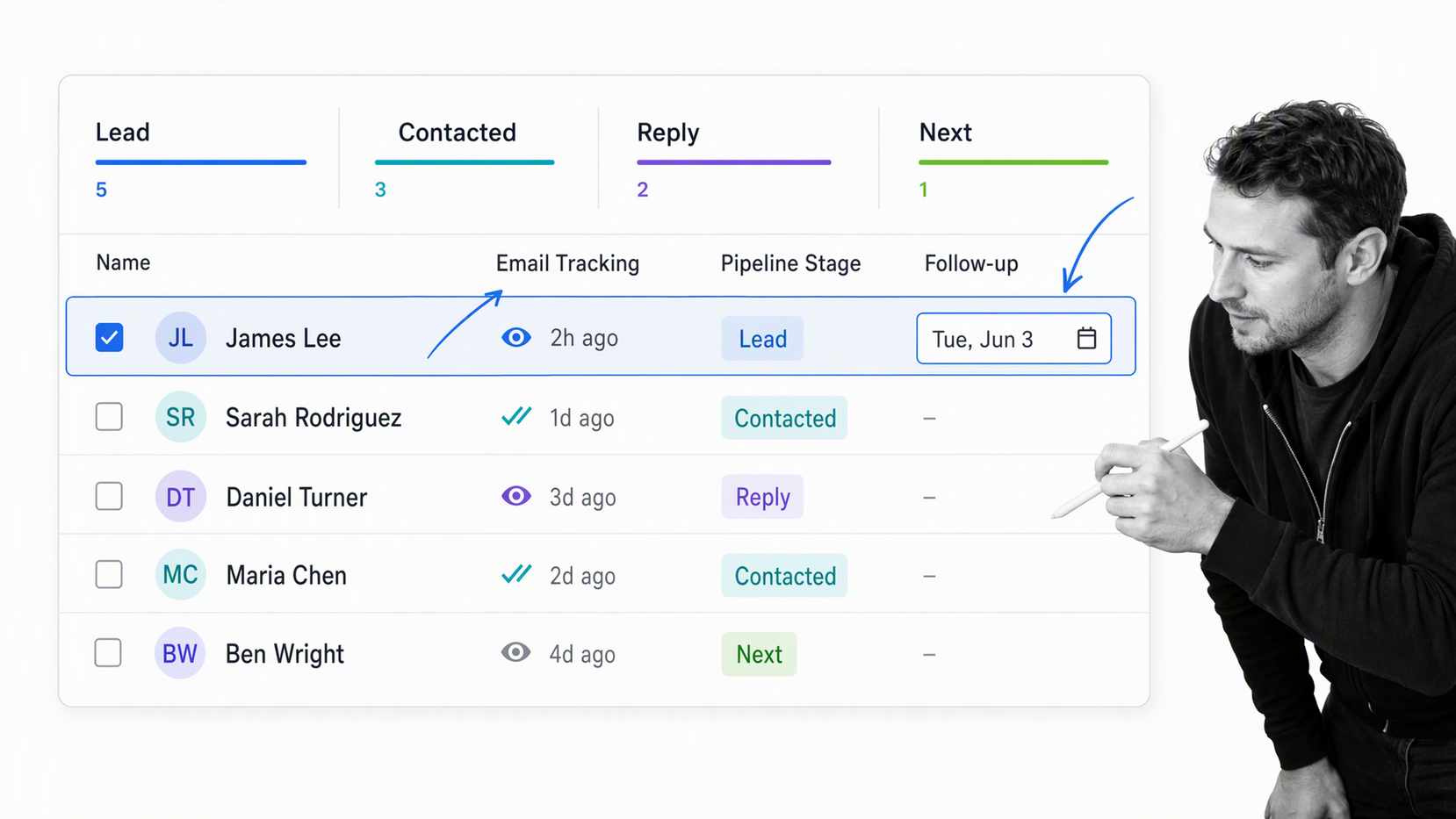
Streak puts email productivity tools and pipeline context inside Gmail. Its no-cost offering is best understood as email power tools; full shared CRM pipelines and advanced controls sit on paid plans.
Key features
- Email tracking and snippets
- Mail merge tools
- Gmail-native contact context
- Paid shared CRM pipelines
Why Streak?
Streak is useful for a solo founder who wants lightweight follow-up inside the inbox. If several people need shared ownership, permissions, reporting, and durable customer records, compare a dedicated CRM before committing.
Free project management tools
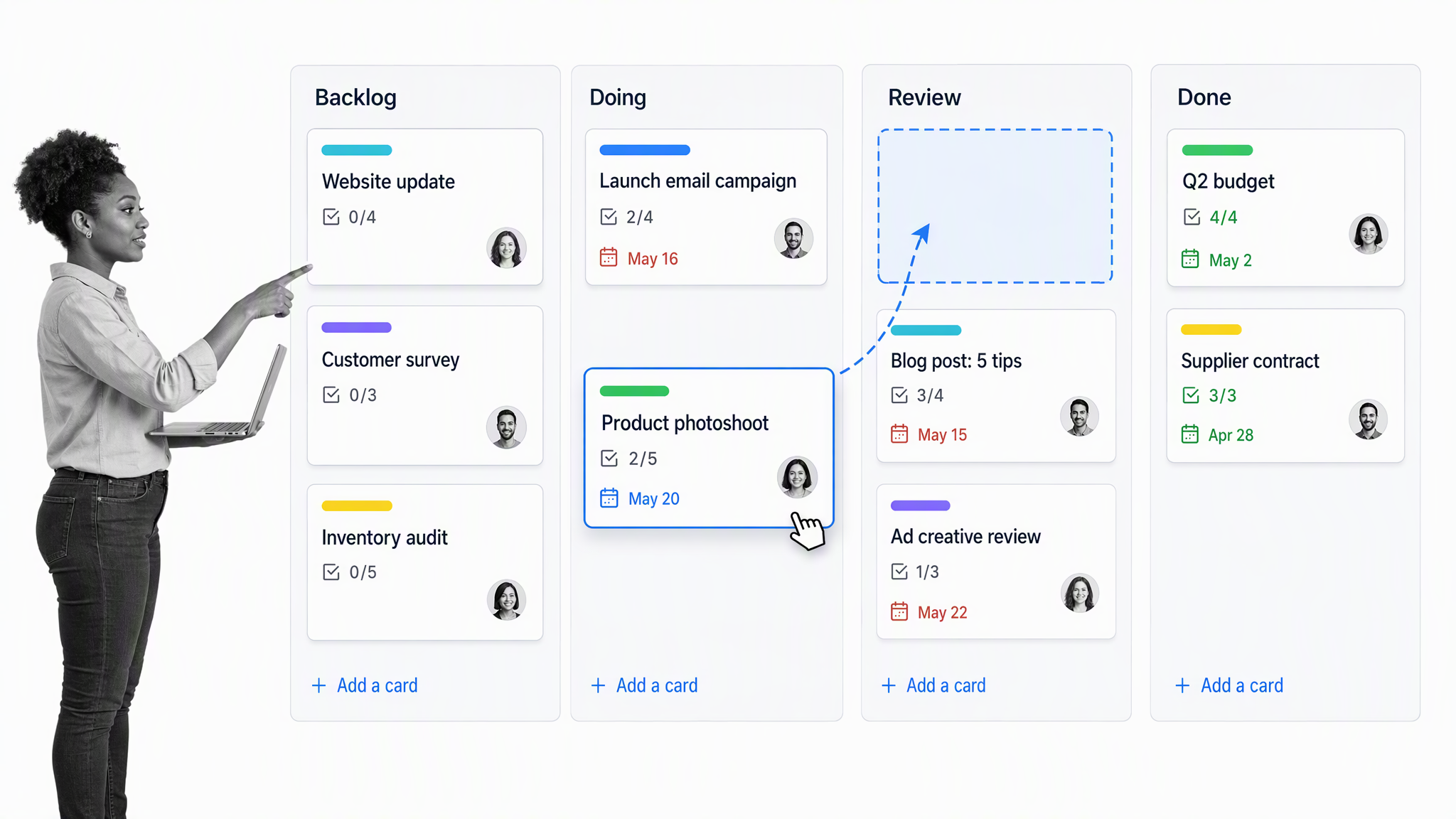
A project management tool should give a visual way to collaborate over tasks, projects, approval flows, or the next big idea. Boards based on Lean and kanban make ownership, outstanding tasks, progress, next actions, and deadlines visible. Client-focused teams may also need securely shared project updates, time tracking, expense management, and invoicing. Free plans work best when the team limits active projects and uses a consistent board structure.
Trello
Trello organizes work on boards, lists, and cards. The free plan supports up to 10 collaborators and 10 boards per Workspace, which can be enough for a small team with a few active projects.
Key features
- Kanban boards
- Card checklists and due dates
- Up to 10 collaborators on the free plan
- Simple automation allowances
Why Trello?
Trello is easy to understand and quick to adopt. It works best when the team agrees on what each list means, who owns cards, and how stale work is handled. Complex cross-project reporting may push a team toward a paid tier or another platform.
MeisterTask
MeisterTask combines task boards, assignments, due dates, and lightweight automation. Its free plan supports three projects and a small AI allowance, which suits a focused pilot.
Key features
- Three projects on the free plan
- Unlimited tasks
- Task relationships and checklists
- Limited AI credits
Why MeisterTask?
MeisterTask is a good fit when a small team wants polished task boards without configuring a large work-management system. The three-project ceiling is the key upgrade trigger, so define what counts as a project before migrating work.
Avaza
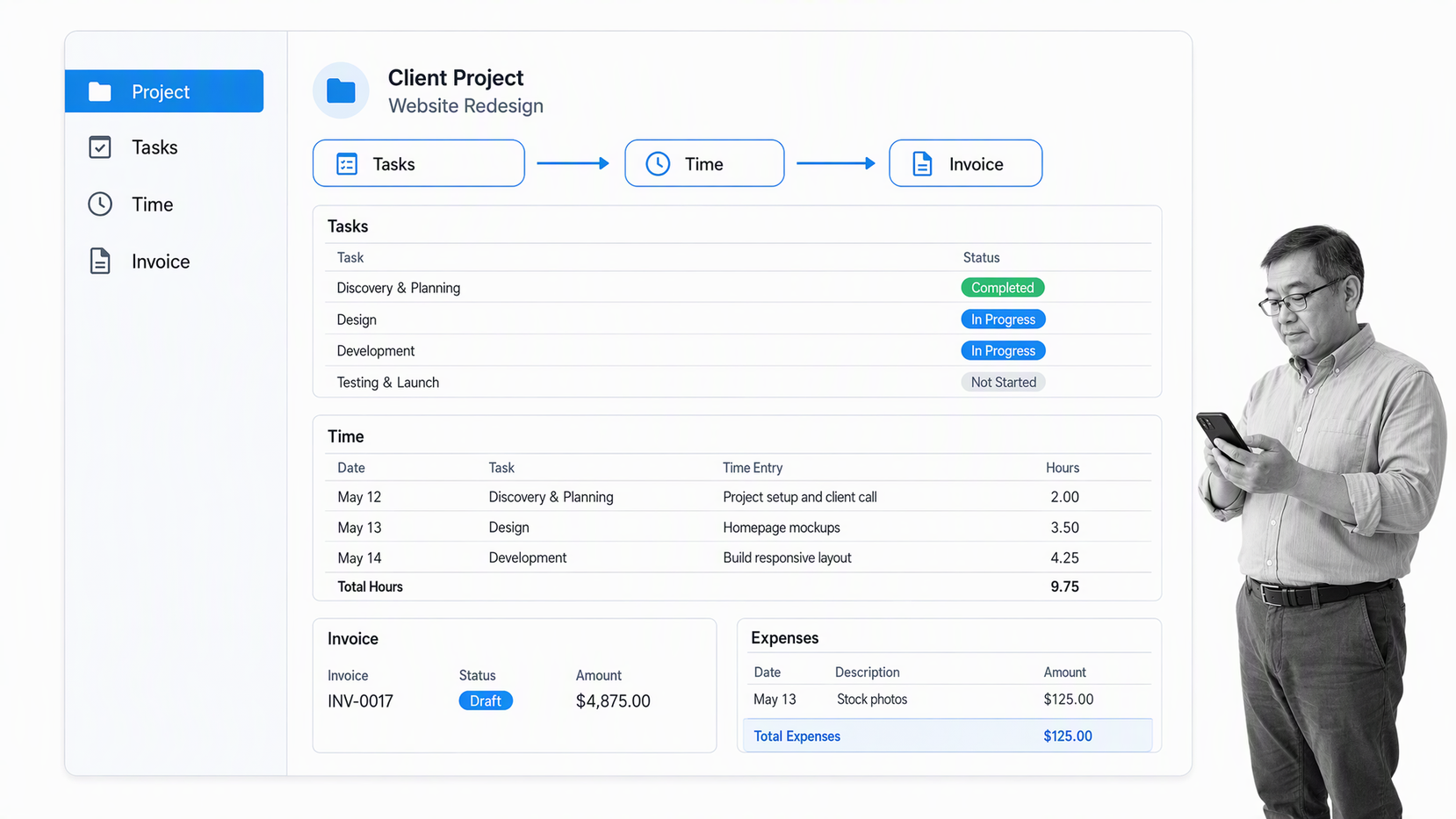
Avaza connects projects, tasks, time, expenses, and invoices. The free plan supports a limited number of active projects and role assignments, making it especially relevant to consultants and service businesses.
Key features
- Projects and task boards
- Time and expense tracking
- Quotes and invoices
- Client collaboration
Why Avaza?
Avaza preserves a strong niche in this list because it follows client work through to billing. It is more useful than a generic task board when the same team plans delivery, records time, and invoices customers.
Free email marketing tools
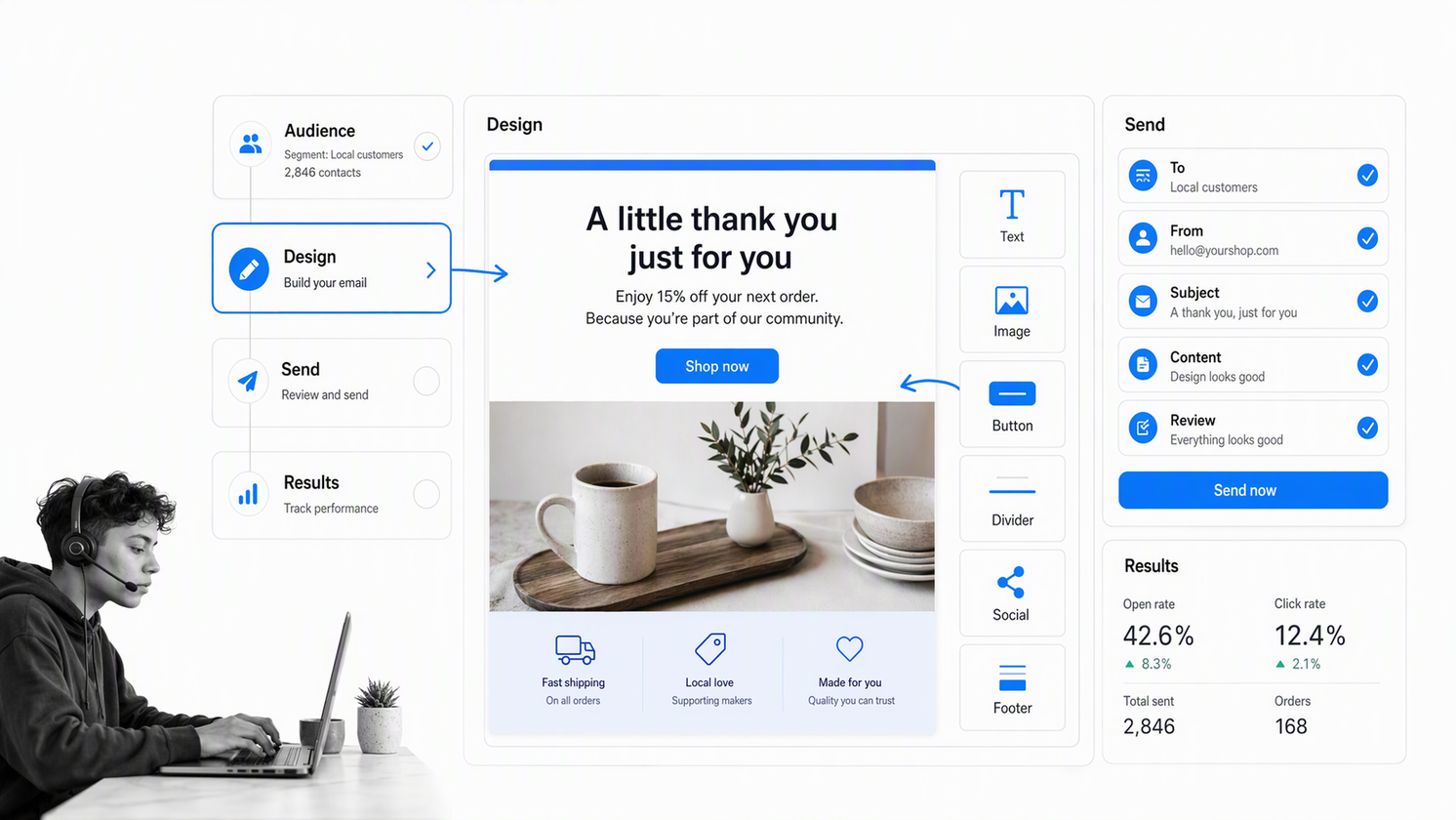
An engaged email list is one of the most valuable assets a marketing team can have, but it needs a reliable tool to store contacts, send messages, and track engagement. Email marketing tools differ in contact caps, monthly sends, templates, reporting, sign-up forms, marketing automation, transactional email, branding, and data portability. Match the free allowance to campaign cadence, not just list size.
Mailchimp
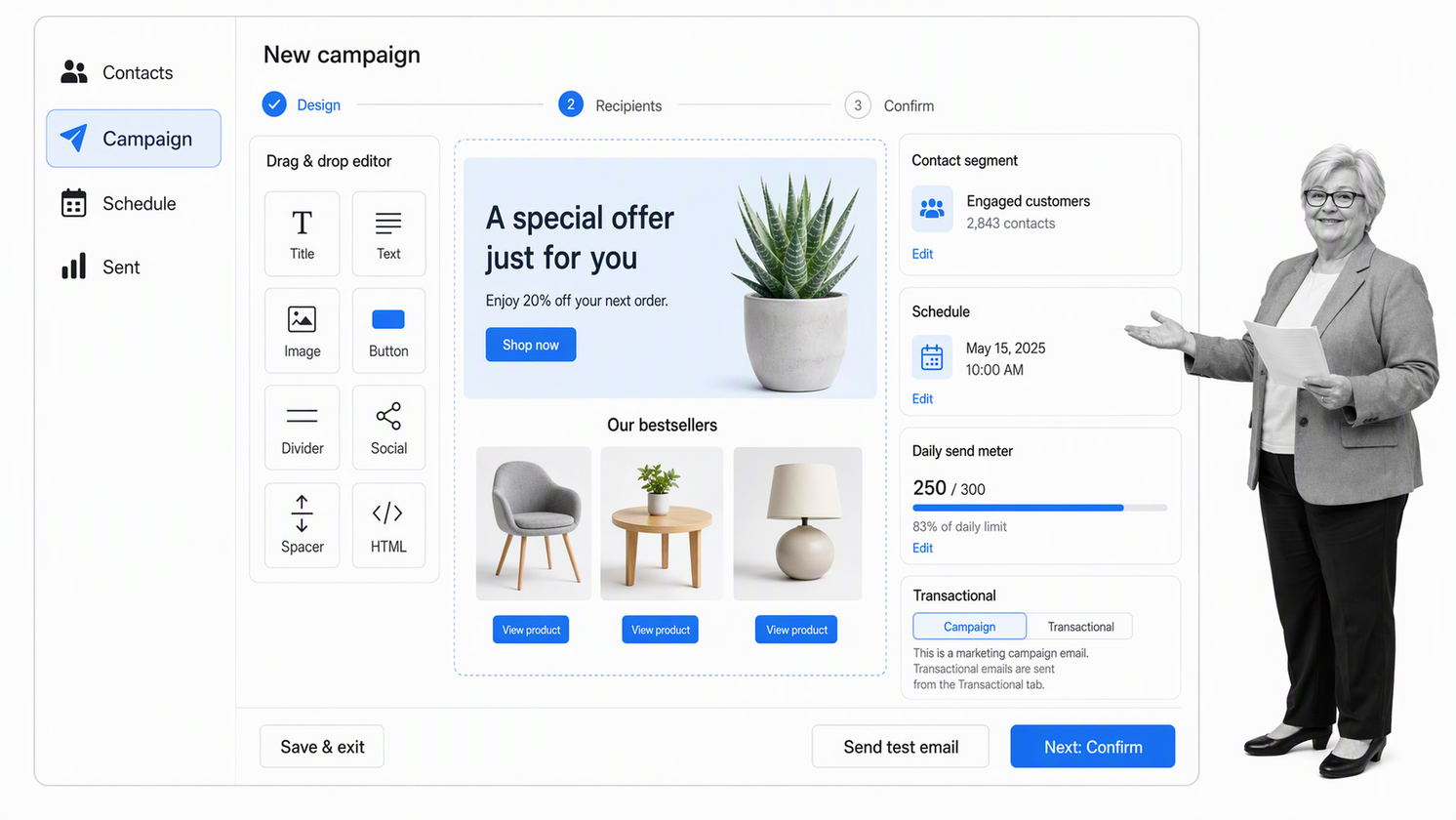
Mailchimp offers a free plan for very small audiences. The current allowance covers 250 contacts and 500 email sends per month with one user seat, so it is best for learning and low-volume newsletters.
Key features
- Email campaign builder
- Audience management
- Templates and basic reporting
- 250 contacts and 500 monthly sends on the free plan
Why Mailchimp?
Mailchimp remains durable, but its free tier is much smaller than it once was. Use it when the editor and ecosystem matter more than list capacity, and watch the upgrade point before customer communication becomes dependent on the platform.
Brevo
Brevo replaces the discontinued Revue. Its free plan has no time limit, includes 300 email sends per day, and stores up to 100,000 contacts, with Brevo branding on outgoing campaigns.
Key features
- Email and SMS campaign tools
- Transactional email
- 300 daily email sends
- Up to 100,000 stored contacts
Why Brevo?
Brevo is attractive when a business has a large contact database but sends at a modest daily volume. The daily cap and branding are the practical upgrade triggers, so model campaign cadence before importing the full list.
Free team communication tools
A customer’s email inbox may be the ideal place to engage an audience, but internal communication often works better in team chat. Channels, threads, direct messages, document sharing, group chats, private groups, public channels, video meetings, and asynchronous communication can speed coordination. Policy documents, approvals, and evidence still need a durable system of record because chat history and administration limits matter as the team grows.
Slack
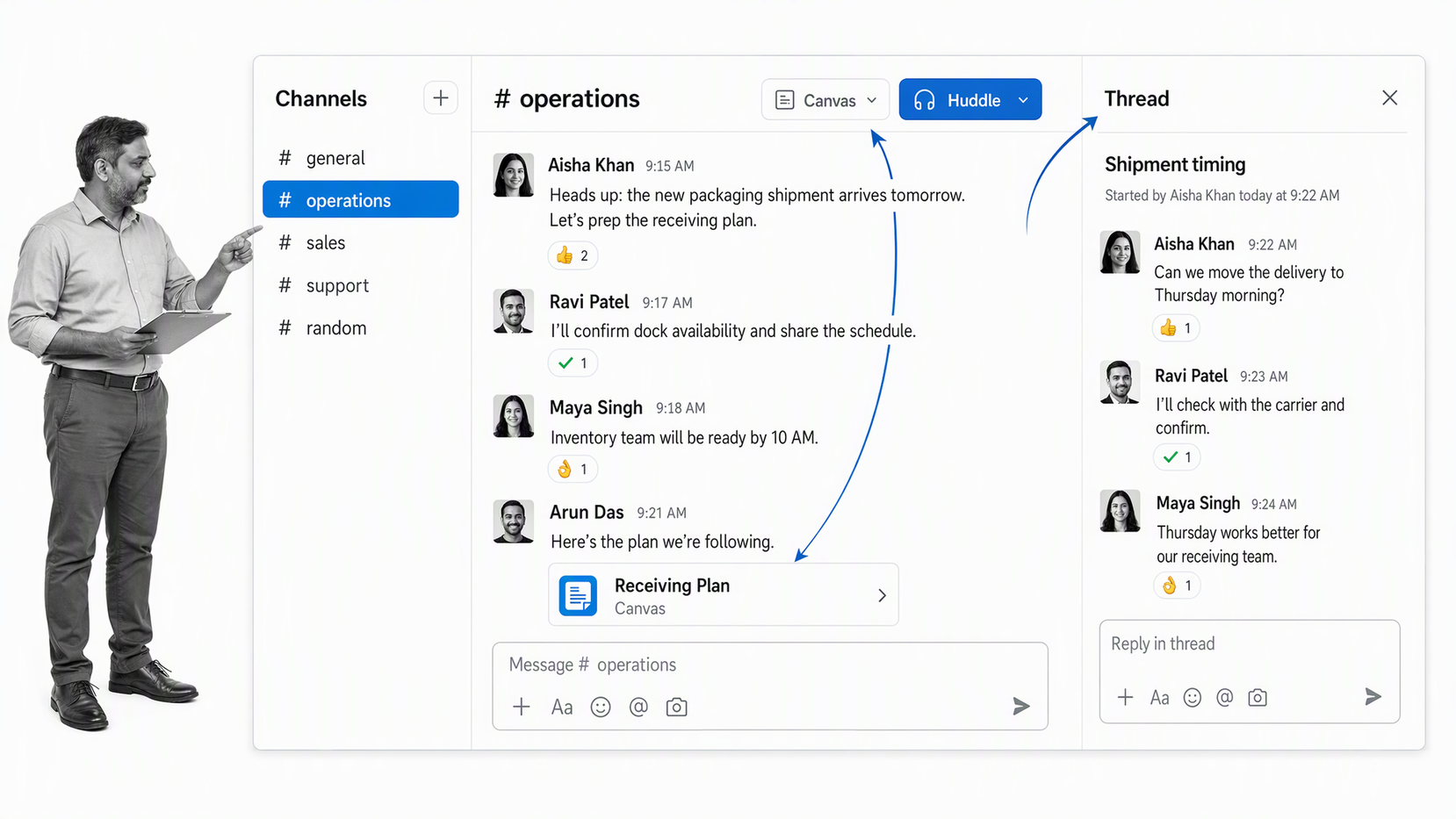
Slack organizes conversations into channels, threads, direct messages, huddles, and canvases. The free plan limits visible message and file history to 90 days and restricts some collaboration features.
Key features
- Channels and threads
- Direct messages and huddles
- App integrations
- 90 days of visible history on the free plan
Why Slack?
Slack is a strong default when real-time communication and a broad integration ecosystem matter. Do not let chat become the system of record for decisions, policies, or recurring work that must remain auditable after the history window closes.
Pumble
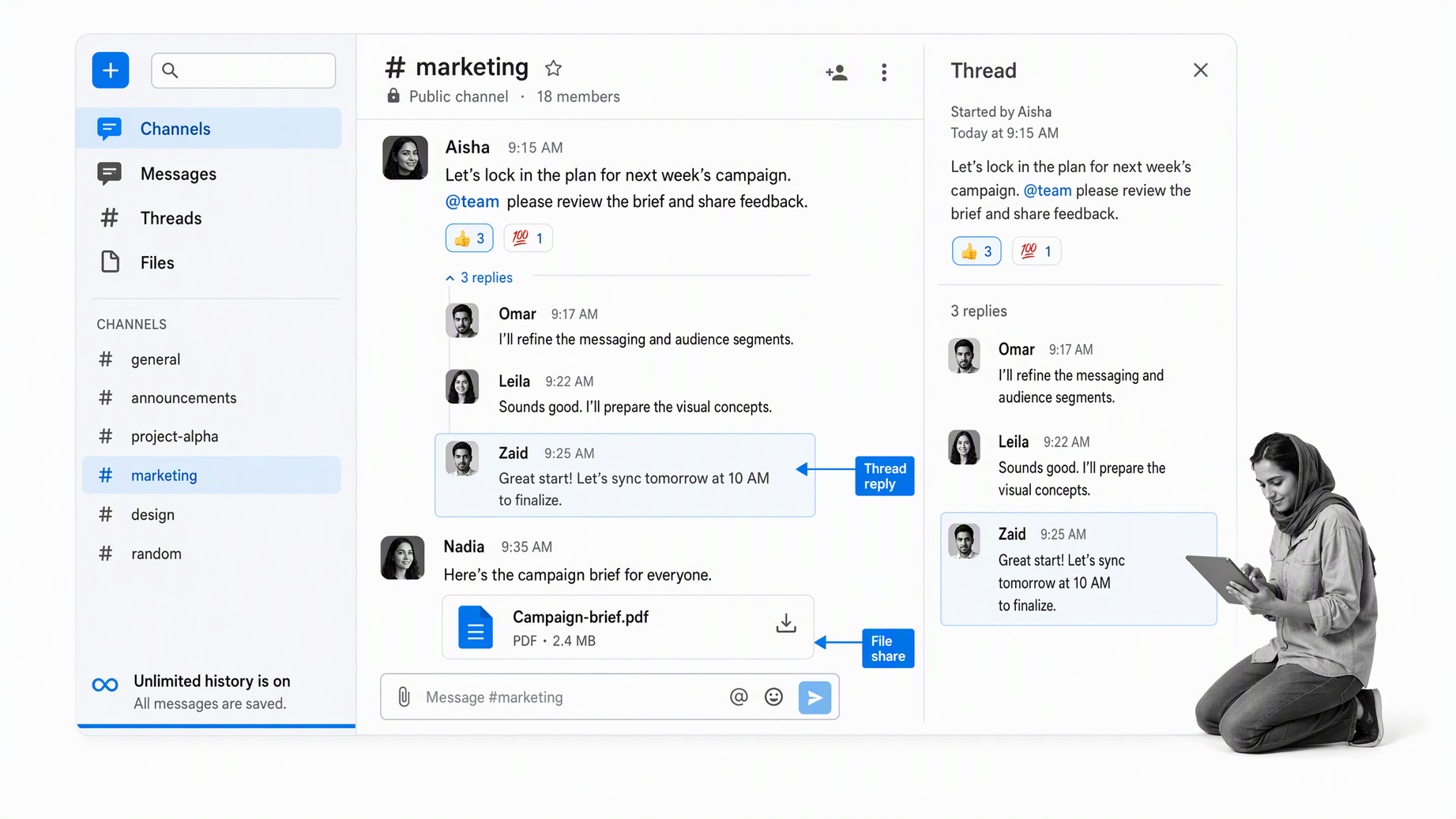
Pumble offers a free team chat plan with unlimited users and access to the full message history. Channels, direct messages, threads, and file sharing cover the core collaboration pattern for a lean team.
Key features
- Unlimited users on the free plan
- Unlimited message history
- Channels, direct messages, and threads
- File sharing
Why Pumble?
Pumble is a credible Slack alternative for teams that care more about retained history than a large marketplace. Validate the integrations, guest model, administration, and compliance controls before adopting it for sensitive work.
Microsoft Teams Free
Microsoft Teams Free supports small-business use with chat, scheduled meetings, screen sharing, up to 100 meeting participants, and 60-minute meetings. It is not the same as a managed business Teams license.
Key features
- Unlimited chat messages
- Meetings and screen sharing
- Up to 100 meeting participants
- Five GB of file storage for one free user
Why Microsoft Teams Free?
Teams Free works for a very small operation that needs meetings and chat in one place. A company that needs managed teams, channels, employee identities, advanced security, or Microsoft 365 administration should evaluate the business licenses instead.
Free accounting software
Free accounting software can banish messy spreadsheets, towering stacks of invoices, and recurring manual totals from paper receipts. Look for invoicing, quotes, bookkeeping, income and expense tracking, tax calculations, bank connections, VAT management, reporting, and a clean way to accept payment. Free plans often reserve bank feeds, receipt capture, payroll, payment processing, and advanced support for paid tiers.
ZipBooks
ZipBooks keeps a free Starter plan with unlimited invoices and one connected bank account. It combines invoicing, basic bookkeeping, customer records, and simple reporting.
Key features
- Unlimited invoicing
- One bank connection
- Basic bookkeeping
- Customer and vendor records
Why ZipBooks?
ZipBooks is useful for a small US service business that wants invoicing and bookkeeping in one simple system. Review payment processing, reconciliation, tax, and accountant-access needs before relying on the free tier for the full finance function.
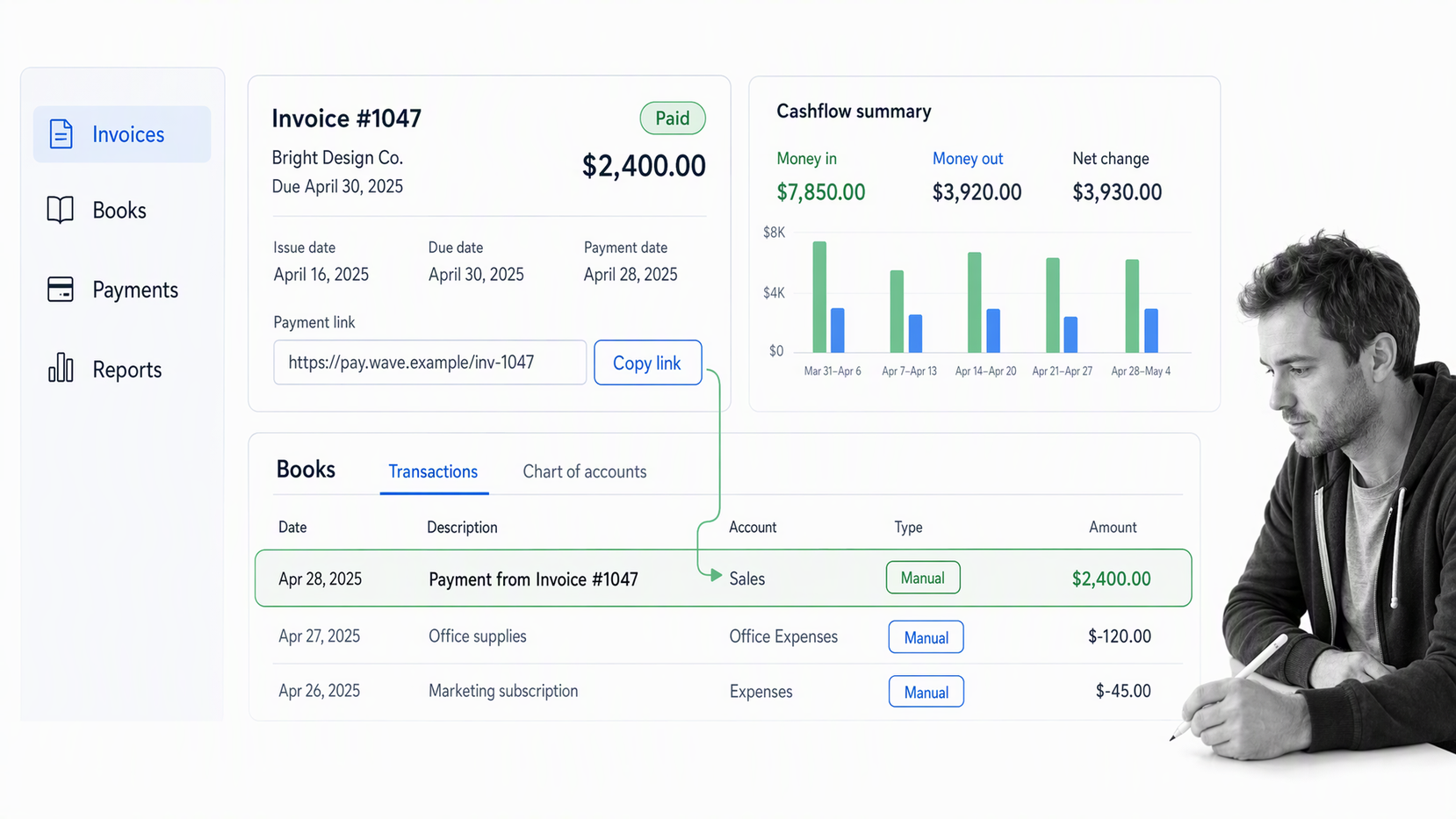
Wave
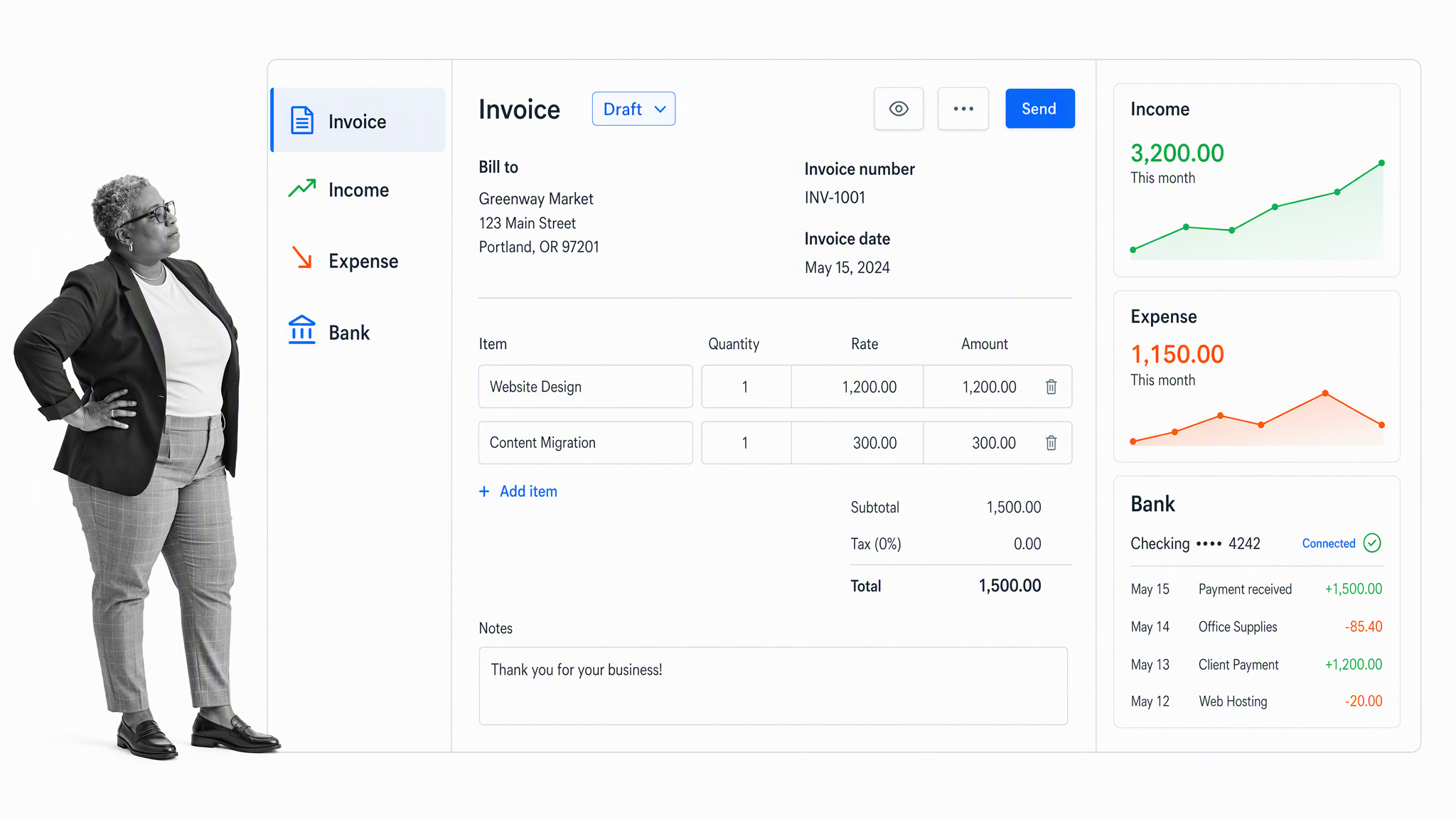
Wave offers a free Starter plan for manual bookkeeping and invoicing in supported markets. Bank imports, receipt capture, payroll, payment processing, and advanced automation may require paid services or transaction fees.
Key features
- Manual bookkeeping
- Invoices and estimates
- Basic financial reports
- Optional payments and payroll services
Why Wave?
Wave is a durable starting point for freelancers and small service businesses. It is not accurate to call every accounting function free, so map the workflow you need and price the add-ons that remove manual entry.
Pandle
Pandle provides a UK-focused free Basic version for bookkeeping and invoicing. It includes sales and purchase records, bank-related workflows, and tax-oriented accounting features for small businesses.
Key features
- UK bookkeeping
- Invoices and transaction records
- Tax categories
- A free Basic version
Why Pandle?
Pandle adds useful regional diversity to the list. Choose it when UK accounting conventions fit the business, then confirm accountant access, bank feeds, automation, and support needs before moving beyond a pilot.
Free payroll tools
Payroll is jurisdiction-specific and high risk because countries have different compliance laws. Verify eligibility, employee and contractor limits, tax calculations, forms, filing responsibility, vacation tracking, detailed reports, support, and data handling before running live payroll. UK employers should also confirm PAYE calculations, National Insurance checks, Real Time Information submissions, and the boundaries of official HMRC tools.
Payroll4Free
Payroll4Free continues to advertise a free payroll service for small employers. Its current public pages do not clearly support the old employee-cap claim, so verify eligibility, state coverage, filings, and paid service boundaries directly before adoption.
Key features
- Payroll calculations
- Employee access
- Tax-form support
- Optional paid services
Why Payroll4Free?
Payroll errors can create legal and employee harm. Treat the free offer as a candidate for careful due diligence, not a shortcut around payroll controls. Confirm jurisdiction, filing responsibility, support, and data export before entering live employee data.
HMRC Basic PAYE Tools
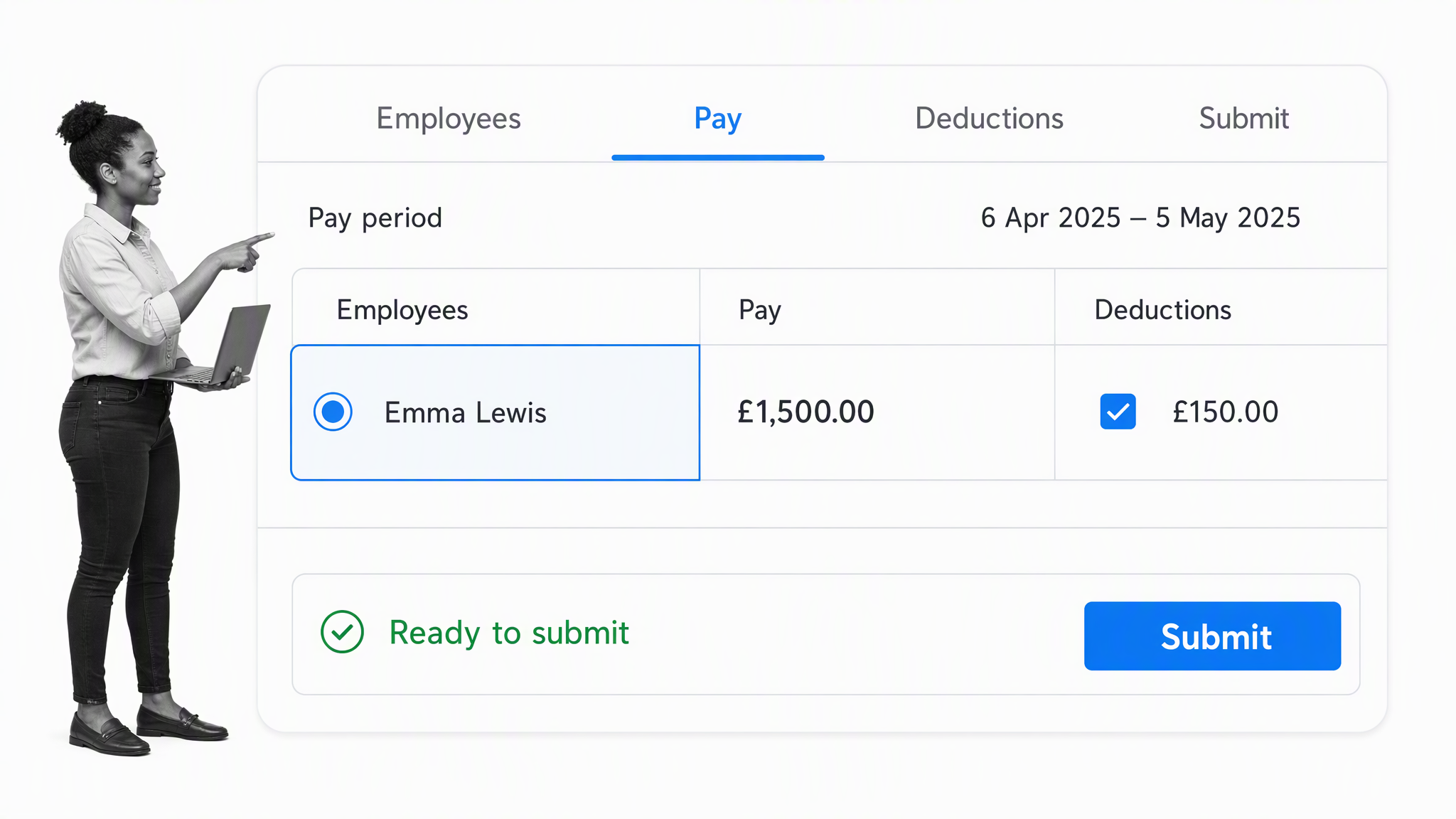
HMRC Basic PAYE Tools is the UK government’s free payroll software for employers with fewer than 10 employees. It can calculate payroll deductions and send required payroll information to HMRC.
Key features
- UK PAYE calculations
- Real Time Information submissions
- Support for fewer than 10 employees
- Official HMRC software
Why HMRC Basic PAYE Tools?
This is a strong, specific option for a very small UK employer. It is not designed for every payroll scenario or for agents and bookkeepers managing multiple employers, so follow the official eligibility guidance.
Free cloud storage
Without cloud storage, businesses end up passing files on USB sticks or emailing soon-to-be out-of-date copies manually. A useful storage service makes business files available with managed permissions, shared links and folders, automatic synchronization, real-time collaboration, search, filters, comments, recovery, and versioning. Ownership, offboarding, backup, connected devices, and access control matter as much as the headline storage capacity.
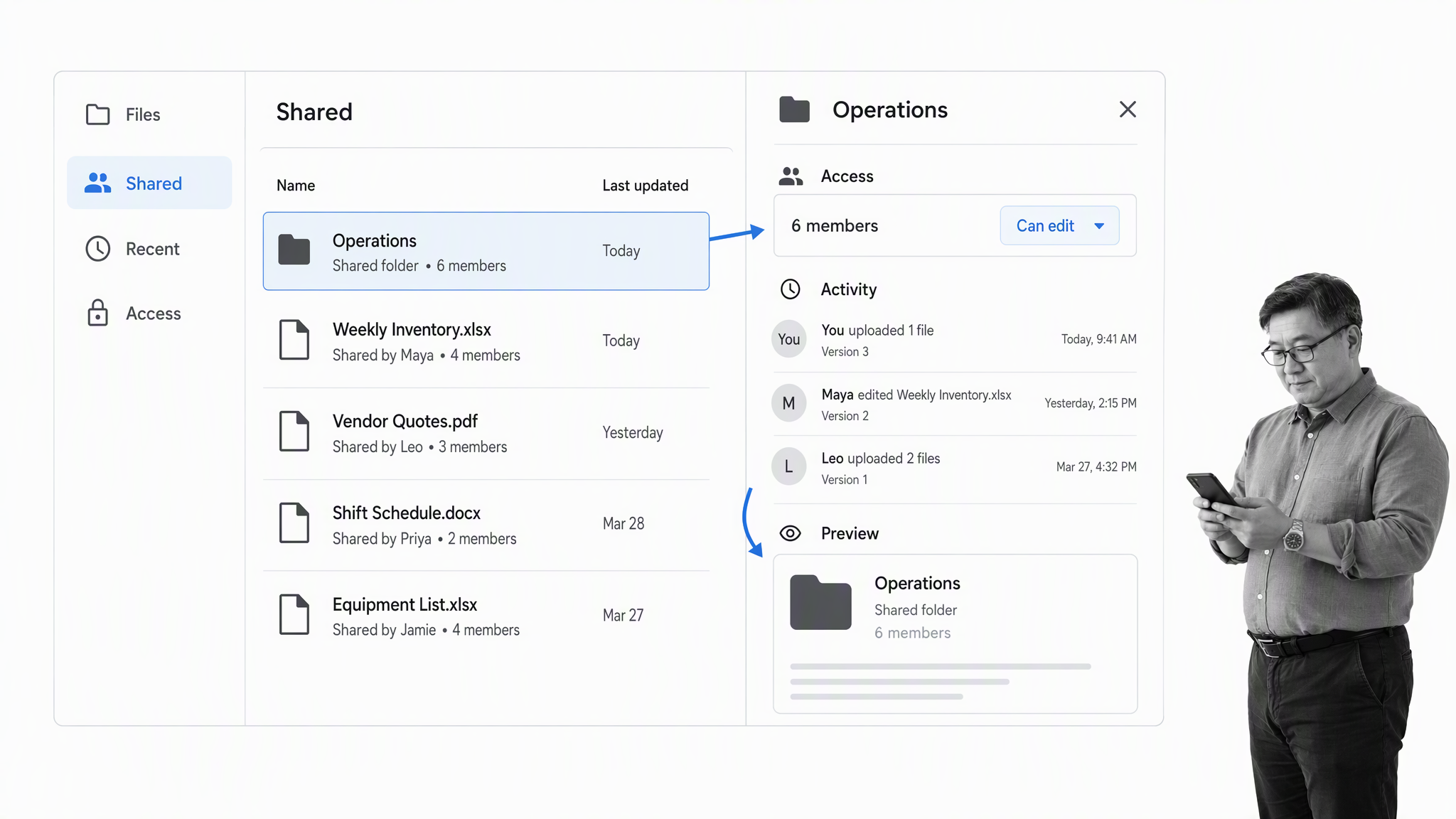
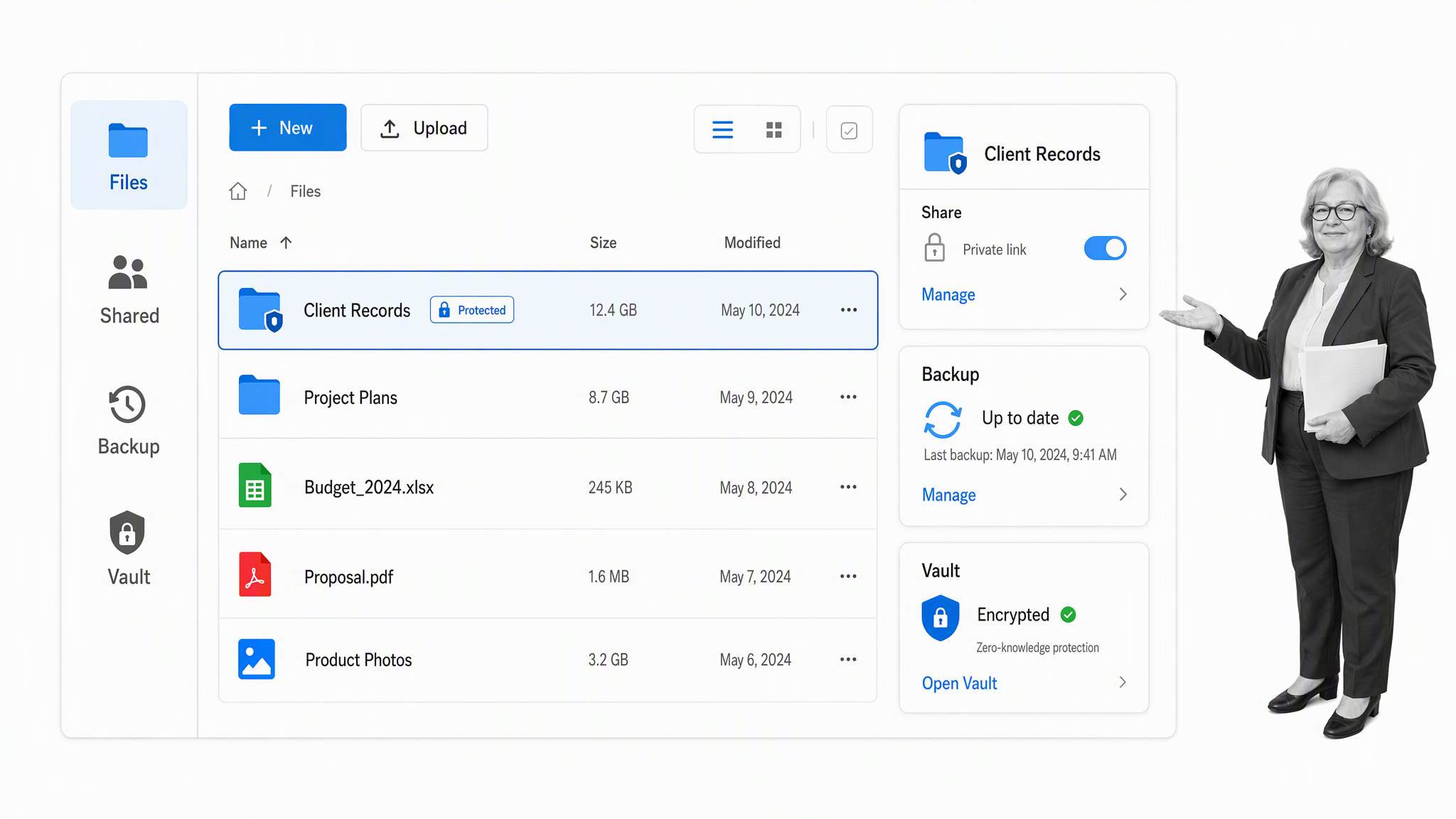
Google Drive
Google Drive gives a no-cost Google account 15 GB shared across Drive, Gmail, and Google Photos. It works closely with Docs, Sheets, Slides, and the rest of Google’s personal productivity apps.
Key features
- 15 GB shared Google storage
- File sharing and permissions
- Version activity
- Native collaboration with Google apps
Why Google Drive?
Drive is the natural choice when the team already uses Google tools. Personal accounts can become difficult to govern as the business grows, so plan the move to managed identities before ownership and offboarding become risky.
Dropbox
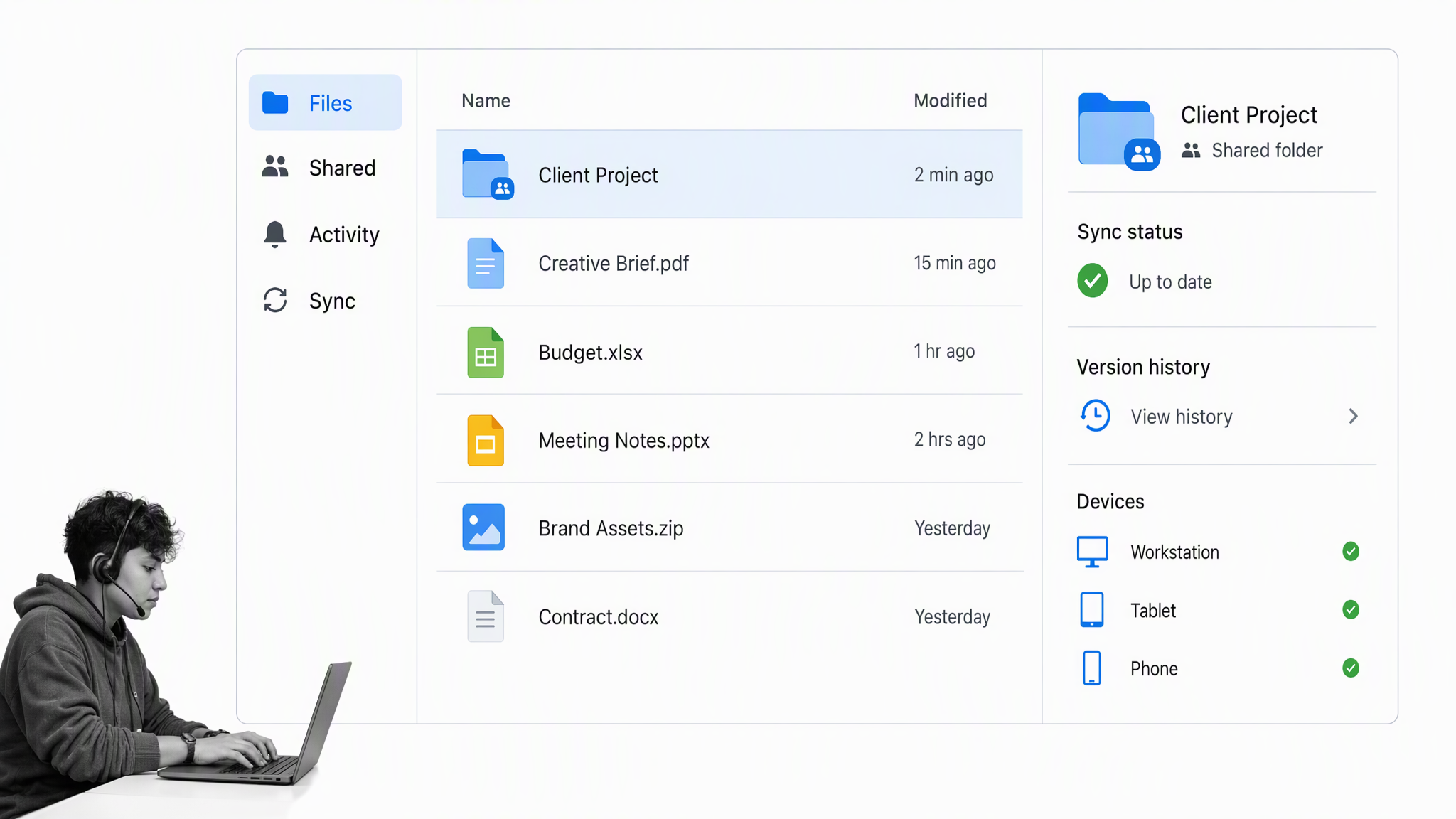
Dropbox Basic includes 2 GB of storage with file synchronization, sharing, and access across supported devices. The free allowance is smaller than Google’s, but Dropbox remains familiar and focused on file sync.
Key features
- Two GB of free storage
- File synchronization
- Shared files and folders
- Basic recovery and activity features
Why Dropbox?
Dropbox is useful when dependable file sync matters more than a built-in office suite. The low storage limit and device restrictions are likely upgrade triggers for a business with media, design, or customer files.
pCloud
pCloud starts free accounts with 2 GB and lets users unlock additional capacity up to 10 GB through onboarding steps. It offers file sync, sharing, backup, and optional encrypted storage features.
Key features
- Two GB initially, unlockable to 10 GB
- File sync and sharing
- Backup features
- Optional encrypted storage
Why pCloud?
pCloud is an optional specialist for teams comparing storage models outside Google and Dropbox. Confirm where data is stored, how encryption works, and which collaboration or recovery controls require payment.
Free CRMs
A CRM should manage relationships with contacts, leads, customers, and vendors in one place. Sales, marketing, support, and customer success teams need contact profiles, custom fields, lead scoring, appointment scheduling, tasks, sales activity, pipeline visibility, and interaction history without double-emailing or manual checks. Free CRMs usually limit users, contacts, pipelines, or automation, so choose the tool that makes customer ownership and next actions reliable.
Agile CRM
Agile CRM offers a free plan for up to 10 users and 1,000 contacts. It combines contact management, deals, tasks, email-related tools, and basic service capabilities.
Key features
- Up to 10 users
- Up to 1,000 contacts
- Deals and tasks
- Email and service features
Why Agile CRM?
Agile CRM can fit a small team that wants several customer functions in one tool. Validate current product investment, integrations, export quality, and support before making it the long-term customer system of record.
HubSpot CRM
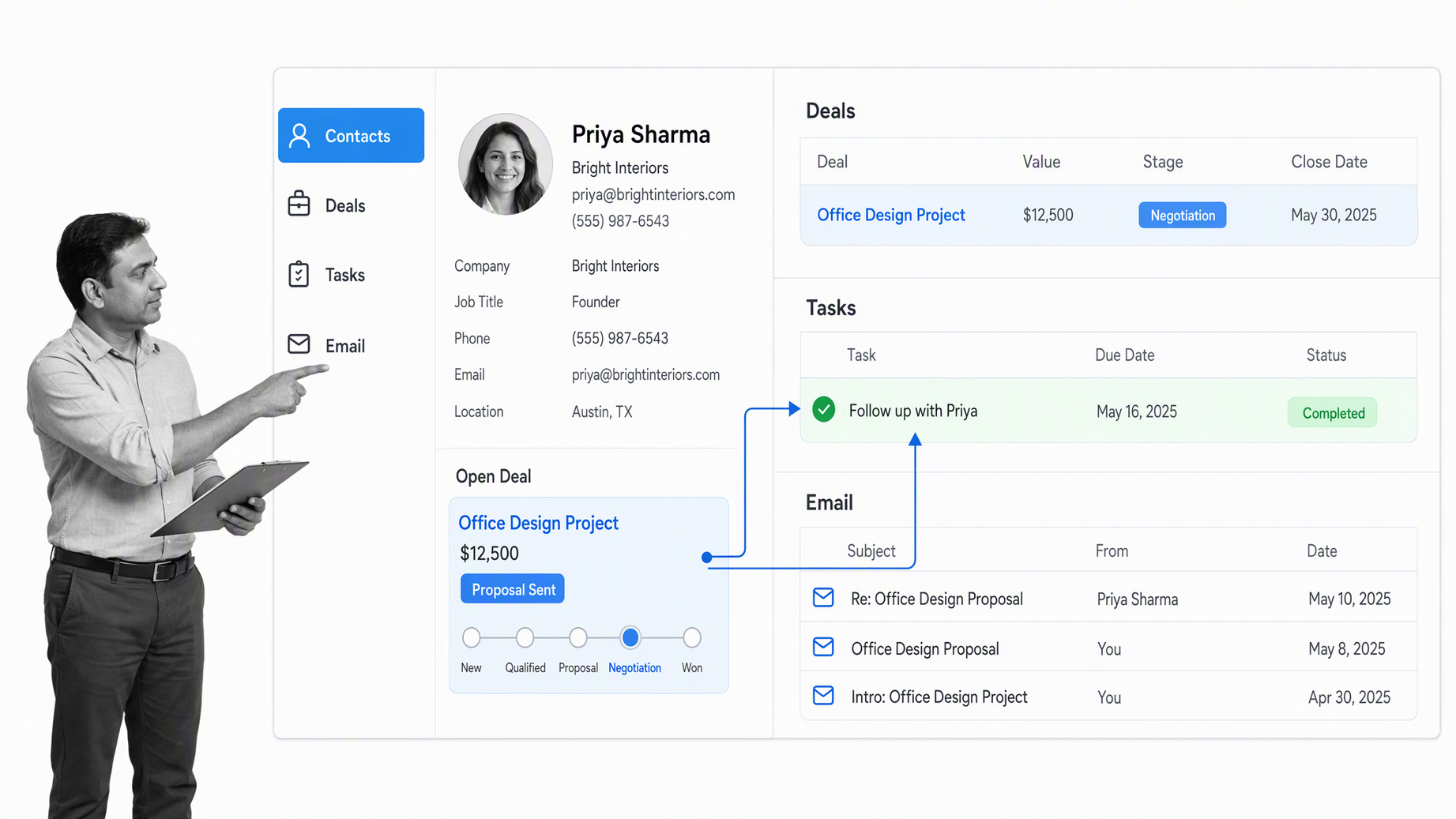
HubSpot CRM provides a free tier for up to two users and 1,000 contacts. It includes contact and deal records, tasks, email tools, meeting scheduling, and an upgrade path into HubSpot’s broader platform.
Key features
- Two free users
- Up to 1,000 contacts
- Deals, tasks, and activity history
- Email and meeting tools
Why HubSpot CRM?
HubSpot is a durable choice when a business expects marketing, sales, and service needs to converge. The two-user limit is a clear upgrade trigger, so estimate how many people truly need edit access.
Capsule
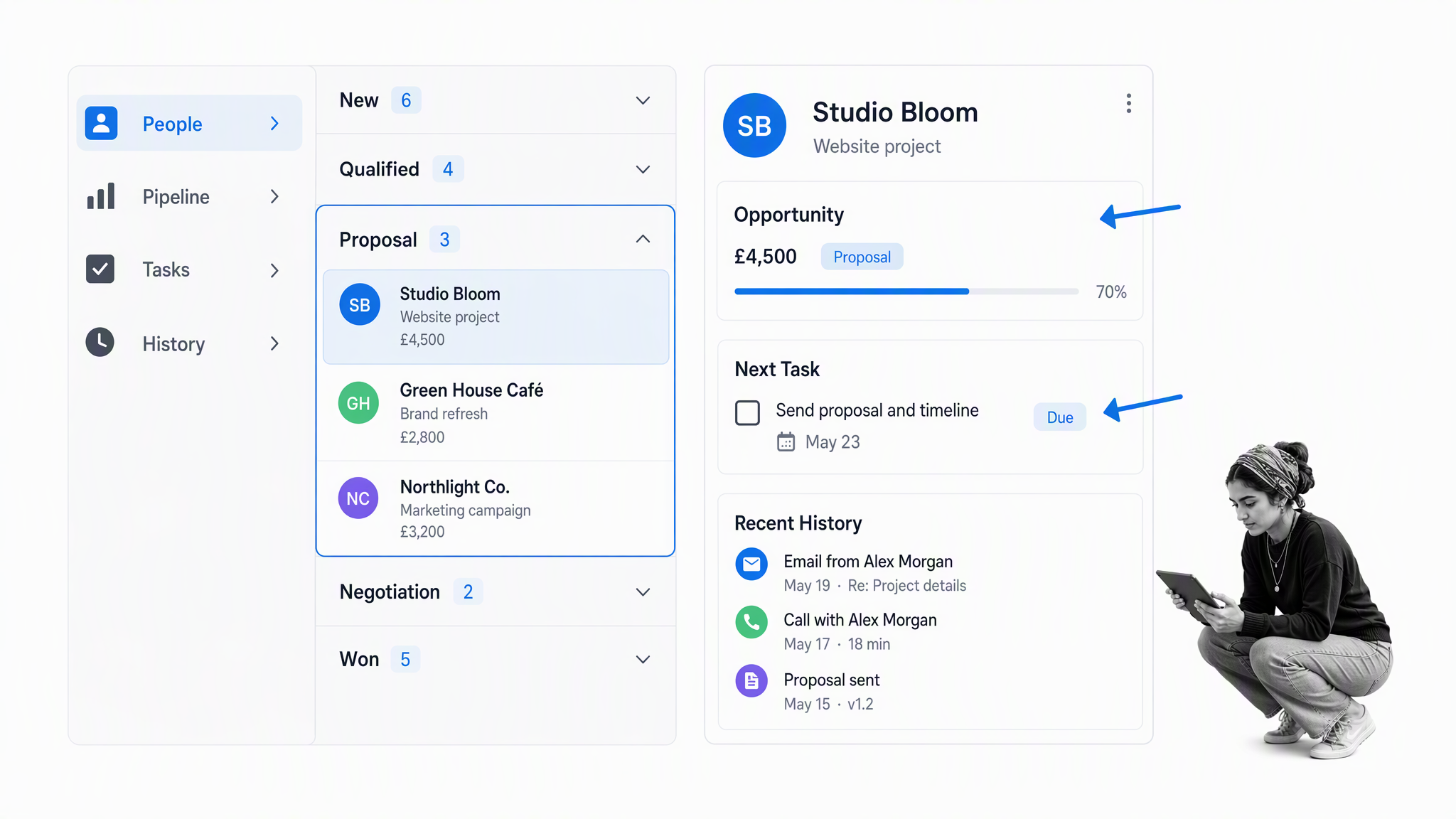
Capsule keeps a free plan for two users and 250 contacts with one sales pipeline. It emphasizes a clean contact history, opportunities, tasks, and integrations without the weight of a large enterprise CRM.
Key features
- Two free users
- 250 contacts
- One sales pipeline
- Tasks and interaction history
Why Capsule?
Capsule works well for a small relationship-driven business that values simplicity. The contact cap arrives quickly, but the focused interface can make it easier to establish consistent CRM habits before scaling.
Free database management tools
Structured-data tools let non-technical teams step up from fragile spreadsheets and create relational databases for customers, projects, inventory, schedules, and content assets. Useful capabilities include advanced filters, formulas, integrations, custom views, data visualization, forms, calendars, and links among records. The practical limits are rows, collaborators, storage, automation, permissions, backups, and the operational work required for self-hosting.
Airtable
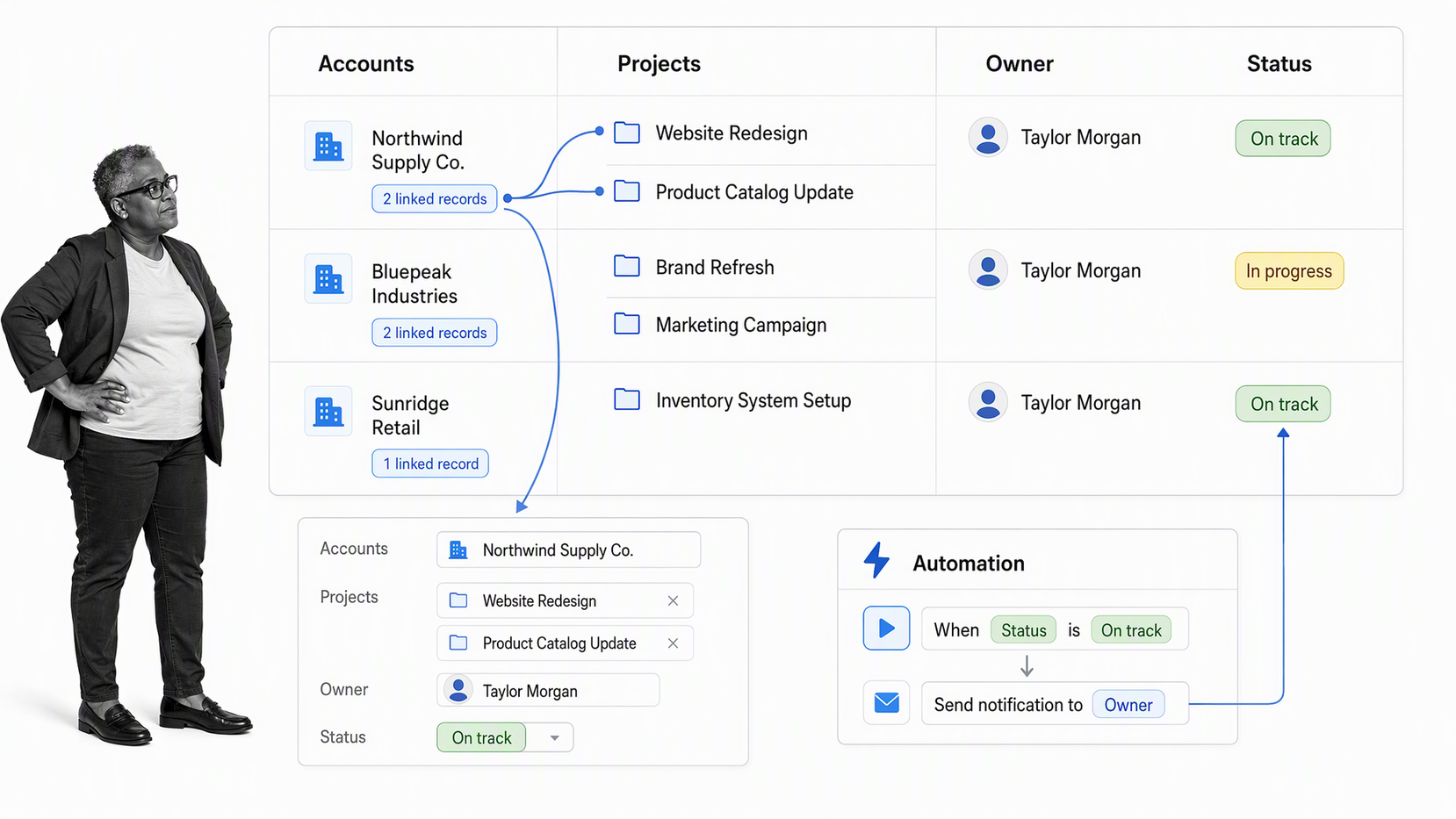
Airtable combines relational data, views, interfaces, automations, and app-building tools. The free plan includes 1,000 records per base, five Editor or Creator collaborators, and 1 GB of attachments per base.
Key features
- Linked records
- Grid, form, and other views
- Interfaces and automations
- 1,000 records per base on the free plan
Why Airtable?
Airtable is a strong bridge between a spreadsheet and a purpose-built internal application. Use it when relationships among records matter, then watch record, automation, attachment, permission, and collaborator limits.
Baserow
Baserow replaces the discontinued Fieldbook. Its hosted free plan includes 3,000 rows and 2 GB of storage per workspace, while the core product can also be self-hosted.
Key features
- Relational tables
- Grid, form, and gallery views
- 3,000 hosted rows per workspace
- Open-source self-hosting option
Why Baserow?
Baserow is attractive when open-source control or a generous small-team database matters. Self-hosting transfers operational responsibility to the business, so factor in backups, security updates, and availability rather than treating hosting as costless.
Free software development tools
Whether or not the business is a software company, website work in house and internal software need tools to write, preview, version-control, review, and deploy code in the cloud. A practical development stack combines an editor, live preview, repository history, pull requests, automated checks, a deployment surface, logs, and access controls. Production workloads still need security, monitoring, backups, portability, and clear ownership before code reaches a live server.
Phoenix Code
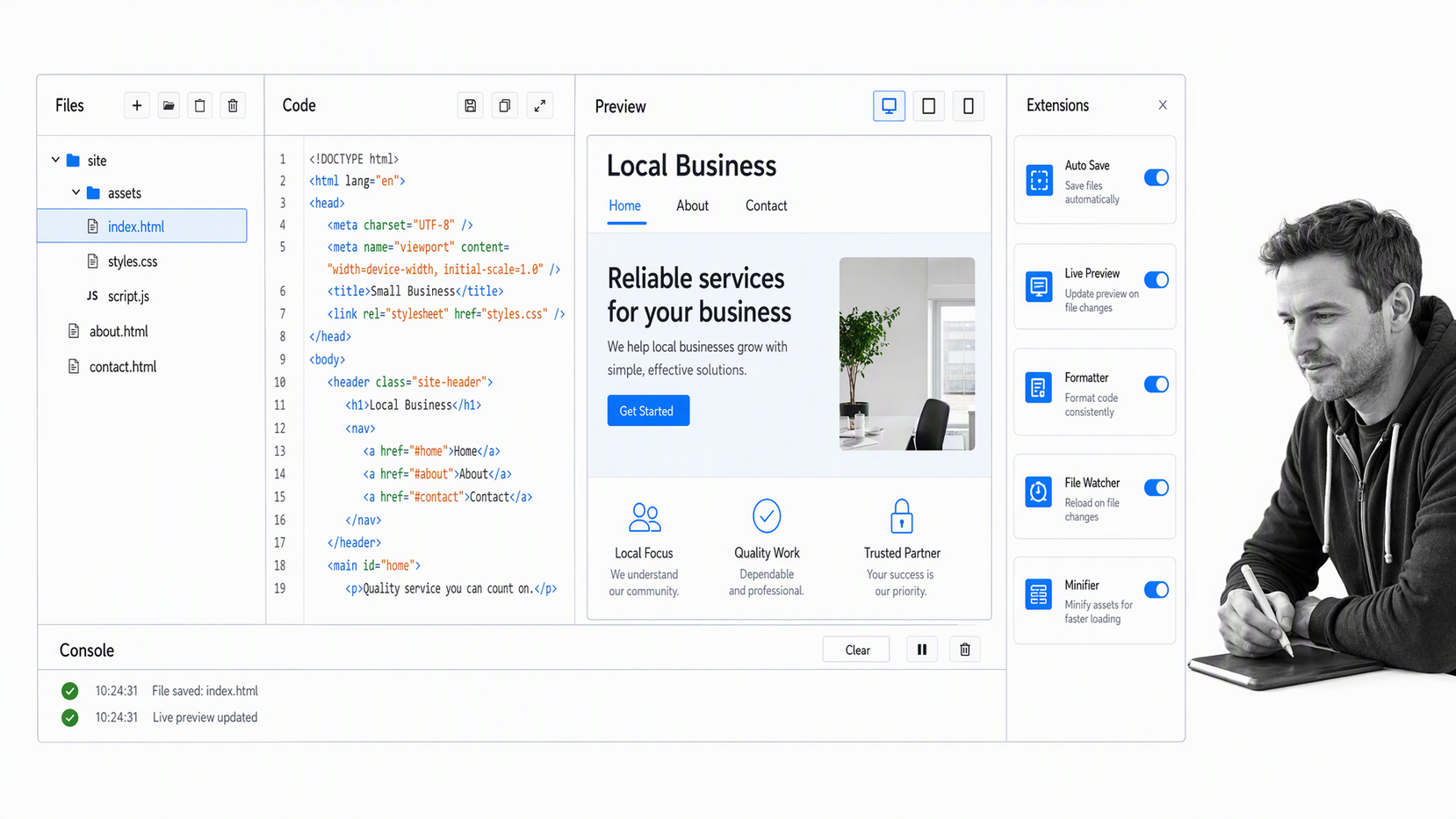
Phoenix Code is the maintained successor to Brackets. It provides a free, open-source editor for web development with live preview, extensions, and browser or desktop options.
Key features
- HTML, CSS, and JavaScript editing
- Live preview
- Extension support
- Browser and desktop versions
Why Phoenix Code?
Phoenix Code preserves the approachable web-development role once held by Brackets. A team working across many languages or large repositories should compare broader editors, but Phoenix remains a friendly entry point for front-end work.
Cloudflare Workers
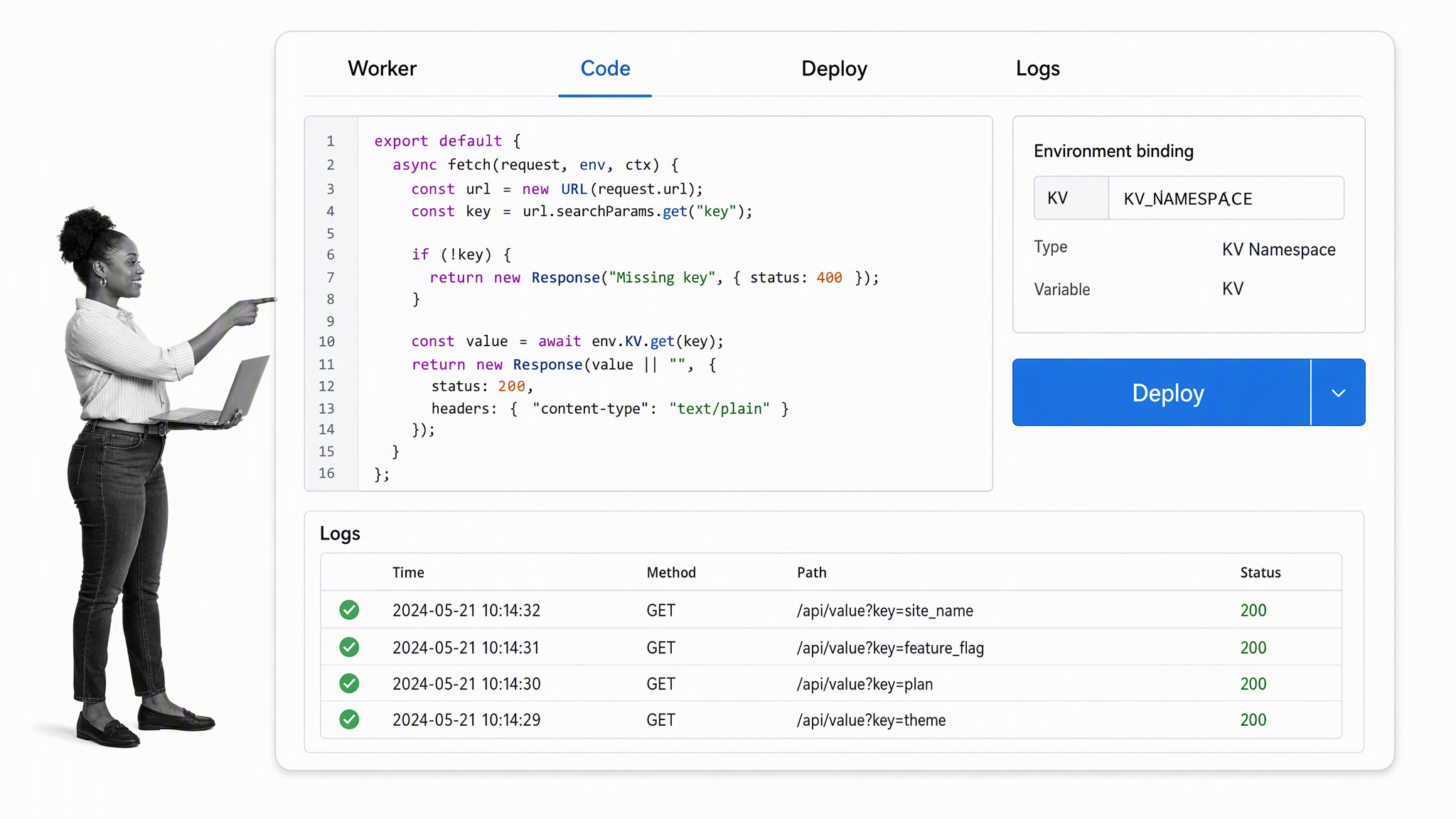
Cloudflare Workers replaces Heroku in the free-deployment slot. The Workers Free plan includes up to 100,000 requests per day with strict CPU and platform limits for serverless code at the edge.
Key features
- Serverless edge functions
- 100,000 requests per day on the free plan
- Deployments and request logs
- Connections to Cloudflare storage and data services
Why Cloudflare Workers?
Workers is not a drop-in Heroku clone, but it is a durable no-cost way to deploy focused APIs, web functions, and automation endpoints. Check runtime limits, architecture fit, and portability before building a large application around it.
GitHub
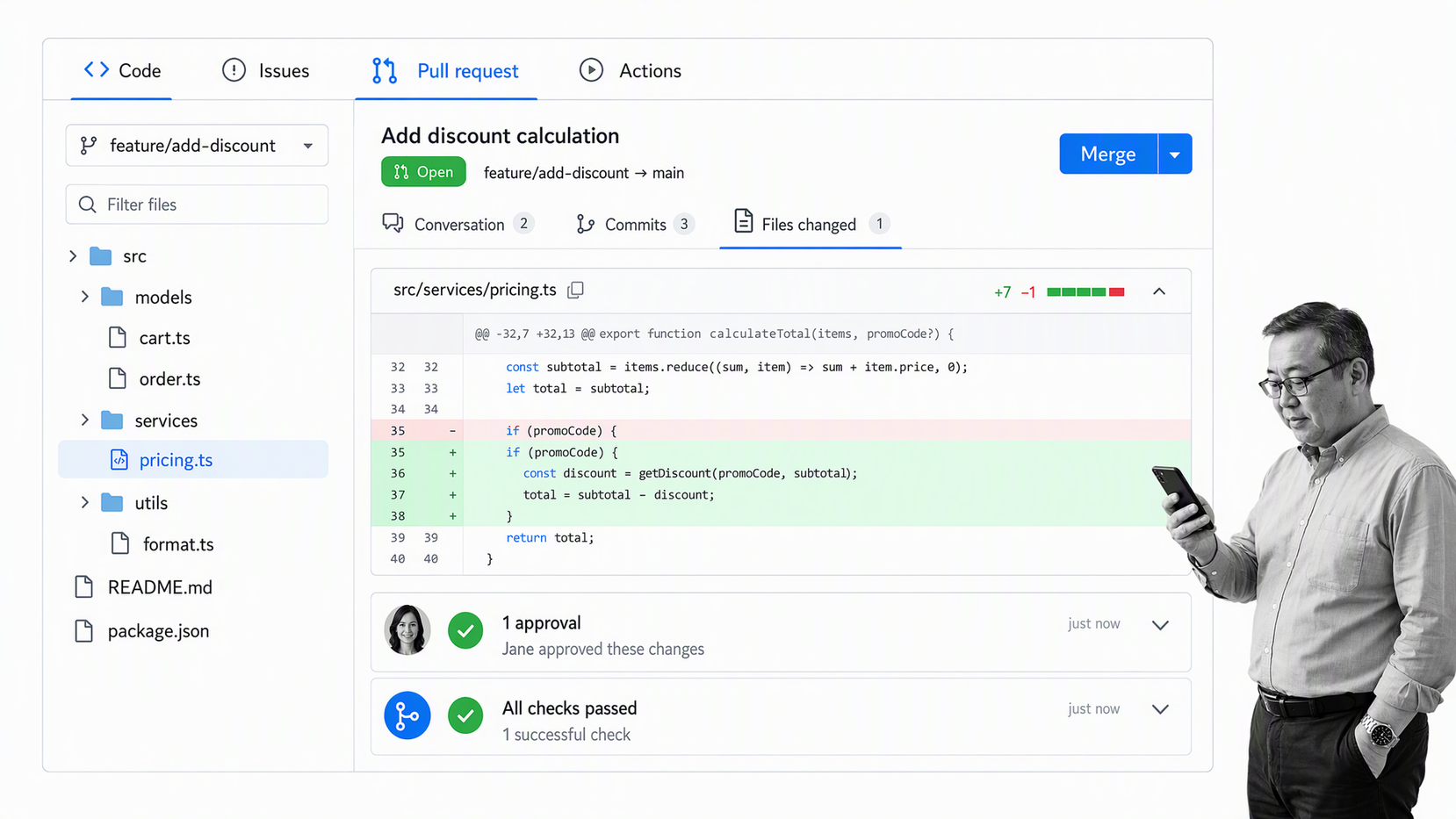
GitHub Free includes unlimited public and private repositories with collaboration, issues, pull requests, automation allowances, and community features subject to plan limits.
Key features
- Public and private repositories
- Issues and pull requests
- Code review
- GitHub Actions allowances
Why GitHub?
GitHub is the durable default for version control and collaborative software work. Small businesses should still configure access, branch protections, reviews, secret handling, and backups instead of assuming the repository host supplies the whole control system.
Build a connected free software stack
A small-business stack works when each tool has a clear job and the handoffs are visible. The goal is not to collect the largest number of free accounts. It is to connect documents, communication, customer records, recurring work, finance, data, and development without creating duplicate systems of record.
Connect documents, email, and communication
Email is a fantastic invention, but it is missing a few key features out of the box. The ability to send emails later, check whether you get a response, and see which emails are awaiting your reply can make follow-up easier. Boomerang helps emails flow in and out of your inbox, preventing the dreaded buildup of drafts, unreads, and messages saved for later instead of archived. Streak sits halfway between a personal email management tool and a fully fledged CRM: a marketer managing multiple conversations, partnerships, or sales opportunities can visualize conversation status, see what to follow up on, and decide what to leave.
Slack was one of the original email killers: a cloud-based team chat tool with exceptional search and document sharing features. Channels and group chats keep important information close to the conversation, while real-time and asynchronous communication help distributed teams. Internal email can be replaced selectively with searchable channels, threads, file sharing, and meetings, but the goal is to reduce switching between email, video conferencing, calendars, chat, and spreadsheets without creating another fragmented system. Durable policy documents should still live in governed software, not chat.
Dropbox Paper is a simple platform for creating and managing collaborative documents. Combined with Dropbox cloud storage, a small team can manage and collaboratively edit version-controlled documents, comments, code blocks, and rich media in one easy-to-use place. Comments, members, and a prominent activity feed can keep contributors in the loop. Google Docs, Slides, Sheets, Gmail, and cloud storage form a comprehensive cloud-based office toolkit, while managed accounts add the administration that a growing business needs.
Connect projects to repeatable operations
Trello gives teams a visual way to collaborate over tasks, projects, approval flows, or the next big idea. It is based on Lean and kanban, a visual project management system used by Toyota manufacturers to manage projects as early as the 1960s. Its free tier still supports a practical number of cards, lists, comments, collaborators, and boards. A project tool should reduce the time employees spend switching between apps, especially when tasks, comments, assignments, client updates, time tracking, and invoices belong to the same job.
MeisterTask also lets a team collaborate around tasks through projects, comments, and assignments. Its native integration with MindMeister supports fast mind mapping, while connections to storage, code, service, and file-sharing tools help teams map tasks to one another and avoid entering data in the same place twice. Confirm each integration and automation against the current plan before making it part of a critical handoff.
Avaza is a project management tool for client-focused teams. It emphasizes securely sharing project updates with clients while giving employees full visibility over outstanding tasks and progress. Because it is focused on client services businesses, it comes ready with invoicing, time tracking, and expense management. That connection is useful when client work, tasks, projects, and invoices must lead to one completed job.
A visual process map is useful before automation. diagrams.net is a free tool for creating and collaborating over flowchart maps, and it supports BPMN, the globally recognized standard for business process notation. It is a handy way to visualize business processes so a team can distribute, discuss, and optimize them. Process Street then makes it possible to create, track, and optimize recurring systems for employee onboarding, content production, approval flows, and compliance work, connecting assignments, forms, approvals, policies, and evidence instead of relying on personal task lists.
Connect files, records, and customer context
Dropbox Basic adds shared links and folders, comments, document scanning, and access to files from internet-connected devices. pCloud adds search, filters, shared folders, member permissions, and automatic synchronization between connected devices and cloud storage. Those features are useful only when the business also defines ownership, access reviews, recovery, offboarding, and which location is the authoritative copy.
Manage relationships with contacts, leads, customers, and vendors by pulling what you know about a company or contact into one place. Sales, marketing, support, and customer success teams need easy access to shared interaction history, centralizing data and avoiding double-emailing or manual checks. Agile CRM combines sales, marketing automation, and support with contact and company records, lead scoring, custom fields, appointment scheduling, tasks, and integrations. Capsule applies the same model with a deliberately focused interface.
There is no clean way to pigeonhole Airtable. It is technically a database, but it can support data visualization, project management, task management, calendars, and planning. Those jobs work better when customers, email subscribers, financial metrics, tasks, projects, and events can be linked to assets and records. A customizable dashboard, native integrations, linked tasks, advanced filters, formulas, and custom views help non-technical teams create useful internal systems.
Connect finance, payroll, and delivery controls
Banish messy spreadsheets and towering stacks of invoices by using accounting software for recurring bookkeeping. There is no need to manage reams of paper and total up receipts manually when invoicing, income, expenses, payments, and reports share one system. Wave combines accounting, reporting, income and expense tracking, tax categories, invoicing, payment processing, and optional payroll services. Pandle focuses on UK-based small businesses with invoicing, VAT management, banking, and a full suite of accounting tools.
Payroll controls must fit the employer’s jurisdiction. For UK payroll, confirm tax calculations, Employer Payment Summaries, National Insurance Number checks, Real Time Information submissions, deductions, and employee records. For any payroll product, also establish who reviews the run, who submits filings, how corrections are handled, and how detailed reports are retained.
Connect code to controlled releases
Many organizations prefer the culture and transparency of open-source software. LibreOffice is locally installed software with a word processor, spreadsheets, a presentation tool, database tool, formula editor, and free extensions. Phoenix Code applies the same accessible spirit to web development with inline CSS editing, live preview, autocomplete, and extensions for teams that need to create or maintain a site.
GitHub helps software developers collaborate over code without getting in each other’s way. Before code is run on a live server, it can be reviewed and version-controlled to keep bugs out of production. Issues, pull requests, automated checks, branch protection, and access reviews provide the control layer around that collaboration. A deployment platform should add controlled releases, environment configuration, request logs, monitoring, and a clear rollback path.
How to choose free software for a small business
Start with one business job and one accountable owner. Write down the outcome, sensitive data involved, expected users, monthly volume, integrations, and what must be exported if the tool is replaced. Then test the free plan with realistic work rather than a sample project nobody depends on.
- Confirm that the offer is free forever, open source, or only a trial.
- Test the exact limit most likely to force an upgrade.
- Check permissions, offboarding, backups, exports, and audit history.
- Estimate the paid cost before the team becomes locked in.
- Keep the system of record clear when several free tools overlap.
A good free stack is deliberately small. Add a tool when it removes a real constraint, not because a free signup is available. As the business grows, consolidation, governance, and reliable execution usually matter more than keeping every individual subscription at zero.
Frequently asked questions
What counts as free small business software?
A permanent no-cost plan or open-source edition counts as free. A trial can be useful for evaluation, but it should be labeled as a trial because access ends or converts to paid service.
Can a small business run entirely on free software?
A very small team can cover many core jobs with free tools. Payroll, security, identity management, compliance, storage, support, and higher usage often create sensible reasons to pay.
What should a business check before choosing a free plan?
Check users, contacts, storage, sends, tasks, records, integrations, exports, permissions, history, security controls, support, and the exact upgrade trigger.
When should a small business upgrade from free software?
Upgrade when a free limit causes workarounds, weakens security or control, blocks collaboration, risks data loss, or costs more in staff time than the paid plan would cost.
Which free tools have earned a permanent place in your small-business stack, and which limits made you upgrade? Share the practical tradeoffs other operators should know.