





Real-time run updates are a Process Street feature that lets users publish workflow changes and apply them to workflow runs already in progress, without restarting the work.
There’s no such thing as a perfect process. The best process builders consistently refine their workflows over time. Those continuous improvement principles inspired our newest feature: real-time run updates.
You no longer need to wait for a process to be perfect before putting it to work. Launch a minimum viable process, learn from the people running it, and improve the workflow as new information arrives. Active work can keep moving while the process evolves.
Real-time run updates in practice
Open a saved workflow in your Library and select Edit. Changes are auto-saved while you work, so you can leave the editor and return before publishing.
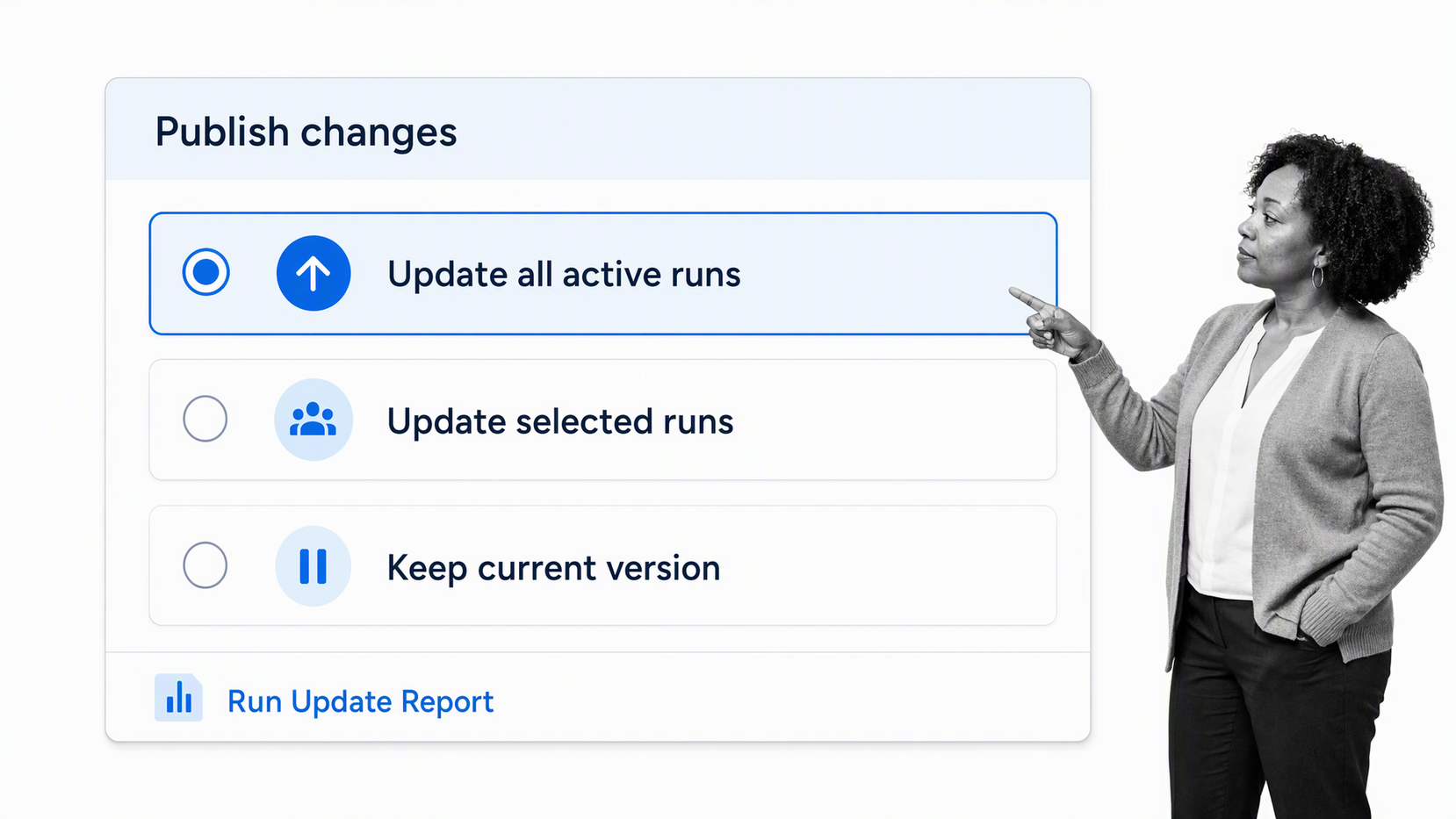
When the changes are ready, select Publish. If active workflow runs use that workflow, Process Street asks whether to update all active runs, update selected runs, or keep existing runs on their current version. That choice lets teams improve a process without forcing every in-progress run onto the new path.
For current instructions, see the help guide for updating workflow runs. It covers updating all in-progress runs, choosing runs manually, and checking progress in the Run Update Report.
Workflow changes to consider
Every team and workflow is different, but useful improvements often include:
- Adding steps that bring more of the process into one governed workflow.
- Adding automations and integrations to reduce repetitive handoffs.
- Adding clear instructions, context, or media to reduce mistakes and confusion.
- Adding form fields to capture the information needed for routing, approvals, and follow-up.
- Adding conditional logic so the workflow adapts to the facts of each run.
- Removing steps that create delay without improving the outcome or the audit trail.
Small changes are easier to test than a complete redesign. Watch where work slows down, where people ask for clarification, and where evidence goes missing. Then make the smallest change that addresses the problem and measure the result.
A useful update should make the next run clearer, safer, or faster. Ask the people doing the work where they hesitate, repeat a task, leave the workflow to find information, or rely on a private reminder. Those moments point to instructions, fields, assignments, approvals, or automations that deserve attention.
The role of continuous improvement
Kaizen, often translated as continuous improvement, became closely associated with postwar Japanese manufacturing. Toyota embedded the principle in the Toyota Production System, where small, repeated improvements support quality, consistency, and efficiency.
Continuous improvement means examining a repeatable process, finding friction or risk, testing a better method, and standardizing what works. Whether you’re onboarding an employee or running a weekly meeting, each run can reveal where the next improvement belongs.
Process optimization software gives teams a structured way to measure repeatable work, test a better method, and standardize improvements without losing the audit trail.
That is why we built real-time run updates: teams can launch processes sooner, learn from actual execution, and improve them without waiting for every active run to finish.
Build better processes as work happens
Process Street is a single Compliance Operations Platform. Docs and Ops are capability areas within the product, and built-in AI helps teams create governed process knowledge, run controlled workflows, and keep evidence connected to execution.
This feature is available for all customers starting today. If you’re not yet using Process Street, start a 14-day free trial or schedule a demo.
Have questions about real-time run updates? Let us know in the comments.