



Premier Claims is a nationwide public adjusting firm that represents policyholders and contractors as they document property damage and negotiate claim settlements with insurance carriers.
Premier Claims uses Process Street to run a structured claims and client intake process, collect the right information, route work to the right people, set deadlines, and move data into connected systems.
Premier Claims discovered Process Street in July 2020 and moved many of its processes to the platform. One of those processes is its Claims and Client Intake Workflow, which gives the team a consistent way to capture client information and coordinate follow-up work. The workflow also shows how client onboarding software can turn intake requirements into assigned, trackable steps.
When the Process Street version of the workflow was first beta-tested, a Premier Claims salesperson described it as “literally the easiest thing in the world.” Premier Claims then created a public Claims and Client Intake Workflow Demo to share how the process works.
The Claims & Client Intake Workflow Demo
The demo shows Process Street in action. Premier Claims built the workflow to:
- Speed up the client intake process.
- Help the team work together more efficiently.
- Collect new claim and client information from anywhere, including while team members are on site.
Premier Claims uses Conditional Logic to speed up the new claim and client intake process
The demo shows how Premier Claims uses Process Street’s Conditional Logic feature.
“Process Street’s simple conditional logic makes setting up [conditional] rules almost full proof. These rules allow for many variables and have different dependencies based on the form field type, and make it possible for us to show or hide content depending on what values the user may enter in the form. This ensures that our team will only see the questions and fields which are relevant to the claim and client they’re working with. This allows for lesser frustration and less overwhelming processes in gathering and entering data.”
Premier Claims uses Dynamic Role Assignments and Due Dates to work better as a team
“Because we have so many different individual salespeople, we prefer the ability to design tasks and content based on entered email addresses, rather than always assigning specific users.”
Role Assignments can dynamically assign tasks to different users. Premier Claims can use an email address entered in a workflow run to route work to the appropriate team member. Dynamic Due Dates add deadlines and reminders so assigned work stays on track.
“Additionally, the dynamically assigned due dates are based on a variety of options that allow us to ensure our teams stay on track and receive reminders to meet their deadlines.”
Premier Claims uses Automation and Integration features to speed up the new claim and client intake process
Premier Claims connected Salesforce and DocuSign to its workflow. The customer described the connections as “seamless and user friendly to set up when connecting the platforms.”
Premier Claims uses Process Street’s workflow automations to:
- Pull data from a Salesforce account.
- Create new Salesforce accounts automatically.
- Update records automatically.
- Send contracts through DocuSign automatically.
These connected actions let the team move intake information into the systems it already uses without leaving the Process Street workflow.
Premier Claims uses Run Links to operate as a remote team
Process Street Workflow Run Links create a new workflow run when someone clicks the shared link. This lets Premier Claims’ teams start the claims intake workflow from anywhere and prepopulate supported fields when needed.
“We love that Process Street does not limit the number of variables that we can build in our run link.”
Premier Claims handles new clients and claims quickly without compromising accuracy
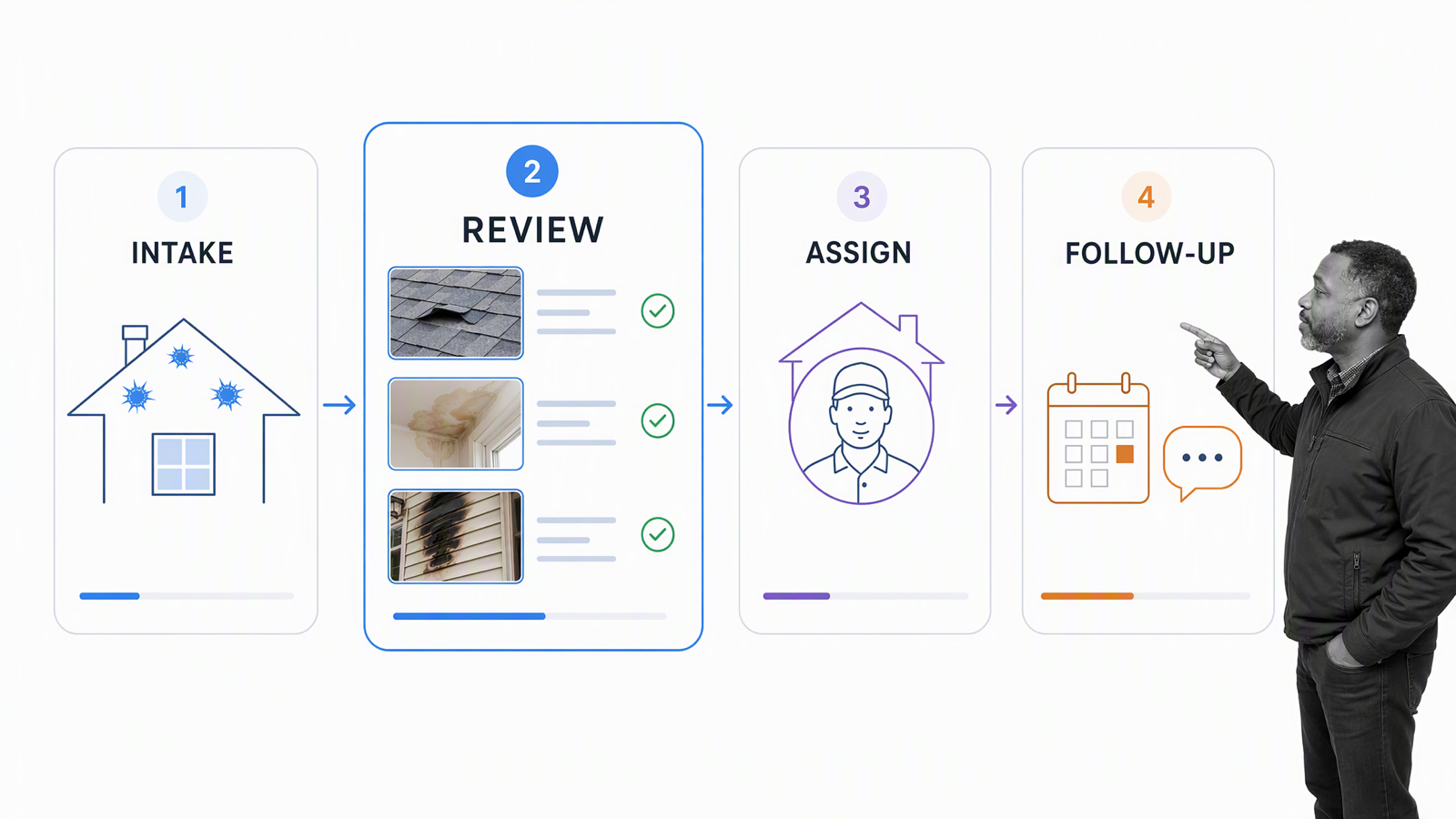
By combining conditional logic, assignments, due dates, automations, and run links, Premier Claims made its claims and client intake workflow accessible to team members wherever they work. Structured fields keep the intake record consistent, while assignments and deadlines make the next action clear.
The workflow can pass data to Salesforce and DocuSign so the team can create accounts, prepare contracts, update opportunities, and continue follow-up work without re-entering the same information. Premier Claims explained: “We automatically have the information in what correct fields, file uploads are available and links for our internal teams to document, and then we let our automation in Salesforce do the rest.”
Process Street is a single Compliance Operations Platform. Its Docs and Ops capability areas, together with built-in AI, connect governed process knowledge with assigned, auditable execution. In this customer story, the proof remains the intake workflow Premier Claims built and the connected actions shown in its demo.
Premier Claims workflow questions
What did Premier Claims use Process Street for?
Premier Claims used Process Street to run its claims and client intake workflow, collect relevant information, assign work, set deadlines, and connect intake data with Salesforce and DocuSign.
How did Conditional Logic help the intake process?
Conditional Logic showed team members only the questions and fields that applied to the claim and client they were handling, which reduced unnecessary steps during intake.
Which systems did Premier Claims connect to the workflow?
The customer demo describes connections with Salesforce and DocuSign for account creation, record updates, and contract delivery.