


Role assignments in Process Street dynamically assign workflow tasks to the right person based on who runs the workflow, who is selected in a members field, or which address is entered in an email field.
That means assigning tasks does not depend on one fixed employee staying in the same job forever. Each workflow run can resolve its own assignees, so the people doing the work see their assigned tasks while the underlying process remains stable.
Defined roles make processes flexible
Having documented processes is a great way to make sure that teams get their tasks done on time and to a high standard. Workflows allow everyone to focus on what they are doing rather than relying on memory for their next task or training for how to carry out their current duties. However, recording your processes does not automatically mean that your team will be successful in carrying them out.
One of the biggest problems with adopting new processes is making sure that everyone knows what they need to do, who they are relying on, and who they report to. They need to know their place in the process to plan their schedule and manage their time effectively around those tasks.
This is another reason why it is important to assign team members to their tasks in some way. They may have 10 or more different processes to carry out, and chances are they will not remember precisely which tasks they are supposed to do by heart. Without clear assignment rules, a well-written process can still stall because everyone assumes somebody else owns the task.
People need to be assigned to tasks to know what they are doing, but what happens if they leave the company or change roles? You are left having to go through every process they were involved with to assign the new employee to their tasks. This is the operational version of the bus factor: too much execution depends on one person remaining available.
Assigning roles instead of hard-coding people reduces that reassignment risk. The HR manager may change, but the HR manager role still exists. The editor may rotate, but the approval task still belongs to an editor. The inspector may be different for every job, but the inspection steps still need a qualified owner.
This largely nullifies the bus factor. It does not matter who is and is not available to complete a process when you can define on the spot, and across multiple runs, who will be completing various tasks. The person changes, but the role does not.
The process stays reusable because the assignment rule describes the responsibility, not one employee. This is a core advantage of workflow task management software: task ownership can respond to workflow-run data while the process logic remains governed in one place.
What are role assignments in Process Street?
Role assignments are task assignment rules that resolve an assignee from data inside a workflow run. Instead of naming the same person in advance, you assign a task to the Workflow runner, a members form field, or an email form field. When the workflow runs, Process Street uses that source to determine who owns the task.
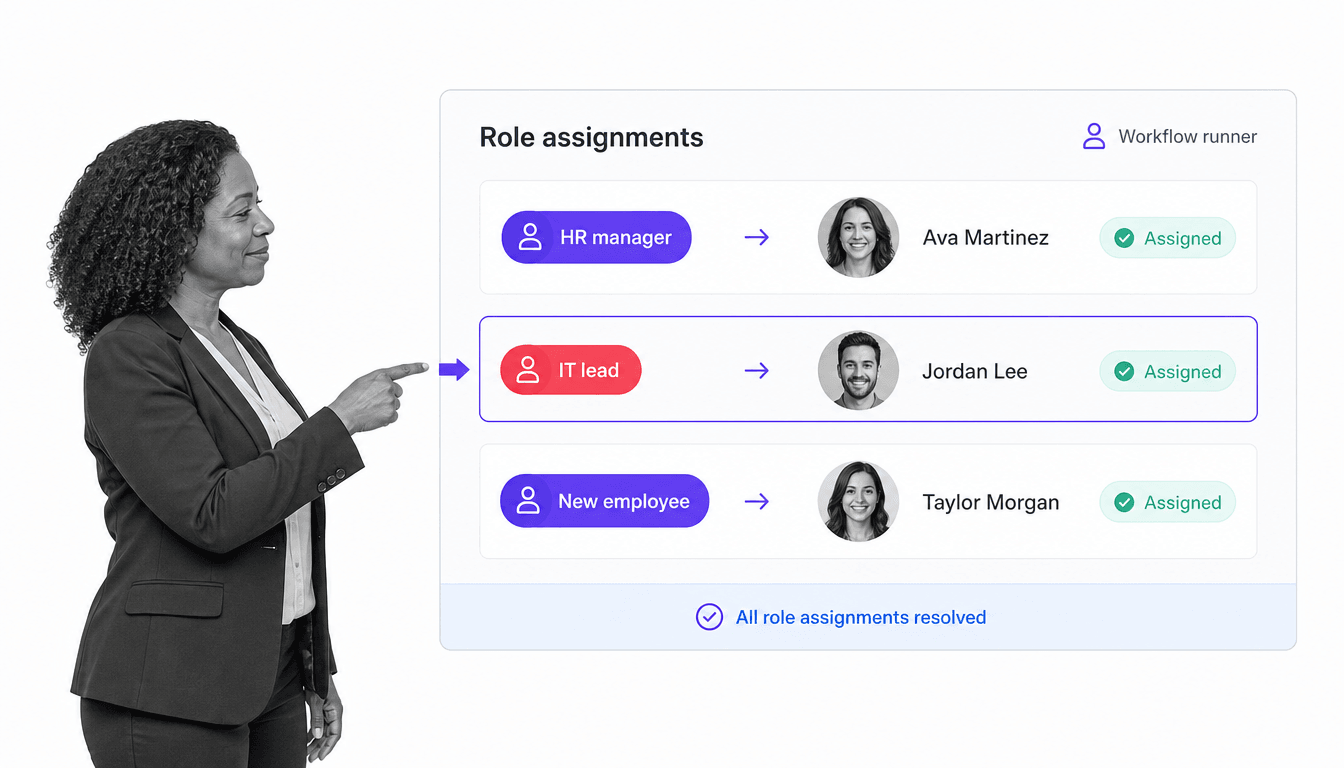
This differs from a direct task assignment. A direct assignment names a specific user or group in the workflow. A role assignment waits for information from the workflow run, then routes the task to the person represented by that information. Both approaches are useful: fixed assignments suit stable owners, while role assignments suit work where the owner changes from run to run.
Consider an employee onboarding workflow. The HR manager handles preparation, the new employee completes personal and policy steps, and a mentor handles training. The people filling those responsibilities change with every hire. Role assignments let the workflow keep the same ownership model while each new run supplies the current HR manager, employee, and mentor.
The result is predictable execution without repetitive administration. Every task can still have a clear owner, notifications still reach the person responsible, and the workflow remains reusable across teams, locations, and hiring cycles.
Role assignments also keep reporting meaningful. When a task is assigned through a role, the workflow run still records the person who received and completed it. Managers can review ownership without sacrificing flexibility, and auditors can see the actual participant rather than a generic role name. The role defines how the person is selected; the execution record shows who did the work.
Use direct assignments and role assignments together. A compliance administrator or process owner may remain fixed across every run, while an employee, reviewer, client, or inspector changes. The best design is not “dynamic everywhere.” It is a deliberate split between responsibilities that are permanently owned and responsibilities that depend on the context of each run.
How to set up role assignments in Process Street
Role assignments are available on all Process Street plans. The current assignment sources are the Workflow runner, a members form field, and an email form field. You configure them while editing a workflow, then assign the relevant tasks to the role that should own them.
- Use Workflow runner when the person who starts the workflow run should own the task.
- Use a members form field when someone inside your organization should be selected during the run.
- Use an email form field when an email address captured during the run should determine the assignee, including an external guest.
Open the task in the workflow editor, choose the assignment control, and select the role source. The role appears anywhere that source can be used for task ownership. Keep the source early enough in the workflow that it is completed before downstream tasks need their assignee.
This action specifically controls task ownership; permissions still control what the assignee can access.
Name role fields after the responsibility they represent, not after the current employee. “HR manager,” “Editor,” and “Vehicle inspector” remain clear when people change. A field named after one person becomes ambiguous as soon as the team rotates. If several departments use the workflow, add enough context to distinguish similar roles, such as “Finance approver” and “Security approver.”
Place each field before the first task that depends on it, and make the field required when unassigned work would create risk. Test the workflow with a different person in each role, including a guest when the process involves external participants. This catches permission gaps and routing assumptions before the workflow is used for live work.
Workflow runner
The Workflow runner role assigns a task to the person who manually starts that workflow run. It is useful when the initiator is also responsible for preparing or completing most of the work.
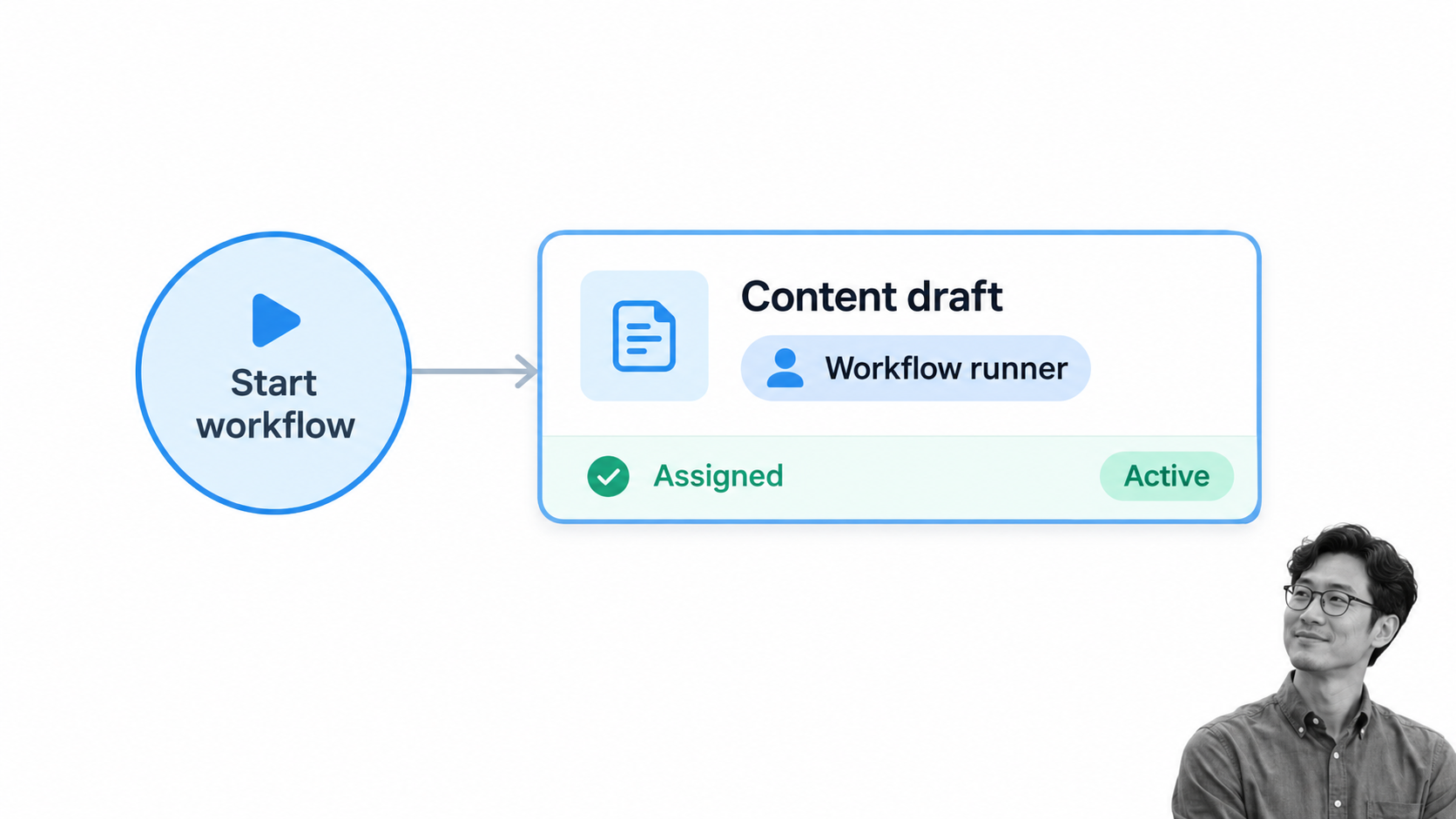
A blog production workflow is a simple example. Most tasks are relevant to whoever is writing the post, aside from a few at the end where the editor takes over, makes changes, and finally approves it. Assigning all tasks relevant to the writer to the Workflow runner automatically attaches them to the relevant tasks as soon as they run the workflow. Their work appears in My Work, where they can see which tasks they need to complete at a glance.
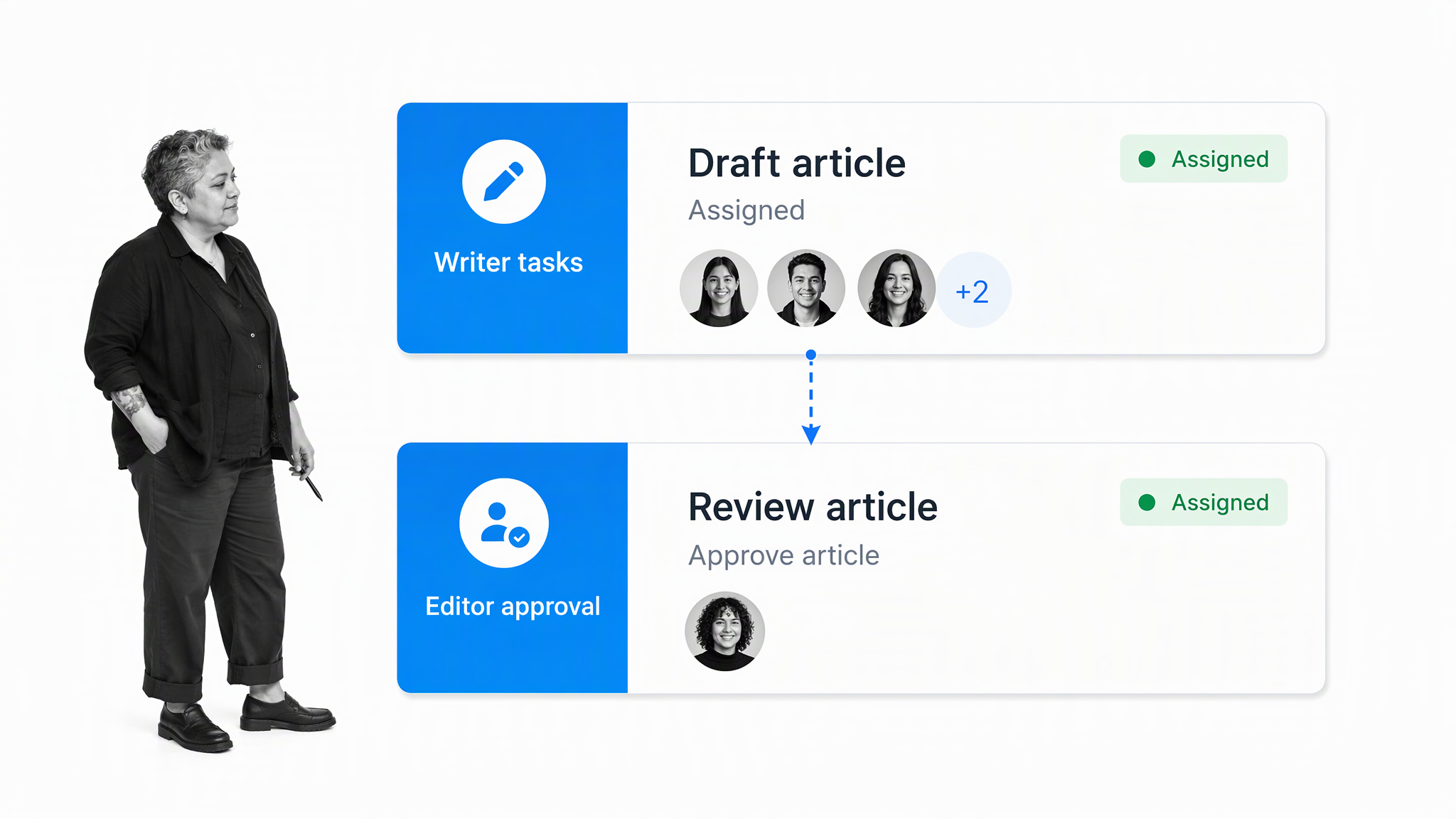
The final approval can still go to another role. Add a members field for the editor, then assign the review and approval tasks to that field. One workflow run now routes writing to its runner and approval to the selected editor without changing the workflow itself.
There is one important limitation: the Workflow runner role is not assigned when an automation or integration starts the workflow. When a system rather than a person launches the run, use a members field or email field to provide the assignee explicitly.
Members form field
A members form field allows users to select a team member from your Process Street organization, or a particular group within it, while providing a label to indicate who needs to be chosen. Whatever label you use for this members field then appears as a role that can own later tasks.
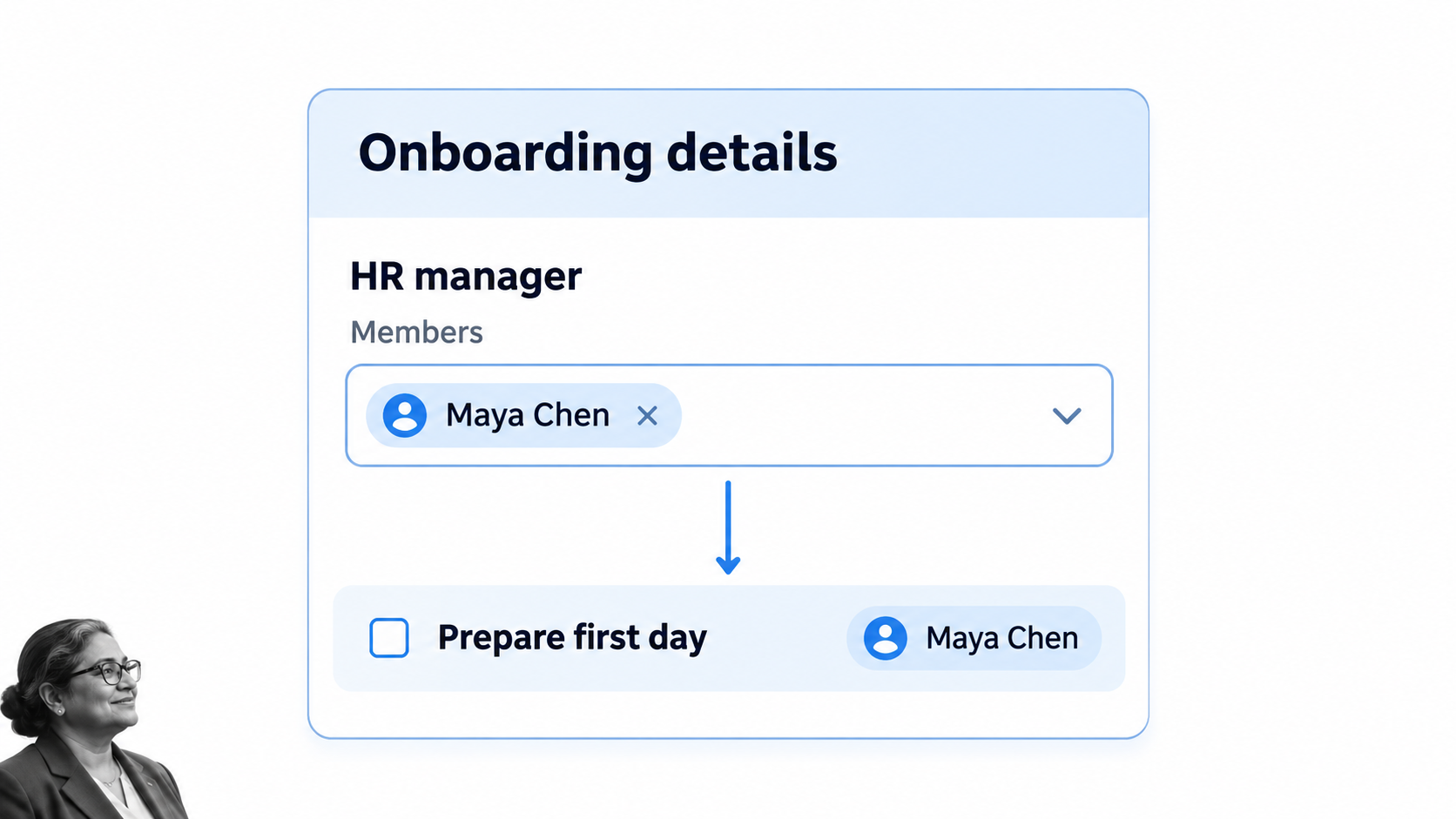
For example, label a members field “HR manager” and limit the choices to the HR group in your organization. When the workflow runner selects the responsible manager, every task assigned to the HR manager role resolves to that person. The field both captures the decision and drives the handoff.
The same pattern works for an editor, account owner, department approver, quality reviewer, or incident lead. It is especially helpful when several people could fill the responsibility but only one should own a particular workflow run.
Email form field
An email form field uses the address entered during a workflow run as an assignment source. This works well when the responsible person is not known while the workflow is being designed or may sit outside your organization.
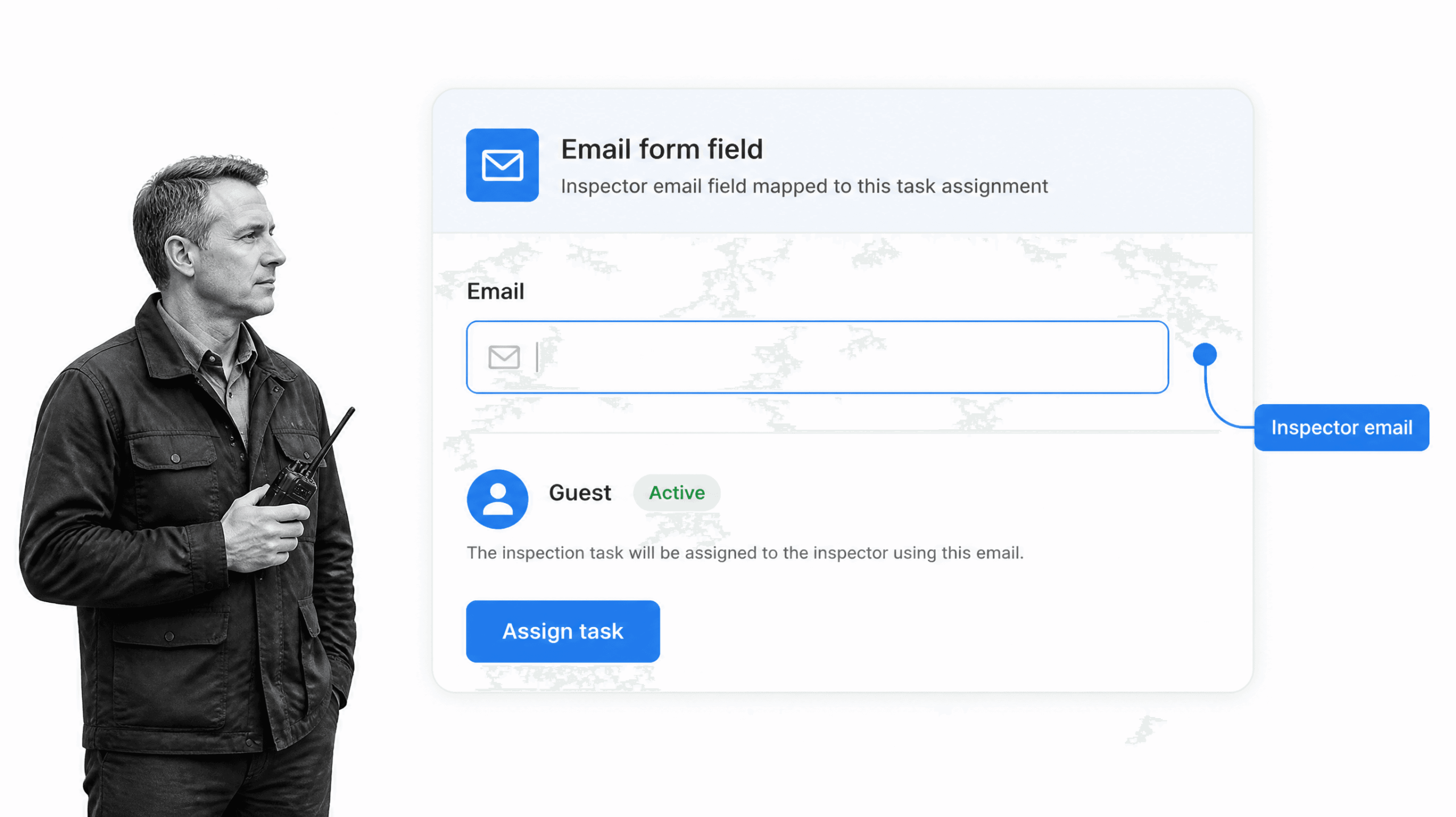
If the address belongs to an existing member, Process Street assigns that user. If it belongs to someone outside the organization, the platform can invite them as a guest and assign the intended work. Role assignments through an email field do not require the email address to already be tied to an account.
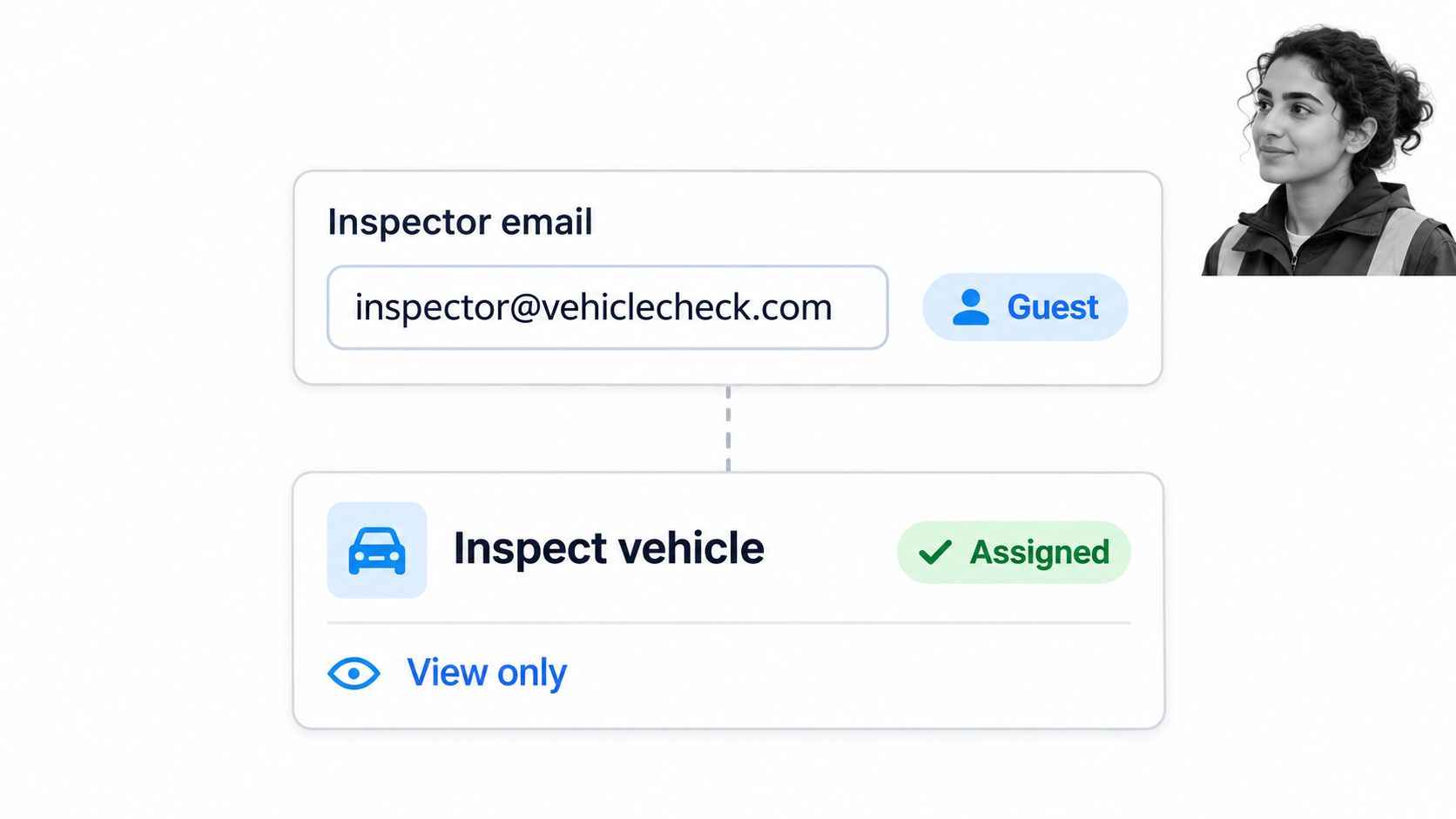
When an email field invites an external guest, pair the assignment with task permissions so the guest can access only the work they need to complete. Clear assignment and scoped access should travel together.
Whether it is a client who needs to fill out a few steps in a feedback workflow or a warehouse employee signing for a package, this is an ideal solution for roles that do not belong to someone who is a regular member of your processes. The guest receives the relevant tasks without being given broad access to your organization.
Automating your role assignments
Role assignments become more valuable when another system supplies the data that determines ownership. A recruiting system can start onboarding and pass the new hire’s email. A form can capture the account owner. A schedule can launch an inspection workflow and provide the inspector selected for that location.
Process Street has direct, universal integrations to 5,000+ systems. Need a new one? An AI agent builds it on the fly. Built-in automations and the Process Street API can pass data into workflow runs, while partners such as Zapier remain available for specific connection patterns.
Zapier can automatically trigger workflow runs and fill form fields with customizable data based on specific events in another system.
The assignment design should match the trigger. A manually started workflow can use Workflow runner. An automatically started workflow should use a members field or email field populated by the trigger data. That distinction prevents tasks from entering a run without an owner.
Return to the employee onboarding example. When a new hire is added to the HR system, an automation can start the onboarding workflow, pass the hire’s email into the New employee email field, and select the correct HR manager or mentor. Tasks assigned to those roles are then routed from the data supplied for that hire.
Use the same model for sales handoffs, vendor reviews, incident response, content approvals, and field inspections: capture the owner once, then let every downstream task refer to that role. The business process automation guide covers the broader design principles for removing repetitive handoffs.
Design for missing data as well as the happy path. If an integration can start a run before an assignee is known, route an early triage task to a fixed operations group and require them to complete the role field. Do not let critical work sit behind an empty optional field. For high-stakes processes, add a due date or escalation to the triage step so an unresolved owner becomes visible quickly.
Once the pattern is stable, use the same assignment data for notifications, approvals, and downstream handoffs. A manager selected for one role can receive the approval task, while the employee or inspector receives only the execution tasks. One captured value can coordinate several steps without repeating the selection or asking people to forward work manually.
Automation can take a while to wrap your head around at first, but it is an incredibly powerful tool once the trigger data and assignment rules are clear. It streamlines repetitive work, eliminates basic handoffs, and lets the team focus on the work that actually needs their attention.
Role assignment use cases
The mechanics are consistent, but the right assignment source changes with the work. The following examples show how the same three role types support internal teams, approvers, and external operators.
Before choosing a role source, ask three questions: Who knows the assignee, when is that person known, and are they inside the organization? Use Workflow runner when the initiator owns the task, a members field when someone selects an internal owner, and an email field when the address comes from a form, another system, or an external participant.
Employee onboarding
Employee onboarding is time-sensitive and distributed. HR prepares the employee record and first-day logistics. The new employee completes personal information, policy acknowledgements, and setup steps. A manager or mentor provides role-specific training.
Assign the preparation tasks to an HR manager members field, employee tasks to a New employee email field, and training tasks to a mentor members field. Assigning the various tasks to these three team members manually would be time-consuming and tedious, because the employee and mentor change with each hire. With role assignments, you assign tasks to the role of manager, employee, or mentor, then record who will fill those roles at the start of each new workflow run.
This design also makes the handoffs visible. HR can see when the employee has completed their steps, the mentor can see the training assigned to them, and the workflow retains an auditable record of who completed each task.
Blog pre-publish workflow
A blog pre-publish workflow usually needs at least two people: the writer and the editor who reviews and approves the post. Most work belongs to the writer, while a small but critical set of tasks belongs to the editor.
Assign research, drafting, formatting, and revision to the Workflow runner when the writer starts the run manually. The only task that needs assigning to someone else may be “Have the post approved” toward the end of the workflow. Set that task to automatically assign to the Person approving the post members field, whose selected editor can give feedback and record final approval. The workflow preserves separation of duties without asking an administrator to assign every task for every article.
If another system starts the workflow automatically, populate a writer members field instead of relying on Workflow runner. The ownership model stays the same, but the assignee source now fits the automated trigger.
Vehicle inspection workflow
A vehicle inspection is a standard affair, but an issue arises if the inspection workflow is generated by anyone other than the person carrying out the main tasks. A dispatcher, fleet manager, or maintenance system may launch the run, which means you cannot set everything to be assigned to the Workflow runner.
Add a Vehicle Inspector’s Email Address field in the first actionable task, then set up each inspection task to be assigned to that role. As soon as the inspector’s details are filled in by the Workflow runner, or automatically supplied by an integration, the rest of the workflow assigns itself to them. This sends an email notification letting the inspector know they have been assigned and provides a link they can use to get to work.
Use task permissions when the inspector is an external guest. They should see the inspection work and evidence relevant to them, not unrelated administrative tasks or internal data. The same pattern works for site auditors, delivery partners, contractors, and other people who participate in one controlled part of a process.
Role assignment FAQs
How do you assign tasks to team members dynamically?
Assign each task to a role source inside the workflow, such as Workflow runner, a members field, or an email field. When the workflow runs, the source resolves to the person responsible for that run.
What is the difference between task assignments and role assignments?
A direct task assignment names a fixed user or group in advance. A role assignment determines the user from workflow-run data, so the assignee can change each time without changing the workflow.
Can role assignments invite external guests?
Yes. An email form field can assign a task to an external address and invite that person as a guest. Pair the assignment with task permissions so the guest can access only the work intended for them.
Do role assignments work when an automation starts a workflow?
Members-field and email-field roles can work with data supplied by an automation. The Workflow runner role is not assigned when an automation or integration starts the workflow, so use an explicit field for the assignee in that case.
Don’t get bogged down assigning tasks manually every time
Clear ownership should be part of the process, not a separate coordination job. Role assignments let every workflow run route tasks from the people and addresses captured for that piece of work. Teams spend less time assigning tasks manually, and each participant gets a clear view of what they own.
The goal is to assign your tasks without fail, fuss, or tedious fiddling while keeping every responsibility visible.
Process Street is one Compliance Operations Platform, with Docs and Ops capability areas plus built-in AI. Role assignments sit in executable Ops workflows, where ownership can resolve from workflow-run data instead of being hard-coded to one person.
Sign up for a free account today and build assignment rules into the workflows your team already runs.