


You asked. We listened. Process Street introduced conditional logic within tasks so a quiz could respond to each participant instead of forcing everyone through the same questions.
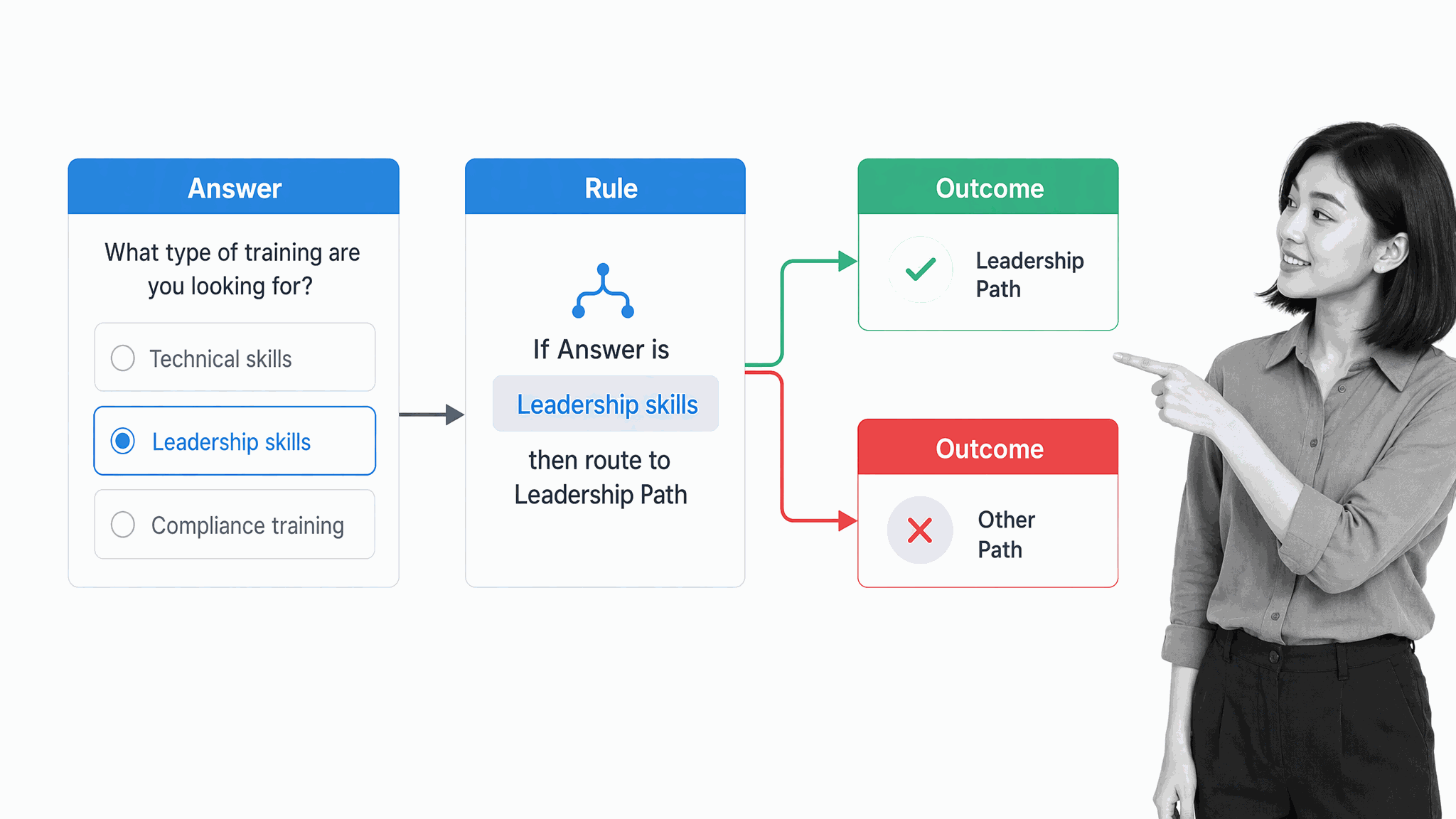
In simple terms, a quiz answer can trigger a rule, and that rule can show the relevant question, task, or outcome. That makes it possible to build reusable quiz templates that branch without sending people through irrelevant steps.
The examples below show how conditional logic works, how to set it up, and how to adapt ready-made assessments for your own team. Current guidance is available in Conditional Logic in Workflows and Conditional Logic for Forms.
- What is conditional logic?
- Best practices for using conditional fields to create a quiz template
- Use and edit our pre-made quiz templates and checklists
- Use Process Street to build your own quiz template and superpowered checklists
To get started, choose a template:
- Employee Review Template
- Leadership Legacy Assessment Test Template
- Peer Review Example Template
- Generic Quiz Template
- This or That Questions Quiz
- Holland Codes Test Structure Template
- Multiple Choice Test Template
- What Is Your Work Style Quiz Template
What is conditional logic?
This or That questions
This template takes the form of a fun this-or-that questions quiz, and uses conditional logic within specific tasks. You can either run this quiz as it is or make edits to the template to customize it for yourself. It also uses conditional logic within tasks. This enables you to build logic in one clear view and manage the rules you set up. The rules you setup will then influence which fields (or questions and answers) you see. This or that questions ask players to choose between two options, “this” being option one, and “that” being option 2. Our selection of this or that questions include random fun questions and questions separated by category (such as food ). It’s super easy to edit the question text, add some answer choices, and customize the feedback messages. Plus, you can add pictures, videos, and embeds to the task to enhance your questions and answers. Click here to get the This or That Questions Quiz Template.Employee reviews
This template takes the form of an Employee Review and demonstrates how conditional logic can be used between tasks. Regular, well-structured feedback can help managers and employees discuss expectations, progress, and support more consistently. Today’s agile workforce needs nimble new strategies, processes, and tools to enable feedback between employees and their managers. Fortunately, this employee performance review will help managers onboard, manage, motivate, develop, and support their team. Aim to run this checklist near the end of every quarter to optimize your team. Click here to get the Employee Review Template. So, there you have it, you should now have a firm grasp on what conditional logic is. Now let’s take at some of the best practices for using conditional fields to create a quiz template.Best practices for using conditional fields to create a quiz template
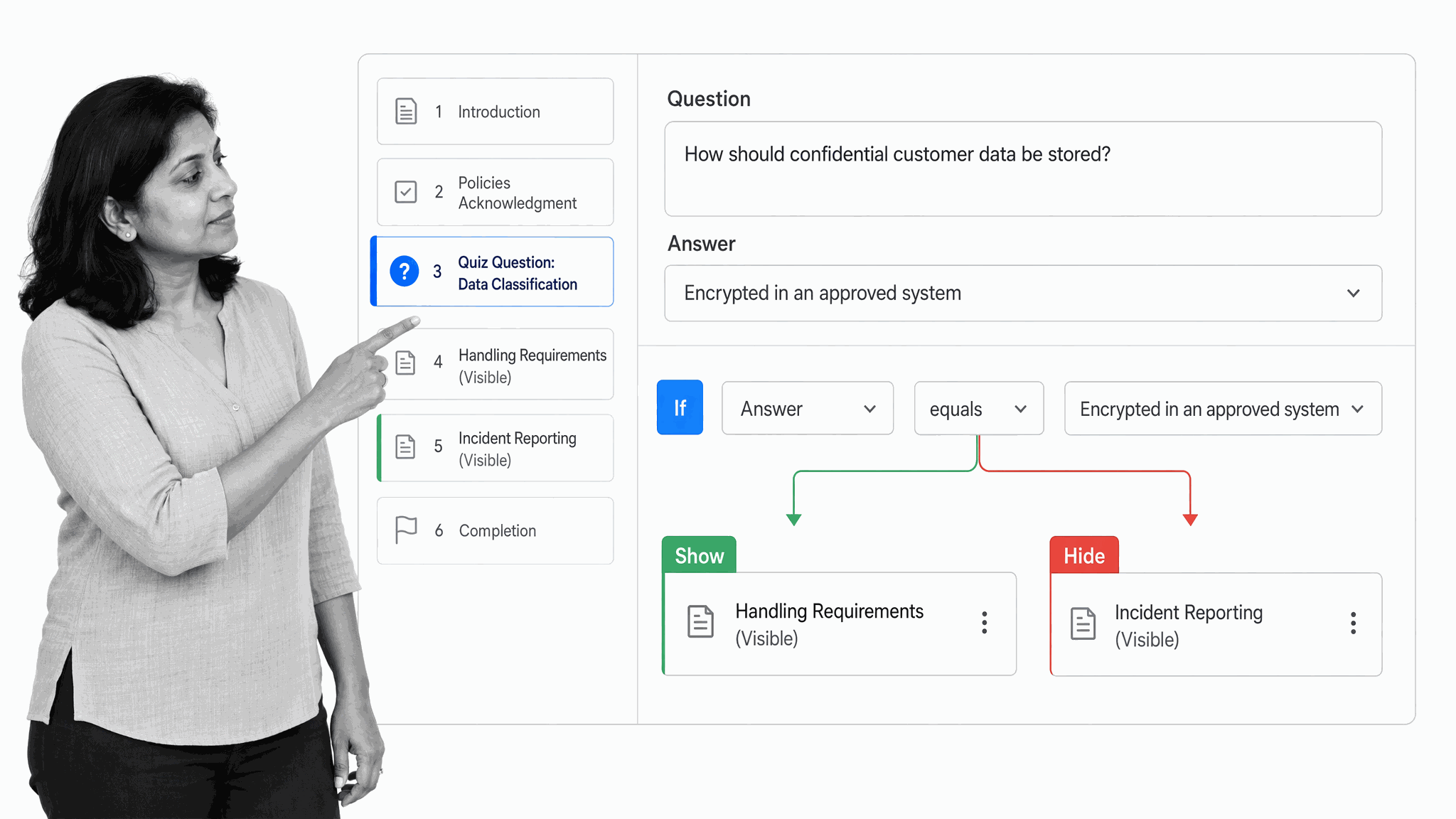
Start with the outcome you need, then work backward to the answer that should trigger it. In a short quiz, that may be one multiple-choice answer that reveals a follow-up question. In a longer assessment, a rule can show or hide tasks, headings, or fields so each participant sees only the path that applies.
Build the core workflow before adding rules. Create the questions, instructions, and outcome tasks first; then add conditional logic after the underlying sequence makes sense. This keeps the quiz usable even while you test each branch.
Choose a reliable trigger field
Use a field whose answers are clear and predictable. Drop-down and multiple-choice fields work well when every response maps to a known path. Text, email, date, number, and other supported fields can also drive conditions, but free-form answers need more careful testing. The current field and operator options are documented in the official conditional logic guide.
Keep rules easy to audit
Name questions and outcome tasks so another editor can understand the rule without opening every field. Avoid stacking several nearly identical conditions when one clear branch will do. If a participant changes an earlier answer, confirm that the later path updates as expected.
Test every path
Run the quiz once for each meaningful answer combination. Check that required questions appear at the right time, hidden material stays hidden, and every result gives the participant an obvious next step. A compact test matrix is often enough: trigger answer, expected visible content, expected hidden content, and final outcome.
Conditional logic should make a quiz shorter and clearer. If a rule does not remove confusion or personalize the next step, leave it out.
General knowledge
This is a straightforward template designed to help you design and implement your own quizzes using Process Street. It can also be used out-of-the-box as a general knowledge quiz, with the fields and logic set up as an example. Following the template will guide you through the process of using the framework to build your own quizzes. Open Process Street’s Quiz TemplateWork-style assessment
What kind of employee are you? This quiz will guide you in setting up a quiz that answers just that! The What Is Your Work Style Quiz Template takes the form of a multiple-choice questions quiz. You can either run this quiz as is OR edit the quiz template to create your very own quiz. Our What is Your Work Style? Quiz Template is an overarching assessment of your work personality, your ability to work with others, your work ethic, and your attitude. Take this quiz to identify your work style and learn more about what your strengths may be. This Work Style Quiz Template will also uncover any areas for personal and professional growth. Click here to get the What is Your Work Style? Quiz TemplateMultiple-choice assessment
This Multiple Choice Test Template provides a basic framework for you to build a multiple-choice test or quiz template. You can tailor this checklist to add or remove items from this list/task/etc. to match your specific requirements by clicking the “edit template” icon on the right-hand side within Process Street. You can sign up for Process Street and adapt the workflow to your requirements. It’s super easy to edit the question text, add some answer choices, and customize the feedback messages. Plus, you can add pictures, videos, and embeds to the task to your answers. Click here to get the Multiple Choice Test Template.Use and edit our pre-made quiz templates and checklists
Career interests
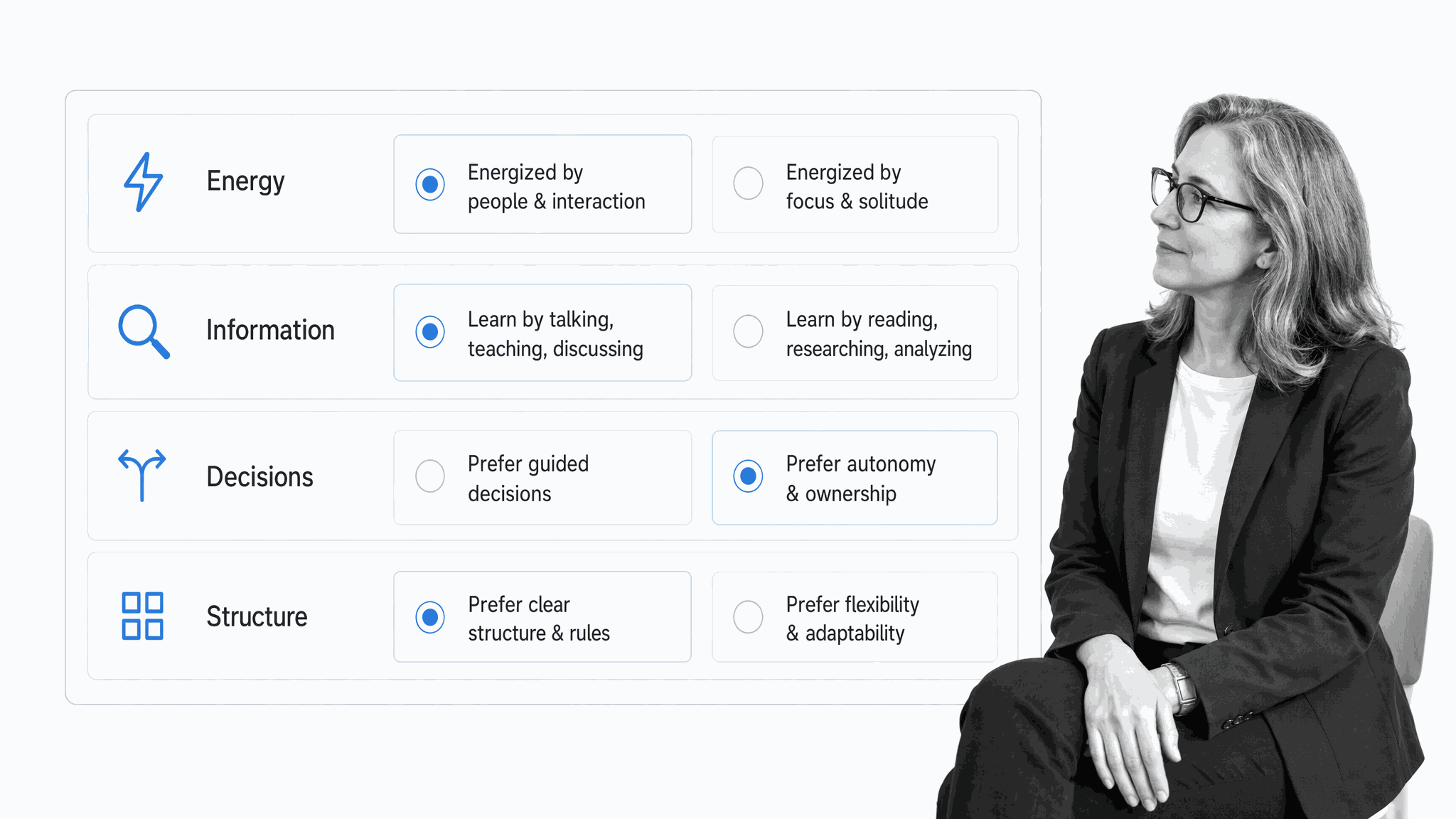
The Holland Codes Test Structure Template provides a practical starting point for a career-interest assessment. It organizes answers around six interest areas—Realistic, Investigative, Artistic, Social, Enterprising, and Conventional—so the workflow can route participants toward a useful summary.
Treat the template as a structure to adapt, not as a diagnostic instrument. Review the question wording, scoring approach, result explanations, and accessibility requirements before using it with employees or candidates. Conditional logic can keep follow-up questions relevant while preserving one auditable workflow.
Open the Holland Codes Test Structure Template.
Peer review
This Peer Review Example Template Checklist is designed to be edited by teachers to match their specific subject field. The checklist can then be rolled out to students so that they can perform peer reviews on each other’s work. Peer reviews assist students in developing and communicating logical reasoning through writing. This Peer Review Template Checklist provides students with the opportunity to further enhance their critical thinking skills. The Peer Review Example Template Checklist should be completed over the period of a month- the first two weeks allow for the students to write their papers and the last two weeks for the peer reviews to occur. Click here to get the Peer Review Example Template Checklist.Leadership legacy
This Leadership Legacy Assessment Test Template is based on the Your Leadership Legacy Test framework as originally designed by Rob Galford and Regina Fazio Maruca. The assessment identifies your leadership style which could be a configuration of one or more of the following: ambassador; advocate; people mover; truth-Seeker; creative builder; experienced guide. Disclaimer: This template was designed to demonstrate how a Leadership Legacy Assessment Test could be run through Process Street. It is not intended to be a working test; rather, it is intended to provide a basic structure that you can use to build your own working tests. For instructions on how to get this working, see our aptitude test article. Click here to get the Leadership Legacy Assessment Test TemplateUse Process Street to build your own quiz template and superpowered checklists
Conditional logic turns one reusable workflow into several focused paths. A participant answers a question, Process Street evaluates the rule, and the workflow shows the next relevant task or field. The result is a quiz that feels personal without requiring a separate version for every outcome.
Process Street is a single Compliance Operations Platform with Docs and Ops capability areas plus built-in AI. Teams can document how work should run, operate recurring workflows, collect structured form responses, assign responsibility, and keep an auditable record in one product. Quiz templates are one practical use case: the same controls can support assessments, training checks, reviews, approvals, and other repeatable work.
When building a quiz, keep the experience simple. Use a rule only when it makes the next step clearer. Test every branch, keep the result language specific, and give the participant an obvious action after the final answer.
If you are comparing ways to manage reusable quizzes and recurring work, this guide to checklist software explains the broader operating model. You can also sign up for Process Street and adapt any of the templates above.
Let us know how you use quiz templates in the comments.