All posts by Vinay Patankar

Google Apps vs Microsoft Office 365 — The Best Productivity Suite for Business

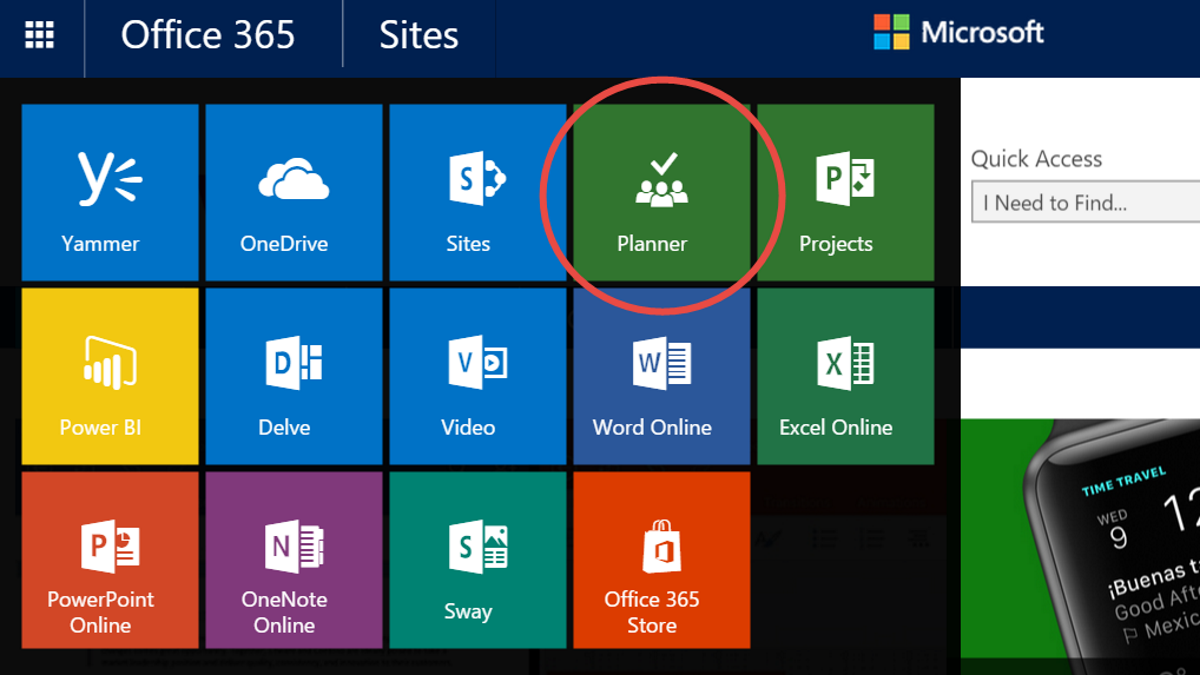
Office 365 vs Google Apps

A productivity suite covers all of your basic needs such as email, calendar, documents and shared file storage and is the core of all the business apps on the cloud.

There are two major players in this space: Google Apps and Microsoft Office 365.

While we might all have our current preferences and lean towards Google or Microsoft for our products, bear with me here because it’s not so crystal clear. If you have never used one of these two tools before, you’re in for a pleasant surprise. In this article, I’m going to compare Google Apps vs Microsoft Office 365 to show you which is the best suite of tools for your business and personal productivity.

Continue Reading

How to Move a Process Template Between Teams

    Moving

Process Templates

    between teams is easy using Process Street

      . Follow the below 4 steps:
    1. Select the template you want to move,
    2. Open the template dropdown menu at the top
    3. Select Move Process
    4. Select Desired Team

    Continue Reading

    The Best CRM for Small Businesses (Cloud / SaaS)

    SMB CRM

    [ Download our Free Ebook ] – Click here to download our free 111 page ebook on “How to automate the tasks you hate at work using Zapier“.

    Most growing businesses will need a CRM (Customer Relationship Management) system at some point in their lives. Taking care of your customers is one of the most important tasks for any business, and a CRM used well is a surefire way to improve this experience.

    But how do you know what CRM to use? There are hundreds of products out there with different features and price points that can be confusing for any SMB looking to get started. And if you make the wrong decision from the get go, it can be time consuming and costly to make the change down the line.

    As a user of many different CRMs I have some insight into this problem, but if you’re looking for a clean cut answer, I’m sorry to say there just isn’t one…

    Continue Reading

    Introducing Teams


    A big Process Street update happening today with the release of “Teams”.

    Continue Reading

    How to Make Gmail Your Default Mail Client (Chrome, Safari, Firefox)

    Gmail Default Mail Client

    We have a feature in Process Street that allows you to create email templates and send them straight from within the app.

    This is great if you are using a mail client such as Outlook, Mail, Thunderbird or a mobile device. It works smoothly.

    But some people (like myself) prefer to use Gmail as their default mail client and don’t want to install a bulky desktop app.

    Not to fear! With just a few simple steps you can configure Gmail to be your default mail client and have Process Street emails open Gmail compose, pre-populated with the template right in your browser!

    Continue Reading

    Generate Leads like a Jedi with these 7 Insider Secrets

    Vinay Patankar February 24, 2014

    Lead Generation Funnel

    This post was written by Jenny Vance, president of LeadJen

    Jenny has more than a decade of experience filling the funnel with revenue generating leads for B2B companies.

    She says not all leads are created equal, one of many key points in launching a lead generation campaign. For more information on lead generation, check out this post on How to Generate Leads with Content Upgrades.

    Below are some of her top tips on creating a killer lead generation campaign.

    Continue Reading

    Growth Hacking at its Finest – DHL Tricks Competitors to Advertise for Them

    Vinay Patankar February 21, 2014

    DHL is Faster

    DHL has just pulled off an awesome growth hack.

    They created large packages covered in a substance that when cooled, turns black, then gradually returns to its original colors at room temperature.

    The packages original color were bright yellow, with a large red headline that read “DHL is Faster”.

    They then had couriers from rival companies pick up the packages and deliver them to hard to find addresses.

    Continue Reading

    Ninja Workflow for Capturing, Annotating and Uploading Screenshots in Seconds

    Fast Screenshot Workflow Using Jing

    In this video I explain my workflow for capturing, annotating (marking up with arrows and text) and uploading screenshots to Process Street in seconds.

    I can basically add a screenshot to Process Street in seconds. This workflow is so fast, taking screenshots and adding instructions becomes an absolute pleasure.

    And the best part? Its using an absolutely free tool – Jing from TechSmith.

    Watch the below video to see how its done.

    Tools mentioned:
    Video Highlights

    0:30 – Example of workflow to create screenshot in Jing, mark up and add to Process Street in seconds
    1:25 – Break down of how to configure the workflow in detail
    1:30 – Create steps in Process Street
    1:40 – Use Jing to take screenshot and markup
    3:10 – Using the Screenshots folder in Windows 8
    3:45 – Configuring Jing for fast saving
    4:50 – Sorting Screenshots folder by date so most recent images are always at top

    This is how I currently manage my screenshots. If you know any other methods, I’d love to hear them.

    Smash the bottleneck – Getting started with documenting systems

    Smash the bottleneck

    Too many business owners are killing their business by being the bottleneck.

    We know that as a business owner it’s important for you to have control over absolutely every single thing that happens in your business.

    Oh, hold on… Is it?

    Too much control can be a bad thing. When you have too much control you run the risk of becoming a bottleneck for your business. You end up micro-managing and stressing out over minute, unimportant details. You are in the way of your own success of your business? Do you think the owners of successful companies are involved at every level? No. Hell, some of them aren’t even involved. They just receive the check. They can do this because they are masters at 3 things:

    • Documenting
    • Delegating
    • Trusting

    Continue Reading

    Stay Organized with Tags

    Stay organized with tags in Process Street

    We just released tags in Process Street. They give your team a faster way to categorize, filter, and retrieve workflows, no matter how large your library grows.

    Folders work when you have ten workflows. Tags become the answer when you have two hundred. Here is why we built tags and how to use them.

    Continue Reading

    Take control of your workflows today