All posts in Writing

Writing a Listicle: The 11-Step Guide and Why They’re Awesome

listicle

One problem dominates the field when setting out to write a listicle.

They’ve been done to death, and a lot of us are sick of them.

From Buzzfeed and the Huffington Post to Bustle and beyond, thousands of lists are published every year, the majority of which are not exactly high-quality.

People see lists and have been trained to think “clickbait”. That’s what this post will help to avoid and prevent.

Read on to find out:

  • What a “listicle” is
  • Why they are so popular (to read and write)
  • How to plan a listicle in 6 steps
  • How to write a listicle in 5 steps

Enough talk – let’s get to it.

Continue Reading

How to Use WorkFlowy to Take Better Notes Today

Take Better Notes

Lots of text editors, like Word or Evernote, feel too ‘formal’ for proper note taking. They’re clunky and don’t work in harmony with my erratic train of thought at a meeting, lecture or presentation.

Lately, I’ve got instructions introducing me to new projects via video or voice recording, which I’d try to summarize in bullets, expand on and create to-do list items from the notes. When I was done writing and listening, I’d usually be left with a big mess of text that needs organizing, which would take more time still to go through and fix. With this method, I’d need to listen to the recording at least twice to get my notes.

Instead, now I use WorkFlowy to take and edit notes. Here’s how.

Continue Reading

How Subscriptions Will Stop Fake News Killing Digital Content

stop fake news quality content headerFake news is a hot button issue right now and one we’ve covered a couple of times at Process Street.
Normally, the discussion of fake news is a roundly negative affair.

How do we come back from consistently lowering journalistic standards? What does this mean for society?

In this article, I’m going to put a more positive face on and explain why there’s good reason to believe quality journalism is going to make a comeback – it may have already begun!

  • We’ll look at broadly what fake news is, and why it isn’t a wholly new phenomena.
  • We’ll look at the financial performance of different media outlets and try to understand what economic motivations there are in the industry, plus how that impacts on content.
  • We’ll look at the new wave of journalistic opportunities and what you can do to help!

Continue Reading

8 Office Management Checklists for Astounding Operational Efficiency

legal guide for bloggers fair use images - header

Can you afford to pay $8000+ for using an image in one of your blog posts?

If not (or if you’d rather use images for free) then you need to know the laws surrounding blogging.

It’s easy to fall prey to copyright and disclosure issues if you haven’t read a legal guide for bloggers, and so that’s exactly what I’ve created here.

Whether you’re a veteran blogger looking to secure yourself against surprise lawsuits or a fresh face who doesn’t want to be run out of pocket when building a blog, keep reading to find out:

  • What copyright is and how it affects your writing
  • How to secure your work legally
  • What you can and can’t use
  • How to find fair use images that are free to use

So, if you happen to like not being sued for honest (and avoidable) mistakes, keep reading.
Continue Reading

The Complete Guide to Dictation Software: How I Saved My Hands

dictation software - header edited

Dictation software isn’t just something that can save you time by typing out your speech and performing commands. Talking instead of typing can and will help you prevent lasting damage to your hands.

You might think that sounds silly, and so did I.

I’m 23 – way too young to be worried about my joints or work-related injuries (my work isn’t exactly manual labor).

Then my hands seized up. Repetitive strain injury.

Continue Reading

How I Research & Write an Article Using Irresistible Original Data

When I was about 7 years old, I made a deliberate decision to stop caring about math.

I remember the moment clearly. I started sitting closer to the back of the class, stopped answering questions, and, eventually, I stopped being asked questions by the teacher.

I told myself that it wasn’t worth learning because we have tools like computers and calculators. Consistently, I got mediocre grades in the topic and only scraped through the finals with a borderline passing grade…

It wasn’t until I started working at Process Street that I cared about data, charts, spreadsheets and correlations.

Research and data manipulation skills are extremely important for pretty much anyone that has to devise their own solutions.

Not only that, studies are incredible marketing tools. Original data attracts links and shares like nothing else because it’s one of the few newsworthy things a company can do. You’ve got product releases, funding announcements, and research.

And it’s not just my own theories that say studies attract high-quality backlinks…

Continue Reading

9 Essential Marketing Tips from the Father of Advertising

marketing tips header

Ogilvy on Advertising was one of the first books I had on my reading list back when I created my system for reading more. My only regret after finally reading it is having delayed for a year and a half.

Drawing from 40 years of experience, David Ogilvy shows everything he learned from creating some of the most successful advertising campaigns to date (some of which are still running today).

From using research instead of rules to reminding yourself exactly what you’re paid to do, Ogilvy provides a blunt outlook of how to improve as a marketer and copywriter.

When I got a margarine account, I was under the impression that margarine was made from coal. Ten days reading the literature taught me otherwise.” – David Ogilvy, Ogilvy on Advertising, p.11

At times his writing is standoffish and hostile, and he never claims to be infallible, but many of the marketing tips he championed 24 years ago still hold true today. Unfortunately, finding those nine golden tips in 220+ pages of case studies and niche information on how advertising agencies work is a bit of a nightmare.

That’s why I’ve done it for you. Time is money, after all, and the quicker you learn these marketing tips, the sooner you can succeed in selling.

marketing tips david ogilvy

Continue Reading

How to Read More and Become an Expert Blogger in 30 days

how to read more - header

Over the last year working remotely at Process Street, I’ve been researching as I go. I survived on dumb luck and baseline writing skills.

However, in the last 30 days I’ve built a system to teach myself how to read more. I’ve built up a library of articles, authors, quotes, books, tips, and ideas I can draw upon whenever I need to write or find the motivation to keep going.

The best part is that I spent next to no extra time outside of work in order to do this, and it all boils down to five elements:

  • Filling dead air with podcasts
  • Setting up an RSS feed
  • Always having a book on the go
  • Productively procrastinating
  • Following 50 people on Twitter

how to read more - reading-gif

Continue Reading

On Writing Well Review: 6 Mistakes I Never Knew I Was Making

Ben Mulholland November 30, 2016

on-writing-well-review-header-actual-final

If you think your writing’s any good, this book will cut you down to size…

I used to think that I could write well enough…

See William.

See William run.

See William write a 300-page book which taught me how to correct the mistakes I never knew I was making.

That’s what this book is; a display of how bad both you and I are at writing. As such, this On Writing Well review is as much to show the key points to William Zinsser’s thoughts as it is a review of the past year of my own work here at Process Street.

Here’s to improving our writing and avoiding common content writing mistakes, all whilst making an ass of myself.

Continue Reading

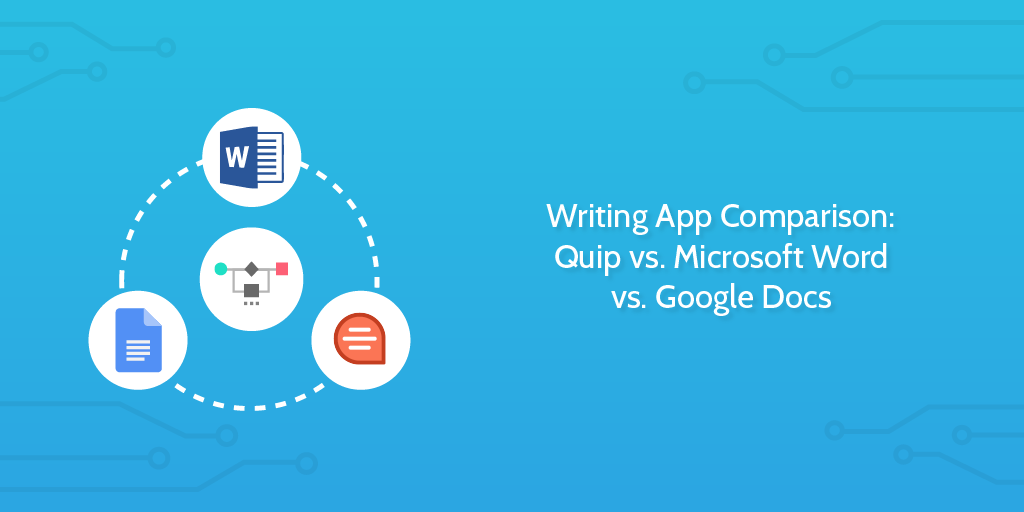
Writing App Comparison: Quip vs. Microsoft Word vs. Google Docs

writing app

You need a solid writing app.

It’s vital for practically every kind of company—whether it’s for drafting contracts, writing up website content, or just putting together internal documentation.

But team collaboration can easily become a huge nuisance.

The more people involved, the more difficult it can be to decide on the right edits and produce a coherent piece. That means the last thing you want is even more trouble dealing with a collaboration tool that doesn’t fit your workflow.

We delved into the features of three popular collaborative writing apps—Quip, Microsoft Word, and Google Docs—to help you decide upon which is best for your team.

In this post, we’re going to compare each app’s features in the fields of:

  • Sharing
  • Concurrent editing
  • Revision history
  • Chatting and commenting
  • Organization

Continue Reading

Take control of your workflows today