Between you and me, I was hacked; by my best friend no less! Thankfully, it was just an irritating prank, but it served to teach me a lesson.
Despite my grandiose beliefs that I knew everything I needed to know about all things digital, I hadn’t the faintest idea about how to spot a fraudulent message from a legitimate one. And this kind of threat is one of the biggest risks businesses face today.
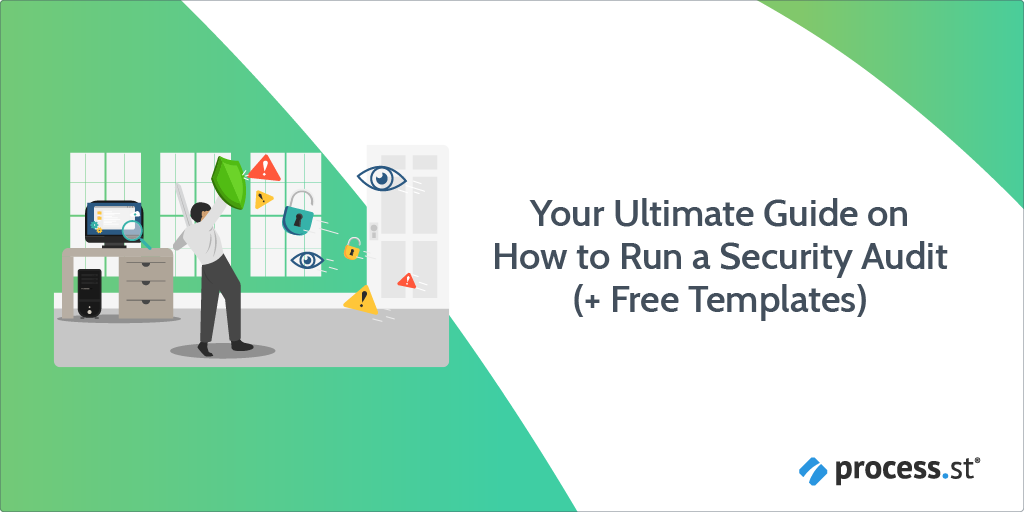
In 2005, 157 data breaches were reported in the U.S., with 66.9 million records exposed. From 2005-2014 there was a 500% increase in data breach frequency.
That number almost doubled in 3 years to 1,579 reported breaches in 2017.
Although data breaches have since declined (1,506 issues were reported in 2019), IBM’s 2020 Data Breach report filed a 12% rise in data breach costs over 5 years, increasing to ~$3.92 million per incident.
The growing number of breaches and associated costs seems to be consequential of continuously changing hacking methods and an expanding number of entry points (that comes from digitization).
Security audits allow organizations to set up tougher walls of safety, as an adaptive defense against data breach threats.
With this in mind, Process Street created this article as your ultimate security audit guide, with access to our free security audit checklists and processes.
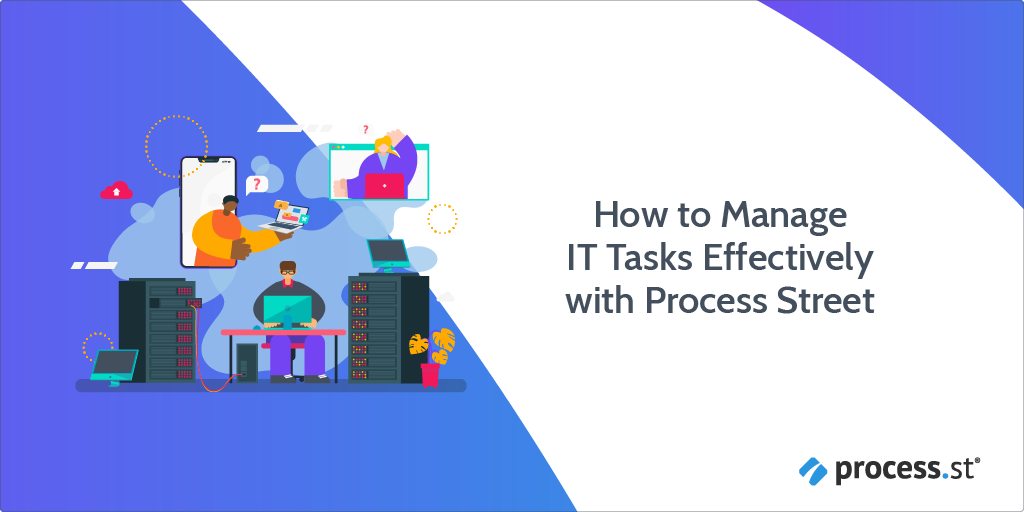
If you’re a Systems Administrator or performing any kind of IT managed service, your daily tasks are often repetitive, complicated, and easy to forget.
Especially if you’re new to the role, things can quickly become overwhelmingly difficult to track & execute effectively. New employees have a library of techniques specific to your setup to learn, and it’s almost impossible to manually track each task in a way that’s easily accessible.
That’s why IT managed service teams worldwide use Process Street to manage & automate their daily workflows, for processes like:
In this Process Street article, we’ll show you some examples of how our customers manage their daily Systems Administrator & IT tasks.
You’ll learn everything from how to create workflows that adapt to your current situation to automatically assigning tasks to specific people based on their role in the team. Continue Reading
This is a guest post by Jack Warner. Jack is an accomplished cybersecurity expert with years of experience under his belt at TechWarn, a trusted digital agency to world-class cybersecurity companies. A passionate digital safety advocate himself, Jack frequently contributes to tech blogs and digital media sharing expert insights on topics such as whistleblowing and cybersecurity tools.
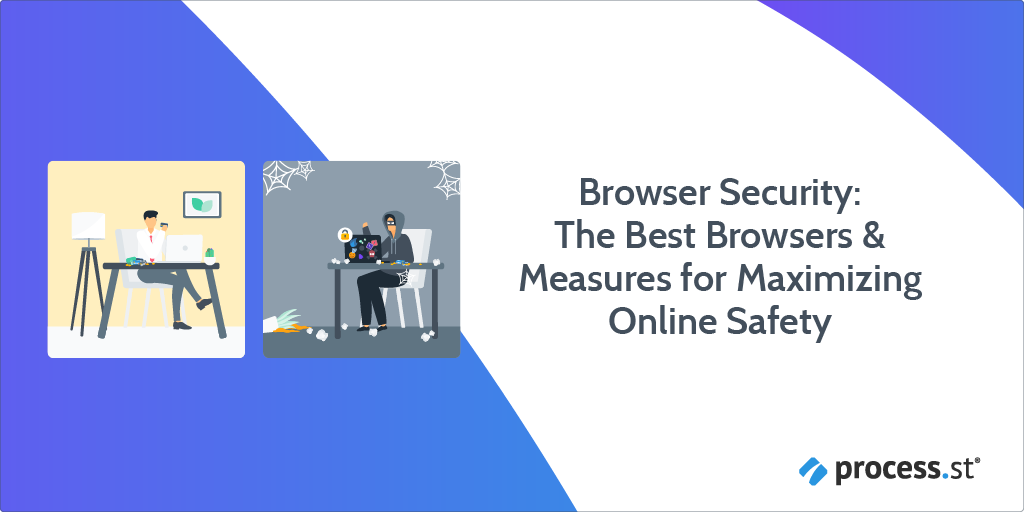
Why did you choose the browser you’re currently using?
If your answer is along the lines of “because everyone uses it“, you might want to rethink your choice.
Unfortunately, popularity is not inextricably linked to security. And in a world where cybercrime is ever more prevalent, privacy should be your utmost concern when you’re choosing a browser to surf the web. By 2021, online miscreants are expected to cause a whopping 6 billion dollars in damages. From a business perspective, you have no good reason to shoulder the risk that comes with a lack of sufficient browser security.
In this guest post for Process Street, I’ll discuss how different browsers fare at preserving your privacy and maintaining security, on top of providing ten tips to stop you and your team from falling victim to data breaches.
Read through the following sections to get clued up:
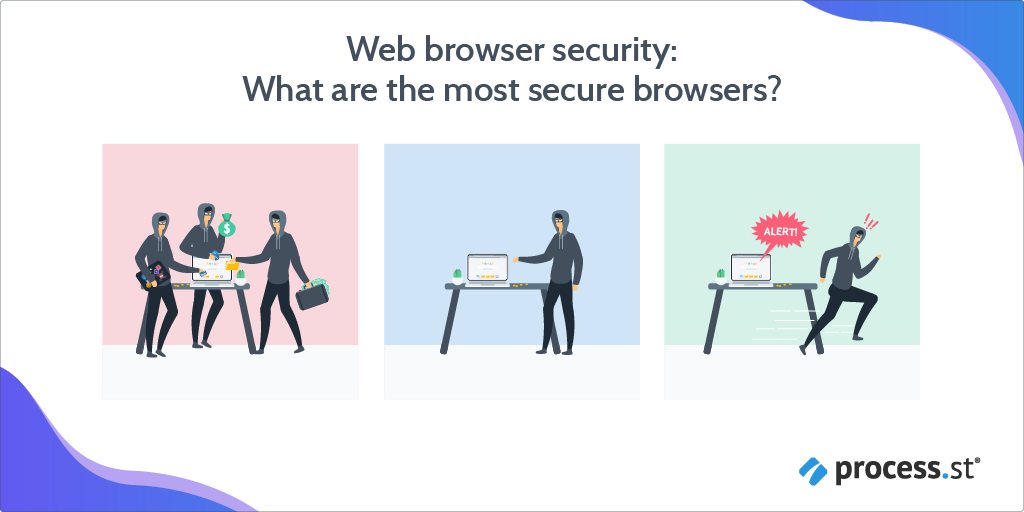
Web browser security: What are the most secure browsers?
In this section, I’ll go over which web browsers are best at guarding you online. They go in descending order, meaning the best options are near the top, while the not-so-great options are by the bottom.
You may notice the top candidates on the list aren’t familiar names — you probably haven’t heard anyone tell you to “Chromium it” or “search on Brave” before. And while popular names such as Safari and Google are indeed included, their celebrity status alone won’t count towards a higher standing.
So, let’s start at the top!
The most secure browsers #1: Tor
Tor is a free and open-source software that holds privacy in high esteem. So much so, that The Tor Project (the main non-profit organization developing Tor) offers users a bounty to hack the browser and expose software flaws in the interest of strengthening security.
Tor uses a technique they call onion routing to preserve anonymity, which works by routing traffic through multiple servers to make it harder to trace information back to an origin point, with added encryption to boot. These relays are run by thousands of Tor volunteers, and the browser boasts millions of users.
The Tor browser is considered the best for interference-free online pursuits although, as a result, certain major services (and governments) block it.
The most secure browsers #2: Mozilla Firefox
Despite a long and successful history as one of the most popular browsers on the planet (in 2010 it was second only to Internet Explorer), Firefox appears to have garnered a reputation for being bloated and unstreamlined. In recent years, however, Firefox has undergone a substantial rebranding effort and made changes that earn Firefox a place on the forefront of browser innovation.
Firefox has always been a privacy-first browser, and Mozilla has recently implemented a wide array of integrated features to shield users from online snooping that are worth considering. This includes automatically blocking third-party trackers and the ability to monitor password breaches.
In February 2020, Firefox made the switch from HTTPS to encrypted DNS to lower the risk of your website browsing habits getting intercepted. There are also over 2,000 Mozilla-made extensions related to privacy protection!
The most secure browsers #3: Brave
Brave is the brainchild of Brendan Eich, the creator of JavaScript and co-founder of the second-most secure browser on the list, Mozilla Firefox.
The Brave browser eliminates the need to mix and match plugins for security: It’s built by default to block scripts, trackers, and ads. It also safeguards users from malware, phishing, and malvertising.
As of March 2020, Brave is the sole browser that offers secure cryptocurrency exchange. The company partnered with cryptocurrency giant Binance to debut a built-in widget for this purpose.
The most secure browsers #4: Yandex
Yandex has an inbuilt security system named “Protect” that covers users against typical online threats by blocking virus-riddled sites, encrypting credit card data, and scanning data files. Secure Wi-Fi switches on automatically when you connect to a public network.
Despite pressure from the Russian security agency Federal Security Service (FSA), the company refused to share encryption keys that would potentially compromise its users’ activities.
The most secure browsers #5: Chromium
If the name sounds somewhat familiar to you, that’s because Chromium is an open-source project funded by Google. Developers can build upon the source code to customize new browsers to their preferences.
Chromium itself is relatively similar to its dominant counterpart, Chrome, but it transfers less user information to Google. It employs a multitude of security tactics including encryption, verified boot, secure auto-update, and more.
Chromium is also transparent about finding and resolving bugs. Users are encouraged to report them and you can see a list of existing issues to know what’s going on.
The most secure browsers #6: Opera
This browser has been around since 1995 but has never quite managed to overtake the big players such as Safari and Chrome. Opera combats opportunistic advertisers online through a native ad-blocker. A tracker blocker works against standard methods of data collection, such as tracking pixels and analytic scripts.
Take note that these features aren’t all active by default. Users must go into their privacy settings and tinker with them to ensure all defenses are up.
The most secure browsers #7: Safari
Safari is designed to safeguard Apple device owners from a host of common digital menaces. It shields against malware and malicious code through sandboxing, a technique that restricts what websites can do when you access them. A 2020 update meant Safari will only accept sites with HTTPS certifications issued within 13 months.
The privacy settings on the browser are modifiable, although you’ll have to take the initiative to change them. Safari allows users to disable location services, stop collecting browsing data, and delete history at set intervals.
Still, you should be aware that Apple might share your IP address with Tencent or Google while you browse.
The most secure browsers #8: Chrome
Google’s expansive methods of tracking its Chrome users prompt warranted privacy concerns. However, it has security in the form of sandboxing, predictive phishing protection, and site isolation.
The only caveat is that limiting the data the company gathers and bulking up on security involves manually altering a few settings. You can disable autofill of sensitive information and passwords and prevent auto-syncing to keep your activity private.
Note that true anonymity will be a challenge on Chrome. Your location and data advertisers can track are still visible even in Incognito mode.
Edge was launched in 2015 to replace Microsoft’s default browser Internet Explorer, with disappointing results. A lack of compatibility with other websites, among other flaws, made Edge a paltry substitute for the majority of users.
The 2020 version of Edge is Chromium-based and includes security in the form of Microsoft Defender SmartScreen, a tool to warn users about sites that could contain malware or phishing scams. Edge users can also adapt their privacy settings to control how much data they expose while browsing.
Unfortunately, Edge still doesn’t hold up to the competition: One study revealed it’s one of the least secure browsers available.
The most secure browsers #10: Internet Explorer
Yes, Internet Explorer still exists — although it hasn’t been updated in years. This means if you’re still using it today, you’ll want to consider a safer option.
Microsoft’s Security Chief warned users against using Internet Explorer, cautioning that it should only be used for sites that rely upon it (e.g. company sites built upon it).
Additionally, since January 2020, Microsoft has phased out support for Internet Explorer. If that isn’t sufficient motivation to try another browser, bear in mind hackers have already found ways to exploit IE’s vulnerabilities.
There you have it.
Some insights into what browsers to use and which browsers you shouldn’t use (that’s Edge and Internet Explorer, just to reiterate.)
Now it’s time to move onto the next part, where I’ll discuss how you can keep both your browser and business safe with these simple, straightforward recommendations.
10 tips to digitally secure your browser & business properly
Prevention is always better when it concerns cyber-attacks and interference.
Let’s look at ten easy measures you can take to stay on the defensive while online.
Web security tip #1: Install a VPN
Download a VPN for your browser from a reputable company. VPNs encrypt internet traffic and activities, keeping users safe from advertisers, attackers, and other types of online snoops. A VPN allows you to conceal your location and prevent your Internet Service Provider (ISP) from tracking you, among other things.
Completely free VPNs might appeal to your budget but, as discussed earlier, they aren’t as formidable as advertised. In some cases, they could actively sabotage your privacy rather than protect it.
Public WiFi is tempting to use, but the freedom of working at the airport or a hotel lobby comes at a cost of decreased security. Cybercriminals can easily intercept all information sent over the network.
Always take precautions when indulging in open WiFi, such as using a VPN blocker, disabling sharing settings on your device, and avoid connecting to these networks unless it’s essential.
Web security tip #3: Install and update antivirus software
As cyber criminals grow increasingly adept, antivirus software should be obligatory for all devices. A quality antivirus does more than deflect threats, it can also detect insidious attacks that can do serious damage if missed.
Keeping on top of updates is crucial. Users may find frequent notifications demanding an update pesky, but these improvements fortify the software against new, sophisticated menaces.
Helpfully, there’s a lot of freemium software out there when it comes to antivirus choices.
Web security tip #4: Explore privacy settings
The default configuration for many browsers may not necessarily be the most secure option. It’s best to double-check the privacy settings to see what is enabled and what isn’t. Familiarize yourself with your browser. Security basics include blocking third-party trackers, activating ad blockers, and automatically deleting cookies after a certain period.
Make sure that browser updates are auto-installed, or follow up with new updates as needed. As established by the earlier example of Internet Explorer, an outdated browser is a security hazard.
Web security tip #5: Don’t download suspicious files
This tip is self-evident but it bears repeating. If you receive an attachment or file from an unknown email address or number, err on the side of caution and don’t open it.
Executable files — ones that end in .exe — are red flags as they’re capable of running programs. Still, always examine attachments carefully, even if they’re from someone you know. A zip file or document could still conceal malware.
Web security tip #6: Steer clear of dangerous websites
A website can be just as treacherous as a file if it’s compromised. Fortunately, most browsers will warn users if a site looks suspicious or outright block them from accessing it.
One of the telltale signs of a dodgy website is no HTTPS certificate, which allows for encrypted data transfer. A site that demands login information without it is high-risk.
If you receive a website link that appears unusual (e.g. an extra-long URL that has spelling errors or includes punctuation), don’t click it. Suspicious domains are routinely collected and exposed by various institutions: If you aren’t certain about a particular site, look it up first.
Oversharing can have dire outcomes, both online and offline. Kaspersky Labs found that over 70 percent of people allow their significant others access to their personal devices. A disgruntled ex can share anything from passwords to addresses online.
On the same note, identity thieves can use social media accounts as a fount of information. Set all of your accounts to private rather than public and don’t accept random followers.
If you receive communication (such as an email) from a trusted organization or company requesting personal information, play it safe and go through the official website in a separate tab to verify.
Web security tip #8: Be careful where you shop
Scammers profit from the convenience of online shopping to trick unwary victims.
Watch out for ads offering discounts or deals from preferred brands. They may not be genuine: Head to the official manufacturer website to check instead.
Pay via credit card rather than a debit card, or use third-party merchants that add a layer of protection between personal payment information and the seller.
If the retailer is lesser-known, look up reviews online to see if they’re flagged as unscrupulous.
Web security tip #9: Use strong passwords
There’s a reason why many companies enforce specific password requirements, such as including special characters or adding at least one capital letter. Passwords act as the primary barrier between private data and prospective hackers.
Invest in coming up with tough-to-crack combinations, such as random sequences of numbers and letters. Create passwords that are long and try not to use existing words in any language.
Set up different passwords on separate accounts, so that if one is breached it won’t compromise all of them.
Web security tip #10: Screen internet friends carefully
You can befriend new people online, but keep your cards close until you can establish that you’re speaking to someone genuine. Use reputable applications that require identity verification, and don’t share private details off the bat.
Helpful tips, right?
Do keep in mind, though, that staying safe online involves an amalgamation of approaches. The more methods you employ to guard against attackers and snoops, the better protected you will be.
Speaking of which, BPM software such as Process Street can be another added approach to help remain secure in the digital world.
Here’s how.
Take control of your IT and security processes with Process Street!
For a visual introduction to their awesome software, watch the video below.
In terms of how Process Street can specifically help with security, I have wonderful news: There are easy-to-use security-related templates you can add to your account and use straight away!
From managing privileged passwords to responding to a security breach, these checklist templates have you, your browser, and your business at-large covered.
Like the look of these templates but want to create your own from scratch? The good news is that’s entirely possible, too. And you don’t have to create templates only for your security and IT processes – you can create them for anything!
What’s more is that the above templates – in addition to any you create yourself – can be superpowered by Process Street’s workflow automation features.
With all the information, tips, and free templates I’ve provided you throughout this post, you’re ready to make security issues – particularly browser security issues – a thing of the past.
Here’s to using technology safely and securely.
Are you a pro when it comes to security and, in particular, browser security? Are there are any tips and tricks you’d like to share with the rest of the Process Street community? If so, write them in the comment section below!
They’ve all suffered massive financial and reputational losses following the mismanagement, or non-existent management, of their new and existing IT services.
Major mobile phone operator, Sony Ericsson failed to renew one of their certificates and left 32-million people unable to use their mobile phones for a WHOLE DAY.
The UK Passport Agency failed to test its new computer system and left half a million British people without a passport in the UK.
Japanese bitcoin exchange, Mt. Gox, failed to spot several weaknesses in their software systems which enabled hackers to STEAL over 850,000 bitcoins.
Knight Capital Group, one of America’s largest traders, failed to spot a major bug in their trading software which cost them $440 million.
What could they have done to avoid these embarrassing, not to mention financially crippling, technical disasters?
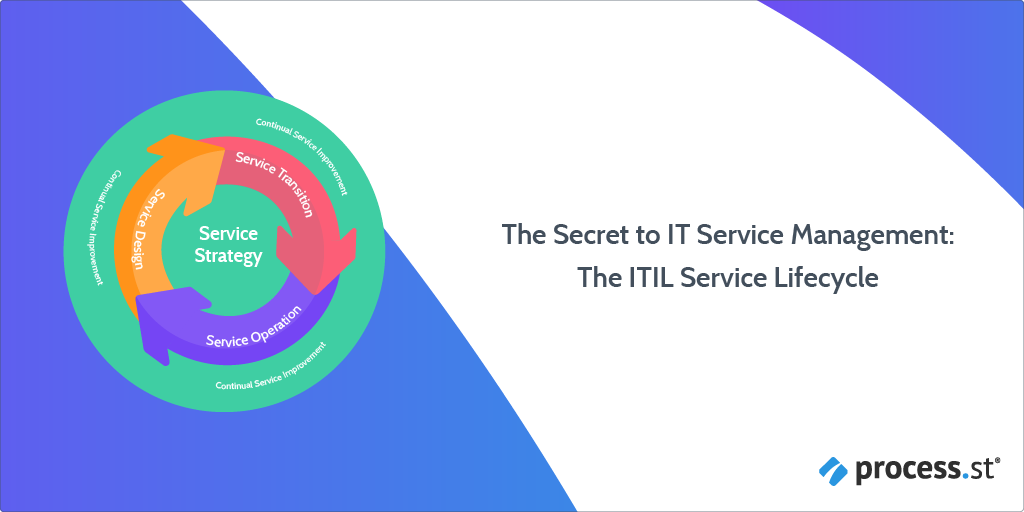
Implemented an IT service management system, like the ITIL Service Lifecycle.
Which, coincidentally, is what this post is all about.
By the time you’ve finished reading this Process Street article, you will have answers to the following questions:
Anastasia Stefanuk is a passionate writer and a marketing manager at Mobilunity. The company provides professional staffing services, so she is always aware of technology news and wants to share her experience to help tech startups and companies to be up-to-date.
As a business person or a person who owns a computer, how prepared are you in protecting yourself against data loss?
If you lost all of your important files and memorable photos, do you think you would be able to run data recovery to reclaim them?
Data recovery is the process of salvaging lost data from either a secondary storage system, removable media or files.
In this digital era, data has been classified as the new “oil”. In the business world, data is the driving force behind innovation, competition, productivity, and improvement of core operations. Likewise, governments all over the world require data to make vital decisions that will affect their populace.
With that in mind, the convergence of data streaming from billions of mobile phones, digital platforms, virtual-reality applications, and wireless sensors, continue to pile up with each passing day. In fact, it is estimated that the amount of electronic data in existence today is 2.7 zettabytes. This number is expected to grow to 175 zettabytes by 2025.
This presents a humongous challenge in managing and ensuring that such a large amount of data is secure. In addition, the looming question in many people’s minds is; what would happen if all this data magically disappeared? Would the world come to a standstill or are there backup mechanisms where it can be retrieved later?
In this article, Process Street will expound on the main causes of data loss, the importance of backing it up, and tips on how you can successfully run data recovery processes.
This article has been broken down into the following sections.
Hacking is constantly misunderstood in pop culture.
From an 11-year-old crashing Wall Street and flying through 3D landscapes in Hackers to “hacking” an entire city in Watch Dogs, it’s easy to see why it’s seen as an extreme and dangerous hobby to have.
In reality, there are plenty of “white-hat” (well-intentioned) hackers who help companies to identify security weaknesses in their programs through bug bounties.
So, to de-mystify the air around bug bounty programs and white-hat hacking, this post will show you:
What bug bounties are
How you can start earning money through them
What to consider when setting up your own bug bounty program
20 examples of top bug bounty programs you can take inspiration from or take part in yourself
There are so many layers to a modern support team.
Some companies will have countless reps working hard each day to champion the customer and empower them to do what they need to do.
On top of that, you might have members of the support team who double up as part of the product design team; looking for niche use cases or areas where customers don’t find the product intuitive.
Support teams may even have specialized roles which look to help customers achieve certain business goals, rather than just guidance with the software.
In this Process Street article, we’re going to look at one of the unsung specialists of the modern age: the customer support engineer.
With the rise of SaaS products particularly, the customer support engineer has become a meeting point for customers, sales, design, and development.
A Jack or Jill of all trades!
We’re going to explore exactly what a customer support engineer is, what they do, and when or why you might need one!
Being secure online is of greater and greater importance. As businesses operate almost entirely online and sensitive information finds itself living full time in the cloud, we have to make sure we have appropriate measures in place to keep information safe.
One tried and tested way of promoting security is the use of failsafes in login systems. This is what’s referred to as Two Factor Authentication (2FA) or Multi Factor Authentication (MFA).
This means that someone could get hold of your email and password, yet your data is still kept safe.
Whether you’re already familiar with the terminology or not, you’re certainly familiar with the concept.
Only 9% of information security professional believe their organization has effective incident response processes. The biggest issue? Well, you’re reading Process Street so you probably guessed it: the lack of standardization. Almost half of the respondents to the SANS Incident Response Survey said that their lack of a formal incident response procedure was holding them back and causing security issues.
It’s not even like preparing for serious security incidents is wasted time or that you’d be going overboard with precautions; 61% of companies have experienced critical incidents in the last two years — that includes data breaches, unauthorized access, and denial of service attacks.
TechMD is an award-winning IT solutions firm specializing in strategic consulting and managed services. To help TechMD manage cybersecurity operations and client workloads, the company turned to Process Street to facilitate the necessary process management efforts.
We spoke with company President Sebastian Igreti about TechMD’s experience of Process Street.
Optional cookies and similar technologies support analytics, advertising and visitor identification, and embedded content. Change or withdraw consent in Cookie settings. Cookie policy.









 There are so many layers to a modern
  Being secure online is of greater and greater importance. As businesses operate almost entirely online and sensitive information finds itself living full time in the cloud, we have to make sure we have appropriate measures in place to keep information safe.