All posts by Benjamin Brandall

How to Move from Business Analyst to Business Architect

As an analyst, you spend your day designing your organization’s processes, measuring their performance and ironing out the fine details. You focus on the “how”. You’re very good at it, but maybe you’re more interested in the “what”? If you want to move past the nitty-gritty of processes and devise end-to-end models and strategies instead, then you’re looking make the leap to business architect.

The necessity of architects is a byproduct of digital transformation.

There’s a growing need for talented pros who can reduce complexity, establish solid technology processes and ensure tech’s used consistently across business units and functional areas.” — Sharon Florentine, CIO

What is a business architect?

As a business architect, you will design the structure of the business as a whole by looking broadly at systems design and requirements. Your aim is to improve the business’ operations in line with goals and strategy. Architects do this by theorizing and testing the components of a system (the technology, the flow of work, the deliverables) and overseeing the implementation of the systems by someone in a business analyst role.

Continue Reading

How A-Team Lending Made Employee Onboarding Paperless with Process Street

The A-Team Lending is a California-based mortgage broker with over a dozen full-time employees and 20 commissioned salespeople. The A-Team hired process consultant Cary Wan to handle their marketing and improve their business systems

Within the first month Cary has already managed to fully automate a large chunk of their HR systems which would otherwise require them to cover at least $30,000 extra in staffing costs to do manually.

A-Team Lending is rapidly scaling up and adding new salespeople to its team. This level of growth drove the firm to make big changes to the way they approach the onboarding process.

Why the A-Team needed Process Street

Instead of bogging the new hire down in a stack of forms to scan, sign and print, Cary uses Process Street as a trigger for form automation, allowing both him and his new hires to save hours per week on repetitive data entry.

Continue Reading

How to Create an Efficient Incident Response Plan (Including a 17-Step Checklist)

Benjamin Brandall March 28, 2018
IT

Only 9% of information security professional believe their organization has effective incident response processes. The biggest issue? Well, you’re reading Process Street so you probably guessed it: the lack of standardization. Almost half of the respondents to the SANS Incident Response Survey said that their lack of a formal incident response procedure was holding them back and causing security issues.

It’s not even like preparing for serious security incidents is wasted time or that you’d be going overboard with precautions; 61% of companies have experienced critical incidents in the last two years — that includes data breaches, unauthorized access, and denial of service attacks.

Continue Reading

The Myth Behind Loading Times: Software’s Most User-Friendly Lie

Staring at the tiny LCD progress bar of the vending machine in a lobby, I realize nothing pisses us off more than indefinite waiting times. Especially people waiting for their coffee, their cheap flight comparisons, or their computer to finish doing whatever it’s doing.

Since the creation of software, there has always been loading times. An early example comes from Bob Stahl’s way-ahead-of-its time article in February 1986’s Computerworld.

Continue Reading

How to Write a Cold Email: 10-Point Checklist for Sales Emails That Convert

The following is a guest post from Forster Perelsztejn. As content marketer, Forster gathers sales data at Prospect.io in order to deliver powerful and insightful advice to salespeople. Check out his Top 10 Cold Email Templates Based on 3,327,652 Emails Sent! and connect with him on LinkedIn.

An essential part of my job at Prospect.io is to help customers craft cold emails that actually get replies. Why is that? Because cold email brings business in!

Yet, you’d be surprised at how many of those emails are poorly written. Most of the ones I get are a cringefest even though they were sent by professional salespeople. For that reason, I feel it’s essential to spread the word about cold email best practices.

Use this 10-point checklist below to optimize your sales emails to make it more likely you’ll get results. After all, only around 1.7% of cold emails get a reply…
Continue Reading

The Psychology of Processes: How to Work with Imperfect Humans

Humans are responsible for 70% of airplane crashes, 90% of car wrecks, and 90% of workplace accidents.

But people are also a core part of business. The same factors that make humans irreplaceable — nuanced judgement, emotion, and creativity — also make humans a pain to manage.

You don’t get these problems with computers, but computers are also dumb. Mostly too dumb to carry out processes without human intervention.

Humans are the chaotic variables in your processes. Humans make spelling errors in your marketing emails, create security risks in your software, and forget pretty much anything that isn’t written down.

And it’s because of human error that businesses need processes.

Continue Reading

Robotic Process Automation and the Death of Data Entry

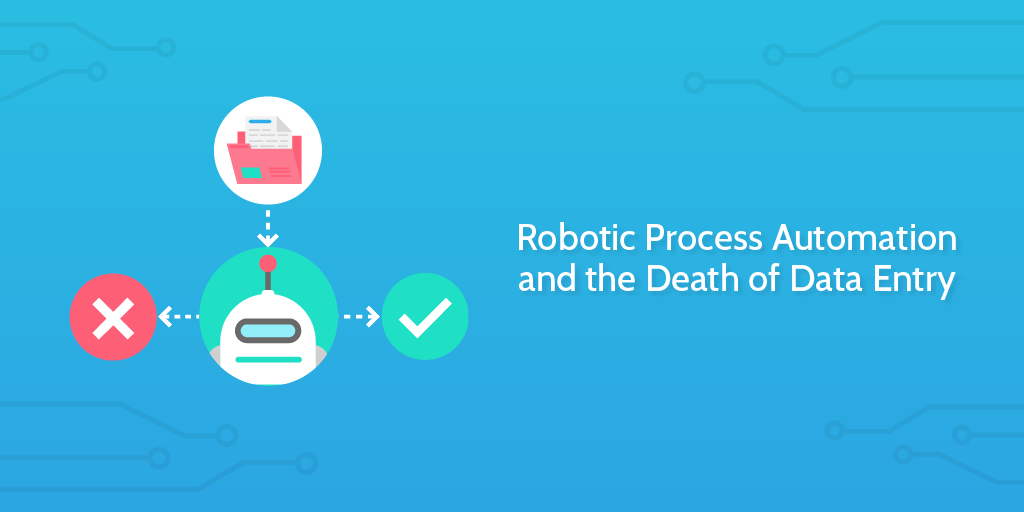
In 2014 an employee at Xchanging named Amanda Barnes created a software robot she called “Poppy”.

Poppy’s job was to help automate the tedious task of validating insurance premiums — something which could be easily done by a computer if it was fed structured data.

Before Xchanging built Poppy the robot, they were processing 500 premiums every few days. With Poppy, the same 500 items take just 30 minutes to process.

Rather than kicking Poppy out of the office in case she starts taking jobs, the Xchanging team welcomed her warmly because she saved them from laborious, mechanical work.

Continue Reading

Free Small Business Software: 34 Powerful Tools to Try

The average business’ software spend has been on the rise for years now, with small and medium businesses spending a higher percentage of revenue on software than enterprises.

The average midsized company spends $13,100 per employee on IT. With some smart alternatives (and not relying on the same vendors as always), companies can cut this cost massively. In fact, in a 2017 post about the minimum viable software stack for a 10 person startup, I calculated an option that cost just $260/user/year.

That post touched on just some of the free tools small businesses need, but here I aim to cover the topic much more widely, and look at:

  • Office suites
  • Workflow tools
  • Internal email tools
  • Project management tools
  • Marketing automation tools
  • Team communication tools
  • Accounting software
  • Payroll tools
  • Cloud storage
  • CRMs
  • Database management tools
  • Software development tools

Let’s go!
Continue Reading

How to Create a Style Guide to Improve Business Consistency (with 8 Examples)

To understand the value of a style guide, you should first try working without one.

You’d get the wrong blue on your logo, jarring copy, and code that can only be maintained by a lone developer.

Writers, editors, programmers, engineers, social media managers, and support agents all need an indication of how their company wants to work, so they can ensure consistency.

The number one goal of a style guide is consistency.

Inconsistency weakens your brand image, makes your company look unprofessional, and hurts conversion rate and revenue. Once you’ve settled on your brand voice and style, the style guide is the document that enforces those values.

Continue Reading

How to Improve Your Employee Training Process to Reduce Turnover by 40%

employee training

No organization wants to keep an incompetent, untrained employee on its payroll.

That’s an obvious fact. However, the benefits of training are much greater than simply avoiding incompetence; trained employees are more productive, loyal, engaged, and profitable.

Those are nice sounding words, but what about the facts and figures?

Take a look:

Continue Reading

Take control of your workflows today